Muse Image

Muse Image is Meta's flagship image generation model from Meta Superintelligence Labs. It is built for prompt-faithful image creation, precision editing, and multi-reference composition, with strong text rendering and the ability to refine existing photos through localized markup-based edits. Meta positions it as an agentic image model that plans layouts, uses search and coding tools to improve accuracy, blends multiple visual references intelligently, and handles both creative generation and practical visual tasks such as infographics, QR codes, restorations, product-style mockups, and photobomber removal.
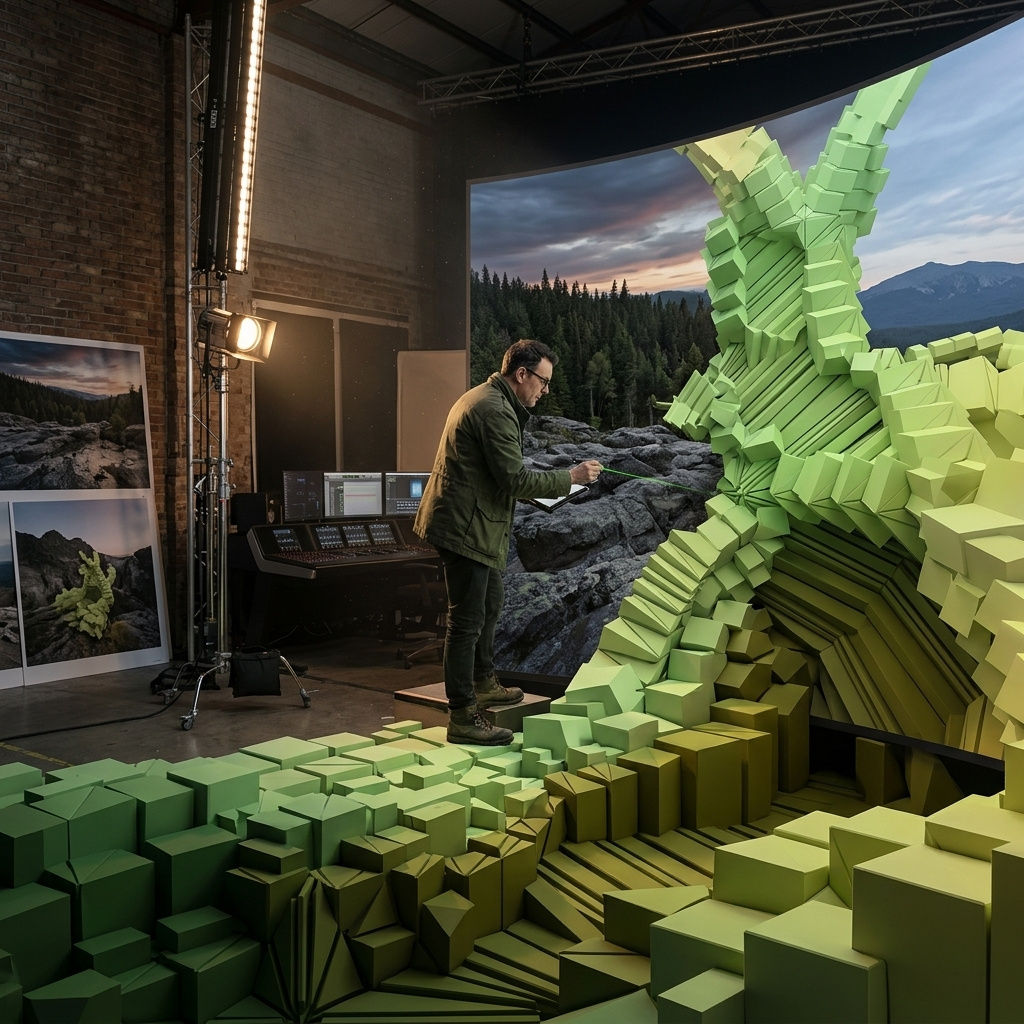
Composing with multiple reference images
How to build one image out of up to ten reference images with Muse Image: giving each reference a job in the prompt, and letting the references set the output shape.
Introduction
Muse Image accepts one to ten reference images in inputs.referenceImages and reads each one as a separate ingredient. A person in one, a garment in another, a product, a room, a rendering style. The prompt then assigns each of them a job in the finished frame, and the model plans a layout that fits them together.
The model redraws every element into a single new image rather than cutting the references out and pasting them together, which is why the lighting and the perspective already agree when the result comes back. A packshot lit flat in a studio lands in a daylit interior wearing that interior's light.
The hero below is a campaign frame for a clothing label, assembled from four separate studio shots: the model, the coat, the tote, and an empty gallery set. None of the four were photographed together.

The woman from the first image, wearing the quilted olive-green puffer coat from the second image over her white t-shirt and indigo jeans, carrying the tan leather tote from the third image in her right hand, standing in the empty gallery interior from the fourth image beside the blank white partition with the full-height window behind her. Full-length editorial campaign frame, camera at chest height, soft north daylight falling across the polished concrete, shallow depth of field on the far wall.
- Model
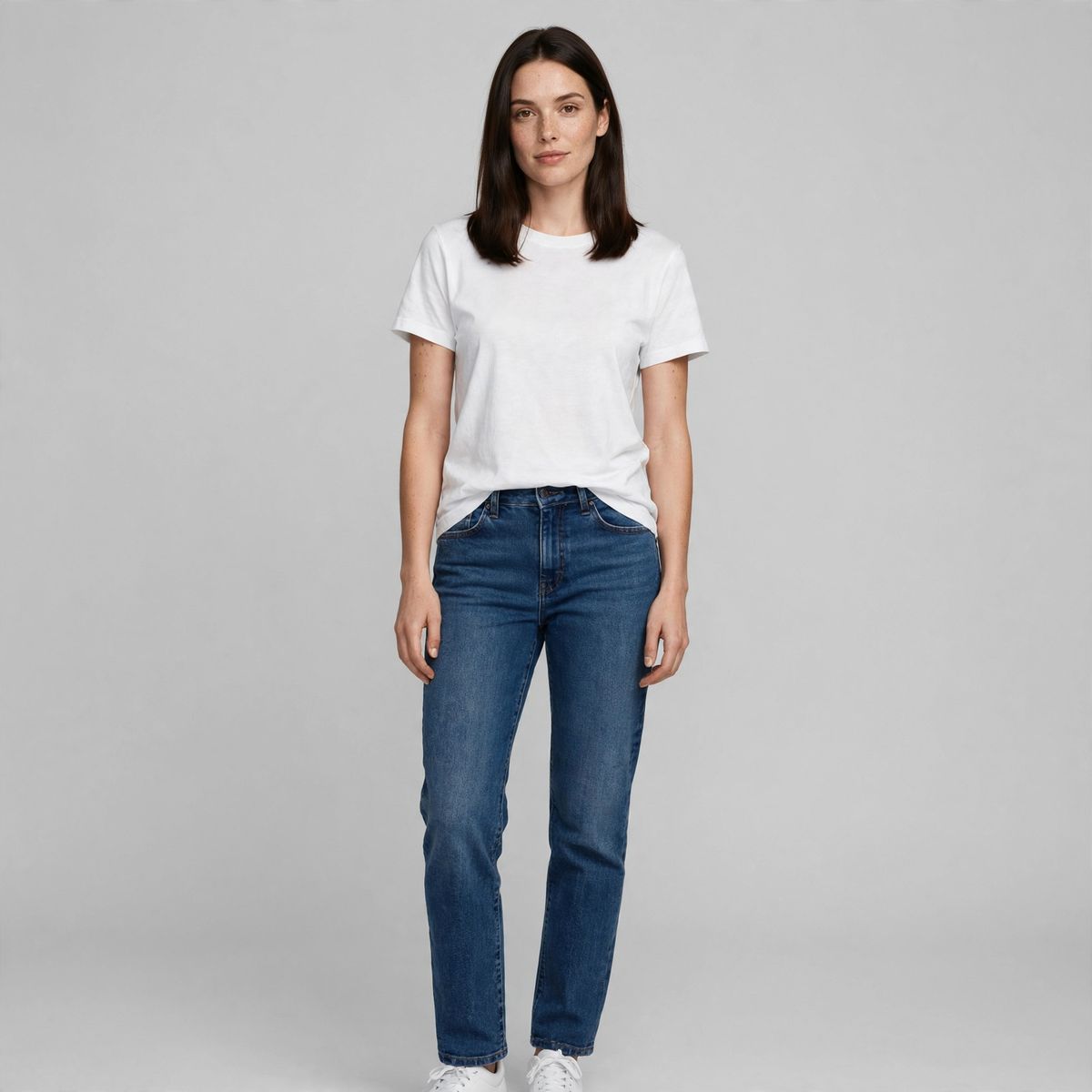
A full-length studio photograph of a woman in her late twenties with straight shoulder-length dark brown hair, standing relaxed and facing the camera, wearing a plain white t-shirt and straight-leg indigo jeans, plain light grey seamless backdrop, soft even studio lighting, sharp photorealistic detail.
- Coat
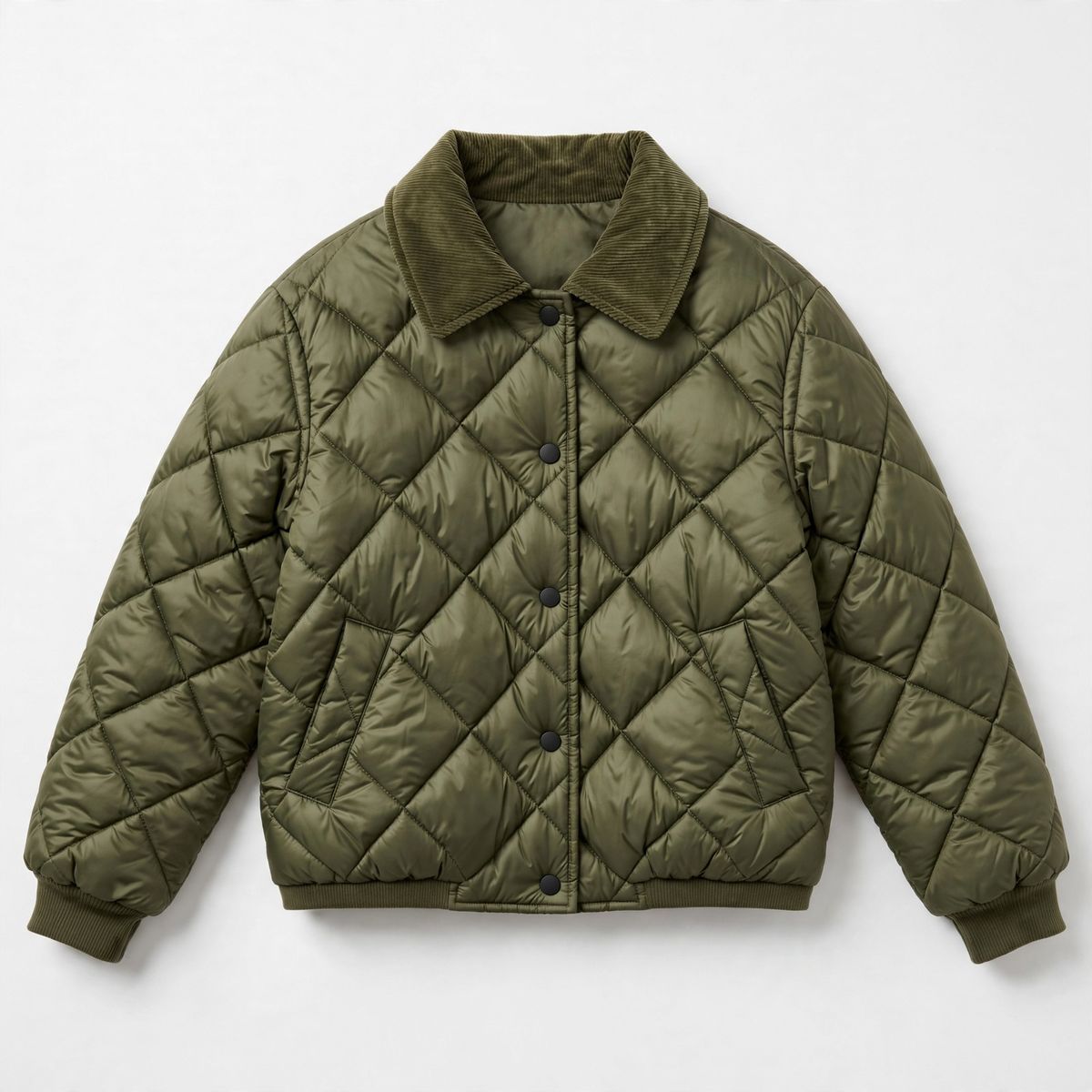
A flat-lay product photograph of a quilted olive-green cropped puffer coat with a corduroy collar and matte black snap buttons, laid flat and centred on a plain white background, soft even studio lighting, sharp e-commerce product photography.
- Tote
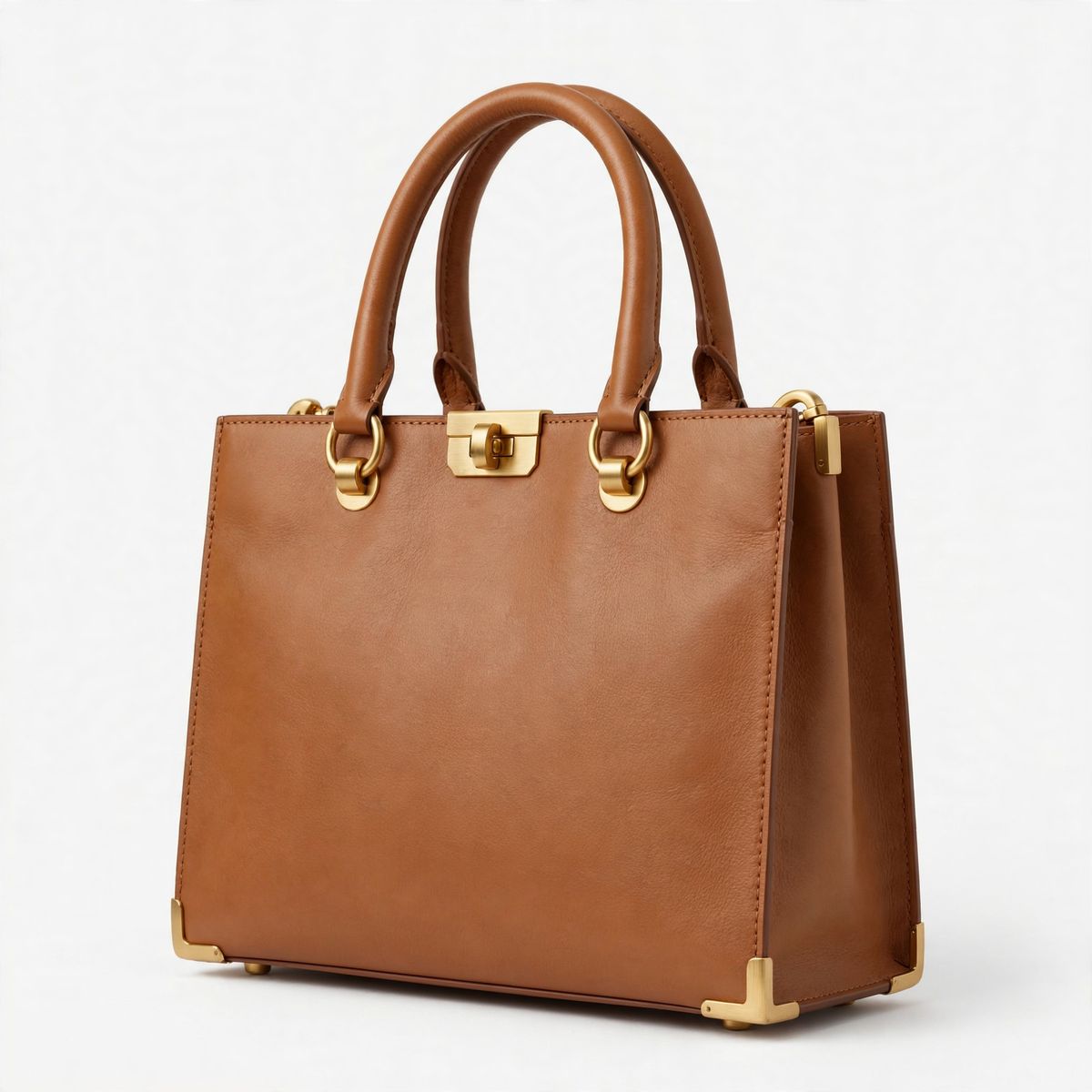
A studio product photograph of a structured tan leather tote bag with rolled top handles and brushed gold hardware, standing upright three-quarter view on a plain white background, soft even studio lighting, sharp e-commerce product photography.
- Gallery
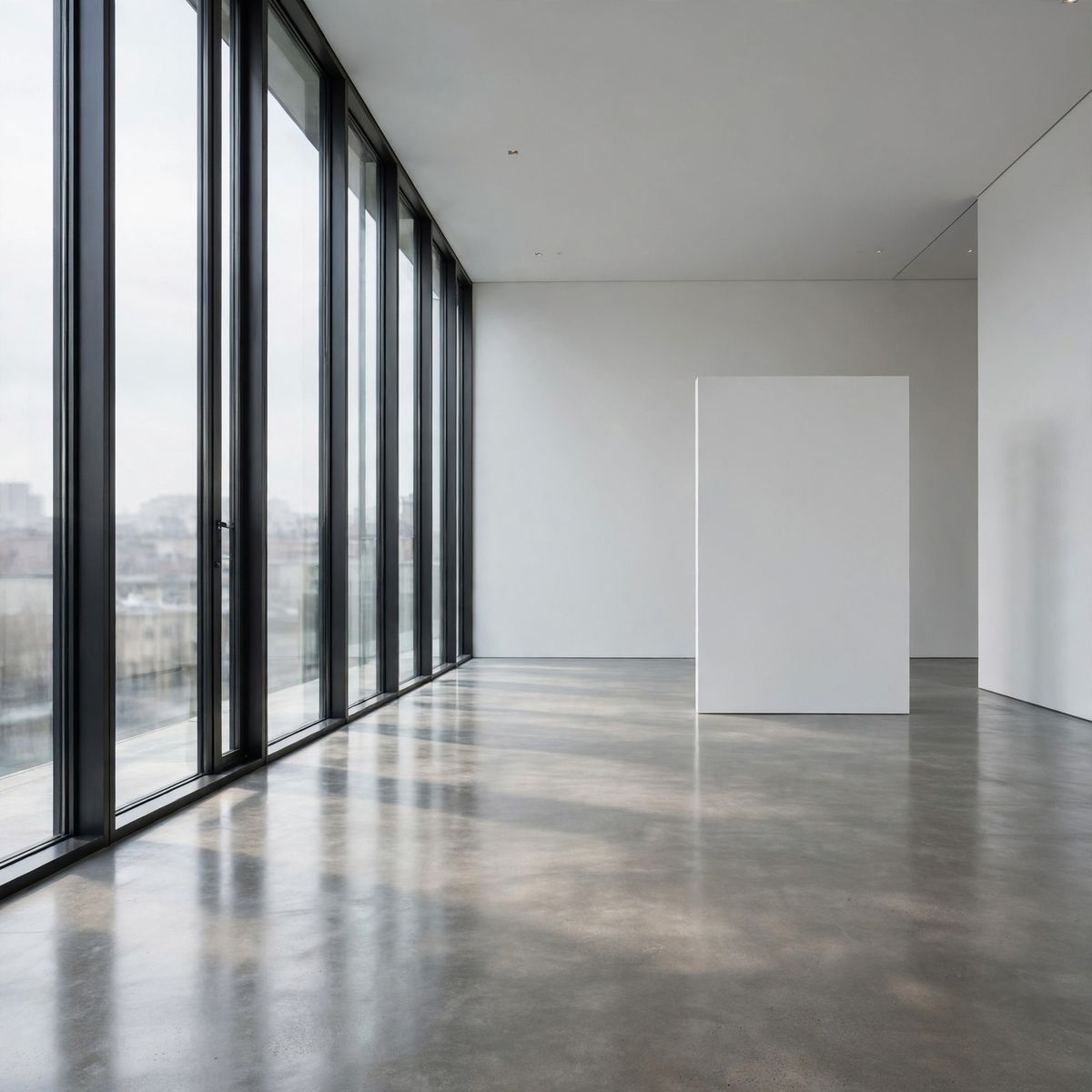
A photograph of an empty modern gallery interior, polished concrete floor, tall white walls with a single blank partition, a full-height window along one side throwing soft north daylight across the floor, no artwork and no people, photorealistic architectural photography.


The coat keeps its quilting and its olive dye while the tote keeps its brushed hardware, and both are redrawn onto the model at the right scale in the gallery's soft north daylight. Her pose is new, and so is the way the coat falls open over the t-shirt.
This guide covers the request shape, writing a prompt that keeps ten references straight, how many to send, why the arrangement moves between runs, how to hold a character across a series, and what resolution does with the input's shape.
Request shape
A composition request is a positivePrompt and an inputs.referenceImages array. Each entry is a URL, a UUID from an earlier Runware task, a data URI, or raw base64, and the array holds one to ten of them. Sizing is the only other decision: width with height from the model's eight fixed pairs, or no size at all.
import { createClient } from '@runware/sdk'

const client = await createClient({ apiKey: process.env.RUNWARE_API_KEY })
await client.connect()

const [result] = await client.run({
  model: 'meta:muse@image',
  positivePrompt: 'The woman from the first image, wearing the quilted olive-green puffer coat from the second image over her white t-shirt and indigo jeans, carrying the tan leather tote from the third image in her right hand, standing in the empty gallery interior from the fourth image beside the blank white partition with the full-height window behind her. Full-length editorial campaign frame, camera at chest height, soft north daylight falling across the polished concrete, shallow depth of field on the far wall.',
  inputs: {
    referenceImages: [
      'https://im.runware.ai/image/os/a14d18/ws/2/ii/aabb1122-3344-5566-7788-99aabbccddee.jpg',
      'https://im.runware.ai/image/os/a14d18/ws/2/ii/bbcc2233-4455-6677-8899-aabbccddeeff.jpg',
      'https://im.runware.ai/image/os/a14d18/ws/2/ii/ccdd3344-5566-7788-99aa-bbccddeeff00.jpg',
      'https://im.runware.ai/image/os/a14d18/ws/2/ii/ddee4455-6677-8899-aabb-ccddeeff0011.jpg'
    ]
  },
  width: 1920,
  height: 1280
})
import asyncio
import os
from runware import Runware
async def main():
async with Runware(api_key=os.environ["RUNWARE_API_KEY"]) as client:
results = await client.run({
"model": "meta:muse@image",
"positivePrompt": "The woman from the first image, wearing the quilted olive-green puffer coat from the second image over her white t-shirt and indigo jeans, carrying the tan leather tote from the third image in her right hand, standing in the empty gallery interior from the fourth image beside the blank white partition with the full-height window behind her. Full-length editorial campaign frame, camera at chest height, soft north daylight falling across the polished concrete, shallow depth of field on the far wall.",
"inputs": {
"referenceImages": [
"https://im.runware.ai/image/os/a14d18/ws/2/ii/aabb1122-3344-5566-7788-99aabbccddee.jpg",
"https://im.runware.ai/image/os/a14d18/ws/2/ii/bbcc2233-4455-6677-8899-aabbccddeeff.jpg",
"https://im.runware.ai/image/os/a14d18/ws/2/ii/ccdd3344-5566-7788-99aa-bbccddeeff00.jpg",
"https://im.runware.ai/image/os/a14d18/ws/2/ii/ddee4455-6677-8899-aabb-ccddeeff0011.jpg"
]
},
"width": 1920,
"height": 1280
})
asyncio.run(main())curl https://api.runware.ai/v1 \
-H "Authorization: Bearer $RUNWARE_API_KEY" \
-H "Content-Type: application/json" \
-d '[
{
  "taskType": "imageInference",
  "taskUUID": "4c1e9b7a-2d3f-4a58-9e01-7b2c3d4e5f60",
  "model": "meta:muse@image",
  "positivePrompt": "The woman from the first image, wearing the quilted olive-green puffer coat from the second image over her white t-shirt and indigo jeans, carrying the tan leather tote from the third image in her right hand, standing in the empty gallery interior from the fourth image beside the blank white partition with the full-height window behind her. Full-length editorial campaign frame, camera at chest height, soft north daylight falling across the polished concrete, shallow depth of field on the far wall.",
  "inputs": {
    "referenceImages": [
      "https://im.runware.ai/image/os/a14d18/ws/2/ii/aabb1122-3344-5566-7788-99aabbccddee.jpg",
      "https://im.runware.ai/image/os/a14d18/ws/2/ii/bbcc2233-4455-6677-8899-aabbccddeeff.jpg",
      "https://im.runware.ai/image/os/a14d18/ws/2/ii/ccdd3344-5566-7788-99aa-bbccddeeff00.jpg",
      "https://im.runware.ai/image/os/a14d18/ws/2/ii/ddee4455-6677-8899-aabb-ccddeeff0011.jpg"
    ]
  },
  "width": 1920,
  "height": 1280
}
]'runware run meta:muse@image \
positivePrompt="The woman from the first image, wearing the quilted olive-green puffer coat from the second image over her white t-shirt and indigo jeans, carrying the tan leather tote from the third image in her right hand, standing in the empty gallery interior from the fourth image beside the blank white partition with the full-height window behind her. Full-length editorial campaign frame, camera at chest height, soft north daylight falling across the polished concrete, shallow depth of field on the far wall." \
inputs.referenceImages.0=https://im.runware.ai/image/os/a14d18/ws/2/ii/aabb1122-3344-5566-7788-99aabbccddee.jpg \
inputs.referenceImages.1=https://im.runware.ai/image/os/a14d18/ws/2/ii/bbcc2233-4455-6677-8899-aabbccddeeff.jpg \
inputs.referenceImages.2=https://im.runware.ai/image/os/a14d18/ws/2/ii/ccdd3344-5566-7788-99aa-bbccddeeff00.jpg \
inputs.referenceImages.3=https://im.runware.ai/image/os/a14d18/ws/2/ii/ddee4455-6677-8899-aabb-ccddeeff0011.jpg \
width=1920 \
height=1280{
"taskType": "imageInference",
"taskUUID": "4c1e9b7a-2d3f-4a58-9e01-7b2c3d4e5f60",
"model": "meta:muse@image",
"positivePrompt": "The woman from the first image, wearing the quilted olive-green puffer coat from the second image over her white t-shirt and indigo jeans, carrying the tan leather tote from the third image in her right hand, standing in the empty gallery interior from the fourth image beside the blank white partition with the full-height window behind her. Full-length editorial campaign frame, camera at chest height, soft north daylight falling across the polished concrete, shallow depth of field on the far wall.",
"inputs": {
"referenceImages": [
"https://im.runware.ai/image/os/a14d18/ws/2/ii/aabb1122-3344-5566-7788-99aabbccddee.jpg",
"https://im.runware.ai/image/os/a14d18/ws/2/ii/bbcc2233-4455-6677-8899-aabbccddeeff.jpg",
"https://im.runware.ai/image/os/a14d18/ws/2/ii/ccdd3344-5566-7788-99aa-bbccddeeff00.jpg",
"https://im.runware.ai/image/os/a14d18/ws/2/ii/ddee4455-6677-8899-aabb-ccddeeff0011.jpg"
]
},
"width": 1920,
"height": 1280
}Response
[
  {
    "taskType": "imageInference",
    "taskUUID": "4c1e9b7a-2d3f-4a58-9e01-7b2c3d4e5f60",
    "imageUUID": "7a8b9c0d-1e2f-4a3b-8c5d-6e7f8a9b0c1d",
    "imageURL": "https://im.runware.ai/image/os/a14d18/ws/2/ii/7a8b9c0d-1e2f-4a3b-8c5d-6e7f8a9b0c1d.jpg"
  }
]
Array order is what the prompt points at. "The first image" and "the second image" map to positions in inputs.referenceImages, so the order you send is the order you can refer to. Image tasks run synchronously, so the finished frame comes back on the same response.
positivePrompt runs to 200,000 characters, far more than a composition brief needs even at ten references. settings.thinkingLevel and the eight width and height pairs are covered in prompting Muse Image.
Muse Image can also fetch its own visual references from the web through settings.imageSearch, which is a different lever from this one. You pass the exact assets that have to appear, and image search fills in what a real product or place looks like when you have no asset for it. See grounded generation.
Giving each reference a job
A reference tells the model what an element looks like and nothing about what it is for. The prompt carries that part. Write one clause per reference that names the element, then says where it sits and what it is doing.
Each clause binds one reference to one job. The model never has to work out whether the tote belongs on a shoulder or on the floor, or which of the two flat product shots is the outerwear.
Index-only references get fragile as the array grows. "The fourth image" carries nothing the model can check against the pixels, so at six or eight references a mis-mapped clause is easy to land. Naming the thing instead, "the quilted olive coat", "the tan leather tote", gives the model a description it can match to the right reference. Carry both cues where it helps, "the coat in the second image", and they reinforce each other.
References cannot describe a relationship. Contact and position have to come from the prompt: carrying it in her right hand, resting against the wall behind her. Leave them out and the model picks an arrangement that is plausible without being yours.
A reference does not have to be an object either. Pass an illustration or a graded frame and describe it as the look to match, and it reads as a style reference rather than an ingredient. Say which one it is, because a photograph of a room is a location to one prompt and a colour palette to another. A wordmark you own travels the same way, as artwork to place rather than a string to spell, and the copy set around it is text in images.
How many references to send
Every reference you add takes one decision away from the model. At two references it is inventing most of the scene around your product. At six it is arranging your props instead of choosing its own.
The six below are a skincare brand's studio assets: the serum bottle, its carton, the refill pouch, a ceramic dish, a folded towel, and an empty travertine shelf.

A studio product photograph of a 30ml amber glass serum bottle with a matte white dropper cap and a minimal cream label, standing upright centred on a plain white background, soft even studio lighting, sharp e-commerce product photography.

A studio product photograph of a sage-green rectangular cardboard product carton with a debossed geometric leaf mark and small cream type, standing upright three-quarter view on a plain white background, soft even studio lighting, sharp e-commerce product photography.

A studio product photograph of a standing sage-green matte refill pouch with a small spout cap and a cream label, upright on a plain white background, soft even studio lighting, sharp e-commerce product photography.

A studio product photograph of a small round ribbed ceramic dish in warm off-white, empty, three-quarter view on a plain white background, soft even studio lighting, sharp e-commerce product photography.

A studio product photograph of a neatly folded ribbed cotton hand towel in oatmeal beige, stacked square, on a plain white background, soft even studio lighting, sharp e-commerce product photography.

A photograph of an empty pale travertine bathroom shelf against a warm off-white plaster wall, soft morning daylight from the left casting a gentle shadow, nothing on the shelf, photorealistic interior detail.
The same listing shot, composed from two of them, then four, then all six:

Stage a product photograph for a skincare listing: place the amber serum bottle from the first image standing on the empty travertine shelf from the second image, lit by the same soft morning daylight from the left. Straight-on product angle at shelf height, shallow depth of field, clean e-commerce styling.

Stage a product photograph for a skincare listing on the travertine shelf from the fourth image: the amber serum bottle from the first image standing at the centre, the sage-green carton from the second image standing upright just behind it to the left, and the ribbed ceramic dish from the third image resting to the right of the bottle. Soft morning daylight from the left, straight-on product angle at shelf height, shallow depth of field, clean e-commerce styling.

Stage a product photograph for a skincare kit listing on the travertine shelf from the sixth image: the amber serum bottle from the first image standing at the centre, the sage-green carton from the second image upright behind it to the left, the sage-green refill pouch from the third image standing to the right of the carton, the ribbed ceramic dish from the fourth image resting in front of the bottle, and the folded oatmeal towel from the fifth image stacked at the right end of the shelf. Soft morning daylight from the left, straight-on product angle at shelf height, shallow depth of field, clean e-commerce styling.
With the bottle and the shelf, the model fills the rest of the frame with props of its own choosing. Four references bring in the carton and the dish, and the styling starts to be the brand's rather than the model's. At six there is nothing left to invent except where each object sits and how it catches the light.
More references is not automatically better. Each one is another identity the model has to hold, and a reference with no clause in the prompt still competes for attention. Send the elements the shot needs and nothing else.
Composition reflows between runs
The model plans the layout before it renders, and it plans it again on every call. Two runs of the same request return two arrangements of the same elements. Objects move around the frame and the crop shifts. A subject can end up facing a different way. That is the model composing, not the model failing.
Both runs below took the same two references, a lamp packshot and an empty desk, under the same prompt:

A studio product photograph of a matte black articulated desk lamp with a brushed brass stem and a weighted round base, three-quarter view on a plain white background, soft even studio lighting, sharp e-commerce product photography.

A photograph of an empty light-oak home office desk against a warm white wall, a slim silver monitor at the back, a low-profile keyboard, a small stack of two hardback books, morning daylight from a window on the right, no lamp, photorealistic interior detail.

Place the matte black desk lamp from the first image onto the oak desk from the second image, switched on and lighting the desk surface, styled as a finished home-office workspace. Marketplace listing photograph, photorealistic, morning daylight.

Place the matte black desk lamp from the first image onto the oak desk from the second image, switched on and lighting the desk surface, styled as a finished home-office workspace. Marketplace listing photograph, photorealistic, morning daylight.
The lamp keeps its matte black shade and brass stem in both frames, and it lands in a different place on the desk each time, with a different amount of the room in shot.
Muse Image has no seed parameter, so a composition cannot be pinned and re-rendered exactly. The working pattern is to generate a batch and pick the frame you want rather than trying to reproduce one you already saw.
What you can control is how much room the model has to move things. A prompt that names the framing and where each element sits reflows inside a much narrower band than one that only lists the cast. "The lamp on the left of the desk, angled toward the keyboard, shot straight on at desk height" leaves far less open than "the lamp on the desk".
When the arrangement is already right and one detail is wrong, stop recomposing. Feed the result back in as a single reference and ask for that one change, which is editing images.
Holding a character across a series
An onboarding flow needs the same character on five screens, and a marketplace listing needs the same product in eight scenes. The reference is what holds the identity across those calls, and the prompt is what stops the description from drifting between them.
Two habits do most of the work. Repeat the identity wording verbatim in every prompt of the series, down to the hair, the glasses, the wardrobe, and the rendering style. A paraphrase between calls reads to the model as a change. And pass the environment as its own reference alongside the character, so the setting is pinned by an image instead of by adjectives that drift.
The character sheet below went into all three scenes:

A flat vector character sheet of the same woman drawn three times side by side, mid-thirties with dark curly shoulder-length hair, round tortoiseshell glasses, a mustard yellow cardigan over a white tee and dark green trousers, warm brown skin, shown standing front-on, in three-quarter view, and waving, clean thick outlines, flat colour fills, no gradients, plain cream background, modern app illustration style.

Draw the woman from the first image, mid-thirties with dark curly shoulder-length hair, round tortoiseshell glasses, a mustard yellow cardigan over a white tee and dark green trousers, standing in the kitchen from the second image pouring water from the kettle into a mug, seen three-quarter from the front. Clean thick outlines, flat colour fills, no gradients, modern app illustration style, exactly the same character design and line weight as the first image.

Draw the woman from the first image, mid-thirties with dark curly shoulder-length hair, round tortoiseshell glasses, a mustard yellow cardigan over a white tee and dark green trousers, sitting at the desk from the second image typing on the laptop, seen three-quarter from the front. Clean thick outlines, flat colour fills, no gradients, modern app illustration style, exactly the same character design and line weight as the first image.

Draw the woman from the first image, mid-thirties with dark curly shoulder-length hair, round tortoiseshell glasses, a mustard yellow cardigan over a white tee and dark green trousers, walking along the park path from the second image with a water bottle in one hand, seen three-quarter from the front. Clean thick outlines, flat colour fills, no gradients, modern app illustration style, exactly the same character design and line weight as the first image.
Each call carried this sheet and a flat background plate for that scene, under a prompt that repeated her description word for word. Her curls and the mustard cardigan survive the change of setting, and so does the line weight of the drawing. The pose and the props change with the scene.
For a photographic subject the same pattern works better with more than one view of the person. Two or three angles pin an identity that a single frontal shot leaves the model to invent from.
Sizing from the references
The output shape comes from one of two places. Pass width and height together from the model's eight fixed pairs, or leave the size out and let the references set the shape.
resolution takes one value, "2K", requires inputs.referenceImages and cannot be sent next to width or height. With references attached it returns the same shape as a request with no size.
A request with no size takes its aspect ratio from the input images, so the output comes back shaped like what you fed it. That shape is not limited to the eight pairs: two 2048 × 1152 references return a 2096 × 1184 frame. It is the shortcut for pipelines where the input aspect is whatever a seller or a creator uploaded, and mapping it onto a pair yourself would be work you don't need to do.
import { createClient } from '@runware/sdk'

const client = await createClient({ apiKey: process.env.RUNWARE_API_KEY })
await client.connect()

const [result] = await client.run({
  model: 'meta:muse@image',
  positivePrompt: 'The man from the first image wearing the dusty blue linen overshirt from the second image open over his grey t-shirt, standing against a plain warm-white studio backdrop. Full-length product-detail photograph for a clothing listing, camera at chest height, soft even studio light, sharp fabric texture on the linen.',
  inputs: {
    referenceImages: [
      'https://im.runware.ai/image/os/a14d18/ws/2/ii/eeff5566-7788-99aa-bbcc-ddeeff001122.jpg',
      'https://im.runware.ai/image/os/a14d18/ws/2/ii/ff006677-8899-aabb-ccdd-eeff00112233.jpg'
    ]
  }
})
import asyncio
import os
from runware import Runware
async def main():
async with Runware(api_key=os.environ["RUNWARE_API_KEY"]) as client:
results = await client.run({
"model": "meta:muse@image",
"positivePrompt": "The man from the first image wearing the dusty blue linen overshirt from the second image open over his grey t-shirt, standing against a plain warm-white studio backdrop. Full-length product-detail photograph for a clothing listing, camera at chest height, soft even studio light, sharp fabric texture on the linen.",
"inputs": {
"referenceImages": [
"https://im.runware.ai/image/os/a14d18/ws/2/ii/eeff5566-7788-99aa-bbcc-ddeeff001122.jpg",
"https://im.runware.ai/image/os/a14d18/ws/2/ii/ff006677-8899-aabb-ccdd-eeff00112233.jpg"
]
}
})
asyncio.run(main())curl https://api.runware.ai/v1 \
-H "Authorization: Bearer $RUNWARE_API_KEY" \
-H "Content-Type: application/json" \
-d '[
{
  "taskType": "imageInference",
  "taskUUID": "9b0c1d2e-3f4a-4b5c-8d6e-7f8a9b0c1d2e",
  "model": "meta:muse@image",
  "positivePrompt": "The man from the first image wearing the dusty blue linen overshirt from the second image open over his grey t-shirt, standing against a plain warm-white studio backdrop. Full-length product-detail photograph for a clothing listing, camera at chest height, soft even studio light, sharp fabric texture on the linen.",
  "inputs": {
    "referenceImages": [
      "https://im.runware.ai/image/os/a14d18/ws/2/ii/eeff5566-7788-99aa-bbcc-ddeeff001122.jpg",
      "https://im.runware.ai/image/os/a14d18/ws/2/ii/ff006677-8899-aabb-ccdd-eeff00112233.jpg"
    ]
  }
}
]'runware run meta:muse@image \
positivePrompt="The man from the first image wearing the dusty blue linen overshirt from the second image open over his grey t-shirt, standing against a plain warm-white studio backdrop. Full-length product-detail photograph for a clothing listing, camera at chest height, soft even studio light, sharp fabric texture on the linen." \
inputs.referenceImages.0=https://im.runware.ai/image/os/a14d18/ws/2/ii/eeff5566-7788-99aa-bbcc-ddeeff001122.jpg \
inputs.referenceImages.1=https://im.runware.ai/image/os/a14d18/ws/2/ii/ff006677-8899-aabb-ccdd-eeff00112233.jpg{
"taskType": "imageInference",
"taskUUID": "9b0c1d2e-3f4a-4b5c-8d6e-7f8a9b0c1d2e",
"model": "meta:muse@image",
"positivePrompt": "The man from the first image wearing the dusty blue linen overshirt from the second image open over his grey t-shirt, standing against a plain warm-white studio backdrop. Full-length product-detail photograph for a clothing listing, camera at chest height, soft even studio light, sharp fabric texture on the linen.",
"inputs": {
"referenceImages": [
"https://im.runware.ai/image/os/a14d18/ws/2/ii/eeff5566-7788-99aa-bbcc-ddeeff001122.jpg",
"https://im.runware.ai/image/os/a14d18/ws/2/ii/ff006677-8899-aabb-ccdd-eeff00112233.jpg"
]
}
}Response
[
  {
    "taskType": "imageInference",
    "taskUUID": "9b0c1d2e-3f4a-4b5c-8d6e-7f8a9b0c1d2e",
    "imageUUID": "2e3f4a5b-6c7d-4e8f-9a0b-1c2d3e4f5a6b",
    "imageURL": "https://im.runware.ai/image/os/a14d18/ws/2/ii/2e3f4a5b-6c7d-4e8f-9a0b-1c2d3e4f5a6b.jpg"
  }
]
Two 2:3 portrait references and no sizing fields in the request, and the result comes back portrait:

The man from the first image wearing the dusty blue linen overshirt from the second image open over his grey t-shirt, standing against a plain warm-white studio backdrop. Full-length product-detail photograph for a clothing listing, camera at chest height, soft even studio light, sharp fabric texture on the linen.
- Model
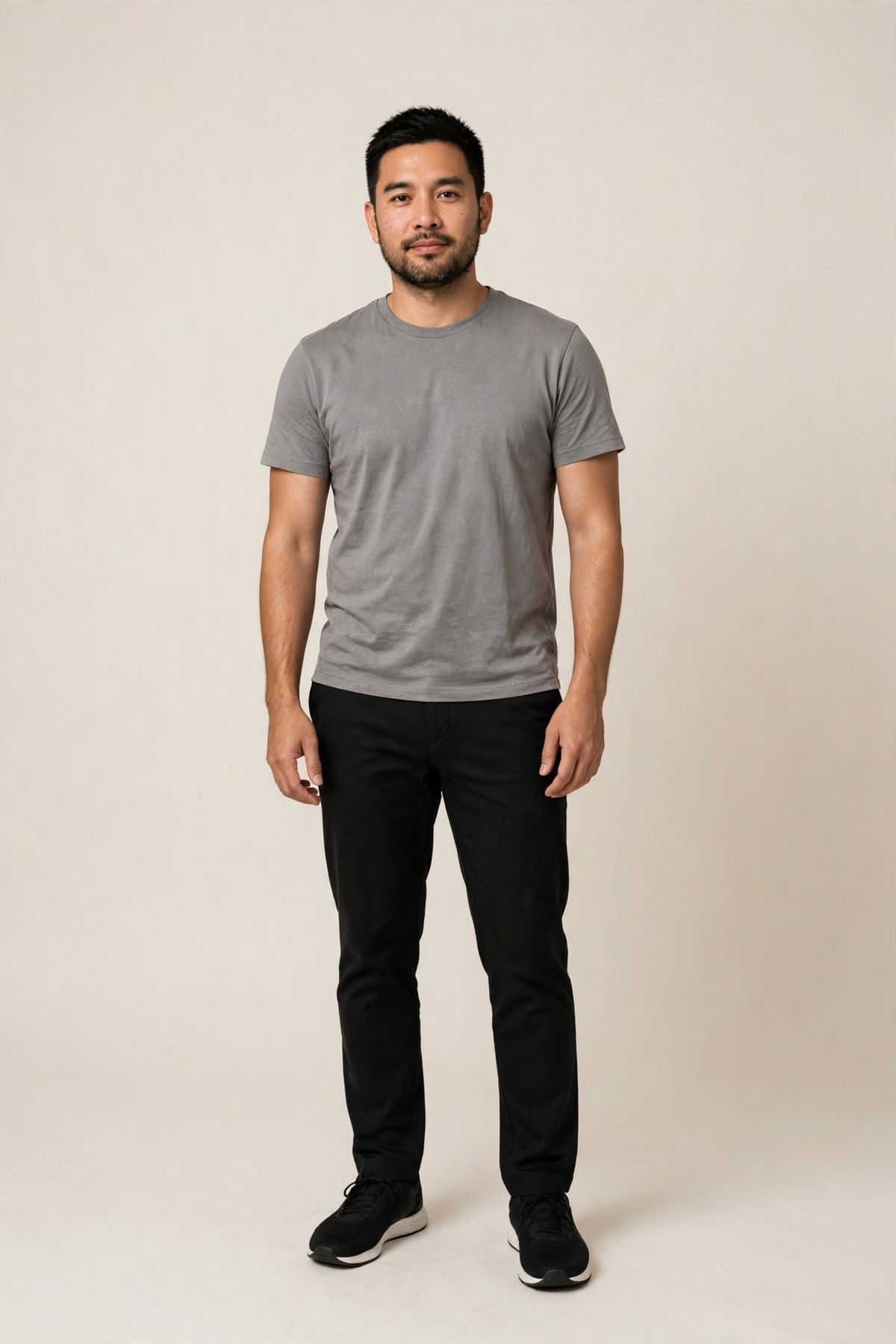
A full-length studio photograph of a man in his thirties with short black hair and a trimmed beard, standing relaxed facing the camera, wearing a plain grey crew-neck t-shirt and black trousers, plain warm-white seamless backdrop, soft even studio lighting, sharp photorealistic detail.
- Overshirt
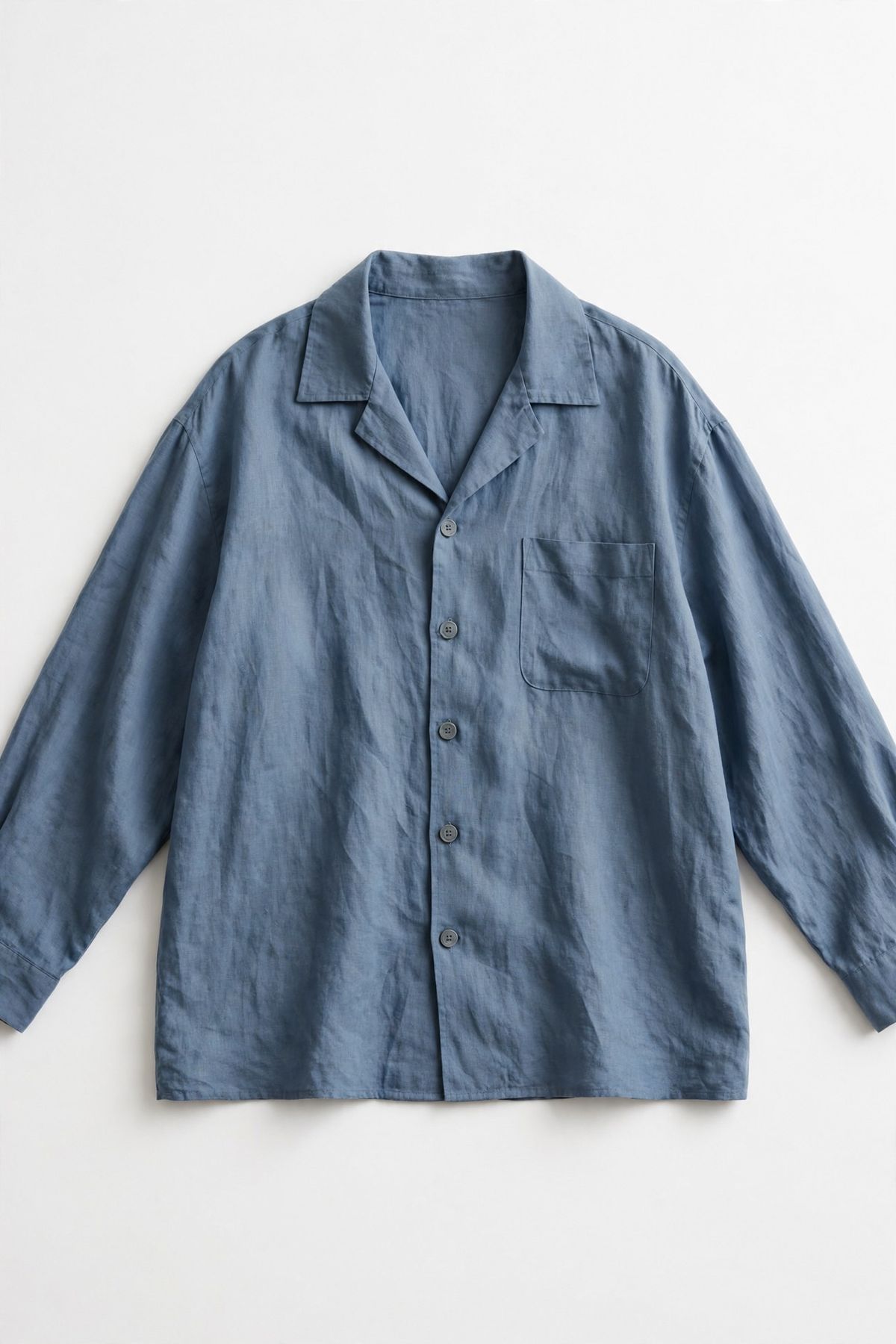
A vertical flat-lay product photograph of a relaxed-fit linen overshirt in dusty blue with a chest pocket and matte grey buttons, laid flat and centred on a plain white background, soft even studio lighting, sharp e-commerce product photography.


The same request shape with two 16:9 references returns a wide frame:

Stage a wide category banner for an outerwear collection: bring the chrome clothing rail and its wool overcoats from the second image onto the studio set from the first image, standing to the right of the oak bench, with two of the coats folded on the bench. Wide banner framing with clear empty space on the left, soft even studio light from the left, photorealistic.
- Studio set
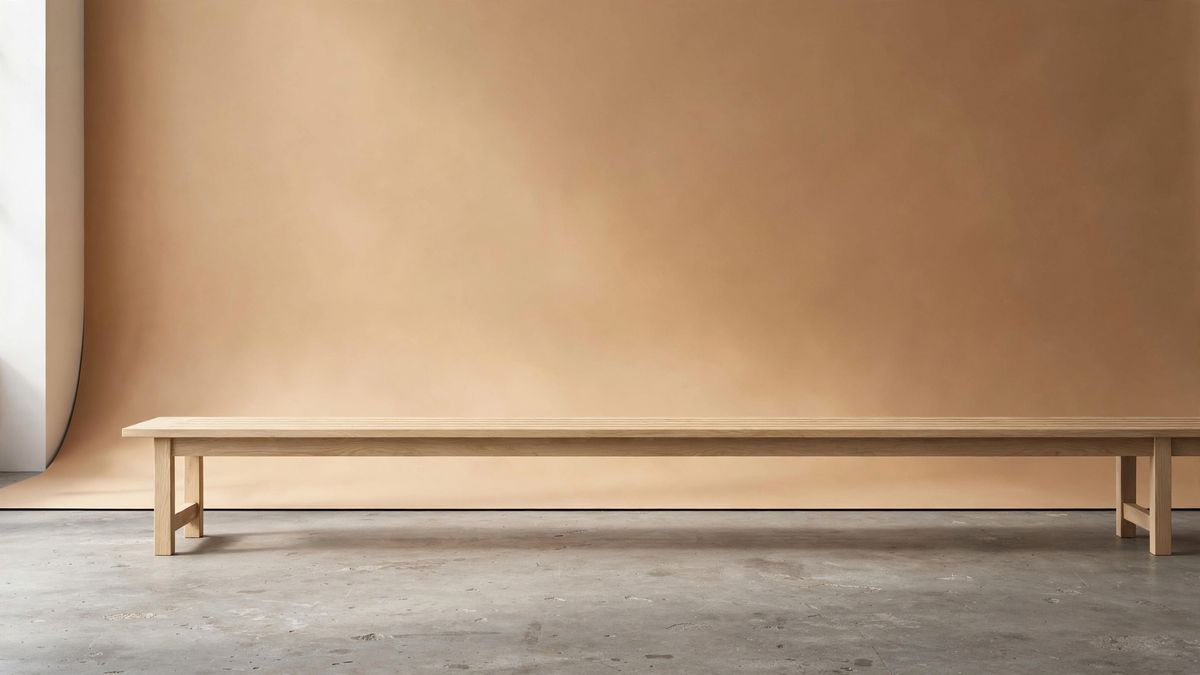
A wide photograph of an empty minimal studio set, a warm sand-coloured seamless backdrop with a long pale oak bench across the middle and a bare concrete floor, soft even studio lighting from the left, no people, photorealistic.
- Coat rail
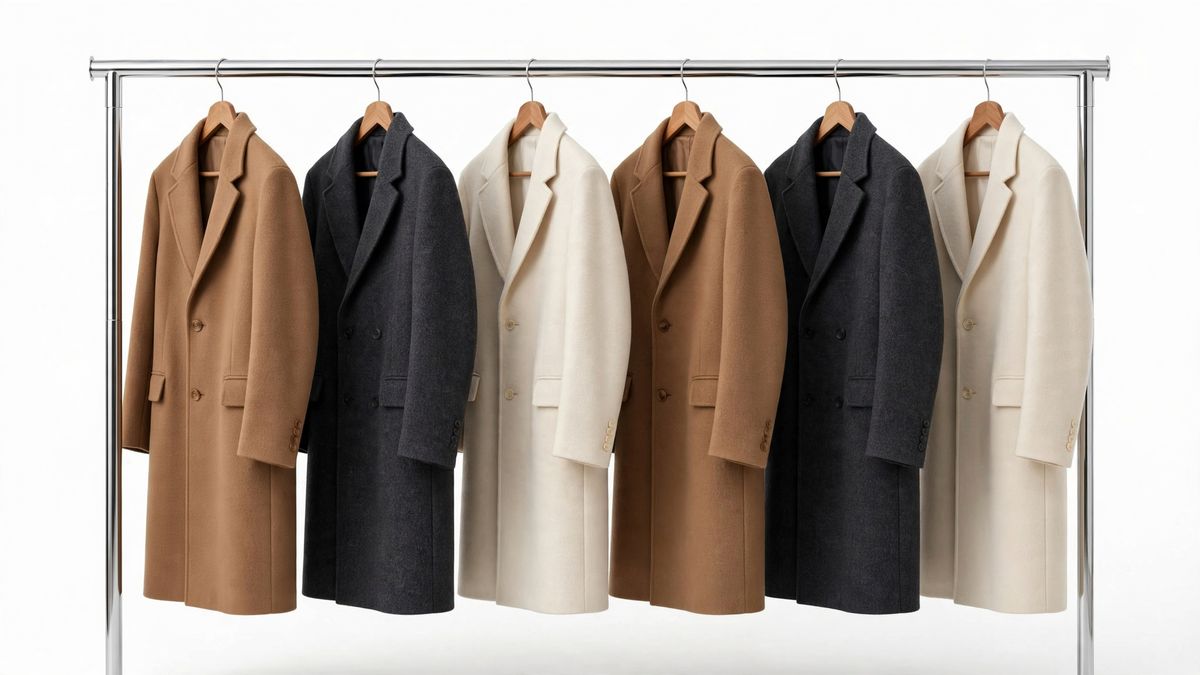
A wide photograph of a chrome clothing rail hung with six wool overcoats in camel, charcoal, and cream, evenly spaced on wooden hangers, plain white background, soft even studio lighting, sharp e-commerce product photography.


Mixed-shape references leave the outcome ambiguous. A square packshot next to a tall lifestyle photo gives the model no single input shape to inherit, so name width and height instead and get the frame you asked for.
width and height also reach what the references cannot: an output whose delivery slot is a different shape from the images you have. A generation with no references at all comes back at 1600 × 1600 unless you name a pair. All eight pairs are listed in the Muse Image reference.
Tips
-
Give every reference a clause. An image in the array with no job in the prompt is a variable rather than an ingredient. If you cannot say what it contributes, drop it.
-
Shoot references clean. A subject on a plain background composites more predictably than one already embedded in a busy scene, because the model has less to separate out first.
-
Name elements by description as well as by index. "The tan leather tote in the third image" survives a long array in a way "the third image" does not.
-
Direct the relationship, not just the cast. Contact and position live only in the prompt. References carry appearance.
-
Build hard composites in passes. Get two or three elements right, then feed that result back in as a single reference and add the next element. Ten references at once is harder than two passes of five.
-
Repeat identity wording verbatim across a series. Copy the character or product clause between prompts instead of rewriting it. Rewording is a change as far as the model is concerned.
-
Leave the size out when the references agree on a shape. When they disagree, or when the delivery slot has an aspect of its own, set
widthandheightfrom the eight pairs.