Image to video: Animating a still frame
How a still image becomes the first frame of a generated clip, what the frame decides, and what the prompt is left to decide.
Introduction
Image to video takes a frame and a description of what happens next, and returns a clip that begins on that frame. The image is not a reference the model consults for inspiration, it is the first frame of the result, and every frame after it is the model continuing from there.
The camera pushes in slowly on the charging case, the background falling gently out of focus
- First frame
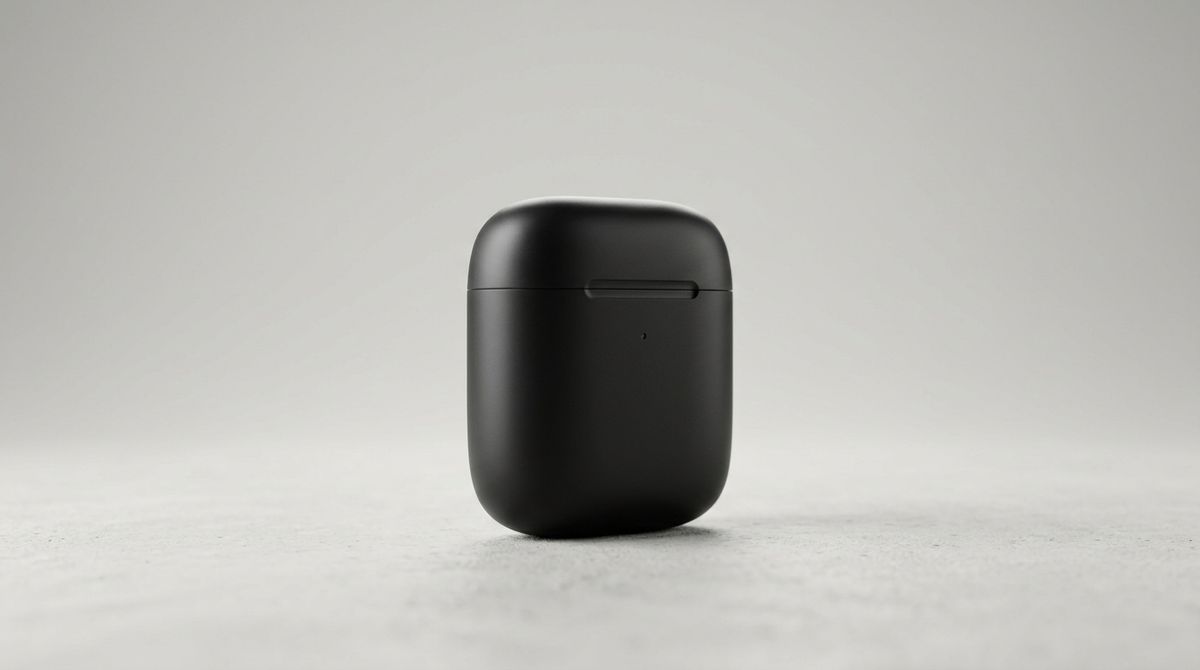
A matte black wireless earbuds charging case standing closed on a pale concrete surface, clean e-commerce packshot, soft studio key light from the left with a gentle falloff, neutral seamless background, shallow depth of field, photographed on a 50mm lens

How image-to-video works
A video model does not produce frames one after another. It shapes a latent volume: frames, height and width held together as a single tensor and denoised all at once.
Your image is encoded with the same VAE that handles stills, and the result is written into the first slice of that volume. That slice is then held fixed while everything else is denoised around it.
Most of what this technique does follows from that one arrangement:
- The subject, the framing, the light and the palette carry forward on their own. They are not copied from frame to frame. They were never generated at all, because the slice holding them was fixed before denoising began.
- Describing them differently does not override them. A prompt conditions what is still free to move, and that slice is not.
- The clip inherits the frame's shape. The slice and the volume have to agree, so the image decides the dimensions rather than the request.
A still carries everything except how any of it changes. It says nothing about what moves, how fast, or where the camera goes. That is the part of the volume left open, and it is what the prompt decides.
A prompt here is a description of change, not of content. "A black charging case on a concrete surface" names what the model can already see. "The case rotates slowly to show its side" names the one thing it is missing.
The clip above moves the camera and holds the scene still. Sent against the same frame, this prompt does the opposite and moves the subject instead. The case, the concrete and the light are identical in both because the frame fixed them.
The charging case rotates slowly on the spot, the camera stays locked off
Basic request example
The starting frame goes in inputs.frameImages, marked as the first frame. duration sets the length in seconds.
import { createClient } from '@runware/sdk'

const client = await createClient({ apiKey: process.env.RUNWARE_API_KEY })
await client.connect()

const [result] = await client.run({
  model: '<model-air>',
  positivePrompt: 'The camera pushes in slowly as the case rotates to show its side',
  duration: 5,
  resolution: '720p',
  inputs: {
    frameImages: [
      {
        image: 'a1b2c3d4-e5f6-4890-abcd-ef1234567890',
        frame: 'first'
      }
    ]
  }
})
import asyncio
import os
from runware import Runware
async def main():
async with Runware(api_key=os.environ["RUNWARE_API_KEY"]) as client:
results = await client.run({
"model": "<model-air>",
"positivePrompt": "The camera pushes in slowly as the case rotates to show its side",
"duration": 5,
"resolution": "720p",
"inputs": {
"frameImages": [
{
"image": "a1b2c3d4-e5f6-4890-abcd-ef1234567890",
"frame": "first"
}
]
}
})
asyncio.run(main())curl https://api.runware.ai/v1 \
-H "Authorization: Bearer $RUNWARE_API_KEY" \
-H "Content-Type: application/json" \
-d '[
{
  "taskType": "videoInference",
  "model": "<model-air>",
  "positivePrompt": "The camera pushes in slowly as the case rotates to show its side",
  "duration": 5,
  "resolution": "720p",
  "inputs": {
    "frameImages": [
      {
        "image": "a1b2c3d4-e5f6-4890-abcd-ef1234567890",
        "frame": "first"
      }
    ]
  }
}
]'runware run "<model-air>" \
positivePrompt="The camera pushes in slowly as the case rotates to show its side" \
duration=5 \
resolution=720p \
inputs.frameImages.0.image=a1b2c3d4-e5f6-4890-abcd-ef1234567890 \
inputs.frameImages.0.frame=first{
"taskType": "videoInference",
"model": "<model-air>",
"positivePrompt": "The camera pushes in slowly as the case rotates to show its side",
"duration": 5,
"resolution": "720p",
"inputs": {
"frameImages": [
{
"image": "a1b2c3d4-e5f6-4890-abcd-ef1234567890",
"frame": "first"
}
]
}
}The shorthand "frameImages": ["a1b2c3d4-…"] means the same thing, since an item that is a plain image is read as the first frame.
Key parameters
Frame images: The anchor
Each entry carries an image and the frame it occupies. A plain image with no position is read as the first frame.
inputs.referenceImages exists on many of the same models and means something different: a subject or a style to borrow from, not the frame to begin on. Of the models that take both parameters, roughly two thirds declare them mutually exclusive, and the rest accept the pair and use the reference to steer what the clip becomes. The frame itself always belongs in frameImages.
Dimensions: Inherited from the frame
Because the frame fixes a slice of the volume, the dimensions come from the image rather than from the request. Many models reject width and height outright while a frame is present, and the same models require them when there is no frame to measure.
Size the image to the shape you want before you send it. Where a model does accept dimensions alongside a frame, it is offering a crop or a fit rather than a free canvas.
Common use cases
Product motion from a packshot. A single hero shot becomes a rotation or a slow push-in, so a catalog of stills turns into a catalog of clips without reshooting anything.
Extending a still into a shot. An approved key frame, already signed off for color and composition, becomes the opening of a clip that keeps every one of those decisions. A property listing photograph turns into a walkthrough without anyone going back to the room.
Motion tests before a shoot. A rough frame answers what a move looks like on this subject, at a fraction of what it costs to find out on set.
Thin wisps of steam rise slowly from the surface of the coffee and drift to the right. The cup, the counter and the cloth stay completely still, and the camera is locked off
- First frame
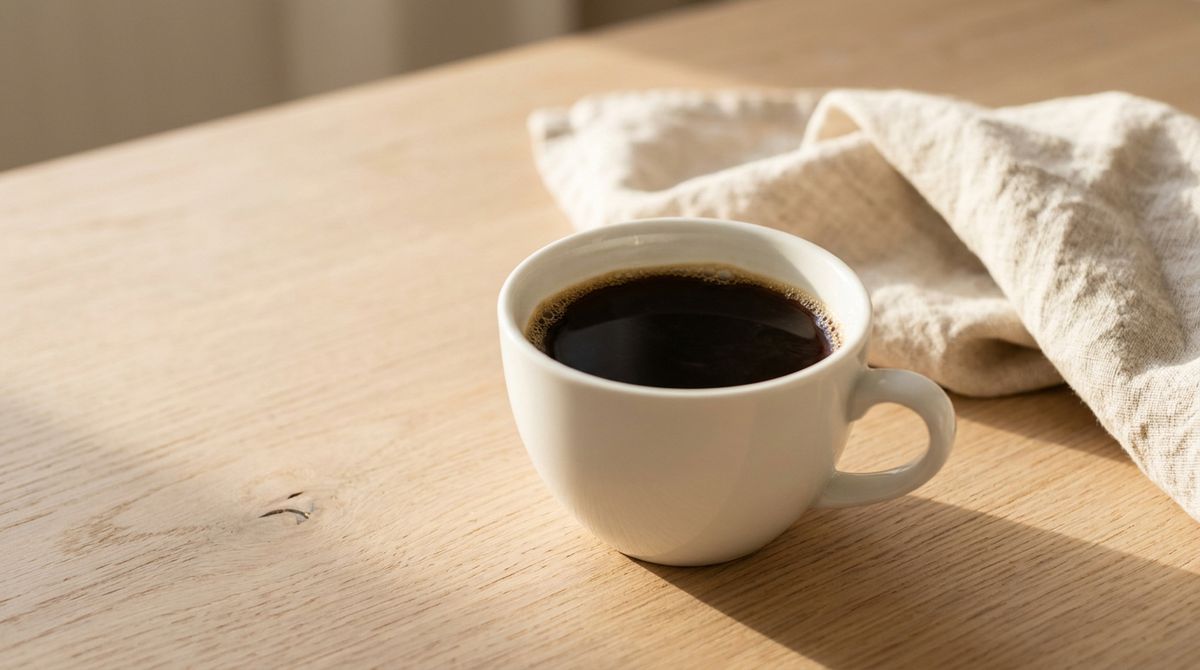
A white ceramic cup of black coffee on a pale oak counter, seen slightly from above at close range, a folded linen cloth behind it, warm morning light raking from the left, shallow depth of field, clean food photograph on a 50mm lens, no text and no branding

Advanced techniques
First frame and last frame
Most models accept a first and a last, and generate the motion that travels between them. Two slices are fixed instead of one and the denoising fills the span between them, so nothing new is switched on. What changes is the question: instead of asking what happens next, you fix both ends and ask how to get from one to the other.
import { createClient } from '@runware/sdk'

const client = await createClient({ apiKey: process.env.RUNWARE_API_KEY })
await client.connect()

const [result] = await client.run({
  model: '<model-air>',
  positivePrompt: 'The top flaps of the box fold open until the box stands open',
  duration: 5,
  resolution: '720p',
  inputs: {
    frameImages: [
      {
        image: 'a1b2c3d4-e5f6-4890-abcd-ef1234567890',
        frame: 'first'
      },
      {
        image: 'b2c3d4e5-f6a7-4901-bcde-f12345678901',
        frame: 'last'
      }
    ]
  }
})
import asyncio
import os
from runware import Runware
async def main():
async with Runware(api_key=os.environ["RUNWARE_API_KEY"]) as client:
results = await client.run({
"model": "<model-air>",
"positivePrompt": "The top flaps of the box fold open until the box stands open",
"duration": 5,
"resolution": "720p",
"inputs": {
"frameImages": [
{
"image": "a1b2c3d4-e5f6-4890-abcd-ef1234567890",
"frame": "first"
},
{
"image": "b2c3d4e5-f6a7-4901-bcde-f12345678901",
"frame": "last"
}
]
}
})
asyncio.run(main())curl https://api.runware.ai/v1 \
-H "Authorization: Bearer $RUNWARE_API_KEY" \
-H "Content-Type: application/json" \
-d '[
{
  "taskType": "videoInference",
  "model": "<model-air>",
  "positivePrompt": "The top flaps of the box fold open until the box stands open",
  "duration": 5,
  "resolution": "720p",
  "inputs": {
    "frameImages": [
      {
        "image": "a1b2c3d4-e5f6-4890-abcd-ef1234567890",
        "frame": "first"
      },
      {
        "image": "b2c3d4e5-f6a7-4901-bcde-f12345678901",
        "frame": "last"
      }
    ]
  }
}
]'runware run "<model-air>" \
positivePrompt="The top flaps of the box fold open until the box stands open" \
duration=5 \
resolution=720p \
inputs.frameImages.0.image=a1b2c3d4-e5f6-4890-abcd-ef1234567890 \
inputs.frameImages.0.frame=first \
inputs.frameImages.1.image=b2c3d4e5-f6a7-4901-bcde-f12345678901 \
inputs.frameImages.1.frame=last{
"taskType": "videoInference",
"model": "<model-air>",
"positivePrompt": "The top flaps of the box fold open until the box stands open",
"duration": 5,
"resolution": "720p",
"inputs": {
"frameImages": [
{
"image": "a1b2c3d4-e5f6-4890-abcd-ef1234567890",
"frame": "first"
},
{
"image": "b2c3d4e5-f6a7-4901-bcde-f12345678901",
"frame": "last"
}
]
}
}The four top flaps of the box fold outward and upward in one smooth movement until the box stands open. The box stays in exactly the same spot, the camera is locked off, and nothing else moves
- First frame
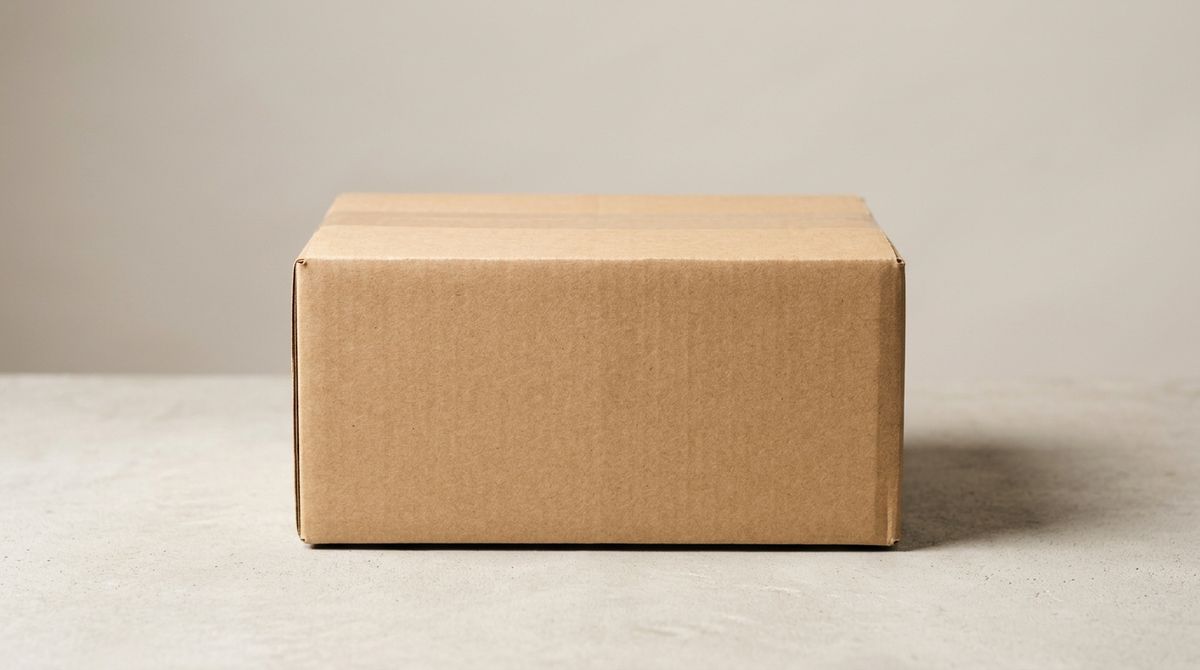
A plain kraft cardboard shipping box standing closed on a pale concrete surface, seen straight on at table height, no printing and no labels anywhere on it, soft studio light from the left, neutral seamless background, clean e-commerce photograph on a 50mm lens
- Last frame
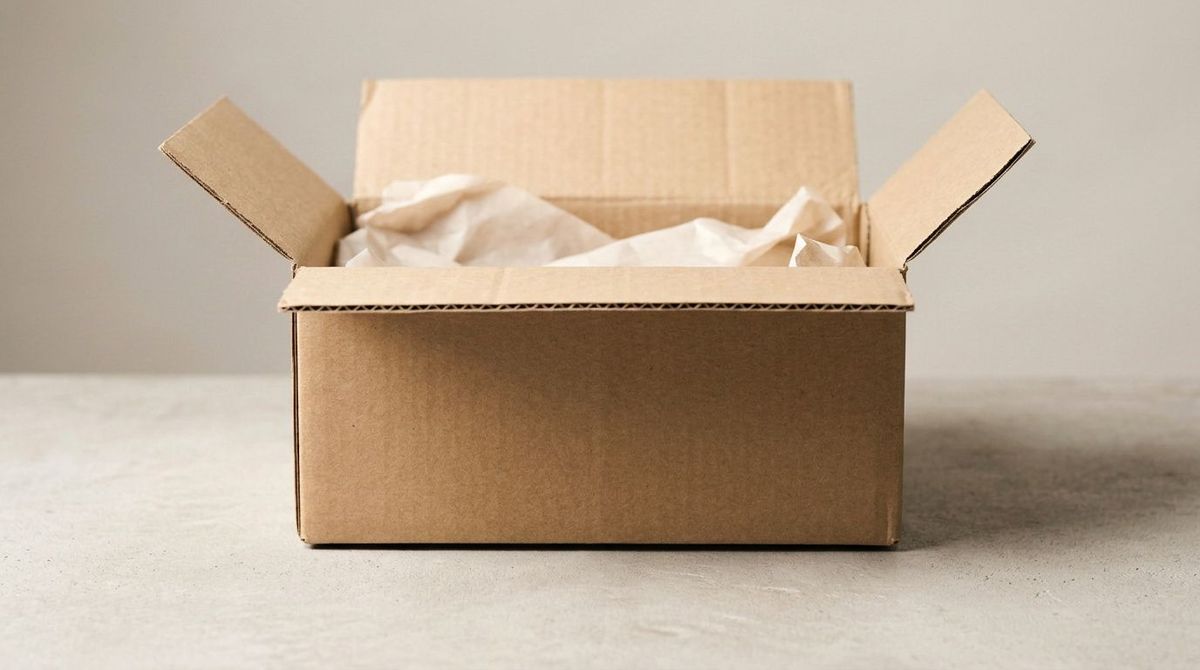
Open the four top flaps of the cardboard box so they stand upright and the inside of the box is visible, with pale tissue paper folded inside. Keep the same box in exactly the same spot on the same surface, with the same lighting, the same camera position and the same background.


The prompt still matters, but it is describing the route rather than the destination. The destination is already fixed by the last frame.
A few models go further and take a zero-based frame index in place of a named position, which turns the array into a short keyframe timeline.
Not every model takes both ends. Roughly a third of the video models that accept a frame take a first one only, and reject a last frame as a position they do not have. The model's API reference says which positions it accepts.
Chaining clips
The final frame of a finished clip can become the first frame of the next one, which is how a sequence longer than a model's maximum duration gets built. That maximum is the size of volume the model was trained to denoise, so chaining is the way around a limit that lives in the tensor rather than in the request. Extract the last frame, send it back as a first entry in frameImages, and the subject and the light carry across the join.
The shot below runs for ten seconds on a model that generates five at a time. It is two clips played back to back, and the two frames beside it are what opened each one: the photograph for the first, and the last frame of that first clip for the second.
- First frame
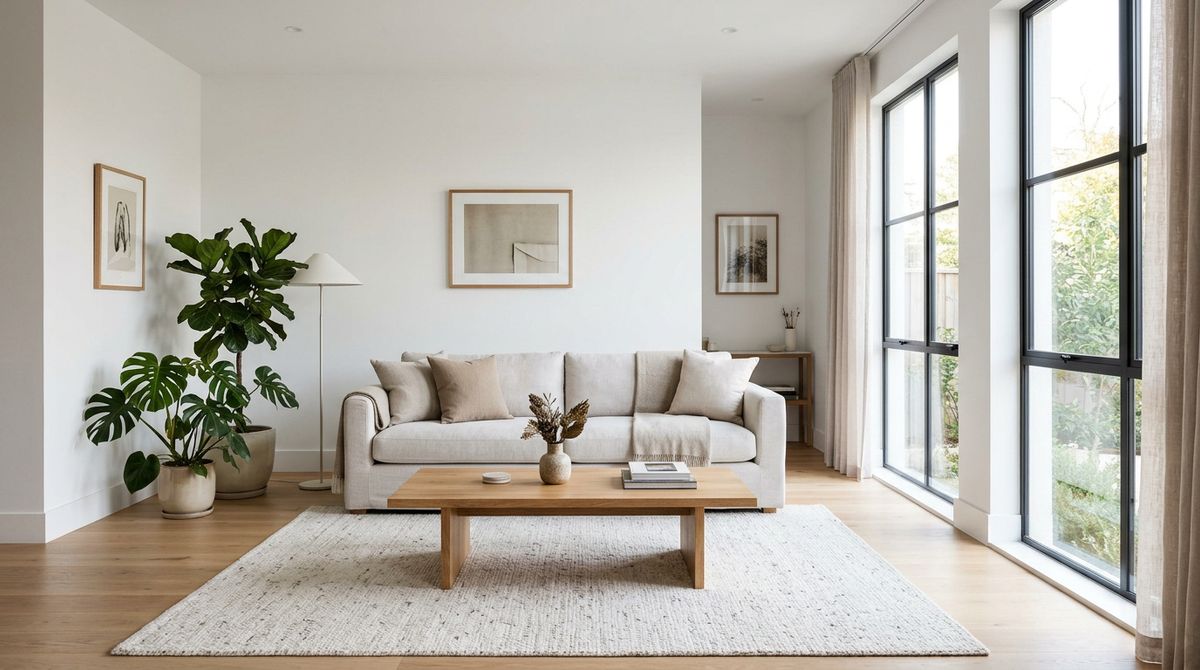
A bright modern living room photographed for a property listing, a pale linen sofa against a white wall, a low oak coffee table on a textured rug, tall windows on the right letting in soft afternoon daylight, wide straight-on interior photograph, photoreal, no people
- Handoff frame
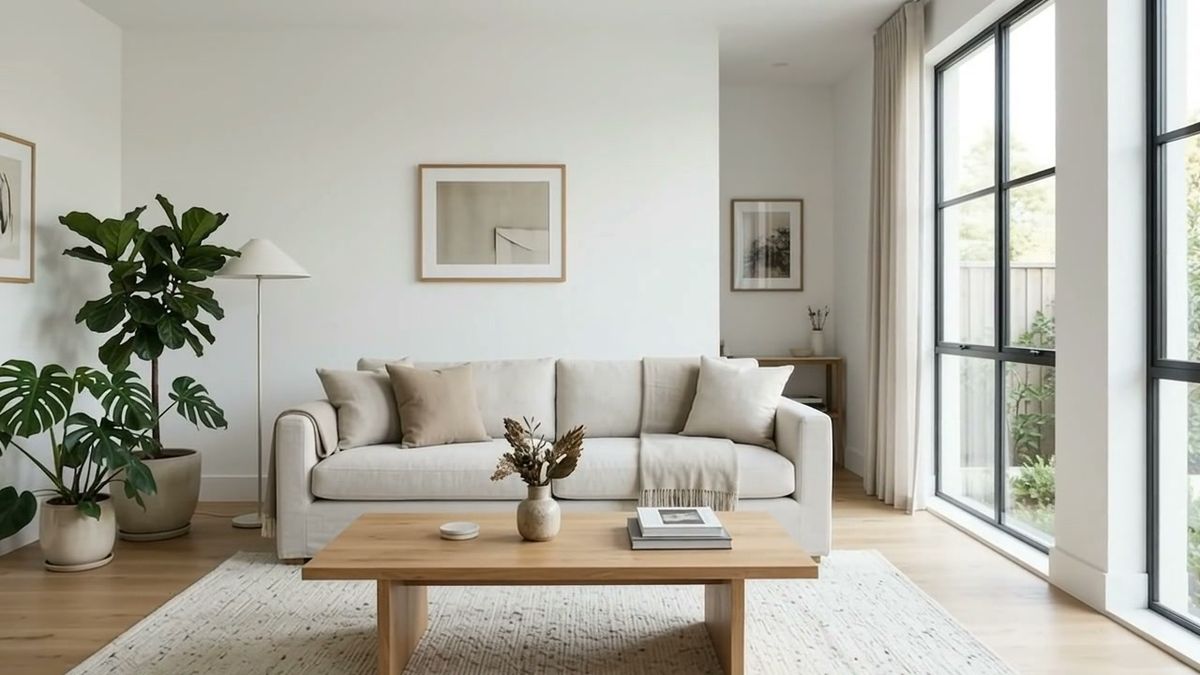


Each link inherits only what its opening frame carries, so a detail that left the frame during one clip does not come back in the next. That frame is also a frame lifted from a video rather than a still, which is softer, so every link in a chain gives the model a slightly weaker anchor than the one before.
A frame carries no motion either. It fixes where the camera was, not how fast it was travelling, so a move that was accelerating or easing off in one clip has nothing to continue from in the next. Repeating the same motion instruction word for word in both requests is what holds the two halves at one pace, and how well that works depends on how literally a given model takes the instruction.