Ideogram 4.0q

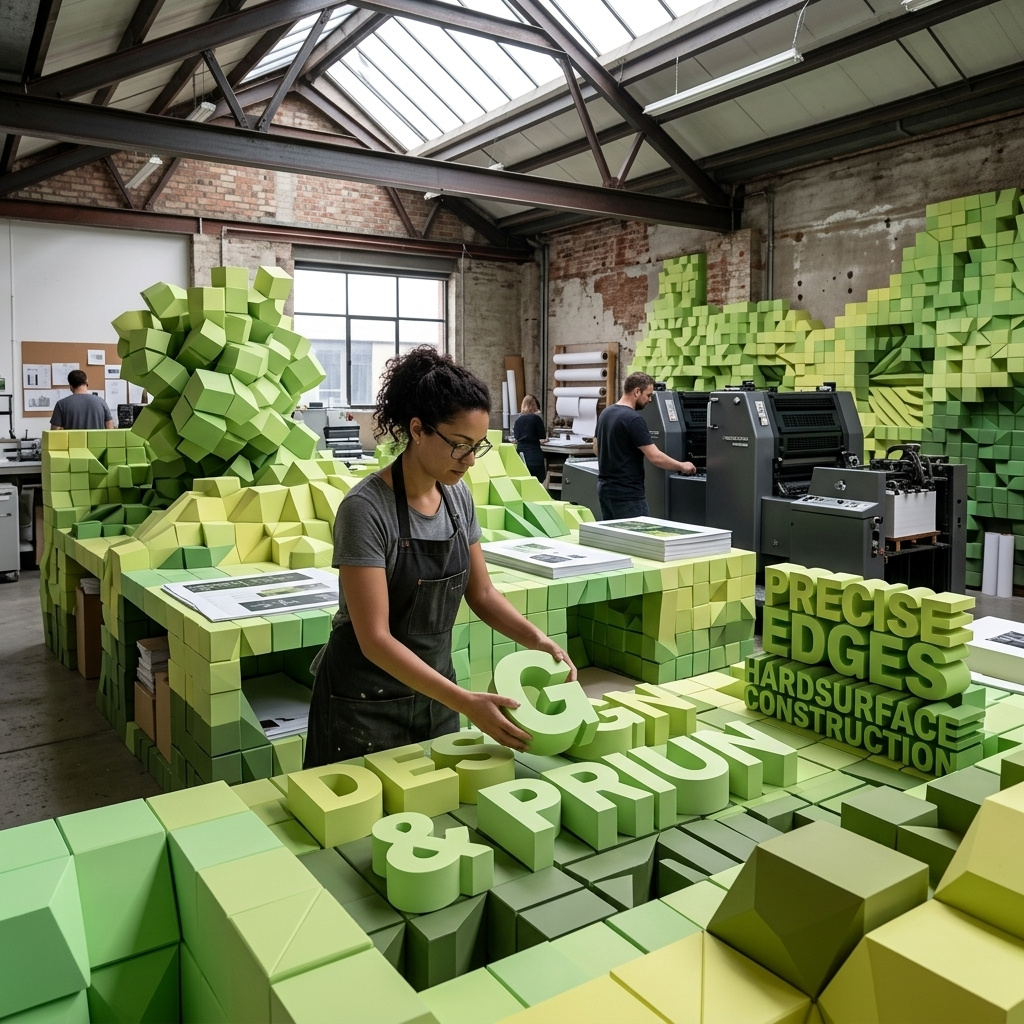
Ideogram 4.0q is the quantized open-weight variant of Ideogram 4.0, Ideogram's 9.3B design-focused text-to-image model. The public release is available in quantized checkpoint formats such as nf4 and fp8 while retaining the family's strengths in multilingual text rendering, structured JSON prompting, bounding-box layout control, color-palette guidance, and high-resolution design generation. It is a strong fit for teams that want open-model deployment, self-hosted inference, or customization workflows around Ideogram 4 rather than relying only on the hosted API.
API Options
Platform-level options for task execution and delivery.
taskType
stringrequiredvalue: imageInferenceIdentifier for the type of task being performed.
taskUUID
stringrequiredUUID v4UUID v4 identifier for tracking tasks and matching async responses. Must be unique per task.
outputType
stringdefault: URLImage output type.
Allowed values3 values
outputFormat
stringdefault: JPGSpecifies the file format of the generated output. The available values depend on the task type and the specific model's capabilities.
- `JPG`: Best for photorealistic images with smaller file sizes (no transparency).
- `PNG`: Lossless compression, supports high quality and transparency (alpha channel).
- `WEBP`: Modern format providing superior compression and transparency support.
**Transparency**: If you are using features like background removal or LayerDiffuse that require transparency, you must select a format that supports an alpha channel (e.g., `PNG`, `WEBP`, `TIFF`). `JPG` does not support transparency.Allowed values3 values
outputQuality
integermin: 20max: 99default: 95Compression quality of the output. Higher values preserve quality but increase file size.
webhookURL
stringuriWebhook URL that receives JSON responses via HTTP POST when generation tasks complete. For batch requests with multiple results, each completed item triggers a separate webhook call as it becomes available.
Learn more1 resource
- WebhooksPLATFORM
- Webhooks
deliveryMethod
stringdefault: syncDetermines how the API delivers task results.
Allowed values2 values
- Returns results directly in the API response. Over HTTP, a task still running after 120 seconds continues as an async task and comes back with status 'processing'. Poll for its results using getResponse.
- Returns an immediate acknowledgment with the task UUID. Poll for results using getResponse.
Learn more1 resource
- Task PollingPLATFORM
uploadEndpoint
stringuriSpecifies a URL where the generated content will be automatically uploaded using the HTTP PUT method. The raw binary data of the media file is sent directly as the request body. For secure uploads to cloud storage, use presigned URLs that include temporary authentication credentials.
Common use cases:
- Cloud storage: Upload directly to S3 buckets, Google Cloud Storage, or Azure Blob Storage using presigned URLs.
- CDN integration: Upload to content delivery networks for immediate distribution.
// S3 presigned URL for secure upload
https://your-bucket.s3.amazonaws.com/generated/content.mp4?X-Amz-Signature=abc123&X-Amz-Expires=3600

// Google Cloud Storage presigned URL
https://storage.googleapis.com/your-bucket/content.jpg?X-Goog-Signature=xyz789

// Custom storage endpoint
https://storage.example.com/uploads/generated-image.jpg
The content data will be sent as the request body to the specified URL when generation is complete.
safety
objectContent safety checking configuration for image generation.
Properties1 property
safety»checkContentcheckContent
booleanEnable or disable content safety checking. Increases total generation time.
ttl
integermin: 60Time-to-live (TTL) in seconds for generated content. Only applies when
outputTypeisURL.
includeCost
booleanInclude task cost in the response.
numberResults
integermin: 1max: 20default: 1Number of results to generate. Each result uses a different seed, producing variations of the same parameters.
routing
objectModel router options. Only read when
modelisauto, and never sent to the model.Properties3 properties
routing»preferencespreferences
objectRelative importance of each dimension when models are compared. Weights, not thresholds.
Properties3 properties
routing»preferences»qualityquality
integermin: 0max: 5Importance of one dimension.
0leaves it out of the decision.
routing»preferences»speedspeed
integermin: 0max: 5Importance of one dimension.
0leaves it out of the decision.
routing»preferences»costcost
integermin: 0max: 5Importance of one dimension.
0leaves it out of the decision.
routing»maxPricemaxPrice
floatmin: 0Upper bound on what this request may cost, in USD. A model whose cost cannot be bounded is not chosen.
routing»requirementsrequirements
stringmax: 3000Conditions the result has to meet, in plain words, such as a style or a feature. A model that cannot meet them is not chosen. Output size is set with width and height rather than described here.
Core Parameters
Primary parameters that define the task output.
model
stringrequiredvalue: ideogram:4@qSend
autoinstead of an AIR identifier to have the model router choose the model for this task. The rest of the request is unchanged, every value you send is kept, and only the parameters you leave out are filled in. See Model Router.Learn more3 resources
positivePrompt
stringmin: 2max: 3000Text prompt describing elements to include in the generated output.
Learn more1 resource
- PromptsLEARN
- Prompts
negativePrompt
stringmin: 2max: 3000Prompt to guide what to exclude from generation. Ignored when guidance is disabled (CFGScale ≤ 1).
Learn more1 resource
width
integermin: 64max: 4096step: 16default: 1024Width of the generated media in pixels.
Learn more2 resources
height
integermin: 64max: 4096step: 16default: 1024Height of the generated media in pixels.
Learn more2 resources
seed
integermin: 0max: 9223372036854776000Random seed for reproducible generation. When not provided, a random seed is generated in the unsigned 32-bit range.
Learn more1 resource
- SeedLEARN
- Seed
CFGScale
floatmin: 0max: 30step: 0.01default: 7Guidance scale representing how closely the output will resemble the prompt. Higher values produce results more aligned with the prompt.
Learn more1 resource
- Cfg ScaleLEARN
- Cfg Scale
lora
array of objectsmin items: 1With LoRA (Low-Rank Adaptation), you can adapt a model to specific styles or features by emphasizing particular aspects of the data. This technique enhances the quality and relevance of generated content and can be especially useful when the output needs to adhere to a specific artistic style or follow particular guidelines.
Multiple LoRA models can be used simultaneously to achieve different adaptation goals.
Examples1 example
"lora": [
  {
    "model": "<lora-model-air>",
    "weight": 0.8
  }
]
Learn more1 resource
- LorasLEARN
Properties2 properties
- Loras
structuredPrompt
objectstructuredPromptis a structured prompt passed to the model directly, as an alternative topositivePrompt. Extra fields beyond the documented ones are accepted.bboxis row-first. Use[ymin, xmin, ymax, xmax]on a 0 to 1000 canvas with the origin at the top left.
Examples1 example
"structuredPrompt": { "high_level_description": "A vintage travel poster of a coastal town at sunset.", "style_description": { "aesthetics": "Retro mid-century travel poster", "lighting": "Warm golden-hour glow", "medium": "Screen-printed poster", "art_style": "Flat vector illustration", "color_palette": ["#E8A33D", "#2E5E78", "#F2E9D8"] }, "compositional_deconstruction": { "background": "Mediterranean harbor under a warm sunset sky with soft golden light.", "elements": [ {"type": "obj", "bbox": [400, 120, 760, 880], "desc": "White sailboats moored along the stone pier"}, {"type": "text", "bbox": [60, 100, 200, 900], "text": "VISIT THE COAST", "desc": "Bold retro headline across the top"} ] } }Properties3 properties
structuredPrompt»compositional_deconstructionScene breakdown into background and individual elements.
Properties2 properties
structuredPrompt»compositional_deconstruction»backgroundbackground
stringEnvironment, framing, and lighting context.
structuredPrompt»compositional_deconstruction»elementselements
array of objectsObjects and text to place in the scene.
Properties5 properties
structuredPrompt»compositional_deconstruction»elements»typetype
stringElement type. Use 'obj' for a visual object and 'text' for rendered text.
structuredPrompt»compositional_deconstruction»elements»bboxbbox
array of integersElement placement as [ymin, xmin, ymax, xmax], four integers from 0 to 1000.
structuredPrompt»compositional_deconstruction»elements»color_palettecolor_palette
array of stringsHex colors for this element, as
#RRGGBB.
structuredPrompt»compositional_deconstruction»elements»descdesc
stringDetailed description of the element.
structuredPrompt»compositional_deconstruction»elements»texttext
stringText content to render. Only applies when
typeis 'text'.
structuredPrompt»high_level_descriptionhigh_level_description
stringOne or two sentences describing the full image, including subject and style.
structuredPrompt»style_descriptionstyle_description
objectStyling guidance for the image.
Properties6 properties
structuredPrompt»style_description»aestheticsaesthetics
stringOverall aesthetic direction.
structuredPrompt»style_description»art_styleart_style
stringArt style for non-photographic images.
structuredPrompt»style_description»color_palettecolor_palette
array of stringsHex colors guiding the overall palette, as
#RRGGBB.
structuredPrompt»style_description»lightinglighting
stringLighting setup and mood.
structuredPrompt»style_description»mediummedium
stringArtistic medium or capture format.
structuredPrompt»style_description»photophoto
stringPhotographic style for photo-realistic images.
Settings
Technical parameters to fine-tune the inference process. These must be nested inside the settings object.
settings object.settings»renderingSpeedrenderingSpeed
stringdefault: DEFAULTGeneration speed/quality tradeoff.
Allowed values3 values
- Fastest generation.
- Balanced speed and quality.
- Best quality.
Features
Standalone addons and post-processing features.
advancedFeatures»watermarkwatermark
objectConfiguration object for adding watermarks to generated videos. Watermarks can be applied using either text or image content with customizable positioning and appearance. You must provide either
textorimagecontent for the watermark, but not both."advancedFeatures": { "watermark": { "text": "© 2025 Company", "displayPosition": "bottom-right", "opacity": 0.6, "fontColor": "#ffffff", "bgColor": "#000000" } }"advancedFeatures": { "watermark": { "image": "c64351d5-4c59-42f7-95e1-eace013eddab", "displayPosition": "top-left", "opacity": 0.6 } }"advancedFeatures": { "watermark": { "text": "PREVIEW", "tiled": true, "opacity": 0.4, "fontColor": "#cccccc" } }Properties6 properties
advancedFeatures»watermark»texttext
stringmin: 2max: 32Watermark text.
advancedFeatures»watermark»imageimage
stringWatermark image (UUID, URL, Data URI, or Base64).
advancedFeatures»watermark»displayPositiondisplayPosition
stringWatermark position.
Allowed values10 values
advancedFeatures»watermark»opacityopacity
floatmin: 0.1max: 1step: 0.01Watermark opacity.
advancedFeatures»watermark»fontColorfontColor
stringText color in hex format.
advancedFeatures»watermark»bgColorbgColor
stringBackground color in hex format.