Kling IMAGE 4.0

Kling IMAGE 4.0 is an image model for text-to-image and reference-guided generation at native 2K, 4K, and 8K, with natural lighting and skin and material detail close to a camera photo. It renders up to 2,000 characters of legible text in seven languages, combines up to 10 reference images and elements, and plans series of up to 10 images that keep subjects and style consistent. It also designs e-commerce product pages and websites as a single tall image, which suits storyboards, slide decks, product shoots, and campaign visuals.
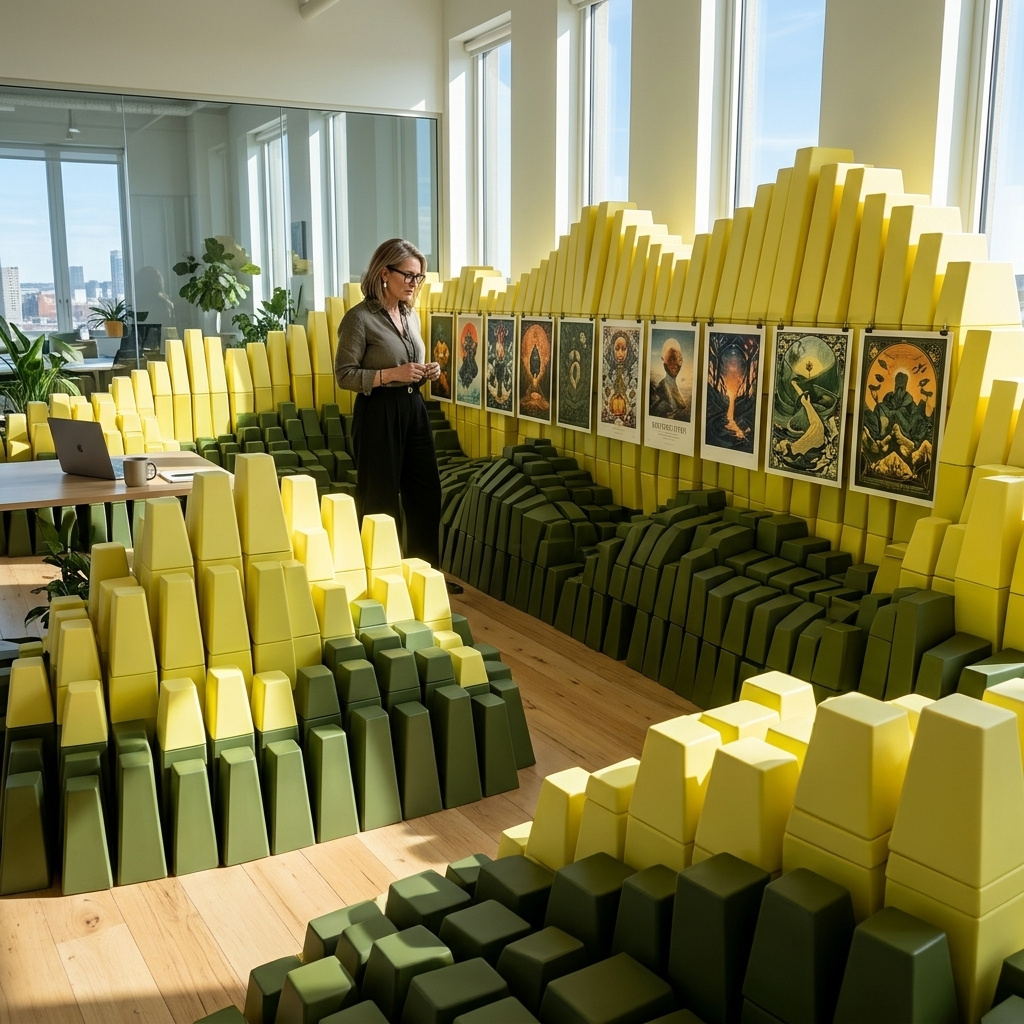
Reference images
How to build images from up to 10 references in Kling IMAGE 4.0: placing a product in a scene, matching a style or a palette, rendering a 3D draft and trying on clothes.
Introduction
A packshot on white shows the product, and a lifestyle photo sells it. With a reference image, Kling IMAGE 4.0 places your own product in a scene you describe and keeps its label and proportions. The serum below went in as a studio packshot and came back on a bathroom sink in morning light.

A realistic lifestyle photo of the serum bottle from <<<image_1>>>. Keep the bottle, its label and its proportions exactly as they are. Place it on the edge of a white marble bathroom sink next to a folded linen hand towel and a small ceramic dish, with a trailing pothos plant and a round mirror softly out of focus behind. Morning sunlight through a window on the right casts a soft shadow of window blinds across the marble and the bottle. Warm natural tones, crisp glass reflections, subtle film grain, no other text, no logos.
- Packshot
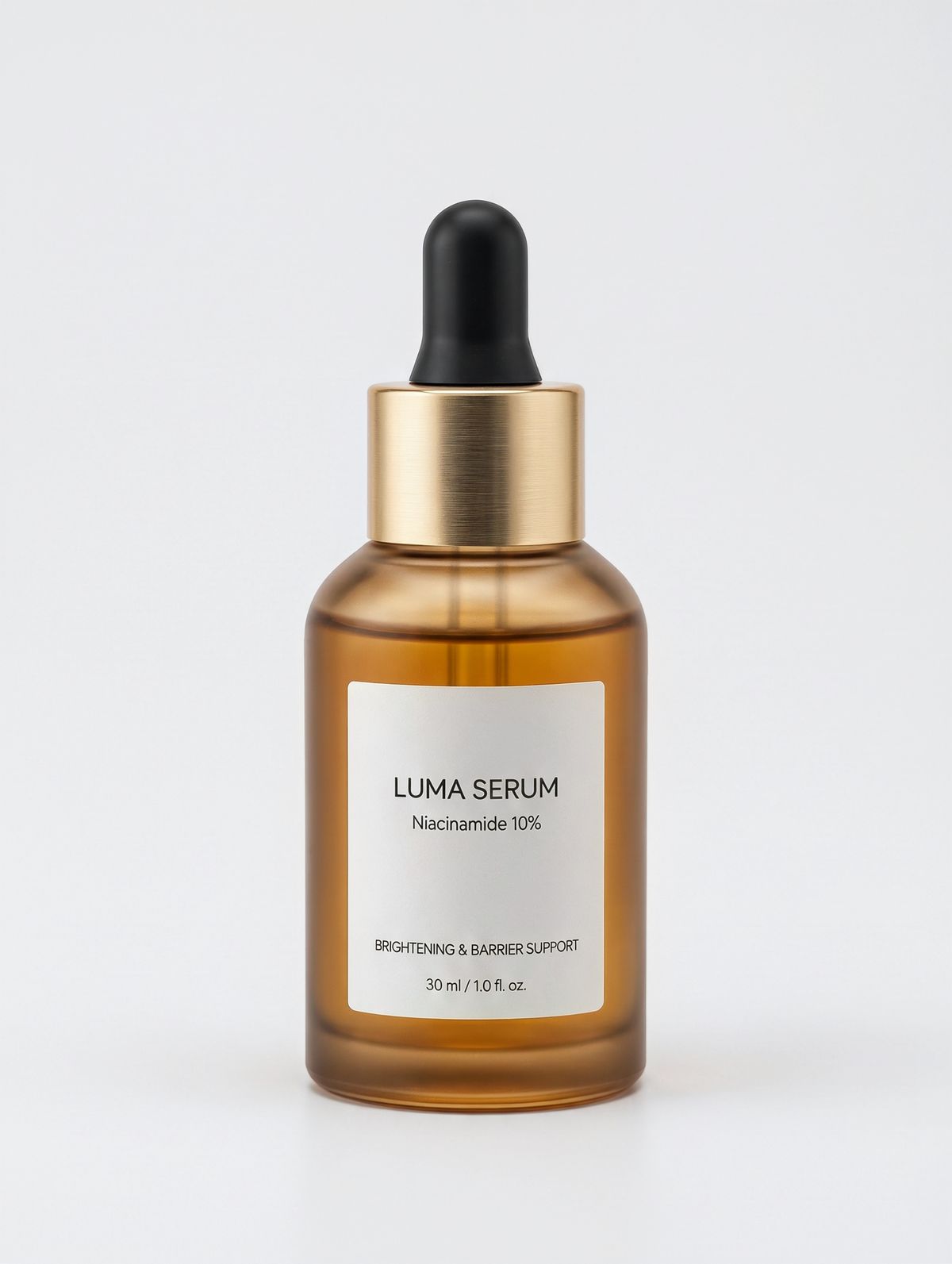
An e-commerce packshot of a skincare serum in a frosted amber glass dropper bottle with a matte black rubber bulb and a slim gold collar, with a minimal white label reading "LUMA SERUM" and "Niacinamide 10%" in thin black sans-serif type. Standing upright on a plain white backdrop. Soft even studio lighting, a subtle contact shadow. Photoreal product photography.

The prompt describes the new scene and only names the product. "Keep the bottle, its label and its proportions" is the whole description of the serum, since the packshot supplies the rest. The blind shadows falling across the bottle are what tie it into the light of the room.
This guide covers the request, giving each reference a role, matching a style or a palette, rendering a 3D draft and dressing a model in a garment. Editing a single photo in place is covered in editing images, and reusable characters and products in elements.
The request
References go in inputs.referenceImages, and the prompt cites each one by its position as <<<image_1>>>, <<<image_2>>> and so on:
import { createClient } from '@runware/sdk'

const client = await createClient({ apiKey: process.env.RUNWARE_API_KEY })
await client.connect()

const [result] = await client.run({
  model: 'klingai:kling-image@4.0',
  positivePrompt: 'A realistic lifestyle photo of the serum bottle from <<<image_1>>>. Keep the bottle, its label and its proportions exactly as they are. Place it on the edge of a white marble bathroom sink next to a folded linen hand towel and a small ceramic dish, with a trailing pothos plant and a round mirror softly out of focus behind. Morning sunlight through a window on the right casts a soft shadow of window blinds across the marble and the bottle. Warm natural tones, crisp glass reflections, subtle film grain, no other text, no logos.',
  inputs: {
    referenceImages: [
      'https://assets.runware.ai/guides/klingai-image-4-0/reference-images/source-serum.jpg'
    ]
  },
  width: 1760,
  height: 2336
})
import asyncio
import os
from runware import Runware
async def main():
async with Runware(api_key=os.environ["RUNWARE_API_KEY"]) as client:
results = await client.run({
"model": "klingai:kling-image@4.0",
"positivePrompt": "A realistic lifestyle photo of the serum bottle from <<<image_1>>>. Keep the bottle, its label and its proportions exactly as they are. Place it on the edge of a white marble bathroom sink next to a folded linen hand towel and a small ceramic dish, with a trailing pothos plant and a round mirror softly out of focus behind. Morning sunlight through a window on the right casts a soft shadow of window blinds across the marble and the bottle. Warm natural tones, crisp glass reflections, subtle film grain, no other text, no logos.",
"inputs": {
"referenceImages": [
"https://assets.runware.ai/guides/klingai-image-4-0/reference-images/source-serum.jpg"
]
},
"width": 1760,
"height": 2336
})
asyncio.run(main())curl https://api.runware.ai/v1 \
-H "Authorization: Bearer $RUNWARE_API_KEY" \
-H "Content-Type: application/json" \
-d '[
{
  "taskType": "imageInference",
  "taskUUID": "4e7a1c93-8b2d-4f56-a9e1-6c3b8d2f5a17",
  "model": "klingai:kling-image@4.0",
  "positivePrompt": "A realistic lifestyle photo of the serum bottle from <<<image_1>>>. Keep the bottle, its label and its proportions exactly as they are. Place it on the edge of a white marble bathroom sink next to a folded linen hand towel and a small ceramic dish, with a trailing pothos plant and a round mirror softly out of focus behind. Morning sunlight through a window on the right casts a soft shadow of window blinds across the marble and the bottle. Warm natural tones, crisp glass reflections, subtle film grain, no other text, no logos.",
  "inputs": {
    "referenceImages": [
      "https://assets.runware.ai/guides/klingai-image-4-0/reference-images/source-serum.jpg"
    ]
  },
  "width": 1760,
  "height": 2336
}
]'runware run klingai:kling-image@4.0 \
positivePrompt="A realistic lifestyle photo of the serum bottle from <<<image_1>>>. Keep the bottle, its label and its proportions exactly as they are. Place it on the edge of a white marble bathroom sink next to a folded linen hand towel and a small ceramic dish, with a trailing pothos plant and a round mirror softly out of focus behind. Morning sunlight through a window on the right casts a soft shadow of window blinds across the marble and the bottle. Warm natural tones, crisp glass reflections, subtle film grain, no other text, no logos." \
inputs.referenceImages.0=https://assets.runware.ai/guides/klingai-image-4-0/reference-images/source-serum.jpg \
width=1760 \
height=2336{
"taskType": "imageInference",
"taskUUID": "4e7a1c93-8b2d-4f56-a9e1-6c3b8d2f5a17",
"model": "klingai:kling-image@4.0",
"positivePrompt": "A realistic lifestyle photo of the serum bottle from <<<image_1>>>. Keep the bottle, its label and its proportions exactly as they are. Place it on the edge of a white marble bathroom sink next to a folded linen hand towel and a small ceramic dish, with a trailing pothos plant and a round mirror softly out of focus behind. Morning sunlight through a window on the right casts a soft shadow of window blinds across the marble and the bottle. Warm natural tones, crisp glass reflections, subtle film grain, no other text, no logos.",
"inputs": {
"referenceImages": [
"https://assets.runware.ai/guides/klingai-image-4-0/reference-images/source-serum.jpg"
]
},
"width": 1760,
"height": 2336
}Response
[
  {
    "taskType": "imageInference",
    "taskUUID": "4e7a1c93-8b2d-4f56-a9e1-6c3b8d2f5a17",
    "imageUUID": "b8c2e5f1-3a74-4d96-8e20-5f1a9c7d3b48",
    "imageURL": "https://im.runware.ai/image/os/a14d18/ws/2/ii/b8c2e5f1-3a74-4d96-8e20-5f1a9c7d3b48.jpg"
  }
]inputs.referenceImagestakes up to 10 images, each as a URL, a UUID (a previous generation's, or one uploaded via Media Storage), a data URI or base64. Elements count toward the same 10.- Each image needs at least 300 pixels on both sides, an aspect ratio between 2:5 and 5:2, and a size of up to 30 MB.
<<<image_1>>>is the first entry of the array,<<<image_2>>>the second, in order.- With references and no size, the model picks the aspect ratio from the inputs. Send
widthandheightwhen the output has a fixed shape, as every example on this page does.
Giving each image a role
With two or more references, each one needs a job in the prompt. Kling's pattern for a style transfer is "Transform [input] to match the style of [reference]", followed by what to match. The lodge photo below became a travel poster in the style of a screen print:

Transform <<<image_2>>> into a vintage travel poster in the style of <<<image_1>>>. Match its color palette, its shapes, its print texture and its border. Keep the subject and the layout of <<<image_2>>>. Portrait 2:3, no text.
- <<<image_1>>> Style
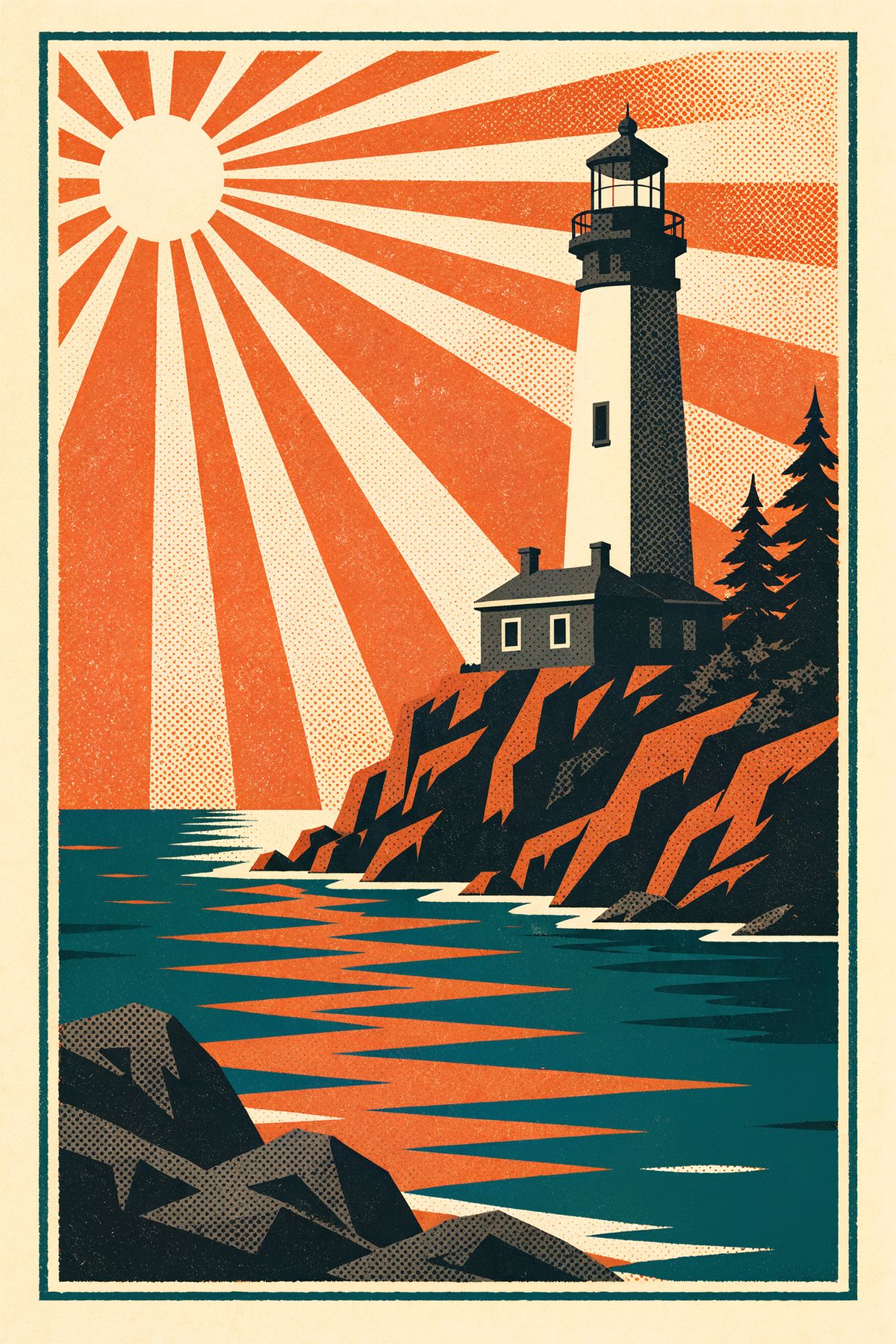
A vintage-style travel poster illustration of a seaside lighthouse on a rocky point, printed in flat screen-print color: deep teal, burnt orange, cream and charcoal only. Bold simplified shapes, strong diagonal sun rays, a halftone grain texture over everything, slight ink misregistration at the edges, and a wide cream border. No text.
- <<<image_2>>> Subject
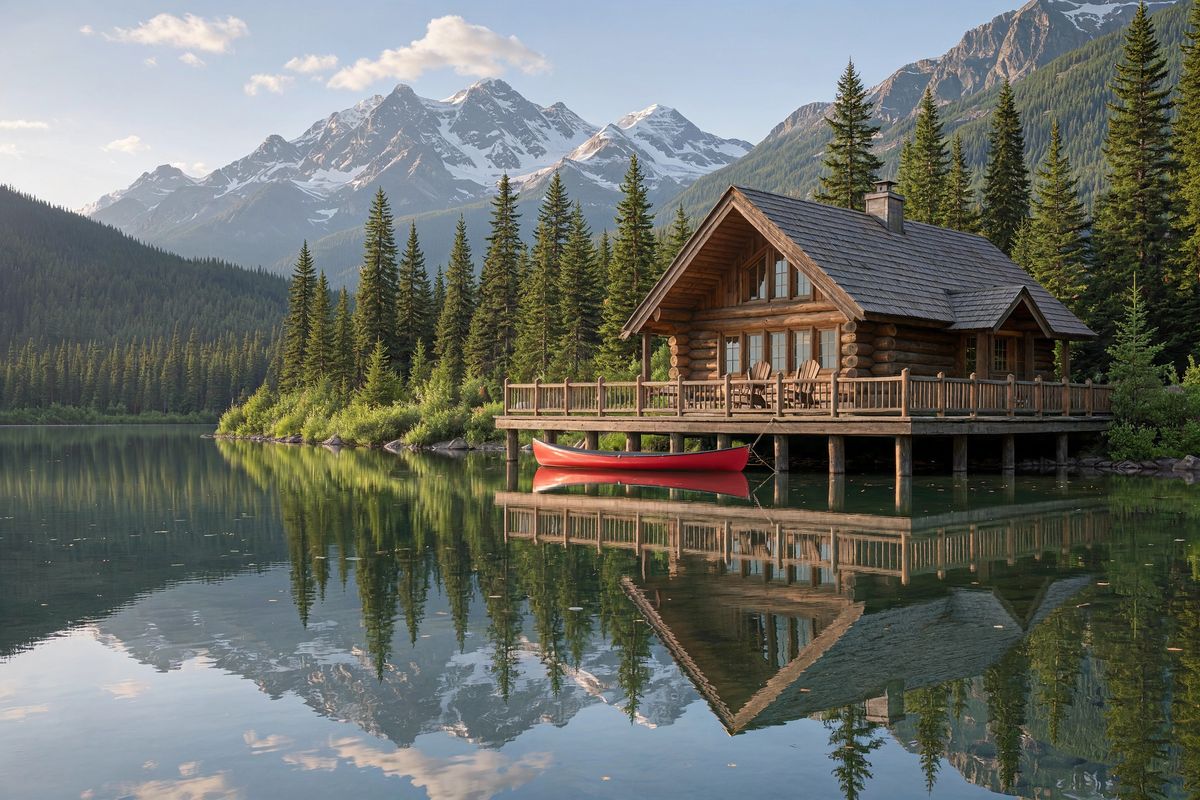
A travel photo of a lakeside mountain lodge in early summer: a timber chalet with a wide wooden deck over a calm alpine lake, a red canoe tied to the jetty, pine forest on the shore and snow-capped peaks behind. Clear morning light, a few small clouds. Photoreal travel photography, no people, no text, no logos.


Name what to take from a style reference and leave its look to the image. "Match its color palette, its shapes, its print texture and its border" lists categories and leaves their values to the reference. Describing the teal and orange in the prompt as well would make the reference redundant, and the output would follow the words instead of the print.
Say what each image keeps. "Keep the subject and the layout of <<<image_2>>>" is the other half of the role assignment. Without it the model may borrow the lighthouse's composition along with its style.
Matching a palette
A reference can supply only the colors. A strip of swatches below set the palette of a furniture still life:

Using only the colors of the swatches in <<<image_1>>>, create a studio still life for a home furniture brand. A rounded armchair upholstered in one of the colors, a small side table with a ceramic vase and a stack of books, a wool throw folded over the chair arm and a seamless backdrop, each in a color from the reference. Soft directional light from the left, gentle shadows, realistic fabric and ceramic textures, balanced negative space. Photoreal interior product photography, no text, no logos.
- Swatches
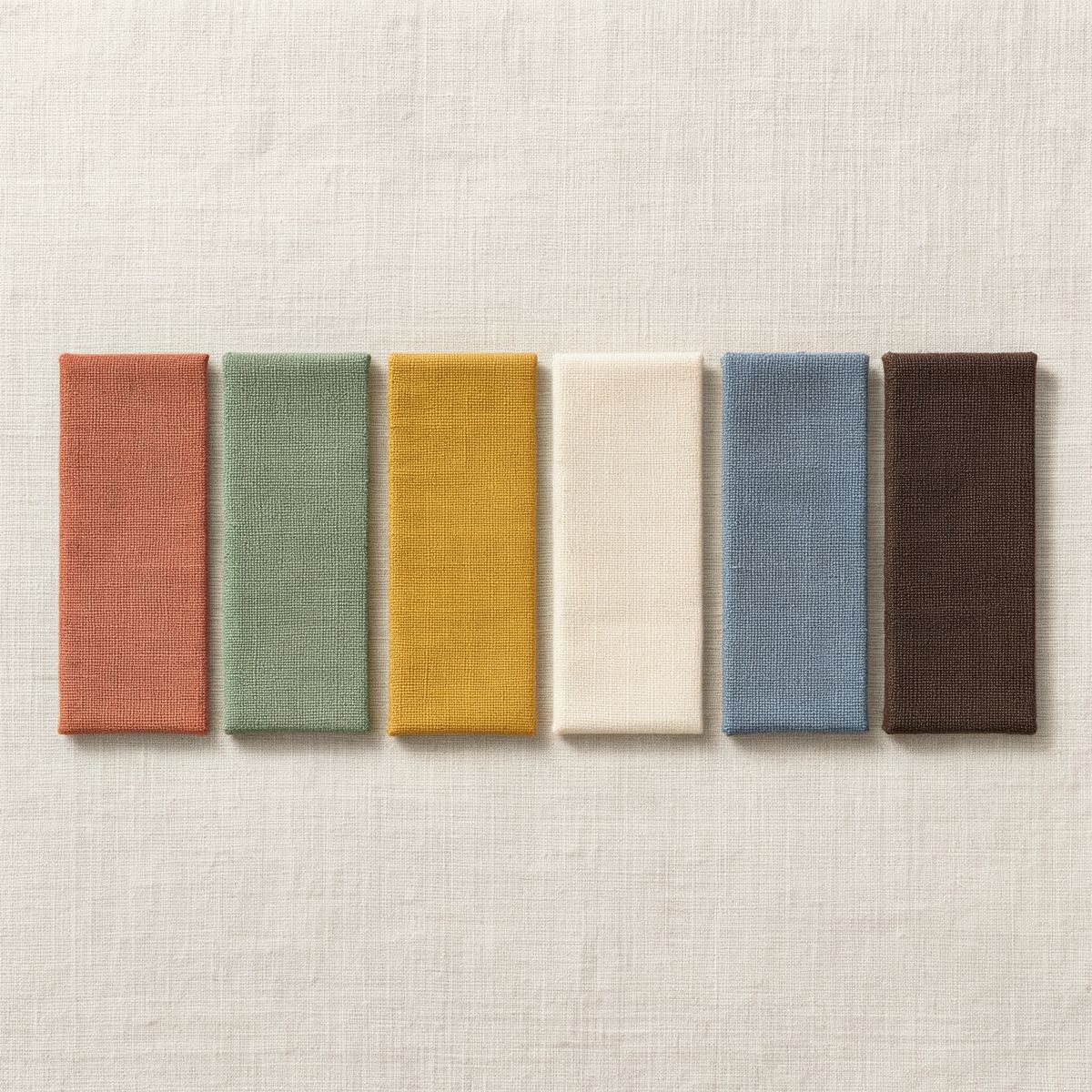
A flat lay of six rectangular fabric swatches arranged in a neat row on a plain off-white linen surface, seen from directly above: terracotta, sage green, mustard yellow, cream, dusty blue and dark chocolate brown, each a woven cotton with visible texture. Soft even daylight, no shadows to speak of. Photoreal, no text.

"Using only the colors" limits what the reference contributes. Without "only", the model can also take the swatches' woven texture or their flat-lay layout. Assigning each object "a color from the reference" leaves the pairing to the model, and naming the pairs would pin them.
For colors you already have as values, write the HEX codes into the prompt instead, as covered in prompting.
Rendering a 3D draft
A clay render or a sketch fixes the composition, and the prompt adds the materials and the light. That makes an untextured staging model a photoreal listing photo with the same layout:

An untextured white clay 3D render of an open-plan living room for a real estate staging visualization: a low L-shaped sofa, a round coffee table, a floor lamp, a sideboard, tall windows along one wall, a rug, and an open kitchen with an island in the background. Every surface the same matte white clay material, soft gray ambient occlusion shadows, a single soft light from the windows. Wide-angle interior view from the room entrance at standing height.

Turn the clay render in <<<image_1>>> into a photoreal real estate photo. Keep the room layout, every piece of furniture, the camera position and the perspective exactly as in the render. Give the sofa a soft oatmeal bouclé, the coffee table and sideboard a light oak finish, the floor wide oak planks, the rug a cream wool with a faint pattern, the kitchen island white stone with brass stools, and the walls warm white plaster. Add books, a vase of dried grasses and a few cushions. Bright afternoon daylight from the windows, natural shadows. Photoreal architectural photography, no people, no text, no logos.
Assign a material to every surface you care about. The render carries only the shapes, so "an oatmeal bouclé" and "a light oak finish" are the only source of the finishes. Keeping "the camera position and the perspective" is what makes the result line up with the render.
Trying on clothes
A person and a garment as two references put the garment on the person. The keep list does the same split as in a style transfer, by naming what comes from which image:

Dress the woman from <<<image_1>>> in the dress from <<<image_2>>>, with nude strappy sandals instead of her sneakers. Keep her face, hair, skin and build from <<<image_1>>>, and keep the fabric, the print and the cut of the dress from <<<image_2>>>. She stands in a relaxed three-quarter pose on a plain warm gray studio backdrop, one hand at the waist tie. Soft even studio lighting, a soft shadow at her feet. Full-length shot. Photoreal e-commerce fashion photography, no text, no logos.
- <<<image_1>>> Model
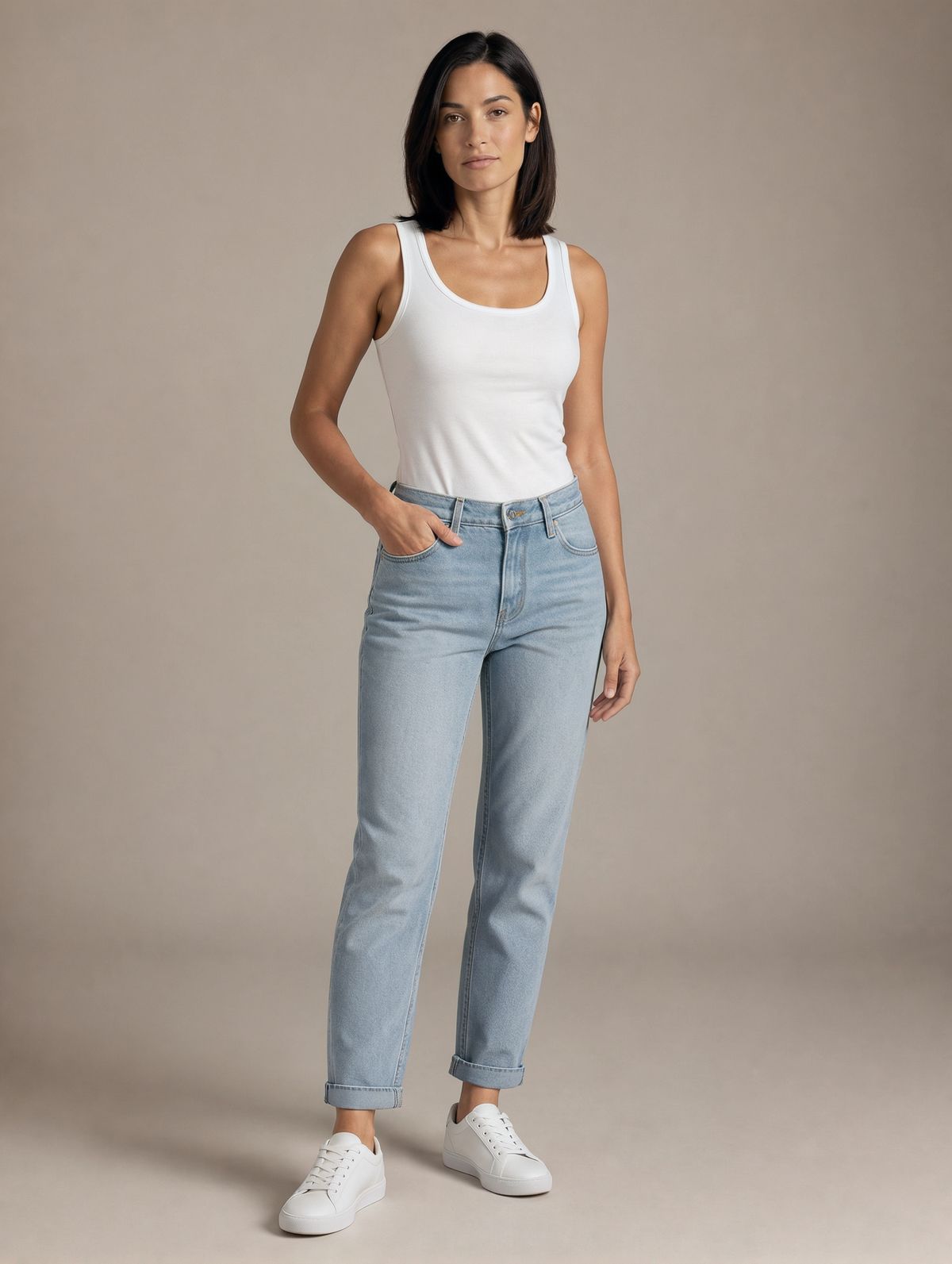
A full-length e-commerce model photo of a woman in her thirties with shoulder-length straight black hair and a light olive complexion, wearing a plain white tank top and light blue jeans with white sneakers, standing relaxed with one hand in her pocket on a plain warm gray studio backdrop. Soft even studio lighting, a soft shadow at her feet. Photoreal fashion photography, no text, no logos.
- <<<image_2>>> Dress
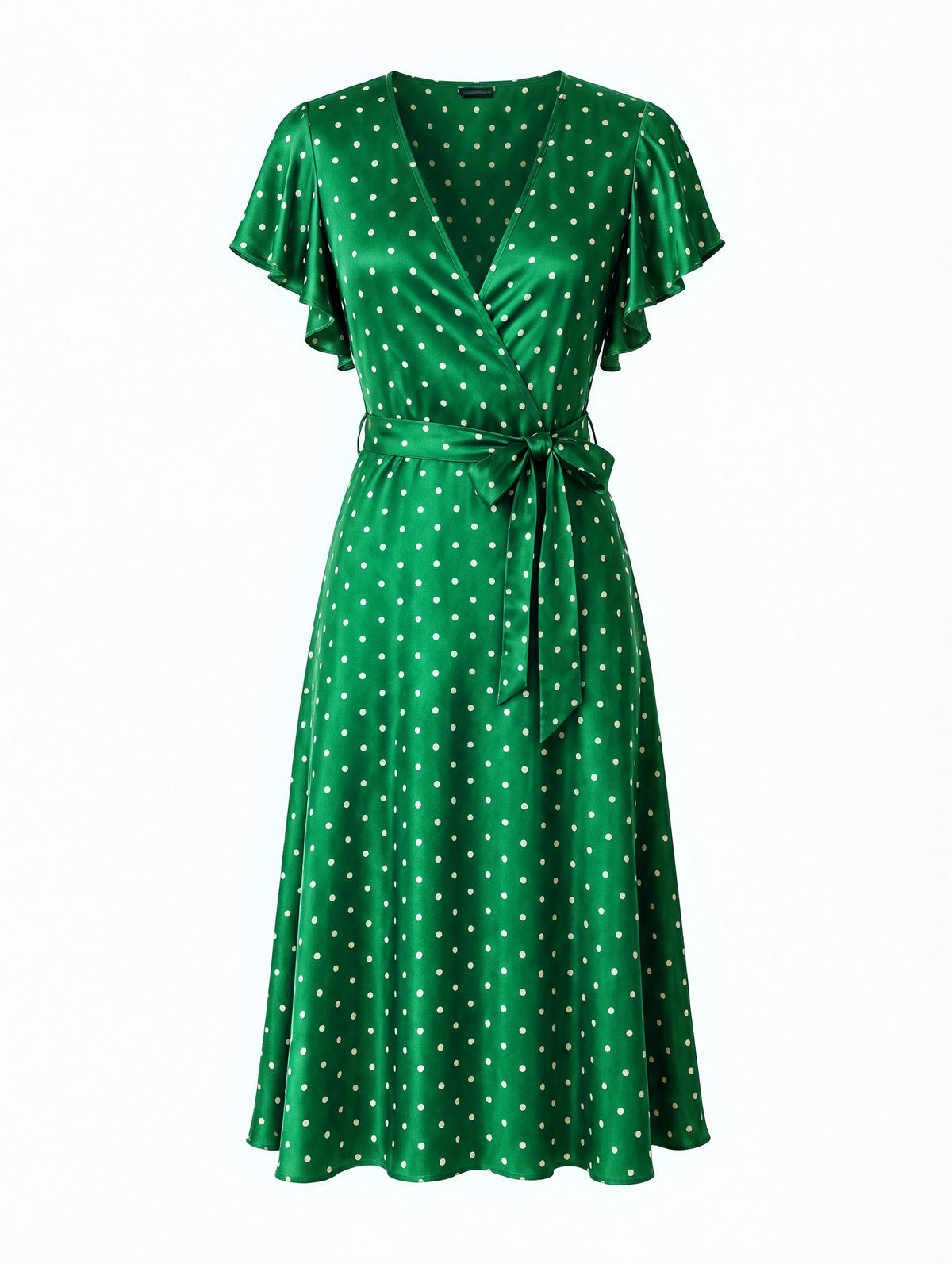
A ghost mannequin product photo of a midi wrap dress in an emerald green silk with a small cream polka dot print, a deep V neckline, flutter sleeves and a tie at the waist, shown front-on against a plain white backdrop. Soft even studio lighting. Photoreal e-commerce photography, no text, no logos.


Replace anything the garment leaves out of place. Sneakers under a silk midi dress would look wrong, so the prompt swaps them for sandals. Anything the new outfit changes, such as shoes or accessories, belongs in the prompt, since the references only cover the person and the dress.
Tips
-
Cite every reference by number.
<<<image_1>>>is the first entry ofinputs.referenceImages, and each one needs a job in the prompt. -
Name what to take as categories. "Its color palette, its shapes, its print texture and its border" leaves the values to the reference.
-
Say what each image keeps. A style reference with no keep list for the subject image can bring its composition along.
-
Use "only" to limit a reference. "Using only the colors" stops a palette reference from passing on its layout too.
-
Give a 3D draft its materials in words. The render carries the shapes, and the prompt carries every finish.
-
Fix the output size when combining references. Without
widthandheight, the model picks the ratio from the inputs.