P-Video-2-Pro-Replace

P-Video-2-Pro-Replace is Pruna AI's character replacement model that puts the person from one or two photos into an existing video. It keeps the original camera, background, timing, and motion, carries over the source soundtrack with lips that follow it, and replaces two people at once with a prompt that says who replaces whom. It takes source clips from 1 second to 2 minutes and outputs from 480p up to 4K, for UGC ad variations, localized spokesperson videos, and recasting existing footage.
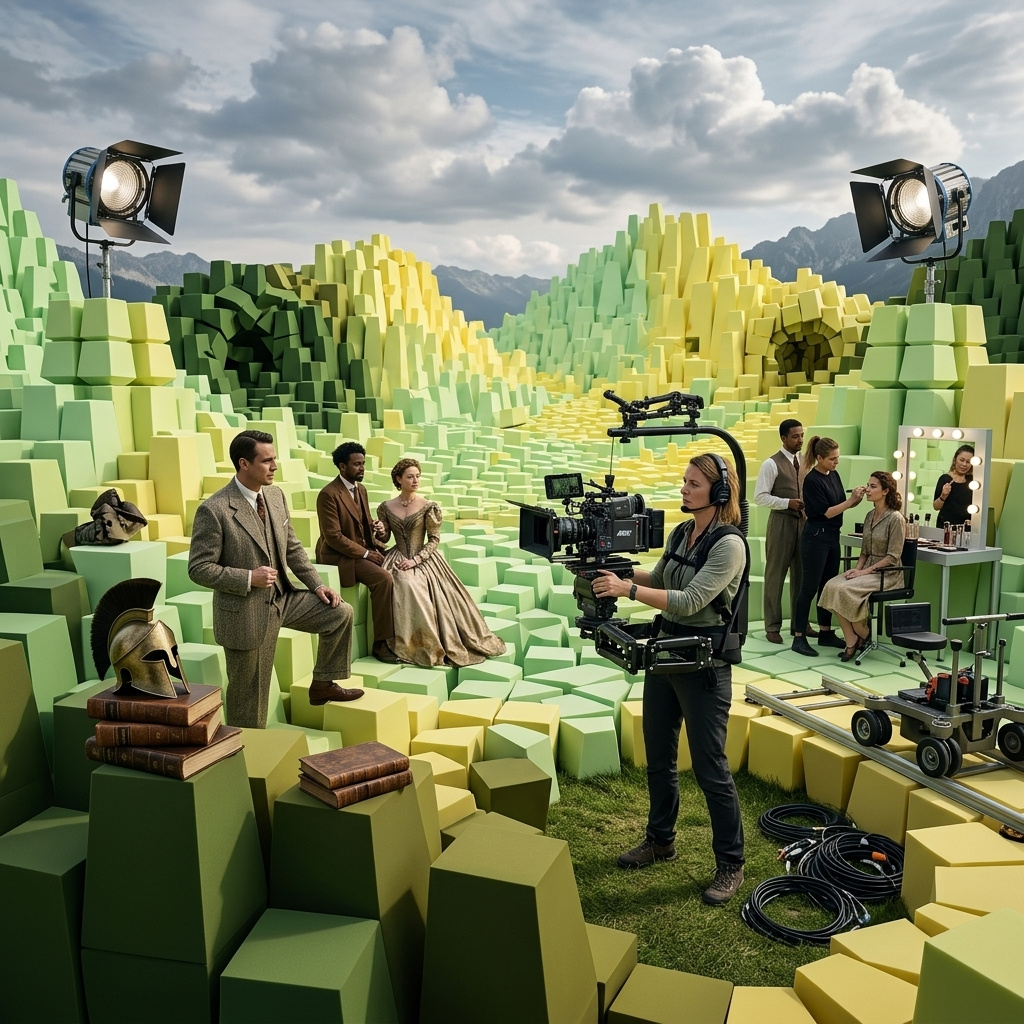
Replacing people in video
How to put the person from a photo into an existing video with Pruna P-Video-2-Pro-Replace, keeping the camera, the motion and the soundtrack of the source.
Introduction
P-Video-2-Pro-Replace takes an existing video and a photo of a person, and returns the same video with that person on screen. The camera, the background, the timing and the soundtrack all come from the source, and the new face lip-syncs to the original audio.
- Source video
A woman in her mid-twenties with long dark hair in a loose bun, wearing a white ribbed tank top, stands in a bright bathroom holding a small unbranded amber glass dropper bottle at chin height. She looks into the lens and says, "Two drops every morning, and my skin finally stopped feeling tight." Then she smiles and taps the bottle once with her finger. Vertical creator framing, chest-up, handheld phone look with very slight movement, soft daylight from a window. Photoreal beauty creator social video, no text, no logos. Audio: her clear friendly speaking voice close to the microphone, quiet bathroom room tone, no music.
- Photo
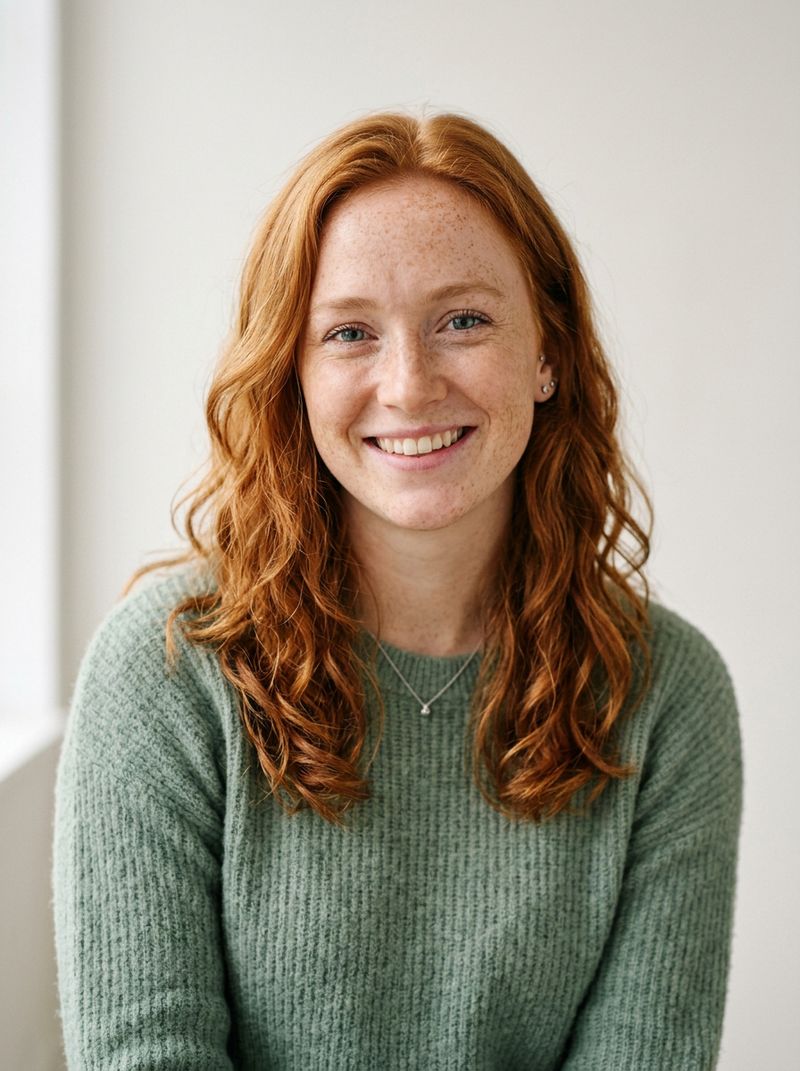
A head-and-shoulders portrait photo of a woman in her late twenties with shoulder-length wavy red hair and light freckles, wearing a soft sage-green knit top, smiling slightly at the camera. Plain off-white background, soft even daylight. Photoreal, no text.

One clip and one portrait, no prompt. This guide covers the request, what the model keeps from the source, how the length and shape of the output are decided, and which resolution to pick.
Request shape
A replace call needs two inputs. The clip goes in inputs.video, and one photo per person to replace goes in inputs.referenceImages, up to two. With one person on screen that is the whole request:
import { createClient } from '@runware/sdk'

const client = await createClient({ apiKey: process.env.RUNWARE_API_KEY })
await client.connect()

const [result] = await client.run({
  model: 'prunaai:p-video@2-pro-replace',
  inputs: {
    video: 'https://assets.runware.ai/guides/prunaai-p-video-2-pro-replace/replacing-people-in-video/source-skincare.mp4',
    referenceImages: [
      'https://assets.runware.ai/guides/prunaai-p-video-2-pro-replace/replacing-people-in-video/photo-skincare.jpg'
    ]
  },
  deliveryMethod: 'async'
})
import asyncio
import os
from runware import Runware
async def main():
async with Runware(api_key=os.environ["RUNWARE_API_KEY"]) as client:
results = await client.run({
"model": "prunaai:p-video@2-pro-replace",
"inputs": {
"video": "https://assets.runware.ai/guides/prunaai-p-video-2-pro-replace/replacing-people-in-video/source-skincare.mp4",
"referenceImages": [
"https://assets.runware.ai/guides/prunaai-p-video-2-pro-replace/replacing-people-in-video/photo-skincare.jpg"
]
},
"deliveryMethod": "async"
})
asyncio.run(main())curl https://api.runware.ai/v1 \
-H "Authorization: Bearer $RUNWARE_API_KEY" \
-H "Content-Type: application/json" \
-d '[
{
  "taskType": "videoInference",
  "taskUUID": "7d2f4a91-3c6e-4b58-9e0a-1f8b5c7d2e63",
  "model": "prunaai:p-video@2-pro-replace",
  "inputs": {
    "video": "https://assets.runware.ai/guides/prunaai-p-video-2-pro-replace/replacing-people-in-video/source-skincare.mp4",
    "referenceImages": [
      "https://assets.runware.ai/guides/prunaai-p-video-2-pro-replace/replacing-people-in-video/photo-skincare.jpg"
    ]
  },
  "deliveryMethod": "async"
}
]'runware run prunaai:p-video@2-pro-replace \
inputs.video=https://assets.runware.ai/guides/prunaai-p-video-2-pro-replace/replacing-people-in-video/source-skincare.mp4 \
inputs.referenceImages.0=https://assets.runware.ai/guides/prunaai-p-video-2-pro-replace/replacing-people-in-video/photo-skincare.jpg \
deliveryMethod=async{
"taskType": "videoInference",
"taskUUID": "7d2f4a91-3c6e-4b58-9e0a-1f8b5c7d2e63",
"model": "prunaai:p-video@2-pro-replace",
"inputs": {
"video": "https://assets.runware.ai/guides/prunaai-p-video-2-pro-replace/replacing-people-in-video/source-skincare.mp4",
"referenceImages": [
"https://assets.runware.ai/guides/prunaai-p-video-2-pro-replace/replacing-people-in-video/photo-skincare.jpg"
]
},
"deliveryMethod": "async"
}Response
[
  {
    "taskType": "videoInference",
    "taskUUID": "7d2f4a91-3c6e-4b58-9e0a-1f8b5c7d2e63",
    "videoUUID": "c41e8b27-5a93-4f06-b2d8-9e7a3c5f1b84",
    "videoURL": "https://vm.runware.ai/video/os/a14d18/ws/2/vi/c41e8b27-5a93-4f06-b2d8-9e7a3c5f1b84.mp4"
  }
]
positivePrompt is optional. It earns its place when more than one person is on screen, to say which photo goes to whom or to replace only one person in a group, and Mapping photos to people covers it.
The model takes no seed, duration, width, height or fps, and a request carrying any of them is rejected. The source decides the shot, and without a seed every call is a new take, so run it again when one take is not the one.
What carries over
The model rebuilds the person and leaves the rest to the source. The swing below is a full-body move with a prop, and the comparison runs the source and the output side by side:
- Photo
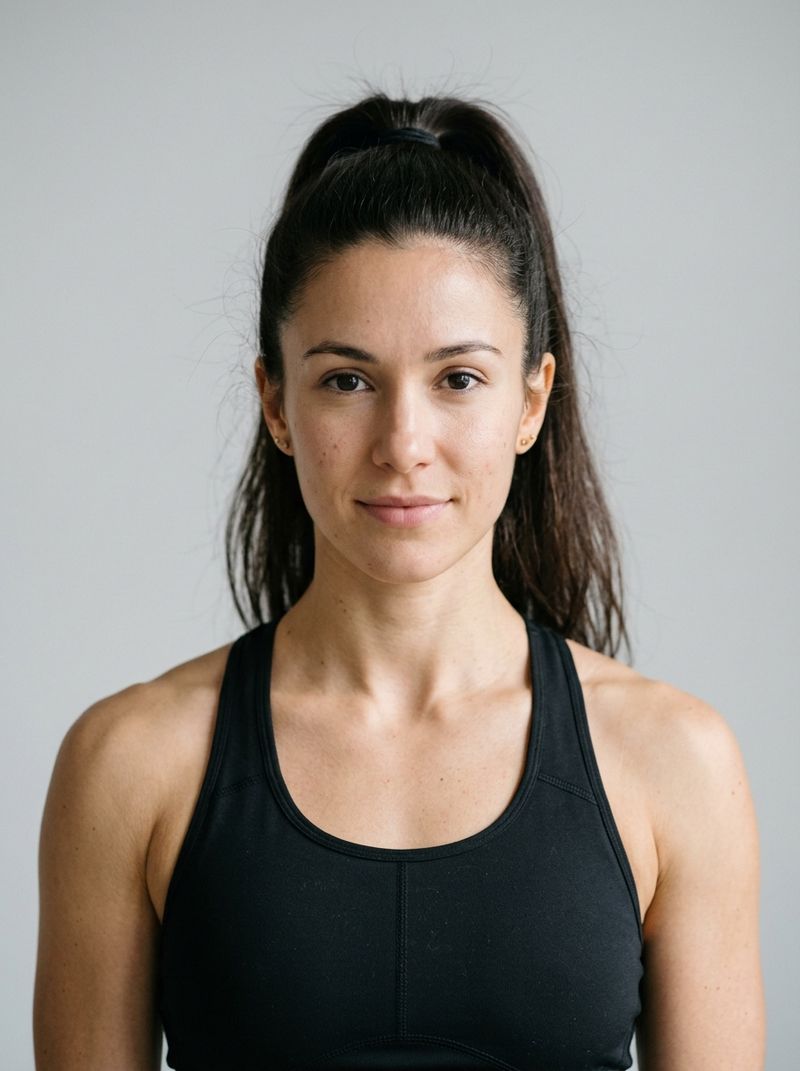
A head-and-shoulders portrait photo of a woman in her late twenties with a high dark ponytail and an athletic build, wearing a plain black sports top, facing the camera with a calm expression. Plain light gray background, soft even light. Photoreal, no text.

Drag the handle across any frame and the two line up. The hip hinge, the arc of the bell, the set-down and the thumbs-up land on the same frames as the original, and the gym and the locked-off camera are untouched. What changes is the trainer: a man with a shaved head becomes the woman from the photo, with her ponytail swinging through the same reps.
Two things come from the source whatever the photo shows. The soundtrack is the original one, voice included, and the timing of every action is the original timing. What the photo decides, including whether the clothes change with the person, is covered in Choosing the photo.
Output length and shape
There is nothing to size. The output runs as long as the source, from 1 to 120 seconds, at 24 fps, and it keeps the source's aspect ratio, anywhere from 1:4 to 4:1. The vertical clip at the top came back vertical, the swing came back 16:9. A source outside those limits is rejected before anything is generated.
Length also sets the bill, since the model charges per second of output. Trim the clip to the part you need before you send it.
A moving camera and a longer take carry over the same way. The walkthrough below is a 12-second tracking shot through an apartment, replaced at 1080p:
A real estate agent, a woman in her forties with a short silver bob in a navy blazer, walks slowly backward through a bright open-plan apartment while the camera follows her. She gestures toward the kitchen island, then toward the floor-to-ceiling windows, and says, "The kitchen opens straight onto the living room, and you get light here all afternoon." She stops by the window and smiles. Medium-wide tracking shot moving with her at chest height, soft afternoon daylight. Photoreal real estate listing video, no text, no logos. Audio: her warm professional speaking voice, light apartment room tone, no music.

A head-and-shoulders portrait photo of a woman in her late forties with chin-length dark brown hair and small gold earrings, wearing a cream blouse, smiling slightly at the camera. Plain light gray background, soft even light. Photoreal, no text.
The agent turns toward the windows and stops on the same beats as the original, and the camera move is the source's, frame for frame. The new agent's face holds from the first frame to the last.
Resolution
Five tiers set the output size, and the aspect ratio still comes from the source. Two of them are generated directly, and the three above them are generated at 768p and then upscaled:
| Resolution | Size for a 16:9 source | How it is made |
|---|---|---|
480p | 864 × 480 | Generated |
768p (default) | 1344 × 768 | Generated |
1080p | 1904 × 1088 | 768p, upscaled |
2k | 2536 × 1450 | 768p, upscaled |
4k | 3808 × 2176 | 768p, upscaled |
The price per second rises with every tier. 480p is the cheapest way to check that a source and a photo work together. 768p is the most detail the model generates. Pick 1080p, 2k or 4k when the deliverable has to be that size, knowing that the extra pixels come from the upscale, not from a larger generation.
Tips
-
Trim the source before you send it. The output is as long as the clip, and you pay for every second of it.
-
Pick a photo that fits the voice. The soundtrack stays the source's, so a photo of someone the voice could belong to reads as one person. Lip sync and soundtrack has the details.
-
Run it again for another take. There is no seed, so each call is a fresh generation from the same inputs.
-
Leave the prompt out with one person on screen. It only becomes necessary when the model has to choose between people.
-
Choose the upscaled tiers for delivery size. Above
768pthe size grows, the generated detail does not.