P-Video-2-Pro-Replace

P-Video-2-Pro-Replace is Pruna AI's character replacement model that puts the person from one or two photos into an existing video. It keeps the original camera, background, timing, and motion, carries over the source soundtrack with lips that follow it, and replaces two people at once with a prompt that says who replaces whom. It takes source clips from 1 second to 2 minutes and outputs from 480p up to 4K, for UGC ad variations, localized spokesperson videos, and recasting existing footage.
Mapping photos to people
How to tell Pruna P-Video-2-Pro-Replace who to replace: the left-to-right default with two photos, a reversed mapping, and one person singled out in a group.
Introduction
With one person on screen, the photo is all P-Video-2-Pro-Replace needs. With two, it has to know which photo goes to whom, and in a group it has to know who to replace at all. Both are decided by the order of the photos and, when that is not enough, by a short instruction in positivePrompt.
- Source video
Two podcast hosts sit side by side at a desk with microphones on boom arms in a small studio with gray acoustic panels. The woman on the left, in her thirties with long box braids and a mustard yellow sweater, says, "So that's the plan for next week." The woman on the right, in her forties with a short gray bob and a denim shirt, nods and answers, "Can't wait. See you all then." They both smile at the camera. Medium two-shot, locked-off camera, warm practical lights. Photoreal creator podcast video, no text, no logos. Audio: two distinct natural female voices taking turns without overlapping, quiet studio room tone, no music.
- Image 1

A head-and-shoulders portrait photo of a woman in her thirties with a short platinum pixie cut, wearing a plain black turtleneck, facing the camera with a slight smile. Plain light gray background, soft even light. Photoreal, no text.
- Image 2

A head-and-shoulders portrait photo of a woman in her forties with long straight black hair, wearing a plain white button-up shirt, facing the camera with a slight smile. Plain light gray background, soft even light. Photoreal, no text.


Both hosts change in one call, each to her own photo, and each keeps the line and the lip sync of the host she replaced. This guide covers the default order, changing it with an instruction, singling out one person in a group, and how to write the instruction.
Default order
inputs.referenceImages takes one or two photos, so a call replaces at most two people. Without a prompt, the order of the array decides who gets which photo:
- One photo replaces the main person in the shot.
- Two photos are matched from left to right: image 1 goes to the person on the left, image 2 to the person on the right.
The hero above is the second case. When the people on screen are side by side and you control the order of the photos, sorting the array by position is all the mapping needs.
Changing the order
When the array order is fixed by something else, such as the order your users uploaded the photos in, an instruction overrides the default. The same source and the same array as the hero, with one sentence added:
Replace the woman on the left, in the mustard sweater, with the woman from image 2, and the woman on the right, in the denim shirt, with the woman from image 1.
import { createClient } from '@runware/sdk'

const client = await createClient({ apiKey: process.env.RUNWARE_API_KEY })
await client.connect()

const [result] = await client.run({
  model: 'prunaai:p-video@2-pro-replace',
  inputs: {
    video: 'https://assets.runware.ai/guides/prunaai-p-video-2-pro-replace/mapping-photos-to-people/source-podcast.mp4',
    referenceImages: [
      'https://assets.runware.ai/guides/prunaai-p-video-2-pro-replace/mapping-photos-to-people/photo-podcast-1.jpg',
      'https://assets.runware.ai/guides/prunaai-p-video-2-pro-replace/mapping-photos-to-people/photo-podcast-2.jpg'
    ]
  },
  positivePrompt: 'Replace the woman on the left, in the mustard sweater, with the woman from image 2, and the woman on the right, in the denim shirt, with the woman from image 1.',
  deliveryMethod: 'async'
})
import asyncio
import os
from runware import Runware
async def main():
async with Runware(api_key=os.environ["RUNWARE_API_KEY"]) as client:
results = await client.run({
"model": "prunaai:p-video@2-pro-replace",
"inputs": {
"video": "https://assets.runware.ai/guides/prunaai-p-video-2-pro-replace/mapping-photos-to-people/source-podcast.mp4",
"referenceImages": [
"https://assets.runware.ai/guides/prunaai-p-video-2-pro-replace/mapping-photos-to-people/photo-podcast-1.jpg",
"https://assets.runware.ai/guides/prunaai-p-video-2-pro-replace/mapping-photos-to-people/photo-podcast-2.jpg"
]
},
"positivePrompt": "Replace the woman on the left, in the mustard sweater, with the woman from image 2, and the woman on the right, in the denim shirt, with the woman from image 1.",
"deliveryMethod": "async"
})
asyncio.run(main())curl https://api.runware.ai/v1 \
-H "Authorization: Bearer $RUNWARE_API_KEY" \
-H "Content-Type: application/json" \
-d '[
{
  "taskType": "videoInference",
  "taskUUID": "5a8c3e17-9d42-4b6f-a0e5-2c7d9f1b3a84",
  "model": "prunaai:p-video@2-pro-replace",
  "inputs": {
    "video": "https://assets.runware.ai/guides/prunaai-p-video-2-pro-replace/mapping-photos-to-people/source-podcast.mp4",
    "referenceImages": [
      "https://assets.runware.ai/guides/prunaai-p-video-2-pro-replace/mapping-photos-to-people/photo-podcast-1.jpg",
      "https://assets.runware.ai/guides/prunaai-p-video-2-pro-replace/mapping-photos-to-people/photo-podcast-2.jpg"
    ]
  },
  "positivePrompt": "Replace the woman on the left, in the mustard sweater, with the woman from image 2, and the woman on the right, in the denim shirt, with the woman from image 1.",
  "deliveryMethod": "async"
}
]'runware run prunaai:p-video@2-pro-replace \
inputs.video=https://assets.runware.ai/guides/prunaai-p-video-2-pro-replace/mapping-photos-to-people/source-podcast.mp4 \
inputs.referenceImages.0=https://assets.runware.ai/guides/prunaai-p-video-2-pro-replace/mapping-photos-to-people/photo-podcast-1.jpg \
inputs.referenceImages.1=https://assets.runware.ai/guides/prunaai-p-video-2-pro-replace/mapping-photos-to-people/photo-podcast-2.jpg \
positivePrompt="Replace the woman on the left, in the mustard sweater, with the woman from image 2, and the woman on the right, in the denim shirt, with the woman from image 1." \
deliveryMethod=async{
"taskType": "videoInference",
"taskUUID": "5a8c3e17-9d42-4b6f-a0e5-2c7d9f1b3a84",
"model": "prunaai:p-video@2-pro-replace",
"inputs": {
"video": "https://assets.runware.ai/guides/prunaai-p-video-2-pro-replace/mapping-photos-to-people/source-podcast.mp4",
"referenceImages": [
"https://assets.runware.ai/guides/prunaai-p-video-2-pro-replace/mapping-photos-to-people/photo-podcast-1.jpg",
"https://assets.runware.ai/guides/prunaai-p-video-2-pro-replace/mapping-photos-to-people/photo-podcast-2.jpg"
]
},
"positivePrompt": "Replace the woman on the left, in the mustard sweater, with the woman from image 2, and the woman on the right, in the denim shirt, with the woman from image 1.",
"deliveryMethod": "async"
}Response
[
  {
    "taskType": "videoInference",
    "taskUUID": "5a8c3e17-9d42-4b6f-a0e5-2c7d9f1b3a84",
    "videoUUID": "1f7b4d92-6e38-4c05-9a1d-8b3e5c7f2a60",
    "videoURL": "https://vm.runware.ai/video/os/a14d18/ws/2/vi/1f7b4d92-6e38-4c05-9a1d-8b3e5c7f2a60.mp4"
  }
]
The instruction refers to the photos by their position in the array, "image 1" and "image 2", and to the hosts by where they sit and what they wear. The two outputs share everything else, from the studio to the lines.
One person in a group
A single photo with a group on screen needs an instruction that names the one to replace and says the rest stay. The instructor below leads a class of two, and only she changes:
- Image 1
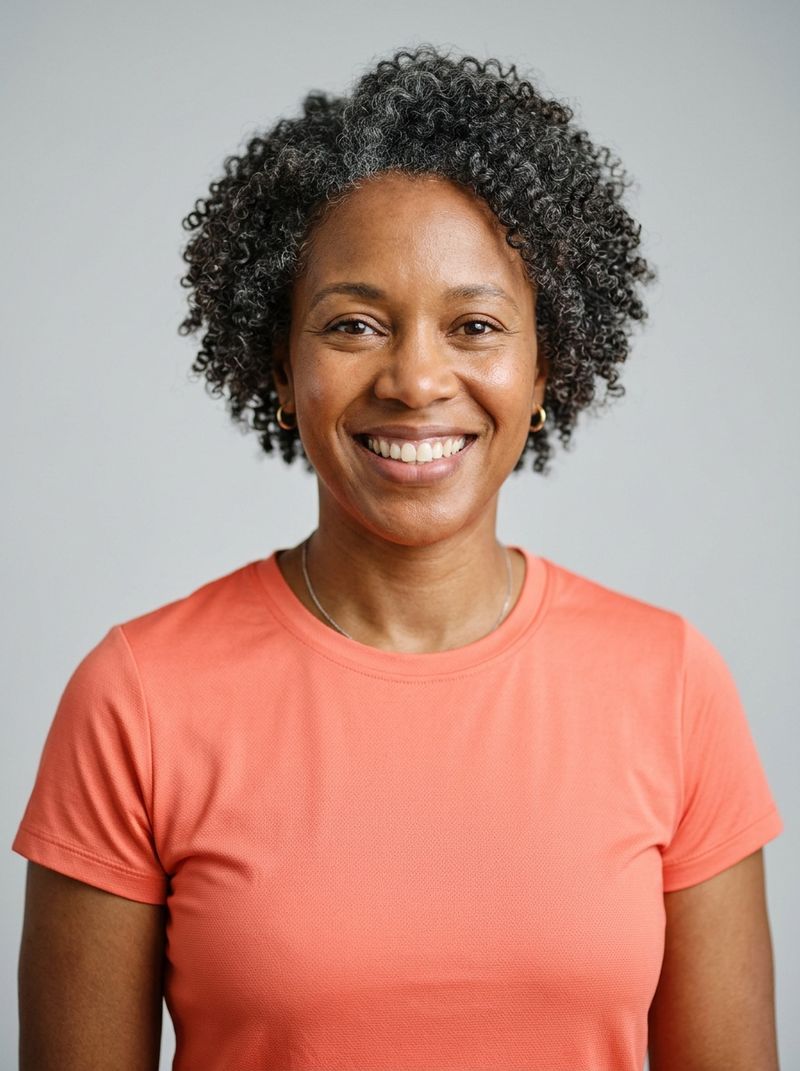
A head-and-shoulders portrait photo of a woman in her forties with short natural curly hair, wearing a plain coral sports top, facing the camera with a warm smile. Plain light gray background, soft even light. Photoreal, no text.

The instructor at the front takes the face and the coral top from the photo, and the two students behind her are untouched, down to the man's gray t-shirt and the timing of their fold. The prompt was "Replace only the yoga instructor at the front, in the teal top, with the woman in image 1. Keep the two students behind her unchanged."
Writing the instruction
Every instruction in this guide has the same parts:
- Who is a role or a place in the frame: the instructor, the host on the left.
- A visible detail separates people who share a role or a place: the teal top, the denim shirt.
- The photo is named by its position in
inputs.referenceImages, "image 1" or "image 2". - What stays closes the sentence when someone on screen must not change.
Tips
-
Sort the photos by position when you can. Two side-by-side people need no prompt when image 1 is the one on the left.
-
Refer to photos as "image 1" and "image 2". The number is the position in the array.
-
Anchor every person twice. A place in the frame plus something visible keeps two similar people apart.
-
Say who stays. In a group, "keep the others unchanged" protects everyone the instruction does not name.