MiniMax H3

MiniMax H3 is a multimodal video generation model that supports text-to-video, first-frame and keyframe-guided generation, multi-reference conditioning, and audio-video continuation in a single workflow. It accepts text together with images, videos, and audio references to keep subjects, voice, motion, and scene identity more consistent across shots, while generating synchronized sound natively rather than as a separate dubbing pass. It is well suited to cinematic multi-shot generation, reference-driven character performance, instruction-based video editing, and continuation workflows that extend an existing clip or audio segment into a seamless new video.
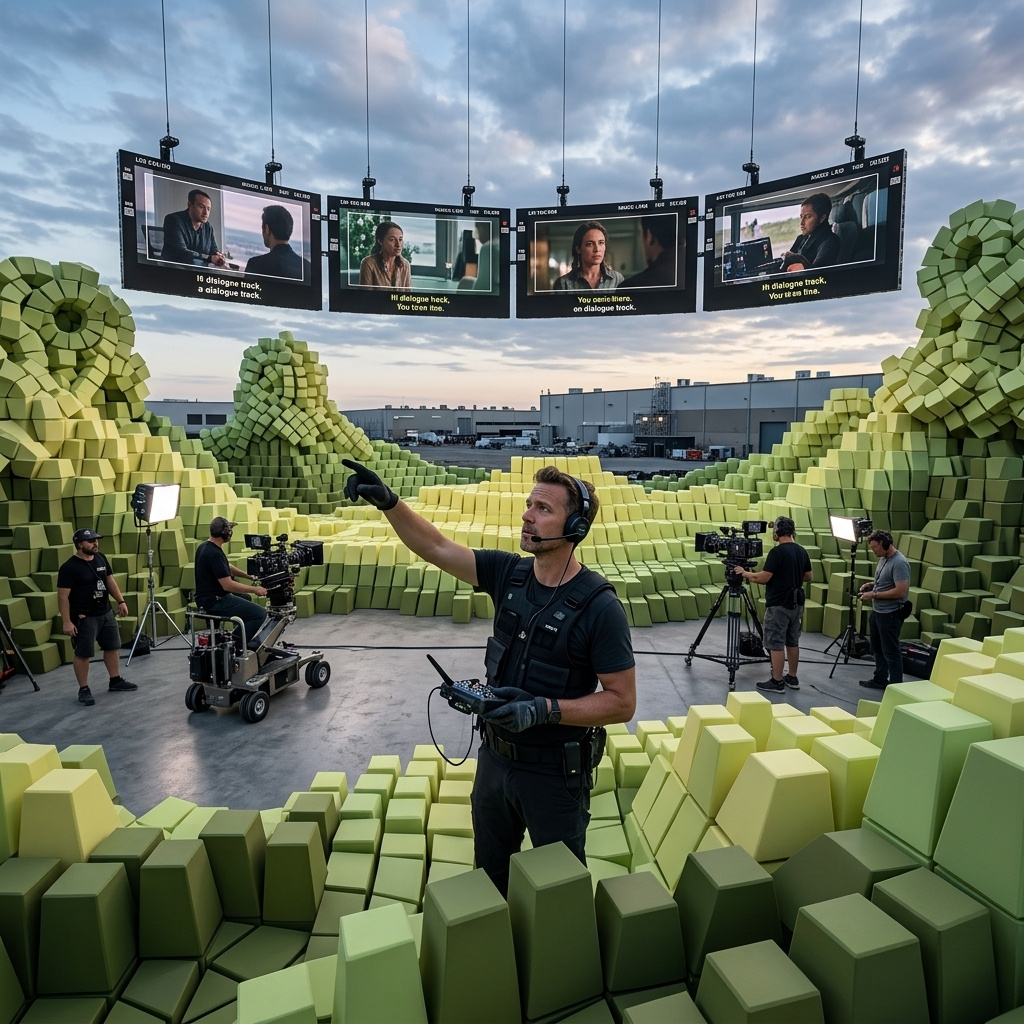
Reference-driven consistency
How to lock a character, product, or style across a new MiniMax H3 shot with Omni Reference images, and address each reference by index in the prompt.
Introduction
The single hardest thing in AI video is keeping a subject the same from shot to shot. MiniMax H3's Omni Reference mode is built for it: pass one or more images in inputs.referenceImages and the model carries their identity, product, or style into a brand new shot, up to nine references in a single call.
It starts from a single studio portrait.
Pass her as "Image 1", and H3 places that exact person into a rooftop she was never filmed on, keeping her face and wardrobe while inventing the location, the motion, and the sound:
Use Image 1 as the character, keeping her exact face, platinum pixie crop, red lipstick, and charcoal blazer. She strides confidently across a sunlit rooftop terrace at midday, a bright city skyline behind her, the wind moving her blazer, then turns toward camera with a slight smile. Cinematic fashion campaign, bright and crisp. Sound: wind across the rooftop, a distant city hum, an upbeat ambient pulse.
- Reference portrait
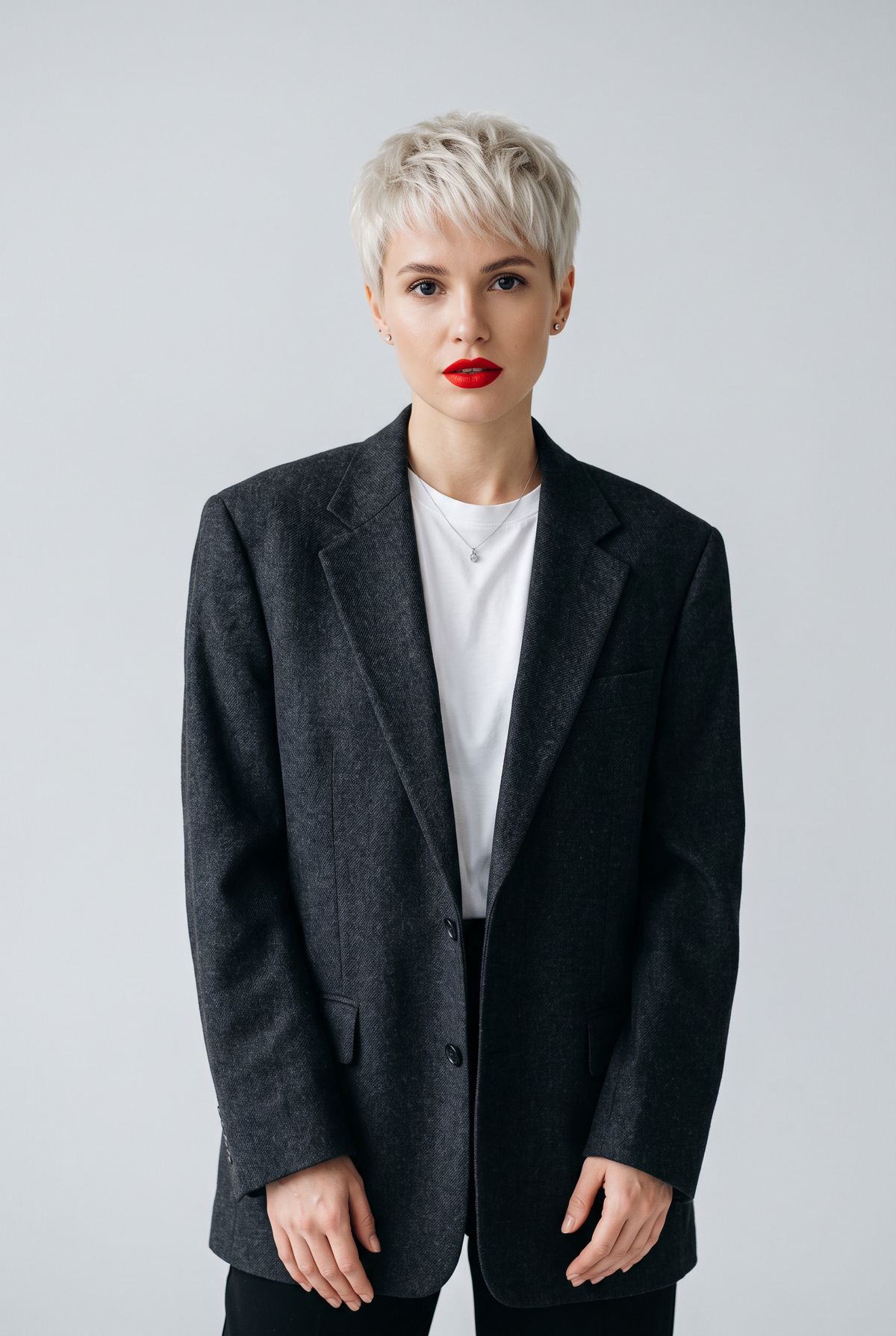
A studio portrait of a woman in her late twenties with a sharp platinum-blonde pixie crop, striking bright-red lipstick, and an oversized charcoal wool blazer over a white tee, confident neutral expression, waist up, clean pale-grey background, soft even studio light. Photoreal editorial fashion portrait.

Request shape
References go in inputs.referenceImages as an array of URLs or UUIDs. The prompt then calls each one out by position as "Image 1", "Image 2", and so on, telling the model what each reference is for. Output size is the usual six 2K pairs or omitted for the model to choose, and every clip still carries native audio.
import { createClient } from '@runware/sdk'

const client = await createClient({ apiKey: process.env.RUNWARE_API_KEY })
await client.connect()

const [result] = await client.run({
  model: 'minimax:h3@0',
  positivePrompt: 'Use Image 1 as the character, keeping her exact face, platinum pixie crop, and charcoal blazer. She strides across a sunlit rooftop at midday, city skyline behind her, then turns toward camera with a slight smile. Cinematic, bright. Sound: rooftop wind, distant city hum.',
  width: 2560,
  height: 1440,
  duration: 8,
  inputs: {
    referenceImages: [
      'https://im.runware.ai/image/os/a14d18/ws/2/ii/1a2b3c4d-5e6f-4708-9a1b-2c3d4e5f6071.jpg'
    ]
  }
})
import asyncio
import os
from runware import Runware
async def main():
async with Runware(api_key=os.environ["RUNWARE_API_KEY"]) as client:
results = await client.run({
"model": "minimax:h3@0",
"positivePrompt": "Use Image 1 as the character, keeping her exact face, platinum pixie crop, and charcoal blazer. She strides across a sunlit rooftop at midday, city skyline behind her, then turns toward camera with a slight smile. Cinematic, bright. Sound: rooftop wind, distant city hum.",
"width": 2560,
"height": 1440,
"duration": 8,
"inputs": {
"referenceImages": [
"https://im.runware.ai/image/os/a14d18/ws/2/ii/1a2b3c4d-5e6f-4708-9a1b-2c3d4e5f6071.jpg"
]
}
})
asyncio.run(main())curl https://api.runware.ai/v1 \
-H "Authorization: Bearer $RUNWARE_API_KEY" \
-H "Content-Type: application/json" \
-d '[
{
  "taskType": "videoInference",
  "taskUUID": "d9e0f1a2-3b4c-4d5e-9f6a-7b8c9d0e1f2a",
  "model": "minimax:h3@0",
  "positivePrompt": "Use Image 1 as the character, keeping her exact face, platinum pixie crop, and charcoal blazer. She strides across a sunlit rooftop at midday, city skyline behind her, then turns toward camera with a slight smile. Cinematic, bright. Sound: rooftop wind, distant city hum.",
  "width": 2560,
  "height": 1440,
  "duration": 8,
  "inputs": {
    "referenceImages": [
      "https://im.runware.ai/image/os/a14d18/ws/2/ii/1a2b3c4d-5e6f-4708-9a1b-2c3d4e5f6071.jpg"
    ]
  }
}
]'runware run minimax:h3@0 \
positivePrompt="Use Image 1 as the character, keeping her exact face, platinum pixie crop, and charcoal blazer. She strides across a sunlit rooftop at midday, city skyline behind her, then turns toward camera with a slight smile. Cinematic, bright. Sound: rooftop wind, distant city hum." \
width=2560 \
height=1440 \
duration=8 \
inputs.referenceImages.0=https://im.runware.ai/image/os/a14d18/ws/2/ii/1a2b3c4d-5e6f-4708-9a1b-2c3d4e5f6071.jpg{
"taskType": "videoInference",
"taskUUID": "d9e0f1a2-3b4c-4d5e-9f6a-7b8c9d0e1f2a",
"model": "minimax:h3@0",
"positivePrompt": "Use Image 1 as the character, keeping her exact face, platinum pixie crop, and charcoal blazer. She strides across a sunlit rooftop at midday, city skyline behind her, then turns toward camera with a slight smile. Cinematic, bright. Sound: rooftop wind, distant city hum.",
"width": 2560,
"height": 1440,
"duration": 8,
"inputs": {
"referenceImages": [
"https://im.runware.ai/image/os/a14d18/ws/2/ii/1a2b3c4d-5e6f-4708-9a1b-2c3d4e5f6071.jpg"
]
}
}Response
[
  {
    "taskType": "videoInference",
    "taskUUID": "d9e0f1a2-3b4c-4d5e-9f6a-7b8c9d0e1f2a",
    "videoUUID": "6c7d8e9f-0a1b-4c2d-8e3f-4a5b6c7d8e9f",
    "videoURL": "https://vm.runware.ai/video/os/a14d18/ws/2/vi/6c7d8e9f-0a1b-4c2d-8e3f-4a5b6c7d8e9f.mp4"
  }
]
This mode cannot be combined with first and last frame: a request uses anchor frames or references, not both.
Keeping a character consistent
The most common use is one portrait held across a new scene, exactly like the rooftop hero. Naming the features you need held is what makes it stick. The prompt did not just say "use Image 1", it named her face, the platinum crop, the red lip, and the blazer, so those survived into a scene the reference never showed. Spell out the identity markers that matter, and let the model invent everything else.
Combining references by index
Omni Reference earns its name when you pass several images and give each a job. The prompt addresses them by number, so "Image 1" and "Image 2" become named roles. Below, one reference is a person and the other is a product:
Use Image 1 as the man and Image 2 as the bag. He walks through a bright sunlit open-air market wearing the exact burgundy crossbody bag from Image 2 across his chest, glancing around and smiling. Keep his identity from Image 1 and the bag's exact design and gold chain from Image 2. Lifestyle campaign, bright. Sound: cheerful market ambience and light footsteps.
- Image 1: the man
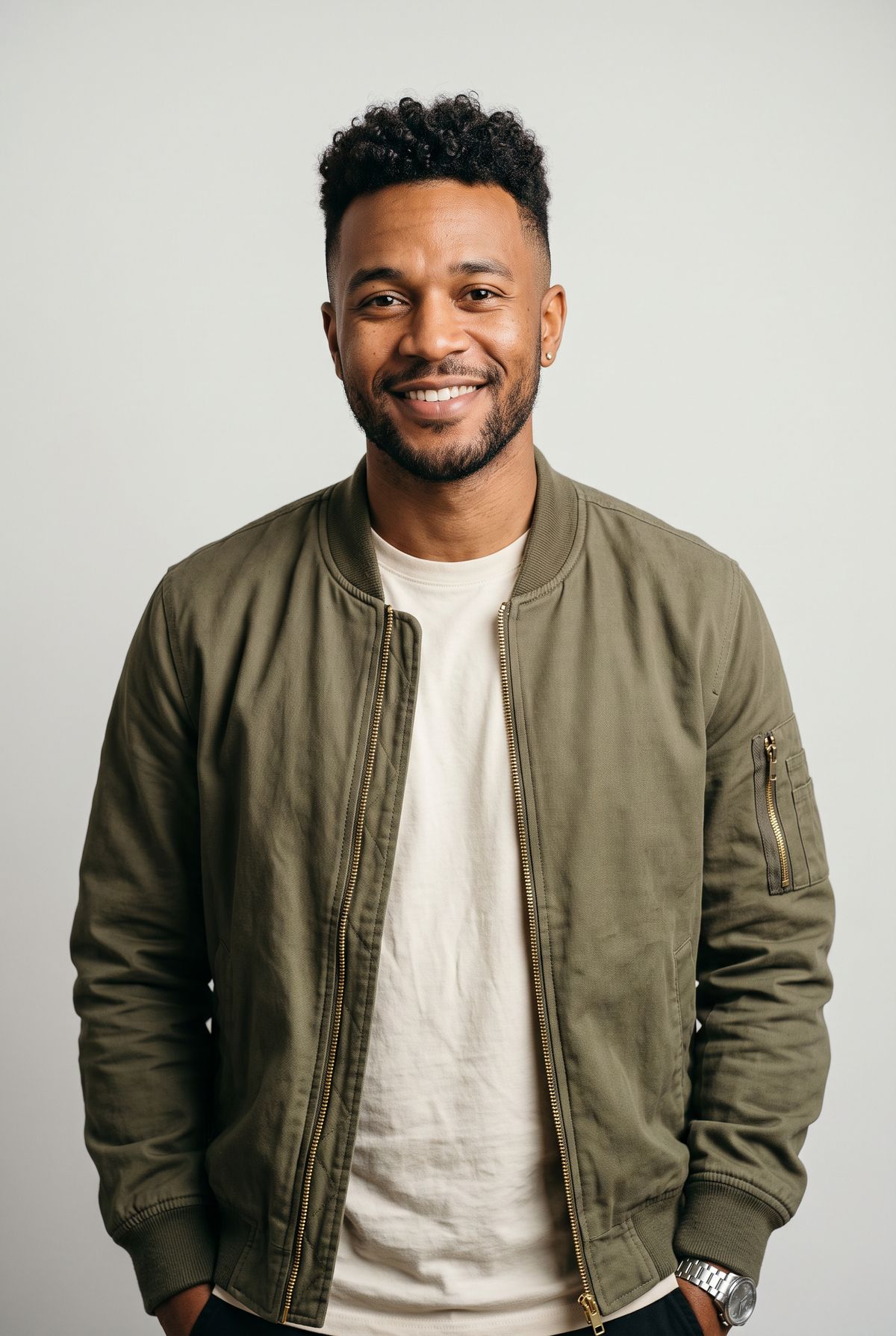
A studio portrait of a man in his late twenties with a dark curly undercut, warm brown skin, light stubble, wearing an olive-green bomber jacket over a cream tee, relaxed friendly expression, waist up, clean pale-grey background, soft even studio light. Photoreal editorial portrait.
- Image 2: the bag
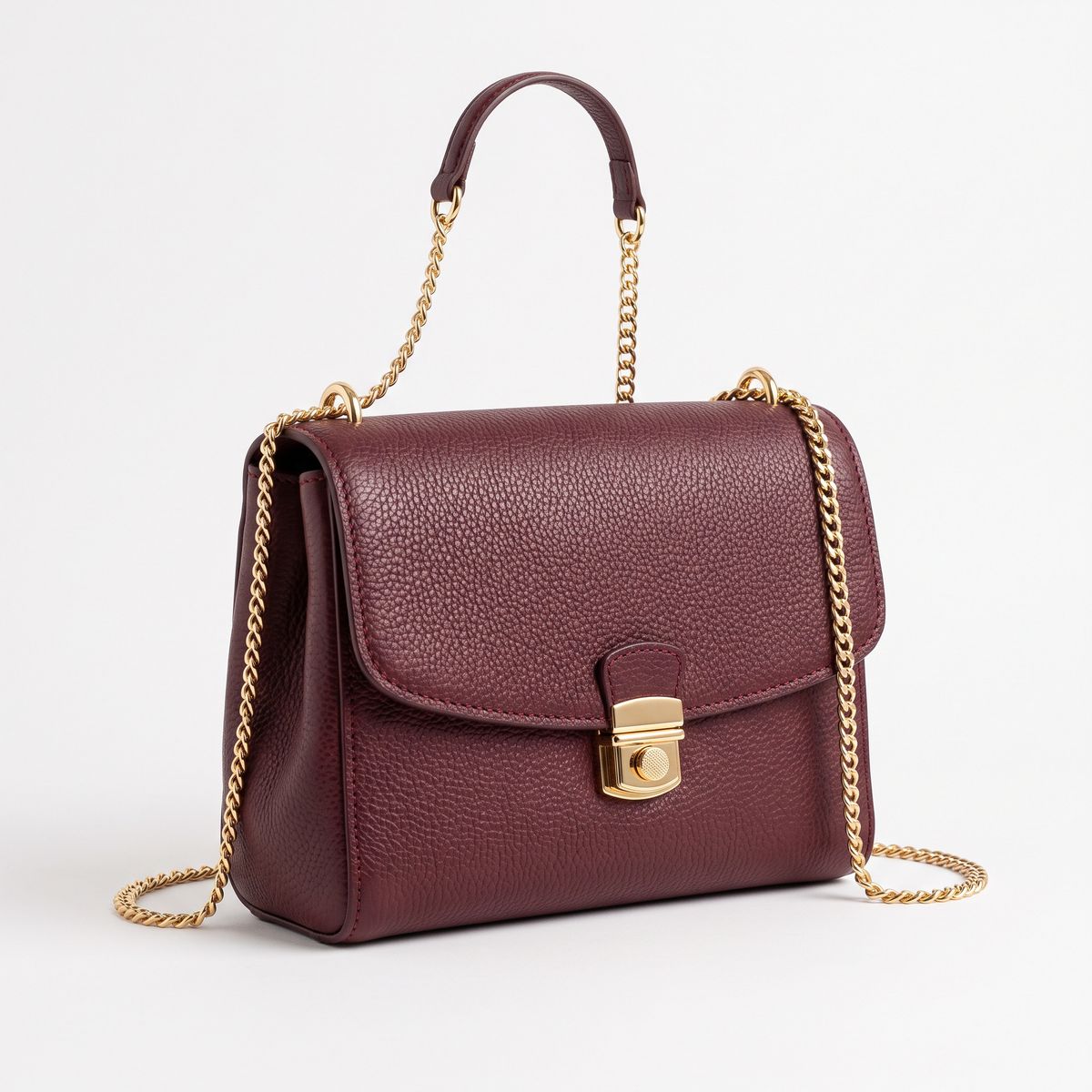
A compact burgundy pebbled-leather crossbody bag with a slim gold chain strap and a small gold clasp, three-quarter angle, centred on a plain white studio background, soft even lighting. Photoreal product packshot, no branding, no text.


The prompt assigns "Image 1" to the man and "Image 2" to the bag, then puts them together in a market. Give each reference a distinct role and restate what must carry ("his identity", "the bag's exact design and gold chain"), and the model composes them into one shot. The clearer the per-image instruction, the cleaner the result.
Keeping a product consistent
The same mechanic sells products. A single packshot as Image 1, and H3 places the exact item into a lifestyle or hero shot with motion and sound:
Use Image 1 as the product. The exact sneaker from Image 1 rests on a sunlit pale concrete ledge as the camera slowly orbits it, bright daylight glancing off the mesh and the chunky sole. Keep the sneaker's exact mint, cream, and grey colourway and design. Clean product commercial, bright. Sound: a soft breeze and a light upbeat beat.
- Product reference
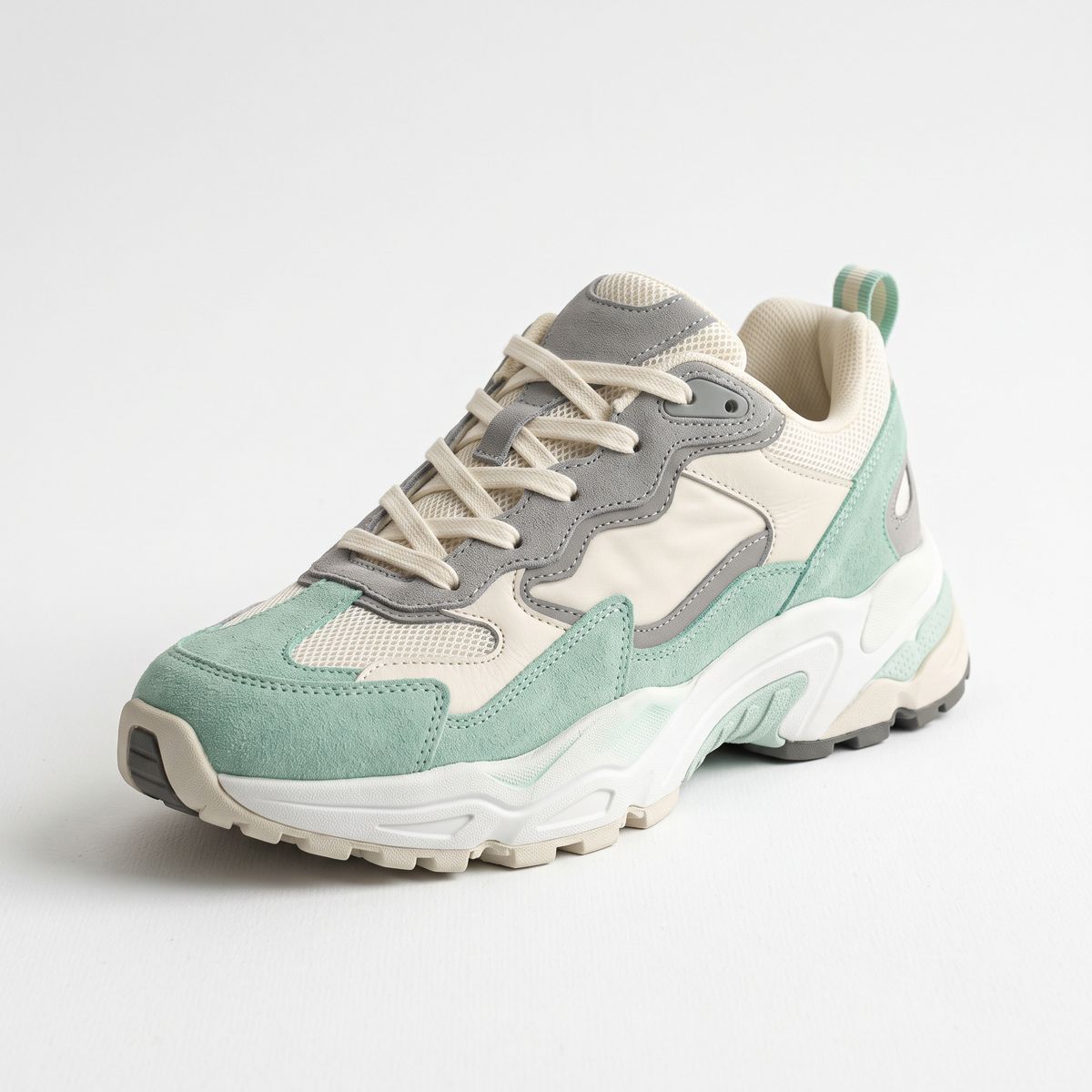
A chunky retro-style running sneaker in mint green, cream, and grey with a thick white sole, three-quarter angle, centred on a plain white studio background, soft even lighting. Photoreal product packshot, no branding, no text.

Products are less forgiving than faces: name the colourway and the shape, since a loosely described reference lets fine details drift. A clean packshot on a plain background reads more reliably than a busy lifestyle photo.
Referencing a style
A reference does not have to be a subject. Point the prompt at an image's look rather than its content and H3 matches the visual language into a completely different scene. Here the reference is a claymation still, and the new shot is a different clay subject in the same style:
Use Image 1 for the art style and clay texture. A new claymation scene in the exact same style: a little clay fox trots across a clay meadow and stops to sniff a clay flower, its tail giving a small wag. Match the matte plasticine look, thumbprint texture, and soft warm lighting of Image 1. Sound: playful light music and soft stop-motion foley.
- Style reference
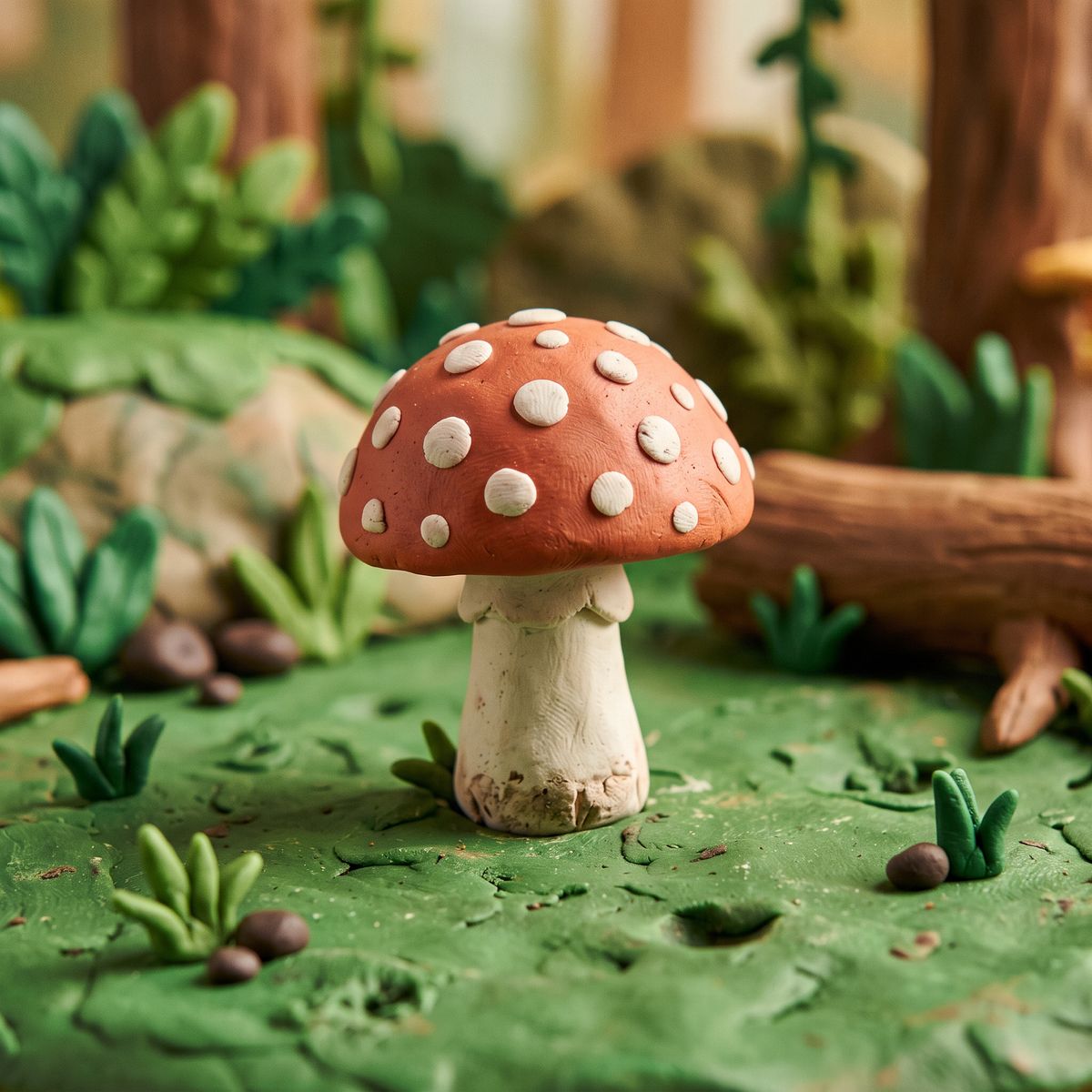
A charming claymation still: a small rounded clay object shaped like a spotted mushroom with visible thumbprint texture and a matte plasticine surface, on a simple green clay ground, soft warm studio light. Stop-motion clay animation aesthetic.

The fox was never in the reference. What carried was the matte clay surface, the thumbprint texture, and the lighting, because the prompt asked for the style and not the mushroom. Say plainly whether a reference is there for its subject or its style, so the model knows what to copy and what to leave behind.
Tips
-
Address every reference by index. "Image 1 for the character, Image 2 for the product" gives each one a job. An unlabelled pile of references blurs together.
-
Name what must be held. The face, the colourway, the logo placement. Identity markers you spell out survive, while the ones you leave vague drift.
-
Say subject or style. State whether a reference is there for what it shows or for how it looks, so the model copies the right thing.
-
Use clean references. A plain-background packshot or a clear portrait transfers more reliably than a cluttered photo.
-
Fewer, sharper references beat many vague ones. Two well-directed images usually hold better than nine loosely described ones.
-
Reference mode replaces anchor frames. Omni Reference and first-and-last-frame cannot be used in the same request, so pick the workflow the shot needs.