Kling VIDEO 4.0

Kling VIDEO 4.0 is a unified video model that generates 1080p clips of up to 30 seconds from text, images, reference videos, and reusable elements. It follows up to 10 keyframes per clip, including first, middle, and last frames, and combines reference images, reference videos, and elements in a single request to hold subjects, style, and motion. It also edits an existing video from a prompt, which suits long narrative shots, storyboard-driven sequences, and reference-driven production work.
Reference videos
How to use reference videos with Kling VIDEO 4.0 to carry a routine, a camera path, or the structure of an ad over to new people, products, and locations.
Introduction
A reference video gives Kling VIDEO 4.0 movement, timing, camera work and the cuts of an edit to carry into a new clip. You can pass up to five in one request. Combined with reference images, a clip can keep the motion of one video while changing who performs it and where.
Reference the routine, its timing, and the full-body framing of <<<video_1>>>. Use <<<image_1>>> for the person's appearance and <<<image_2>>> as the location. Audio: sneaker squeaks, breathing, the echo of the gym, no music, no subtitles.
- Routine
A fitness instructor in a gray tank top performs a short routine facing the camera in a plain white studio: two squat jumps, a lunge to each side, and he finishes with both arms raised. Full-body framing, static camera. Audio: footsteps on the floor, breathing, no music, no subtitles.
- Person
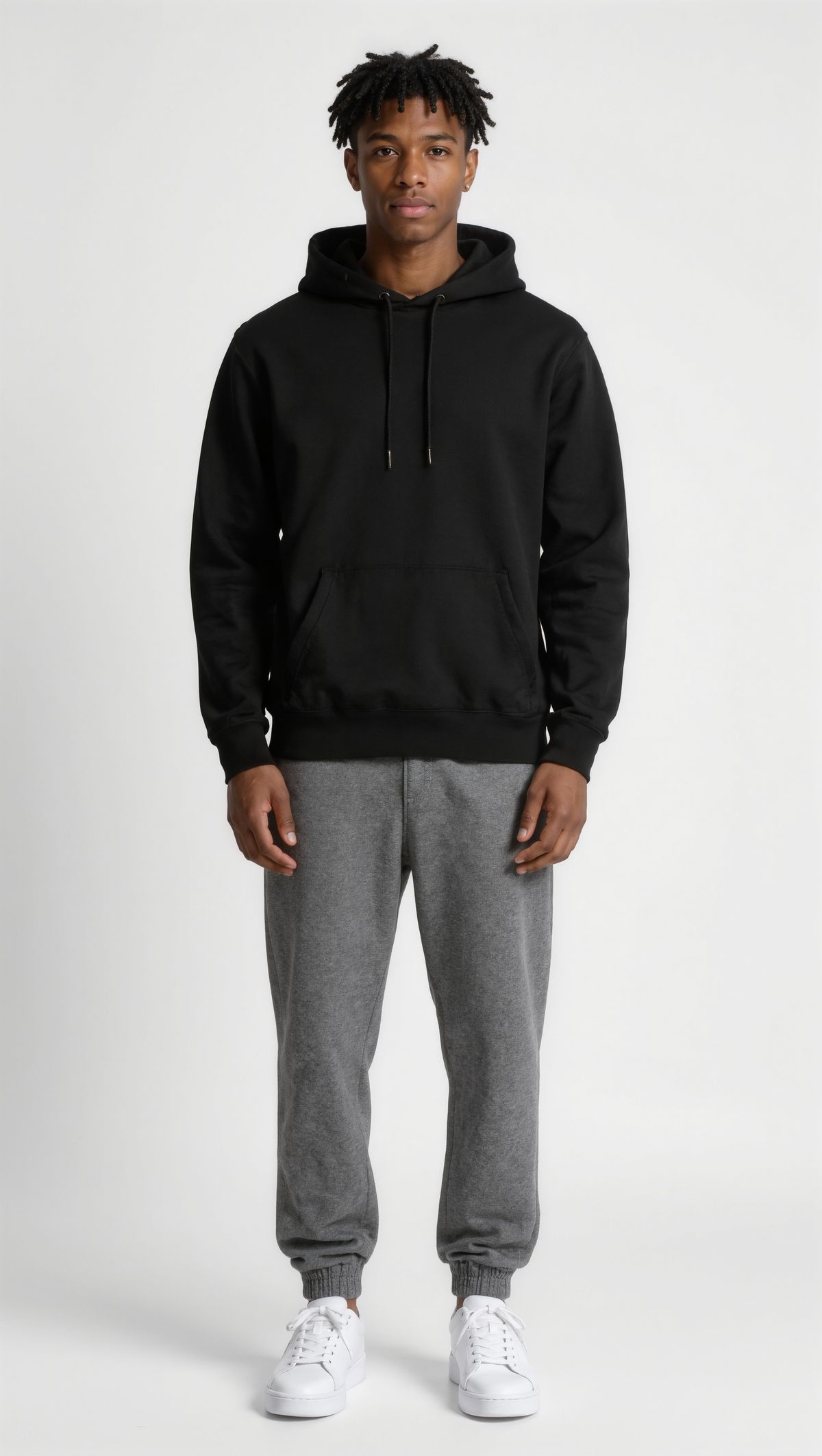
Full-length portrait of a young man with short twists, wearing a black hoodie, gray joggers, and white sneakers, standing straight in a plain studio against a neutral background. Photoreal, even light.
- Location
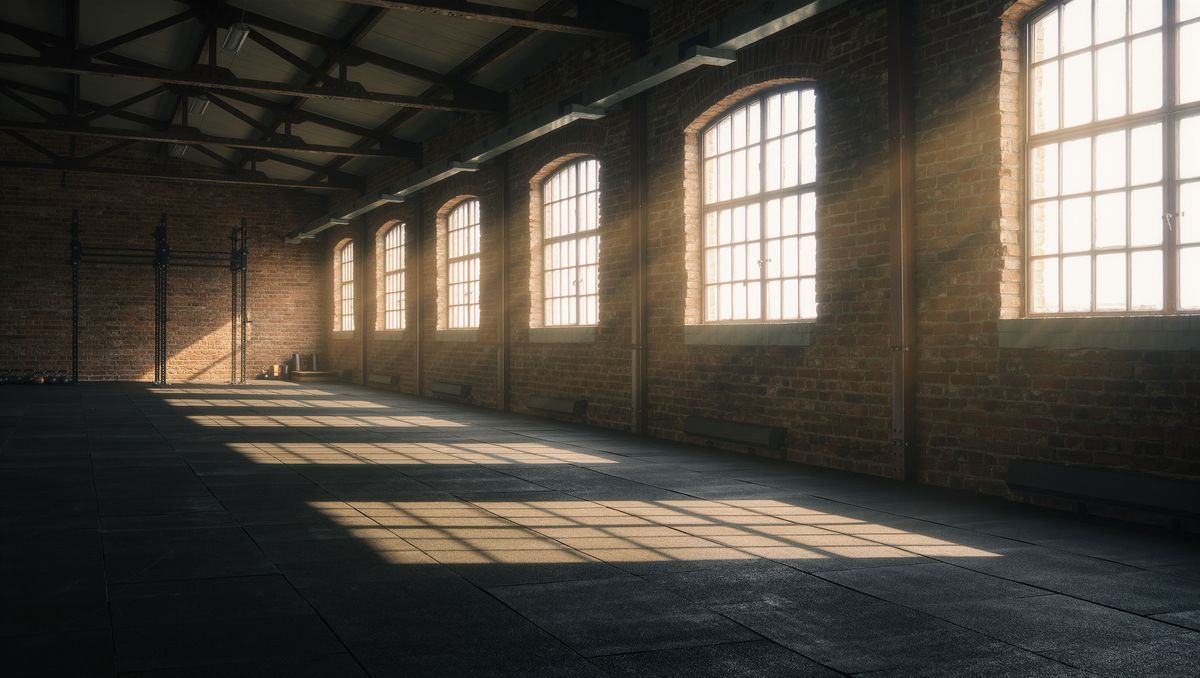
An empty industrial gym with exposed brick walls, black rubber flooring, and morning light coming through tall windows. Photoreal, no people.


The prompt names what to take from each input: the routine and its timing from the video, the person and the place from the two images, the same way it assigns roles to reference images.
Request shape
Reference videos go in inputs.referenceVideos, by URL or by the UUID of an earlier generation. In the prompt they are <<<video_1>>>, <<<video_2>>> and so on, while images keep their own numbering as <<<image_N>>>:
import { createClient } from '@runware/sdk'

const client = await createClient({ apiKey: process.env.RUNWARE_API_KEY })
await client.connect()

const [result] = await client.run({
  model: 'klingai:kling-video@4.0',
  positivePrompt: 'Reference the routine, its timing, and the full-body framing of <<<video_1>>>. Use <<<image_1>>> for the person\'s appearance and <<<image_2>>> as the location. Audio: sneaker squeaks, breathing, the echo of the gym, no music, no subtitles.',
  width: 1920,
  height: 1080,
  duration: 8,
  inputs: {
    referenceVideos: [
      'https://vm.runware.ai/video/os/a14d18/ws/2/vi/5e6f7a8b-9c0d-4e1f-8a2b-3c4d5e6f7a8b.mp4'
    ],
    referenceImages: [
      'https://im.runware.ai/image/os/a14d18/ws/2/ii/6f7a8b9c-0d1e-4f2a-9b3c-4d5e6f7a8b9c.jpg',
      'https://im.runware.ai/image/os/a14d18/ws/2/ii/7a8b9c0d-1e2f-4a3b-8c4d-5e6f7a8b9c0d.jpg'
    ]
  }
})
import asyncio
import os
from runware import Runware
async def main():
async with Runware(api_key=os.environ["RUNWARE_API_KEY"]) as client:
results = await client.run({
"model": "klingai:kling-video@4.0",
"positivePrompt": "Reference the routine, its timing, and the full-body framing of <<<video_1>>>. Use <<<image_1>>> for the person's appearance and <<<image_2>>> as the location. Audio: sneaker squeaks, breathing, the echo of the gym, no music, no subtitles.",
"width": 1920,
"height": 1080,
"duration": 8,
"inputs": {
"referenceVideos": [
"https://vm.runware.ai/video/os/a14d18/ws/2/vi/5e6f7a8b-9c0d-4e1f-8a2b-3c4d5e6f7a8b.mp4"
],
"referenceImages": [
"https://im.runware.ai/image/os/a14d18/ws/2/ii/6f7a8b9c-0d1e-4f2a-9b3c-4d5e6f7a8b9c.jpg",
"https://im.runware.ai/image/os/a14d18/ws/2/ii/7a8b9c0d-1e2f-4a3b-8c4d-5e6f7a8b9c0d.jpg"
]
}
})
asyncio.run(main())curl https://api.runware.ai/v1 \
-H "Authorization: Bearer $RUNWARE_API_KEY" \
-H "Content-Type: application/json" \
-d '[
{
  "taskType": "videoInference",
  "taskUUID": "4d5e6f7a-8b9c-4d0e-9f1a-2b3c4d5e6f7a",
  "model": "klingai:kling-video@4.0",
  "positivePrompt": "Reference the routine, its timing, and the full-body framing of <<<video_1>>>. Use <<<image_1>>> for the person's appearance and <<<image_2>>> as the location. Audio: sneaker squeaks, breathing, the echo of the gym, no music, no subtitles.",
  "width": 1920,
  "height": 1080,
  "duration": 8,
  "inputs": {
    "referenceVideos": [
      "https://vm.runware.ai/video/os/a14d18/ws/2/vi/5e6f7a8b-9c0d-4e1f-8a2b-3c4d5e6f7a8b.mp4"
    ],
    "referenceImages": [
      "https://im.runware.ai/image/os/a14d18/ws/2/ii/6f7a8b9c-0d1e-4f2a-9b3c-4d5e6f7a8b9c.jpg",
      "https://im.runware.ai/image/os/a14d18/ws/2/ii/7a8b9c0d-1e2f-4a3b-8c4d-5e6f7a8b9c0d.jpg"
    ]
  }
}
]'runware run klingai:kling-video@4.0 \
positivePrompt="Reference the routine, its timing, and the full-body framing of <<<video_1>>>. Use <<<image_1>>> for the person's appearance and <<<image_2>>> as the location. Audio: sneaker squeaks, breathing, the echo of the gym, no music, no subtitles." \
width=1920 \
height=1080 \
duration=8 \
inputs.referenceVideos.0=https://vm.runware.ai/video/os/a14d18/ws/2/vi/5e6f7a8b-9c0d-4e1f-8a2b-3c4d5e6f7a8b.mp4 \
inputs.referenceImages.0=https://im.runware.ai/image/os/a14d18/ws/2/ii/6f7a8b9c-0d1e-4f2a-9b3c-4d5e6f7a8b9c.jpg \
inputs.referenceImages.1=https://im.runware.ai/image/os/a14d18/ws/2/ii/7a8b9c0d-1e2f-4a3b-8c4d-5e6f7a8b9c0d.jpg{
"taskType": "videoInference",
"taskUUID": "4d5e6f7a-8b9c-4d0e-9f1a-2b3c4d5e6f7a",
"model": "klingai:kling-video@4.0",
"positivePrompt": "Reference the routine, its timing, and the full-body framing of <<<video_1>>>. Use <<<image_1>>> for the person's appearance and <<<image_2>>> as the location. Audio: sneaker squeaks, breathing, the echo of the gym, no music, no subtitles.",
"width": 1920,
"height": 1080,
"duration": 8,
"inputs": {
"referenceVideos": [
"https://vm.runware.ai/video/os/a14d18/ws/2/vi/5e6f7a8b-9c0d-4e1f-8a2b-3c4d5e6f7a8b.mp4"
],
"referenceImages": [
"https://im.runware.ai/image/os/a14d18/ws/2/ii/6f7a8b9c-0d1e-4f2a-9b3c-4d5e6f7a8b9c.jpg",
"https://im.runware.ai/image/os/a14d18/ws/2/ii/7a8b9c0d-1e2f-4a3b-8c4d-5e6f7a8b9c0d.jpg"
]
}
}Response
[
  {
    "taskType": "videoInference",
    "taskUUID": "4d5e6f7a-8b9c-4d0e-9f1a-2b3c4d5e6f7a",
    "videoUUID": "8b9c0d1e-2f3a-4b4c-9d5e-6f7a8b9c0d1e",
    "videoURL": "https://vm.runware.ai/video/os/a14d18/ws/2/vi/8b9c0d1e-2f3a-4b4c-9d5e-6f7a8b9c0d1e.mp4"
  }
]
Each reference video runs 3 to 30 seconds, and all input videos together stay within 30 seconds. Trim each reference to the part you want to borrow, which also leaves room in that budget for a second one.
Borrowing a camera path
A plain object on a table is enough to define a camera move, and the prompt then swaps the subject and the set. Say "only" so the rest of the clip stays out:
Reference only the camera path and pacing of <<<video_1>>>. Replace the mug with the smartwatch in <<<image_1>>>, standing upright on its strap, and the table with the pedestal in <<<image_2>>>. Audio: quiet room tone, a faint mechanical tick, no music, no subtitles.
- Camera path
The camera starts on a wide shot of a white ceramic mug standing on a round wooden table in a plain studio, pushes in quickly to a close-up of the mug, then rises and tilts down until it looks at the mug from directly above. Soft even light. Audio: quiet room tone, no music, no subtitles.
- Product
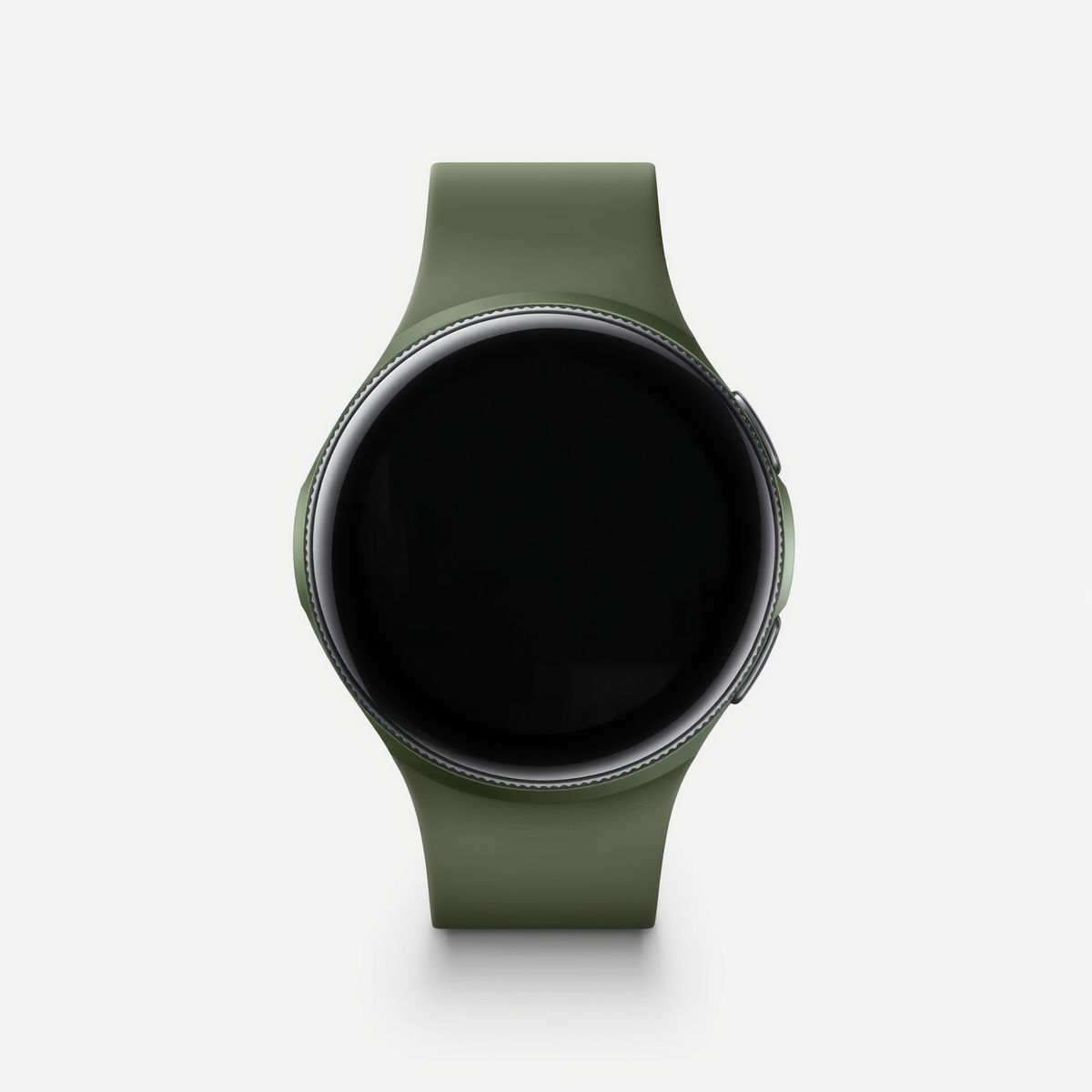
A smartwatch with a round black face and an olive green silicone strap on a white background. Product packshot, photoreal, no text, no logos.
- Set
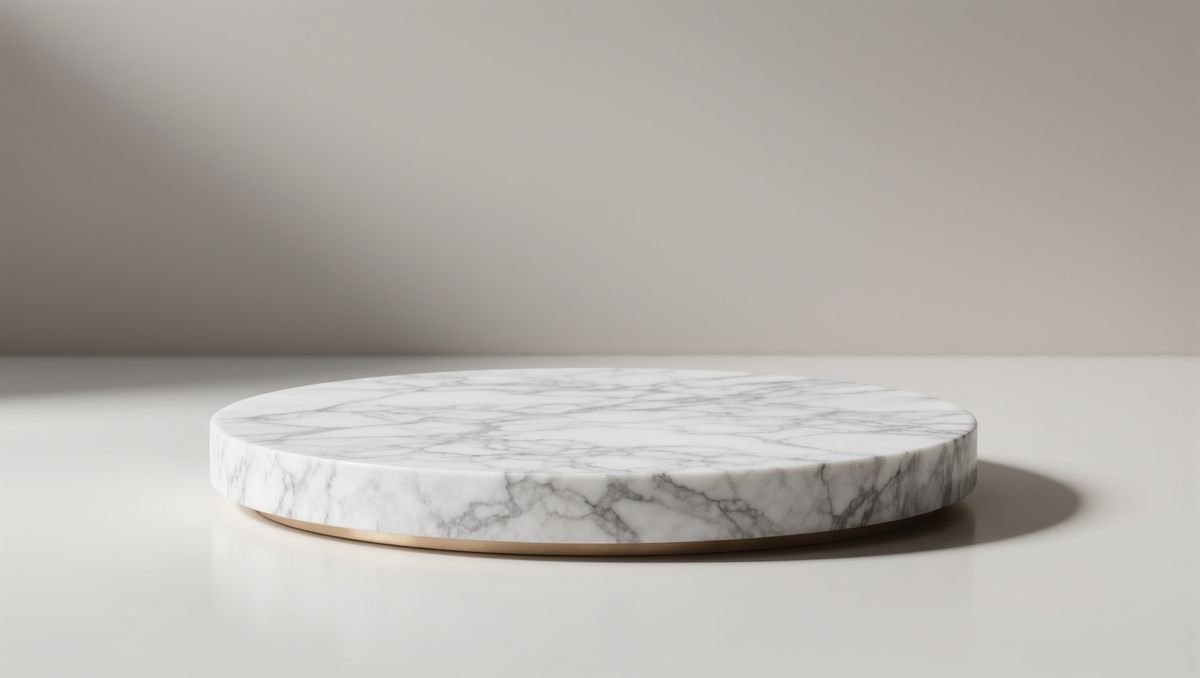
An empty round white marble pedestal in a minimal studio with a soft warm gray wall behind it. Photoreal product backdrop, even soft light.


The prompt names the camera path without describing it. The push-in and the overhead ending both come from the mug clip, while the mug and the table stay behind.
Recreating an ad
A reference can also be a finished edit. Ask for the clip shot for shot, name the product that takes over, and list what has to stay: the pacing, the number of cuts, the framing, and the light:
Recreate <<<video_1>>> shot for shot, with the water bottle in <<<image_1>>> in place of the phone. Keep the pacing, the cuts, the framing, and the light of <<<video_1>>>. Audio: a matching sound for each action and a light upbeat music bed, no subtitles.
- Original ad
A 10-second social ad for a red phone case, three shots joined by hard cuts. 0–3 s: the phone in its case drops onto a sofa cushion and bounces. 3–7 s: a hand slides the phone across a kitchen counter toward the camera. 7–10 s: close-up of the textured back of the case as the hand rotates it toward the camera. Bright daylight. Audio: a soft thud, a slide on stone, a light upbeat music bed, no subtitles.
- New product
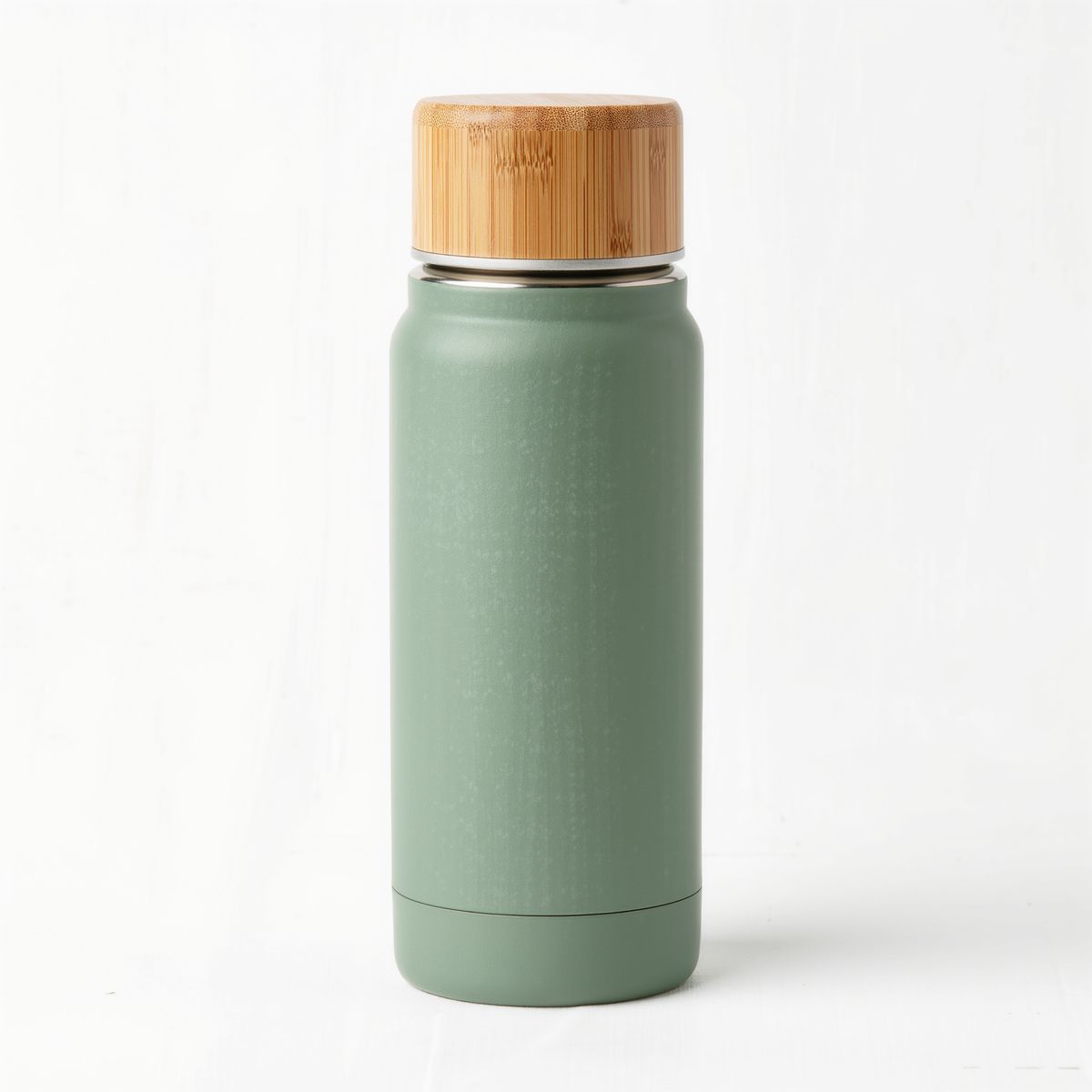
A stainless steel insulated water bottle in matte sage green with a bamboo lid, on a white background. Product packshot, photoreal, no text, no logos.

The new clip keeps the original's three shots in the same order, with the new product in each. This is how one approved ad becomes a template for the rest of a catalog: keep the reference, change the product image and the product name.
Reference or edit
A reference video is a source of motion and structure, and the output is a new clip. To keep the original footage and change one thing in it, such as a prop, the background or the style, pass the clip as inputs.video and write "Edit <<<video_1>>>" instead. That workflow is covered in Editing video.
Tips
-
Say what to take from the video. Motion, timing, the camera path or the cuts, and nothing else.
-
Add "only" when the video holds things you don't want. It keeps the mug out of the watch shot.
-
Name what to copy, not what it looks like. The reference carries the move. Describing it again in the prompt leaves the reference nothing to show.
-
Pair the video with images for the new content. The video sets the motion, the images set who and where.
-
Keep reference clips short. All input videos share a 30-second budget.
-
Recreate ads shot for shot. Swap the product, name what has to stay, and let the reference carry the shots.