Kling VIDEO 4.0

Kling VIDEO 4.0 is a unified video model that generates 1080p clips of up to 30 seconds from text, images, reference videos, and reusable elements. It follows up to 10 keyframes per clip, including first, middle, and last frames, and combines reference images, reference videos, and elements in a single request to hold subjects, style, and motion. It also edits an existing video from a prompt, which suits long narrative shots, storyboard-driven sequences, and reference-driven production work.
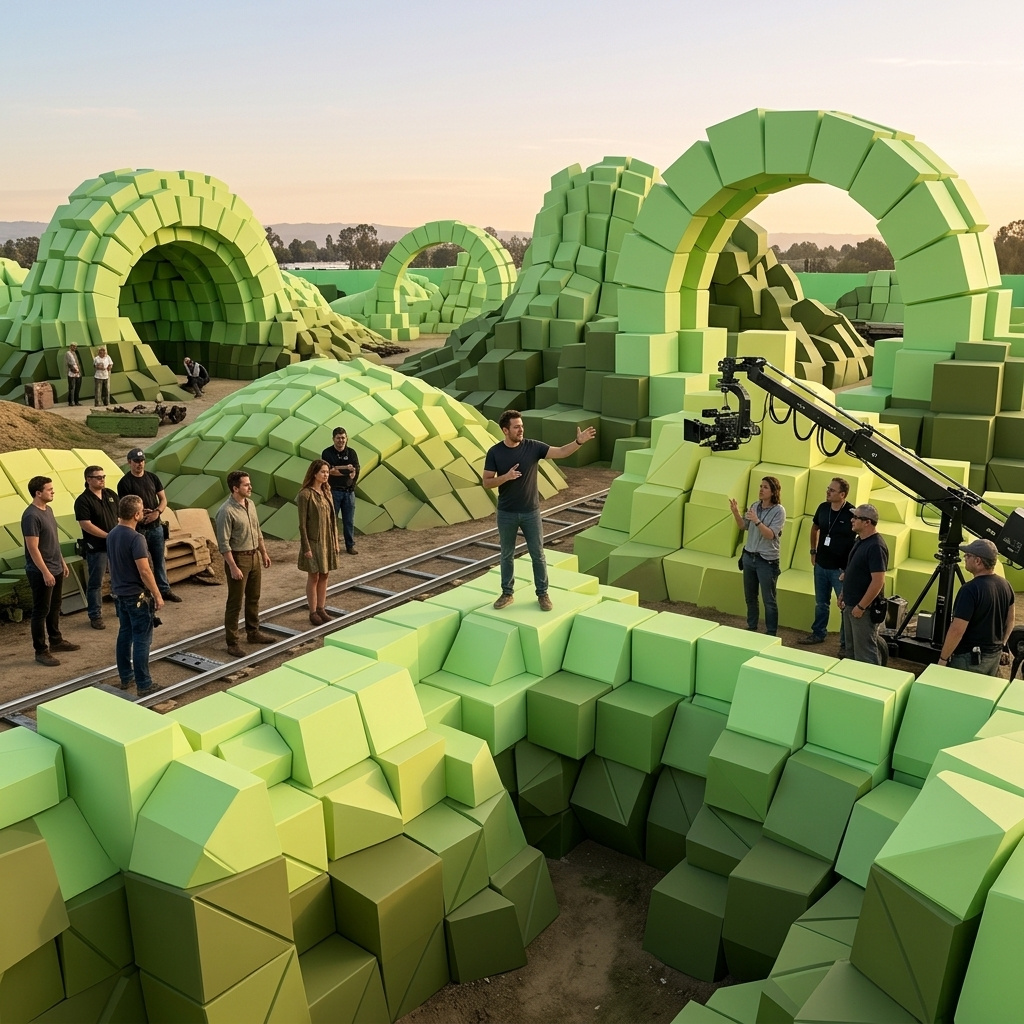
Reference images
How to drive Kling VIDEO 4.0 with reference images: give each image a role, combine people with products and locations, keep a cast consistent, and follow a storyboard.
Introduction
Reference images tell Kling VIDEO 4.0 what the clip has to contain: a person, a product, a location, or a plan for the shots. You can pass up to ten, and the model builds a new clip around them. The prompt has to say what each image contributes. Otherwise the model infers it, and the result is harder to predict.
<<<image_1>>> defines the model. Preserve her face, hairstyle, and build. <<<image_2>>> defines the jacket she wears. Preserve its material, color, and details exactly. <<<image_3>>> defines the location. Preserve its layout and view. She walks toward the camera across the rooftop, pauses, turns her shoulder to show the back of the jacket, and looks back at the lens. Handheld fashion film camera. Audio: footsteps, light wind, distant city sounds, no music, no subtitles.
- Model
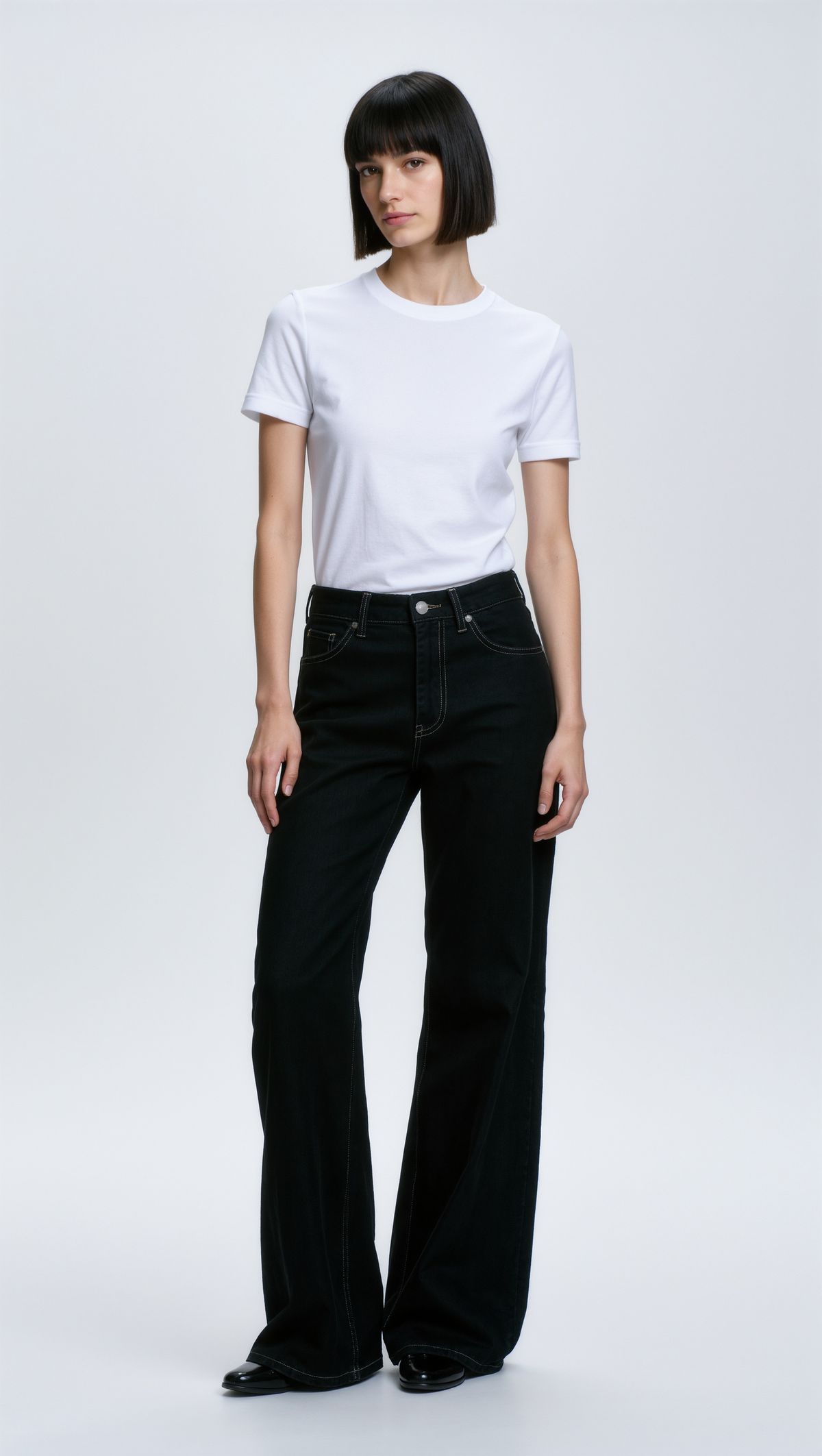
Full-length studio portrait of a female model in her twenties with a sleek dark bob, standing straight against a plain light gray backdrop in a plain white t-shirt and straight black jeans, neutral expression. Photoreal fashion catalog photography.
- Jacket
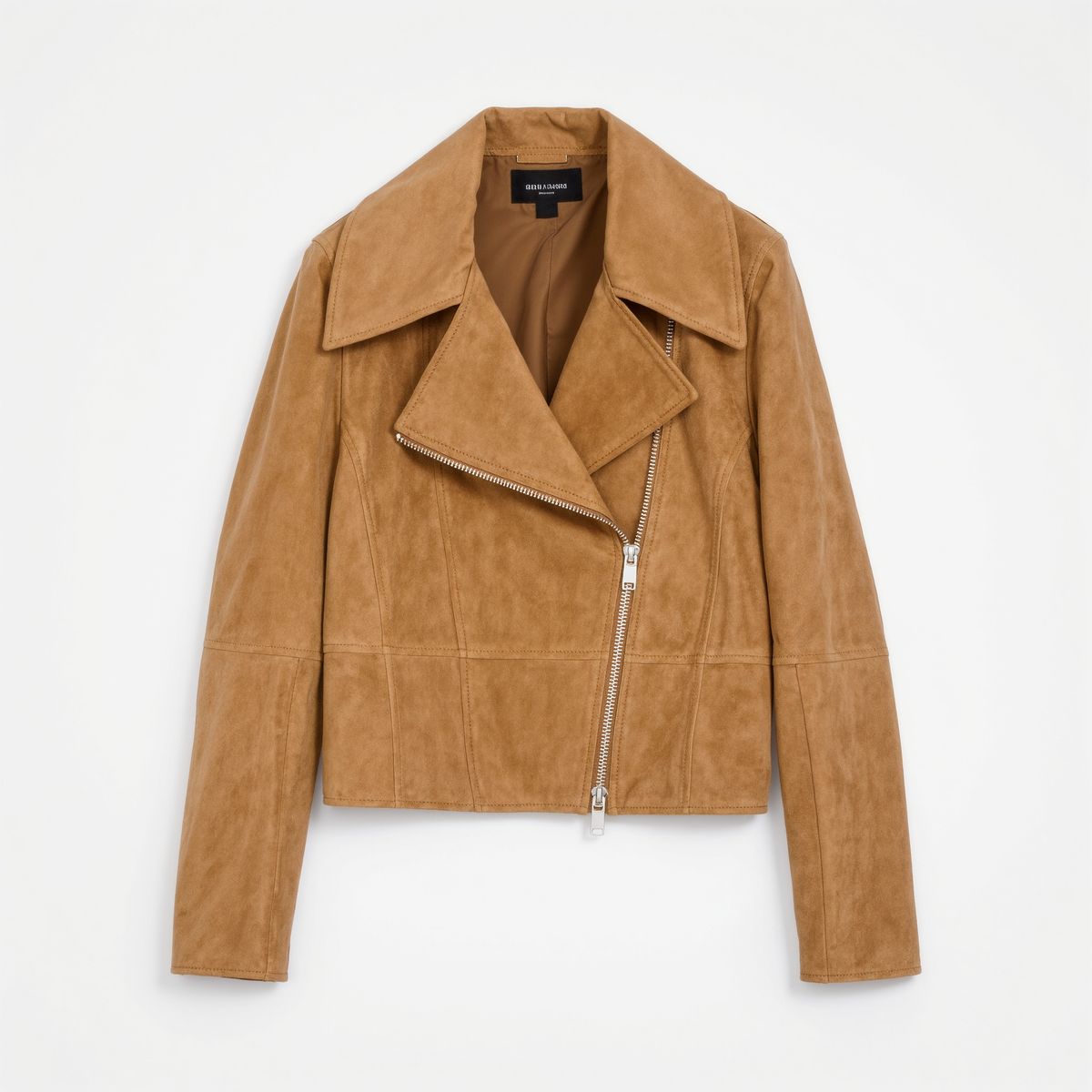
A cropped camel suede jacket with a wide collar and a silver zip, laid flat on a white background. Product packshot, photoreal, no text, no logos.
- Location
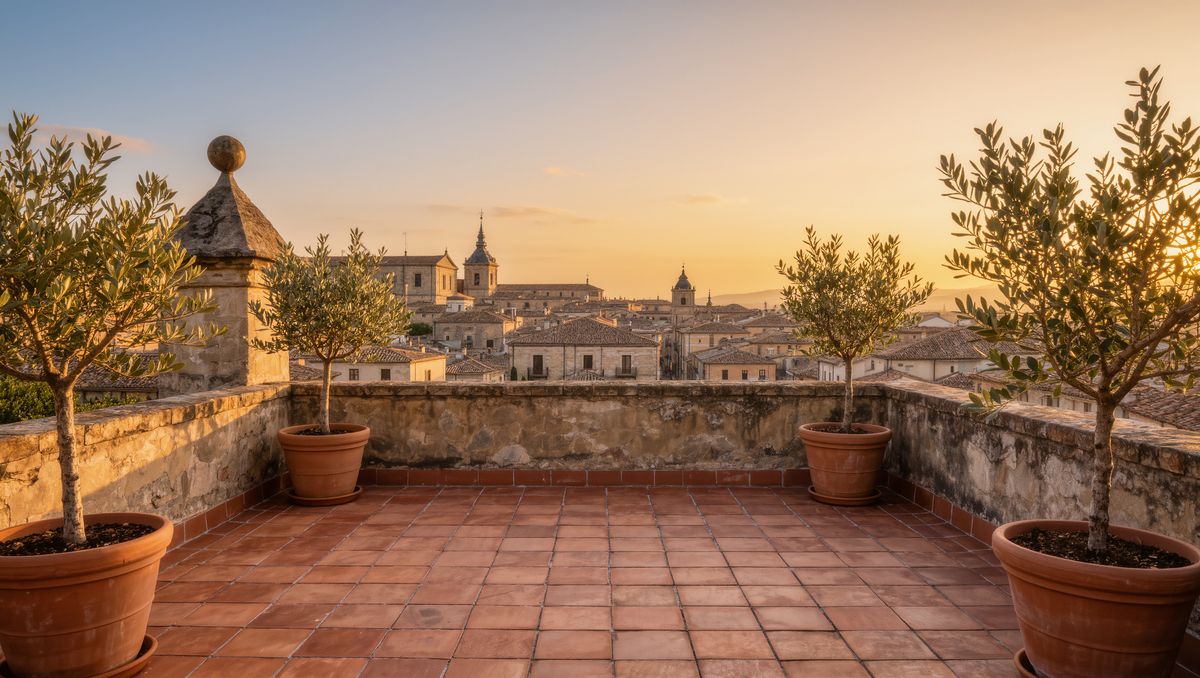
An empty rooftop terrace in a European city at golden hour, terracotta tiles, potted olive trees, and a low wall with the old town skyline behind. Photoreal travel photography, no people.


None of the references shows the woman wearing the jacket on the rooftop. Each image has one job in the prompt, and the clip combines them.
Request shape
References go in inputs.referenceImages, by URL or by the UUID of an earlier generation. In the prompt they are <<<image_1>>>, <<<image_2>>> and so on, in array order:
import { createClient } from '@runware/sdk'

const client = await createClient({ apiKey: process.env.RUNWARE_API_KEY })
await client.connect()

const [result] = await client.run({
  model: 'klingai:kling-video@4.0',
  positivePrompt: '<<<image_1>>> defines the model. Preserve her face, hairstyle, and build. <<<image_2>>> defines the jacket she wears. Preserve its material, color, and details exactly. <<<image_3>>> defines the location. Preserve its layout and view. She walks toward the camera across the rooftop, pauses, turns her shoulder to show the back of the jacket, and looks back at the lens. Handheld fashion film camera. Audio: footsteps, light wind, distant city sounds, no music, no subtitles.',
  width: 1080,
  height: 1920,
  duration: 8,
  inputs: {
    referenceImages: [
      'https://im.runware.ai/image/os/a14d18/ws/2/ii/4e5f6a7b-8c9d-4e0f-9a1b-2c3d4e5f6a7b.jpg',
      'https://im.runware.ai/image/os/a14d18/ws/2/ii/5f6a7b8c-9d0e-4f1a-8b2c-3d4e5f6a7b8c.jpg',
      'https://im.runware.ai/image/os/a14d18/ws/2/ii/6a7b8c9d-0e1f-4a2b-9c3d-4e5f6a7b8c9d.jpg'
    ]
  }
})
import asyncio
import os
from runware import Runware
async def main():
async with Runware(api_key=os.environ["RUNWARE_API_KEY"]) as client:
results = await client.run({
"model": "klingai:kling-video@4.0",
"positivePrompt": "<<<image_1>>> defines the model. Preserve her face, hairstyle, and build. <<<image_2>>> defines the jacket she wears. Preserve its material, color, and details exactly. <<<image_3>>> defines the location. Preserve its layout and view. She walks toward the camera across the rooftop, pauses, turns her shoulder to show the back of the jacket, and looks back at the lens. Handheld fashion film camera. Audio: footsteps, light wind, distant city sounds, no music, no subtitles.",
"width": 1080,
"height": 1920,
"duration": 8,
"inputs": {
"referenceImages": [
"https://im.runware.ai/image/os/a14d18/ws/2/ii/4e5f6a7b-8c9d-4e0f-9a1b-2c3d4e5f6a7b.jpg",
"https://im.runware.ai/image/os/a14d18/ws/2/ii/5f6a7b8c-9d0e-4f1a-8b2c-3d4e5f6a7b8c.jpg",
"https://im.runware.ai/image/os/a14d18/ws/2/ii/6a7b8c9d-0e1f-4a2b-9c3d-4e5f6a7b8c9d.jpg"
]
}
})
asyncio.run(main())curl https://api.runware.ai/v1 \
-H "Authorization: Bearer $RUNWARE_API_KEY" \
-H "Content-Type: application/json" \
-d '[
{
  "taskType": "videoInference",
  "taskUUID": "9b0c1d2e-3f4a-4b5c-8d6e-7f8a9b0c1d2e",
  "model": "klingai:kling-video@4.0",
  "positivePrompt": "<<<image_1>>> defines the model. Preserve her face, hairstyle, and build. <<<image_2>>> defines the jacket she wears. Preserve its material, color, and details exactly. <<<image_3>>> defines the location. Preserve its layout and view. She walks toward the camera across the rooftop, pauses, turns her shoulder to show the back of the jacket, and looks back at the lens. Handheld fashion film camera. Audio: footsteps, light wind, distant city sounds, no music, no subtitles.",
  "width": 1080,
  "height": 1920,
  "duration": 8,
  "inputs": {
    "referenceImages": [
      "https://im.runware.ai/image/os/a14d18/ws/2/ii/4e5f6a7b-8c9d-4e0f-9a1b-2c3d4e5f6a7b.jpg",
      "https://im.runware.ai/image/os/a14d18/ws/2/ii/5f6a7b8c-9d0e-4f1a-8b2c-3d4e5f6a7b8c.jpg",
      "https://im.runware.ai/image/os/a14d18/ws/2/ii/6a7b8c9d-0e1f-4a2b-9c3d-4e5f6a7b8c9d.jpg"
    ]
  }
}
]'runware run klingai:kling-video@4.0 \
positivePrompt="<<<image_1>>> defines the model. Preserve her face, hairstyle, and build. <<<image_2>>> defines the jacket she wears. Preserve its material, color, and details exactly. <<<image_3>>> defines the location. Preserve its layout and view. She walks toward the camera across the rooftop, pauses, turns her shoulder to show the back of the jacket, and looks back at the lens. Handheld fashion film camera. Audio: footsteps, light wind, distant city sounds, no music, no subtitles." \
width=1080 \
height=1920 \
duration=8 \
inputs.referenceImages.0=https://im.runware.ai/image/os/a14d18/ws/2/ii/4e5f6a7b-8c9d-4e0f-9a1b-2c3d4e5f6a7b.jpg \
inputs.referenceImages.1=https://im.runware.ai/image/os/a14d18/ws/2/ii/5f6a7b8c-9d0e-4f1a-8b2c-3d4e5f6a7b8c.jpg \
inputs.referenceImages.2=https://im.runware.ai/image/os/a14d18/ws/2/ii/6a7b8c9d-0e1f-4a2b-9c3d-4e5f6a7b8c9d.jpg{
"taskType": "videoInference",
"taskUUID": "9b0c1d2e-3f4a-4b5c-8d6e-7f8a9b0c1d2e",
"model": "klingai:kling-video@4.0",
"positivePrompt": "<<<image_1>>> defines the model. Preserve her face, hairstyle, and build. <<<image_2>>> defines the jacket she wears. Preserve its material, color, and details exactly. <<<image_3>>> defines the location. Preserve its layout and view. She walks toward the camera across the rooftop, pauses, turns her shoulder to show the back of the jacket, and looks back at the lens. Handheld fashion film camera. Audio: footsteps, light wind, distant city sounds, no music, no subtitles.",
"width": 1080,
"height": 1920,
"duration": 8,
"inputs": {
"referenceImages": [
"https://im.runware.ai/image/os/a14d18/ws/2/ii/4e5f6a7b-8c9d-4e0f-9a1b-2c3d4e5f6a7b.jpg",
"https://im.runware.ai/image/os/a14d18/ws/2/ii/5f6a7b8c-9d0e-4f1a-8b2c-3d4e5f6a7b8c.jpg",
"https://im.runware.ai/image/os/a14d18/ws/2/ii/6a7b8c9d-0e1f-4a2b-9c3d-4e5f6a7b8c9d.jpg"
]
}
}Response
[
  {
    "taskType": "videoInference",
    "taskUUID": "9b0c1d2e-3f4a-4b5c-8d6e-7f8a9b0c1d2e",
    "videoUUID": "7b8c9d0e-1f2a-4b3c-8d4e-5f6a7b8c9d0e",
    "videoURL": "https://vm.runware.ai/video/os/a14d18/ws/2/vi/7b8c9d0e-1f2a-4b3c-8d4e-5f6a7b8c9d0e.mp4"
  }
]
The output size is optional with references. Send width and height to pick the exact shape, as above, or leave them out and the aspect ratio adapts to the inputs, with resolution choosing 720p or 1080p.
If the request also carries keyframes, the numbering runs through the frame images first and the references after them. Frame images and references share a cap of ten between them.
Give every image a role
Without instructions, the model decides on its own what to take from each image. The pattern that holds up is one sentence per image: what it defines, and what to preserve from it. Name the parts to keep, like the shape or the colors, and leave how they look to the image:
<<<image_1>>> defines the product. Keep its shape, colors, and cap exactly. <<<image_2>>> defines the scene. Keep the vanity, the mirror, and the fixtures. A hand sets the perfume bottle on the vanity and lets go, and the camera pushes in slowly as the light moves across the glass. Audio: glass set down on stone, quiet bathroom ambience, no music, no subtitles.
- Product
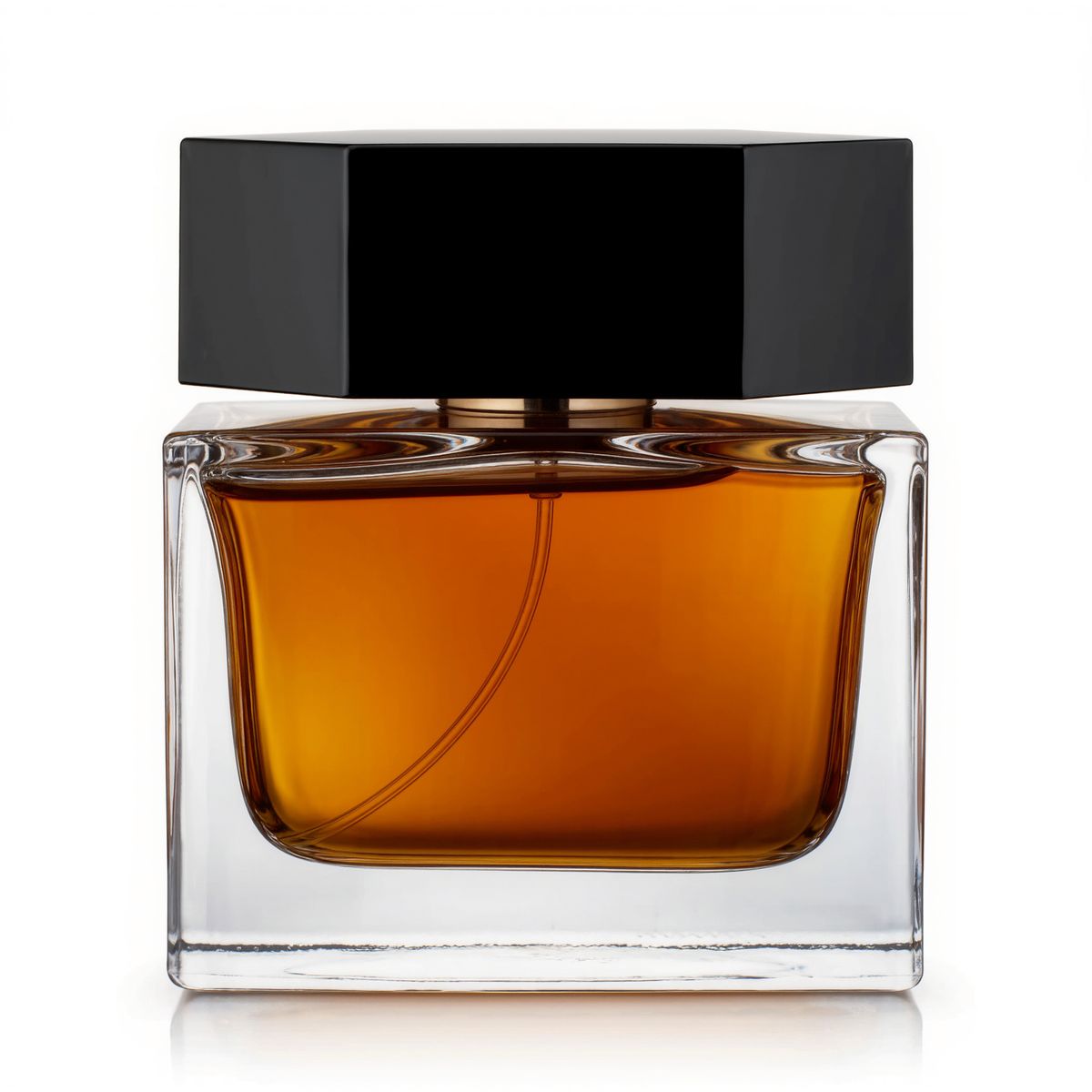
A square glass perfume bottle with amber liquid and a heavy black cap on a white background. Product packshot, photoreal, no text, no logos.
- Scene
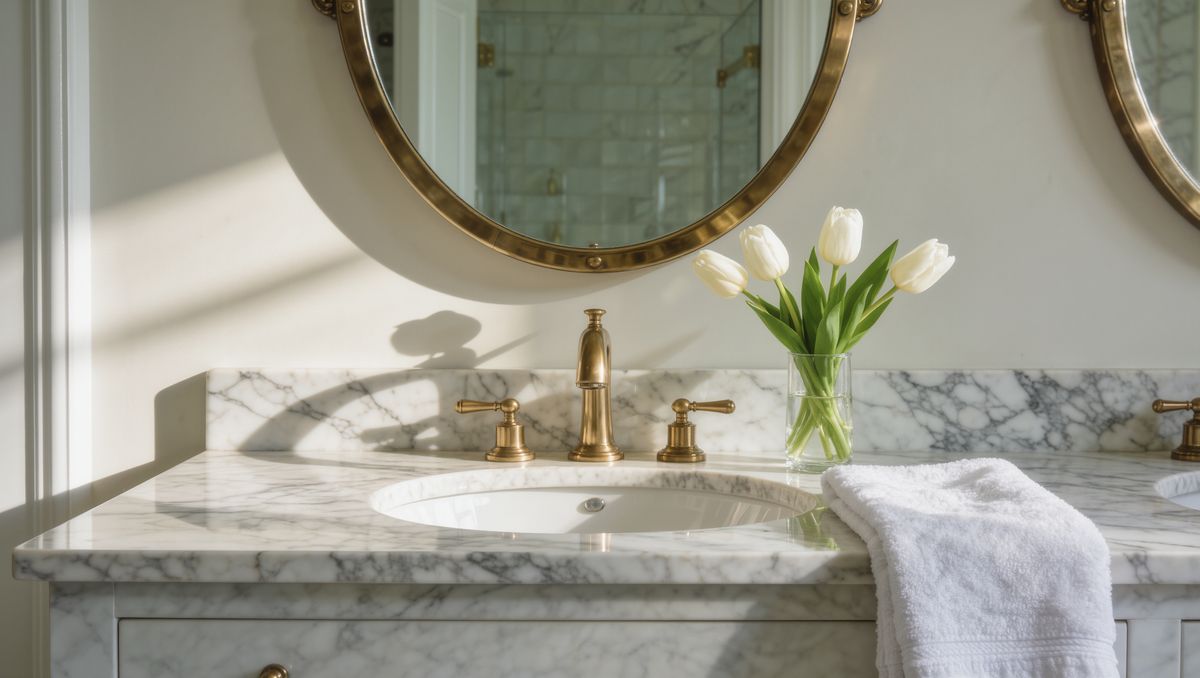
A marble bathroom vanity with a round mirror, brass fixtures, a folded white towel, and a small vase of white tulips, soft morning light. Photoreal interior photography, no people.


Neither the bottle nor the vanity is described in the prompt. The square glass of the bottle and the brass fixtures of the vanity both come from the images.
Keeping a cast consistent
Portraits work as casting. Pass one image per person, refer to each by what distinguishes them on screen, and ask for their faces to stay strictly consistent:
Reference the faces of the man in <<<image_1>>> and the woman in <<<image_2>>> and keep them strictly consistent. The two sit across a small table in a podcast studio with acoustic foam panels and two microphones on boom arms. The woman says in clear American English: "Okay, so what actually changed this year?" and the man laughs and leans toward his microphone. Two-camera podcast style, warm practical lighting. Audio: their voices close-miked, soft room tone, no music, no subtitles.
- Host 1
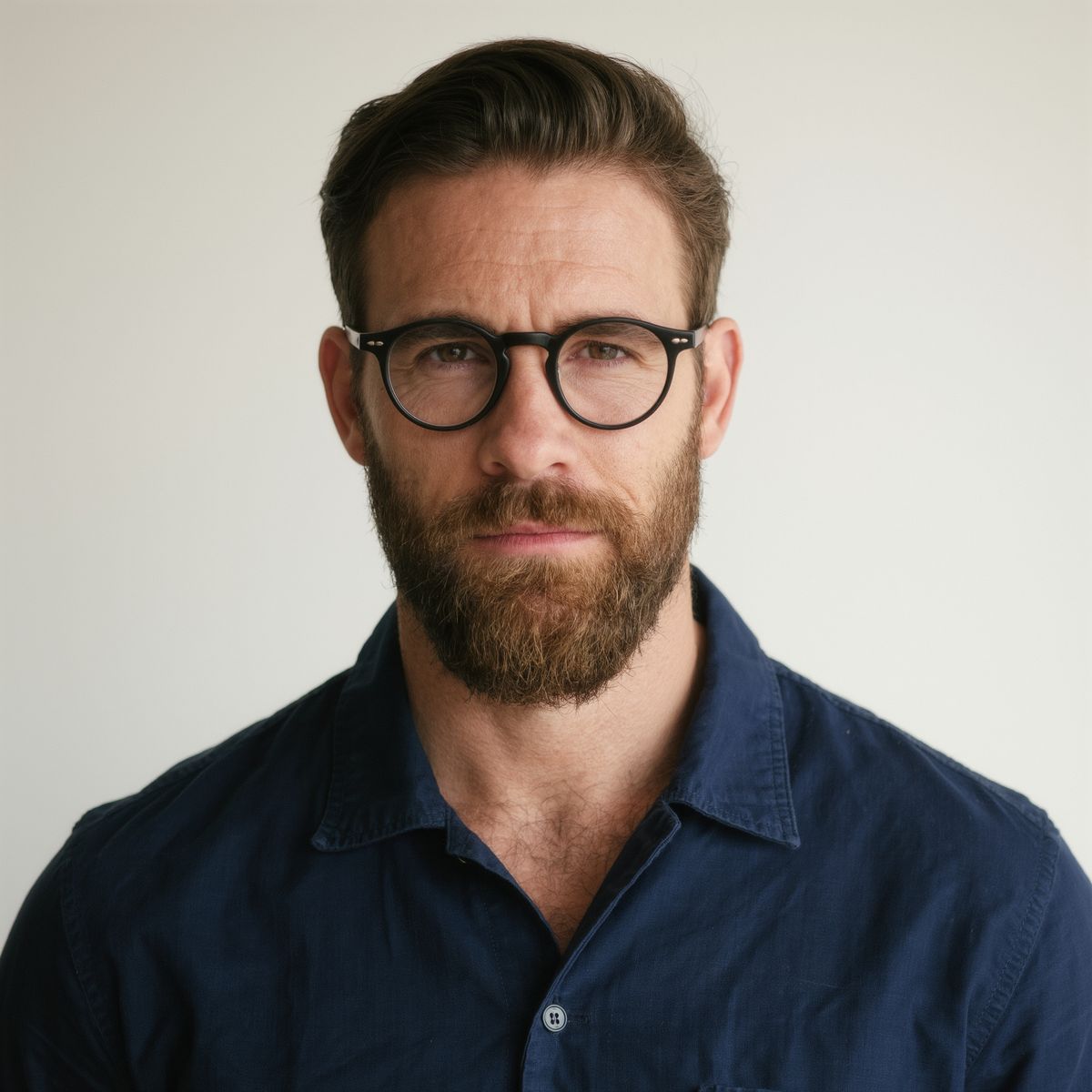
Head-and-shoulders portrait of a man in his thirties with a short beard and round glasses, wearing a navy overshirt, against a plain off-white background. Photoreal, soft even light.
- Host 2
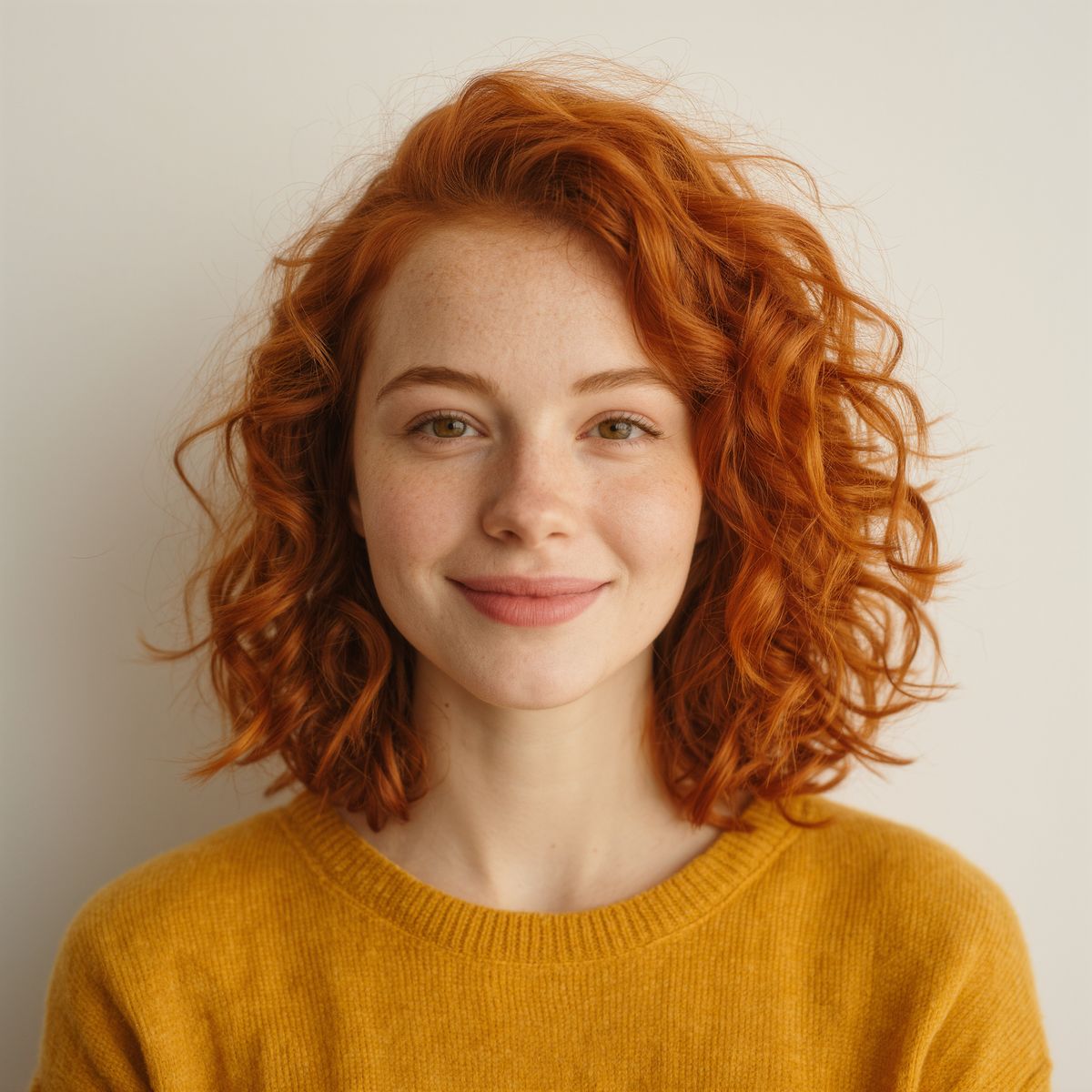
Head-and-shoulders portrait of a woman in her late twenties with curly red hair and a mustard sweater, against a plain off-white background. Photoreal, soft even light.


Both portraits are neutral and evenly lit, against a plain background that leaves nothing for the model to confuse with the scene you describe. For a person who has to appear in clip after clip, save them as an element instead.
Following a storyboard
A storyboard sheet works as a reference too, as a shot plan: the model reads the panels in order and turns each one into a shot. Say explicitly that the drawing itself should not appear:
Use <<<image_1>>> as the director-approved storyboard: the sequence of shots, the framing, and the action in each panel. Recreate each panel in order as a finished photoreal live-action shot, joined by hard cuts. Do not render the storyboard itself, the pencil lines, the grid, or the panel numbers. Keep the car free of logos and badges. Audio: natural sounds for each shot, no music, no subtitles.
- Storyboard
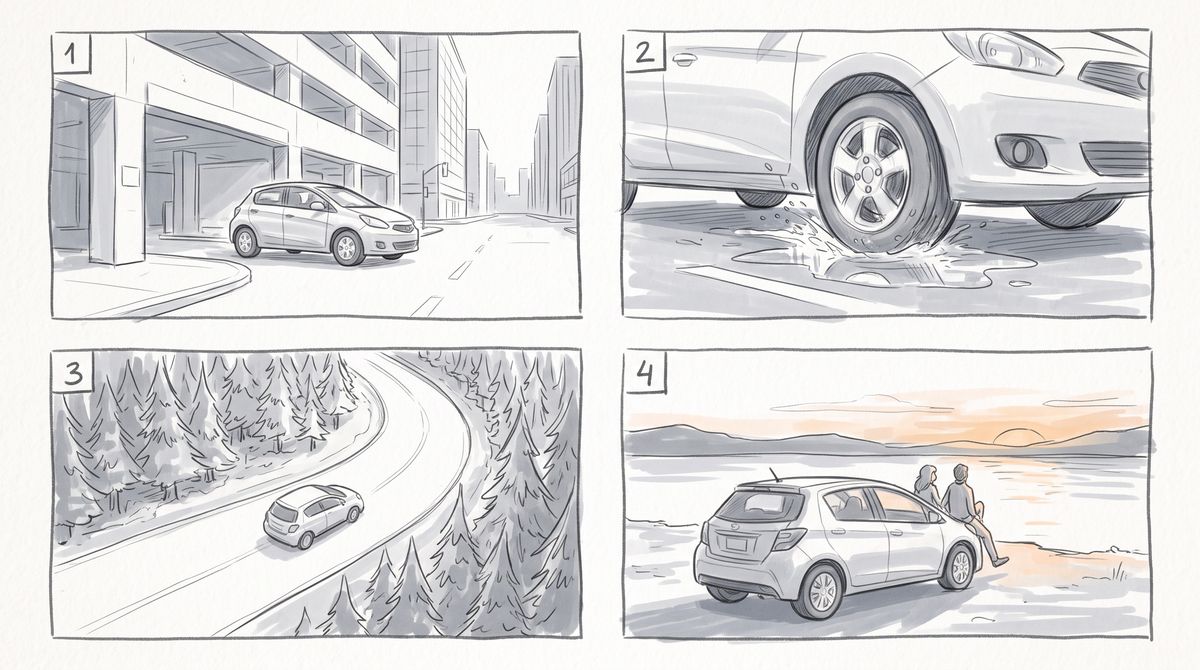
A clean storyboard sheet with four panels in a two-by-two grid, drawn as simple gray pencil sketches with light marker shading. Top left, panel 1: a wide shot of a small hatchback driving out of a city parking garage into daylight. Top right, panel 2: a low close-up of the same car's front wheel rolling through a puddle, water splashing. Bottom left, panel 3: a high aerial shot of the car on a winding road through a pine forest. Bottom right, panel 4: the car parked on a lakeshore at sunset, seen from behind, with two people sitting on the hood. Each panel has its number, 1 to 4, in its top left corner, and there is no other text.

The prompt gives the sheet its role and leaves the content to the panels: what happens in each shot comes from the drawing. It also says "Do not render the storyboard itself" and names what to leave out: the pencil lines, the grid and the panel numbers.
Tips
-
One sentence per image. Say what each reference defines and what to preserve from it.
-
Use clean source images. A plain background and even light give the model one thing to take from each reference.
-
Cast people with portraits. One image per person, described by what tells them apart on screen.
-
Use a storyboard as a plan, not a style. Let the panels carry the content, and say not to render the drawing.
-
Switch to elements for recurring characters. References hold a person for one clip, elements across many.