Seedance 2.5

Seedance 2.5 is ByteDance's higher-end multimodal video generation model for production-oriented creative work. It supports native 30-second video generation, larger reference sets across image, video, and audio inputs, and stronger instruction following for complex shots, multilingual prompts, and reference-heavy creative direction. It is especially well suited to branded storytelling, advertising, explainers, and other commercial workflows that need longer continuous scenes, tighter subject and style consistency, and precise edits that preserve the rest of the shot.
Image to video and keyframes
How to turn a still into video with Seedance 2.5: animate a first frame, interpolate a first and last frame, loop a still, and sequence images as keyframes.
Introduction
A still is faster to get right than a video. You can iterate a frame in seconds, lock the exact composition and look, and only then commit it to motion. Seedance 2.5 takes that finished still and animates from it, so the frame you approved is the frame the clip opens on.
The image goes in through inputs.frameImages, pinned as the first frame or as the first and last of the shot. The still below was generated in an image model, and Seedance animated the moment around it, the wheat swaying and the woman turning to look back over her shoulder.
Begin exactly on the provided first frame and bring the still to life. The golden wheat sways in a soft breeze, loose strands of the woman's hair and the hem of her dress drift in the wind, and she turns her head slowly to look back over her shoulder toward the camera as a few birds lift from the field. The golden-hour backlight and long shadows stay consistent. Audio: soft wind through the wheat, faint distant birdsong, no music.
- First frame
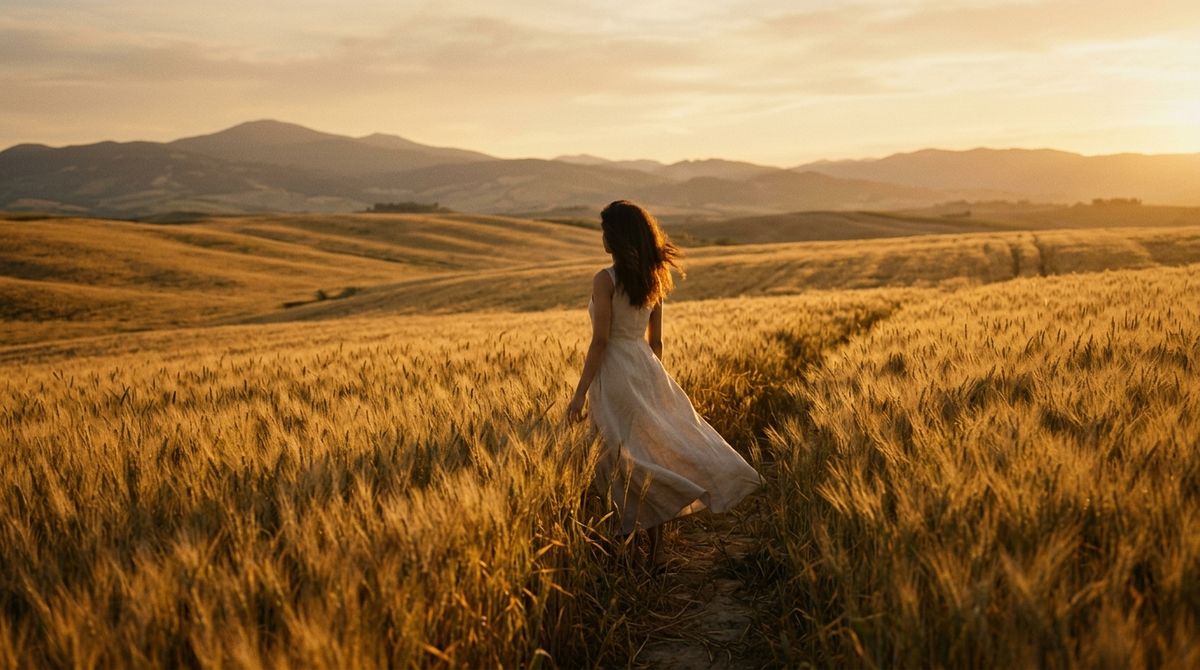
A wide cinematic film still of a lone young woman in a flowing pale linen dress standing among tall golden wheat at her waist, seen from behind and slightly to the side, looking toward distant hills at golden hour, warm low backlight rimming the wheat and her hair, long soft shadows.

This guide covers the request shape, animating from a single frame, interpolating between a first and last frame, and sequencing several stills as keyframes.
The request
Image-to-video takes the stills in inputs.frameImages. Each entry is an image and the frame it occupies.
import { createClient } from '@runware/sdk'

const client = await createClient({ apiKey: process.env.RUNWARE_API_KEY })
await client.connect()

const [result] = await client.run({
  model: 'bytedance:seedance@2.5',
  inputs: {
    frameImages: [
      {
        image: 'https://example.com/still.jpg',
        frame: 'first'
      }
    ]
  },
  positivePrompt: 'Begin on the first frame and bring the still to life: the wheat sways in the breeze and the woman turns slowly to look back over her shoulder. Keep the composition and golden light of the opening frame.',
  resolution: '720p',
  duration: 5,
  deliveryMethod: 'async'
})
import asyncio
import os
from runware import Runware
async def main():
async with Runware(api_key=os.environ["RUNWARE_API_KEY"]) as client:
results = await client.run({
"model": "bytedance:seedance@2.5",
"inputs": {
"frameImages": [
{
"image": "https://example.com/still.jpg",
"frame": "first"
}
]
},
"positivePrompt": "Begin on the first frame and bring the still to life: the wheat sways in the breeze and the woman turns slowly to look back over her shoulder. Keep the composition and golden light of the opening frame.",
"resolution": "720p",
"duration": 5,
"deliveryMethod": "async"
})
asyncio.run(main())curl https://api.runware.ai/v1 \
-H "Authorization: Bearer $RUNWARE_API_KEY" \
-H "Content-Type: application/json" \
-d '[
{
  "taskType": "videoInference",
  "taskUUID": "a1b2c3d4-e5f6-7890-abcd-ef1234567890",
  "model": "bytedance:seedance@2.5",
  "inputs": {
    "frameImages": [
      {
        "image": "https://example.com/still.jpg",
        "frame": "first"
      }
    ]
  },
  "positivePrompt": "Begin on the first frame and bring the still to life: the wheat sways in the breeze and the woman turns slowly to look back over her shoulder. Keep the composition and golden light of the opening frame.",
  "resolution": "720p",
  "duration": 5,
  "deliveryMethod": "async"
}
]'runware run bytedance:seedance@2.5 \
inputs.frameImages.0.image=https://example.com/still.jpg \
inputs.frameImages.0.frame=first \
positivePrompt="Begin on the first frame and bring the still to life: the wheat sways in the breeze and the woman turns slowly to look back over her shoulder. Keep the composition and golden light of the opening frame." \
resolution=720p \
duration=5 \
deliveryMethod=async{
"taskType": "videoInference",
"taskUUID": "a1b2c3d4-e5f6-7890-abcd-ef1234567890",
"model": "bytedance:seedance@2.5",
"inputs": {
"frameImages": [
{
"image": "https://example.com/still.jpg",
"frame": "first"
}
]
},
"positivePrompt": "Begin on the first frame and bring the still to life: the wheat sways in the breeze and the woman turns slowly to look back over her shoulder. Keep the composition and golden light of the opening frame.",
"resolution": "720p",
"duration": 5,
"deliveryMethod": "async"
}Response
[
  {
    "taskType": "videoInference",
    "taskUUID": "a1b2c3d4-e5f6-7890-abcd-ef1234567890",
    "videoUUID": "9c1b2d3a-4e5f-6789-abcd-ef0123456789",
    "videoURL": "https://vm.runware.ai/video/os/a14d18/ws/2/vi/9c1b2d3a-4e5f-6789-abcd-ef0123456789.mp4"
  }
]inputs.frameImagestakes one or two entries. Onefirstframe animates forward from the still, and afirstand alastinterpolate between them.- A first frame is required. Passing a
laston its own is rejected, since the model needs a starting point to move from. - The output size comes from the first frame, so
widthandheightare not accepted here. Useresolutionfor the 480p or 720p tier. Give the first and last frame the same dimensions, or the last is stretched to fit. frameImagesis its own mode. It can't be combined withreferenceImages,referenceVideos, orinputs.videoin the same call.
Two frames is the cap on frameImages. When a shot has to land on more beats than a first and a last, the workaround is keyframes: pass the stills through inputs.referenceImages instead, up to 30 the model moves through in order, covered under Sequencing keyframes below.
Driving the shot from stills
There are a few ways to hand Seedance a still, from pinning an exact frame to guiding a whole sequence: a single first frame, a first and a last, the same frame at both ends for a loop, or an ordered set of keyframes.
Animating a single still
One first frame is the everyday case: a finished image you want to move. The still carries the composition, the identity, and the look, and the prompt describes only what moves and how. The wheat-field hero above is one still pinned as the first frame with a motion prompt over it, and the same move turns a finished packshot into a living one. This food hero was generated as a still, then animated with rising steam and nothing else:
Begin exactly on the provided first frame and bring the still to life as a living food shot. Keep the bowl, the ramen, the chopsticks, the slate table, the composition, and the moody warm light exactly as they are, and add only gentle life: soft curls of steam rise and drift slowly up from the hot broth, and the surface of the broth shimmers very faintly. Nothing else moves, and the camera holds almost perfectly still with only the faintest drift. Audio: quiet intimate kitchen room tone, a faint distant sizzle, no music.
- First frame
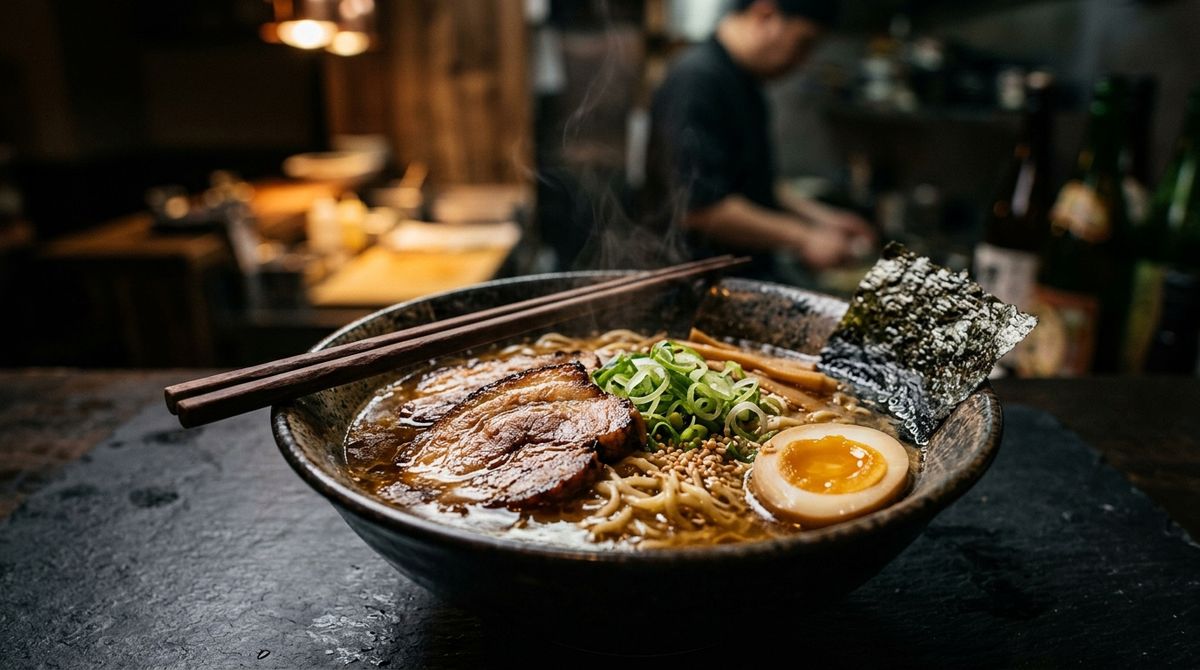
A cinematic close food-hero still of a rustic bowl of ramen on a dark slate table, shot at a low three-quarter angle in moody warm light. Rich golden broth with glossy slices of pork, a halved soft-boiled egg, fresh green scallions, and a sheet of nori, dark wooden chopsticks resting across the rim, faint wisps of steam rising from the surface. Warm rim light from the left, deep soft shadows, a softly defocused dark kitchen behind.

The clip holds the frame's composition and light and adds only the steam and a faint shimmer on the broth. Keep the motion prompt to what changes: the elements that move, the direction, and any single action the subject takes. Describing the scene again competes with the frame you already locked. Because the still fixes the opening exactly, this is the reliable way to animate an approved look, a signed-off hero image or a piece of concept art, without the model reinventing it. A still you generated in an image model drops straight in.
Interpolating a first and last frame
Give the model both ends and it fills the motion between them. A first and a last frame of the same scene turn into a continuous move from one to the other, which is how a smooth transition or a timed change gets made without keyframing it by hand. Below, the same product scene is lit two ways, cool morning and warm afternoon, and the shot moves the light across the day.
Start on the first frame in cool morning light and transition smoothly to the last frame in warm golden afternoon light, as one unbroken shot watching the daylight move across the sill. The bottle, the plant, and the composition stay perfectly still; only the light, colour temperature, and shadows shift, the shadow swinging slowly across the oak. Audio: quiet room tone, no music.
- First: cool morning
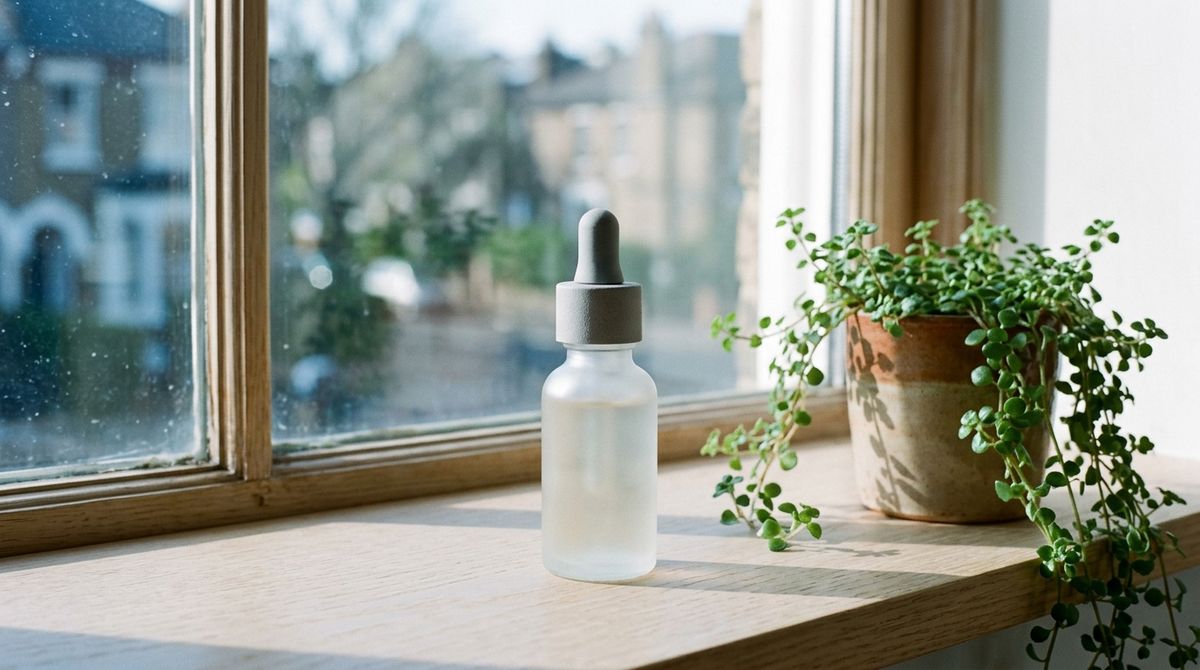
A product lifestyle still of a frosted-glass serum bottle with a stone-grey cap on a pale oak windowsill beside a small trailing plant, cool soft blue morning light through the window, gentle long shadows falling to the right.
- Last: warm afternoon
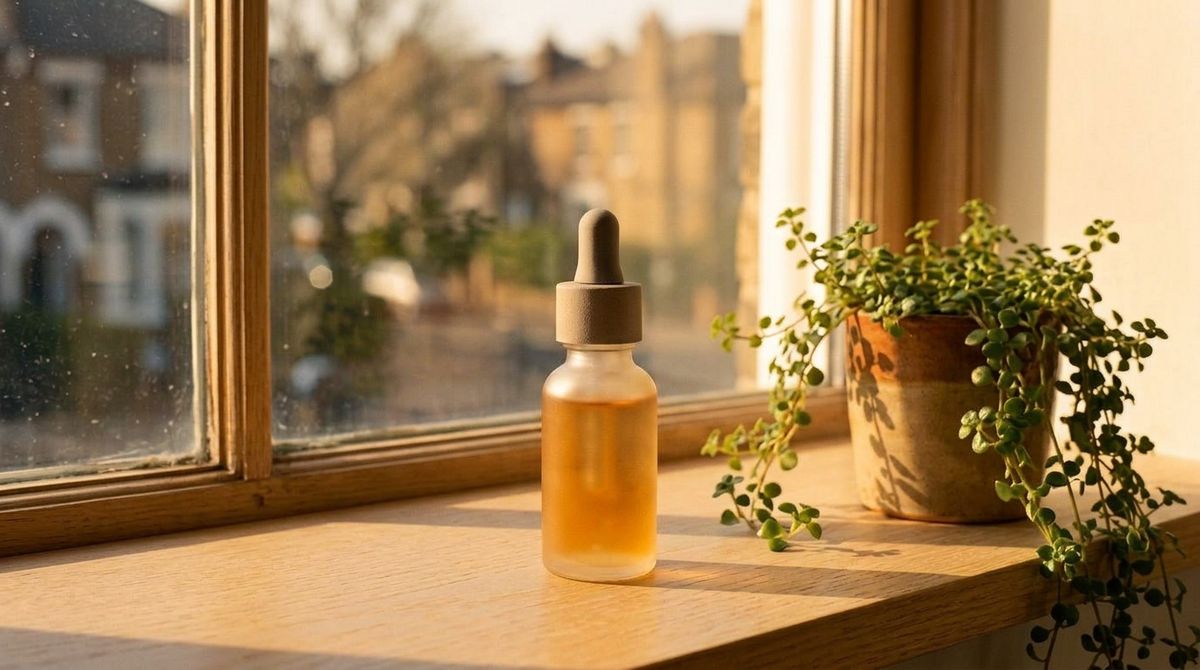
The same serum bottle, plant, windowsill, and composition, relit from cool morning to warm golden late-afternoon sunlight through the window, warm long shadows falling to the left, a honeyed glow across the oak and the glass.


The two frames were the same scene relit, so the interpolation reads as time passing rather than a cut. This works best when the first and last share their composition, so the model has a clear path between them. Two unrelated frames give it too far to travel and the motion turns to a morph. Match the framing and the subject, and let the difference be the thing you want to animate.
Making a seamless loop
Pass the same still at both ends, as the first frame and the last, and the model builds motion that departs and returns, so the clip ends exactly where it began and plays as a seam-free loop. Here a product turntable comes back to its precise starting angle:
Begin and end on the exact same provided frame so the clip loops seamlessly with no visible seam. The wristwatch makes one slow smooth full 360-degree turn on its stand, the highlight sweeping around the steel case and the navy dial, and returns to the identical starting angle, position, and framing at the very end so the last frame matches the first exactly. The lighting, the stand, the backdrop, and the framing stay perfectly constant throughout, one continuous unbroken rotation. Silent.
- First and last frame
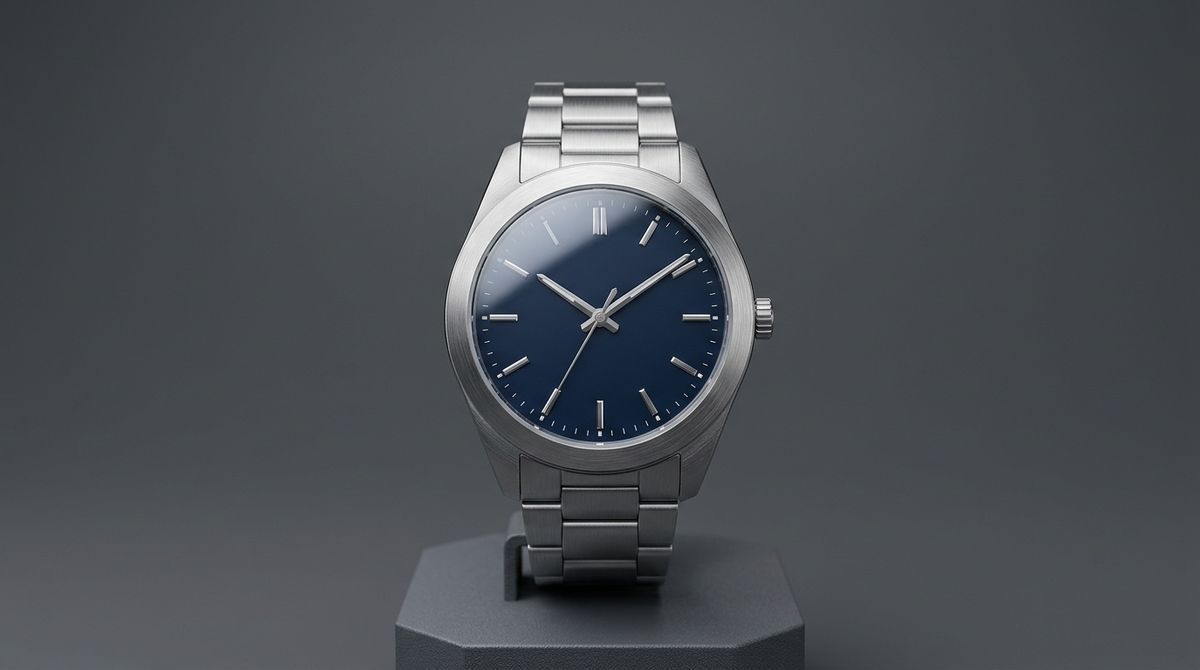

The move that loops cleanest is one that is cyclical by nature, a full rotation or a slow drift out and back, so the return reads as motion rather than a rewind. Name the loop in the prompt ("end on the exact starting frame") and hold the camera and light constant, or the seam shows. It is the quick way to make a looping product spin for a listing or an ambient background for a site or a stream.
Sequencing keyframes
For a story that has to hit specific beats in order, pass several stills as inputs.referenceImages and tell the model to read them as keyframes. It moves through them in sequence, inventing the motion and camera between each, so a short storyboard becomes a continuous animated shot. These three painted frames drove one clip.
Use Images 1 to 3 in order as keyframes for a watercolor animated short about a paper boat's journey. Open on Image 1, the boat at the calm stream edge, then let it drift downstream. Pass through Image 2, the boat rushing the rapids. Arrive at Image 3, the boat drifting onto a wide estuary toward a golden sea. Keep the muted storybook palette, the ink-and-watercolor style, and the little boat consistent, with smooth camera movement following the boat. Audio: flowing water, soft birdsong, a light breeze, no music.
- 1 · Calm start
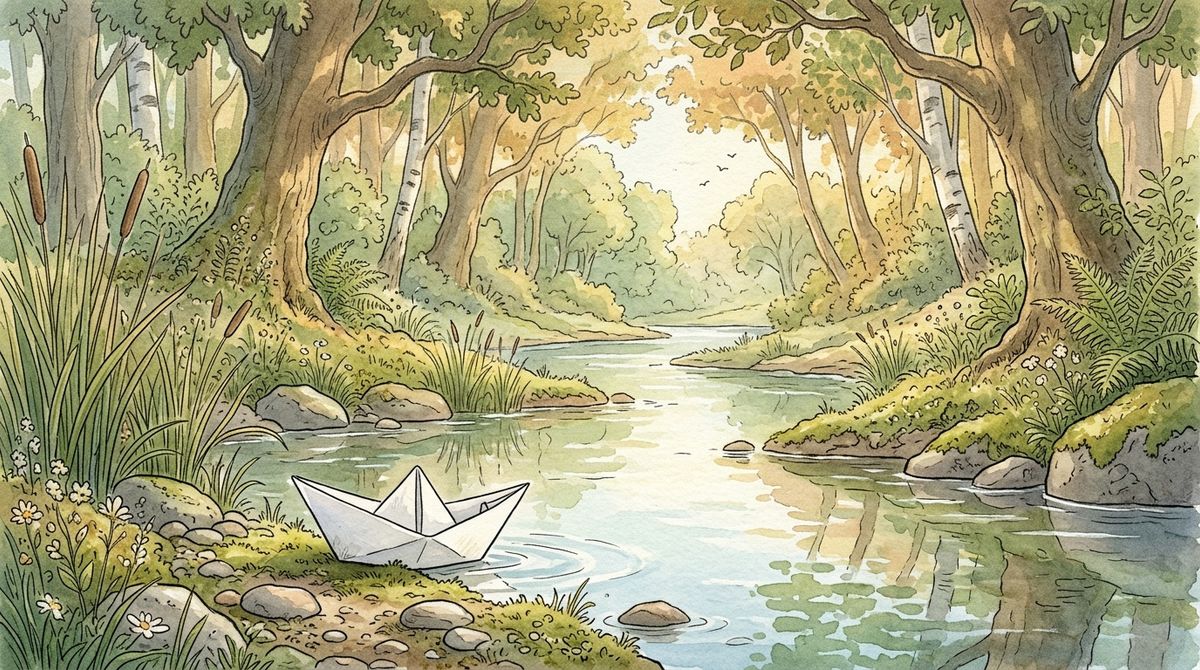
A soft hand-painted storybook illustration, warm muted palette, ink outlines and watercolor washes. A small white folded paper boat at the edge of a calm woodland stream in dappled morning light, reeds and stones along the bank.
- 2 · The rapids
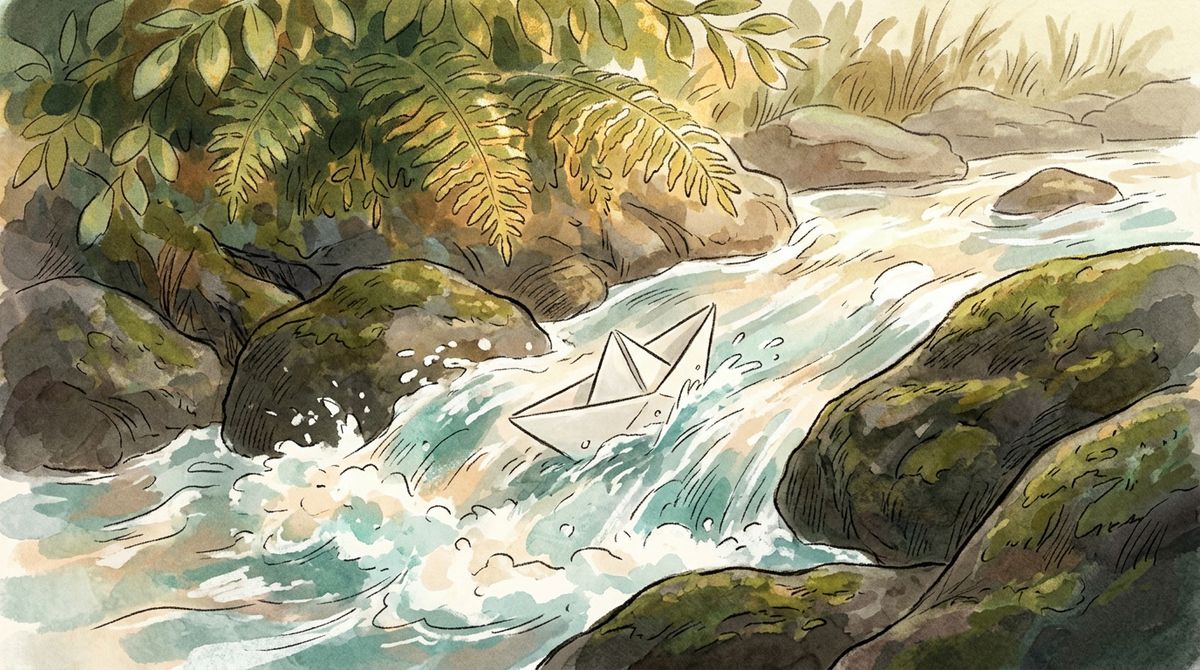
The same watercolor storybook style. The same small white paper boat rushing through lively rapids between mossy rocks, small white splashes around it, overhanging ferns catching the light.
- 3 · Open sea
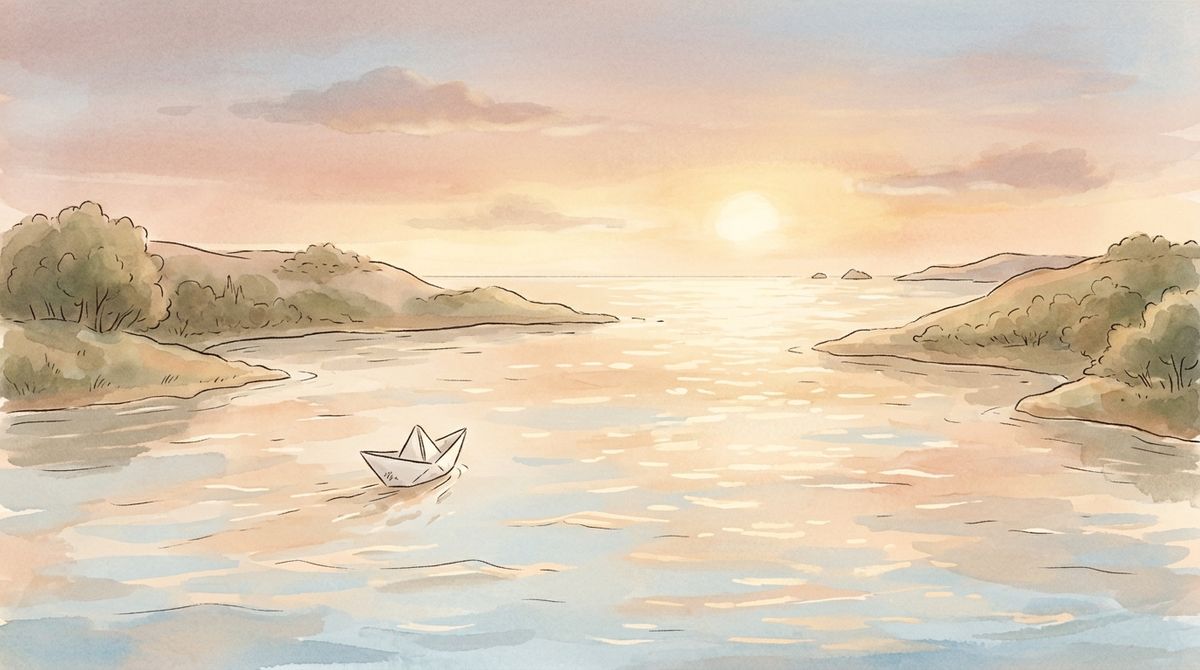
The same watercolor storybook style. The same small white paper boat drifting onto a wide calm estuary opening toward a bright golden sea at golden hour, soft distant horizon.


Opening the prompt with "Use Images 1 to 3 in order as keyframes" is what fixes the sequence, and the model then holds the style and the recurring boat while it fills the movement between the painted beats. This is also the neat way around the two-frame cap on frameImages: when a shot has to land on more beats than a first and a last, route the stills through inputs.referenceImages instead and prompt them as keyframes, and you get up to 30 waypoints rather than two. The catch is that keyframes guide rather than pin, so the model approximates each still instead of locking to it exactly, and a short clip only fits a handful before each beat runs too short. When the frames are a looser mood board than a strict sequence, describe the story in the prompt and let a single multi-panel storyboard image guide it more gently, keeping the panel count low and the linework simple.
Tips
-
Iterate the still first, then animate. A frame is fast to perfect and pins the exact look. Lock the composition and identity as a still, then hand it to
frameImagesso the clip opens on the frame you approved. -
Prompt only the motion. With the first frame fixing the scene, describe what moves and the single action the subject takes. Re-describing the whole image competes with the frame.
-
Give a
first, optionally alast. One frame animates forward, two interpolate. Alastalone is rejected, and the two frames should share dimensions so the last isn't stretched. -
Match the first and last composition. Interpolation reads as real motion when the two frames are the same scene changed in one way. Frames too far apart turn into a morph.
-
Loop by repeating the frame. Pass the same still as
firstandlastand prompt a motion that returns to the start, a full rotation or a drift out and back, for a seam-free loop. -
Open a keyframe sequence with the instruction. "Use Images 1 to N in order as keyframes" is the trigger. Keep the frames in one consistent style so the fills between them hold together.
-
Skip
widthandheight. The output inherits the first frame's aspect. Useresolutionto choose the 480p or 720p tier.