Seedance 2.5

Seedance 2.5 is ByteDance's higher-end multimodal video generation model for production-oriented creative work. It supports native 30-second video generation, larger reference sets across image, video, and audio inputs, and stronger instruction following for complex shots, multilingual prompts, and reference-heavy creative direction. It is especially well suited to branded storytelling, advertising, explainers, and other commercial workflows that need longer continuous scenes, tighter subject and style consistency, and precise edits that preserve the rest of the shot.
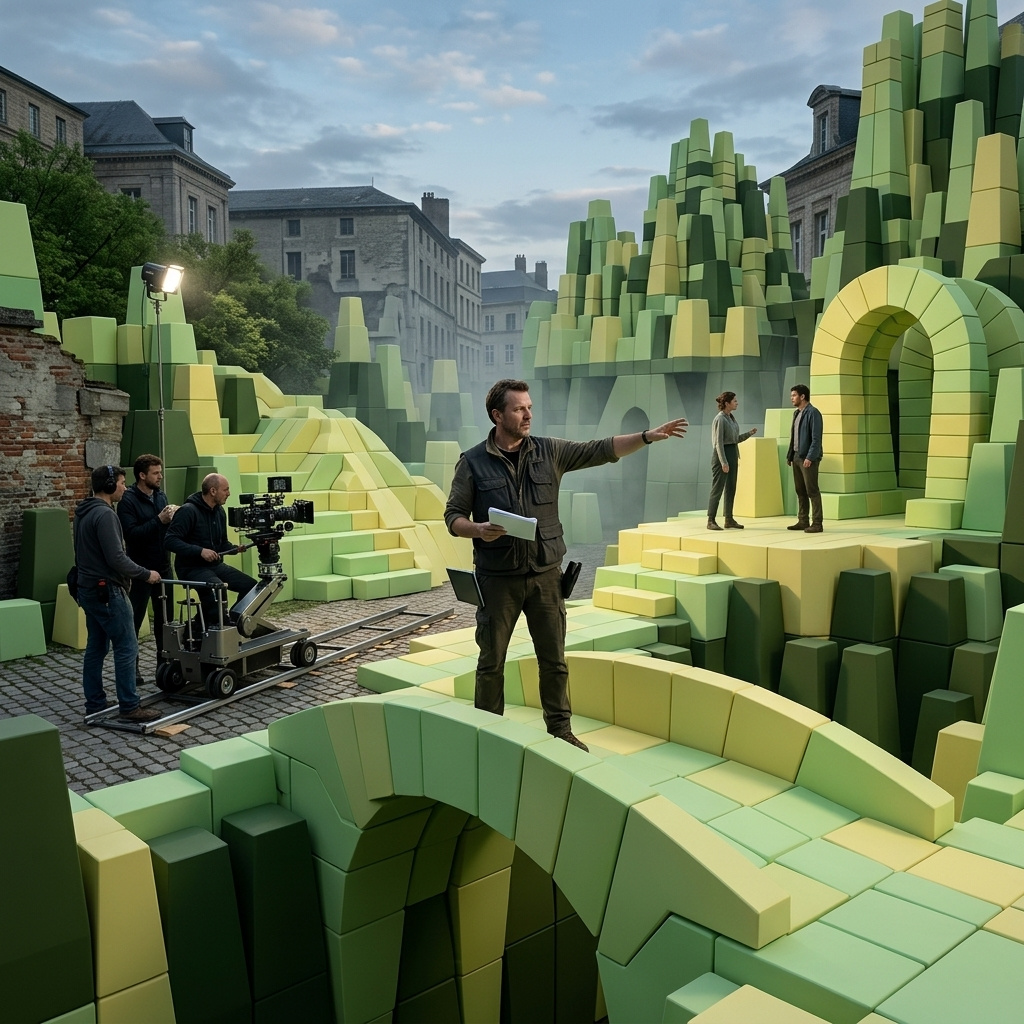
Editing video
How to edit an existing clip in place with Seedance 2.5 using inputs.video: remove and replace elements, restyle and relight the frame, swap backgrounds, and edit by timestamp.
Introduction
Regenerating a shot to change one thing throws away everything else. When a clip is already right and only the light is wrong, or one object has to go, or the whole look needs to shift, you want to keep the frame and edit it in place.
Seedance 2.5 edits an existing clip through inputs.video. You pass the source, and the prompt says what to change and what to hold. The comparison below kept every pixel of the performance and the camera, and rewrote only the lighting, turning an overcast afternoon into a warm dusk.
The woman, her movement, the rain on the glass, and the locked camera are untouched. Only the light changed. This guide covers the edit request, how the prompt drives it, and the jobs it does: restyling, removing and replacing, swapping backgrounds, and editing a single stretch of time.
The request
An edit takes a source clip in inputs.video and edit instructions in the prompt.
import { createClient } from '@runware/sdk'

const client = await createClient({ apiKey: process.env.RUNWARE_API_KEY })
await client.connect()

const [result] = await client.run({
  model: 'bytedance:seedance@2.5',
  inputs: {
    video: 'https://example.com/source.mp4'
  },
  positivePrompt: 'Edit @Video1: remove the scooter parked at the curb and fill the space with the cobblestone street behind it. Keep the storefront, the lighting, and the camera move exactly unchanged.',
  resolution: '720p',
  duration: 'auto',
  outputFormat: 'MOV',
  deliveryMethod: 'async'
})
import asyncio
import os
from runware import Runware
async def main():
async with Runware(api_key=os.environ["RUNWARE_API_KEY"]) as client:
results = await client.run({
"model": "bytedance:seedance@2.5",
"inputs": {
"video": "https://example.com/source.mp4"
},
"positivePrompt": "Edit @Video1: remove the scooter parked at the curb and fill the space with the cobblestone street behind it. Keep the storefront, the lighting, and the camera move exactly unchanged.",
"resolution": "720p",
"duration": "auto",
"outputFormat": "MOV",
"deliveryMethod": "async"
})
asyncio.run(main())curl https://api.runware.ai/v1 \
-H "Authorization: Bearer $RUNWARE_API_KEY" \
-H "Content-Type: application/json" \
-d '[
{
  "taskType": "videoInference",
  "taskUUID": "a1b2c3d4-e5f6-7890-abcd-ef1234567890",
  "model": "bytedance:seedance@2.5",
  "inputs": {
    "video": "https://example.com/source.mp4"
  },
  "positivePrompt": "Edit @Video1: remove the scooter parked at the curb and fill the space with the cobblestone street behind it. Keep the storefront, the lighting, and the camera move exactly unchanged.",
  "resolution": "720p",
  "duration": "auto",
  "outputFormat": "MOV",
  "deliveryMethod": "async"
}
]'runware run bytedance:seedance@2.5 \
inputs.video=https://example.com/source.mp4 \
positivePrompt="Edit @Video1: remove the scooter parked at the curb and fill the space with the cobblestone street behind it. Keep the storefront, the lighting, and the camera move exactly unchanged." \
resolution=720p \
duration=auto \
outputFormat=MOV \
deliveryMethod=async{
"taskType": "videoInference",
"taskUUID": "a1b2c3d4-e5f6-7890-abcd-ef1234567890",
"model": "bytedance:seedance@2.5",
"inputs": {
"video": "https://example.com/source.mp4"
},
"positivePrompt": "Edit @Video1: remove the scooter parked at the curb and fill the space with the cobblestone street behind it. Keep the storefront, the lighting, and the camera move exactly unchanged.",
"resolution": "720p",
"duration": "auto",
"outputFormat": "MOV",
"deliveryMethod": "async"
}Response
[
  {
    "taskType": "videoInference",
    "taskUUID": "a1b2c3d4-e5f6-7890-abcd-ef1234567890",
    "videoUUID": "9c1b2d3a-4e5f-6789-abcd-ef0123456789",
    "videoURL": "https://vm.runware.ai/video/os/a14d18/ws/2/vi/9c1b2d3a-4e5f-6789-abcd-ef0123456789.mp4"
  }
]
Four things shape an edit request:
inputs.videois the single source clip to edit, a URL or a UUID. The source addresses as@Video1in the prompt, and extrainputs.referenceImagesorinputs.referenceAudioscan guide the change.durationon an edit is"auto", which holds the source's length. An integer duration is rejected here.- The output size comes from the source. Aspect is inherited, so
widthandheightare not accepted withinputs.video. Useresolutionto pick the 480p or 720p tier. - Set
outputFormattoMOVfor the cleanest audiovisual continuity, especially if the edit will be chained into further edits or an extension.
inputs.video drives both editing and extension, and the prompt decides which. The duration rule is where they part: an edit takes duration: "auto" and rejects an integer, while an extension takes an integer (the seconds to add) or "auto". Pairing an edit instruction with a fixed duration is the common mistake, so keep edits on "auto".
How the prompt drives an edit
Seedance reads an edit from trigger words: edit, remove, add, replace, change to, restyle, relight. Leading with one tells the model to keep the source and modify it, rather than regenerate the shot around its motion the way reference videos do.
Two habits make edits land:
- Name what stays, not just what changes. "Keep the storefront, the lighting, and the camera move unchanged" fences the edit. Without it, the model tends to touch more than you asked.
- Describe the change from A to B. "Relight from a cool overcast afternoon to a warm amber dusk" gives the model both ends. A bare "make it warmer" leaves the target open.
Editing operations
Every edit keeps the source and changes one thing. These are the jobs Seedance handles, from a whole-frame restyle down to a single stretch of time.
Restyling the whole look
A restyle changes every pixel's treatment while holding the composition, motion, and timing. It is the fastest way to spin one shot into a different medium, a live-action plate into illustration or a clean grade into a stylised one. The same cafe shot, restyled into watercolor:
The woman raises her cup on the same beat, the rain falls in the same places, and only the medium changed. A restyle holds best when the motion is unchanged, so keep the prompt to the look, the palette, the linework, the texture, and let the source carry the movement. Naming a concrete style, "hand-painted watercolor" or "cel-shaded anime" or "1970s film stock", reads more reliably than "make it artistic".
Removing and replacing elements
Pointing at one element and taking it out is the everyday edit: a boom mic that dipped into frame, a stray passer-by, a logo you can't clear. The model fills the gap with what belongs behind it. Here a delivery scooter leaves a storefront b-roll:
The scooter is gone and the cobblestones run continuous through the dolly, with the storefront untouched. Replacing works the same way, with a reference image as the target: pass the new element through inputs.referenceImages and instruct the swap, "replace the man's jacket with the one in @Image1" or "change the product on the counter to the bottle in @Image1". That is what makes an SKU line practical, one plate reshot across every colourway from a single source clip.
Swapping the background
Background replacement keeps the subject and their performance intact and rewrites everything behind them, the way a green-screen key would, but from any plain backdrop and without a matte. The presenter below moves from a studio wall into an office:
Her delivery and lip-sync carry through untouched while the room behind her changes, and the edge relight keeps her from looking pasted on. This is the fast path for a spokesperson who has to appear in several settings, or a single take repurposed across campaigns. The cleaner and more evenly lit the original backdrop, the cleaner the separation.
Scoping an edit to a stretch of time
An edit does not have to touch the whole clip. A timestamp range confines it to one window, so a mid-shot action or a specific beat changes while the rest of the clip runs untouched. Here a single flash of lightning is added to a storm plate, scoped to a two-second window and gone before the clip ends:
The scene is identical either side of the window, and the flash lives only inside it. The timestamp fences the change in time the way naming what stays fences it in space. The request is a normal edit with the window written into the prompt:
import { createClient } from '@runware/sdk'

const client = await createClient({ apiKey: process.env.RUNWARE_API_KEY })
await client.connect()

const [result] = await client.run({
  model: 'bytedance:seedance@2.5',
  inputs: {
    video: 'https://example.com/source.mp4'
  },
  positivePrompt: 'Edit @Video1: between 0:02 and 0:04, add two quick forks of lightning that flash across the storm clouds and briefly light the whole scene, then return to the steady dim stormlight. Keep the lighthouse, the cliff, the waves, the camera move, and everything before and after that window exactly unchanged.',
  resolution: '720p',
  duration: 'auto',
  outputFormat: 'MOV',
  deliveryMethod: 'async'
})
import asyncio
import os
from runware import Runware
async def main():
async with Runware(api_key=os.environ["RUNWARE_API_KEY"]) as client:
results = await client.run({
"model": "bytedance:seedance@2.5",
"inputs": {
"video": "https://example.com/source.mp4"
},
"positivePrompt": "Edit @Video1: between 0:02 and 0:04, add two quick forks of lightning that flash across the storm clouds and briefly light the whole scene, then return to the steady dim stormlight. Keep the lighthouse, the cliff, the waves, the camera move, and everything before and after that window exactly unchanged.",
"resolution": "720p",
"duration": "auto",
"outputFormat": "MOV",
"deliveryMethod": "async"
})
asyncio.run(main())curl https://api.runware.ai/v1 \
-H "Authorization: Bearer $RUNWARE_API_KEY" \
-H "Content-Type: application/json" \
-d '[
{
  "taskType": "videoInference",
  "taskUUID": "a1b2c3d4-e5f6-7890-abcd-ef1234567890",
  "model": "bytedance:seedance@2.5",
  "inputs": {
    "video": "https://example.com/source.mp4"
  },
  "positivePrompt": "Edit @Video1: between 0:02 and 0:04, add two quick forks of lightning that flash across the storm clouds and briefly light the whole scene, then return to the steady dim stormlight. Keep the lighthouse, the cliff, the waves, the camera move, and everything before and after that window exactly unchanged.",
  "resolution": "720p",
  "duration": "auto",
  "outputFormat": "MOV",
  "deliveryMethod": "async"
}
]'runware run bytedance:seedance@2.5 \
inputs.video=https://example.com/source.mp4 \
positivePrompt="Edit @Video1: between 0:02 and 0:04, add two quick forks of lightning that flash across the storm clouds and briefly light the whole scene, then return to the steady dim stormlight. Keep the lighthouse, the cliff, the waves, the camera move, and everything before and after that window exactly unchanged." \
resolution=720p \
duration=auto \
outputFormat=MOV \
deliveryMethod=async{
"taskType": "videoInference",
"taskUUID": "a1b2c3d4-e5f6-7890-abcd-ef1234567890",
"model": "bytedance:seedance@2.5",
"inputs": {
"video": "https://example.com/source.mp4"
},
"positivePrompt": "Edit @Video1: between 0:02 and 0:04, add two quick forks of lightning that flash across the storm clouds and briefly light the whole scene, then return to the steady dim stormlight. Keep the lighthouse, the cliff, the waves, the camera move, and everything before and after that window exactly unchanged.",
"resolution": "720p",
"duration": "auto",
"outputFormat": "MOV",
"deliveryMethod": "async"
}Give the window at roughly one-second resolution and keep it continuous with the rest of the clip. The same scoping works on the audio track: pass a clip through inputs.referenceAudios and instruct "replace the background music with @Audio1" or "change only the dialogue between 0:04 and 0:07", and the visuals stay put.
Tips
-
Lead with an edit verb.
remove,replace,relight,restyle,change to. The trigger word tells Seedance to keep the source and modify it rather than regenerate the shot. -
Keep edits on
duration: "auto". An integer duration is an extension instruction and is rejected on an edit. Auto holds the source's length. -
Fence the edit by naming what stays. "Keep the camera, the lighting, and everyone else unchanged" stops the model from drifting into parts you meant to leave alone.
-
Describe the change end to end. "From a cool overcast afternoon to a warm amber dusk" beats "make it warmer". Give the model the target, not just the direction.
-
Feed a clean source. Edits inherit the source's quality, and a well-lit, stable plate separates and fills more cleanly than a noisy or shaky one, especially for removals and background swaps.
-
Reach for a reference for a specific target. A precise replacement, a particular product, wardrobe, or face, rides in through
inputs.referenceImagesand is named with@Image1, rather than described in words alone. -
Deliver edits as
MOV. It holds audiovisual continuity best, which matters most when an edit feeds another edit or an extension.