Recraft V4 Styles

Recraft V4 Styles is the standard raster model in Recraft's V4 Styles family for reference-driven style consistency. It lets teams create a reusable visual style from reference images and then generate new assets that stay close not only to the broad aesthetic direction, but also to finer details such as texture, composition, and rendering character. It is designed for workflows that need immediate style reuse without fine-tuning or LoRA setup, making it a strong fit for branded content, editorial systems, product campaigns, and any image pipeline where a repeatable visual language matters more than one-off prompt creativity.
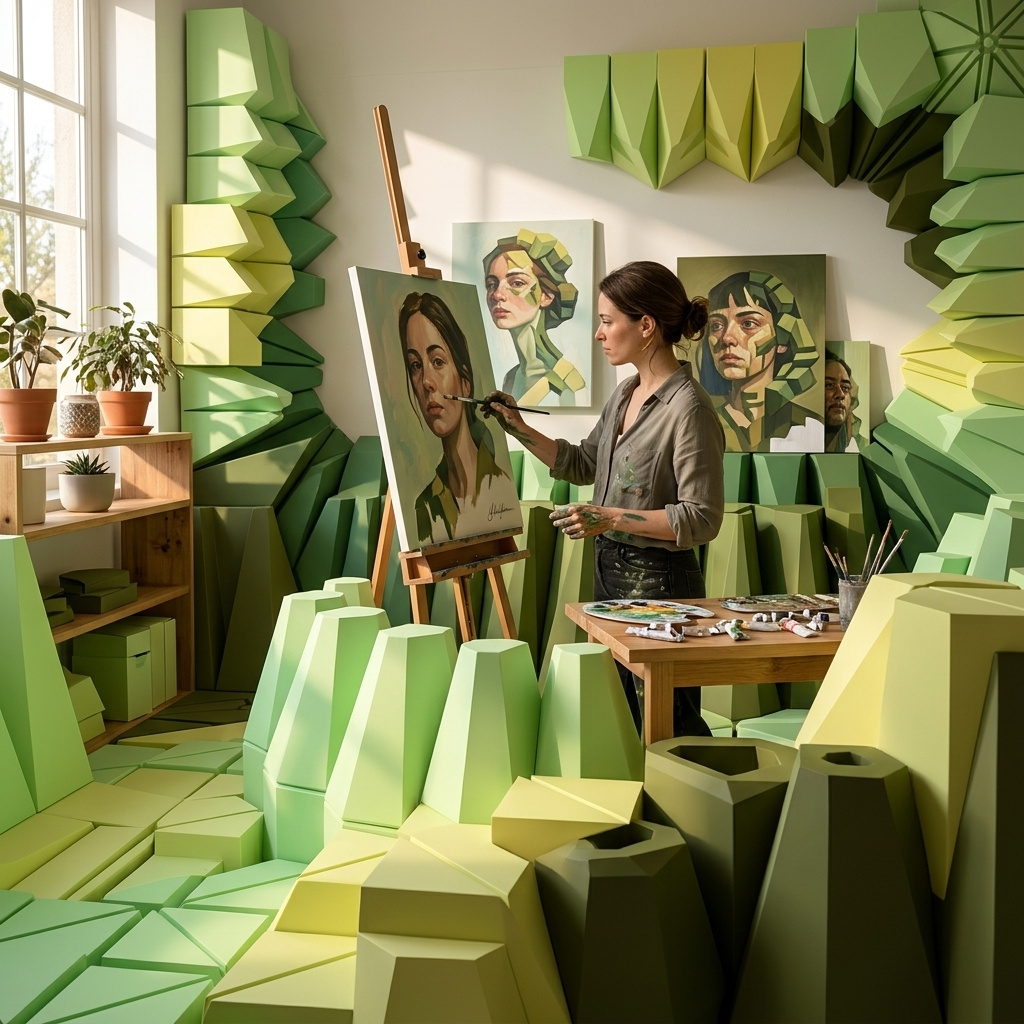
Styles from references
How to build a reusable style in Recraft V4 Styles: reference set strategy, styleId reuse across many generations, and same-family portability across the raster and vector tiers.
Introduction
The distinguishing capability of Recraft V4 Styles is reference-driven style reuse. Attach one to ten reference images on any generate call and the model builds an internal representation of the style they share, then returns a styleId that stands in for those references on every future call. The style ID persists in your workspace and works within its family (styles ↔ styles-pro for raster, styles-vector ↔ styles-pro-vector for vector).
The hero below was generated from the four flat vector illustrations under it, all sharing a mid-century modern aesthetic. The prompt named a scene the references never showed, but the flat-shape rendering, the muted palette, and the lack of gradients or shadows all carried through.

A wide flat vector illustration of a cozy modern coworking space at sunset, a woman with a low bun typing on a laptop at a warm walnut desk, a man across from her reading a design magazine on a mid-century green sofa, a large monstera plant in the corner, floor-to-ceiling window on the right casting long soft golden shadows across the wooden floor.
- Reader on sofa
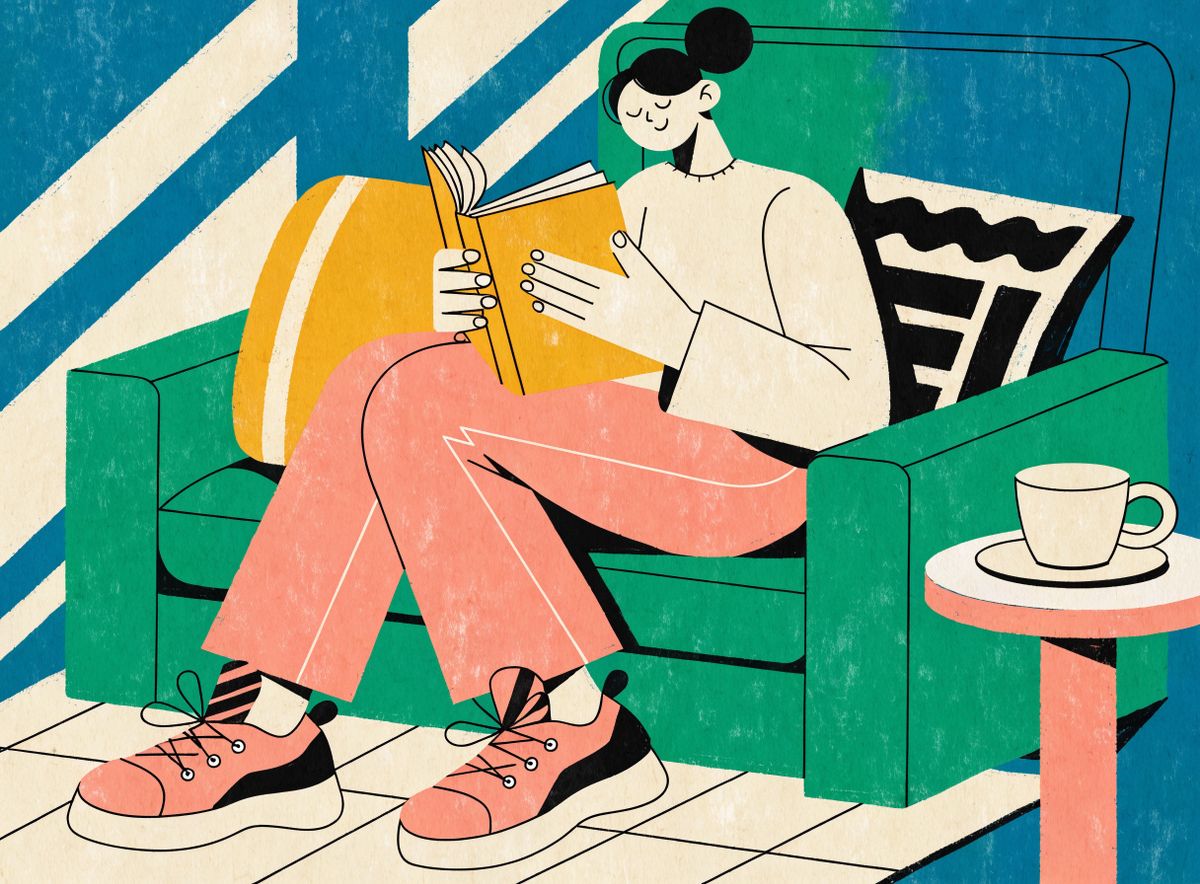
Mid-century modern flat vector illustration of a person reading a book on a mid-century green sofa in a warm sunlit living room, a small side table with a coffee cup beside them. Bold flat shapes, limited palette of deep teal, mustard yellow, salmon pink, warm cream, and charcoal outlines, no gradients or drop shadows.
- Cafe couple
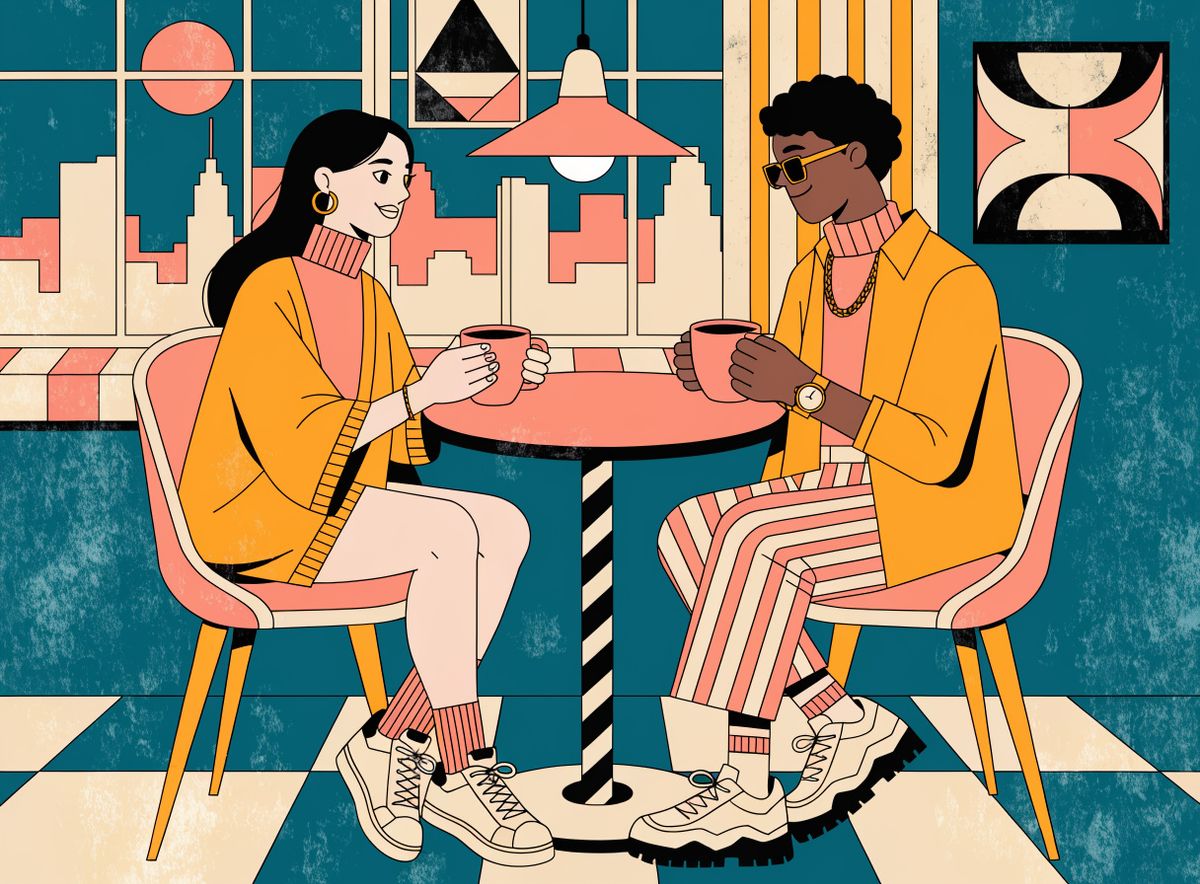
Mid-century modern flat vector illustration of a young couple sharing coffee at a small round mid-century modern cafe table by a large window, warm afternoon light. Bold flat shapes, limited palette of deep teal, mustard yellow, salmon pink, warm cream, and charcoal outlines, no gradients or drop shadows.
- Pottery workshop
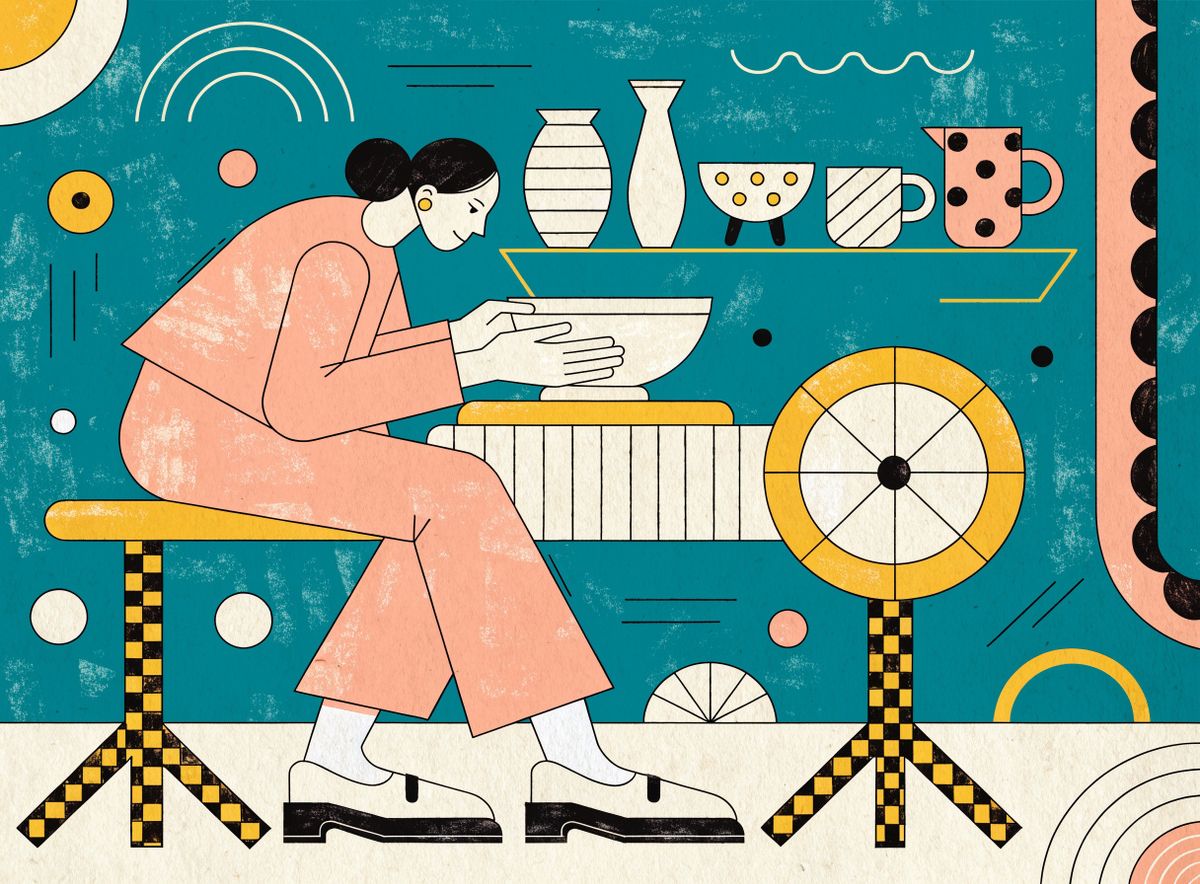
Mid-century modern flat vector illustration of a woman with a low bun at a wooden pottery wheel shaping a bowl, a shelf of finished ceramic pieces on the wall behind her, warm workshop light. Bold flat shapes, limited palette of deep teal, mustard yellow, salmon pink, warm cream, and charcoal outlines, no gradients or drop shadows.
- Cyclist
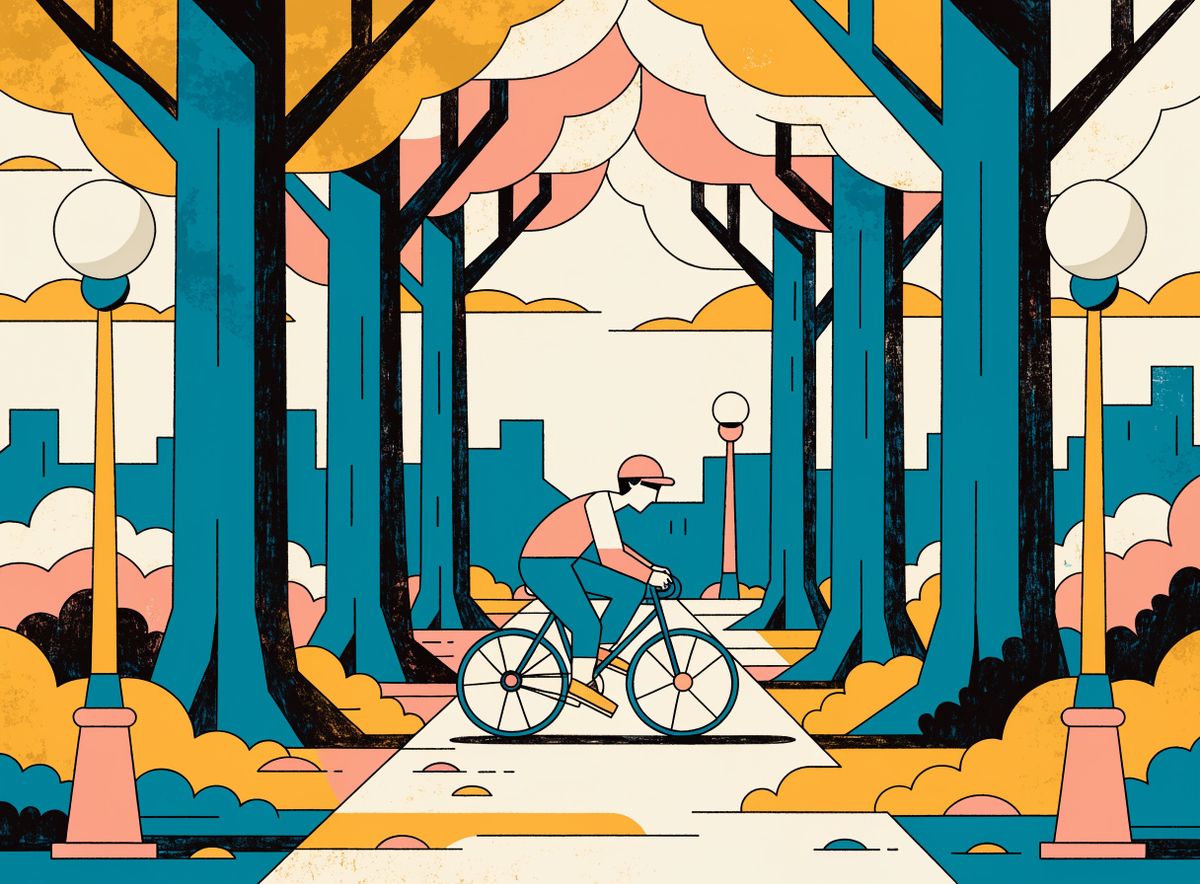
Mid-century modern flat vector illustration of a cyclist in casual clothes riding through a tree-lined avenue at golden hour, small figure against a soft warm sky. Bold flat shapes, limited palette of deep teal, mustard yellow, salmon pink, warm cream, and charcoal outlines, no gradients or drop shadows.


This guide covers what a good reference set looks like, how many references to attach, what the returned styleId lets you do, and how the same ID drives every V4 Styles variant.
Reference set strategy
The reference set is the strongest lever on the output style. Two variables matter: how many references and how similar they are to each other.
A single strong reference is enough to build a style. Adding more references reinforces the shared elements between them and gives the model more angles on the style. Similar references (five images that share subject character, composition, and framing) sharpen the match. Diverse references (same visual language but varied subjects and compositions) widen the range of what the model considers "in style."
The three outputs below render the same target subject through the same watercolor botanical style, but with different reference sets. The target prompt is identical across all three: "A ceramic teapot pouring golden tea into a small cup, with a sprig of mint and loose tea leaves scattered on a warm wooden surface." The only variable is the reference set.

A ceramic teapot pouring golden tea into a small cup, with a sprig of mint and loose tea leaves scattered on a warm wooden surface, natural morning light.

A ceramic teapot pouring golden tea into a small cup, with a sprig of mint and loose tea leaves scattered on a warm wooden surface, natural morning light.

A ceramic teapot pouring golden tea into a small cup, with a sprig of mint and loose tea leaves scattered on a warm wooden surface, natural morning light.
The single-reference output holds the botanical watercolor character on the target subject, and would ship as-is for many use cases. The five-similar output sharpens the match on the reference character (loose brush strokes, natural pigment washes, botanical journal composition). The ten-diverse output widens the model's read of the style: the target subject is rendered in that same watercolor language, but with slightly more compositional freedom because the reference pool included insects and a bird's nest alongside the plant stills.
The full ten-reference pool used across the second and third outputs is below.

Watercolor botanical illustration of a sprig of rosemary, loose brush strokes, natural pigment wash, botanical journal aesthetic, cream paper background.

Watercolor botanical illustration of a single wild California poppy in bloom, loose brush strokes, natural pigment wash, botanical journal aesthetic, cream paper background.

Watercolor botanical illustration of a pomegranate cut in half showing the seeds inside, loose brush strokes, natural pigment wash, botanical journal aesthetic, cream paper background.

Watercolor botanical illustration of a single pine cone, loose brush strokes, natural pigment wash, botanical journal aesthetic, cream paper background.

Watercolor botanical illustration of a loose bunch of fresh mixed herbs (basil, sage, thyme), loose brush strokes, natural pigment wash, botanical journal aesthetic, cream paper background.

Watercolor botanical illustration of a single monarch butterfly with wings fully open, isolated on a cream paper background, loose brush strokes, natural pigment wash, botanical journal aesthetic.

Watercolor botanical illustration of a small snail resting on a single mushroom cap, isolated on a cream paper background, loose brush strokes, natural pigment wash, botanical journal aesthetic.

Watercolor botanical illustration of a single dragonfly with wings fully extended, isolated on a cream paper background, loose brush strokes, natural pigment wash, botanical journal aesthetic.

Watercolor botanical illustration of a sprig of lavender in bloom, loose brush strokes, natural pigment wash, botanical journal aesthetic, cream paper background.

Watercolor botanical illustration of a small bird nest with three pale blue eggs, loose brush strokes, natural pigment wash, botanical journal aesthetic, cream paper background.
Practical guidance on picking a reference set:
- One reference works when the reference itself already captures the style cleanly and you don't need variation across generations.
- Multiple similar references work when the deliverable has a narrow style target and you want the model to lock hard on the reference's specific rendering.
- Multiple diverse references (same style, varied subjects and compositions) work when the deliverable will show many different subjects and you want the style to hold cleanly across all of them.
Reusing a style across many generations
Once the first call returns a styleId, later calls pass it as inputs.styleId and skip the reference upload entirely. The generated style persists in your workspace and the ID is stable across future sessions.
import { createClient } from '@runware/sdk'

const client = await createClient({ apiKey: process.env.RUNWARE_API_KEY })
await client.connect()

const [result] = await client.run({
  model: 'recraft:v4@styles',
  positivePrompt: 'A wide flat vector illustration of a woman meditating in lotus position on a soft grey mat in a bright modern living room, tall houseplant in the corner, morning sunlight through a large window casting long soft shadows across the pale wooden floor.',
  inputs: {
    styleId: '5b9e7c8a-1234-4b8f-9c5d-8f7e6a5b4c3d'
  },
  width: 1344,
  height: 768
})
import asyncio
import os
from runware import Runware
async def main():
async with Runware(api_key=os.environ["RUNWARE_API_KEY"]) as client:
results = await client.run({
"model": "recraft:v4@styles",
"positivePrompt": "A wide flat vector illustration of a woman meditating in lotus position on a soft grey mat in a bright modern living room, tall houseplant in the corner, morning sunlight through a large window casting long soft shadows across the pale wooden floor.",
"inputs": {
"styleId": "5b9e7c8a-1234-4b8f-9c5d-8f7e6a5b4c3d"
},
"width": 1344,
"height": 768
})
asyncio.run(main())curl https://api.runware.ai/v1 \
-H "Authorization: Bearer $RUNWARE_API_KEY" \
-H "Content-Type: application/json" \
-d '[
{
  "taskType": "imageInference",
  "taskUUID": "8e1f2a3b-4c5d-6e7f-8a9b-0c1d2e3f4a5b",
  "model": "recraft:v4@styles",
  "positivePrompt": "A wide flat vector illustration of a woman meditating in lotus position on a soft grey mat in a bright modern living room, tall houseplant in the corner, morning sunlight through a large window casting long soft shadows across the pale wooden floor.",
  "inputs": {
    "styleId": "5b9e7c8a-1234-4b8f-9c5d-8f7e6a5b4c3d"
  },
  "width": 1344,
  "height": 768
}
]'runware run recraft:v4@styles \
positivePrompt="A wide flat vector illustration of a woman meditating in lotus position on a soft grey mat in a bright modern living room, tall houseplant in the corner, morning sunlight through a large window casting long soft shadows across the pale wooden floor." \
inputs.styleId=5b9e7c8a-1234-4b8f-9c5d-8f7e6a5b4c3d \
width=1344 \
height=768{
"taskType": "imageInference",
"taskUUID": "8e1f2a3b-4c5d-6e7f-8a9b-0c1d2e3f4a5b",
"model": "recraft:v4@styles",
"positivePrompt": "A wide flat vector illustration of a woman meditating in lotus position on a soft grey mat in a bright modern living room, tall houseplant in the corner, morning sunlight through a large window casting long soft shadows across the pale wooden floor.",
"inputs": {
"styleId": "5b9e7c8a-1234-4b8f-9c5d-8f7e6a5b4c3d"
},
"width": 1344,
"height": 768
}The four outputs below reuse the hero's styleId on four separate calls. They form the illustration set for a hypothetical wellness startup's product page: consistent flat vector language, consistent palette, consistent rendering character, four different scenes.

A wide flat vector illustration of a woman meditating in lotus position on a soft grey mat in a bright modern living room, tall houseplant in the corner, morning sunlight through a large window casting long soft shadows across the pale wooden floor.

A wide flat vector illustration of a morning yoga session in a bright studio with tall arched windows, three women in warrior pose on soft rolled mats facing away from the camera, warm sunrise light streaming through the windows behind them, pale wooden floor.

A wide flat vector illustration of a group of four friends hiking through a mixed pine and birch forest at midday, wearing colourful lightweight backpacks, a shallow stream visible ahead of them, warm dappled sunlight filtering through the canopy.

A wide flat vector illustration of a young couple preparing a colourful healthy meal together in a modern warm-toned kitchen, one chopping vegetables at a walnut counter and the other stirring a pan on the stove, wooden shelves of jars visible on the back wall, warm afternoon light.
The prompt differs completely across the four scenes, but the visual language stays inside the reference world. That is the workflow for brand illustration systems, editorial content series, product-page hero sets, campaign asset packs, and any output that needs many images in one look.
Same-family and cross-format reuse
A styleId is portable within its family. A raster style ID built with recraft:v4@styles (1K raster) works with recraft:v4@styles-pro (2K raster). A vector style ID built with recraft:v4@styles-vector (1K SVG) works with recraft:v4@styles-pro-vector (2K SVG). The tier upgrade (1K → 2K) is the natural use case: build the style at 1K, ship the hero asset at 2K without re-uploading references.
Raster and vector style IDs do not cross. Passing a raster style ID to a vector model (or vice versa) fails with an unclear provider error. To ship both formats from the same reference set, build a raster style with the raster references and a separate vector style with the same references.
The first output below uses the hero's raster styleId on styles-pro for a 2K version of the same style. The second output shows the same reference set feeding styles-vector as a fresh reference upload (which creates a new vector style ID for reuse within the vector family).

A single vintage rotary telephone in mustard yellow, three-quarter angle, sitting on a warm walnut side table, cream background, mid-century flat vector illustration, no gradients.
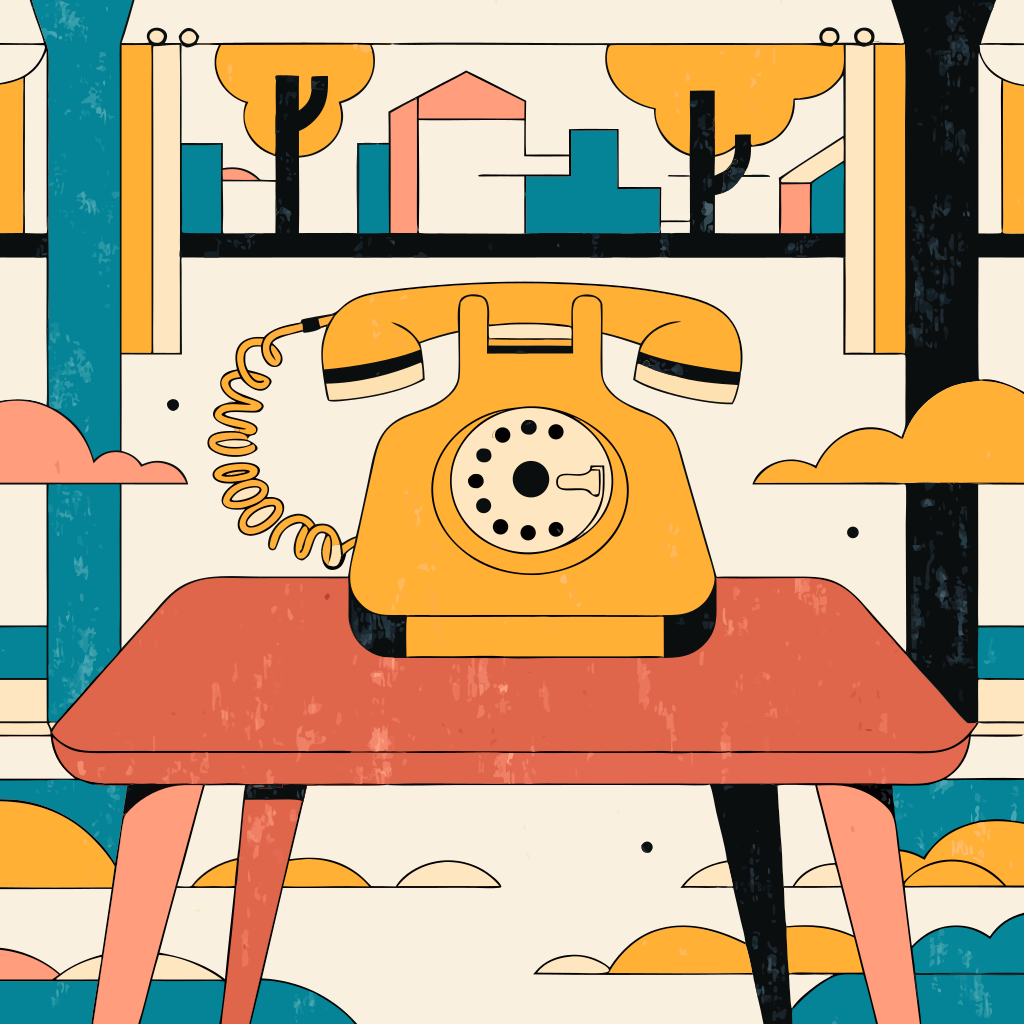
A single vintage rotary telephone in mustard yellow, three-quarter angle, sitting on a warm walnut side table, cream background, mid-century flat vector illustration, no gradients.
The raster version renders at 2K and ships as JPG. The vector version renders as SVG, editable in any vector tool, scalable to any output size without loss. Both share the same reference set and the same subject prompt, but they run through separate style pipelines.
Everything else about the request shape stays the same for the vector variants:
import { createClient } from '@runware/sdk'

const client = await createClient({ apiKey: process.env.RUNWARE_API_KEY })
await client.connect()

const [result] = await client.run({
  model: 'recraft:v4@styles-vector',
  positivePrompt: 'A single vintage rotary telephone in mustard yellow, three-quarter angle, sitting on a warm walnut side table, cream background, mid-century flat vector illustration, no gradients.',
  inputs: {
    referenceImages: [
      'https://im.runware.ai/image/os/a14d18/ws/2/ii/aabb1122-3344-5566-7788-99aabbccddee.jpg',
      'https://im.runware.ai/image/os/a14d18/ws/2/ii/bbcc2233-4455-6677-8899-aabbccddeeff.jpg',
      'https://im.runware.ai/image/os/a14d18/ws/2/ii/ccdd3344-5566-7788-99aa-bbccddeeff00.jpg',
      'https://im.runware.ai/image/os/a14d18/ws/2/ii/ddee4455-6677-8899-aabb-ccddeeff0011.jpg'
    ]
  },
  width: 1024,
  height: 1024
})
import asyncio
import os
from runware import Runware
async def main():
async with Runware(api_key=os.environ["RUNWARE_API_KEY"]) as client:
results = await client.run({
"model": "recraft:v4@styles-vector",
"positivePrompt": "A single vintage rotary telephone in mustard yellow, three-quarter angle, sitting on a warm walnut side table, cream background, mid-century flat vector illustration, no gradients.",
"inputs": {
"referenceImages": [
"https://im.runware.ai/image/os/a14d18/ws/2/ii/aabb1122-3344-5566-7788-99aabbccddee.jpg",
"https://im.runware.ai/image/os/a14d18/ws/2/ii/bbcc2233-4455-6677-8899-aabbccddeeff.jpg",
"https://im.runware.ai/image/os/a14d18/ws/2/ii/ccdd3344-5566-7788-99aa-bbccddeeff00.jpg",
"https://im.runware.ai/image/os/a14d18/ws/2/ii/ddee4455-6677-8899-aabb-ccddeeff0011.jpg"
]
},
"width": 1024,
"height": 1024
})
asyncio.run(main())curl https://api.runware.ai/v1 \
-H "Authorization: Bearer $RUNWARE_API_KEY" \
-H "Content-Type: application/json" \
-d '[
{
  "taskType": "vectorize",
  "taskUUID": "3c4d5e6f-7a8b-9c0d-1e2f-3a4b5c6d7e8f",
  "model": "recraft:v4@styles-vector",
  "positivePrompt": "A single vintage rotary telephone in mustard yellow, three-quarter angle, sitting on a warm walnut side table, cream background, mid-century flat vector illustration, no gradients.",
  "inputs": {
    "referenceImages": [
      "https://im.runware.ai/image/os/a14d18/ws/2/ii/aabb1122-3344-5566-7788-99aabbccddee.jpg",
      "https://im.runware.ai/image/os/a14d18/ws/2/ii/bbcc2233-4455-6677-8899-aabbccddeeff.jpg",
      "https://im.runware.ai/image/os/a14d18/ws/2/ii/ccdd3344-5566-7788-99aa-bbccddeeff00.jpg",
      "https://im.runware.ai/image/os/a14d18/ws/2/ii/ddee4455-6677-8899-aabb-ccddeeff0011.jpg"
    ]
  },
  "width": 1024,
  "height": 1024
}
]'runware run recraft:v4@styles-vector \
positivePrompt="A single vintage rotary telephone in mustard yellow, three-quarter angle, sitting on a warm walnut side table, cream background, mid-century flat vector illustration, no gradients." \
inputs.referenceImages.0=https://im.runware.ai/image/os/a14d18/ws/2/ii/aabb1122-3344-5566-7788-99aabbccddee.jpg \
inputs.referenceImages.1=https://im.runware.ai/image/os/a14d18/ws/2/ii/bbcc2233-4455-6677-8899-aabbccddeeff.jpg \
inputs.referenceImages.2=https://im.runware.ai/image/os/a14d18/ws/2/ii/ccdd3344-5566-7788-99aa-bbccddeeff00.jpg \
inputs.referenceImages.3=https://im.runware.ai/image/os/a14d18/ws/2/ii/ddee4455-6677-8899-aabb-ccddeeff0011.jpg \
width=1024 \
height=1024{
"taskType": "vectorize",
"taskUUID": "3c4d5e6f-7a8b-9c0d-1e2f-3a4b5c6d7e8f",
"model": "recraft:v4@styles-vector",
"positivePrompt": "A single vintage rotary telephone in mustard yellow, three-quarter angle, sitting on a warm walnut side table, cream background, mid-century flat vector illustration, no gradients.",
"inputs": {
"referenceImages": [
"https://im.runware.ai/image/os/a14d18/ws/2/ii/aabb1122-3344-5566-7788-99aabbccddee.jpg",
"https://im.runware.ai/image/os/a14d18/ws/2/ii/bbcc2233-4455-6677-8899-aabbccddeeff.jpg",
"https://im.runware.ai/image/os/a14d18/ws/2/ii/ccdd3344-5566-7788-99aa-bbccddeeff00.jpg",
"https://im.runware.ai/image/os/a14d18/ws/2/ii/ddee4455-6677-8899-aabb-ccddeeff0011.jpg"
]
},
"width": 1024,
"height": 1024
}The response returns an imageURL pointing at the SVG file and an outputs.styleId that stands for the vector style built from those references. Reuse that ID with any vector variant (styles-vector or styles-pro-vector), not with the raster variants.
Tips
-
A single strong reference is enough to lock a style. Reach for multiple references when you want the model to reinforce a specific rendering, or when the deliverable will render many different subjects in one look.
-
Similar references sharpen the match, diverse references widen the range. For a narrow style lock, use references that share subject character and composition. For a style that has to hold across varied subjects, use references that already show that variation.
-
Keep references above 256 × 256 pixels and under 10 MB each. Total attachment for a single request is capped at 64 MB. The model reads image content, not filename or metadata.
-
Store the
styleIdfrom the first response. Every subsequent call in the same style skips the reference upload. Same output, faster call, no re-upload of the source references. -
The style ID is portable within its family. Raster style IDs work with
stylesandstyles-pro. Vector style IDs work withstyles-vectorandstyles-pro-vector. To ship both raster and vector from the same reference set, build two style IDs (one per family) from the same references. -
The style ID persists in your workspace. Store it alongside the assets you generate so later pipelines can pick up the same look without needing the source references again.
-
References can come from anywhere. Prior Runware generations, other model outputs, brand asset libraries, editorial photography, scans of physical illustration or design work. The model reads the image content, so any style visible in the file will inform the built style.