MiniMax H3 Image

MiniMax H3 Image is an open-weights image generation and editing model from MiniMax. It creates images from text or edits and combines up to 16 reference images, at 1K, 2K or 4K, or at a custom width and height up to 20 megapixels. It follows counts, positions and layouts closely and renders long, dense text, which suits product and marketing visuals, posters and infographics, concept art, and compositions that merge several subjects.
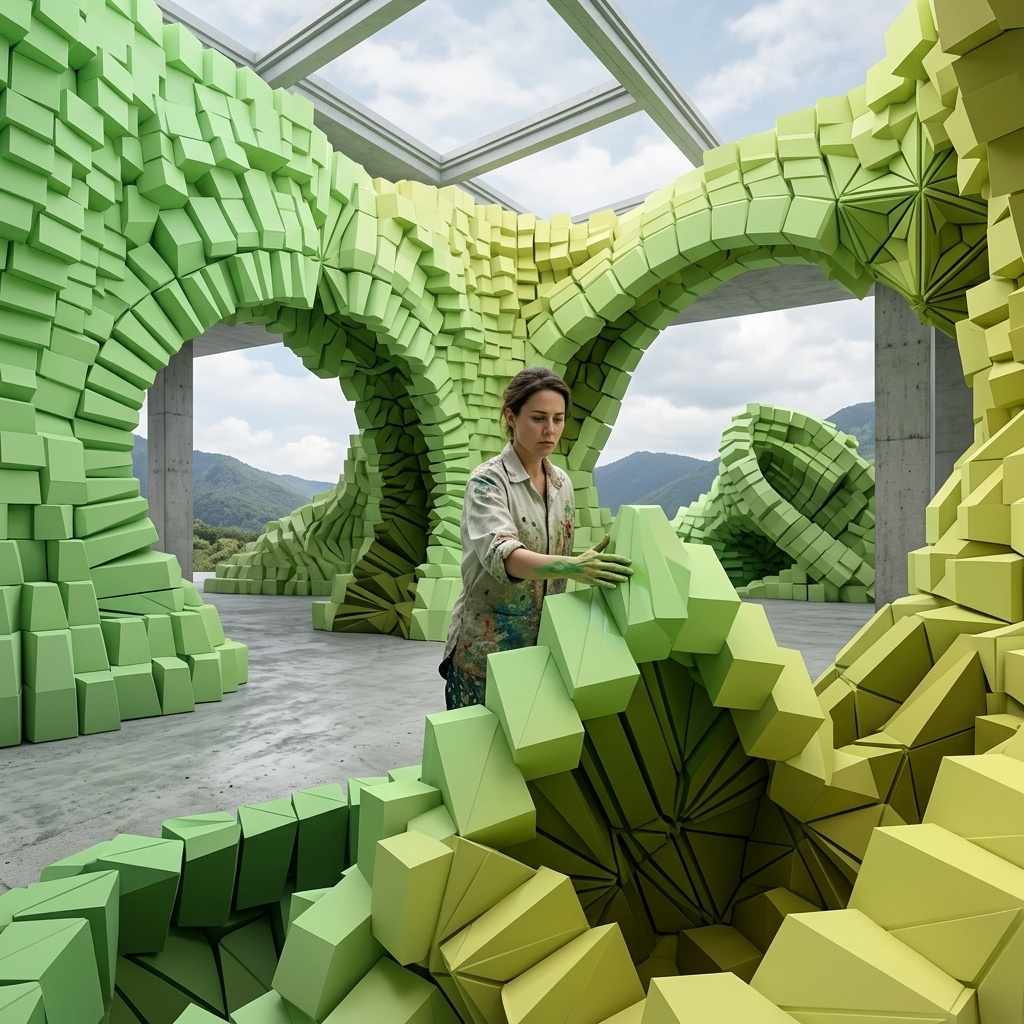
Multi-reference composition
How to compose one image from up to 16 references with MiniMax H3 Image: giving each image a role, borrowing color, following a layout sketch and furnishing a room.
Introduction
A campaign image normally needs the athlete and every product in front of one camera, on location, on the same morning. When the jacket is still a sample and the shoes ship next month, the shoot waits for them.
MiniMax H3 Image composes the image from separate photos instead. Each photo goes into inputs.referenceImages, up to 16 per request, and the prompt gives each image a role, so one supplies the runner and another the track she runs on. The model returns one frame with every piece posed and lit together.

The woman from image 1 wearing the jacket from image 2, zipped halfway, and the running shoes from image 3, jogging toward the camera along the rooftop track from image 4. Keep her face, hair and build, and the running tights from image 1. Keep the cut, color, fabric and piping of the jacket from image 2, and the shape, colors and sole of the shoes from image 3. Her stride and expression can change. Relight her with the dawn light of image 4, with a soft shadow on the track beneath her. Full-length shot from a low angle, 85mm lens. Photoreal sportswear campaign photography.
- Image 1: runner
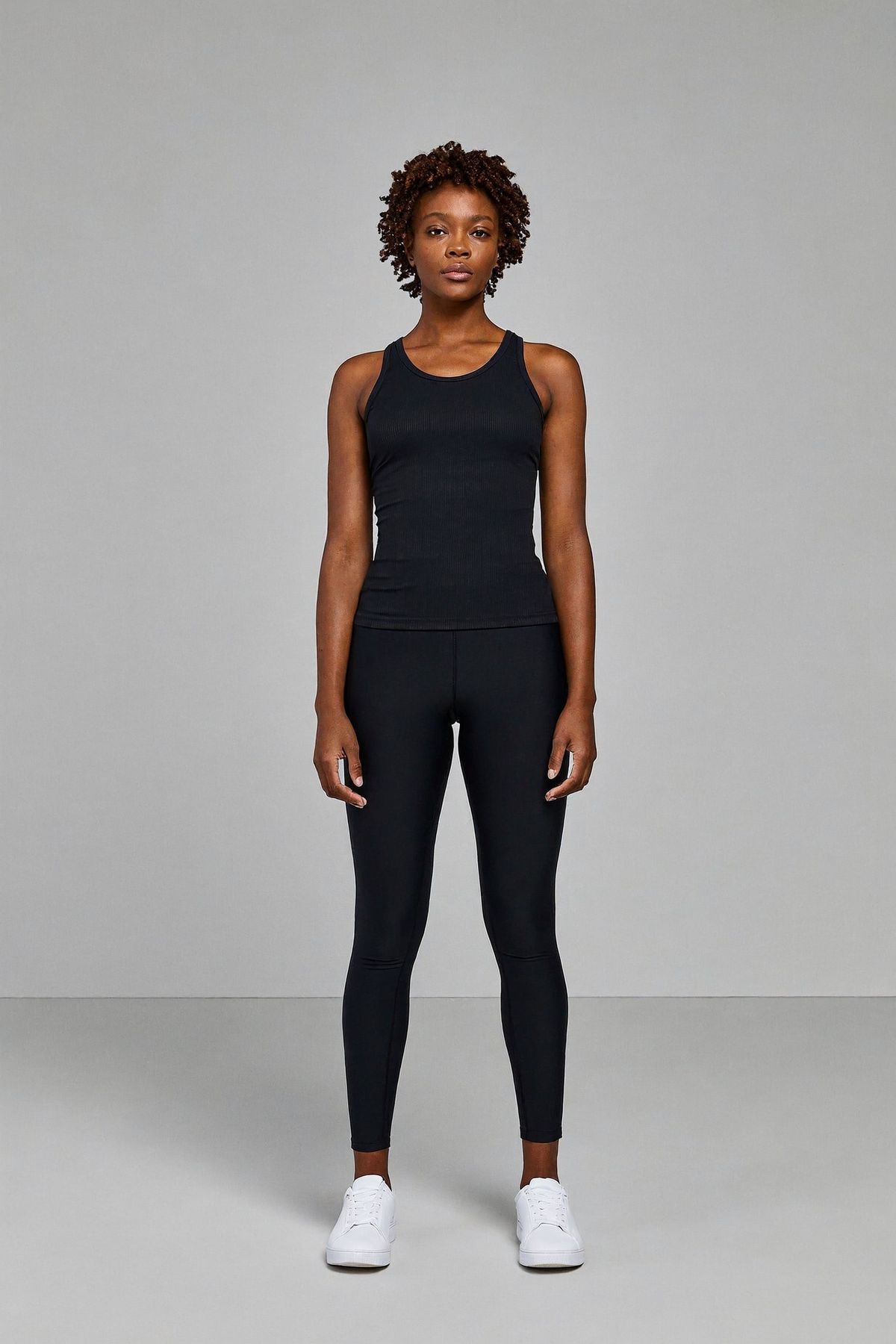
A full-length studio casting photograph of a woman in her late twenties with dark brown skin and short natural curly hair, standing relaxed and facing the camera with her arms at her sides, wearing a fitted black tank top, black running tights and plain white sneakers. Plain light gray seamless backdrop, soft even studio lighting, the whole figure inside the frame with space above her head and below her feet. Photoreal, no text.
- Image 2: jacket
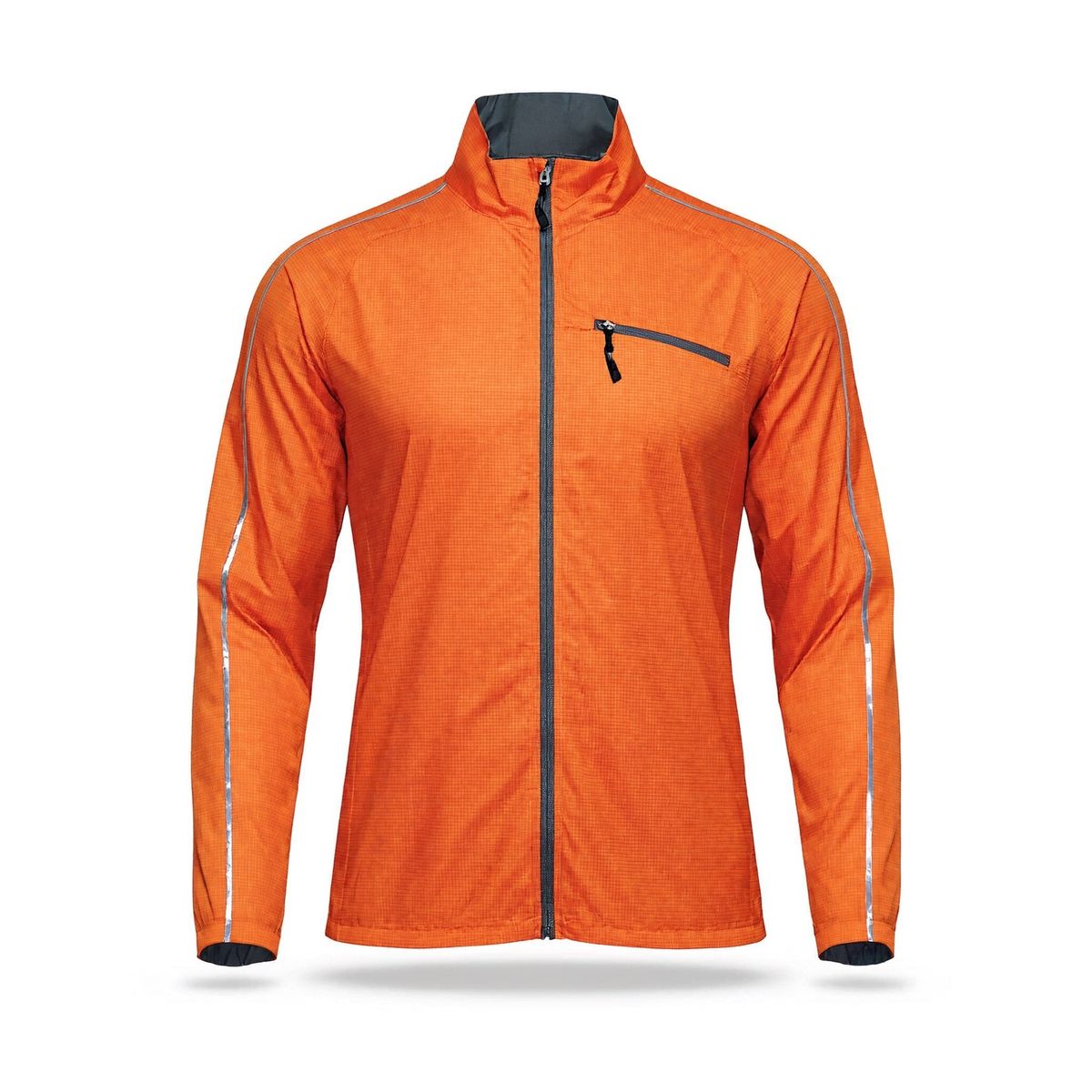
A lightweight full-zip running jacket in bright tangerine ripstop nylon with a stand collar, thin reflective silver piping along the sleeves and a zipped chest pocket, shown front-on and zipped on an invisible mannequin, on a plain white backdrop. Soft even studio lighting, subtle contact shadow, photoreal e-commerce packshot, no logos, no text.
- Image 3: shoes
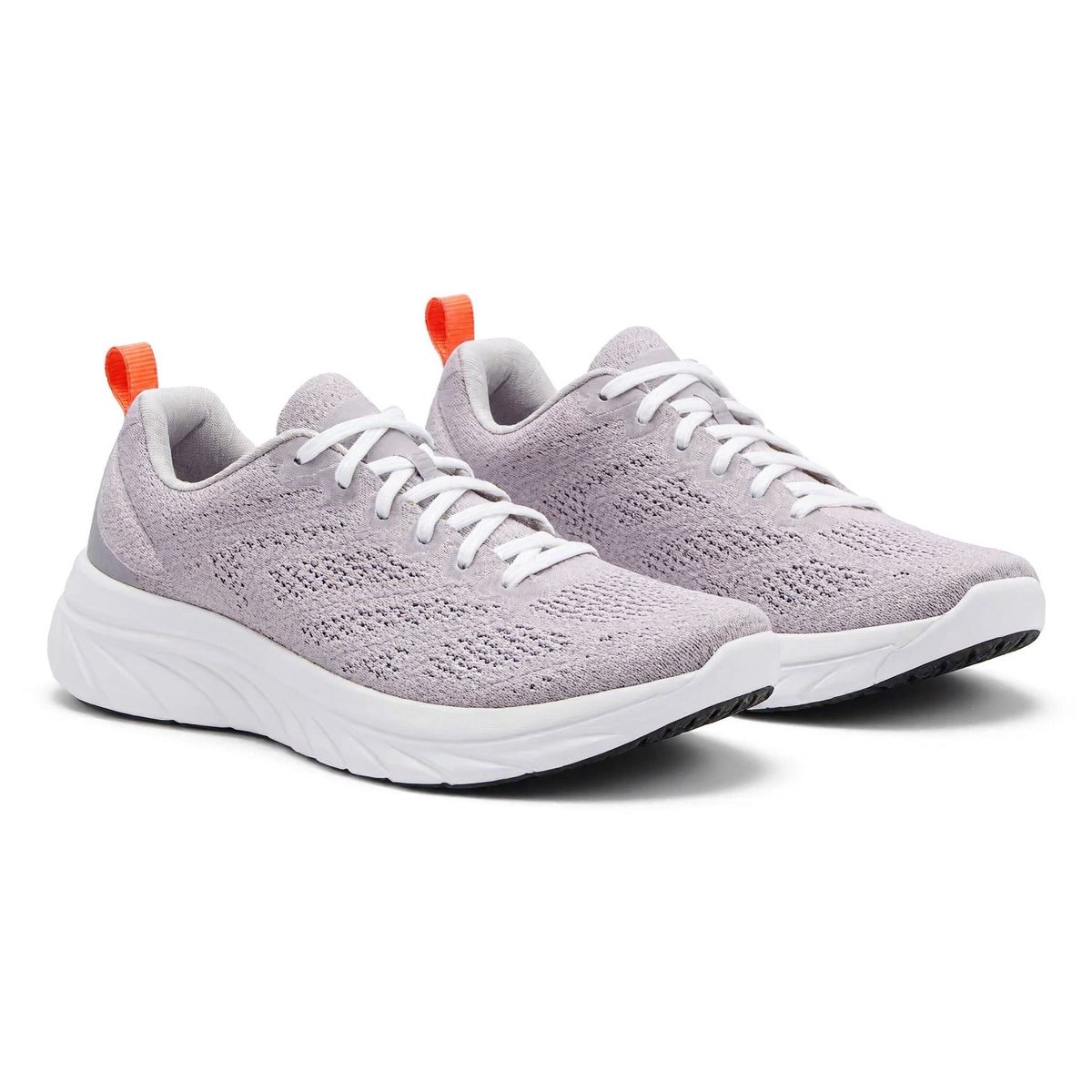
A pair of running shoes with a pale lilac knit upper, a thick white foam midsole, a tangerine heel tab and white laces, side by side at a three-quarter angle, on a plain white backdrop. Soft even studio lighting, subtle contact shadow, photoreal e-commerce packshot, no logos, no text.
- Image 4: location
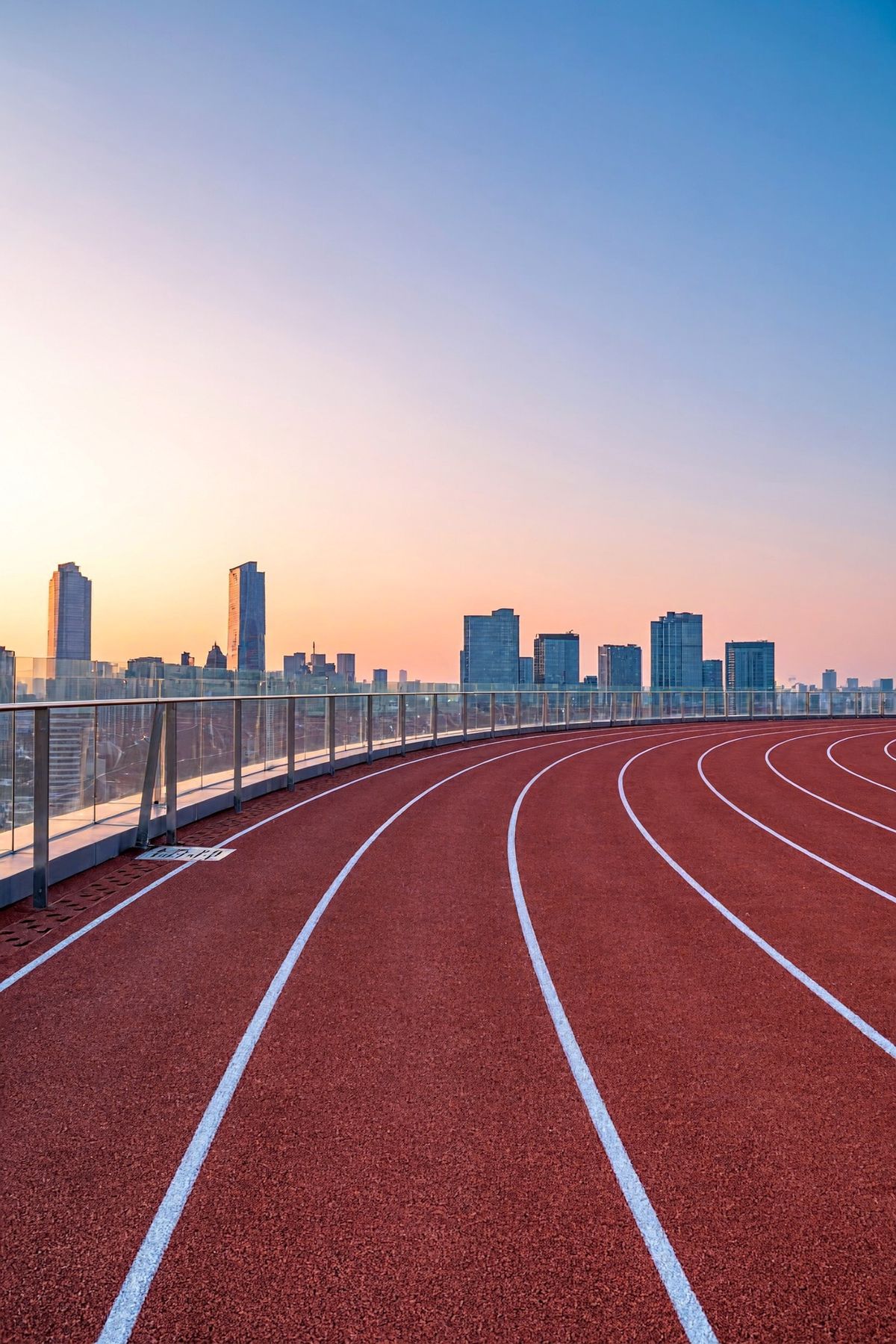
An empty rooftop running track on top of a city building at dawn, red rubber lanes with white lane lines curving away from the camera, a low glass railing at the edge and a skyline of towers behind it. Soft pink and gold dawn light from the left, long soft shadows across the lanes. Eye-level view along the lanes, portrait framing. Photoreal location photography, no people, no text.


For a sportswear brand, the result is a campaign image built from a casting photo, two packshots and a location photo, and next season's colorway is one more packshot in image 2.
This guide covers the request, giving each image a role, borrowing color from a reference, following a layout sketch, furnishing a room from eight product photos and sizing the output. Changing a single image with an instruction, and editing a result over several rounds, are covered in editing images. How to structure the prompt itself is covered in prompting.
The request
References go into inputs.referenceImages, and the prompt refers to them by their position in the array:
import { createClient } from '@runware/sdk'

const client = await createClient({ apiKey: process.env.RUNWARE_API_KEY })
await client.connect()

const [result] = await client.run({
  model: 'minimax:h3@image',
  positivePrompt: 'The woman from image 1 wearing the jacket from image 2, zipped halfway, and the running shoes from image 3, jogging toward the camera along the rooftop track from image 4. Keep her face, hair and build, and the running tights from image 1. Keep the cut, color, fabric and piping of the jacket from image 2, and the shape, colors and sole of the shoes from image 3. Her stride and expression can change. Relight her with the dawn light of image 4, with a soft shadow on the track beneath her. Full-length shot from a low angle, 85mm lens. Photoreal sportswear campaign photography.',
  width: 1600,
  height: 2400,
  inputs: {
    referenceImages: [
      'https://assets.runware.ai/guides/minimax-h3-image/multi-reference-composition/source-hero-person.jpg',
      'https://assets.runware.ai/guides/minimax-h3-image/multi-reference-composition/source-hero-garment.jpg',
      'https://assets.runware.ai/guides/minimax-h3-image/multi-reference-composition/source-hero-footwear.jpg',
      'https://assets.runware.ai/guides/minimax-h3-image/multi-reference-composition/source-hero-location.jpg'
    ]
  }
})
import asyncio
import os
from runware import Runware
async def main():
async with Runware(api_key=os.environ["RUNWARE_API_KEY"]) as client:
results = await client.run({
"model": "minimax:h3@image",
"positivePrompt": "The woman from image 1 wearing the jacket from image 2, zipped halfway, and the running shoes from image 3, jogging toward the camera along the rooftop track from image 4. Keep her face, hair and build, and the running tights from image 1. Keep the cut, color, fabric and piping of the jacket from image 2, and the shape, colors and sole of the shoes from image 3. Her stride and expression can change. Relight her with the dawn light of image 4, with a soft shadow on the track beneath her. Full-length shot from a low angle, 85mm lens. Photoreal sportswear campaign photography.",
"width": 1600,
"height": 2400,
"inputs": {
"referenceImages": [
"https://assets.runware.ai/guides/minimax-h3-image/multi-reference-composition/source-hero-person.jpg",
"https://assets.runware.ai/guides/minimax-h3-image/multi-reference-composition/source-hero-garment.jpg",
"https://assets.runware.ai/guides/minimax-h3-image/multi-reference-composition/source-hero-footwear.jpg",
"https://assets.runware.ai/guides/minimax-h3-image/multi-reference-composition/source-hero-location.jpg"
]
}
})
asyncio.run(main())curl https://api.runware.ai/v1 \
-H "Authorization: Bearer $RUNWARE_API_KEY" \
-H "Content-Type: application/json" \
-d '[
{
  "taskType": "imageInference",
  "taskUUID": "9bcafd4e-adde-4b68-b551-42a08a3b682d",
  "model": "minimax:h3@image",
  "positivePrompt": "The woman from image 1 wearing the jacket from image 2, zipped halfway, and the running shoes from image 3, jogging toward the camera along the rooftop track from image 4. Keep her face, hair and build, and the running tights from image 1. Keep the cut, color, fabric and piping of the jacket from image 2, and the shape, colors and sole of the shoes from image 3. Her stride and expression can change. Relight her with the dawn light of image 4, with a soft shadow on the track beneath her. Full-length shot from a low angle, 85mm lens. Photoreal sportswear campaign photography.",
  "width": 1600,
  "height": 2400,
  "inputs": {
    "referenceImages": [
      "https://assets.runware.ai/guides/minimax-h3-image/multi-reference-composition/source-hero-person.jpg",
      "https://assets.runware.ai/guides/minimax-h3-image/multi-reference-composition/source-hero-garment.jpg",
      "https://assets.runware.ai/guides/minimax-h3-image/multi-reference-composition/source-hero-footwear.jpg",
      "https://assets.runware.ai/guides/minimax-h3-image/multi-reference-composition/source-hero-location.jpg"
    ]
  }
}
]'runware run minimax:h3@image \
positivePrompt="The woman from image 1 wearing the jacket from image 2, zipped halfway, and the running shoes from image 3, jogging toward the camera along the rooftop track from image 4. Keep her face, hair and build, and the running tights from image 1. Keep the cut, color, fabric and piping of the jacket from image 2, and the shape, colors and sole of the shoes from image 3. Her stride and expression can change. Relight her with the dawn light of image 4, with a soft shadow on the track beneath her. Full-length shot from a low angle, 85mm lens. Photoreal sportswear campaign photography." \
width=1600 \
height=2400 \
inputs.referenceImages.0=https://assets.runware.ai/guides/minimax-h3-image/multi-reference-composition/source-hero-person.jpg \
inputs.referenceImages.1=https://assets.runware.ai/guides/minimax-h3-image/multi-reference-composition/source-hero-garment.jpg \
inputs.referenceImages.2=https://assets.runware.ai/guides/minimax-h3-image/multi-reference-composition/source-hero-footwear.jpg \
inputs.referenceImages.3=https://assets.runware.ai/guides/minimax-h3-image/multi-reference-composition/source-hero-location.jpg{
"taskType": "imageInference",
"taskUUID": "9bcafd4e-adde-4b68-b551-42a08a3b682d",
"model": "minimax:h3@image",
"positivePrompt": "The woman from image 1 wearing the jacket from image 2, zipped halfway, and the running shoes from image 3, jogging toward the camera along the rooftop track from image 4. Keep her face, hair and build, and the running tights from image 1. Keep the cut, color, fabric and piping of the jacket from image 2, and the shape, colors and sole of the shoes from image 3. Her stride and expression can change. Relight her with the dawn light of image 4, with a soft shadow on the track beneath her. Full-length shot from a low angle, 85mm lens. Photoreal sportswear campaign photography.",
"width": 1600,
"height": 2400,
"inputs": {
"referenceImages": [
"https://assets.runware.ai/guides/minimax-h3-image/multi-reference-composition/source-hero-person.jpg",
"https://assets.runware.ai/guides/minimax-h3-image/multi-reference-composition/source-hero-garment.jpg",
"https://assets.runware.ai/guides/minimax-h3-image/multi-reference-composition/source-hero-footwear.jpg",
"https://assets.runware.ai/guides/minimax-h3-image/multi-reference-composition/source-hero-location.jpg"
]
}
}Response
[
  {
    "taskType": "imageInference",
    "taskUUID": "9bcafd4e-adde-4b68-b551-42a08a3b682d",
    "imageUUID": "db6ffc06-ea16-4a28-b97c-be7545afb457",
    "imageURL": "https://im.runware.ai/image/os/a14d18/ws/2/ii/db6ffc06-ea16-4a28-b97c-be7545afb457.jpg"
  }
]- The array order is the numbering. "Image 1" in the prompt is the first entry of
inputs.referenceImages, and "image 4" is the fourth. - Each reference is a URL, a UUID (a previous generation's, or one uploaded via Media Storage), a data URI or a base64 string, in JPEG, PNG, WebP, HEIC or HEIF.
- Each one needs 128 to 8,192 pixels per side, a long side no more than four times the short one, and a file of up to 64 MiB.
- Requests with references always run the prompt optimizer, which rewrites the prompt into a detailed scene description before generating. Setting
settings.promptOptimizertofalsealongside references is rejected.
Giving each image a role
A reference arrives as a photo and nothing more. A bathroom shelf could be the place to stand the product or only the light to copy, so the prompt assigns each image its role: what it contributes, what has to stay as it is and what is free to change.

Use image 2 as the setting and the serum bottle from image 1 as the product. Stand the bottle on the shelf in the empty space between the towel and the plant. Keep the shape, glass, dropper and label of the bottle from image 1, and keep the shelf, the window and the objects of image 2 where they are. The angle of the bottle and the camera distance can change. Relight the bottle with the morning sun of image 2, with a soft shadow on the marble. Photoreal beauty product photography, shallow depth of field.
- Image 1: product
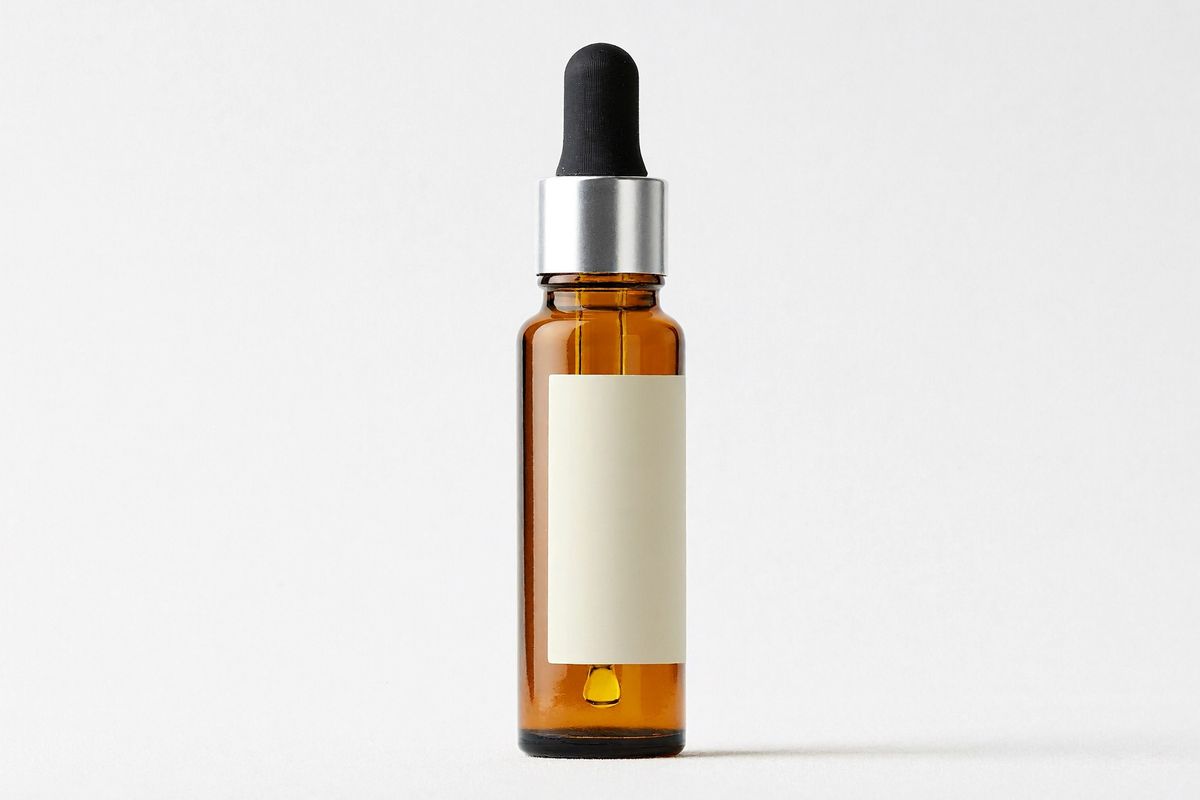
A slim amber glass dropper bottle of face serum with a black rubber bulb, a glass pipette and a plain cream label with no lettering, standing upright in a three-quarter view, on a plain white backdrop. Soft even studio lighting, subtle contact shadow, photoreal e-commerce packshot, no logos, no text.
- Image 2: setting
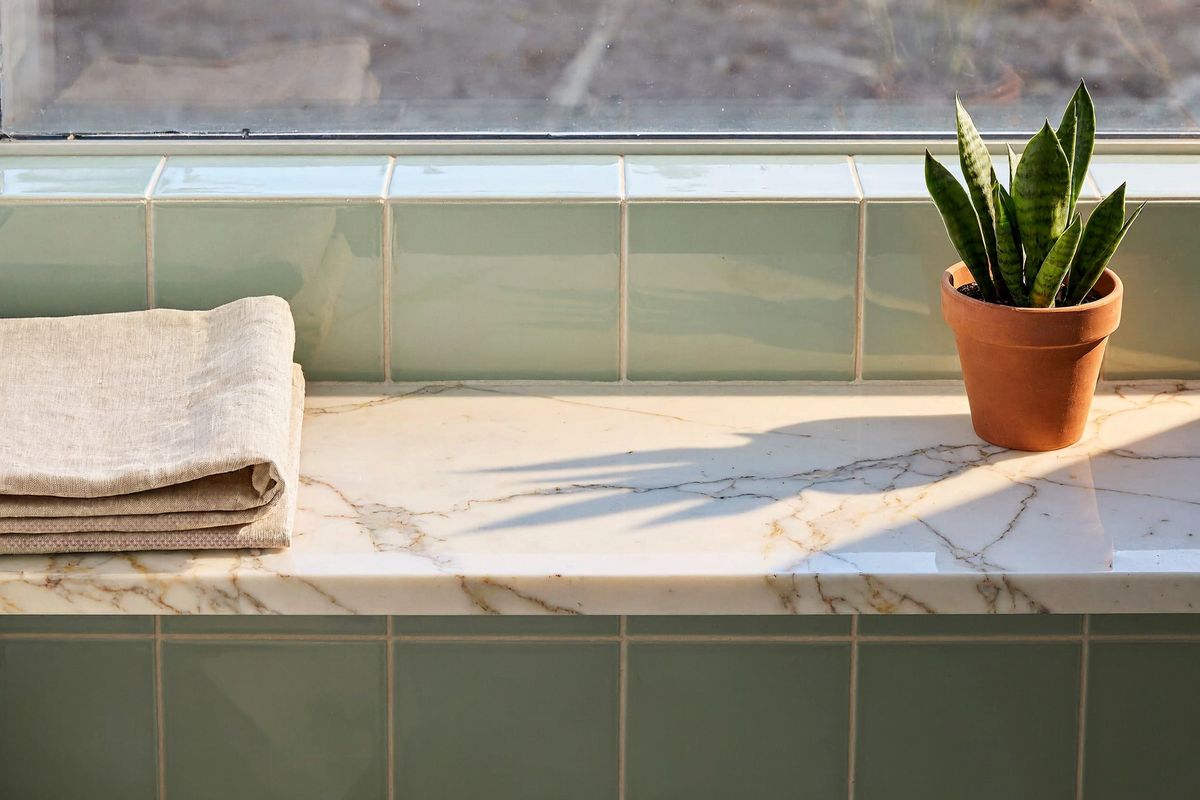
A white marble bathroom shelf under a window in the morning, a folded linen hand towel at the left end and a small potted green plant at the right end, with empty space in the middle of the shelf. Low warm sun from the right through the window, soft shadows across the marble, a pale sage tiled wall behind. Eye-level view, photoreal interior lifestyle photography, no people, no text.


The prompt, clause by clause:
Four habits keep the roles from crossing:
- Name each image by number and noun. "The serum bottle from image 1" says which entry to read and what to look for in it.
- List what stays as categories. The prompt keeps the shape, glass, dropper and label of the bottle without naming a single color. The look is already in image 1, and describing it again in words hands the model a second version to reconcile with the picture.
- Say what is free to change. The angle of the bottle and the camera distance are left open, so the bottle can turn toward the window light instead of holding its packshot pose.
- Take the light from the setting. A packshot carries the light of the studio it was shot in. Pointing at the morning sun of image 2 and asking for a shadow on the marble is what seats the bottle on the shelf.
Roles stack the same way at any count. "Keep the product from image 1, use image 2 for color and image 3 for layout" is three references and three clauses, one job each.
Borrowing color from a reference
A reference can contribute only its colors. A mood photo or a material swatch sets a new colorway, and the product keeps everything else:

Recolor the backpack from image 1 with the color palette of image 2. Use the dominant color of image 2 for the canvas body, and its darkest color for the leather straps and base. Keep the shape, materials, stitching and hardware of the backpack from image 1. Take only the colors from image 2, not its glaze, its tile shapes or its grid pattern. The same front three-quarter view on a plain white backdrop, soft even studio lighting, subtle contact shadow, photoreal e-commerce packshot, no logos, no text.
- Image 1: product
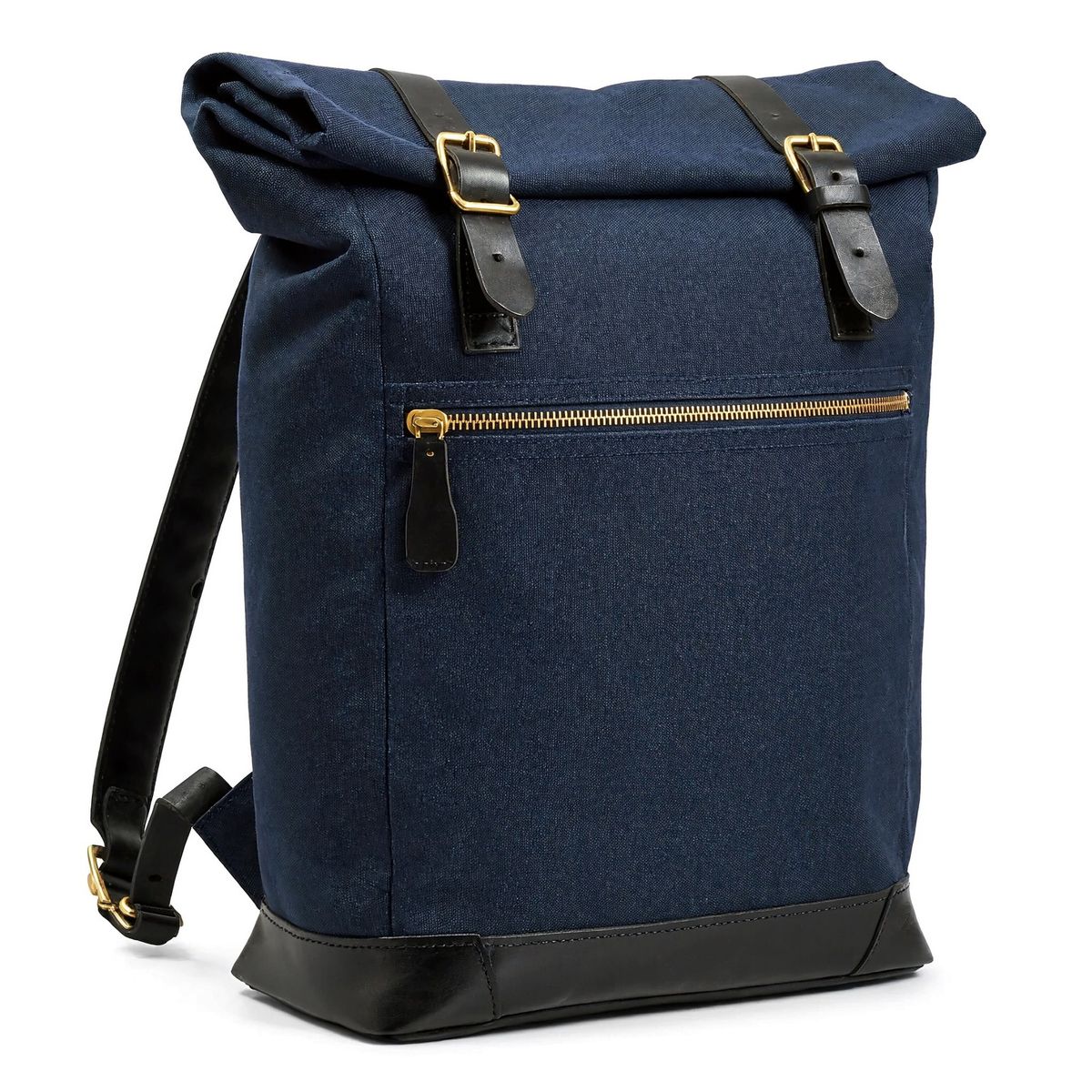
A roll-top backpack in navy waxed canvas with black leather shoulder straps, a black leather base, brass buckles and a front zip pocket with a leather pull, front three-quarter view, on a plain white backdrop. Soft even studio lighting, subtle contact shadow, photoreal e-commerce packshot, no logos, no text.
- Image 2: color
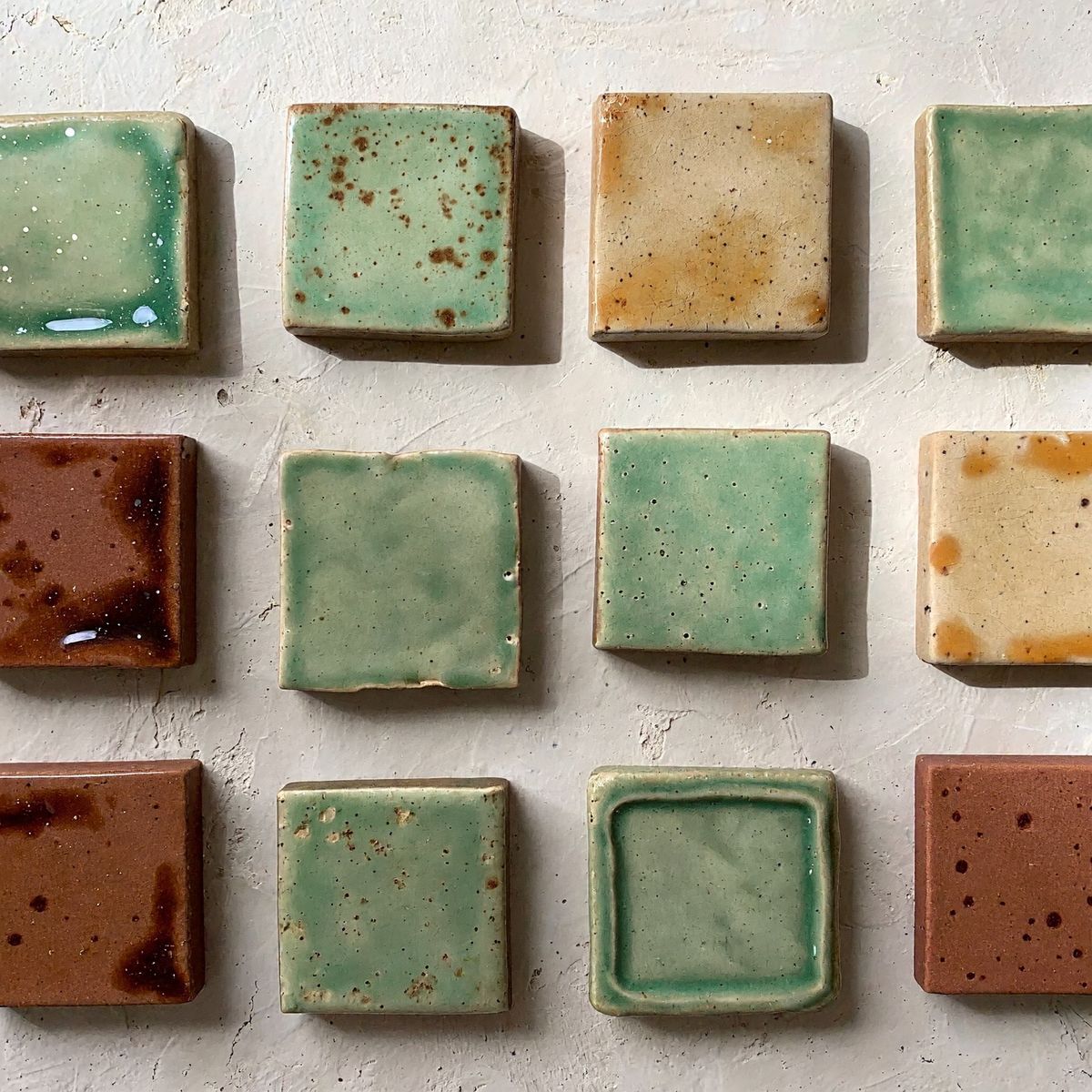
A flat lay of square handmade ceramic tiles with uneven glossy glazes, mostly sage green, with a few in warm sand and a few in deep rust, arranged in a loose grid with narrow gaps on a pale plaster surface, seen from directly above. Soft daylight, photoreal material photography, no text.


Two clauses scope the color reference:
- Rank the colors instead of naming them. "The dominant color of image 2" and "its darkest color" hand each color to a part of the backpack without a shade name in the prompt. A different swatch in image 2 gives a different colorway with the prompt unchanged.
- Give the reference one job. "Take only the colors from image 2" limits the tiles to their colors, and the canvas came back with its own texture and no tile pattern.
Following a layout sketch
A rough sketch can fix the composition on its own. Draw the layout as labeled boxes, pass the drawing with the product, and let the prompt fill each box:

Build a finished website hero banner on the layout of image 2. Place the headphones from image 1 where image 2 says PRODUCT, large and turned three-quarters toward the text, with a soft shadow beneath them. Where image 2 says HEADLINE, set the text "Quiet, wherever you go." in a bold charcoal sans serif. Where it says SUBHEAD, set "Forty hours of noise canceling on one charge." in a smaller gray sans serif. Where it says BUTTON, draw a rounded charcoal button with the white text "Shop now". Keep the shape, materials, colors and details of the headphones from image 1. Take only the positions and proportions from image 2, with none of its marker lines, handwriting or paper. Warm off-white background, soft studio light, clean modern e-commerce web design.
- Image 1: product
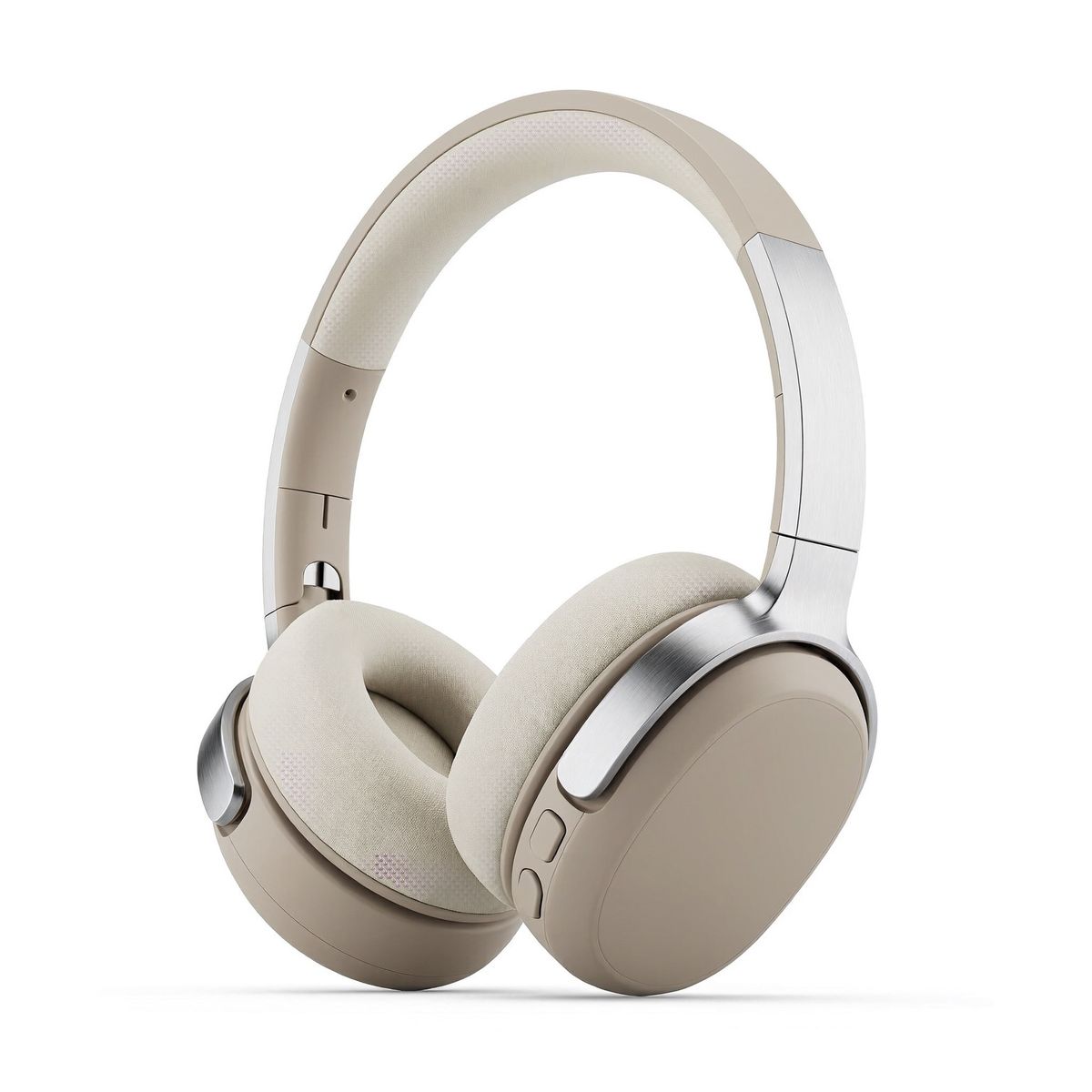
A pair of over-ear wireless headphones in matte sand-colored plastic with cream memory-foam ear cushions, a padded cream headband and brushed aluminum sliders, three-quarter view, on a plain white backdrop. Soft even studio lighting, subtle contact shadow, photoreal e-commerce packshot, no logos, no text.
- Image 2: layout
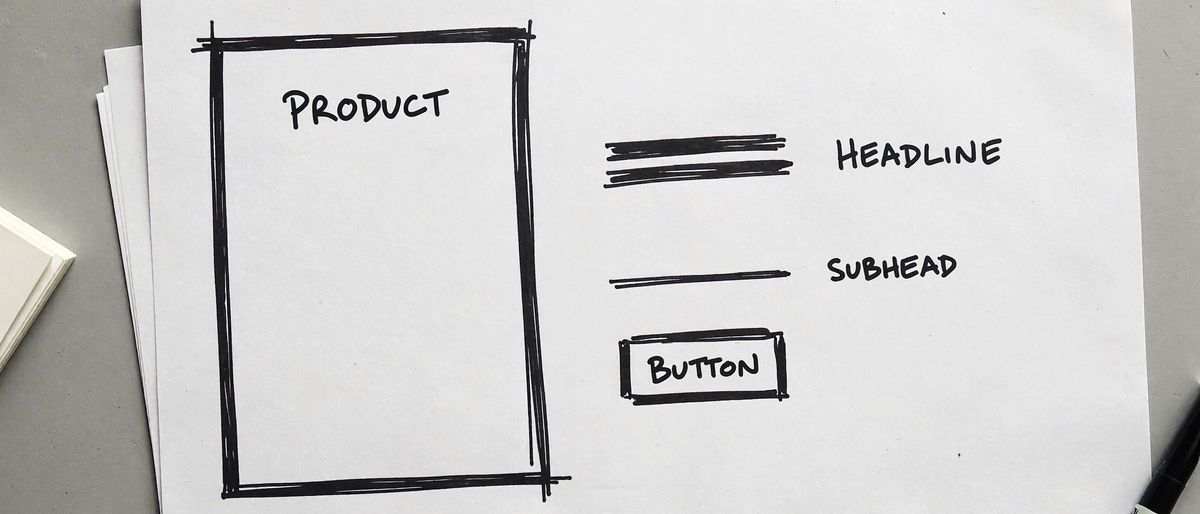
A rough hand-drawn wireframe in black marker on white paper for a wide website hero banner. A large empty rectangle fills the left half of the page, labeled "PRODUCT" in handwritten capitals. On the right half, two thick horizontal scribble lines labeled "HEADLINE", one thinner scribble line below them labeled "SUBHEAD", and below that a small rounded rectangle labeled "BUTTON". Loose uneven lines, nothing else on the page.


The labels become handles. The prompt says "where image 2 says HEADLINE" instead of describing a position, and quotes the copy that goes in each box. To move the product to the other side of the banner, redraw the sketch and leave the prompt as it is.
Draw the sketch in the shape of the output. The wireframe is 2688 × 1152, the size the banner was requested at, so each box keeps its proportions in the result. The closing clause limits image 2 to its positions and proportions, and the finished banner came back with clean type where the handwriting was.
Furnishing a room from eight products
The array takes up to 16 references, enough to furnish a room from a catalog. The living room below is built from eight furniture packshots, one per piece:

A bright living room in a modern apartment with white walls, a pale oak floor and a tall window on the left letting in soft afternoon light. Furnish it with the eight products from the reference images, each shown exactly once: the sofa from image 1 against the back wall, the rug from image 3 on the floor in front of the sofa, the coffee table from image 2 on the rug, the armchair from image 4 on the left facing the sofa at an angle, the floor lamp from image 5 behind the armchair with its shade over the seat, the side table from image 6 at the right end of the sofa, the potted tree from image 7 in the right corner, and the framed print from image 8 hanging centered above the sofa. Keep the shape, materials and colors of each product from its image, at natural sizes relative to the room, with soft contact shadows on the floor. Eye-level wide shot from the doorway, photoreal interior design catalog photography, no people, no text.
- Image 1: sofa
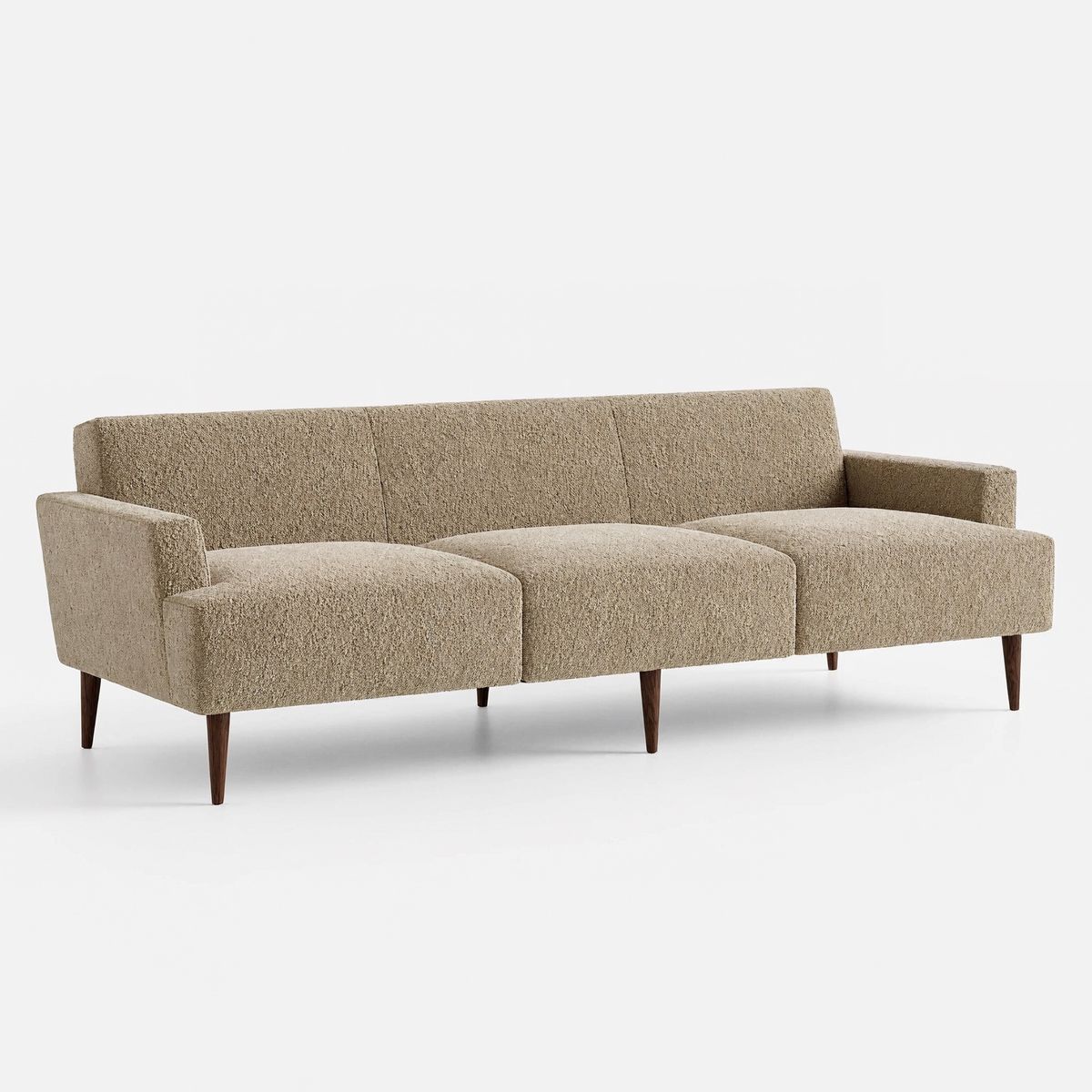
A three-seat sofa upholstered in oatmeal bouclé with a low straight back, deep seat cushions and slim tapered walnut legs, front three-quarter view, on a plain white backdrop. Soft even studio lighting, subtle contact shadow, photoreal e-commerce packshot, no logos, no text.
- Image 2: coffee table
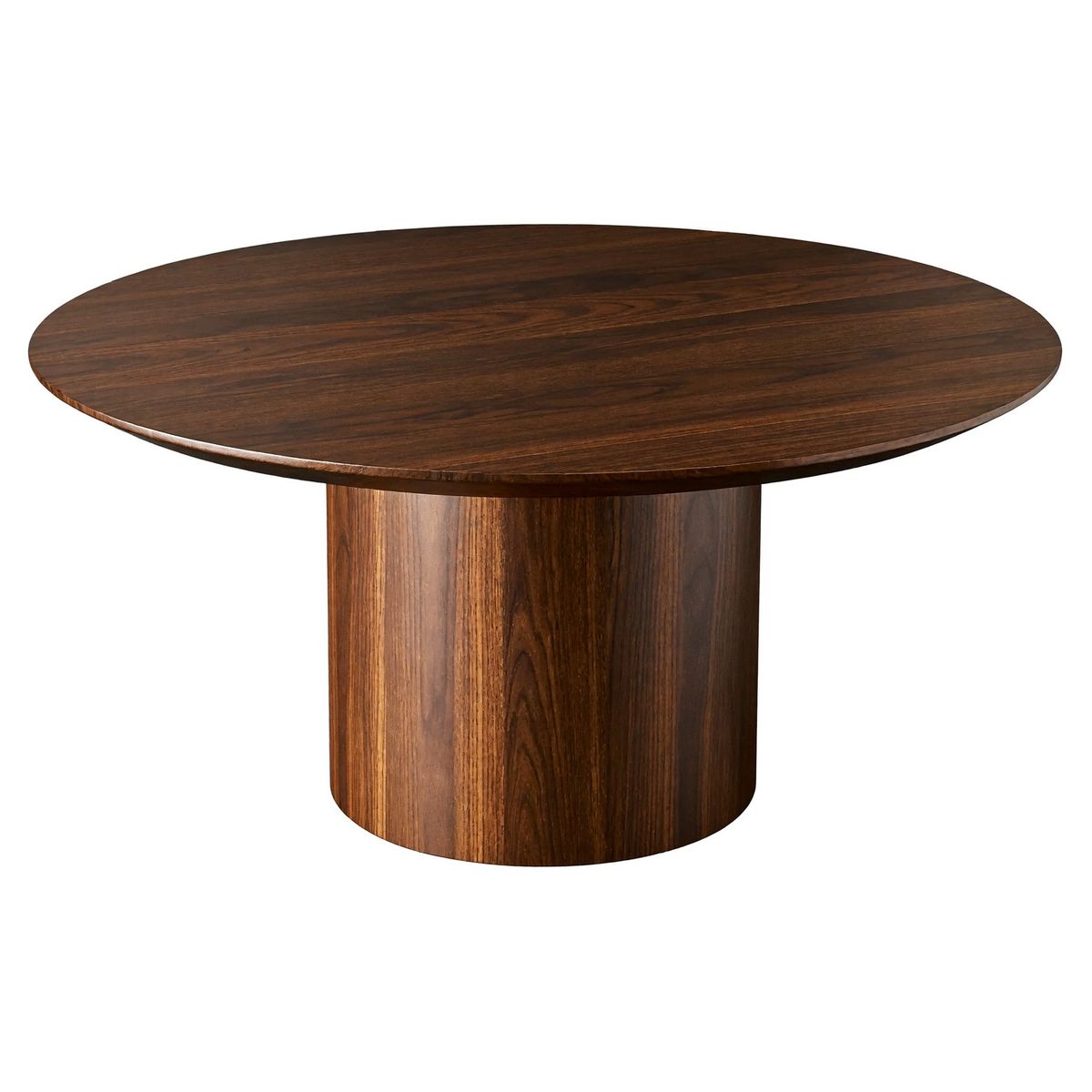
A round coffee table with a smooth walnut top and a thick cylindrical pedestal base in the same wood, three-quarter view from slightly above, on a plain white backdrop. Soft even studio lighting, subtle contact shadow, photoreal e-commerce packshot, no logos, no text.
- Image 3: rug
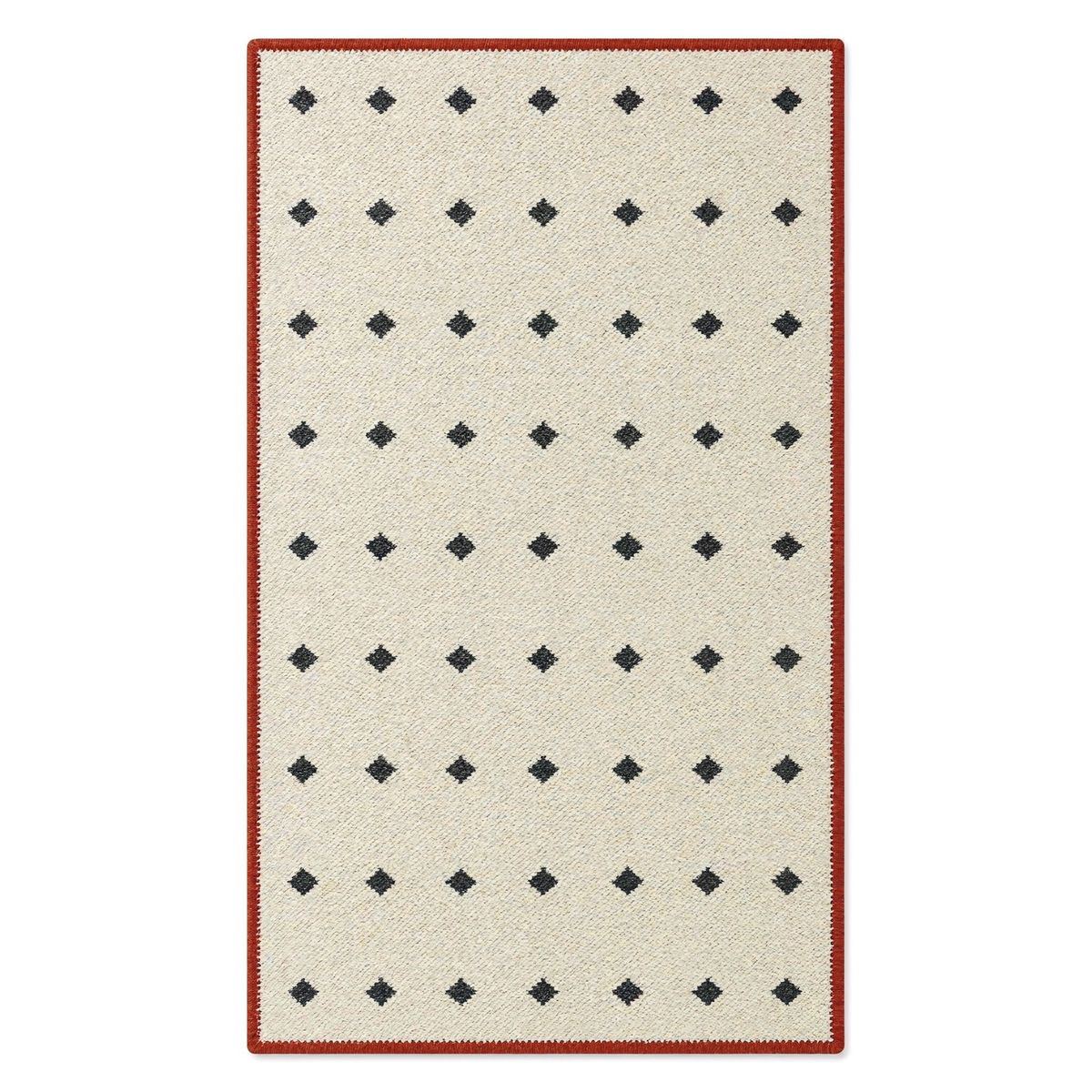
A rectangular flat-woven wool rug in cream with a thin rust-red border and a sparse pattern of small charcoal diamonds, laid flat and seen from directly above, on a plain white backdrop. Soft even studio lighting, subtle contact shadow, photoreal e-commerce packshot, no logos, no text.
- Image 4: armchair
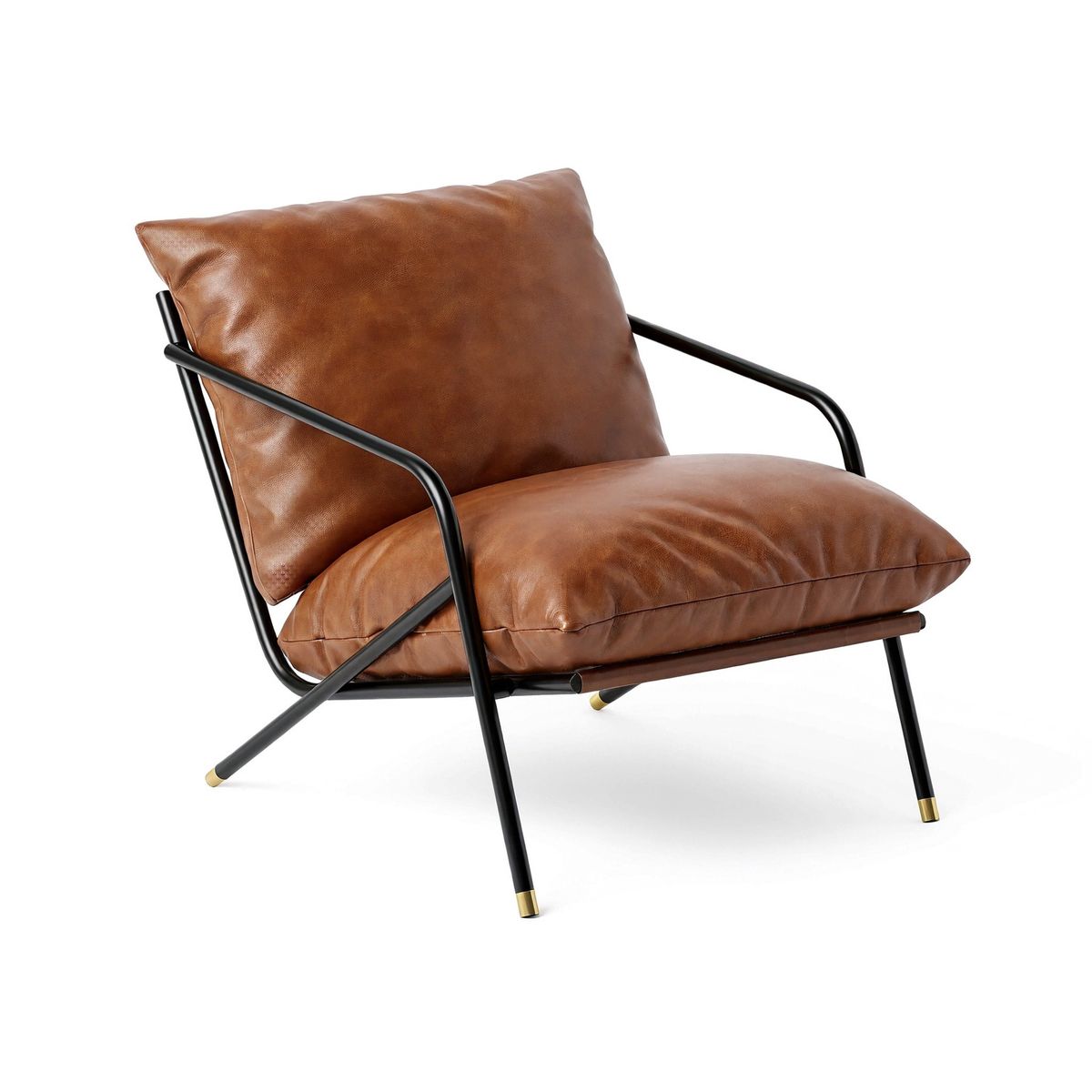
A low lounge armchair with a cognac leather seat and back slung in a black steel tube frame, three-quarter view, on a plain white backdrop. Soft even studio lighting, subtle contact shadow, photoreal e-commerce packshot, no logos, no text.
- Image 5: floor lamp
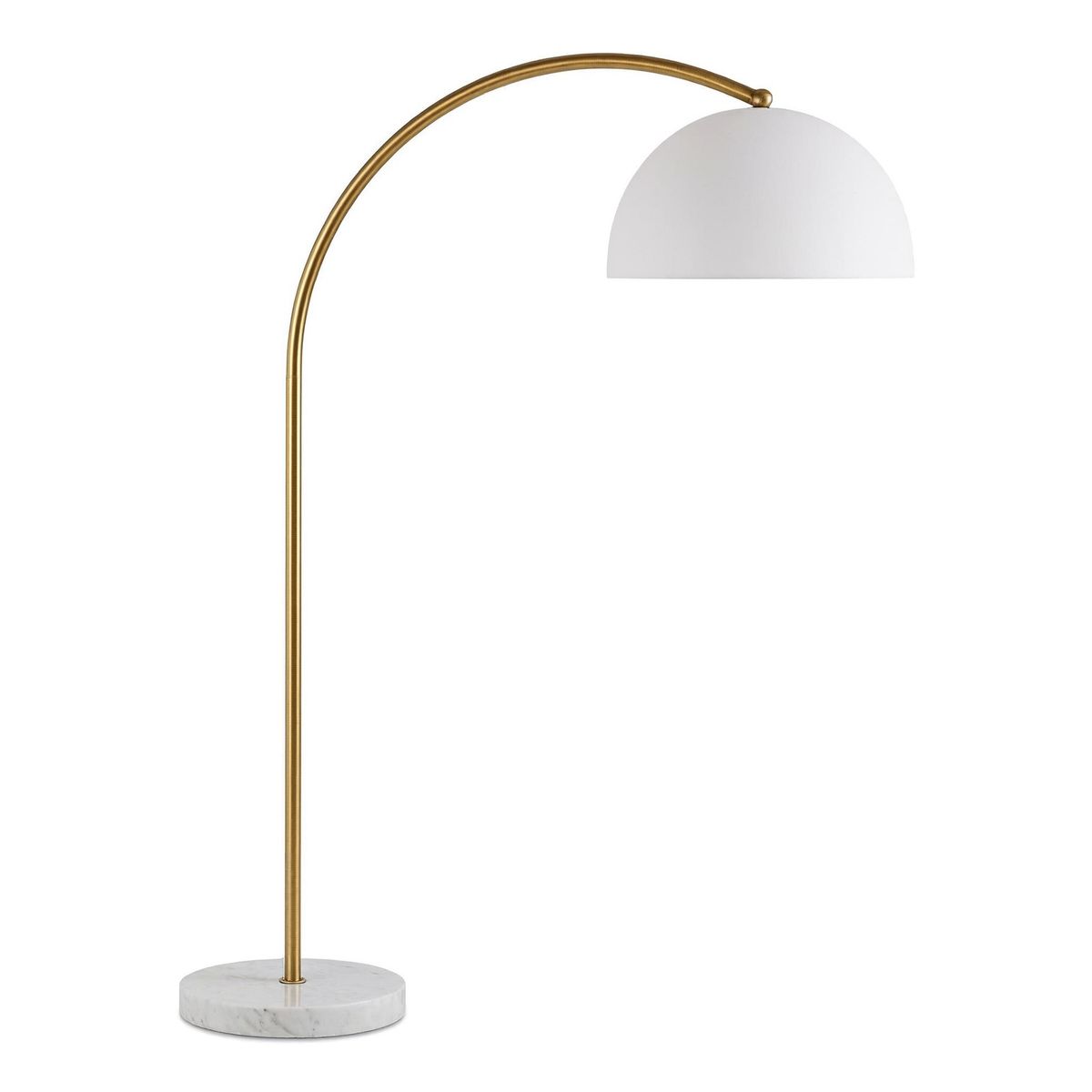
A tall arc floor lamp with a curved brushed brass arm, a round white marble base and a matte white dome shade, side view, on a plain white backdrop. Soft even studio lighting, subtle contact shadow, photoreal e-commerce packshot, no logos, no text.
- Image 6: side table
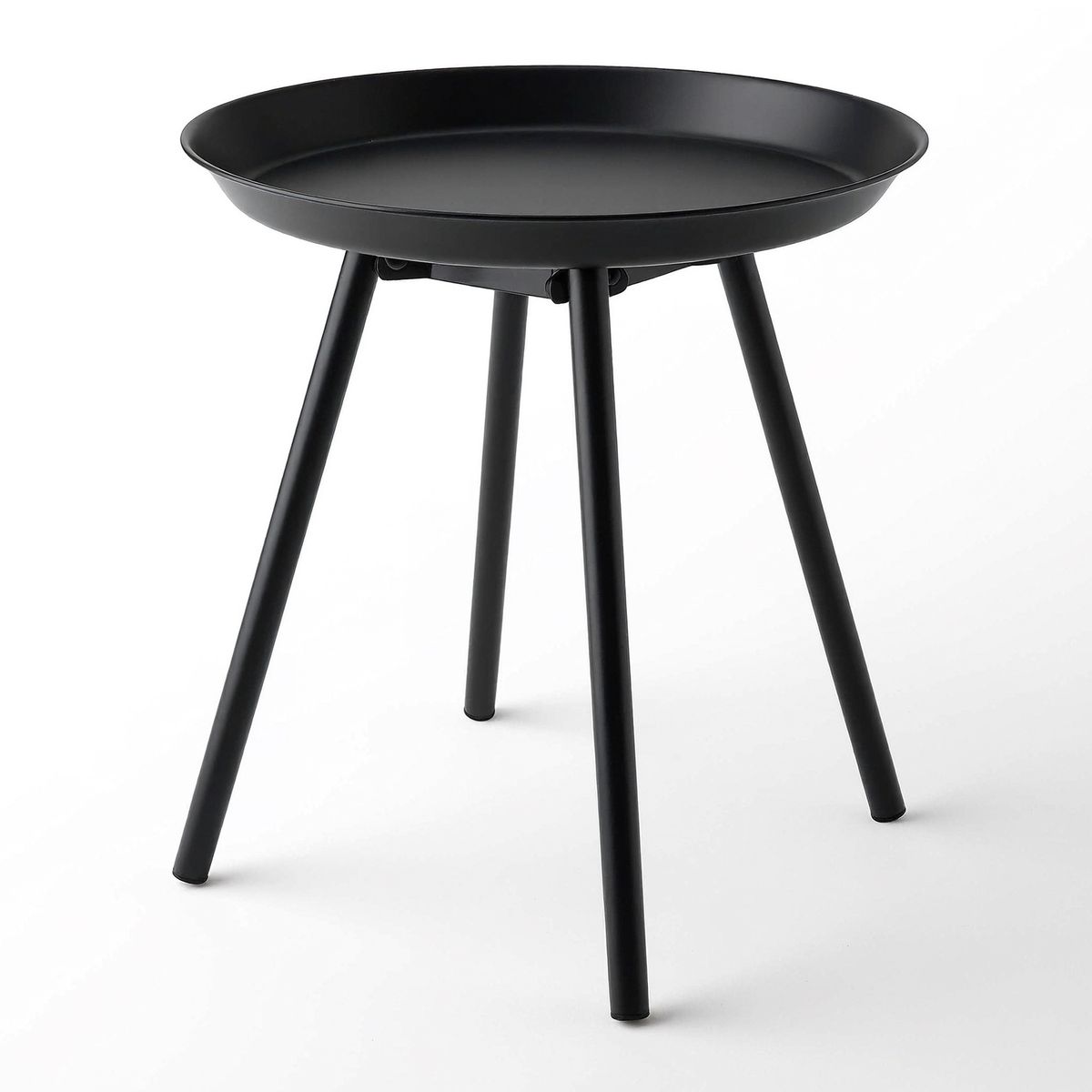
A small round side table in black powder-coated steel with a raised-rim tray top and three slim legs, three-quarter view, on a plain white backdrop. Soft even studio lighting, subtle contact shadow, photoreal e-commerce packshot, no logos, no text.
- Image 7: tree
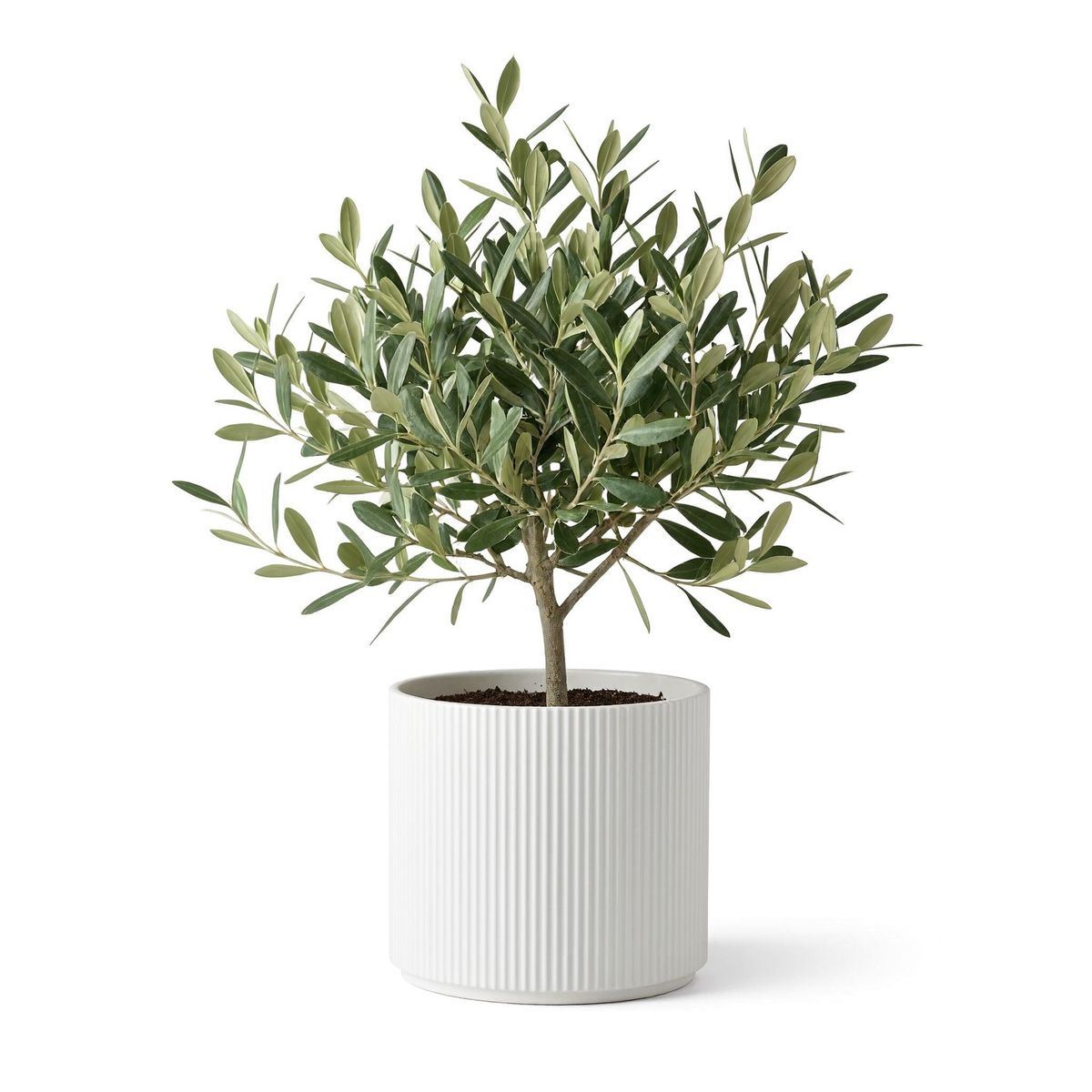
A potted olive tree about one meter tall in a ribbed white ceramic planter, front view, on a plain white backdrop. Soft even studio lighting, subtle contact shadow, photoreal e-commerce packshot, no logos, no text.
- Image 8: print
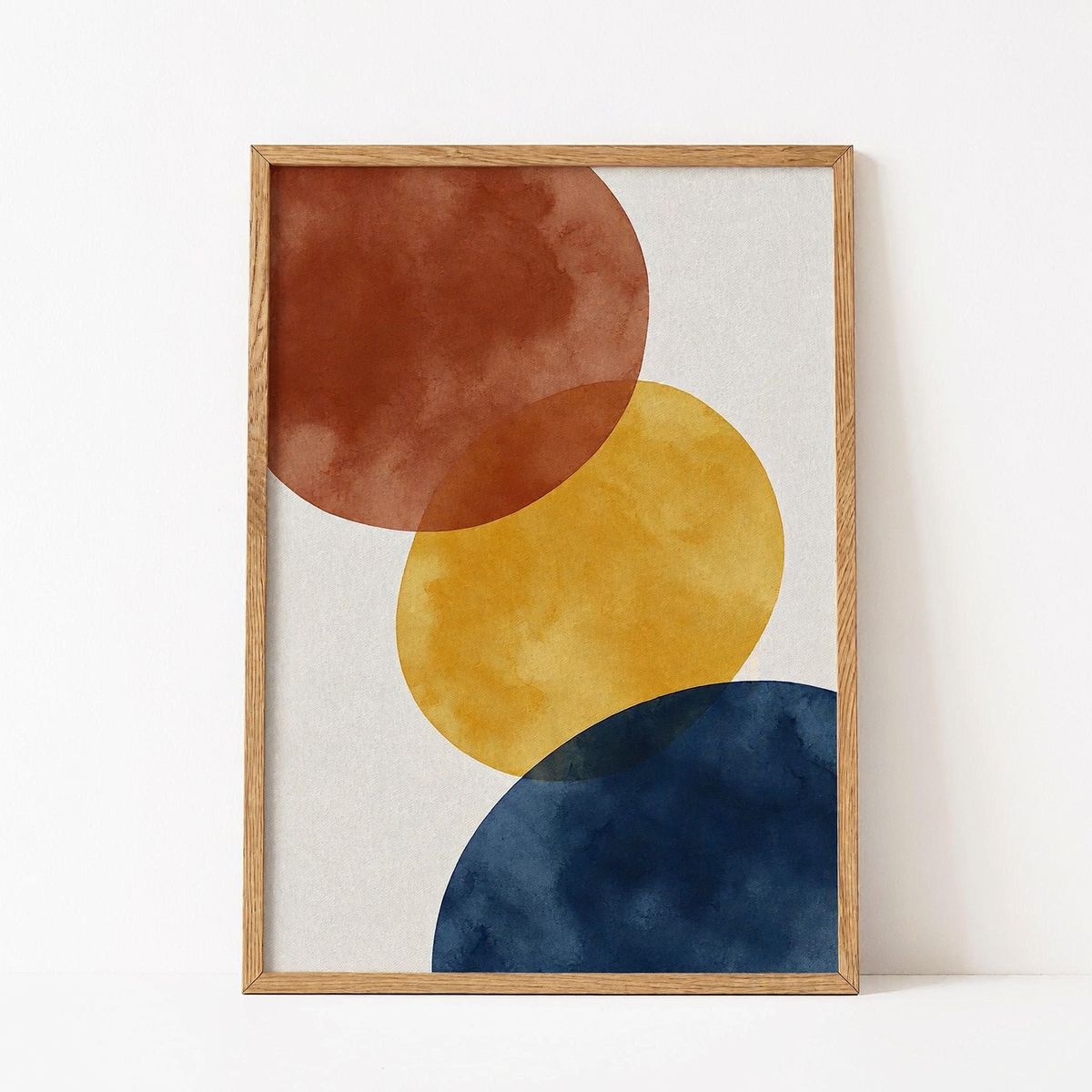
A framed abstract art print with large soft overlapping shapes in terracotta, mustard and navy on an off-white ground, in a thin natural oak frame, seen straight on, on a plain white backdrop. Soft even studio lighting, subtle contact shadow, photoreal e-commerce packshot, no logos, no text.


- One placement clause per product. Each piece is placed against the room or against another piece: the sofa against the back wall and the coffee table on the rug. A list of products with no positions leaves the floor plan to the model.
- Exactly once, at natural size. A packshot carries no scale, so the side table and the sofa each fill their own square. "At natural sizes relative to the room" sizes them against each other, and "each shown exactly once" keeps a piece from being doubled or dropped.
- The room is in the prompt. None of the eight references shows a room, so the prompt describes the walls, the floor, the window and the light.
Each reference image adds about 2,050 input tokens to the request, so eight add about 16,400 and the full 16 about 33,000.
Output size
With references in the request, the size comes from one of three places:
| Request sends | Output |
|---|---|
| No size | 4K |
resolution (1K, 2K or 4K) | That tier, in the shape of the references |
width and height | Exactly those pixels, whatever the shape of the references |
The serum request sends resolution:
import { createClient } from '@runware/sdk'

const client = await createClient({ apiKey: process.env.RUNWARE_API_KEY })
await client.connect()

const [result] = await client.run({
  model: 'minimax:h3@image',
  positivePrompt: 'Use image 2 as the setting and the serum bottle from image 1 as the product. Stand the bottle on the shelf in the empty space between the towel and the plant. Keep the shape, glass, dropper and label of the bottle from image 1, and keep the shelf, the window and the objects of image 2 where they are. The angle of the bottle and the camera distance can change. Relight the bottle with the morning sun of image 2, with a soft shadow on the marble. Photoreal beauty product photography, shallow depth of field.',
  resolution: '2K',
  inputs: {
    referenceImages: [
      'https://assets.runware.ai/guides/minimax-h3-image/multi-reference-composition/source-roles-product.jpg',
      'https://assets.runware.ai/guides/minimax-h3-image/multi-reference-composition/source-roles-setting.jpg'
    ]
  }
})
import asyncio
import os
from runware import Runware
async def main():
async with Runware(api_key=os.environ["RUNWARE_API_KEY"]) as client:
results = await client.run({
"model": "minimax:h3@image",
"positivePrompt": "Use image 2 as the setting and the serum bottle from image 1 as the product. Stand the bottle on the shelf in the empty space between the towel and the plant. Keep the shape, glass, dropper and label of the bottle from image 1, and keep the shelf, the window and the objects of image 2 where they are. The angle of the bottle and the camera distance can change. Relight the bottle with the morning sun of image 2, with a soft shadow on the marble. Photoreal beauty product photography, shallow depth of field.",
"resolution": "2K",
"inputs": {
"referenceImages": [
"https://assets.runware.ai/guides/minimax-h3-image/multi-reference-composition/source-roles-product.jpg",
"https://assets.runware.ai/guides/minimax-h3-image/multi-reference-composition/source-roles-setting.jpg"
]
}
})
asyncio.run(main())curl https://api.runware.ai/v1 \
-H "Authorization: Bearer $RUNWARE_API_KEY" \
-H "Content-Type: application/json" \
-d '[
{
  "taskType": "imageInference",
  "taskUUID": "276617b4-8a6f-4be0-b95f-3ad9d017fb3c",
  "model": "minimax:h3@image",
  "positivePrompt": "Use image 2 as the setting and the serum bottle from image 1 as the product. Stand the bottle on the shelf in the empty space between the towel and the plant. Keep the shape, glass, dropper and label of the bottle from image 1, and keep the shelf, the window and the objects of image 2 where they are. The angle of the bottle and the camera distance can change. Relight the bottle with the morning sun of image 2, with a soft shadow on the marble. Photoreal beauty product photography, shallow depth of field.",
  "resolution": "2K",
  "inputs": {
    "referenceImages": [
      "https://assets.runware.ai/guides/minimax-h3-image/multi-reference-composition/source-roles-product.jpg",
      "https://assets.runware.ai/guides/minimax-h3-image/multi-reference-composition/source-roles-setting.jpg"
    ]
  }
}
]'runware run minimax:h3@image \
positivePrompt="Use image 2 as the setting and the serum bottle from image 1 as the product. Stand the bottle on the shelf in the empty space between the towel and the plant. Keep the shape, glass, dropper and label of the bottle from image 1, and keep the shelf, the window and the objects of image 2 where they are. The angle of the bottle and the camera distance can change. Relight the bottle with the morning sun of image 2, with a soft shadow on the marble. Photoreal beauty product photography, shallow depth of field." \
resolution=2K \
inputs.referenceImages.0=https://assets.runware.ai/guides/minimax-h3-image/multi-reference-composition/source-roles-product.jpg \
inputs.referenceImages.1=https://assets.runware.ai/guides/minimax-h3-image/multi-reference-composition/source-roles-setting.jpg{
"taskType": "imageInference",
"taskUUID": "276617b4-8a6f-4be0-b95f-3ad9d017fb3c",
"model": "minimax:h3@image",
"positivePrompt": "Use image 2 as the setting and the serum bottle from image 1 as the product. Stand the bottle on the shelf in the empty space between the towel and the plant. Keep the shape, glass, dropper and label of the bottle from image 1, and keep the shelf, the window and the objects of image 2 where they are. The angle of the bottle and the camera distance can change. Relight the bottle with the morning sun of image 2, with a soft shadow on the marble. Photoreal beauty product photography, shallow depth of field.",
"resolution": "2K",
"inputs": {
"referenceImages": [
"https://assets.runware.ai/guides/minimax-h3-image/multi-reference-composition/source-roles-product.jpg",
"https://assets.runware.ai/guides/minimax-h3-image/multi-reference-composition/source-roles-setting.jpg"
]
}
}Response
[
  {
    "taskType": "imageInference",
    "taskUUID": "276617b4-8a6f-4be0-b95f-3ad9d017fb3c",
    "imageUUID": "43d27b0b-a394-4e0e-bf03-648829dbe286",
    "imageURL": "https://im.runware.ai/image/os/a14d18/ws/2/ii/43d27b0b-a394-4e0e-bf03-648829dbe286.jpg"
  }
]
Both of its references are 3:2, so the 2K output follows them in the same 3:2 shape.
When the references differ in shape, or the output needs a shape none of them has, send width and height. The hero mixes portrait and square references and asks for 1600 × 2400, and the living room turns eight square packshots into a 2560 × 1440 frame. Exact sizes are generated as given, never scaled or rounded. They run from 655,360 to 20,000,000 pixels in total, with 468 to 7,745 pixels per side and a shape between 1:3 and 3:1. resolution cannot be sent together with them.
Tips
-
Number every image in the prompt. "The jacket from image 2" maps to the second entry of the array and names what to find there.
-
Give each reference one role. Product, setting, color or layout, each stated in its own clause, so no image is left for the model to interpret.
-
Keep parts, not descriptions. List what survives as categories, such as the fabric or the buckles, and leave the colors and shapes to the reference.
-
Say what may change. A pose or a camera distance left open lets the subject settle into the new scene.
-
Scope a color reference. Rank its colors onto the parts of the product, and say that color is all it supplies.
-
Draw a layout in the shape of the output. Label the boxes and point the prompt at the labels.
-
Place every piece of a large set. One clause per product, each shown exactly once, at natural size.
-
Send a size.
widthandheightpin the frame when references differ in shape, and a request with no size returns 4K.