Ideogram Vector 1.0

Ideogram Vector 1.0 is Ideogram's vector model, generating SVG artwork from text prompts, optionally guided by up to five reference images, and converting existing images into SVG. Each shape stays editable, so colors can be matched to a brand and individual elements refined in a vector editor. It suits logos, typography, illustrations, print designs, and labels or stickers.
Reference images
How to guide Ideogram Vector 1.0 with reference images: redrawing a sketch or a photo as vector art, giving each image a role, and setting the shape.
Introduction
Ideogram Vector 1.0 can generate from up to five reference images as well as a prompt. The first image is the primary source and the others add to it, so a pencil sketch or a product photo becomes the starting point of the SVG instead of a description in words.
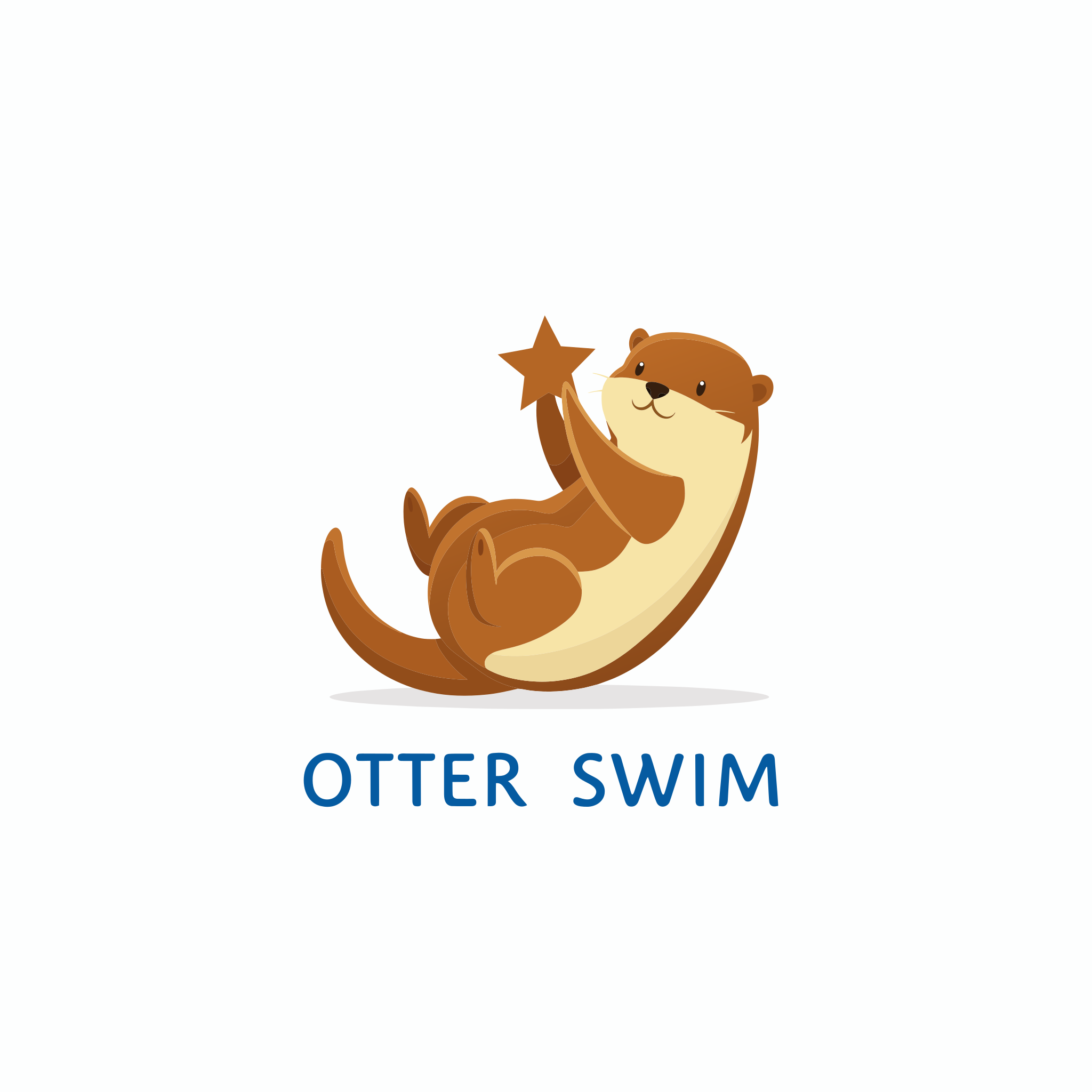
Turn the pencil sketch in the image into a finished flat vector logo. Keep the otter's pose and the layout of the lettering, redraw the lines as smooth, clean shapes, and color the otter warm brown with a cream belly and the lettering deep blue. Plain white background.
- Pencil sketch
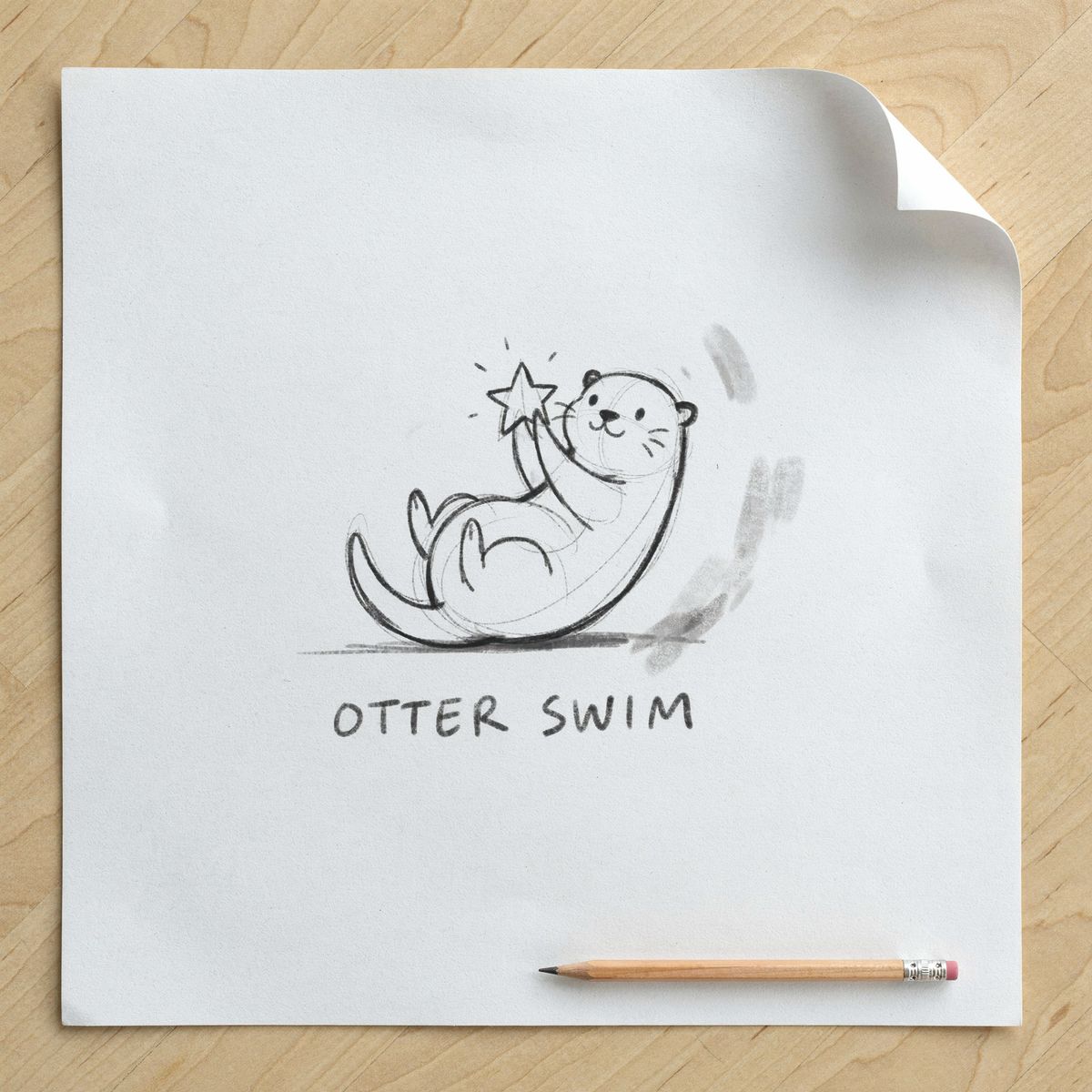
Photograph taken from directly above of a rough pencil sketch on white printer paper lying on a light wooden desk: a hand-drawn logo concept for a kids swim school, a smiling cartoon otter floating on its back and holding a small star, with the words "OTTER SWIM" lettered loosely underneath. Graphite lines with visible construction lines and a few eraser smudges, even daylight.

This guide covers the request, the role of each image in the prompt, the shape of the result and the limits on what you send.
The request
References go in inputs.referenceImages, next to a positivePrompt. Each one is a UUID, a URL, a data URI or Base64, in JPEG, PNG or WebP.
import { createClient } from '@runware/sdk'

const client = await createClient({ apiKey: process.env.RUNWARE_API_KEY })
await client.connect()

const [result] = await client.run({
  model: 'ideogram:vector@1.0',
  positivePrompt: 'Turn the pencil sketch in the image into a finished flat vector logo. Keep the otter\'s pose and the layout of the lettering, redraw the lines as smooth, clean shapes, and color the otter warm brown with a cream belly and the lettering deep blue. Plain white background.',
  inputs: {
    referenceImages: [
      'https://im.runware.ai/image/os/a14d18/ws/2/ii/2f7a1c9e-5b4d-4e83-a6f0-9c3e8d1b7a52.jpg'
    ]
  }
})
import asyncio
import os
from runware import Runware
async def main():
async with Runware(api_key=os.environ["RUNWARE_API_KEY"]) as client:
results = await client.run({
"model": "ideogram:vector@1.0",
"positivePrompt": "Turn the pencil sketch in the image into a finished flat vector logo. Keep the otter's pose and the layout of the lettering, redraw the lines as smooth, clean shapes, and color the otter warm brown with a cream belly and the lettering deep blue. Plain white background.",
"inputs": {
"referenceImages": [
"https://im.runware.ai/image/os/a14d18/ws/2/ii/2f7a1c9e-5b4d-4e83-a6f0-9c3e8d1b7a52.jpg"
]
}
})
asyncio.run(main())curl https://api.runware.ai/v1 \
-H "Authorization: Bearer $RUNWARE_API_KEY" \
-H "Content-Type: application/json" \
-d '[
{
  "taskType": "vectorize",
  "taskUUID": "4e9b2d17-8c3a-4f60-b5e1-a7d3c9f2e148",
  "model": "ideogram:vector@1.0",
  "positivePrompt": "Turn the pencil sketch in the image into a finished flat vector logo. Keep the otter's pose and the layout of the lettering, redraw the lines as smooth, clean shapes, and color the otter warm brown with a cream belly and the lettering deep blue. Plain white background.",
  "inputs": {
    "referenceImages": [
      "https://im.runware.ai/image/os/a14d18/ws/2/ii/2f7a1c9e-5b4d-4e83-a6f0-9c3e8d1b7a52.jpg"
    ]
  }
}
]'runware run ideogram:vector@1.0 \
positivePrompt="Turn the pencil sketch in the image into a finished flat vector logo. Keep the otter's pose and the layout of the lettering, redraw the lines as smooth, clean shapes, and color the otter warm brown with a cream belly and the lettering deep blue. Plain white background." \
inputs.referenceImages.0=https://im.runware.ai/image/os/a14d18/ws/2/ii/2f7a1c9e-5b4d-4e83-a6f0-9c3e8d1b7a52.jpg{
"taskType": "vectorize",
"taskUUID": "4e9b2d17-8c3a-4f60-b5e1-a7d3c9f2e148",
"model": "ideogram:vector@1.0",
"positivePrompt": "Turn the pencil sketch in the image into a finished flat vector logo. Keep the otter's pose and the layout of the lettering, redraw the lines as smooth, clean shapes, and color the otter warm brown with a cream belly and the lettering deep blue. Plain white background.",
"inputs": {
"referenceImages": [
"https://im.runware.ai/image/os/a14d18/ws/2/ii/2f7a1c9e-5b4d-4e83-a6f0-9c3e8d1b7a52.jpg"
]
}
}Response
[
  {
    "taskType": "vectorize",
    "taskUUID": "4e9b2d17-8c3a-4f60-b5e1-a7d3c9f2e148",
    "imageUUID": "d5c8a3f1-7e2b-4a96-8d04-1b9f6e3c2a77",
    "imageURL": "https://im.runware.ai/image/os/a14d18/ws/2/ii/d5c8a3f1-7e2b-4a96-8d04-1b9f6e3c2a77.svg"
  }
]
References need a prompt. A request with inputs.referenceImages and no positivePrompt is refused. To convert an image as it is, send it in inputs.image instead, see Vectorizing images.
The hero prompt says what to keep and what to change: keep the otter's pose and the layout of the lettering, redraw the lines as clean shapes, and use these colors. It never describes the otter itself, because the sketch already shows it.
Giving each image a role
With more than one reference, the prompt has to say what each image contributes. Refer to the images by position, as "the first image" and "the second image", and give each one a single job.
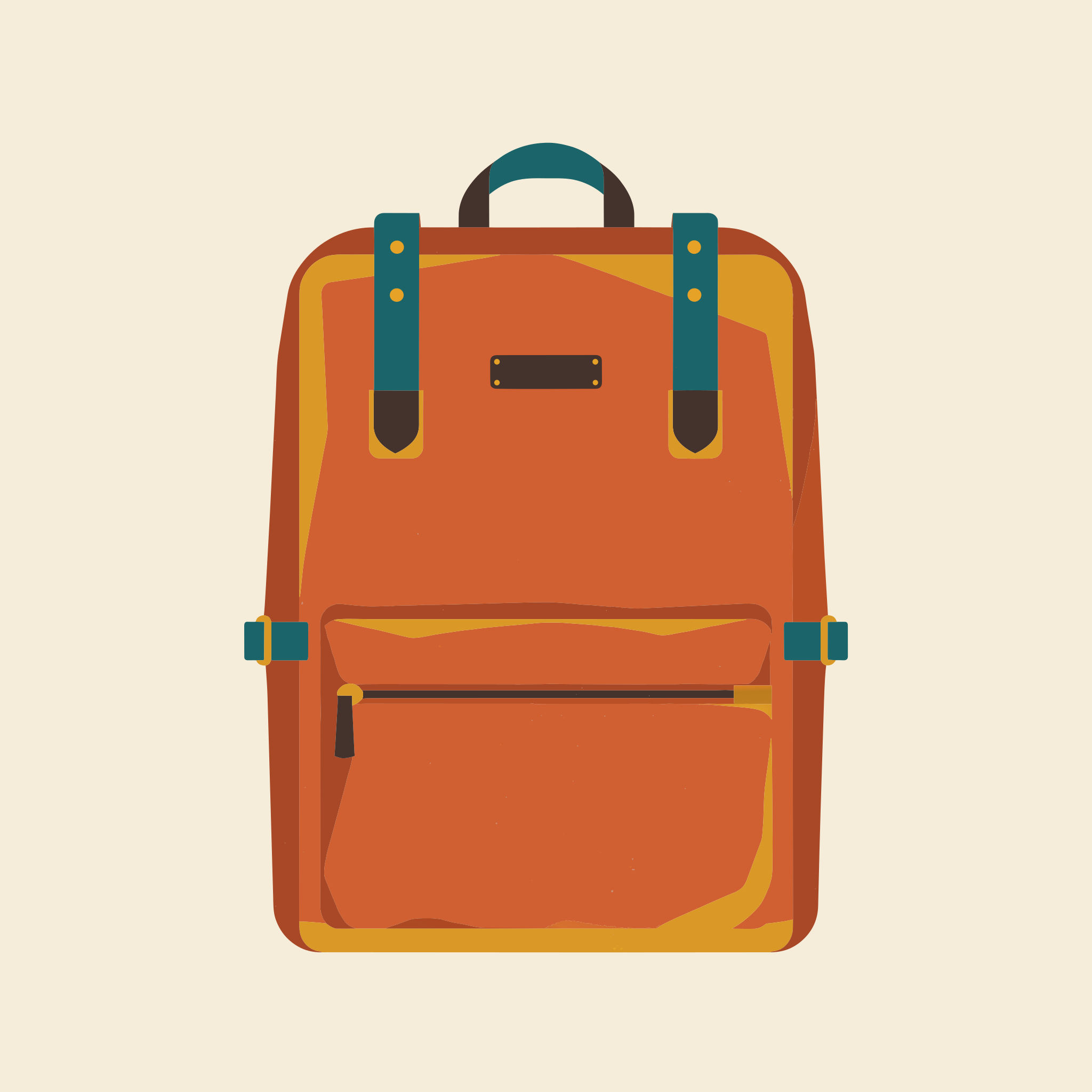
Draw the backpack from the first image as a flat vector product illustration in the color palette and the flat overlapping shapes of the second image. Keep the straps, the front pocket and the proportions of the backpack. Plain cream background.
- Product photo
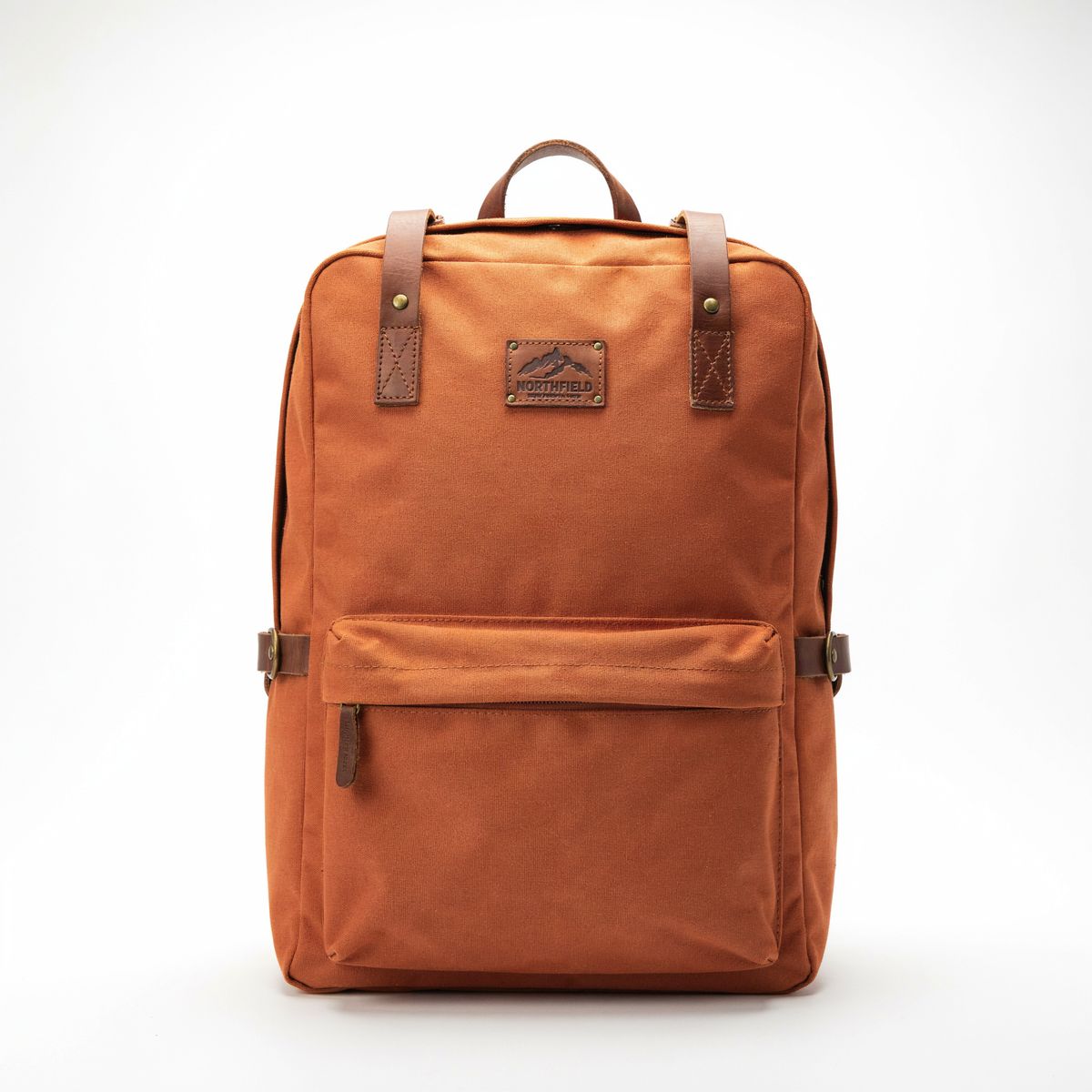
E-commerce product photograph of a rust orange canvas hiking backpack with brown leather straps and a zipped front pocket, standing upright and facing the camera on a plain white background, soft even studio light.
- Style
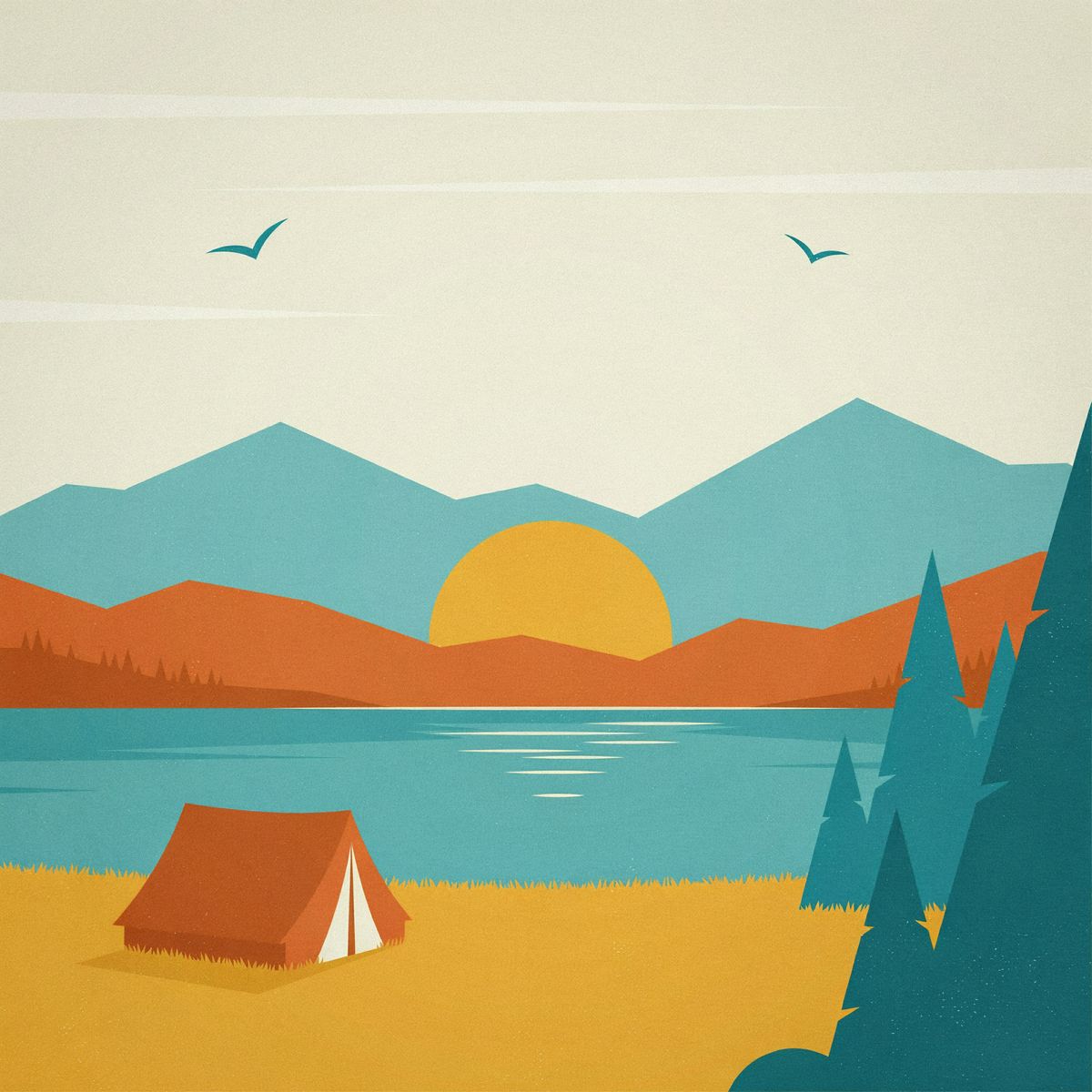
Retro travel poster illustration of a lakeside campsite with a small tent, tall pine trees and layered mountains behind a calm lake, drawn with simple overlapping flat shapes in a palette of mustard, teal, burnt orange and cream, no text.


The first image supplies the subject, and the prompt asks to keep its straps, its front pocket and its proportions. The second supplies the palette and the flat overlapping shapes, and the prompt asks for nothing else from it.
How the first image sets the shape
Without width and height, the SVG takes the aspect ratio of the first reference. The 2880 × 1440 listing photo below comes back as a 2048 × 1024 SVG.
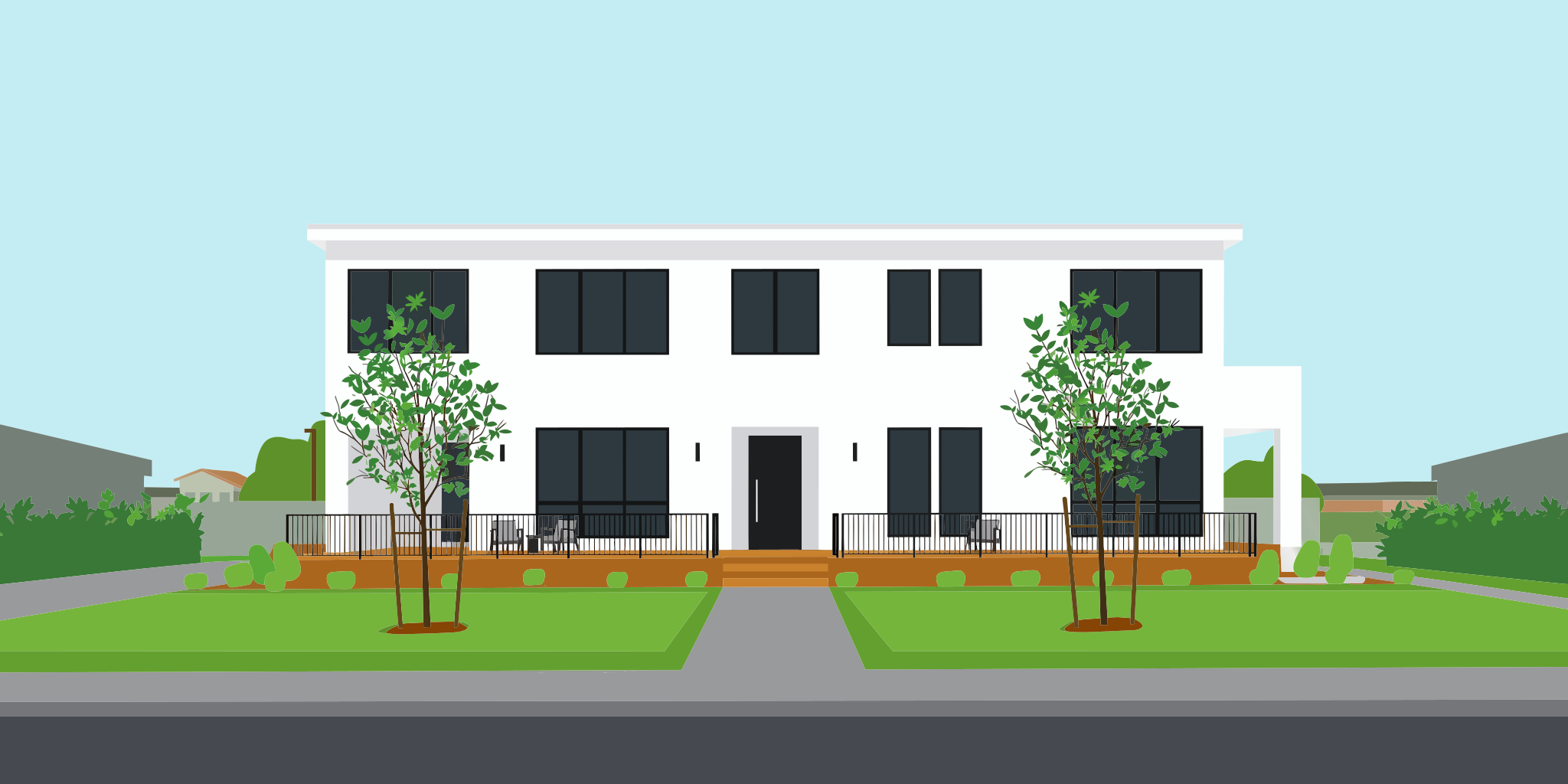
Turn the house in the image into a flat vector illustration for a real estate listing flyer. Keep its shape, its windows and the wooden deck, with flat fills in white, charcoal, warm wood and soft green under a pale blue sky.
- Listing photo
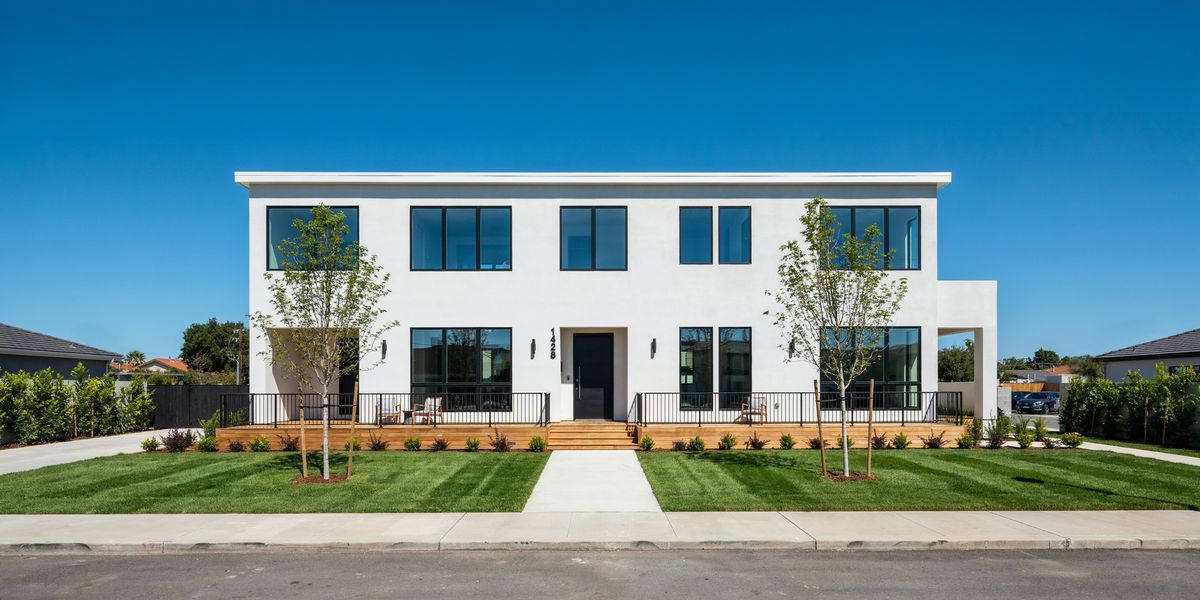
Real estate listing photograph of a modern two-story house with white stucco walls, large black-framed windows, a flat roof and a wooden front deck, a green lawn and two young trees in front, clear blue sky, shot straight on from across the street at midday.

Send width and height to choose the shape yourself. They take the same 15 pairs as a prompt-only request, and the result takes that shape instead of the reference's.
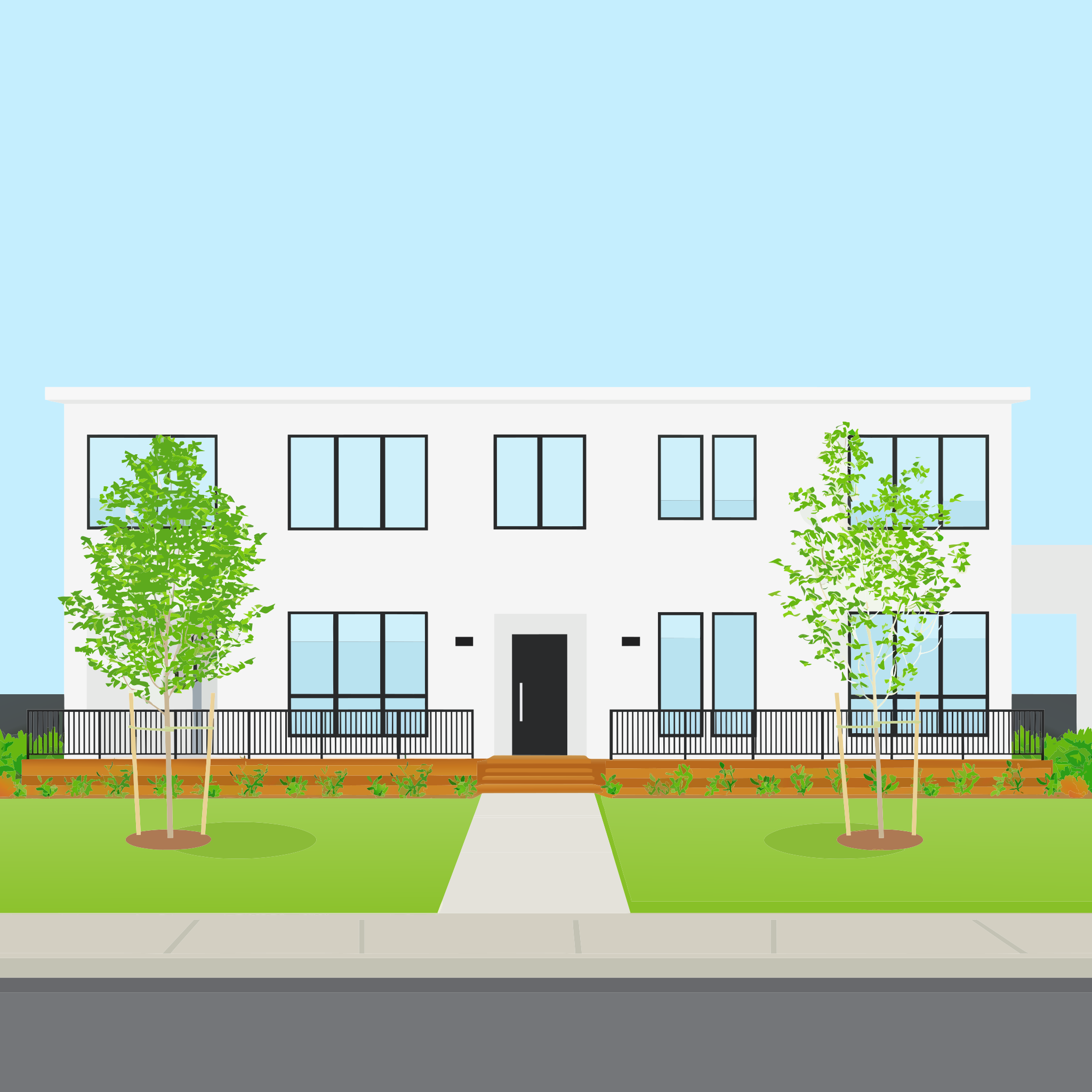
Turn the house in the image into a flat vector illustration for a real estate listing flyer. Keep its shape, its windows and the wooden deck, with flat fills in white, charcoal, warm wood and soft green under a pale blue sky.
Limits on the references
Send up to five images, each between 1:6 and 6:1 and under 20 MB, in JPEG, PNG or WebP. A large reference is scaled down before it reaches the model, so its pixel size never gets it refused.
High quality costs more with references. With settings.quality set to high, a request with references costs more than the same request from a prompt alone, while low and medium cost the same either way.
Tips
- Say what to keep and what to change. Name the parts of the reference that have to survive, then the colors and the finish you want.
- Never re-describe what an image already shows. The prompt carries the change and the role of each image. The image carries the rest.
- Put the main source first. The first image is the primary source, and it sets the aspect ratio when no size is sent.
- Give every extra image one job. A palette or a way of drawing shapes, named in the prompt by position.
- Draft at
lowormedium. Both cost the same with references as without them, so switch tohighonly for the file that ships.