HeyGen Video 1.0

HeyGen Video 1.0 is HeyGen's video generation model for short clips with synchronized audio. It generates the full frame from a text prompt, a first-frame image, or up to 12 image, video, and audio references, and produces dialogue, ambience, and sound effects in the same pass, with no separate lip-sync step. It outputs 5 to 15 second clips at 480p, 768p, 1080p, or 2K, suited to presenter shots, product and training content, and social video.
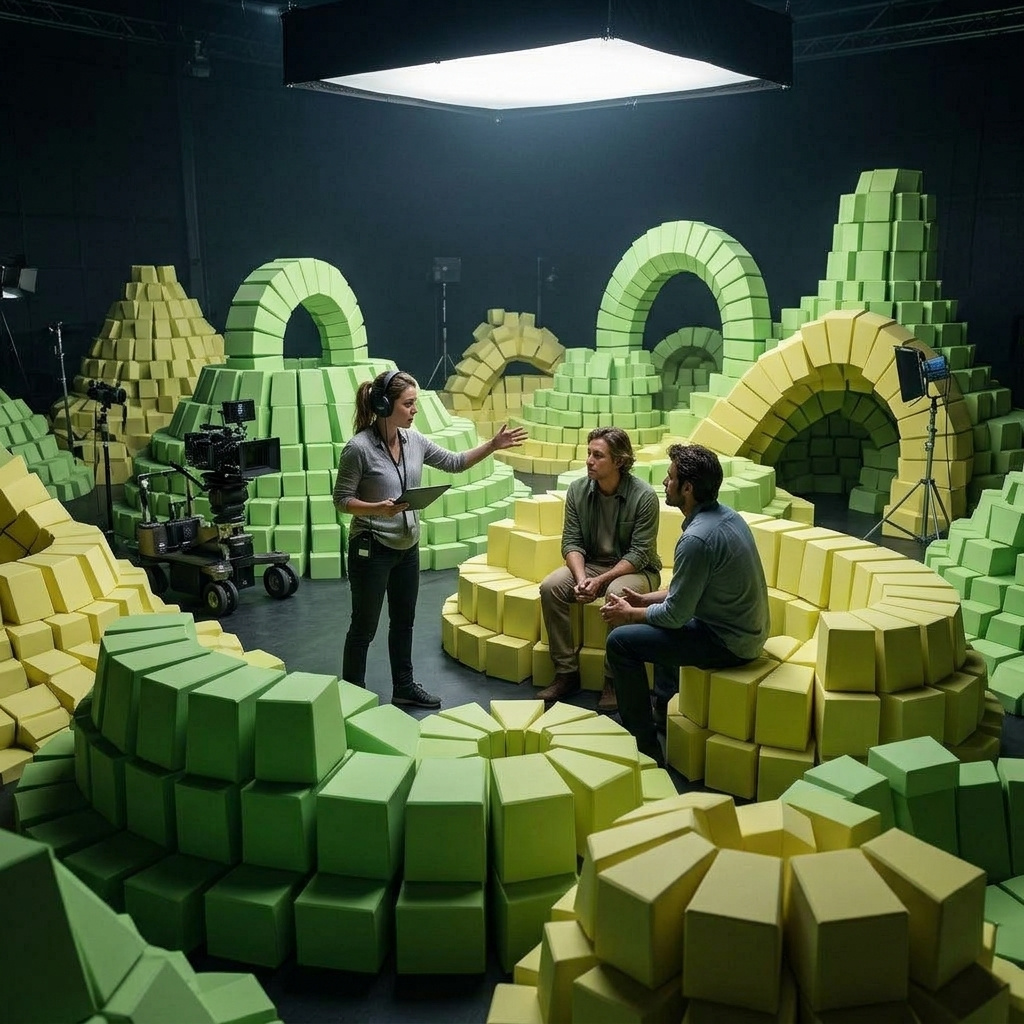
Keeping products, people and places with reference images
How to carry a product, a person or a location into a HeyGen Video 1.0 shot with inputs.referenceImages, address each one by label, and control the output shape.
Introduction
Reference images let HeyGen Video 1.0 build a new scene around things you supply: a product, a person, a place. Pass photographs in inputs.referenceImages, name each one in the prompt by its label, and the color and markings of what you supplied carry into the shot.
This is the mode for placing a real product in a new scene, or for putting the same person in front of the camera across a series. The model composes the shot from the prompt and draws each subject from its reference, so the opening frame is the model's to choose.
Shot on a large-format cinema camera with a 50mm lens at T2.8, locked off on a tripod at chest height. The trail runner from <Picture 1> stands at the clifftop viewpoint from <Picture 3>, beside the wooden bench, catching her breath after a run. She holds the water bottle from <Picture 2> loosely in her right hand at her side, its embossed mountain emblem facing the camera. She looks out to sea, then turns back toward the camera and smiles. Keep her face, dark bob and freckles exactly as in <Picture 1>, the bottle's forest-green body, bamboo lid and emblem exactly as in <Picture 2>, and the red-and-white lighthouse on the headland exactly as in <Picture 3>. Clear morning light, muted natural color. No other logos, brand names or printed words anywhere in frame. Audio: wind across the clifftop, surf breaking far below, and her breathing slowing down. No music, no dialogue.
- Picture 1: runner
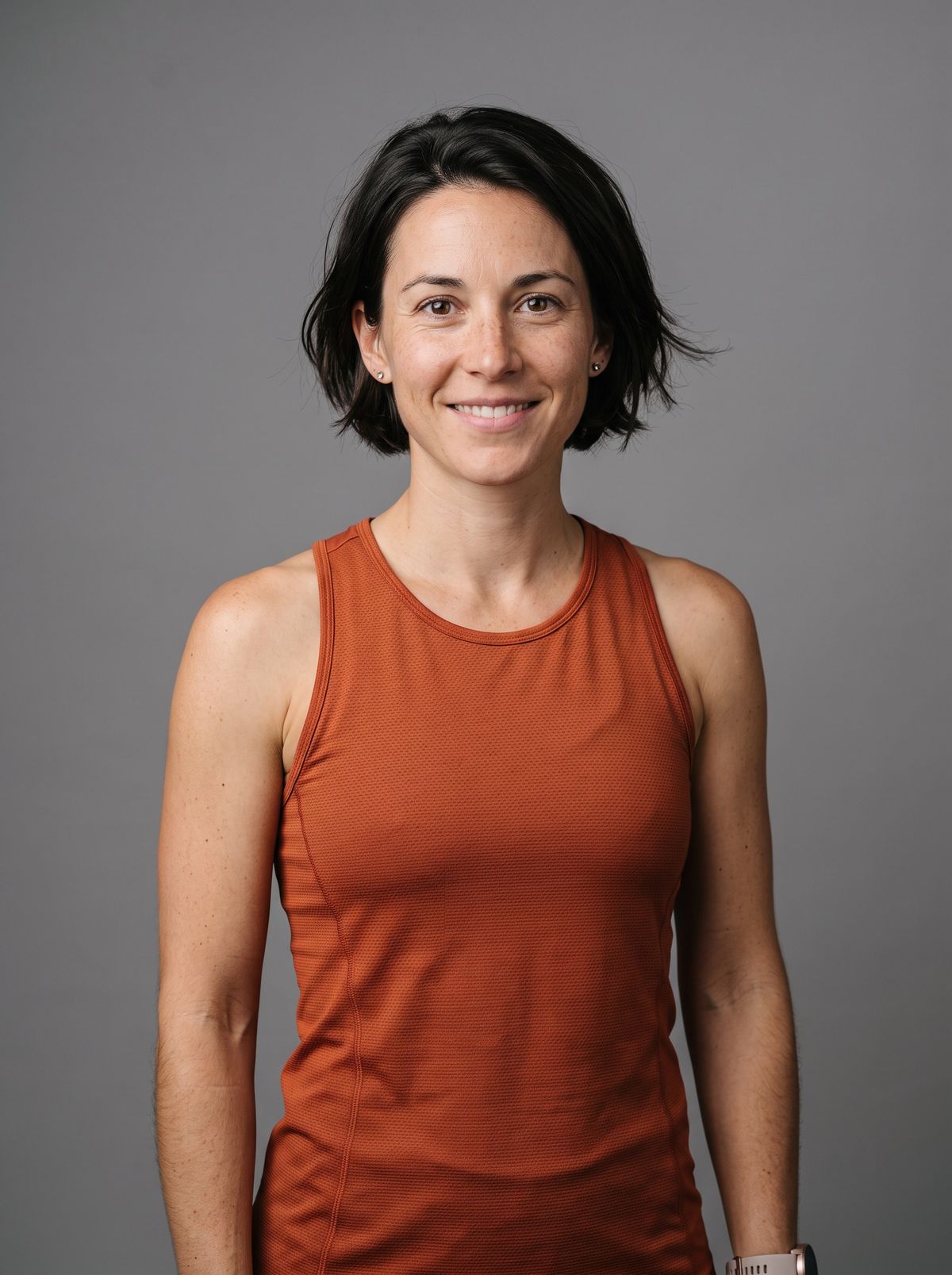
A photoreal studio portrait of a trail runner in her early thirties with a short dark bob and light freckles across her nose, in a fitted rust-orange running top, waist up, facing the camera with a relaxed expression. Plain neutral gray backdrop, soft even studio light, real skin texture. No logos, brand names or printed words anywhere in frame.
- Picture 2: bottle
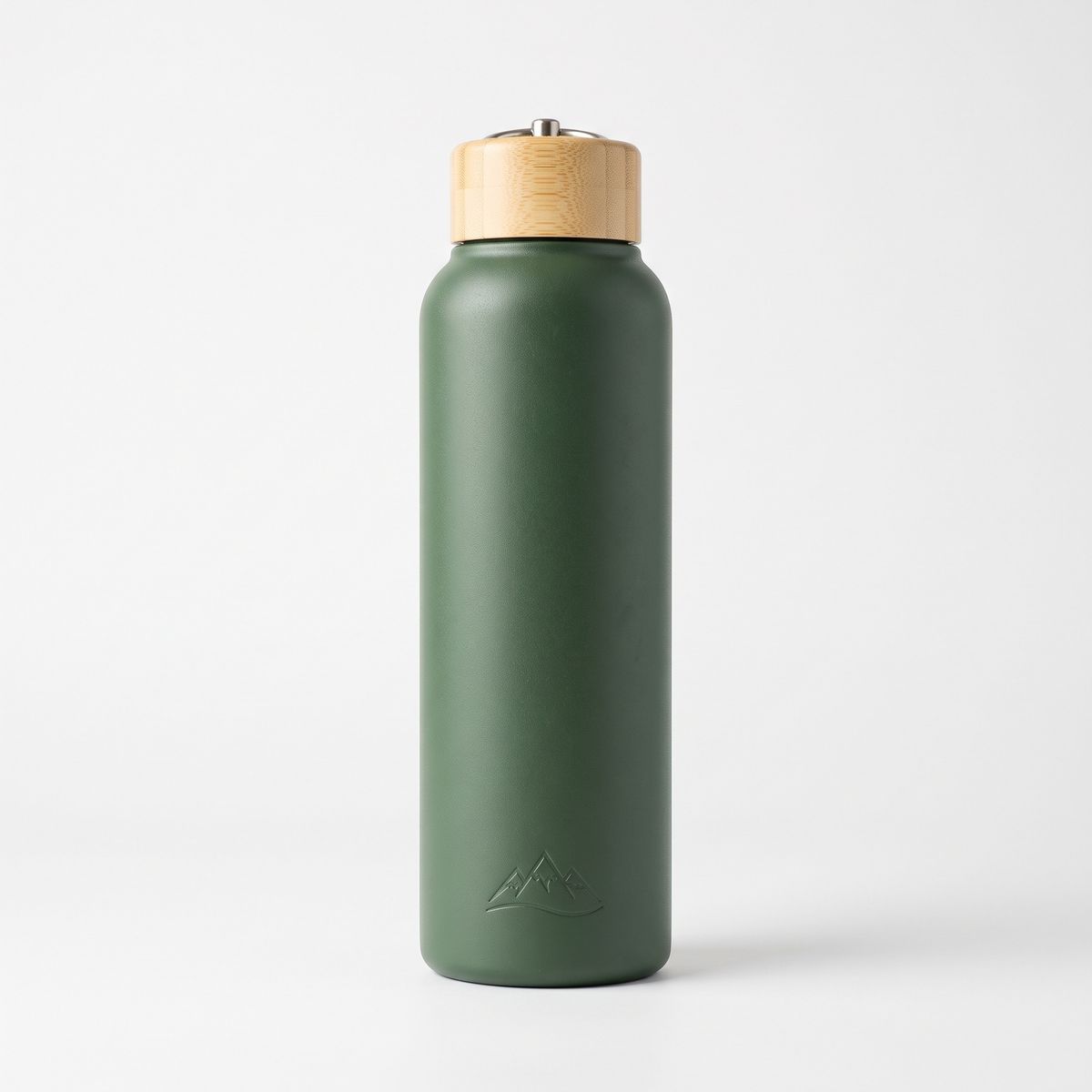
A photoreal e-commerce packshot of an insulated stainless steel water bottle in matte forest green with a cream bamboo screw lid and a small embossed mountain emblem near the base, standing upright on a plain white background, front view, soft even studio light. No text anywhere on the bottle or in frame.
- Picture 3: viewpoint
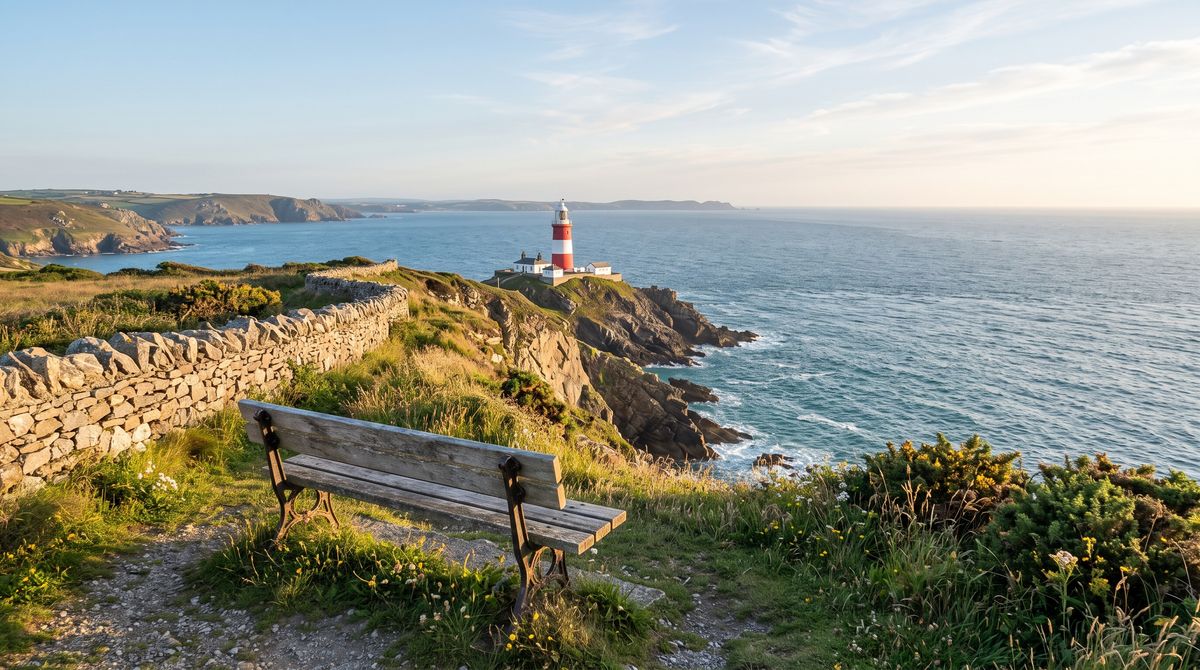
A photoreal landscape photograph of a coastal clifftop trail viewpoint on a clear morning: a weathered wooden bench and a low dry-stone wall in the foreground, and a red-and-white striped lighthouse standing on the headland beyond, with the sea far below. Soft morning light. No people, no logos, no printed words anywhere in frame.


This guide covers the request and its labels, placing a product, keeping a person, using several views of one product, and how the references decide the shape of the output.
The request
References go in inputs.referenceImages, and the prompt refers to each one by its position in that list.
import { createClient } from '@runware/sdk'

const client = await createClient({ apiKey: process.env.RUNWARE_API_KEY })
await client.connect()

const [result] = await client.run({
  model: 'heygen:video@1.0',
  positivePrompt: 'Shot on a large-format cinema camera with a 50mm lens at T2.8, locked off on a tripod at chest height. The trail runner from <Picture 1> stands at the clifftop viewpoint from <Picture 3>, beside the wooden bench, catching her breath after a run. She holds the water bottle from <Picture 2> loosely in her right hand at her side, its embossed mountain emblem facing the camera. She looks out to sea, then turns back toward the camera and smiles. Keep her face, dark bob and freckles exactly as in <Picture 1>, the bottle\'s forest-green body, bamboo lid and emblem exactly as in <Picture 2>, and the red-and-white lighthouse on the headland exactly as in <Picture 3>. Clear morning light, muted natural color. No other logos, brand names or printed words anywhere in frame. Audio: wind across the clifftop, surf breaking far below, and her breathing slowing down. No music, no dialogue.',
  inputs: {
    referenceImages: [
      'https://example.com/refs/runner.jpg',
      'https://example.com/refs/bottle.jpg',
      'https://example.com/refs/viewpoint.jpg'
    ]
  },
  width: 1344,
  height: 768,
  duration: 8
})
import asyncio
import os
from runware import Runware
async def main():
async with Runware(api_key=os.environ["RUNWARE_API_KEY"]) as client:
results = await client.run({
"model": "heygen:video@1.0",
"positivePrompt": "Shot on a large-format cinema camera with a 50mm lens at T2.8, locked off on a tripod at chest height. The trail runner from <Picture 1> stands at the clifftop viewpoint from <Picture 3>, beside the wooden bench, catching her breath after a run. She holds the water bottle from <Picture 2> loosely in her right hand at her side, its embossed mountain emblem facing the camera. She looks out to sea, then turns back toward the camera and smiles. Keep her face, dark bob and freckles exactly as in <Picture 1>, the bottle's forest-green body, bamboo lid and emblem exactly as in <Picture 2>, and the red-and-white lighthouse on the headland exactly as in <Picture 3>. Clear morning light, muted natural color. No other logos, brand names or printed words anywhere in frame. Audio: wind across the clifftop, surf breaking far below, and her breathing slowing down. No music, no dialogue.",
"inputs": {
"referenceImages": [
"https://example.com/refs/runner.jpg",
"https://example.com/refs/bottle.jpg",
"https://example.com/refs/viewpoint.jpg"
]
},
"width": 1344,
"height": 768,
"duration": 8
})
asyncio.run(main())curl https://api.runware.ai/v1 \
-H "Authorization: Bearer $RUNWARE_API_KEY" \
-H "Content-Type: application/json" \
-d '[
{
  "taskType": "videoInference",
  "taskUUID": "7a3d9e51-4c28-4f06-b1a9-e2c5f8073d16",
  "model": "heygen:video@1.0",
  "positivePrompt": "Shot on a large-format cinema camera with a 50mm lens at T2.8, locked off on a tripod at chest height. The trail runner from <Picture 1> stands at the clifftop viewpoint from <Picture 3>, beside the wooden bench, catching her breath after a run. She holds the water bottle from <Picture 2> loosely in her right hand at her side, its embossed mountain emblem facing the camera. She looks out to sea, then turns back toward the camera and smiles. Keep her face, dark bob and freckles exactly as in <Picture 1>, the bottle's forest-green body, bamboo lid and emblem exactly as in <Picture 2>, and the red-and-white lighthouse on the headland exactly as in <Picture 3>. Clear morning light, muted natural color. No other logos, brand names or printed words anywhere in frame. Audio: wind across the clifftop, surf breaking far below, and her breathing slowing down. No music, no dialogue.",
  "inputs": {
    "referenceImages": [
      "https://example.com/refs/runner.jpg",
      "https://example.com/refs/bottle.jpg",
      "https://example.com/refs/viewpoint.jpg"
    ]
  },
  "width": 1344,
  "height": 768,
  "duration": 8
}
]'runware run heygen:video@1.0 \
positivePrompt="Shot on a large-format cinema camera with a 50mm lens at T2.8, locked off on a tripod at chest height. The trail runner from <Picture 1> stands at the clifftop viewpoint from <Picture 3>, beside the wooden bench, catching her breath after a run. She holds the water bottle from <Picture 2> loosely in her right hand at her side, its embossed mountain emblem facing the camera. She looks out to sea, then turns back toward the camera and smiles. Keep her face, dark bob and freckles exactly as in <Picture 1>, the bottle's forest-green body, bamboo lid and emblem exactly as in <Picture 2>, and the red-and-white lighthouse on the headland exactly as in <Picture 3>. Clear morning light, muted natural color. No other logos, brand names or printed words anywhere in frame. Audio: wind across the clifftop, surf breaking far below, and her breathing slowing down. No music, no dialogue." \
inputs.referenceImages.0=https://example.com/refs/runner.jpg \
inputs.referenceImages.1=https://example.com/refs/bottle.jpg \
inputs.referenceImages.2=https://example.com/refs/viewpoint.jpg \
width=1344 \
height=768 \
duration=8{
"taskType": "videoInference",
"taskUUID": "7a3d9e51-4c28-4f06-b1a9-e2c5f8073d16",
"model": "heygen:video@1.0",
"positivePrompt": "Shot on a large-format cinema camera with a 50mm lens at T2.8, locked off on a tripod at chest height. The trail runner from <Picture 1> stands at the clifftop viewpoint from <Picture 3>, beside the wooden bench, catching her breath after a run. She holds the water bottle from <Picture 2> loosely in her right hand at her side, its embossed mountain emblem facing the camera. She looks out to sea, then turns back toward the camera and smiles. Keep her face, dark bob and freckles exactly as in <Picture 1>, the bottle's forest-green body, bamboo lid and emblem exactly as in <Picture 2>, and the red-and-white lighthouse on the headland exactly as in <Picture 3>. Clear morning light, muted natural color. No other logos, brand names or printed words anywhere in frame. Audio: wind across the clifftop, surf breaking far below, and her breathing slowing down. No music, no dialogue.",
"inputs": {
"referenceImages": [
"https://example.com/refs/runner.jpg",
"https://example.com/refs/bottle.jpg",
"https://example.com/refs/viewpoint.jpg"
]
},
"width": 1344,
"height": 768,
"duration": 8
}Response
[
  {
    "taskType": "videoInference",
    "taskUUID": "7a3d9e51-4c28-4f06-b1a9-e2c5f8073d16",
    "videoUUID": "e5b8c2a4-1d97-4f63-8a0c-3f6d9b2e7c15",
    "videoURL": "https://vm.runware.ai/video/os/a14d18/ws/2/vi/e5b8c2a4-1d97-4f63-8a0c-3f6d9b2e7c15.mp4"
  }
]inputs.referenceImagestakes up to 9 images, each up to 16 MB.- The first image in the list is
<Picture 1>, the second<Picture 2>, and so on.inputs.referenceVideos(up to 3) andinputs.referenceAudios(up to 3) are numbered separately as<Video N>and<Audio N>. All references together are capped at 12. widthandheightare optional. Without them the output follows the shape of the first reference, covered in Output shape.- References cannot be combined with
inputs.frameImages. The image-to-video guide covers opening on a fixed frame instead.
Labeling references
Every reference should be named by its label and by what it is for: "the trail runner from <Picture 1>", "the water bottle from <Picture 2>". The label says which image. The role says what the model should take from it.
The hero prompt uses each label twice. The first mention places the subject in the action. The second, in a closing sentence, says exactly what must survive:
Keep her face, dark bob and freckles exactly as in <Picture 1>, the bottle's forest-green body, bamboo lid and emblem exactly as in <Picture 2>, and the red-and-white lighthouse on the headland exactly as in <Picture 3>.Listing the details to keep turns "use this reference" into a checklist. The emblem and the lid are small enough to drift if the prompt only says "the bottle", so they are named.
Placing a product
A single product reference is enough to put a packshot into a scene. Keep the product still and let the scene move around it, the same staging that suits a first frame.
Shot on a large-format cinema camera with a 65mm lens at T2.8, locked off on a tripod at table height. The portable speaker from <Picture 1> stands upright on a weathered teak table on a sunny apartment balcony in the morning, a few potted herbs softly out of focus behind it. Warm sunlight slowly spreads across the table and reaches the speaker from the side, catching the woven fabric. Keep the speaker's terracotta fabric, cream carry strap and single round button exactly as in <Picture 1>. Nothing else moves. No other logos, brand names or printed words anywhere in frame. Audio: birdsong, a light breeze, and a distant city waking up. No music, no dialogue.
- Picture 1
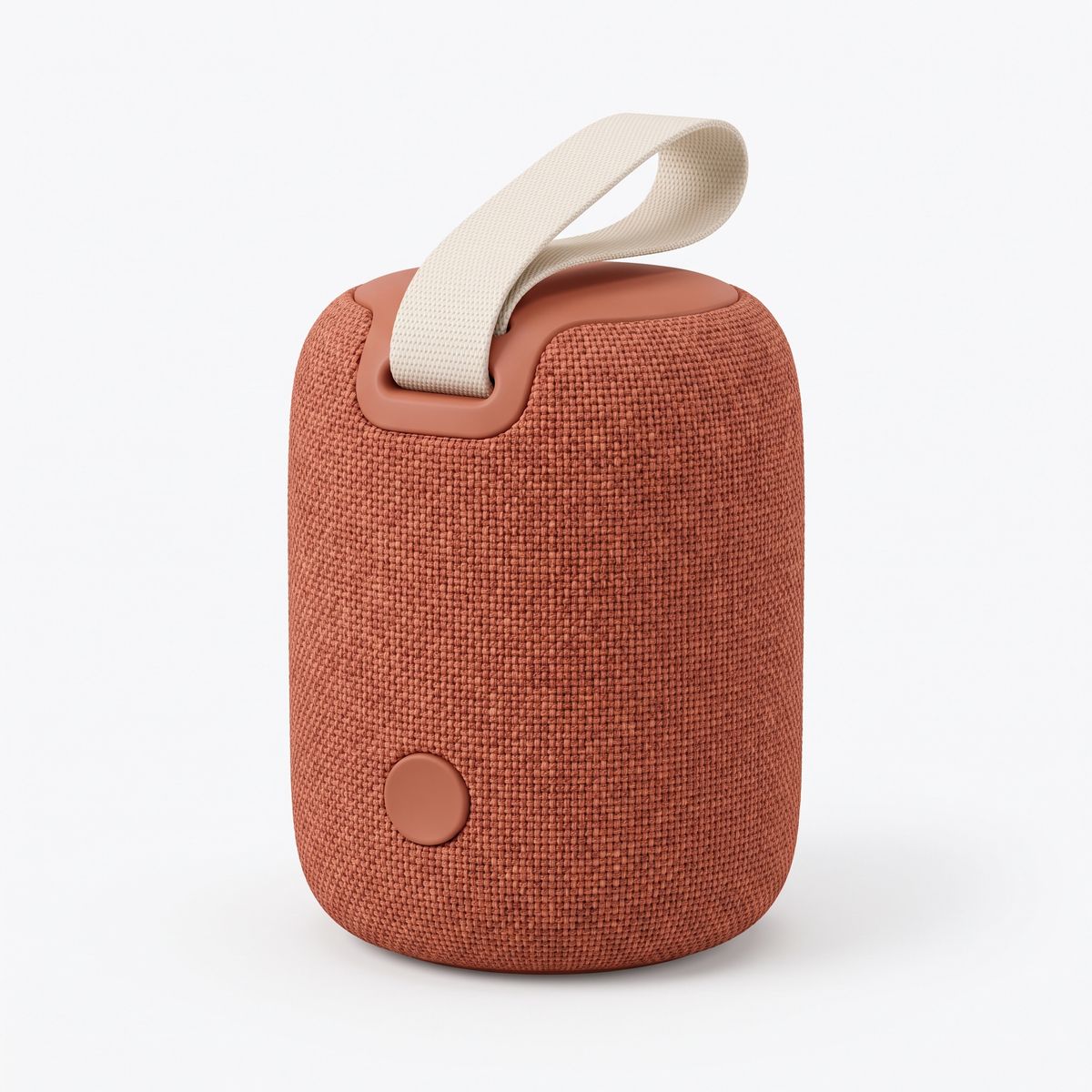
A photoreal e-commerce packshot of a compact portable wireless speaker wrapped in terracotta woven fabric, with a cream fabric carry strap looped on top and a single round button on the front, standing upright on a plain white background, front three-quarter view, soft even studio light. No logos, brand names or printed words anywhere on the speaker or in frame.

The speaker keeps its terracotta weave and its cream strap in a setting it was never photographed in. The clean packshot on white is the right kind of reference for this: nothing in it competes with the product, so there is nothing else for the model to carry over.
Keeping a person
A portrait reference keeps a person's identity in a new scene, which is how a founder or a spokesperson appears across a series of clips without a shoot for each one. Combined with a quoted line, it becomes a talking clip.
Shot on a full-frame mirrorless camera with a 35mm lens at f/2.8, locked off on a tripod at eye level. The man from <Picture 1> sits at a pale wood desk in a bright startup office with plants and a whiteboard softly out of focus behind him. He looks into the camera and says, in a relaxed, confident voice: "We built this for teams who hate status meetings. Your updates write themselves, straight from the work you already do." His lips stay in sync with every word. Keep his face, beard, round tortoiseshell glasses and navy sweater exactly as in <Picture 1>. Soft daylight from a window on the left. Real skin texture, no retouching. No logos, brand names or printed words anywhere in frame, including on the whiteboard. Audio: his voice close and clear over a quiet office room tone. No music.
- Picture 1
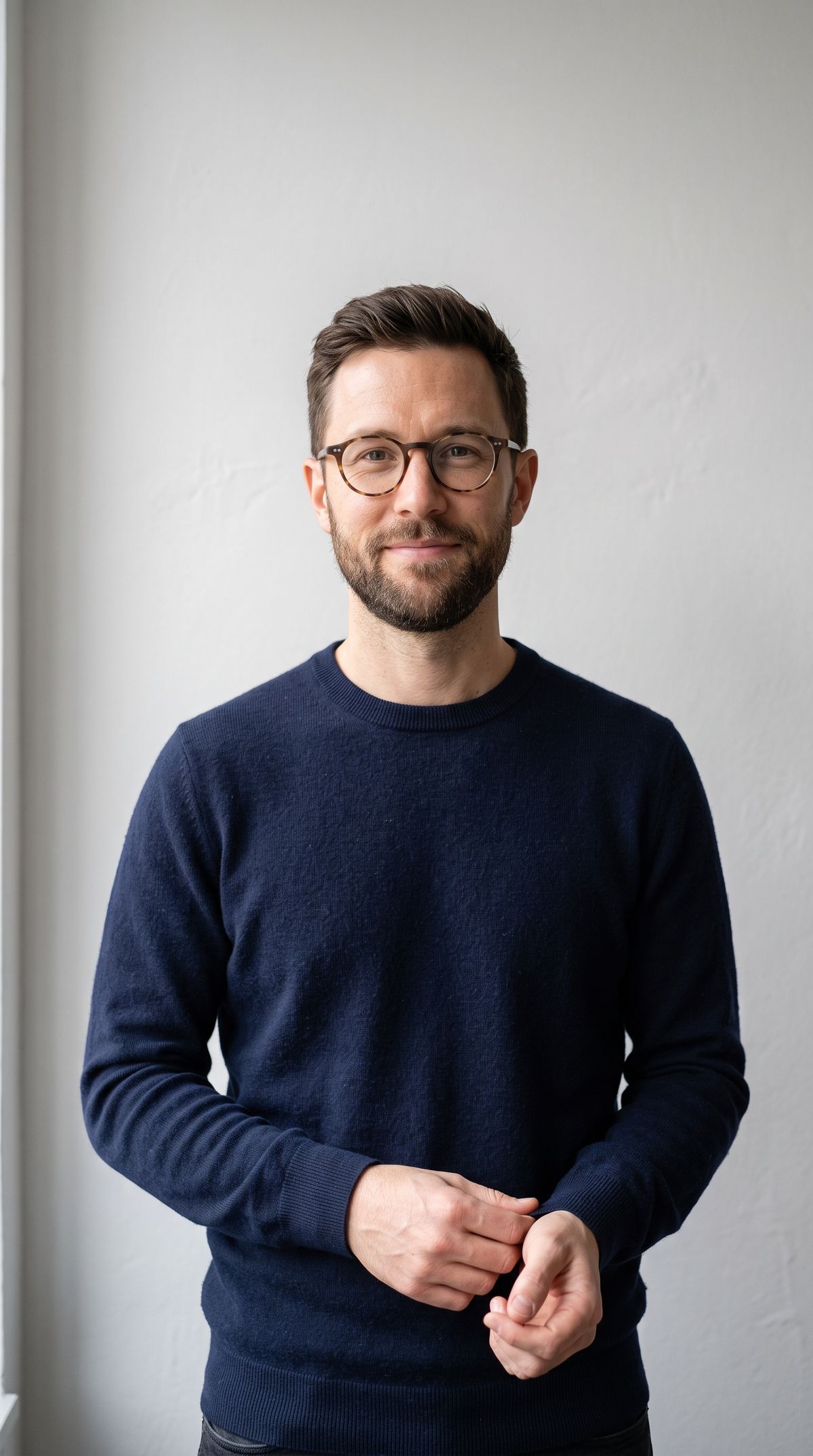
A photoreal portrait photograph of a software company founder in his late thirties with a close-cropped beard and round tortoiseshell glasses, in a navy crewneck sweater, standing against a plain light-gray wall, waist up, looking into the camera with a calm, friendly expression and his mouth closed. Soft even light, real skin texture. No logos, brand names or printed words anywhere in frame.

The reference was shot standing against a plain wall. The clip seats him at a desk in an office the reference never showed, and keeps the glasses and the beard. The dialogue and sound guide covers writing and timing the line.
To give a referenced person a specific voice rather than one the model picks, pair the portrait with an audio reference, covered in the audio references guide.
Several views of one product
One photograph shows one side of a product. When the shot will show more than that, give the model every side it will see. The backpack below walks toward the camera and then away from it, so the prompt carries both the outer face and the harness side.
Shot on a large-format cinema camera with a 40mm lens at T4, on a tripod at chest height beside a forest trail. A hiker in her forties in a plain gray fleece walks toward the camera wearing the backpack from <Picture 1> and <Picture 2>, the shoulder straps, mustard sternum buckle and hip belt from <Picture 2> visible across her body. She passes the camera, and the camera pans slowly to follow her as she walks away, showing the outer face of the pack from <Picture 1>: the black roll-top, the front stretch pocket and the mustard zipper pulls. Keep the slate blue fabric and every detail of the backpack exactly as in both references. Dappled morning light through tall pines. No logos, brand names or printed words anywhere in frame. Audio: her boots on the dirt trail, the pack's straps creaking softly, and birdsong in the forest. No music, no dialogue.
- Picture 1: outer face
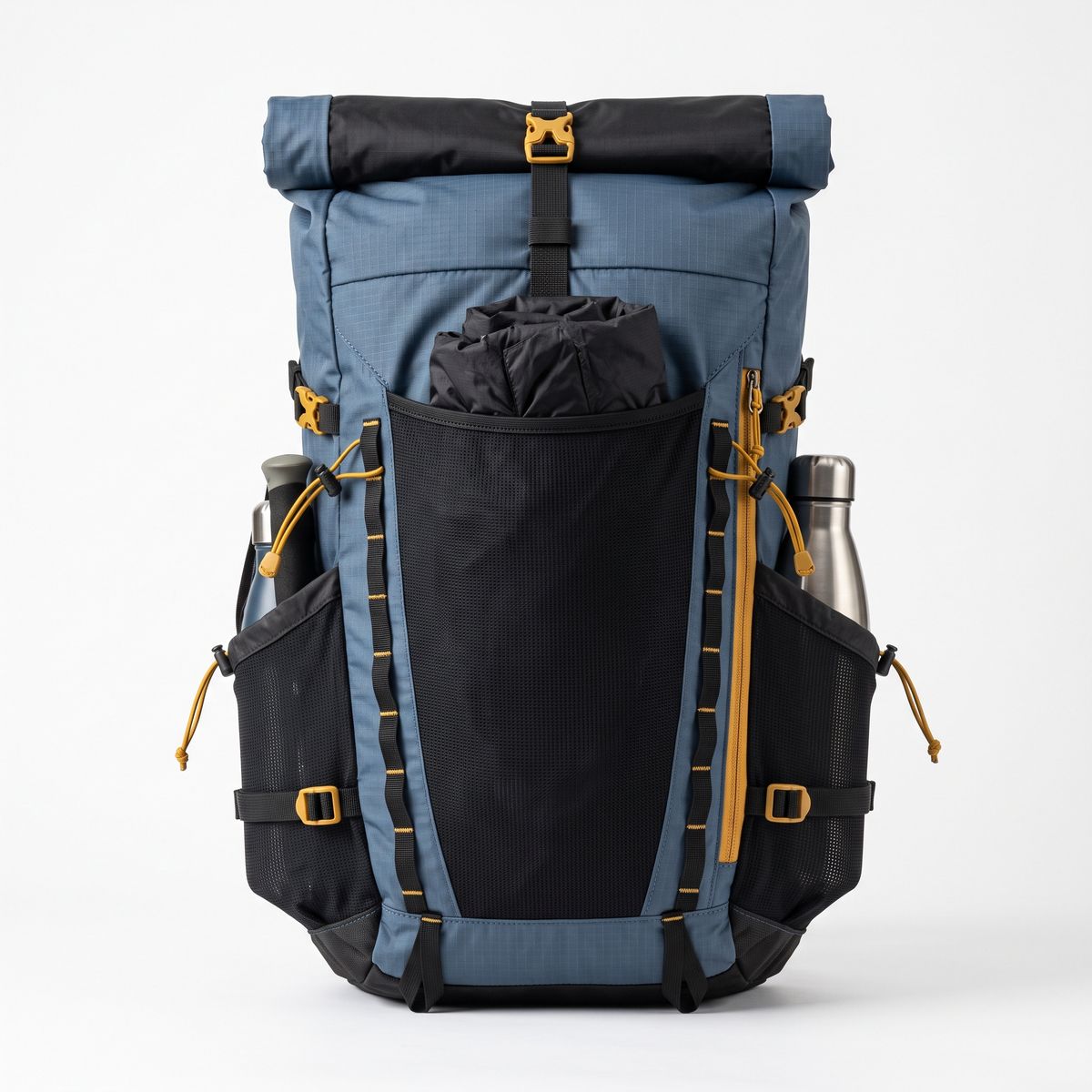
A photoreal e-commerce packshot of a 30-liter hiking backpack in slate blue ripstop fabric, seen from the outer face: a black roll-top closure, a large front stretch pocket, two side bottle pockets, and mustard-yellow zipper pulls and buckles. Standing upright on a plain white background, soft even studio light. No logos, brand names or printed words anywhere on the backpack or in frame.
- Picture 2: harness side
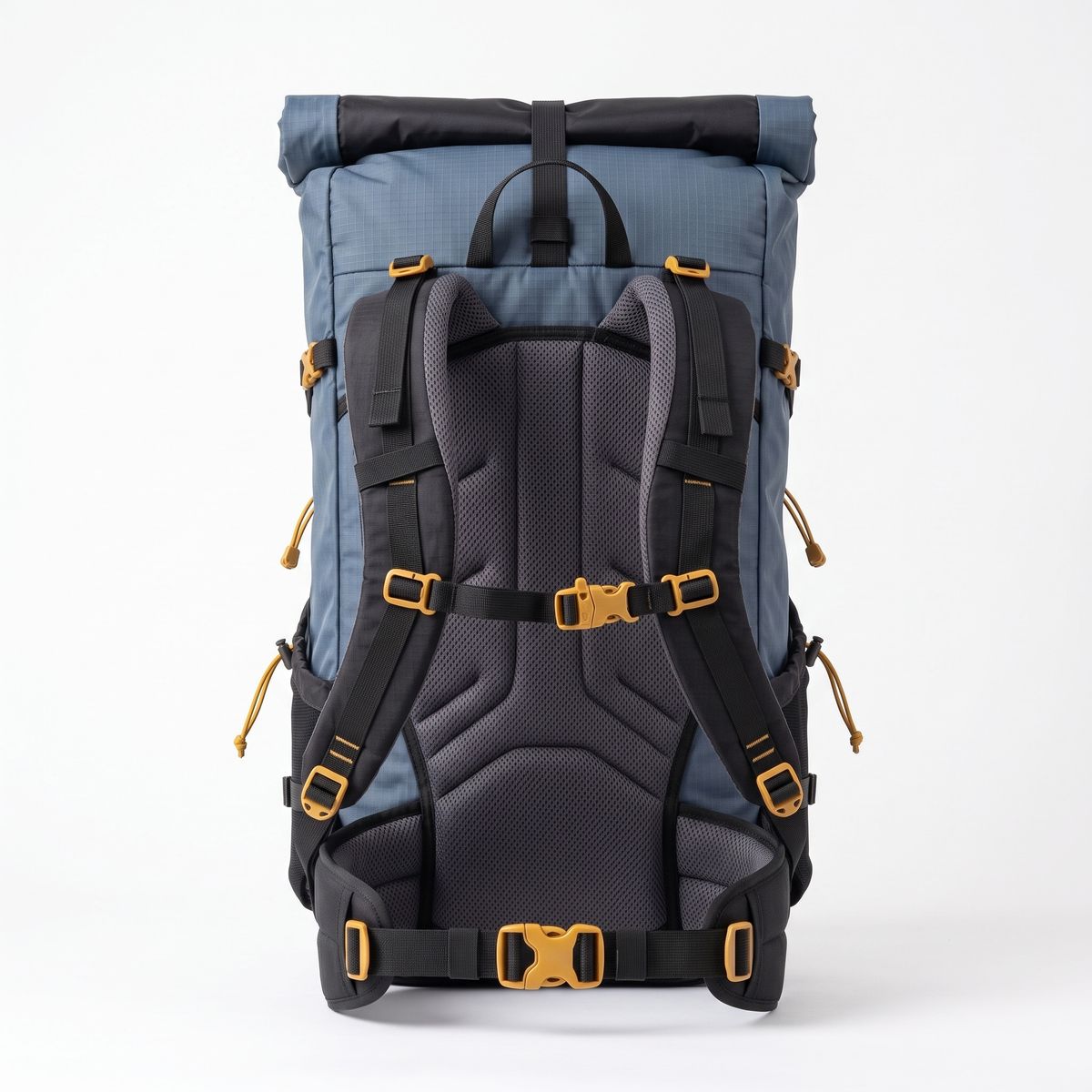
The exact same slate blue hiking backpack, turned around to show the harness side that rests against the wearer: a padded charcoal mesh back panel, two black padded shoulder straps with a mustard-yellow sternum strap buckle, and a padded hip belt with a mustard-yellow buckle. Same fabric, same colors, same roll-top visible at the top. Standing upright on a plain white background, soft even studio light. No logos, brand names or printed words anywhere.


The prompt ties each view to the moment it is seen: the harness side while she approaches, the outer face once she has passed. Both labels point at one product, and the closing sentence says so, which stops the model from treating them as two different bags.
Output shape
Without width and height, the output takes the aspect ratio of the first reference image (or of the first reference video when there are no images). The ratio follows the reference itself, rounded to whole blocks of 32 pixels, rather than snapping to one of the sixteen fixed sizes. A 2:3 portrait at 480p, for example, comes back at 480 × 704.
The speaker clip in Placing a product came back square because its only reference is a square packshot. The same prompt with width 768 and height 1344 comes back vertical, whatever the reference's shape:
Shot on a large-format cinema camera with a 65mm lens at T2.8, locked off on a tripod at table height. The portable speaker from <Picture 1> stands upright on a weathered teak table on a sunny apartment balcony in the morning, a few potted herbs softly out of focus behind it. Warm sunlight slowly spreads across the table and reaches the speaker from the side, catching the woven fabric. Keep the speaker's terracotta fabric, cream carry strap and single round button exactly as in <Picture 1>. Nothing else moves. No other logos, brand names or printed words anywhere in frame. Audio: birdsong, a light breeze, and a distant city waking up. No music, no dialogue.
Two rules follow. Put the reference with the right shape first when you want the output to follow it, since only the first one counts. And send an explicit size whenever the placement is fixed, such as a 9:16 story or a 16:9 banner, with width and height, so the shape never depends on which photo happened to lead the list.
resolution (480p, 768p, 1080p or 2k) is also accepted in reference mode, as an alternative to width and height. It sets the output size class and keeps the aspect ratio of the first reference.
Tips
-
Name each reference by label and role. "The water bottle from
<Picture 2>" tells the model which image and what to take from it. -
Close with what must survive. A sentence listing the details to keep, per reference, protects the small ones like emblems and glasses.
-
Use clean references. A product on white or a person against a plain wall gives the model the subject and nothing else to carry over.
-
Give every side the shot will show. Several views of one product, each tied to the moment it is seen, keep the parts the first photo did not show.
-
Keep the product still. Let the light or the person around it move. Holding and wearing are the most reliable ways to feature a product.
-
Order the list deliberately. The first reference decides the output shape when
widthandheightare left out. -
Send an explicit size for fixed placements. With
widthandheightset, a story slot or a banner never depends on the shape of a reference photo. -
Use references, not a first frame, for new scenes. A first frame fixes the opening image. A reference carries the subject into whatever scene the prompt describes.