Gemini Omni Flash 1.1

Gemini Omni Flash 1.1 is Google's updated multimodal video generation and editing model in the Gemini Omni family. It generates native synchronized audio from the prompt, and expands the original Omni Flash workflow with additional 1080p and 4K output modes, a 360p draft mode, scene extension in 3 to 10 second increments up to 30 seconds total, start-to-end frame interpolation for fluid transitions, and reference-to-video generation guided by both images and short video clips. It is built for teams that need stronger continuity, higher-resolution delivery, and more controllable multi-input video creation than the first Omni Flash release.
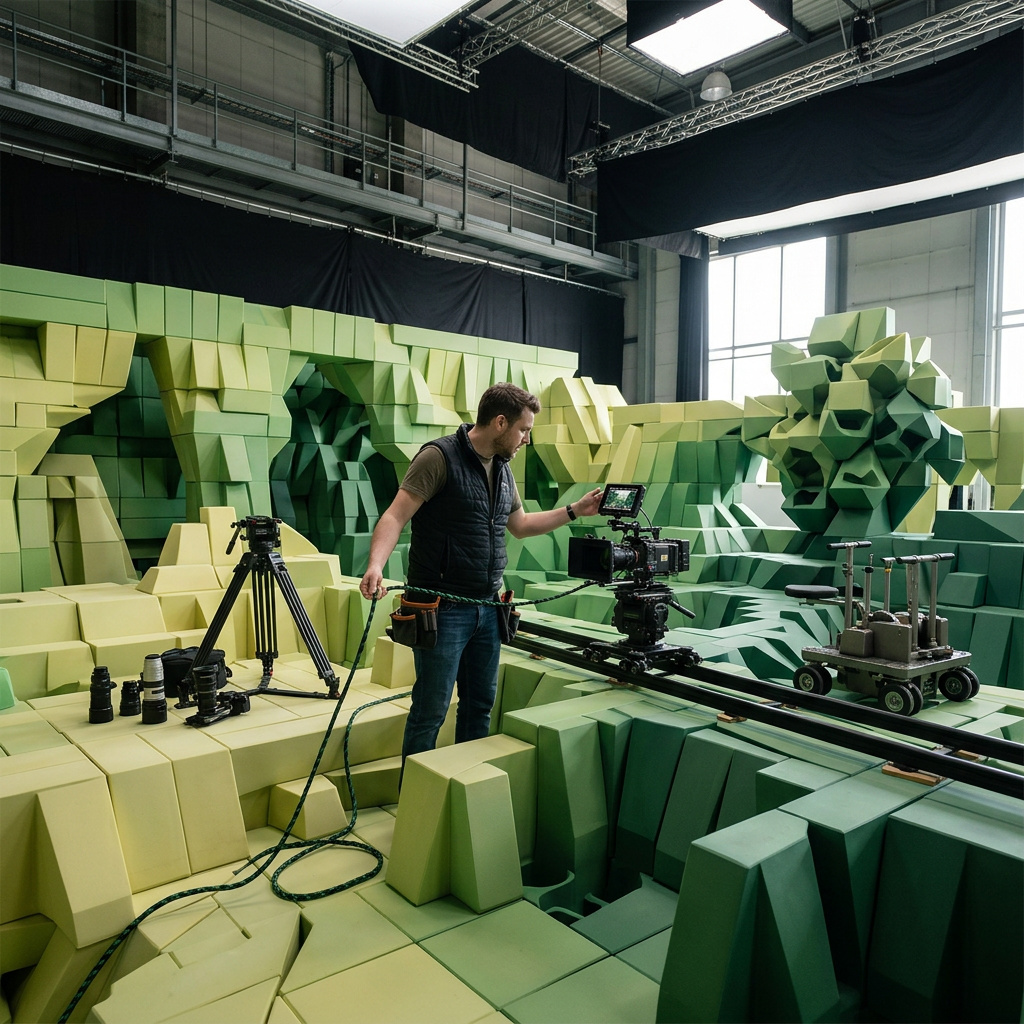
Reference images and videos
How to carry a character, product, or style into a Gemini Omni Flash 1.1 shot with inputs.referenceImages and inputs.referenceVideos, and when to combine the two.
Introduction
A prompt describes a person. A reference is the person. Gemini Omni Flash 1.1 takes up to 7 reference images and 3 reference videos, and treats them as ground truth for who is in the shot, what the product looks like, or which visual language the frame is drawn in.
That distinction is what makes the mode worth reaching for in commercial work. Brand talent, a signed-off packshot, a mascot, and an approved illustration style all have to come back identical across a campaign, and a prompt alone re-rolls them every call.
The trainer from the first reference image runs a session in the boutique studio from the third reference image, in a single unbroken scene. She finishes a set of kettlebell swings, sets the bell down, crosses to the window, and picks up the sage-green water bottle from the second reference image for a drink. Keep her exact appearance and the sage-green training top identical, keep the bottle design identical, and keep the studio exactly as in the reference. Bright morning daylight through the tall windows. Fitness brand cinematography. The audio is the dull thud of the kettlebell on the mat, her steady breathing, and a quiet studio room tone, no music, no dialogue.
- The trainer
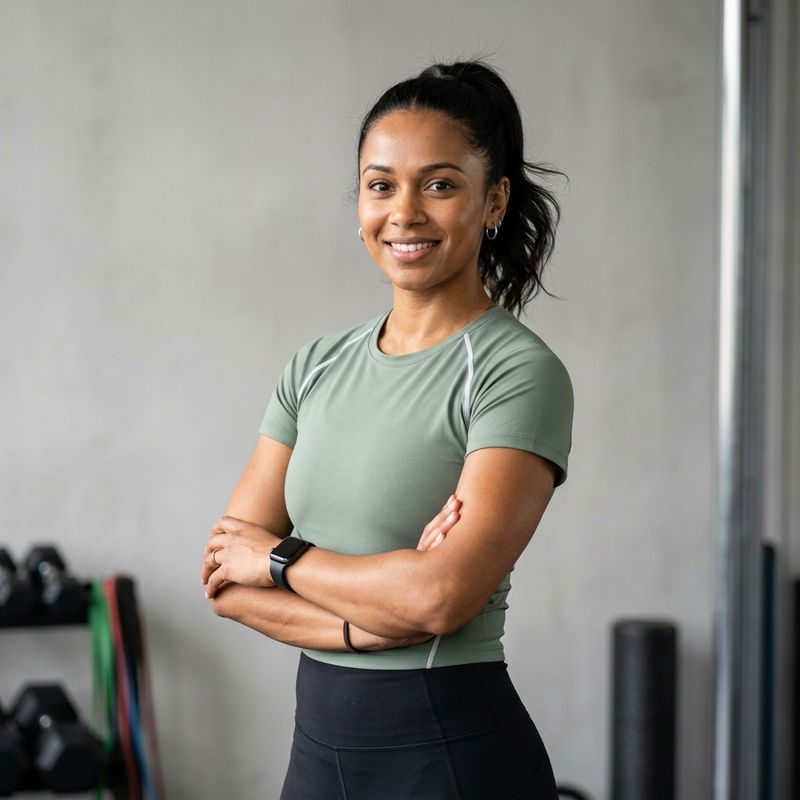
A female personal trainer in her early thirties, dark hair in a high ponytail, warm brown skin, a small silver hoop in each ear, wearing a fitted sage-green training top with a thin white shoulder seam and black leggings. Mid-shot from the waist up at a three-quarter angle facing the camera, relaxed confident expression. Neutral light-grey studio background, soft even studio lighting, photorealistic fitness brand portrait, sharp focus, no text.
- The bottle
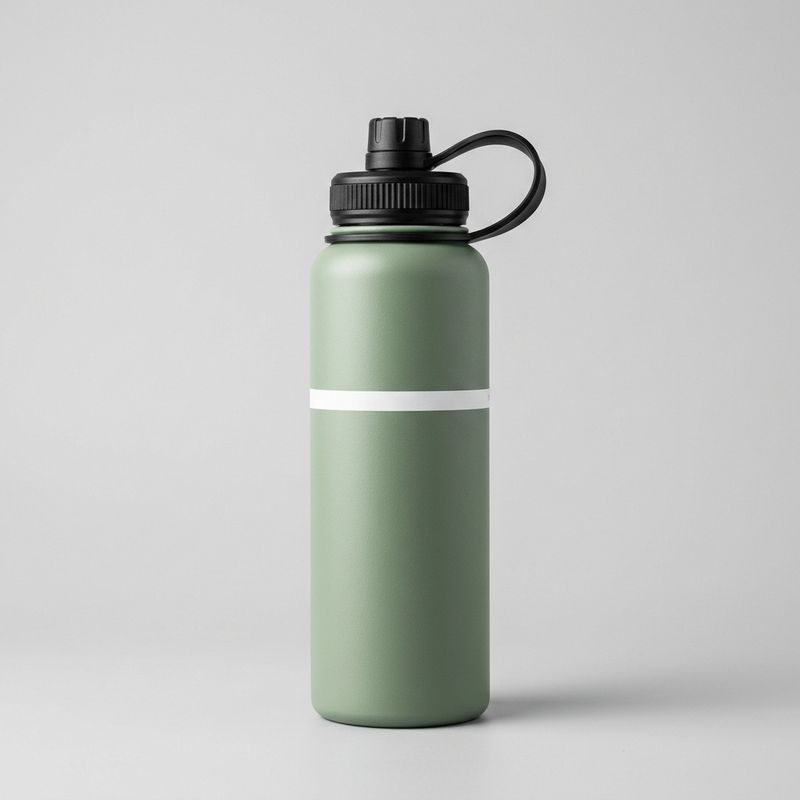
A product packshot of a matte sage-green stainless steel water bottle with a black screw lid and a black silicone carry loop, a narrow white band printed around the middle with no readable text. Centred against a seamless pale grey background, soft studio lighting from above, subtle shadow beneath. E-commerce hero shot, sharp throughout.
- The studio
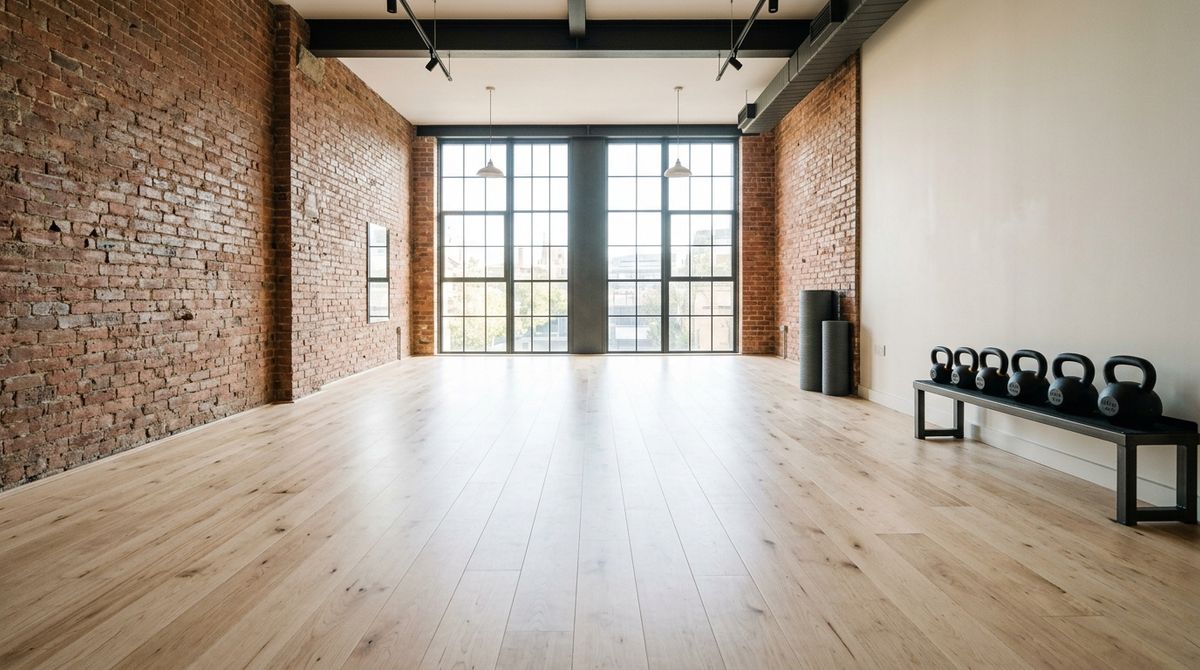
An empty boutique fitness studio interior, wide shot. Pale birch floorboards, one exposed brick wall on the left, tall industrial windows along the back letting in bright morning daylight, a row of black kettlebells against the right wall and two rolled charcoal mats in the corner. Clean modern fitness brand interior photography, no people, no text.


Three references, one call: the trainer, her bottle, and the room she trains in, all held to what the stills say. This guide covers the request shape, the three jobs a reference image does, what a reference video adds, and how the two combine.
The request
References go in inputs, and the prompt says what each one is for.
import { createClient } from '@runware/sdk'

const client = await createClient({ apiKey: process.env.RUNWARE_API_KEY })
await client.connect()

const [result] = await client.run({
  model: 'google:gemini@omni-flash-1.1',
  positivePrompt: 'The trainer from the first reference image runs a session in the studio from the third reference image. She finishes a set of kettlebell swings, then picks up the sage-green bottle from the second reference image. Keep her appearance, the bottle design, and the studio identical to the references.',
  inputs: {
    referenceImages: [
      'https://example.com/trainer.jpg',
      'https://example.com/bottle.jpg',
      'https://example.com/studio.jpg'
    ]
  },
  width: 1280,
  height: 720,
  duration: 8
})
import asyncio
import os
from runware import Runware
async def main():
async with Runware(api_key=os.environ["RUNWARE_API_KEY"]) as client:
results = await client.run({
"model": "google:gemini@omni-flash-1.1",
"positivePrompt": "The trainer from the first reference image runs a session in the studio from the third reference image. She finishes a set of kettlebell swings, then picks up the sage-green bottle from the second reference image. Keep her appearance, the bottle design, and the studio identical to the references.",
"inputs": {
"referenceImages": [
"https://example.com/trainer.jpg",
"https://example.com/bottle.jpg",
"https://example.com/studio.jpg"
]
},
"width": 1280,
"height": 720,
"duration": 8
})
asyncio.run(main())curl https://api.runware.ai/v1 \
-H "Authorization: Bearer $RUNWARE_API_KEY" \
-H "Content-Type: application/json" \
-d '[
{
  "taskType": "videoInference",
  "taskUUID": "f1a6b528-2d3e-4467-f506-172839405162",
  "model": "google:gemini@omni-flash-1.1",
  "positivePrompt": "The trainer from the first reference image runs a session in the studio from the third reference image. She finishes a set of kettlebell swings, then picks up the sage-green bottle from the second reference image. Keep her appearance, the bottle design, and the studio identical to the references.",
  "inputs": {
    "referenceImages": [
      "https://example.com/trainer.jpg",
      "https://example.com/bottle.jpg",
      "https://example.com/studio.jpg"
    ]
  },
  "width": 1280,
  "height": 720,
  "duration": 8
}
]'runware run google:gemini@omni-flash-1.1 \
positivePrompt="The trainer from the first reference image runs a session in the studio from the third reference image. She finishes a set of kettlebell swings, then picks up the sage-green bottle from the second reference image. Keep her appearance, the bottle design, and the studio identical to the references." \
inputs.referenceImages.0=https://example.com/trainer.jpg \
inputs.referenceImages.1=https://example.com/bottle.jpg \
inputs.referenceImages.2=https://example.com/studio.jpg \
width=1280 \
height=720 \
duration=8{
"taskType": "videoInference",
"taskUUID": "f1a6b528-2d3e-4467-f506-172839405162",
"model": "google:gemini@omni-flash-1.1",
"positivePrompt": "The trainer from the first reference image runs a session in the studio from the third reference image. She finishes a set of kettlebell swings, then picks up the sage-green bottle from the second reference image. Keep her appearance, the bottle design, and the studio identical to the references.",
"inputs": {
"referenceImages": [
"https://example.com/trainer.jpg",
"https://example.com/bottle.jpg",
"https://example.com/studio.jpg"
]
},
"width": 1280,
"height": 720,
"duration": 8
}Response
[
  {
    "taskType": "videoInference",
    "taskUUID": "f1a6b528-2d3e-4467-f506-172839405162",
    "videoUUID": "8e9f0a1b-2c3d-4456-e7f8-091234567890",
    "videoURL": "https://vm.runware.ai/video/os/a14d18/ws/2/vi/8e9f0a1b-2c3d-4456-e7f8-091234567890.mp4"
  }
]inputs.referenceImagesaccepts up to 7 images as URLs, UUIDs, data URIs, or base64. Each is capped at 5 MB and 4096 × 4096.inputs.referenceVideosaccepts up to 3 clips as URLs or UUIDs, each up to 30 seconds.- The two can be sent together, which makes them the only pair of media inputs this model allows in one call.
- Sizing and
durationwork exactly as they do for a plain text-to-video call.
References are incompatible with inputs.frameImages and inputs.video. A call that pins frames or edits a source clip cannot also carry a reference. If a shot needs both a locked opening composition and a referenced character, generate the reference-driven clip first and pin frames in a second pass.
What a reference image does
The same parameter covers three jobs, and the prompt is what tells them apart.
Identity
A clean mid-shot portrait carried into a new scene keeps the face, the hair, and the wardrobe across cuts the prompt invents. The hero above does this with the trainer.
Product
This is the strictest of the three. A signed-off packshot has a shape, a finish, and a label that all have to survive the new scene.
The exact serum bottle from the reference image standing on a pale stone display plinth at a bright cosmetics retail counter, in a single unbroken scene. The camera orbits slowly around it as soft daylight moves across the frosted glass and the matte black cap. Keep the bottle shape, the dropper cap, and the cream label identical to the reference. High-end product commercial cinematography, shallow depth of field, clean neutral backdrop. The audio is a quiet retail room tone, no music, no dialogue.
- The serum bottle
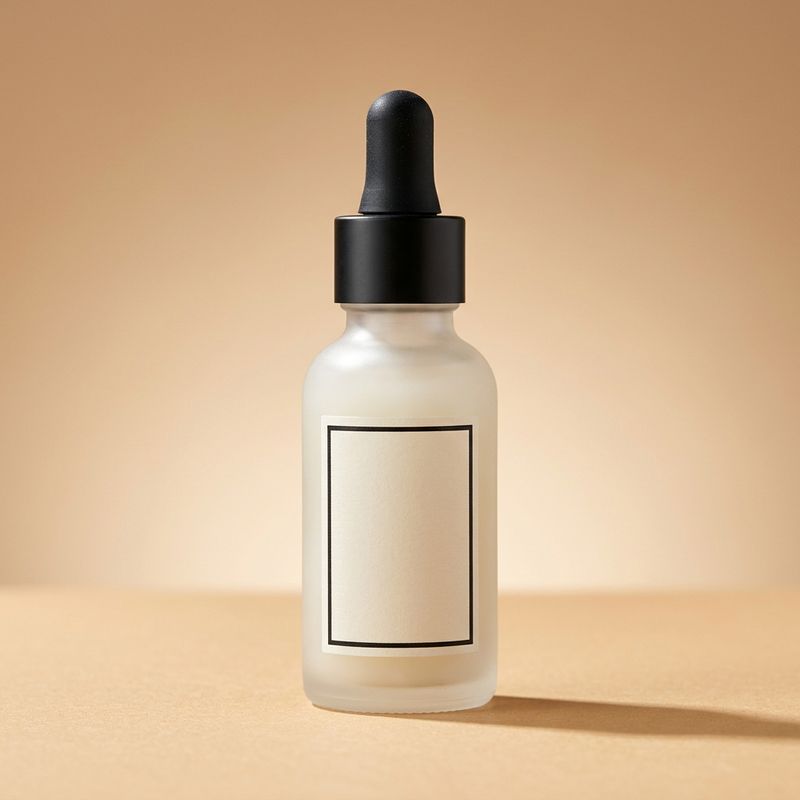
A product packshot of a frosted glass skincare serum bottle with a matte black dropper cap and a minimal cream label printed with a thin black rectangle border and no readable text. Centred against a soft warm sand-coloured gradient backdrop, soft directional studio light from the upper left, gentle shadow to the lower right. High-end beauty e-commerce photography, sharp throughout.

Style
Style inverts the relationship. The reference stops being a what and becomes a how, with none of its content carried into the output.
A morning commute scene rendered in the exact flat vector illustration style of the reference image, in a single unbroken scene. Cyclists and a tram move across a city street, a pedestrian crosses in the foreground, shopfront awnings line the background. Bold simplified geometric shapes, flat colour fills in the same deep navy, coral, mustard and off-white palette, thick clean outlines, no gradients, the same subtle grain over the whole frame. Smooth motion-design animation. The audio is a light stylised city ambience, no music, no dialogue.
- Style reference
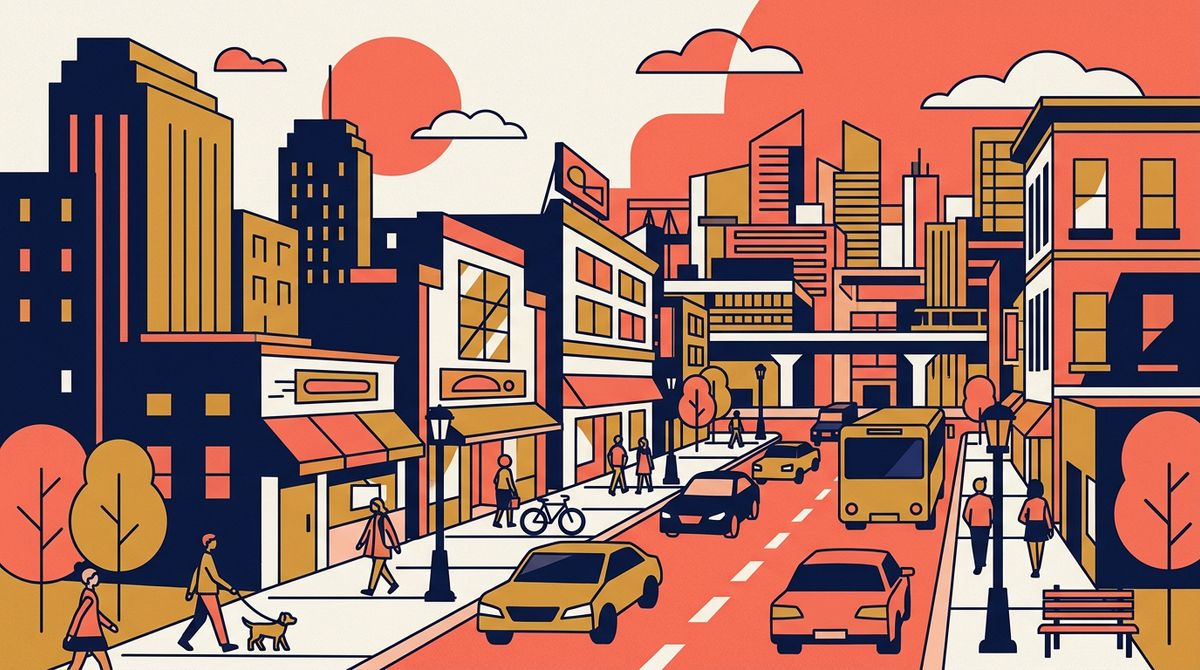
A flat vector illustration of a city street scene in a limited palette of deep navy, coral, mustard and off-white. Bold simplified geometric shapes, no gradients, thick clean outlines, flat colour fills, subtle grain texture over the whole image. Modern editorial motion-design illustration style, no text.

Name the ingredients you can see rather than gesturing at the reference. "The same limited palette, thick clean outlines, flat colour fills, no gradients" holds the look far better than "in the style of the reference image", because it tells the model which signals in the image are the ones that matter.
What a reference video adds
A reference video carries a character or an object, the same way an image does, with one difference that matters: it also shows the model how the thing moves. For a mascot or a product with moving parts, that motion signature is most of the identity.
The clip below is the source. It exists only to define the mascot.
A stylised 3D animated brand mascot: a rounded friendly robot about the size of a small dog, matte coral body with a smooth off-white belly panel, two large expressive dark eyes on a screen face, short stubby arms and a single soft antenna that bobs as it moves. It waddles cheerfully across a plain seamless off-white studio floor from left to right, turns to face the camera, and gives a small wave. Soft even studio lighting, clean 3D animation with soft global illumination, in a single unbroken scene. The audio is light playful footstep taps and a soft mechanical whir, no music, no dialogue.
Passed as inputs.referenceVideos, it puts the same mascot somewhere new, with the waddle and the antenna bob intact.
The same coral robot mascot from the reference video is now in a bright modern office lobby, in a single unbroken scene. It waddles up to a glass reception desk, looks up at an unseen visitor, and gives the same small wave. Keep its exact design identical: the matte coral body, the off-white belly panel, the large dark eyes on the screen face, the short arms and the soft bobbing antenna. Clean 3D animation matching the reference, soft daylight through tall lobby windows. The audio is light playful footstep taps on polished stone and a soft lobby ambience, no music, no dialogue.
- Mascot reference clip
A stylised 3D animated brand mascot: a rounded friendly robot about the size of a small dog, matte coral body with a smooth off-white belly panel, two large expressive dark eyes on a screen face, short stubby arms and a single soft antenna that bobs as it moves. It waddles cheerfully across a plain seamless off-white studio floor from left to right, turns to face the camera, and gives a small wave. Soft even studio lighting, clean 3D animation with soft global illumination, in a single unbroken scene. The audio is light playful footstep taps and a soft mechanical whir, no music, no dialogue.
Audio in a reference video is ignored. The model reads the picture and generates a fresh soundtrack for the new shot from your prompt, so a reference clip with the wrong ambience or the wrong voice carries none of it across. Describe the sound you want in the prompt as usual.
Combining images and videos
Reference images and reference videos are the only two media inputs this model accepts together, and the pairing has an obvious use: a referenced character handling a referenced product.
The same coral robot mascot from the reference video presents the exact cream over-ear headphones from the reference image, in a single unbroken scene. It waddles into frame on a plain seamless off-white studio floor carrying the headphones in both stubby arms, sets them down on a low pedestal, and steps back with a small proud gesture. Keep the mascot design identical to the reference video and the headphone design identical to the reference image, including the champagne-gold hinges and the tan leather headband. Clean 3D animation, soft even studio lighting. The audio is light footstep taps, a soft set-down of the headphones, and a quiet studio tone, no music, no dialogue.
- Mascot reference clip
A stylised 3D animated brand mascot: a rounded friendly robot about the size of a small dog, matte coral body with a smooth off-white belly panel, two large expressive dark eyes on a screen face, short stubby arms and a single soft antenna that bobs as it moves. It waddles cheerfully across a plain seamless off-white studio floor from left to right, turns to face the camera, and gives a small wave. Soft even studio lighting, clean 3D animation with soft global illumination, in a single unbroken scene. The audio is light playful footstep taps and a soft mechanical whir, no music, no dialogue.
- The headphones
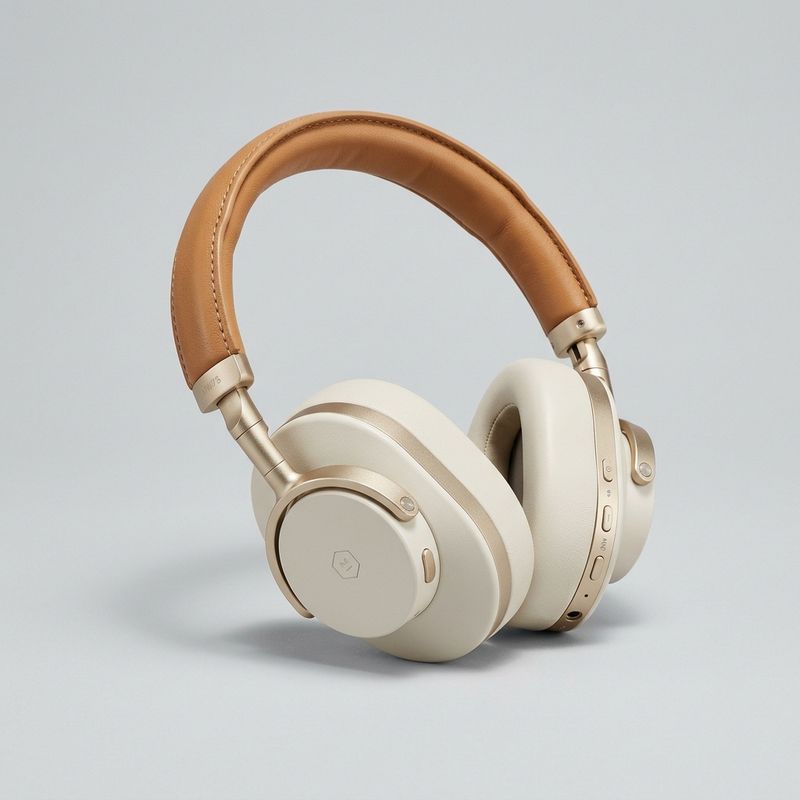
A product packshot of over-ear wireless headphones in matte cream with brushed champagne-gold hinges and a soft tan leather headband, shown from a three-quarter angle. Centred against a seamless pale grey background, soft studio lighting, subtle shadow beneath. Consumer electronics e-commerce hero shot, sharp throughout, no readable text.

Say which reference is which when a call mixes both. "The mascot from the reference video presents the headphones from the reference image" leaves nothing to infer, and that phrasing is what keeps the model from blending two identities into one object.
Writing the prompt
Three habits carry most of the quality in this mode.
Point at references by position. "The trainer from the first reference image", "the studio from the third reference image". Order is a signal the model reads, and naming it removes the ambiguity of three stills arriving at once.
Close with what must not change. A short pin clause listing the wardrobe, the finish, the label, or the palette is what holds a design through a scene the model is otherwise free to invent.
Frame a portrait as a mid-shot. Waist-up framing on a neutral background with the face and wardrobe clearly visible gives the cleanest identity lock. Full-body shots, group shots, and busy backgrounds all dilute it.
Tips
-
Up to 7 images and 3 videos, and they can travel together. No other pair of media inputs on this model can.
-
Reference by position in the prompt. "The first reference image" beats leaving the model to guess which still is the character and which is the location.
-
Use mid-shot portraits for people. Waist-up, neutral background, face and wardrobe visible. That framing locks identity better than anything else you can control.
-
For style, name the ingredients. Palette, outline weight, flat fills, grain. Pointing at the reference alone drifts toward a plausible but different look.
-
Reach for a reference video when motion is part of the identity. A mascot's walk or a product's articulation is carried by the clip in a way a still cannot express.
-
Expect no audio from a reference video. The track is regenerated from your prompt every time, so describe the sound you want.
-
Close every prompt with a pin clause. Name the wardrobe, the finish, the label, or the palette that has to survive the new scene.
-
Don't mix references with frames or a source video. Those modes are exclusive. Run the reference pass first, then pin frames or edit in a second call.