MAGI-2

MAGI-2 is Sand AI's flagship video model, generating 1080p clips of 4 to 30 seconds with synchronized audio, including dialogue with lip sync, sound effects, ambience and music, in a single pass. It starts from a text prompt, from a first frame with an optional last frame, or from up to 10 reference images, 5 reference videos and 5 reference audio clips, in six aspect ratios from 21:9 to 9:16. It suits dialogue scenes, narrative shots and reference-driven work that needs consistent subjects and sound in one generation.
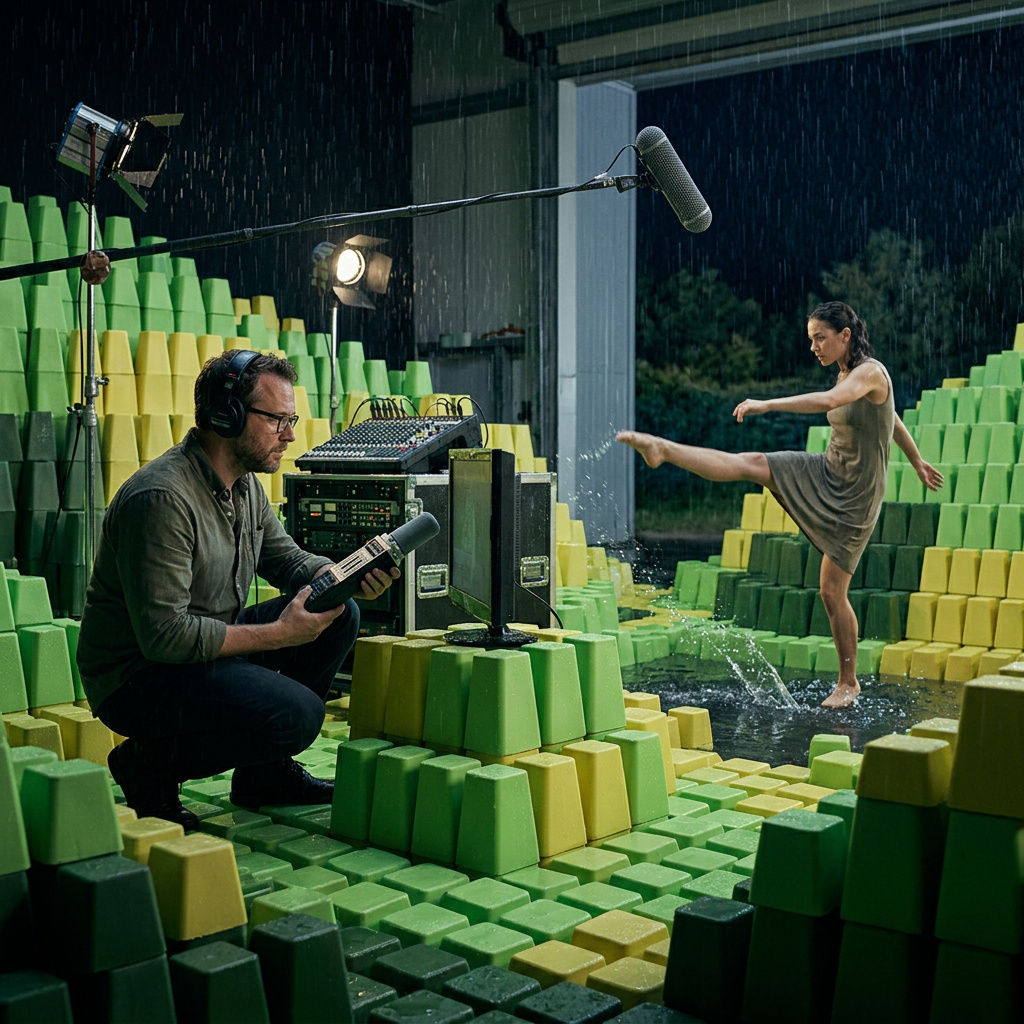
Reference images
How to build MAGI-2 clips from up to ten reference images: addressing each one as Image 1, giving it a role, casting two people, and borrowing a style.
Introduction
Reference images tell MAGI-2 what a clip has to contain: a person, a product, a place or a look. A request takes up to ten, and the prompt refers to them as Image 1, Image 2 and so on, in array order, so it can say what each one contributes.
The woman in Image 1 wears the backpack in Image 2 and walks through the night market in Image 3. Keep her face, hair and outfit from Image 1, the color, buckles and shape of the backpack from Image 2, and the stalls and lanterns from Image 3. Handheld vlog camera moving backward in front of her at chest height. She looks around at the stalls, then turns to the camera and says in a bright, casual American voice: "Okay, this is where I'm eating tonight." Warm lantern light. Audio: her voice, sizzling grills, busy market chatter, no music, no subtitles.
- Image 1
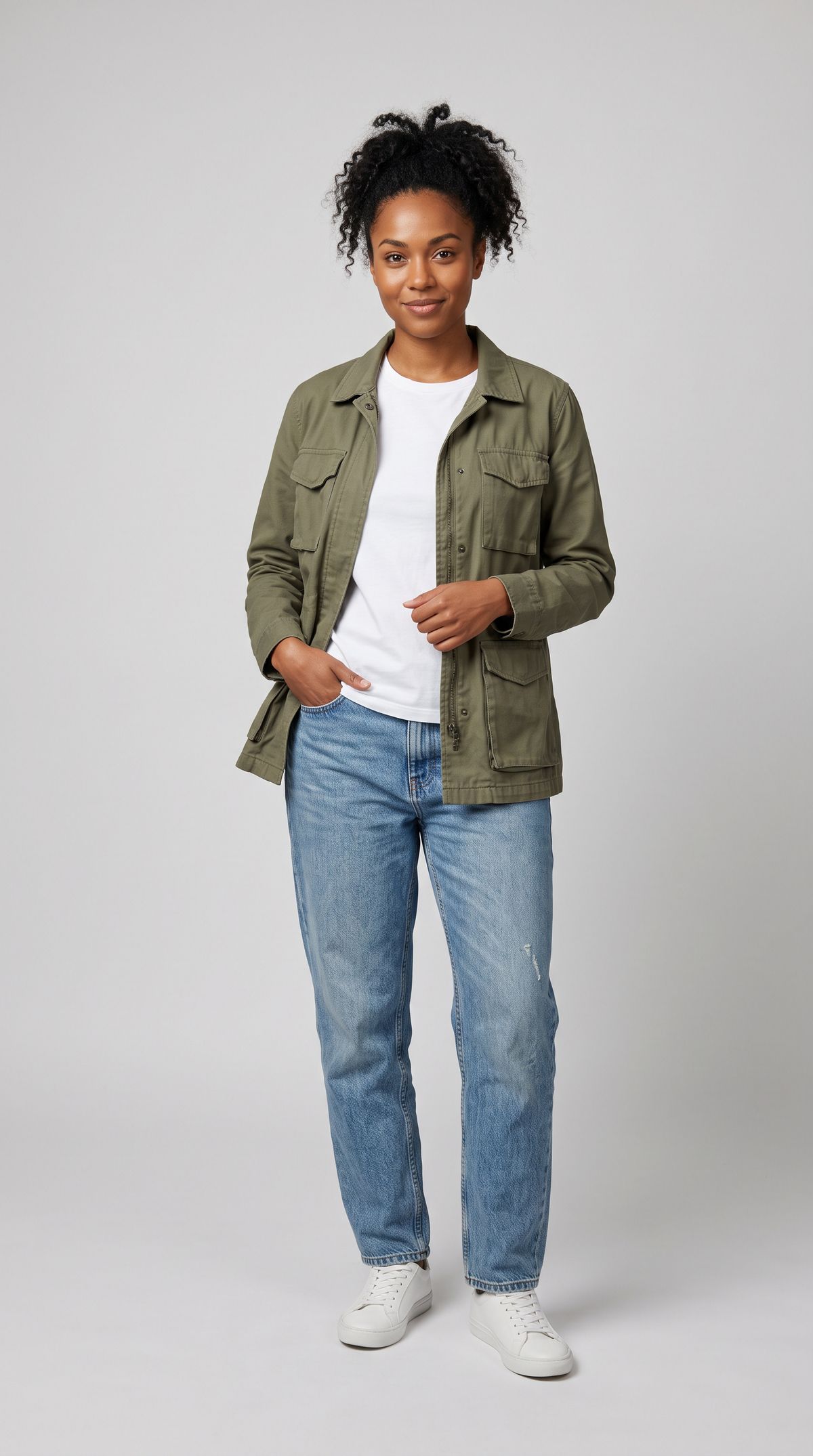
Full-length studio portrait of a travel creator, a woman in her late twenties with warm brown skin and a curly black ponytail, in an olive utility jacket, a white T-shirt, light jeans and white sneakers, standing relaxed against a plain light gray backdrop. Even soft studio light, photoreal. No text, no logos.
- Image 2
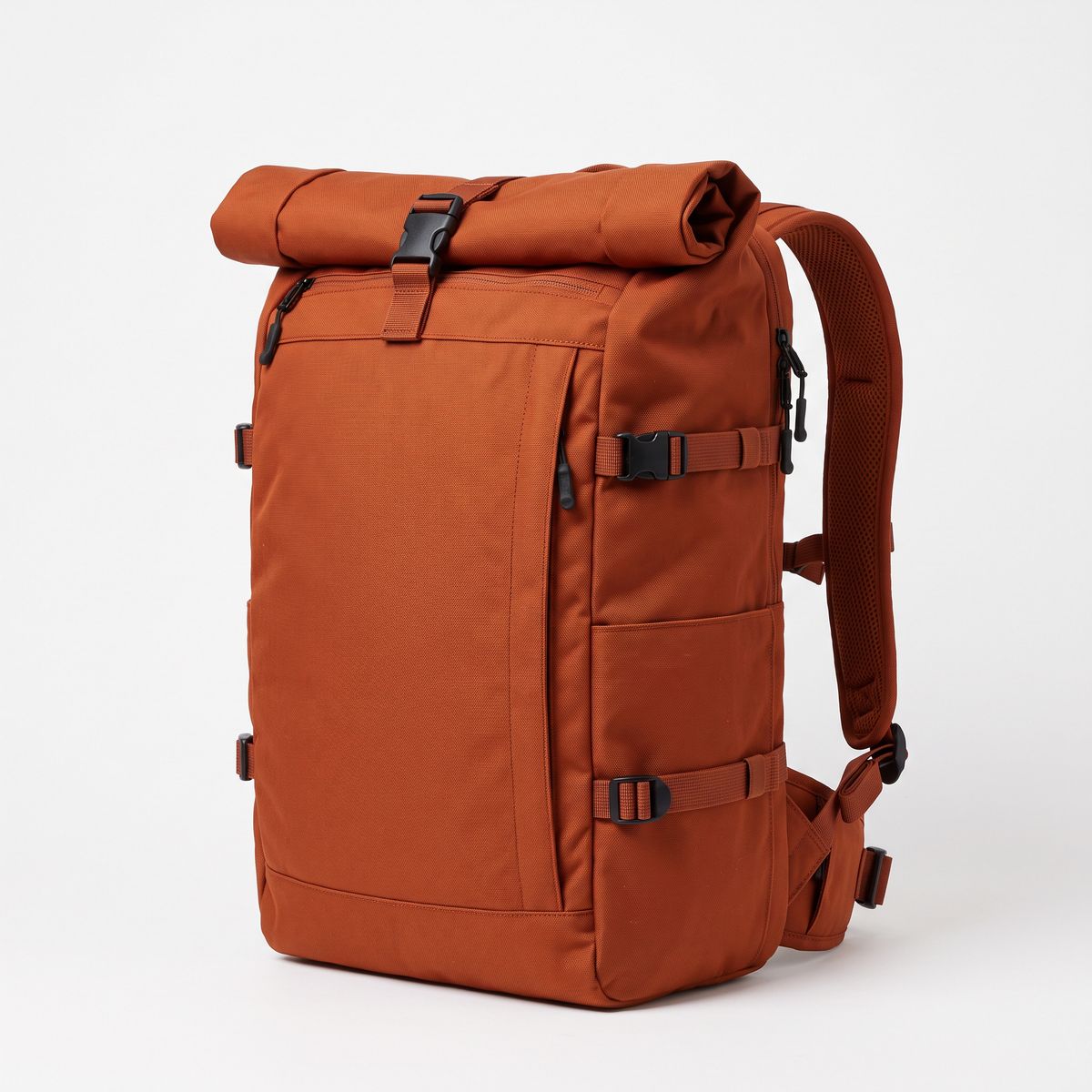
A rust-orange roll-top travel backpack with black buckles and padded shoulder straps, standing upright on a plain white background. Product packshot, soft even light, photoreal. No text, no logos.
- Image 3
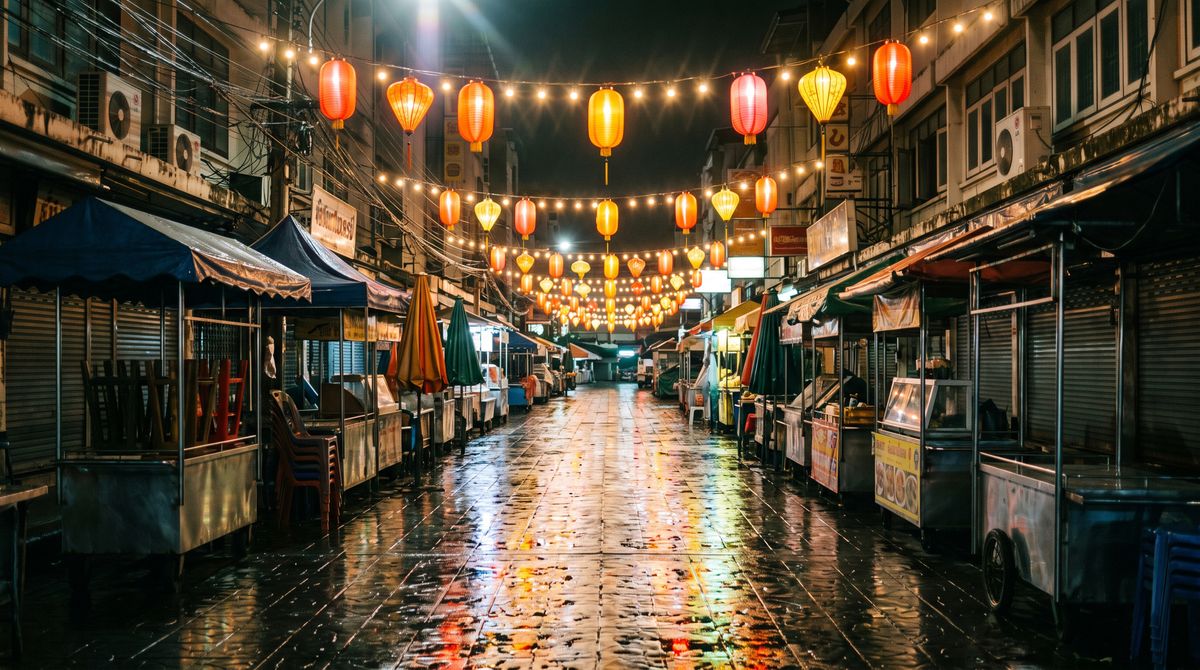
An empty night market street in an Asian city, rows of food stalls under glowing paper lanterns and string lights, wet pavement reflecting the warm light. Eye-level travel photography, photoreal, no people. No readable signs or text.


Each image contributes one part: the person, the product or the place. The scene that combines them, and the line she speaks, come from the prompt.
Request shape
References go in inputs.referenceImages, each a URL or a UUID (a previous generation's, or one uploaded via Media Storage). In the prompt, Image 1 is the first item in the array, Image 2 the second, and so on:
import { createClient } from '@runware/sdk'

const client = await createClient({ apiKey: process.env.RUNWARE_API_KEY })
await client.connect()

const [result] = await client.run({
  model: 'sandai:magi@2',
  positivePrompt: 'The woman in Image 1 wears the backpack in Image 2 and walks through the night market in Image 3. Keep her face, hair and outfit from Image 1, the color, buckles and shape of the backpack from Image 2, and the stalls and lanterns from Image 3. Handheld vlog camera moving backward in front of her at chest height. She looks around at the stalls, then turns to the camera and says in a bright, casual American voice: "Okay, this is where I\'m eating tonight." Warm lantern light. Audio: her voice, sizzling grills, busy market chatter, no music, no subtitles.',
  width: 1080,
  height: 1920,
  duration: 10,
  inputs: {
    referenceImages: [
      'https://assets.runware.ai/guides/sandai-magi-2/reference-images/source-creator.jpg',
      'https://assets.runware.ai/guides/sandai-magi-2/reference-images/source-backpack.jpg',
      'https://assets.runware.ai/guides/sandai-magi-2/reference-images/source-market.jpg'
    ]
  }
})
import asyncio
import os
from runware import Runware
async def main():
async with Runware(api_key=os.environ["RUNWARE_API_KEY"]) as client:
results = await client.run({
"model": "sandai:magi@2",
"positivePrompt": "The woman in Image 1 wears the backpack in Image 2 and walks through the night market in Image 3. Keep her face, hair and outfit from Image 1, the color, buckles and shape of the backpack from Image 2, and the stalls and lanterns from Image 3. Handheld vlog camera moving backward in front of her at chest height. She looks around at the stalls, then turns to the camera and says in a bright, casual American voice: \"Okay, this is where I'm eating tonight.\" Warm lantern light. Audio: her voice, sizzling grills, busy market chatter, no music, no subtitles.",
"width": 1080,
"height": 1920,
"duration": 10,
"inputs": {
"referenceImages": [
"https://assets.runware.ai/guides/sandai-magi-2/reference-images/source-creator.jpg",
"https://assets.runware.ai/guides/sandai-magi-2/reference-images/source-backpack.jpg",
"https://assets.runware.ai/guides/sandai-magi-2/reference-images/source-market.jpg"
]
}
})
asyncio.run(main())curl https://api.runware.ai/v1 \
-H "Authorization: Bearer $RUNWARE_API_KEY" \
-H "Content-Type: application/json" \
-d '[
{
  "taskType": "videoInference",
  "taskUUID": "3d2ef56a-ba31-4fc8-bd79-24c282fec81b",
  "model": "sandai:magi@2",
  "positivePrompt": "The woman in Image 1 wears the backpack in Image 2 and walks through the night market in Image 3. Keep her face, hair and outfit from Image 1, the color, buckles and shape of the backpack from Image 2, and the stalls and lanterns from Image 3. Handheld vlog camera moving backward in front of her at chest height. She looks around at the stalls, then turns to the camera and says in a bright, casual American voice: \"Okay, this is where I'm eating tonight.\" Warm lantern light. Audio: her voice, sizzling grills, busy market chatter, no music, no subtitles.",
  "width": 1080,
  "height": 1920,
  "duration": 10,
  "inputs": {
    "referenceImages": [
      "https://assets.runware.ai/guides/sandai-magi-2/reference-images/source-creator.jpg",
      "https://assets.runware.ai/guides/sandai-magi-2/reference-images/source-backpack.jpg",
      "https://assets.runware.ai/guides/sandai-magi-2/reference-images/source-market.jpg"
    ]
  }
}
]'runware run sandai:magi@2 \
positivePrompt="The woman in Image 1 wears the backpack in Image 2 and walks through the night market in Image 3. Keep her face, hair and outfit from Image 1, the color, buckles and shape of the backpack from Image 2, and the stalls and lanterns from Image 3. Handheld vlog camera moving backward in front of her at chest height. She looks around at the stalls, then turns to the camera and says in a bright, casual American voice: \"Okay, this is where I'm eating tonight.\" Warm lantern light. Audio: her voice, sizzling grills, busy market chatter, no music, no subtitles." \
width=1080 \
height=1920 \
duration=10 \
inputs.referenceImages.0=https://assets.runware.ai/guides/sandai-magi-2/reference-images/source-creator.jpg \
inputs.referenceImages.1=https://assets.runware.ai/guides/sandai-magi-2/reference-images/source-backpack.jpg \
inputs.referenceImages.2=https://assets.runware.ai/guides/sandai-magi-2/reference-images/source-market.jpg{
"taskType": "videoInference",
"taskUUID": "3d2ef56a-ba31-4fc8-bd79-24c282fec81b",
"model": "sandai:magi@2",
"positivePrompt": "The woman in Image 1 wears the backpack in Image 2 and walks through the night market in Image 3. Keep her face, hair and outfit from Image 1, the color, buckles and shape of the backpack from Image 2, and the stalls and lanterns from Image 3. Handheld vlog camera moving backward in front of her at chest height. She looks around at the stalls, then turns to the camera and says in a bright, casual American voice: \"Okay, this is where I'm eating tonight.\" Warm lantern light. Audio: her voice, sizzling grills, busy market chatter, no music, no subtitles.",
"width": 1080,
"height": 1920,
"duration": 10,
"inputs": {
"referenceImages": [
"https://assets.runware.ai/guides/sandai-magi-2/reference-images/source-creator.jpg",
"https://assets.runware.ai/guides/sandai-magi-2/reference-images/source-backpack.jpg",
"https://assets.runware.ai/guides/sandai-magi-2/reference-images/source-market.jpg"
]
}
}Response
[
  {
    "taskType": "videoInference",
    "taskUUID": "3d2ef56a-ba31-4fc8-bd79-24c282fec81b",
    "videoUUID": "0a586408-9988-4b71-a445-e12e511dcd15",
    "videoURL": "https://vm.runware.ai/video/os/a14d18/ws/2/vi/0a586408-9988-4b71-a445-e12e511dcd15.mp4"
  }
]- The prompt is required with references, since it is where every image gets its role.
- Images combine with reference videos and audio in the same request, up to five of each, covered in Video and audio references. Frame images are the exception, and a request with both frames and references is rejected.
- Each image can be up to 30 MB, and
widthandheighttake the same six 1080p pairs as text-to-video.
Giving every image a role
Left to itself, the model decides what to take from each image. Give each one a sentence that says what it is, then name what to keep from it as categories, such as the shape or the proportions, and leave the details to the picture:
Image 1 is the product and Image 2 is the setting. Keep the jar, its lid and its proportions exactly as in Image 1, and the nightstand, the lamp and the bedding as in Image 2. A hand sets the candle down on the nightstand, lifts off the lid and lights the wick with a match, and the flame catches as the camera pushes in slowly. Warm evening light. Audio: the jar set down on wood, the lid lifted, the strike of the match, quiet room tone, no music.
- Image 1
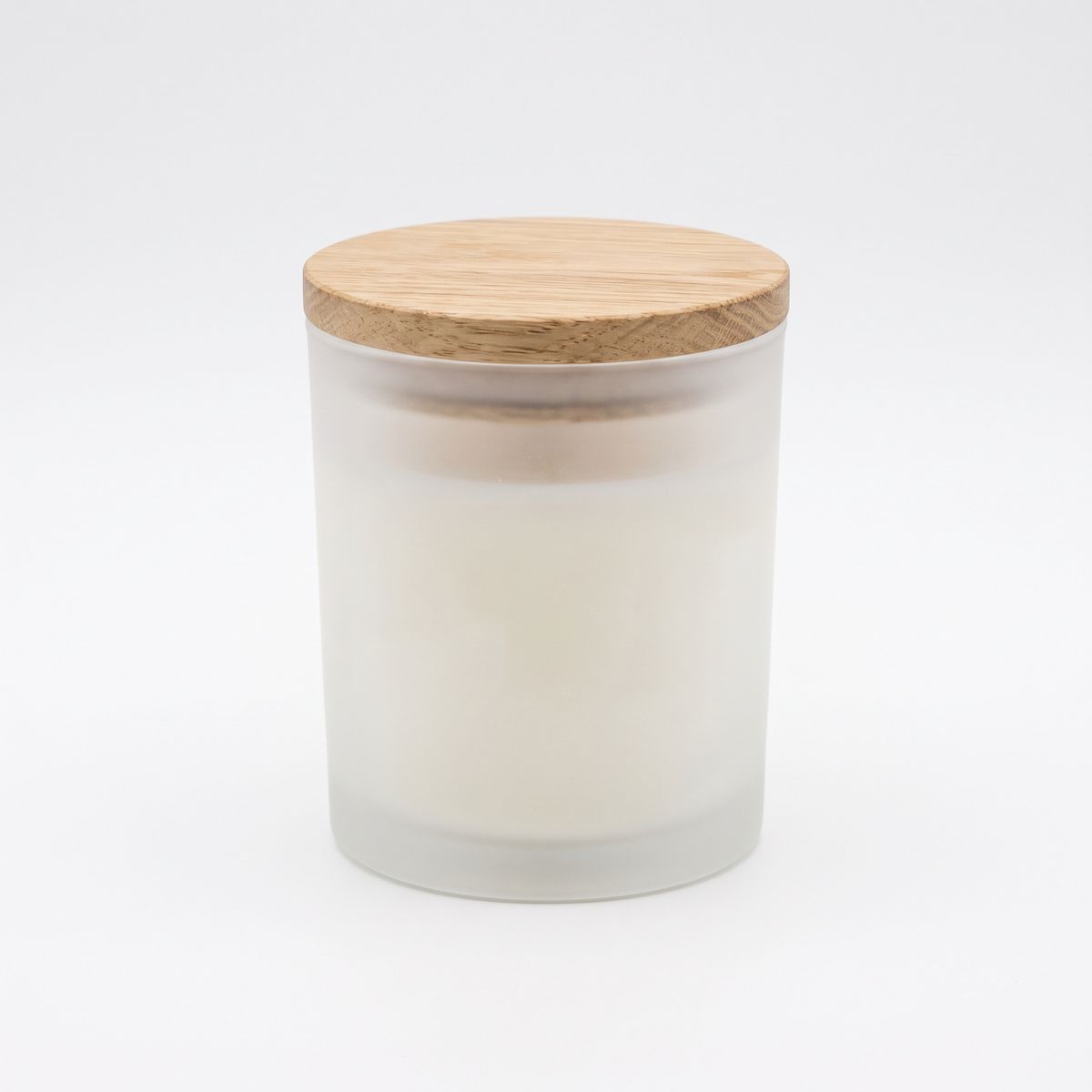
A soy candle in a frosted white glass jar with a light oak wooden lid, on a plain white background. Product packshot, soft even light, photoreal. No text, no logos.
- Image 2
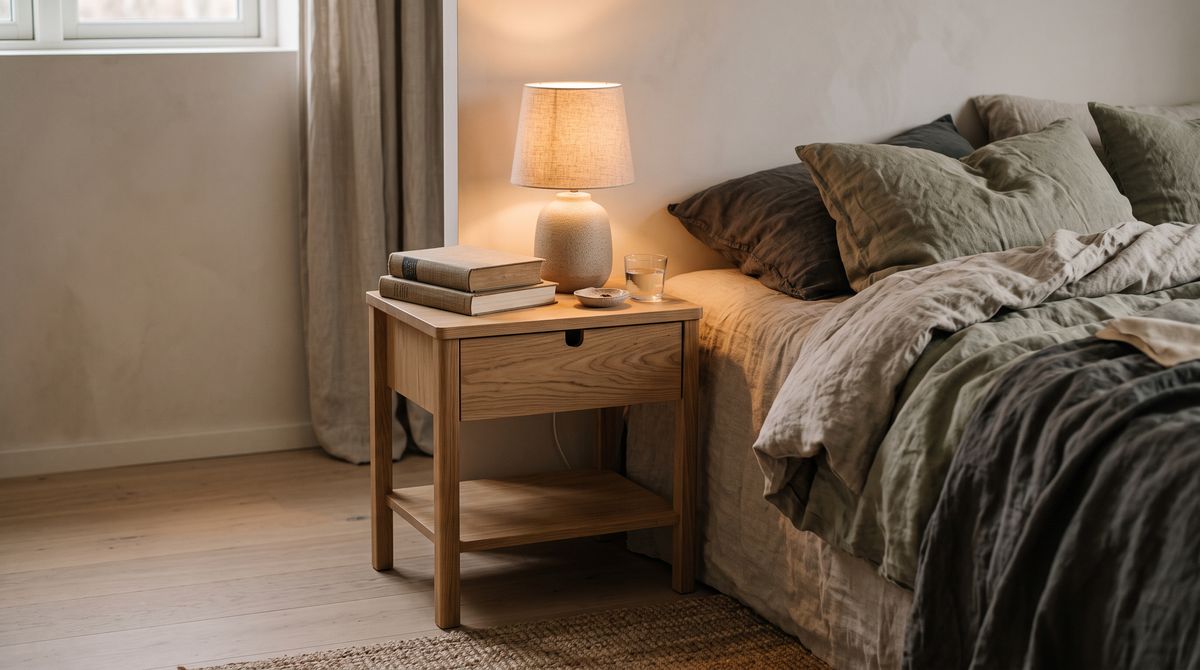
A light oak bedroom nightstand beside a bed with rumpled linen bedding, a small ceramic lamp and a stack of two books on it, warm evening light from the lamp, cozy Scandinavian interior. Photoreal interior photography, no people, no text.


The prompt never describes the frosted glass or the color of the lid. Those come from Image 1, so the same prompt works for every candle in a catalog by swapping one image.
Casting two people
Portraits work as casting. Pass one image per person, refer to each by what tells them apart on screen, and ask for their faces to stay consistent with their images:
The man in Image 1 and the woman in Image 2 co-host a cooking show. Keep both faces strictly consistent with their images. They stand side by side behind a steel counter in a bright studio kitchen, a cutting board of fresh herbs between them. 0–6 s: two-shot. The woman holds up a bunch of basil and says: "The trick is to tear it, never chop it." 6–12 s: cut to a close-up of the man, who grins and answers: "And you wait until the very end." Only one person speaks at a time, and each has a distinct voice. Warm studio lighting. Audio: their voices, a pan sizzling softly off screen, no music, no subtitles.
- Image 1
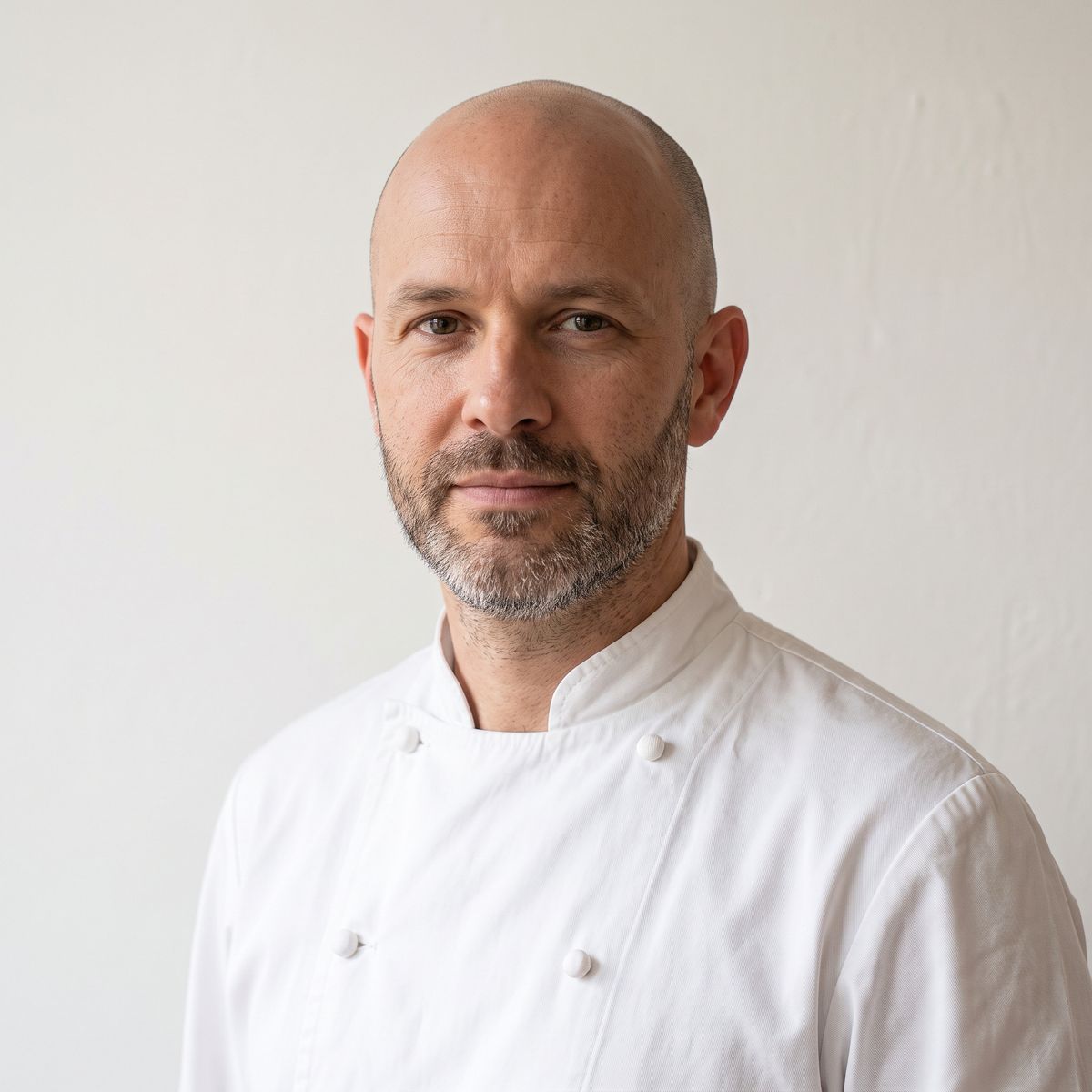
Head-and-shoulders portrait of a chef in his forties with a shaved head and a short salt-and-pepper beard, in a white chef's jacket, against a plain off-white background. Neutral expression, soft even light, photoreal. No text, no logos.
- Image 2
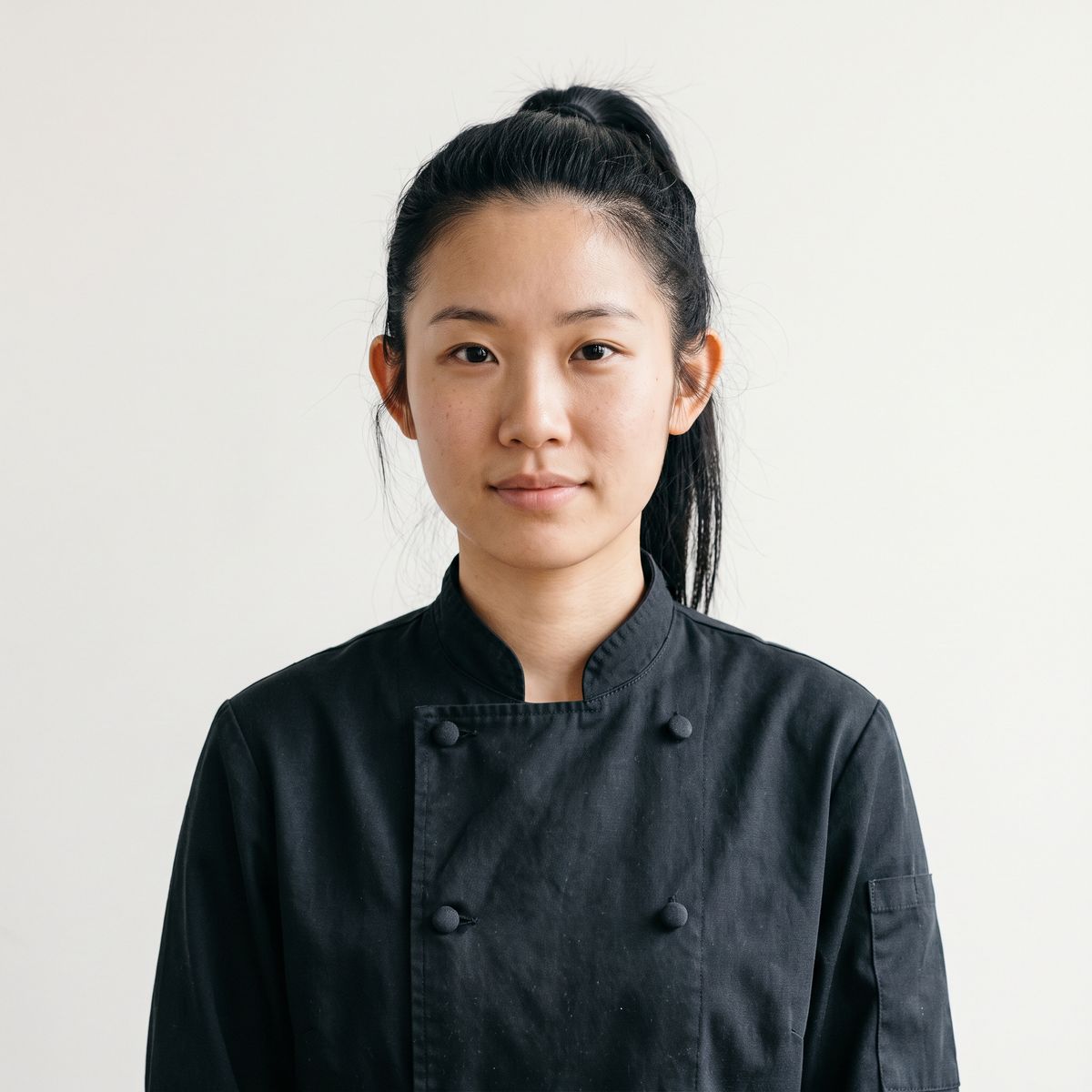
Head-and-shoulders portrait of a chef in her twenties with straight black hair in a high ponytail, in a black chef's jacket, against a plain off-white background. Neutral expression, soft even light, photoreal. No text, no logos.


Both portraits are neutral and evenly lit against a plain background, so each reference holds a face and nothing else, and the kitchen comes entirely from the prompt. The same two images can open every episode of a series, with only the scene and the lines changing between clips.
Borrowing a style
A reference can carry a look instead of a subject. Say that the image supplies only the style, name the qualities to take from it, and describe the new scene in full:
Take only the style from Image 1: its flat geometric shapes, thick rounded outlines and teal, coral, mustard and cream palette. The scene is new: a flat 2D animated explainer for a budgeting app, where a young man stands at a kitchen counter, taps his phone, and three coins fly out of the screen into a glass jar that fills up as a small green check mark pops above it. Smooth motion design animation, static camera. Audio: a soft pop as each coin lands, a cheerful marimba jingle, no voices.
- Image 1
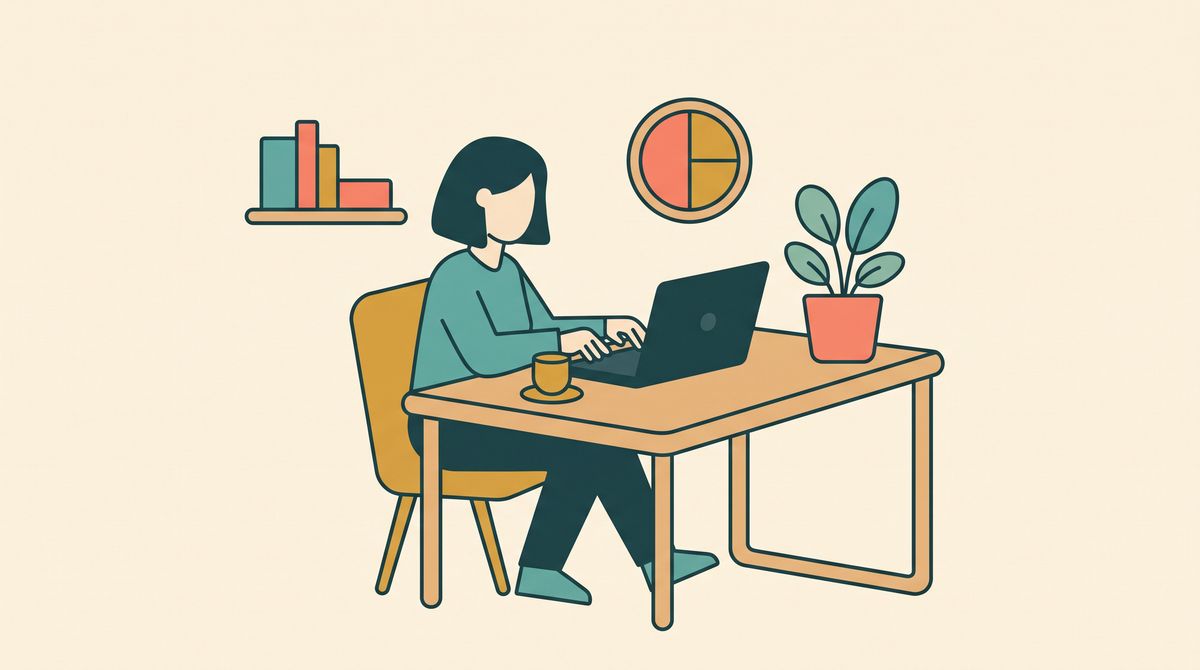
A flat 2D vector illustration style frame for an app explainer video: a person sitting at a desk with a laptop and a potted plant, drawn with simple geometric shapes, thick rounded outlines and no gradients, in a limited palette of teal, coral, mustard and cream on a plain cream background. Clean motion design style. No text.

"Take only the style" gives the image its role, and the qualities after it, the shapes, the outlines and the palette, say which parts of the look carry over. The rest of the prompt is a complete scene of its own, which is how one style frame from a brand's design team becomes a whole series of explainers.
Tips
-
Refer to every image by its number.
Image 1is the first item ininputs.referenceImages,Image 2the second. -
Write one sentence per image. Say what it is and what to keep from it, as categories rather than a description.
-
Use clean source images. A plain background and even light give the model one thing to take from each reference.
-
Cast people with neutral portraits. One image per person, referred to by what tells them apart on screen.
-
Say when an image is only a style. Name the qualities to borrow, then describe the new scene in full.
-
Keep references sharp. Faces that end up small in the shot and text on a product hold best when the reference shows them clearly.