GPT-Image-2.6 Flare

GPT-Image-2.6 Flare is OpenAI's fast image model for generation and editing in interactive workflows. Besides raster images, it generates SVG graphics and animated GIFs from text, and it edits images from marks drawn over them, like a circle around the object to change. A thinking level sets how much it plans before rendering, separate from rendering quality.
SVG output
How to generate editable SVG files with GPT-Image-2.6 Flare: the reference image behind each file, prompting for clean shapes, and picking the author with settings.svg.
Introduction
Set outputFormat to SVG and GPT-Image-2.6 Flare returns a vector file made of shapes instead of a grid of pixels. Each color is a value you can change in a text editor and each shape is an element you can select in a vector editor, so the artwork stays editable and sharp at any size.
Behind each file are two models working in turn. Flare renders your prompt as a reference image, then a language model, the author, writes the SVG from that image.

Flat vector onboarding illustration for the welcome screen of a personal budgeting app: a large glass jar full of coins with a small green plant sprouting from the top of the coins, standing beside an oversized smartphone whose screen shows three rising bars, with two loose coins on the ground in front of them. Bold flat shapes with clean edges, no outlines, no gradients, no text. Palette of deep teal, coral, warm sand, navy and off-white only. The illustration fills the upper two thirds of the frame, and the lower third is plain off-white space left empty for the headline and the button.
This guide covers how the two stages fit together, what the file contains, prompting for subjects that convert to clean shapes, choosing the author and its thinking level, and what SVG output does not support.
How SVG output works
An SVG request runs in two stages. First Flare renders a reference image from the prompt, the same way it renders a PNG. Then the author reads that image and writes SVG markup that reproduces it. Each stage has its own settings:
| Stage | Done by | Settings |
|---|---|---|
| Reference image | GPT-Image-2.6 Flare | positivePrompt, width, height, settings.quality, settings.thinkingLevel |
| SVG markup | The author, GPT-5.4 Mini by default | settings.svg.model, settings.svg.thinkingLevel |
settings.quality and settings.thinkingLevel shape the reference image, the same way they shape a raster render, which Quality and thinking level covers. That puts two thinking levels in an SVG request, and they are independent. settings.thinkingLevel is how much Flare plans the reference, and settings.svg.thinkingLevel is how much the author reasons before it writes.
Only the SVG comes back, never the reference. The split still tells you where to look when a file is off. The layout and the objects come from the reference, so a wrong composition is fixed in the prompt. The drawing comes from the author, so a crooked arrow or a misplaced label points at settings.svg.
The request
An SVG request is a text-to-image request with outputFormat set to SVG. This one produced the illustration above, and it leaves settings.svg out, so GPT-5.4 Mini writes the file.
import { createClient } from '@runware/sdk'

const client = await createClient({ apiKey: process.env.RUNWARE_API_KEY })
await client.connect()

const [result] = await client.run({
  model: 'openai:gpt-image@2.6-flare',
  positivePrompt: 'Flat vector onboarding illustration for the welcome screen of a personal budgeting app: a large glass jar full of coins with a small green plant sprouting from the top of the coins, standing beside an oversized smartphone whose screen shows three rising bars, with two loose coins on the ground in front of them. Bold flat shapes with clean edges, no outlines, no gradients, no text. Palette of deep teal, coral, warm sand, navy and off-white only. The illustration fills the upper two thirds of the frame, and the lower third is plain off-white space left empty for the headline and the button.',
  outputFormat: 'SVG',
  width: 1024,
  height: 1536
})
import asyncio
import os
from runware import Runware
async def main():
async with Runware(api_key=os.environ["RUNWARE_API_KEY"]) as client:
results = await client.run({
"model": "openai:gpt-image@2.6-flare",
"positivePrompt": "Flat vector onboarding illustration for the welcome screen of a personal budgeting app: a large glass jar full of coins with a small green plant sprouting from the top of the coins, standing beside an oversized smartphone whose screen shows three rising bars, with two loose coins on the ground in front of them. Bold flat shapes with clean edges, no outlines, no gradients, no text. Palette of deep teal, coral, warm sand, navy and off-white only. The illustration fills the upper two thirds of the frame, and the lower third is plain off-white space left empty for the headline and the button.",
"outputFormat": "SVG",
"width": 1024,
"height": 1536
})
asyncio.run(main())curl https://api.runware.ai/v1 \
-H "Authorization: Bearer $RUNWARE_API_KEY" \
-H "Content-Type: application/json" \
-d '[
{
  "taskType": "imageInference",
  "taskUUID": "337da3f6-3d89-42ee-a30e-c816ed7b8959",
  "model": "openai:gpt-image@2.6-flare",
  "positivePrompt": "Flat vector onboarding illustration for the welcome screen of a personal budgeting app: a large glass jar full of coins with a small green plant sprouting from the top of the coins, standing beside an oversized smartphone whose screen shows three rising bars, with two loose coins on the ground in front of them. Bold flat shapes with clean edges, no outlines, no gradients, no text. Palette of deep teal, coral, warm sand, navy and off-white only. The illustration fills the upper two thirds of the frame, and the lower third is plain off-white space left empty for the headline and the button.",
  "outputFormat": "SVG",
  "width": 1024,
  "height": 1536
}
]'runware run openai:gpt-image@2.6-flare \
positivePrompt="Flat vector onboarding illustration for the welcome screen of a personal budgeting app: a large glass jar full of coins with a small green plant sprouting from the top of the coins, standing beside an oversized smartphone whose screen shows three rising bars, with two loose coins on the ground in front of them. Bold flat shapes with clean edges, no outlines, no gradients, no text. Palette of deep teal, coral, warm sand, navy and off-white only. The illustration fills the upper two thirds of the frame, and the lower third is plain off-white space left empty for the headline and the button." \
outputFormat=SVG \
width=1024 \
height=1536{
"taskType": "imageInference",
"taskUUID": "337da3f6-3d89-42ee-a30e-c816ed7b8959",
"model": "openai:gpt-image@2.6-flare",
"positivePrompt": "Flat vector onboarding illustration for the welcome screen of a personal budgeting app: a large glass jar full of coins with a small green plant sprouting from the top of the coins, standing beside an oversized smartphone whose screen shows three rising bars, with two loose coins on the ground in front of them. Bold flat shapes with clean edges, no outlines, no gradients, no text. Palette of deep teal, coral, warm sand, navy and off-white only. The illustration fills the upper two thirds of the frame, and the lower third is plain off-white space left empty for the headline and the button.",
"outputFormat": "SVG",
"width": 1024,
"height": 1536
}Response
[
  {
    "taskType": "imageInference",
    "taskUUID": "337da3f6-3d89-42ee-a30e-c816ed7b8959",
    "imageUUID": "378e9437-8ef9-469a-87ab-8d9e9317d160",
    "imageURL": "https://im.runware.ai/image/os/a14d18/ws/2/ii/378e9437-8ef9-469a-87ab-8d9e9317d160.svg"
  }
]
The imageURL in the response ends in .svg, and the file at that address is ready to download or place on a page.
What comes back
The file is SVG markup written by a language model, so it reads much like hand-written SVG: shapes such as rect and path, grouped with g, with every color written out as a value. OpenAI documents it as static vector content only, with no scripts, no external resources and no embedded raster images, so nothing in it loads or runs when it goes on a page.
Since the colors are written into the markup, recoloring is a text edit. Replace a color value across the file and every shape painted with it changes. In a vector editor each element can be selected and moved on its own, which is how a logo gets split into its mark and its wordmark.
Leave width and height out and Flare picks the canvas, such as a 1024 × 1280 or a 1024 × 1536 viewBox. Set them when the artwork has a shape of its own, a wide canvas for a logo lockup or a square one for an icon. They size the reference image, and the author draws the file to the same proportions.
Prompting for vector output
The author works from the reference, so prompt for an image that is already made of shapes. Flat fills, a short list of named colors, clean edges and a plain background give it something it can redraw element by element. Logos, icons, flat illustrations and simple diagrams all fit that description, and this guide has one of each.
Keep text to a name or a few short labels. A wordmark or the captions of a three-step diagram suit the format, and longer copy is better set afterward in the editor. An illustration that needs no words should say "no text", the way the onboarding illustration's prompt does.
Logos and wordmarks
A startup logo is a mark plus a short wordmark in two or three colors, the kind of file that gets placed at a dozen sizes. Quote the wordmark exactly and say where it sits and how it is set.
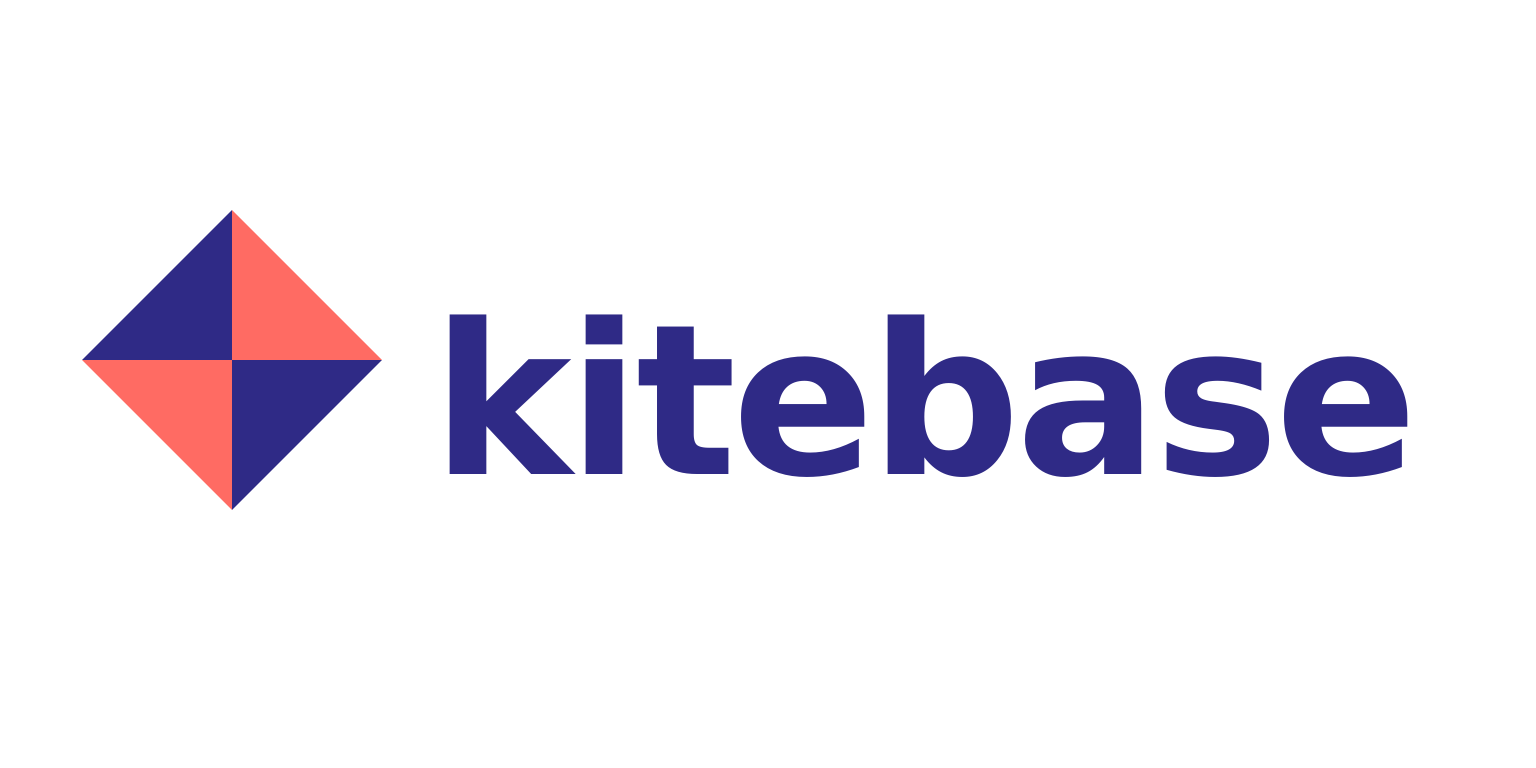
Flat vector logo for a SaaS startup called Kitebase, a file-sharing tool for small teams: a geometric kite mark made of four triangles on the left, with the wordmark "kitebase" in a bold rounded lowercase sans-serif to its right, vertically centered on the mark. Two colors only, deep indigo and coral, solid flat fills, no gradients, no outlines, on a plain white background with even margins on every side.
The prompt limits the palette to two named colors and asks for solid fills with no gradients or outlines, which leaves the author flat shapes to place. The wordmark sits in quotation marks, with its case and type style named and its position given relative to the mark.
Check how the author wrote the lettering. A <text> element is live text that names a font stack and renders in whichever of those fonts the viewer has installed, so convert the wordmark to outlines in a vector editor before the logo ships.
Icon sets
An icon set is one style clause repeated word for word, with only the object changing from one request to the next. Each icon comes back as its own file, ready for a sprite sheet or a component library. These four were written by GPT-5.5 at medium, picked with settings.svg as Choosing the author covers.

Line icon for a smart home app's tab bar: a classic light bulb with a screw base, its filament in lime green. Simple, instantly recognizable outline icon: one rounded stroke of even weight in dark slate, no fills, no shading, no gradients, with the one detail named above in lime green, centered with generous even padding on a plain white background.

Line icon for a smart home app's tab bar: a round thermostat dial with a small pointer at the top, the arc of the set temperature in lime green. Simple, instantly recognizable outline icon: one rounded stroke of even weight in dark slate, no fills, no shading, no gradients, with the one detail named above in lime green, centered with generous even padding on a plain white background.

Line icon for a smart home app's tab bar: a closed padlock with a round keyhole, the keyhole in lime green. Simple, instantly recognizable outline icon: one rounded stroke of even weight in dark slate, no fills, no shading, no gradients, with the one detail named above in lime green, centered with generous even padding on a plain white background.

Line icon for a smart home app's tab bar: an electrical plug with two prongs and a short cord, the prongs in lime green. Simple, instantly recognizable outline icon: one rounded stroke of even weight in dark slate, no fills, no shading, no gradients, with the one detail named above in lime green, centered with generous even padding on a plain white background.
All four prompts end on the same sentence: one rounded stroke of even weight in dark slate, no fills, the named detail in lime and even padding on white. Each object clause names the one detail that takes the accent, the filament, the dial arc, the keyhole and the prongs, so the lime plays the same role on every icon. Nothing else ties the set together, since every request renders a new reference image from scratch, so keep that sentence identical and change only the object in front of it.
The sentence holds the palette, the accent and the line style. The stroke weight still drifts between requests: on the same 1024-unit canvas, these four files draw their lines 34 to 38, 48, 64 and 56 to 64 units wide. In SVG that is one attribute, so set the same stroke-width on every file before the set ships.
These files have no background. GPT-5.5 drew the icons without the rectangle the logo and the diagrams carry, so each one sits on whatever surface it is placed on. This page shows them on white.
Choosing the author
settings.svg.model picks the language model that writes the markup. Leave it out and GPT-5.4 Mini writes the file. Six OpenAI models can take the job, and each accepts its own range of settings.svg.thinkingLevel values:
| Author | Model | Thinking levels |
|---|---|---|
| GPT-5.4 Mini (default) | openai:gpt@5.4-mini | none, low, medium, high, xhigh |
| GPT-5.4 | openai:gpt@5.4 | none, low, medium, high, xhigh |
| GPT-5.5 | openai:gpt@5.5 | none, low, medium, high, xhigh |
| GPT-5.6 Terra | openai:gpt@5.6-terra | none, low, medium, high, xhigh, max |
| GPT-6 Luna | openai:gpt@6-luna | none, low, medium, high, xhigh, max |
| GPT-6 Astra | openai:gpt@6-astra | low, medium, high, xhigh, max |
The author's tokens are billed at that model's own rate, on top of Flare's tokens for the reference image. GPT-6 Luna has the lowest rate of the six and GPT-6 Astra the highest, and the default GPT-5.4 Mini sits near the low end.
This request sends a three-step diagram to GPT-6 Astra:
import { createClient } from '@runware/sdk'

const client = await createClient({ apiKey: process.env.RUNWARE_API_KEY })
await client.connect()

const [result] = await client.run({
  model: 'openai:gpt-image@2.6-flare',
  positivePrompt: 'Simple flat vector process diagram for the returns page of an online store: three steps in a horizontal row, each a rounded square card with a line icon inside and a numbered circle on its top-left corner, joined left to right by two straight arrows. The icons are a parcel box, a storefront and a coin. Under the cards the labels read "Pack it", "Drop it off" and "Get your refund". Navy and mint only, thin even strokes, flat fills, generous spacing on a plain white background, no other text.',
  outputFormat: 'SVG',
  width: 1536,
  height: 768,
  settings: {
    svg: {
      model: 'openai:gpt@6-astra',
      thinkingLevel: 'high'
    }
  }
})
import asyncio
import os
from runware import Runware
async def main():
async with Runware(api_key=os.environ["RUNWARE_API_KEY"]) as client:
results = await client.run({
"model": "openai:gpt-image@2.6-flare",
"positivePrompt": "Simple flat vector process diagram for the returns page of an online store: three steps in a horizontal row, each a rounded square card with a line icon inside and a numbered circle on its top-left corner, joined left to right by two straight arrows. The icons are a parcel box, a storefront and a coin. Under the cards the labels read \"Pack it\", \"Drop it off\" and \"Get your refund\". Navy and mint only, thin even strokes, flat fills, generous spacing on a plain white background, no other text.",
"outputFormat": "SVG",
"width": 1536,
"height": 768,
"settings": {
"svg": {
"model": "openai:gpt@6-astra",
"thinkingLevel": "high"
}
}
})
asyncio.run(main())curl https://api.runware.ai/v1 \
-H "Authorization: Bearer $RUNWARE_API_KEY" \
-H "Content-Type: application/json" \
-d '[
{
  "taskType": "imageInference",
  "taskUUID": "aac9907d-db0a-4455-b3f9-4b6fdae98d89",
  "model": "openai:gpt-image@2.6-flare",
  "positivePrompt": "Simple flat vector process diagram for the returns page of an online store: three steps in a horizontal row, each a rounded square card with a line icon inside and a numbered circle on its top-left corner, joined left to right by two straight arrows. The icons are a parcel box, a storefront and a coin. Under the cards the labels read \"Pack it\", \"Drop it off\" and \"Get your refund\". Navy and mint only, thin even strokes, flat fills, generous spacing on a plain white background, no other text.",
  "outputFormat": "SVG",
  "width": 1536,
  "height": 768,
  "settings": {
    "svg": {
      "model": "openai:gpt@6-astra",
      "thinkingLevel": "high"
    }
  }
}
]'runware run openai:gpt-image@2.6-flare \
positivePrompt="Simple flat vector process diagram for the returns page of an online store: three steps in a horizontal row, each a rounded square card with a line icon inside and a numbered circle on its top-left corner, joined left to right by two straight arrows. The icons are a parcel box, a storefront and a coin. Under the cards the labels read \"Pack it\", \"Drop it off\" and \"Get your refund\". Navy and mint only, thin even strokes, flat fills, generous spacing on a plain white background, no other text." \
outputFormat=SVG \
width=1536 \
height=768 \
settings.svg.model=openai:gpt@6-astra \
settings.svg.thinkingLevel=high{
"taskType": "imageInference",
"taskUUID": "aac9907d-db0a-4455-b3f9-4b6fdae98d89",
"model": "openai:gpt-image@2.6-flare",
"positivePrompt": "Simple flat vector process diagram for the returns page of an online store: three steps in a horizontal row, each a rounded square card with a line icon inside and a numbered circle on its top-left corner, joined left to right by two straight arrows. The icons are a parcel box, a storefront and a coin. Under the cards the labels read \"Pack it\", \"Drop it off\" and \"Get your refund\". Navy and mint only, thin even strokes, flat fills, generous spacing on a plain white background, no other text.",
"outputFormat": "SVG",
"width": 1536,
"height": 768,
"settings": {
"svg": {
"model": "openai:gpt@6-astra",
"thinkingLevel": "high"
}
}
}Response
[
  {
    "taskType": "imageInference",
    "taskUUID": "aac9907d-db0a-4455-b3f9-4b6fdae98d89",
    "imageUUID": "54ff7a12-202e-4665-a860-3eeaf3c8b6cf",
    "imageURL": "https://im.runware.ai/image/os/a14d18/ws/2/ii/54ff7a12-202e-4665-a860-3eeaf3c8b6cf.svg"
  }
]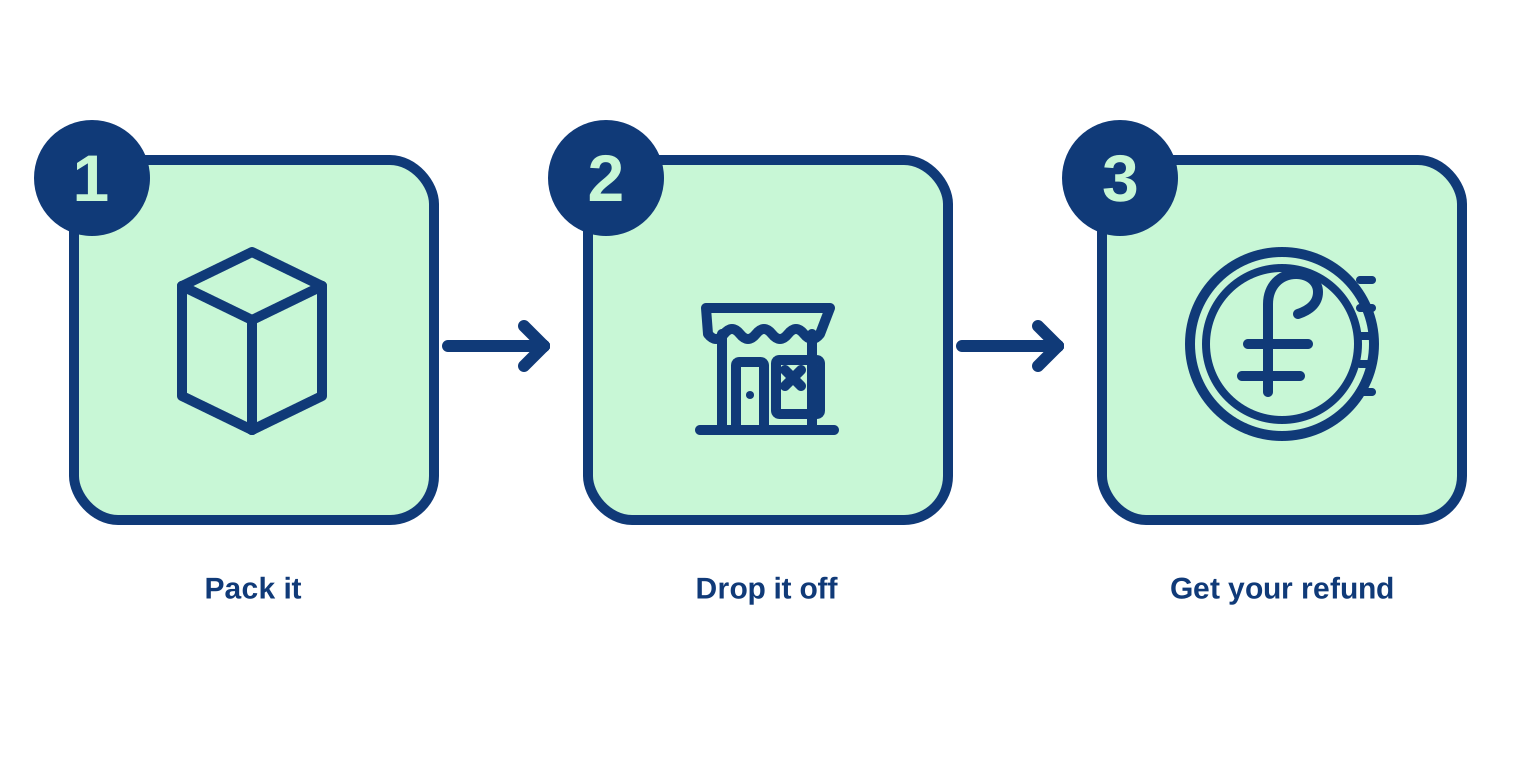
Simple flat vector process diagram for the returns page of an online store: three steps in a horizontal row, each a rounded square card with a line icon inside and a numbered circle on its top-left corner, joined left to right by two straight arrows. The icons are a parcel box, a storefront and a coin. Under the cards the labels read "Pack it", "Drop it off" and "Get your refund". Navy and mint only, thin even strokes, flat fills, generous spacing on a plain white background, no other text.
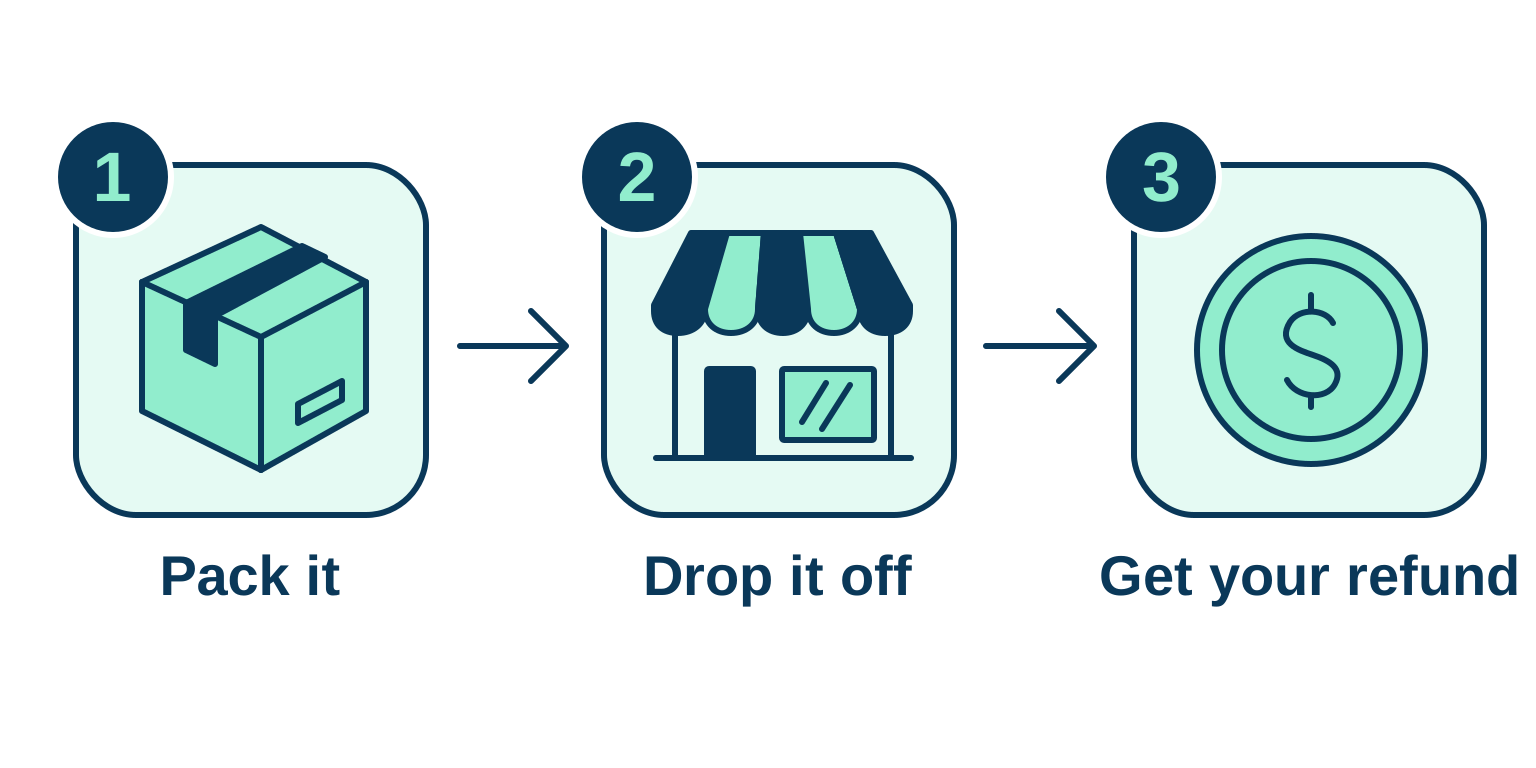
Simple flat vector process diagram for the returns page of an online store: three steps in a horizontal row, each a rounded square card with a line icon inside and a numbered circle on its top-left corner, joined left to right by two straight arrows. The icons are a parcel box, a storefront and a coin. Under the cards the labels read "Pack it", "Drop it off" and "Get your refund". Navy and mint only, thin even strokes, flat fills, generous spacing on a plain white background, no other text.
Both files come from the same prompt, with settings.svg.thinkingLevel at high. There is no seed, so each request also rendered its own reference image, and part of what differs between them is ordinary variation from run to run. Both drawings follow the layout, with the arrows between the cards and each label centered under its step. GPT-6 Astra drew more detail into the icons: tape across the box, a striped awning over the storefront and a dollar sign on the coin, where GPT-5.4 Mini drew a plain cube and a coin with a less legible mark.
Move to a stronger author when the shapes need more detail than the default author draws. The logo above was written by the default author. The icons were not: with the same prompts, GPT-5.4 Mini drew a bulb with an open outline and a padlock with a doubled one, and GPT-5.5 drew all four cleanly.
Author thinking level
settings.svg.thinkingLevel sets how long the author reasons before it writes. Leave it out and the author uses its own default. The values each author accepts are in the table above, and a value outside an author's list is rejected: GPT-6 Astra takes no none, and only GPT-5.6 Terra, GPT-6 Luna and GPT-6 Astra take max.
A higher level adds reasoning tokens to the author's share of the bill and takes longer to come back. The two diagrams below come from the same prompt and the same author, GPT-5.4 Mini, at low and at xhigh:
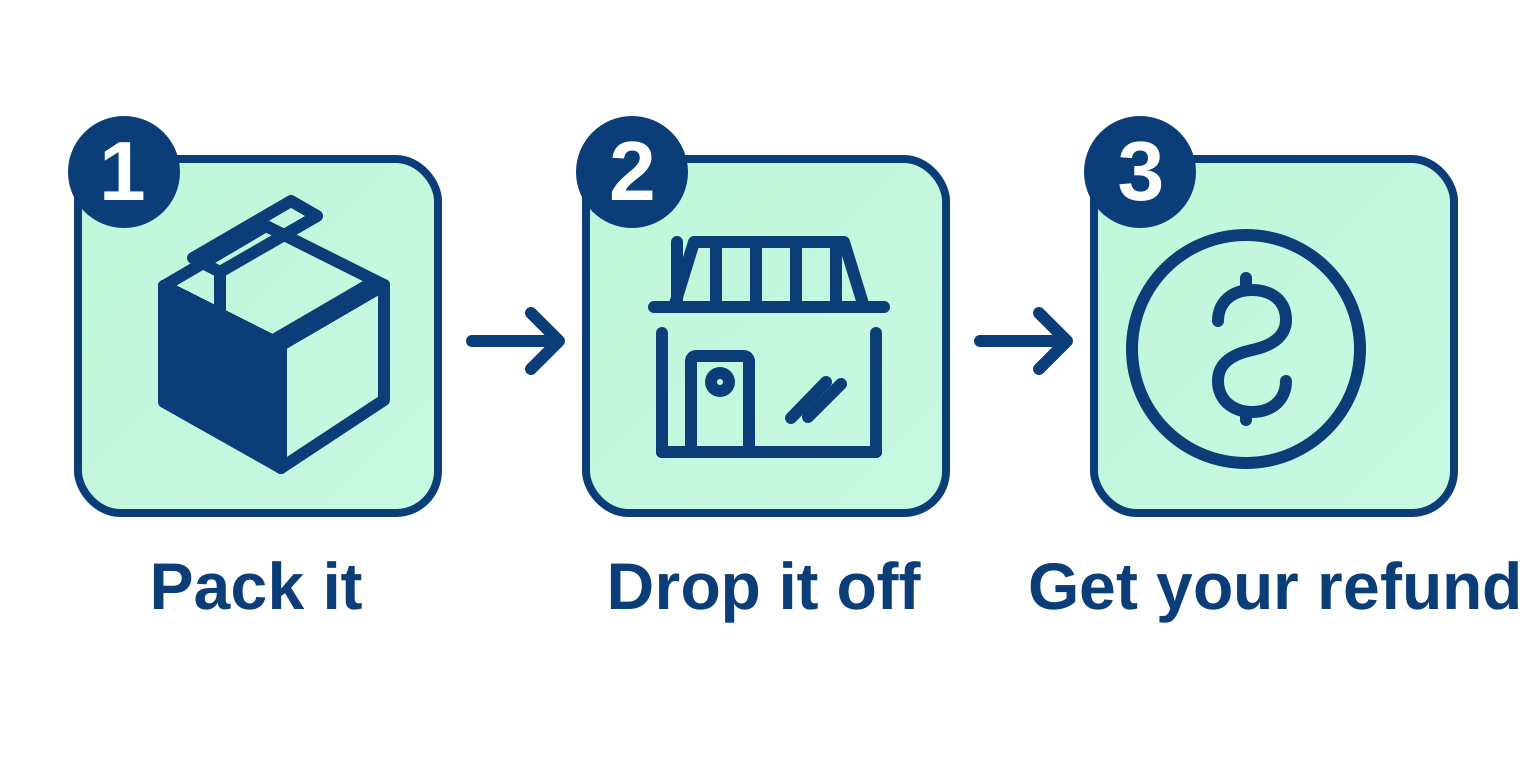
Simple flat vector process diagram for the returns page of an online store: three steps in a horizontal row, each a rounded square card with a line icon inside and a numbered circle on its top-left corner, joined left to right by two straight arrows. The icons are a parcel box, a storefront and a coin. Under the cards the labels read "Pack it", "Drop it off" and "Get your refund". Navy and mint only, thin even strokes, flat fills, generous spacing on a plain white background, no other text.
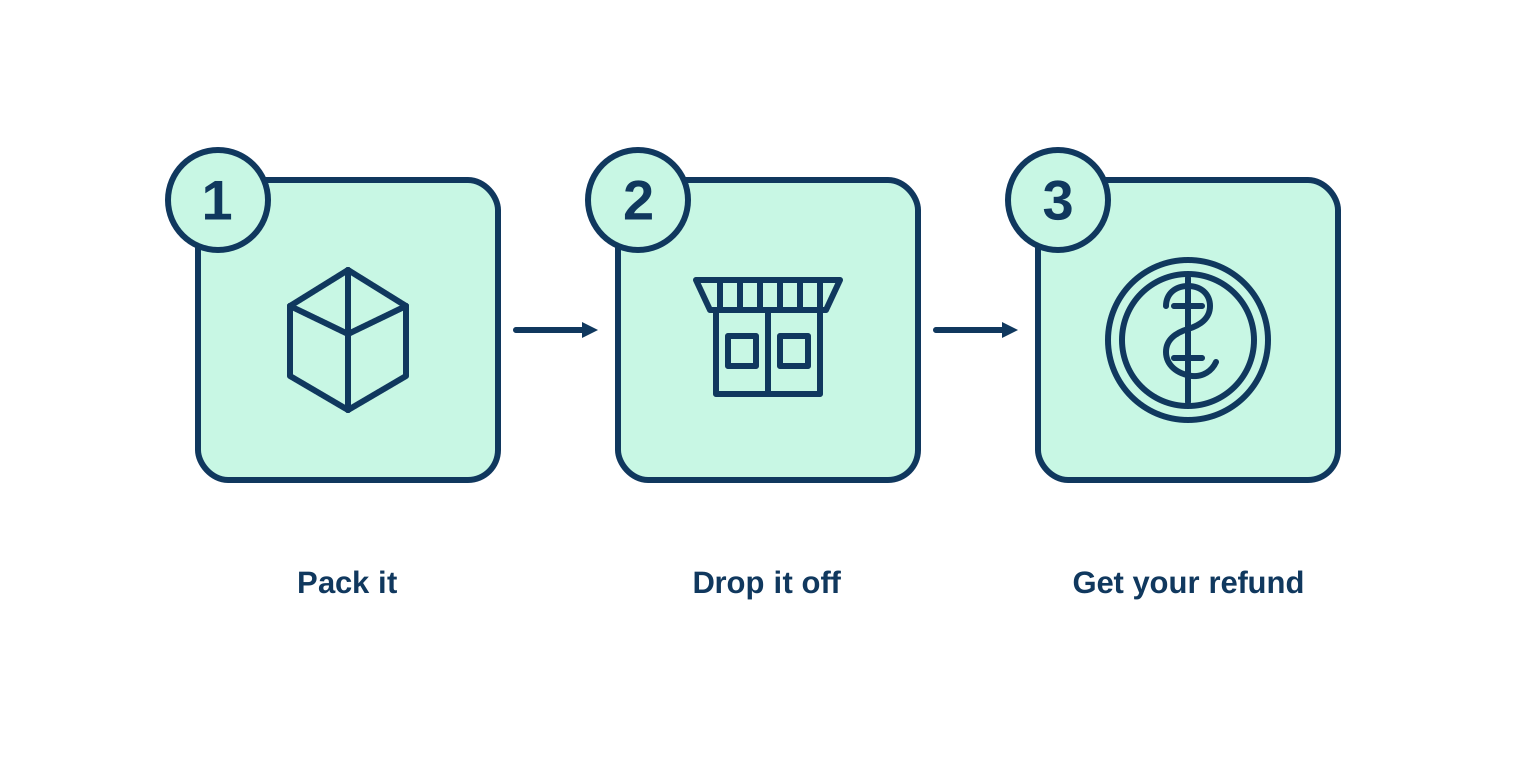
Simple flat vector process diagram for the returns page of an online store: three steps in a horizontal row, each a rounded square card with a line icon inside and a numbered circle on its top-left corner, joined left to right by two straight arrows. The icons are a parcel box, a storefront and a coin. Under the cards the labels read "Pack it", "Drop it off" and "Get your refund". Navy and mint only, thin even strokes, flat fills, generous spacing on a plain white background, no other text.
Both files are usable diagrams, with the numbered circles on the corners, the arrows between the cards and the three labels under their steps. On a diagram this simple, low was enough, and xhigh bought no visible improvement: its coin even carries a less legible mark than the dollar sign at low. Most of what differs between the two, such as the stroke weight and the size of the labels, comes from each request's own reference image. Keep the level low on simple artwork and spend the reasoning tokens where a drawing comes back with parts that do not line up.
Limits
- SVG output is text-to-image only. A request that pairs
outputFormat: "SVG"withinputs.referenceImagesis rejected, and so is one with a mask or a markup image, since both need references. An SVG file cannot go back in as a reference for a raster edit either. To change a file, edit the markup or generate again from a revised prompt. Raster edits are covered in Editing images. - There is no transparency setting.
settings.background: "transparent"requiresPNGorWEBP, so it is rejected withSVG. An SVG has no background of its own, though. Any background you see is a shape the author drew, usually a rectangle that covers the canvas, and deleting that element leaves the artwork on whatever layout it is placed on. For raster cutouts, see Transparent backgrounds. - The SVG settings need SVG output.
settings.svgis rejected with any otheroutputFormat, or with none.
Tips
-
Prompt for flat artwork. Flat fills and a short palette on a plain background describe an image that is already made of shapes.
-
Keep text to a name or a few labels. Set longer copy afterward in the editor, where it stays live text you can correct.
-
Repeat one style clause across a set, then match the strokes. Separate requests share nothing else, and the stroke weight still drifts, so set one
stroke-widthacross the files. -
Size the canvas to the artwork. A wide
widthandheightfor a lockup, a square for an icon. -
Start with the default author at a low level. Switch to a stronger author when the shapes need more detail than it draws.
-
Outline the wordmark before a logo ships. A
<text>element renders in whatever fonts the viewer has installed. -
Generate several and keep the best. With no
seed, every request starts from a new reference image.