Nano Banana 2.1

Nano Banana 2.1 is Google's updated image generation and editing model in the Nano Banana 2 family. It improves graphic composition and subject consistency, and it follows complex prompts and edit instructions more accurately. It works from text alone or from as many as fourteen reference images plus one reference video, and it can ground a generation in live web and image search so the result reflects current facts and real visual references. It generates at 1K, 2K and 4K, with three levels of thinking that trade speed for reasoning depth, which suits layout-heavy design work, recurring characters and products, and precise multi-step edits.
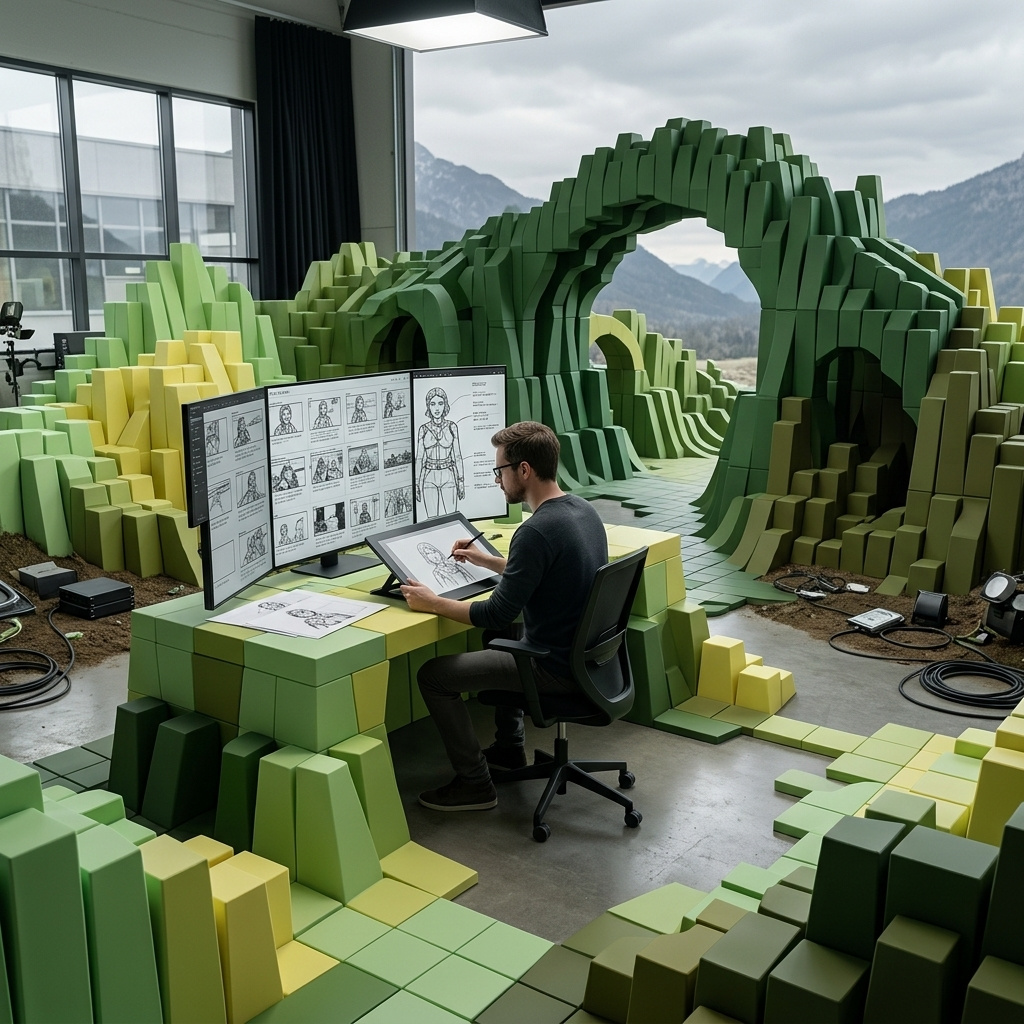
Subject consistency
How to keep one product or character identical across a series with Nano Banana 2.1: one reference into new scenes, extra views, and illustrated characters.
Introduction
Generate a product shot you like, change the prompt to move it into a new scene, and the model hands you a different product. Every request starts from nothing, so the stitching or the exact shade of green drifts as soon as anything around it changes. For a catalog or a campaign, that drift makes the set unusable.
Nano Banana 2.1 takes the subject from an image instead of a description. Pass it in inputs.referenceImages, describe the new scene in positivePrompt, and the model carries the subject into that scene. One request accepts up to 14 reference images.

The suitcase from the reference image standing on the curb outside an airport terminal at dawn, next to the open trunk of a yellow taxi, with a traveler's hand resting on its top handle. Wet pavement reflecting the terminal lights, soft blue morning light with warm highlights. Keep the suitcase's sage green shell, horizontal ribs, tan leather handles, brass rivets, and black wheels identical. Photoreal travel campaign photography, shallow depth of field.
- Reference
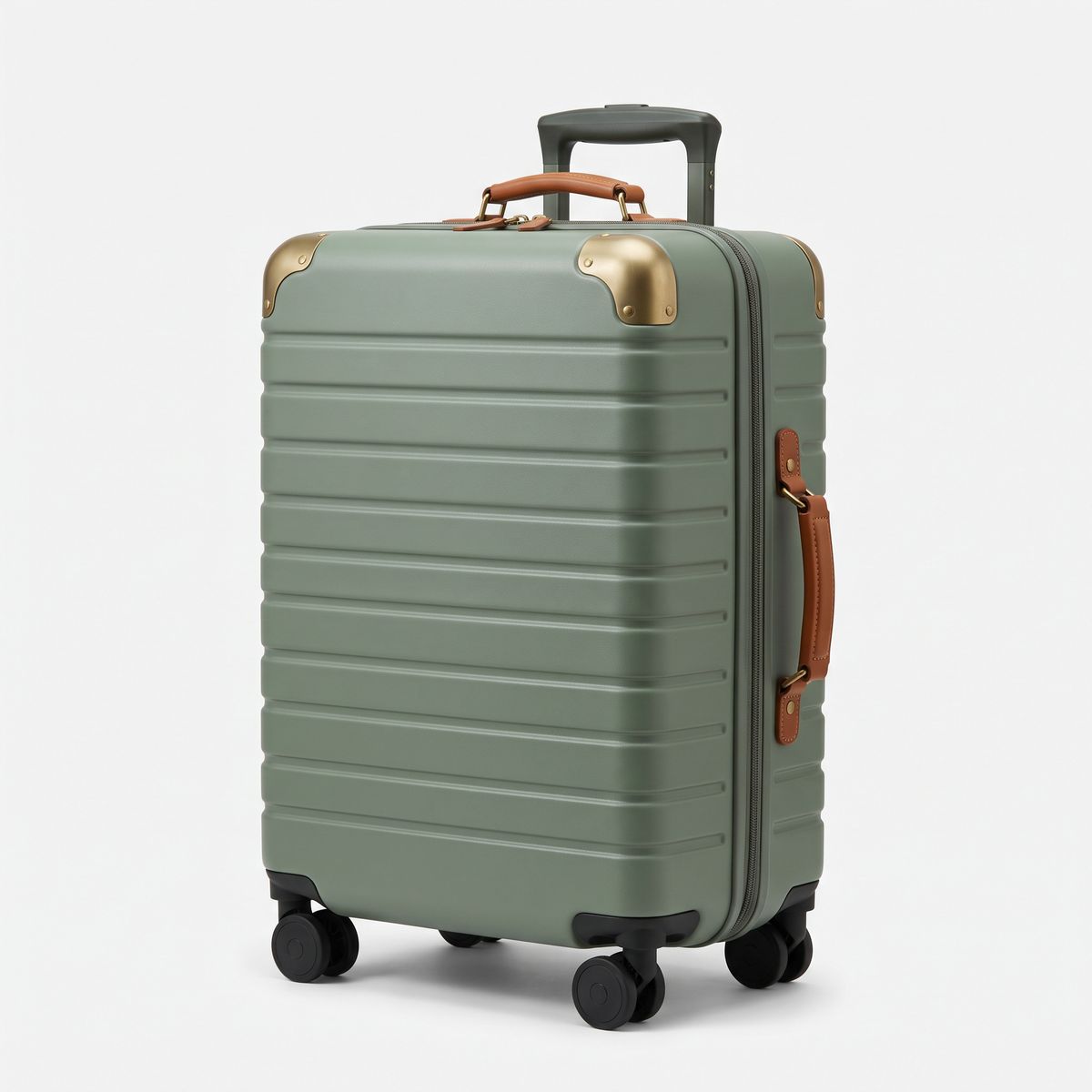
A studio packshot of a hard-shell carry-on suitcase in matte sage green with horizontal ribs, tan leather side and top handles, brass corner rivets, and four black spinner wheels, standing upright at a three-quarter angle on a plain white backdrop. Soft even studio lighting, subtle contact shadow, photoreal e-commerce photography, no logos, no text.

The reference is a packshot on white, and the prompt spends its words on the airport curb. Identity comes from the image, and the scene comes from the text.
This guide covers the request, holding a character across a campaign, adding references for the sides a scene will show, and keeping an illustrated character on model. Putting several different subjects into one frame is covered in multi-reference composition.
The request
Attach the subject as a reference, and the rest is an ordinary generation:
import { createClient } from '@runware/sdk'

const client = await createClient({ apiKey: process.env.RUNWARE_API_KEY })
await client.connect()

const [result] = await client.run({
  model: 'google:nano-banana@2.1',
  positivePrompt: 'The suitcase from the reference image standing on the curb outside an airport terminal at dawn, next to the open trunk of a yellow taxi, with a traveler\'s hand resting on its top handle. Wet pavement reflecting the terminal lights, soft blue morning light with warm highlights. Keep the suitcase\'s sage green shell, horizontal ribs, tan leather handles, brass rivets, and black wheels identical. Photoreal travel campaign photography, shallow depth of field.',
  width: 2528,
  height: 1696,
  inputs: {
    referenceImages: [
      'https://im.runware.ai/image/os/a14d18/ws/2/ii/6b0d3e95-7a12-4c8f-9d46-b3e5f1a8c270.jpg'
    ]
  }
})
import asyncio
import os
from runware import Runware
async def main():
async with Runware(api_key=os.environ["RUNWARE_API_KEY"]) as client:
results = await client.run({
"model": "google:nano-banana@2.1",
"positivePrompt": "The suitcase from the reference image standing on the curb outside an airport terminal at dawn, next to the open trunk of a yellow taxi, with a traveler's hand resting on its top handle. Wet pavement reflecting the terminal lights, soft blue morning light with warm highlights. Keep the suitcase's sage green shell, horizontal ribs, tan leather handles, brass rivets, and black wheels identical. Photoreal travel campaign photography, shallow depth of field.",
"width": 2528,
"height": 1696,
"inputs": {
"referenceImages": [
"https://im.runware.ai/image/os/a14d18/ws/2/ii/6b0d3e95-7a12-4c8f-9d46-b3e5f1a8c270.jpg"
]
}
})
asyncio.run(main())curl https://api.runware.ai/v1 \
-H "Authorization: Bearer $RUNWARE_API_KEY" \
-H "Content-Type: application/json" \
-d '[
{
  "taskType": "imageInference",
  "taskUUID": "e1a4c7f2-5b93-4d08-8c6e-2f9d0a3b7c54",
  "model": "google:nano-banana@2.1",
  "positivePrompt": "The suitcase from the reference image standing on the curb outside an airport terminal at dawn, next to the open trunk of a yellow taxi, with a traveler's hand resting on its top handle. Wet pavement reflecting the terminal lights, soft blue morning light with warm highlights. Keep the suitcase's sage green shell, horizontal ribs, tan leather handles, brass rivets, and black wheels identical. Photoreal travel campaign photography, shallow depth of field.",
  "width": 2528,
  "height": 1696,
  "inputs": {
    "referenceImages": [
      "https://im.runware.ai/image/os/a14d18/ws/2/ii/6b0d3e95-7a12-4c8f-9d46-b3e5f1a8c270.jpg"
    ]
  }
}
]'runware run google:nano-banana@2.1 \
positivePrompt="The suitcase from the reference image standing on the curb outside an airport terminal at dawn, next to the open trunk of a yellow taxi, with a traveler's hand resting on its top handle. Wet pavement reflecting the terminal lights, soft blue morning light with warm highlights. Keep the suitcase's sage green shell, horizontal ribs, tan leather handles, brass rivets, and black wheels identical. Photoreal travel campaign photography, shallow depth of field." \
width=2528 \
height=1696 \
inputs.referenceImages.0=https://im.runware.ai/image/os/a14d18/ws/2/ii/6b0d3e95-7a12-4c8f-9d46-b3e5f1a8c270.jpg{
"taskType": "imageInference",
"taskUUID": "e1a4c7f2-5b93-4d08-8c6e-2f9d0a3b7c54",
"model": "google:nano-banana@2.1",
"positivePrompt": "The suitcase from the reference image standing on the curb outside an airport terminal at dawn, next to the open trunk of a yellow taxi, with a traveler's hand resting on its top handle. Wet pavement reflecting the terminal lights, soft blue morning light with warm highlights. Keep the suitcase's sage green shell, horizontal ribs, tan leather handles, brass rivets, and black wheels identical. Photoreal travel campaign photography, shallow depth of field.",
"width": 2528,
"height": 1696,
"inputs": {
"referenceImages": [
"https://im.runware.ai/image/os/a14d18/ws/2/ii/6b0d3e95-7a12-4c8f-9d46-b3e5f1a8c270.jpg"
]
}
}Response
[
  {
    "taskType": "imageInference",
    "taskUUID": "e1a4c7f2-5b93-4d08-8c6e-2f9d0a3b7c54",
    "imageUUID": "39f8a1c6-d204-4b7e-a85c-0e6d9b2f4a17",
    "imageURL": "https://im.runware.ai/image/os/a14d18/ws/2/ii/39f8a1c6-d204-4b7e-a85c-0e6d9b2f4a17.jpg"
  }
]
The prompt has two jobs. Most of it describes what is new: where the subject is and what is happening around it. One sentence near the end names the features to hold, which points the model at the details that make this suitcase this suitcase. width and height set the new frame, since a campaign scene rarely shares the shape of the packshot.
One character across a campaign
A person works the same way as a product. Start from a reference that shows the face clearly, in even light:

A studio portrait of a fitness instructor in her early thirties with a dark brown high ponytail, light brown skin, a small scar through her left eyebrow, and a wide confident smile, wearing a teal racerback training top and black leggings. Three-quarter length, arms crossed, plain light gray backdrop, soft even studio lighting, photoreal, sharp focus, no text.
Each image below used that portrait as its only reference:

The woman from the reference image leading a group class in a bright fitness studio, front and center in a lunge with both arms raised, four participants out of focus behind her following along. Mirrors on the left wall, daylight from tall windows. Keep her face, her ponytail, the scar through her left eyebrow, and her teal training top identical. Photoreal fitness app photography.

The woman from the reference image running along a riverside path at sunrise, mid-stride, seen from the front at a three-quarter angle, wearing a white long-sleeve running top and black shorts instead of the teal top. Low golden light, mist over the water. Keep her face, her ponytail, and the scar through her left eyebrow identical. Photoreal sports photography, shallow depth of field.

A close-up portrait of the woman from the reference image laughing, head turned slightly to the right, a white towel around her neck, in a gym locker room with warm overhead light and blurred lockers behind her. Keep her face, her ponytail, and the scar through her left eyebrow identical. Photoreal, 85mm lens, shallow depth of field.

The woman from the reference image as a flat vector avatar illustration for an app profile: head and shoulders, thick clean outlines, flat color fills, teal top, centered on a solid pale yellow background. Keep her ponytail, her face shape, and the scar through her left eyebrow recognizable. No text.
Every prompt names one distinguishing mark, the scar through her eyebrow. A mark like that gives the model a detail to hold that survives a new outfit and even a new medium. Clothing is part of the reference too, so say so when it should change: the riverside prompt asks for a white top "instead of the teal top".
Covering the sides a scene will show
A reference only carries what it shows. When a scene turns the subject around, the model has to invent the hidden side. The fix is a second reference that shows it. Here are two views of one delivery van, where the rear doors carry a graphic that the side view cannot reveal:

A studio photograph of a compact electric delivery van in mint green with a white roof, seen from the front left three-quarter angle. A wide white stripe runs along the side, with the wordmark "FERNWAY" in dark green capitals on the side panel. Plain light gray backdrop, soft even lighting, photoreal, no people.

The same van from the reference image seen from directly behind. The two rear doors carry one large white fern leaf illustration spanning both doors, with "FRESH TO YOUR DOOR" in small white capitals under it. Keep the mint green paint, the white roof, and the van's proportions identical. Plain light gray backdrop, soft even lighting, photoreal, no people.
The two street shots below share one prompt. The first request sent only the side reference, and the second sent both:

The mint green delivery van from the reference driving away from the camera down a tree-lined suburban street in late afternoon light, seen from directly behind with its rear doors clearly visible. Keep the van's paint, roof, and graphics consistent with the reference. Photoreal, slight motion blur on the road.

The mint green delivery van from the reference driving away from the camera down a tree-lined suburban street in late afternoon light, seen from directly behind with its rear doors clearly visible. Keep the van's paint, roof, and graphics consistent with the reference. Photoreal, slight motion blur on the road.
The prompt never mentions the fern. The rear graphic came from the second reference, and with the side view alone the model repeated the side wordmark on the doors. Build the reference set from the views your scenes will show: the front, plus any side that carries detail the front cannot reveal.
An illustrated character across pages
The same mechanism holds a drawn character, where the reference also carries the style, from the line to the palette.

A children's book character design on a plain cream background: a small fox standing upright, facing forward, with a rounded body, a white-tipped tail, large round eyes, and a yellow raincoat with a single red button, wearing red rain boots. Soft gouache texture, visible brush strokes, warm limited palette, no text.

A children's book illustration in the exact style of the reference image: the fox from the reference kneeling in a vegetable garden, planting a seedling with a small trowel, with a watering can beside him and rows of carrot tops behind. Morning light, soft gouache texture. Keep the fox's proportions, yellow raincoat with one red button, red boots, and white-tipped tail identical. No text.

A children's book illustration in the exact style of the reference image: the fox from the reference riding a small blue bicycle along a rainy village street, splashing through a puddle, with rain streaks and glowing shop windows behind, the shopfronts plain with no signs or lettering. Painted as a vignette with soft irregular edges on the same cream paper as the reference. Soft gouache texture. Keep the fox's proportions, yellow raincoat with one red button, red boots, and white-tipped tail identical. No text.

A children's book illustration in the exact style of the reference image: the fox from the reference sitting under a large oak tree reading a red book, with autumn leaves falling around him. Warm afternoon light, soft gouache texture. Keep the fox's proportions, yellow raincoat with one red button, red boots, and white-tipped tail identical. No text.
Each page prompt opens with "in the exact style of the reference image". For a drawn character the style is half the identity, and naming it stops the model from redrawing the fox in a cleaner or more detailed look than the sheet.
Tips
-
Start from a clean reference. A plain background and even light, with the whole subject in frame, give the model the most to hold.
-
Spend the prompt on the scene. The reference carries the subject, so the prompt describes the place and the action.
-
Name the features that must hold. One closing sentence, such as "keep the sage green shell and the tan leather handles identical", points the model at the details that matter.
-
Give a person one distinguishing mark. A scar or a streak of gray hair survives a new outfit and a new medium.
-
Say when clothing should change. The outfit is part of the reference until the prompt replaces it.
-
Add a reference for every side a scene shows. One image covers one viewpoint.
-
Ask for the reference's style on illustrated work. "In the exact style of the reference image" keeps the line and the palette on model.