Nano Banana 2.1

Nano Banana 2.1 is Google's updated image generation and editing model in the Nano Banana 2 family. It improves graphic composition and subject consistency, and it follows complex prompts and edit instructions more accurately. It works from text alone or from as many as fourteen reference images plus one reference video, and it can ground a generation in live web and image search so the result reflects current facts and real visual references. It generates at 1K, 2K and 4K, with three levels of thinking that trade speed for reasoning depth, which suits layout-heavy design work, recurring characters and products, and precise multi-step edits.
Composing from multiple reference images
How to combine up to 14 reference images with Nano Banana 2.1: giving each image a role, following a layout sketch, borrowing a style, and reading a video.
Introduction
Putting a person and a product into a location neither was shot in is normally a compositing job. You cut out each element, place it, then match scale and light by hand, and every revision repeats the work.
Nano Banana 2.1 does it in one request. Each element goes into inputs.referenceImages as its own image, the prompt says which image plays which part, and the model returns one frame with scale and lighting already reconciled. A request takes up to 14 images.

The man from image 1 riding the green e-bike from image 2 along the waterfront cycle path from image 4, wearing the cream helmet from image 3 with the straps fastened. He rides toward the camera at a slight angle, both hands on the grips, with the harbor on the left of the frame. Match the golden hour light and long shadows of image 4 on the rider and the bike. Keep his face, beard, and clothing from image 1, and keep the bike's frame color, saddle, basket, and tires from image 2. Photoreal lifestyle campaign photography, shallow depth of field.
- Image 1: rider
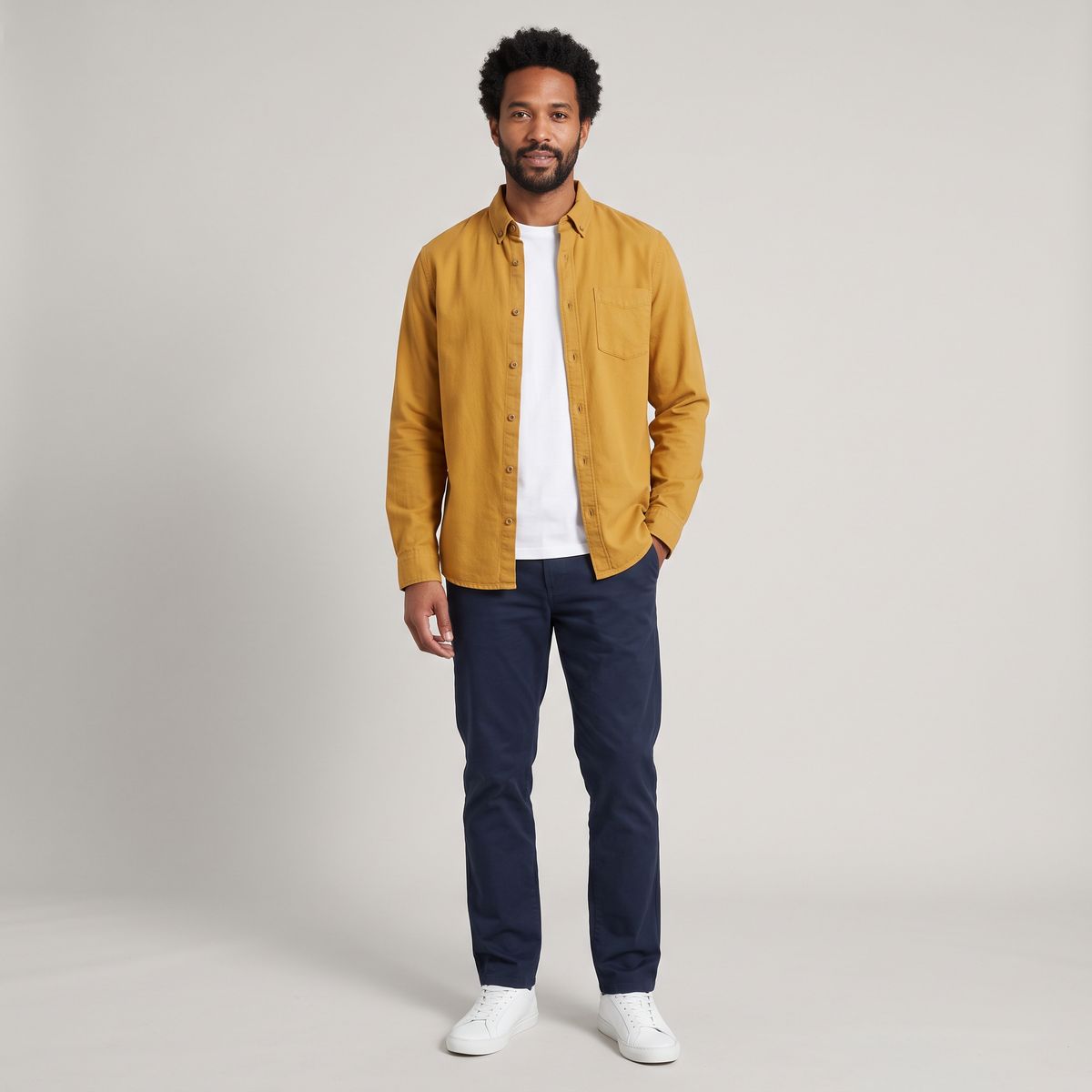
A full-length studio photograph of a man in his thirties with short curly black hair and a trimmed beard, standing relaxed and facing the camera, wearing a mustard yellow overshirt, a white T-shirt, dark navy chinos, and white sneakers. Plain light gray backdrop, soft even studio lighting, the whole figure inside the frame, photoreal, no text.
- Image 2: bike
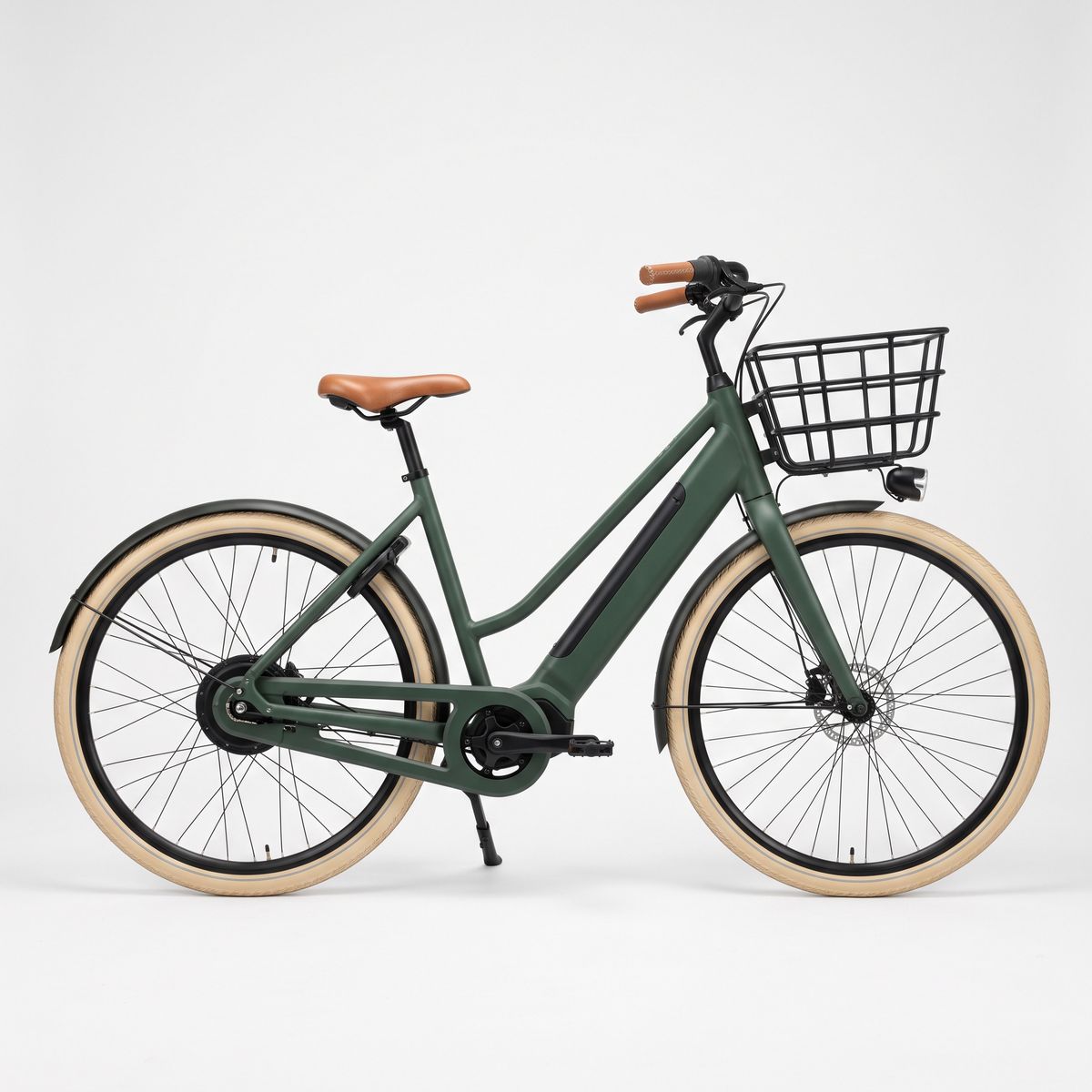
A studio product photograph of a city e-bike in matte forest green with a step-through frame, a tan leather saddle and grips, a black front basket, and cream tires, seen in exact side profile facing right, on a plain white backdrop. Soft even studio lighting, subtle contact shadow, photoreal, no logos, no text.
- Image 3: helmet
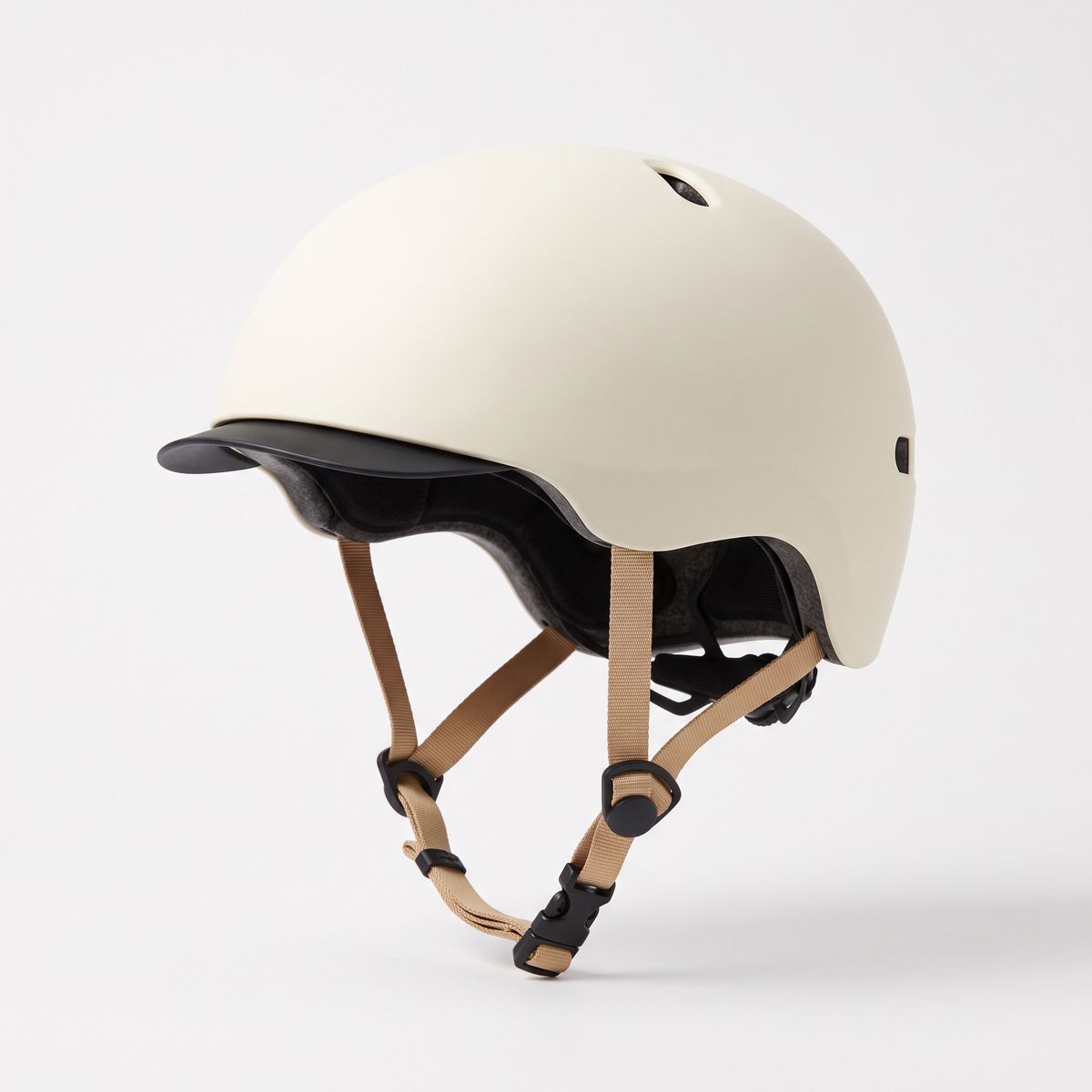
A studio product photograph of an urban cycling helmet in matte cream with a short black visor and tan straps, at a three-quarter angle on a plain white backdrop. Soft even studio lighting, subtle contact shadow, photoreal, no logos, no text.
- Image 4: location
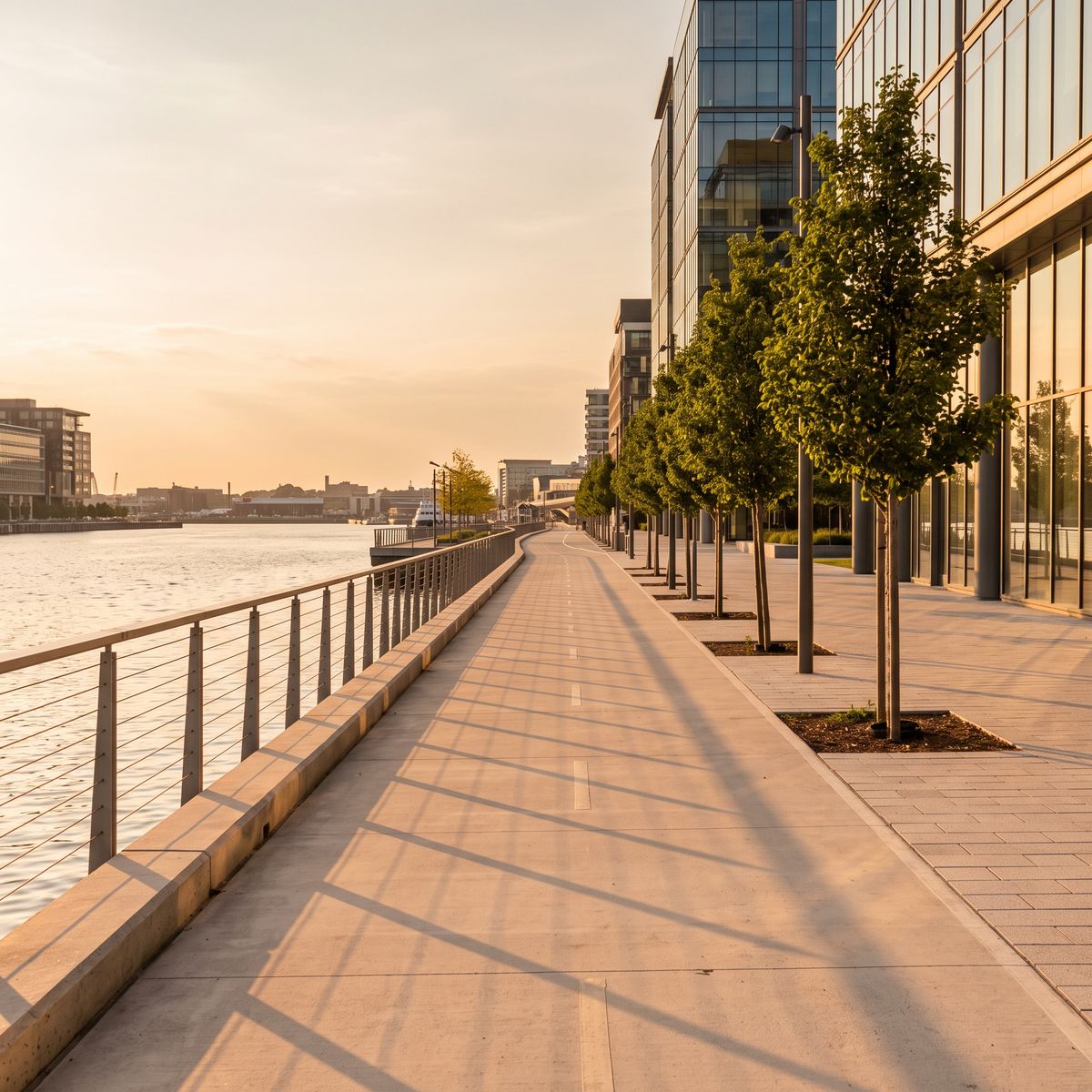
A photograph of an empty waterfront cycle path in a modern city at golden hour, a low railing and calm harbor water on the left, a row of young trees and glass buildings on the right, long warm shadows across the pale paving. Eye-level view along the path, photoreal, no people, no vehicles, no text.


The rider never sat on that bike, and nobody was on the path. For a bike brand, that is a campaign image built from catalog assets.
This guide covers the request, how to give each image a role, arranging a set of products, following a layout sketch, borrowing a style, and using a video as the reference. Holding one subject across a series of images is the reverse job, covered in subject consistency.
The request
References go into inputs.referenceImages as URLs, UUIDs, data URIs, or base64 strings:
import { createClient } from '@runware/sdk'

const client = await createClient({ apiKey: process.env.RUNWARE_API_KEY })
await client.connect()

const [result] = await client.run({
  model: 'google:nano-banana@2.1',
  positivePrompt: 'The man from image 1 riding the green e-bike from image 2 along the waterfront cycle path from image 4, wearing the cream helmet from image 3 with the straps fastened. He rides toward the camera at a slight angle, both hands on the grips, with the harbor on the left of the frame. Match the golden hour light and long shadows of image 4 on the rider and the bike. Keep his face, beard, and clothing from image 1, and keep the bike\'s frame color, saddle, basket, and tires from image 2. Photoreal lifestyle campaign photography, shallow depth of field.',
  width: 2528,
  height: 1696,
  inputs: {
    referenceImages: [
      'https://im.runware.ai/image/os/a14d18/ws/2/ii/f4a19c63-0e7b-4d52-8b3a-c61d5e9f2a07.jpg',
      'https://im.runware.ai/image/os/a14d18/ws/2/ii/1c7e0b48-a5d3-4f69-9e12-3b8a6d4c0f95.jpg',
      'https://im.runware.ai/image/os/a14d18/ws/2/ii/95d2f6a1-3b84-4c0e-a7f5-0e9c1b7d6a34.jpg',
      'https://im.runware.ai/image/os/a14d18/ws/2/ii/60b3a8e7-f1c9-4d25-b4a6-8d2e5f0c9b71.jpg'
    ]
  }
})
import asyncio
import os
from runware import Runware
async def main():
async with Runware(api_key=os.environ["RUNWARE_API_KEY"]) as client:
results = await client.run({
"model": "google:nano-banana@2.1",
"positivePrompt": "The man from image 1 riding the green e-bike from image 2 along the waterfront cycle path from image 4, wearing the cream helmet from image 3 with the straps fastened. He rides toward the camera at a slight angle, both hands on the grips, with the harbor on the left of the frame. Match the golden hour light and long shadows of image 4 on the rider and the bike. Keep his face, beard, and clothing from image 1, and keep the bike's frame color, saddle, basket, and tires from image 2. Photoreal lifestyle campaign photography, shallow depth of field.",
"width": 2528,
"height": 1696,
"inputs": {
"referenceImages": [
"https://im.runware.ai/image/os/a14d18/ws/2/ii/f4a19c63-0e7b-4d52-8b3a-c61d5e9f2a07.jpg",
"https://im.runware.ai/image/os/a14d18/ws/2/ii/1c7e0b48-a5d3-4f69-9e12-3b8a6d4c0f95.jpg",
"https://im.runware.ai/image/os/a14d18/ws/2/ii/95d2f6a1-3b84-4c0e-a7f5-0e9c1b7d6a34.jpg",
"https://im.runware.ai/image/os/a14d18/ws/2/ii/60b3a8e7-f1c9-4d25-b4a6-8d2e5f0c9b71.jpg"
]
}
})
asyncio.run(main())curl https://api.runware.ai/v1 \
-H "Authorization: Bearer $RUNWARE_API_KEY" \
-H "Content-Type: application/json" \
-d '[
{
  "taskType": "imageInference",
  "taskUUID": "b82e5d0a-4c17-4f93-a6d1-7e3f9c0b5a28",
  "model": "google:nano-banana@2.1",
  "positivePrompt": "The man from image 1 riding the green e-bike from image 2 along the waterfront cycle path from image 4, wearing the cream helmet from image 3 with the straps fastened. He rides toward the camera at a slight angle, both hands on the grips, with the harbor on the left of the frame. Match the golden hour light and long shadows of image 4 on the rider and the bike. Keep his face, beard, and clothing from image 1, and keep the bike's frame color, saddle, basket, and tires from image 2. Photoreal lifestyle campaign photography, shallow depth of field.",
  "width": 2528,
  "height": 1696,
  "inputs": {
    "referenceImages": [
      "https://im.runware.ai/image/os/a14d18/ws/2/ii/f4a19c63-0e7b-4d52-8b3a-c61d5e9f2a07.jpg",
      "https://im.runware.ai/image/os/a14d18/ws/2/ii/1c7e0b48-a5d3-4f69-9e12-3b8a6d4c0f95.jpg",
      "https://im.runware.ai/image/os/a14d18/ws/2/ii/95d2f6a1-3b84-4c0e-a7f5-0e9c1b7d6a34.jpg",
      "https://im.runware.ai/image/os/a14d18/ws/2/ii/60b3a8e7-f1c9-4d25-b4a6-8d2e5f0c9b71.jpg"
    ]
  }
}
]'runware run google:nano-banana@2.1 \
positivePrompt="The man from image 1 riding the green e-bike from image 2 along the waterfront cycle path from image 4, wearing the cream helmet from image 3 with the straps fastened. He rides toward the camera at a slight angle, both hands on the grips, with the harbor on the left of the frame. Match the golden hour light and long shadows of image 4 on the rider and the bike. Keep his face, beard, and clothing from image 1, and keep the bike's frame color, saddle, basket, and tires from image 2. Photoreal lifestyle campaign photography, shallow depth of field." \
width=2528 \
height=1696 \
inputs.referenceImages.0=https://im.runware.ai/image/os/a14d18/ws/2/ii/f4a19c63-0e7b-4d52-8b3a-c61d5e9f2a07.jpg \
inputs.referenceImages.1=https://im.runware.ai/image/os/a14d18/ws/2/ii/1c7e0b48-a5d3-4f69-9e12-3b8a6d4c0f95.jpg \
inputs.referenceImages.2=https://im.runware.ai/image/os/a14d18/ws/2/ii/95d2f6a1-3b84-4c0e-a7f5-0e9c1b7d6a34.jpg \
inputs.referenceImages.3=https://im.runware.ai/image/os/a14d18/ws/2/ii/60b3a8e7-f1c9-4d25-b4a6-8d2e5f0c9b71.jpg{
"taskType": "imageInference",
"taskUUID": "b82e5d0a-4c17-4f93-a6d1-7e3f9c0b5a28",
"model": "google:nano-banana@2.1",
"positivePrompt": "The man from image 1 riding the green e-bike from image 2 along the waterfront cycle path from image 4, wearing the cream helmet from image 3 with the straps fastened. He rides toward the camera at a slight angle, both hands on the grips, with the harbor on the left of the frame. Match the golden hour light and long shadows of image 4 on the rider and the bike. Keep his face, beard, and clothing from image 1, and keep the bike's frame color, saddle, basket, and tires from image 2. Photoreal lifestyle campaign photography, shallow depth of field.",
"width": 2528,
"height": 1696,
"inputs": {
"referenceImages": [
"https://im.runware.ai/image/os/a14d18/ws/2/ii/f4a19c63-0e7b-4d52-8b3a-c61d5e9f2a07.jpg",
"https://im.runware.ai/image/os/a14d18/ws/2/ii/1c7e0b48-a5d3-4f69-9e12-3b8a6d4c0f95.jpg",
"https://im.runware.ai/image/os/a14d18/ws/2/ii/95d2f6a1-3b84-4c0e-a7f5-0e9c1b7d6a34.jpg",
"https://im.runware.ai/image/os/a14d18/ws/2/ii/60b3a8e7-f1c9-4d25-b4a6-8d2e5f0c9b71.jpg"
]
}
}Response
[
  {
    "taskType": "imageInference",
    "taskUUID": "b82e5d0a-4c17-4f93-a6d1-7e3f9c0b5a28",
    "imageUUID": "2a6f9d31-8c05-4e7b-b1d4-5f0a3c8e6b92",
    "imageURL": "https://im.runware.ai/image/os/a14d18/ws/2/ii/2a6f9d31-8c05-4e7b-b1d4-5f0a3c8e6b92.jpg"
  }
]
The array order is the numbering. "Image 1" in the prompt is the first entry of the array, and "image 2" is the second. width and height set the output frame on their own, whatever the shapes of the references.
Giving each image a role
A reference can play one of four parts: a subject to keep, a product to place, a setting to build in, or a look to copy. The prompt has to say which, because one photo of a room could be a location or a color palette. Four habits keep the roles unambiguous:
- Name each image by position and by content. "The green e-bike from image 2" survives a reordered array better than "image 2" alone, and it tells the model what to look for in that image.
- Say what to take from it. "Keep the bike's frame color, saddle, basket, and tires" lists the parts of the reference that have to arrive intact.
- Say how the pieces relate. Riding, wearing, standing on, resting beside. The references cannot express a relationship, so the prompt has to.
- Describe the light once, for the final scene. The references can come from different shoots. One lighting sentence, anchored to the location image, covers every element.
A product set in one frame
The same pattern scales to a full range. Six packshots go in, and one arranged flat-lay comes out:

A back-to-school retail banner photograph, a flat-lay shot from directly above on a pale yellow paper backdrop. Arrange the six products from the reference images with even spacing and soft shadows: the blue backpack from image 1 on the left, the mint lunch box from image 2 and the coral water bottle from image 3 side by side in the upper center, the mustard pencil case from image 4 and the star notebook from image 5 side by side in the lower center, and the white sneakers from image 6 on the right. Show each product exactly once and keep its colors and details from its reference. Bright even light, photoreal, no text.
- Image 1
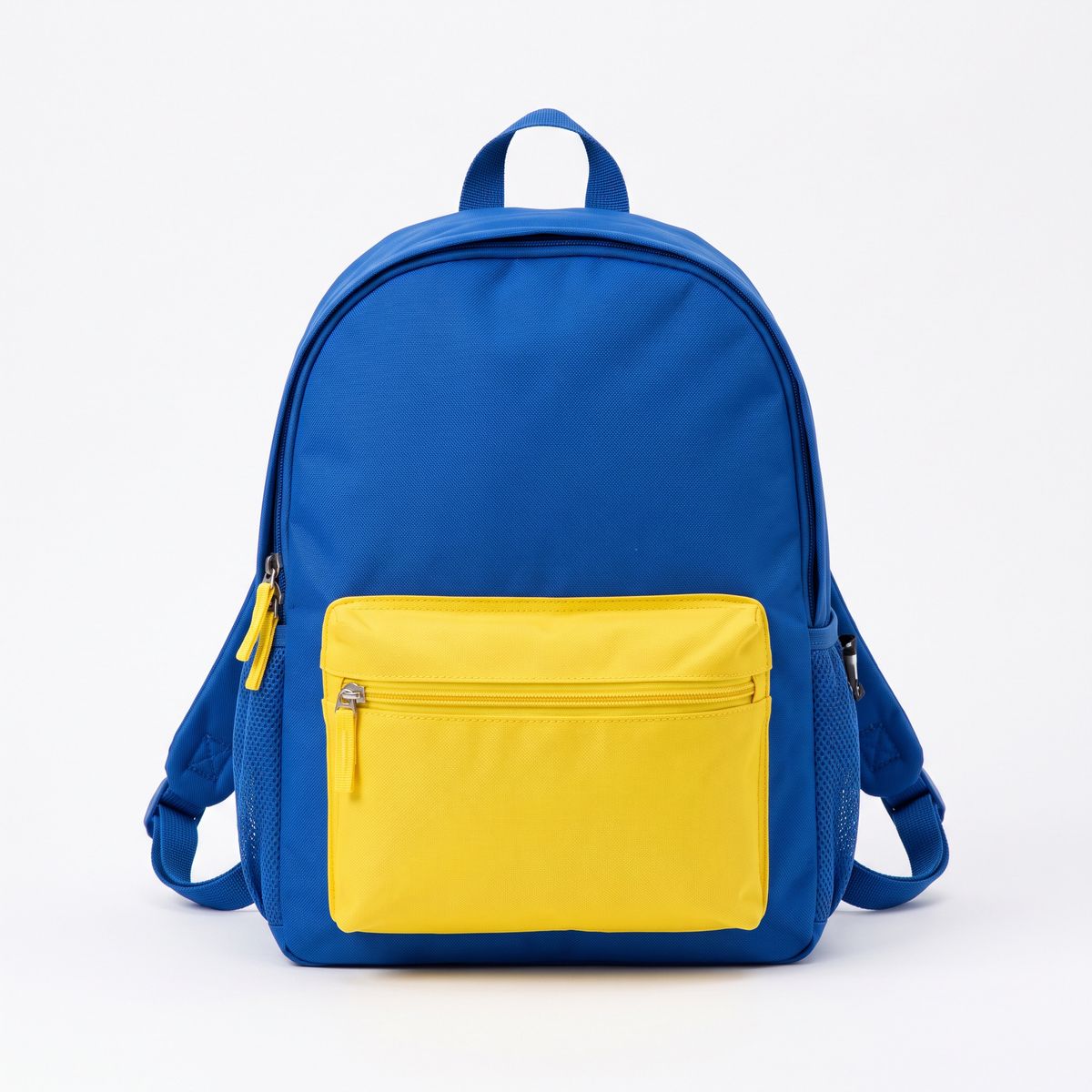
A studio packshot of a kids' school backpack in cobalt blue with a yellow front pocket and yellow zipper pulls, front view, on a plain white backdrop. Soft even studio lighting, subtle contact shadow, photoreal, no logos, no text.
- Image 2
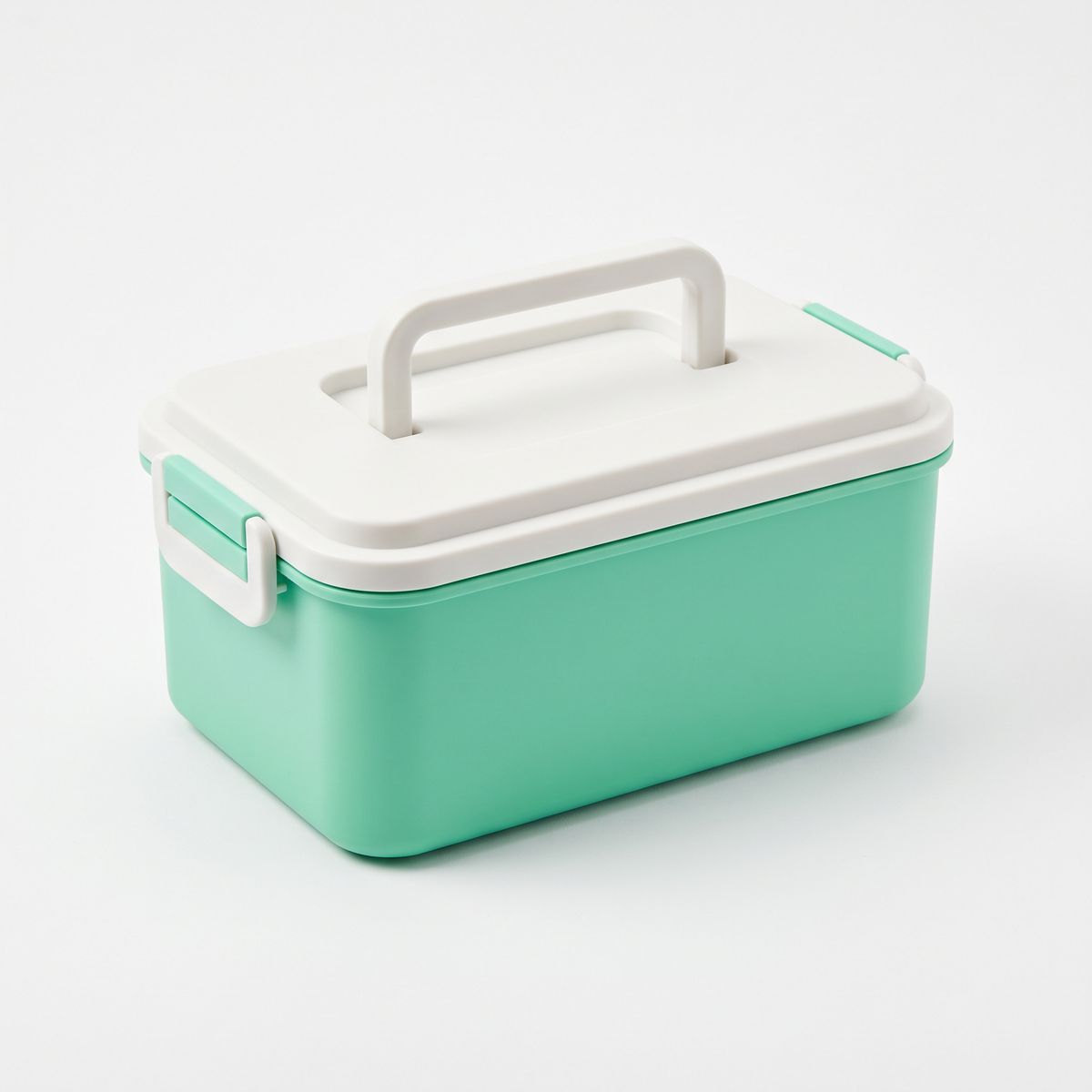
A studio packshot of a rectangular lunch box in mint green with a white lid and a white carry handle, three-quarter view, on a plain white backdrop. Soft even studio lighting, subtle contact shadow, photoreal, no logos, no text.
- Image 3
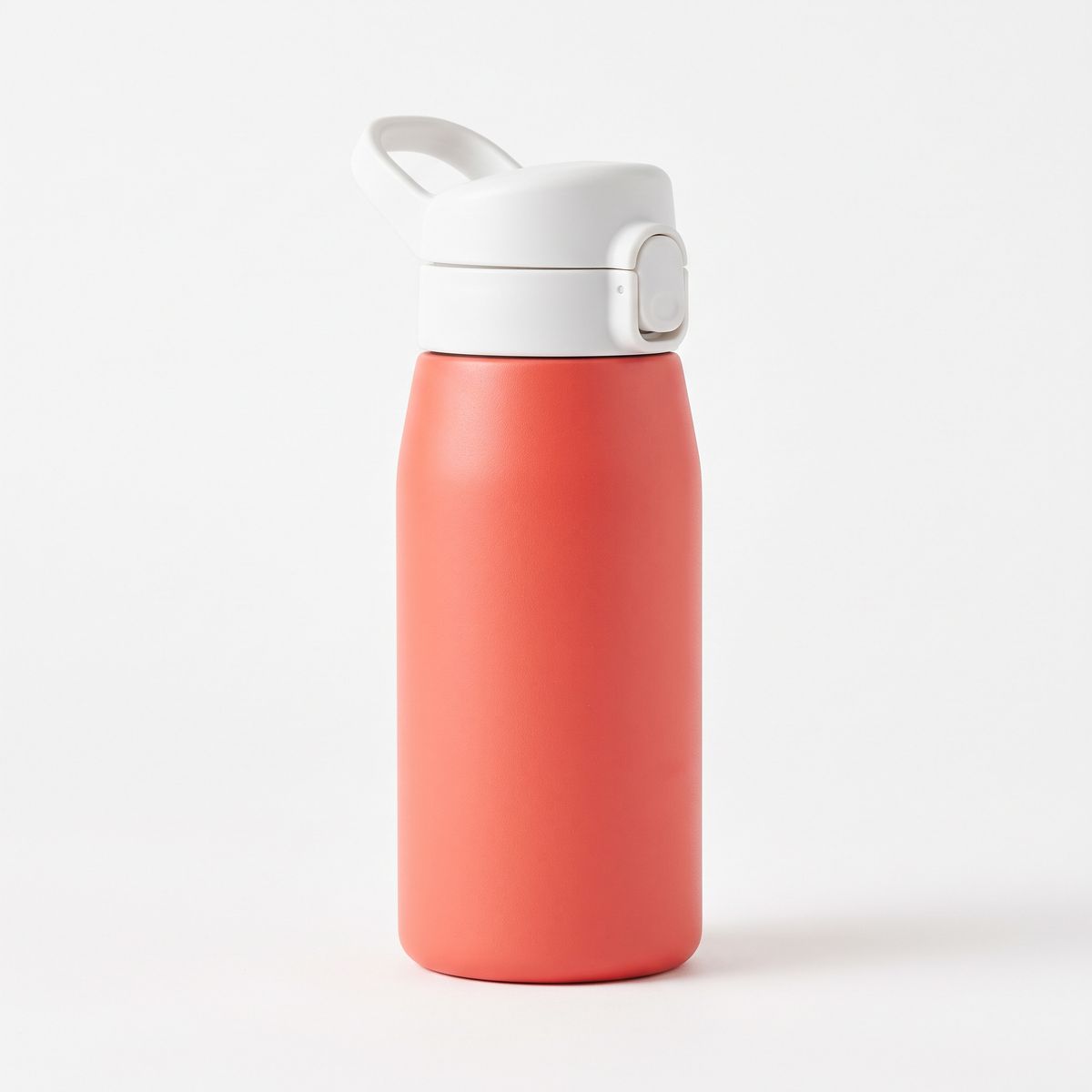
A studio packshot of a stainless steel kids' water bottle in coral with a white flip lid and a carry loop, standing upright, on a plain white backdrop. Soft even studio lighting, subtle contact shadow, photoreal, no logos, no text.
- Image 4
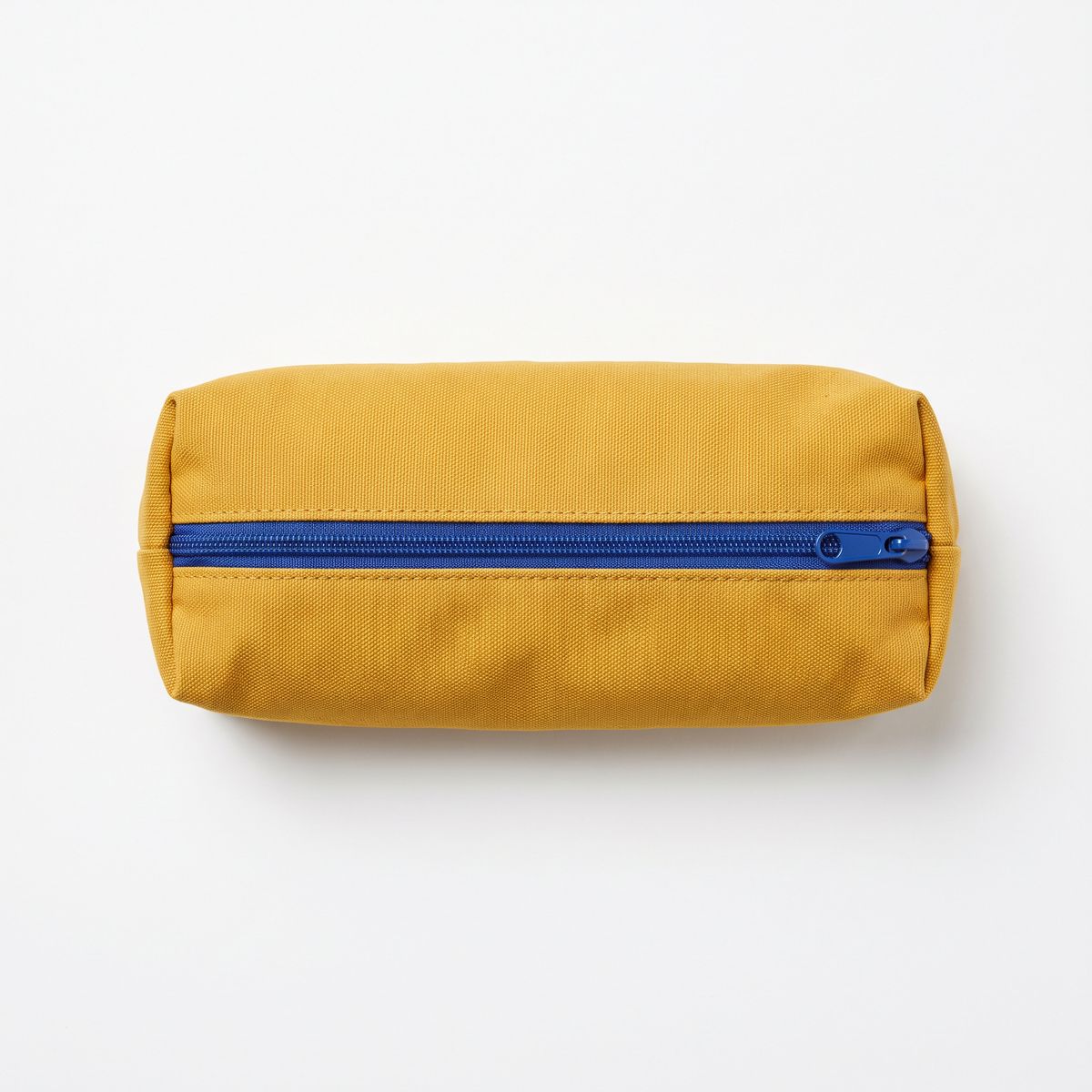
A studio packshot of a zippered pencil case in mustard yellow canvas with a cobalt blue zipper, seen from directly above, on a plain white backdrop. Soft even studio lighting, subtle contact shadow, photoreal, no logos, no text.
- Image 5
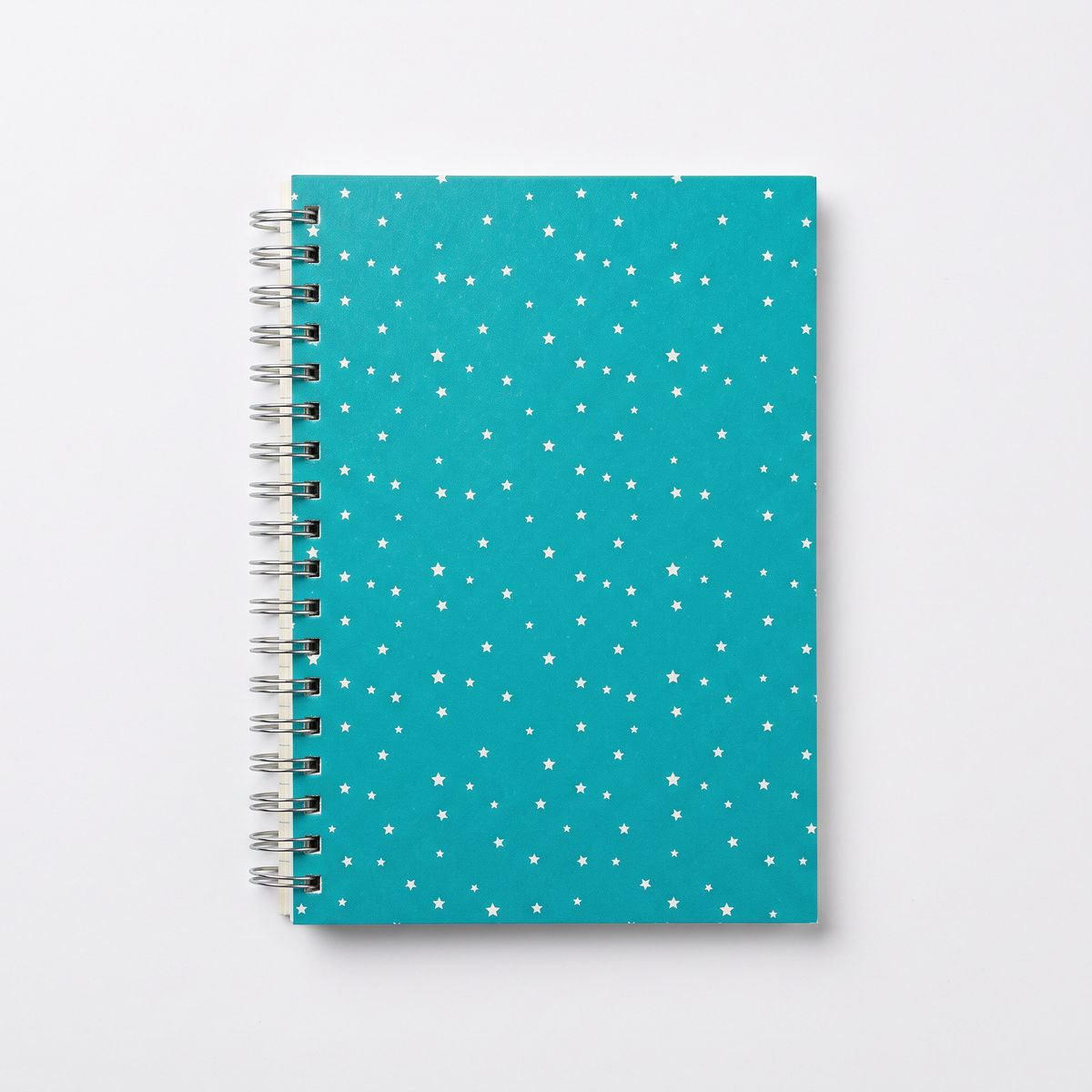
A studio packshot of a spiral notebook with a teal cover printed with a pattern of small white stars, seen from directly above, on a plain white backdrop. Soft even studio lighting, subtle contact shadow, photoreal, no logos, no text.
- Image 6
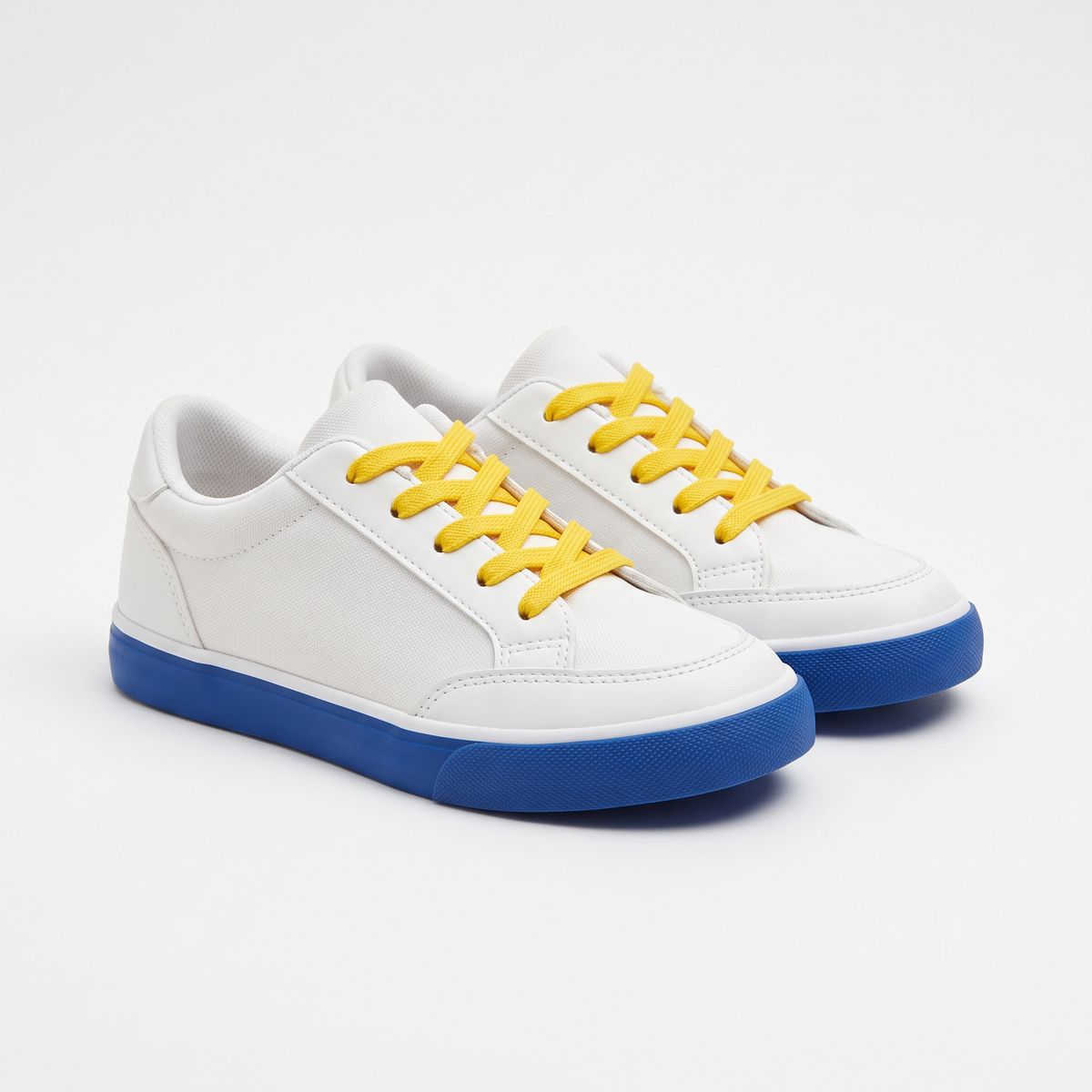
A studio packshot of a pair of kids' white sneakers with cobalt blue soles and yellow laces, side by side at a three-quarter angle, on a plain white backdrop. Soft even studio lighting, subtle contact shadow, photoreal, no logos, no text.


A flat-lay has room to fill, and without a count a product can show up twice. Give every reference a position, and state that each product appears exactly once.
Following a layout sketch
A reference can also be a layout. Draw the composition as rough boxes, pass the drawing along with the assets, and tell the model to build the finished design on that plan:

Build a finished social media ad that follows the layout of the sketch in image 1. Put the sunscreen tube from image 2 where the sketch says PRODUCT, large, standing on wet sand with a soft shadow and a blurred turquoise sea behind it. Where the sketch says HEADLINE, set the text "Sun days, covered." in a bold dark navy sans serif on two lines. Where the sketch says BUTTON, draw a rounded orange button with the white text "Shop now". Where the sketch says LOGO, place the logo from image 3. Do not show the marker lines or the handwritten labels. Bright beach daylight, clean modern ad design.
- Image 1: sketch
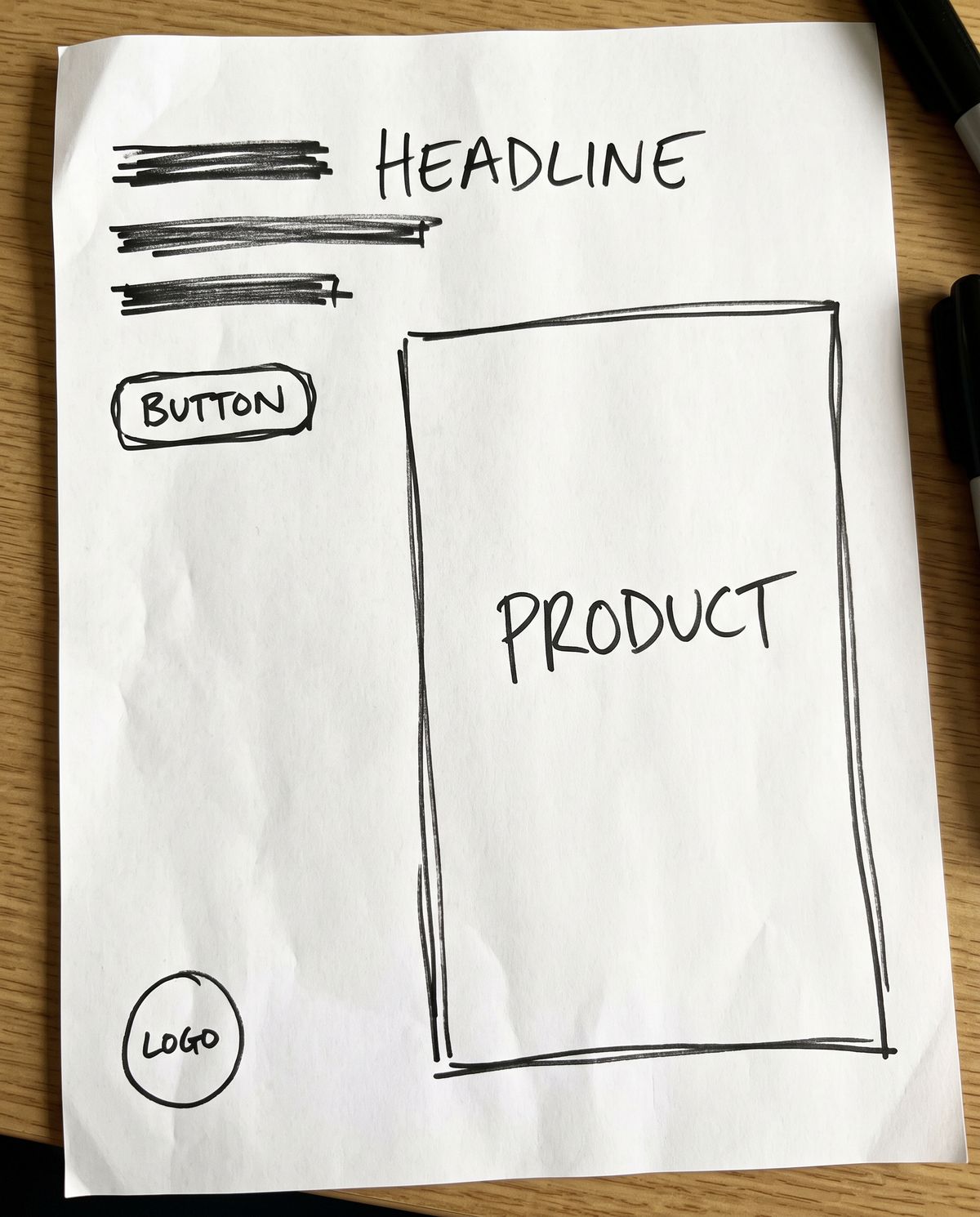
A rough hand-drawn wireframe in black marker on white paper for a portrait social media ad. A large empty rectangle fills the right two-thirds of the page, labeled "PRODUCT" in handwritten capitals. In the top left, three stacked horizontal scribble lines labeled "HEADLINE". Below them, a small rounded rectangle labeled "BUTTON". In the bottom left corner, a small circle labeled "LOGO". Loose uneven lines, nothing else on the page.
- Image 2: product
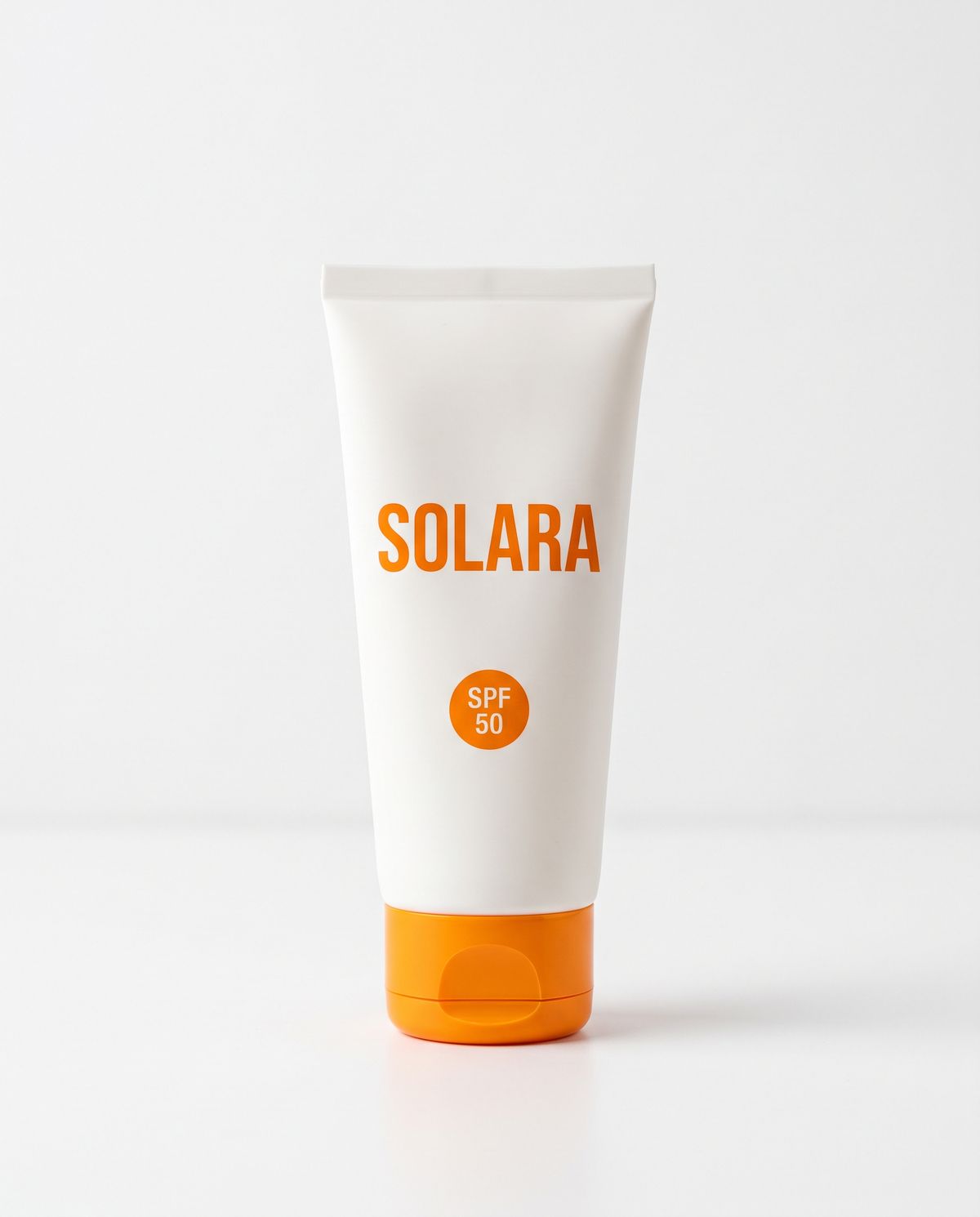
A studio packshot of a sunscreen tube in matte white with a bright orange flip cap, standing cap-down, with "SOLARA" in orange capitals and "SPF 50" in a small orange circle on the front. Plain white backdrop, soft even studio lighting, subtle contact shadow, photoreal.
- Image 3: logo

A flat logo on a plain white background: a simple orange half-sun icon with seven short rays above the wordmark "SOLARA" in bold orange capitals. Vector style, centered, nothing else.


The sketch carries no style at all, only positions. Words written in the sketch become handles: the prompt points at "where the sketch says PRODUCT" and never describes a coordinate. A designer's thumbnail and a folder of assets are enough for a first comp.
Borrowing a style
Give one image the role of content and another the role of style, and the model redraws the first in the manner of the second:

Redraw the pharmacy storefront from image 1 in the illustration style of image 2. Keep the building, the window, the awning, the cross sign, the bicycle, and the tree where they are in image 1. Take the thick dark teal outlines, the flat coral, cream, mustard, and teal palette, and the risograph grain from image 2, and take nothing else from it: no lighthouse, no cliff, no sea. No text.
- Image 1: content
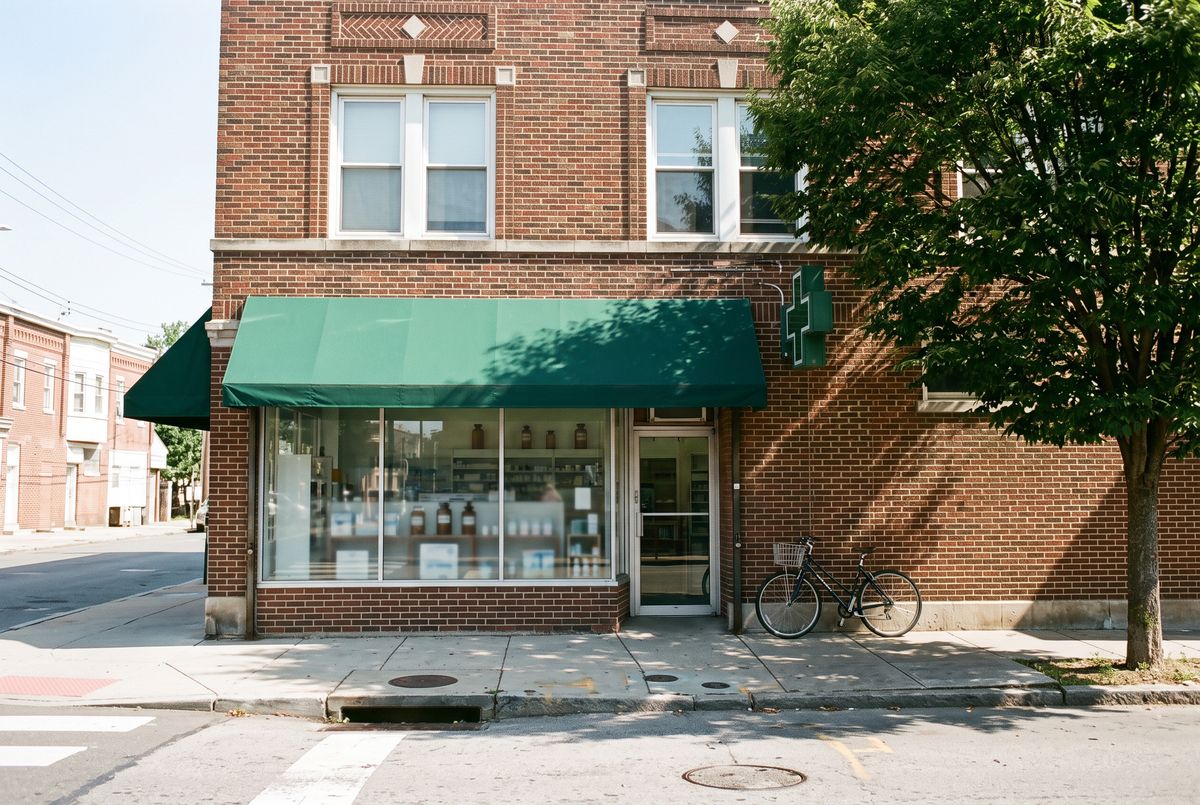
A photograph of a neighborhood pharmacy storefront on a street corner on a clear day: a two-story brick building, a large display window, a green awning, a green cross sign mounted on the wall, a bicycle leaning by the door, and a street tree on the right. Eye-level view from across the street, photoreal, no people, no readable text.
- Image 2: style
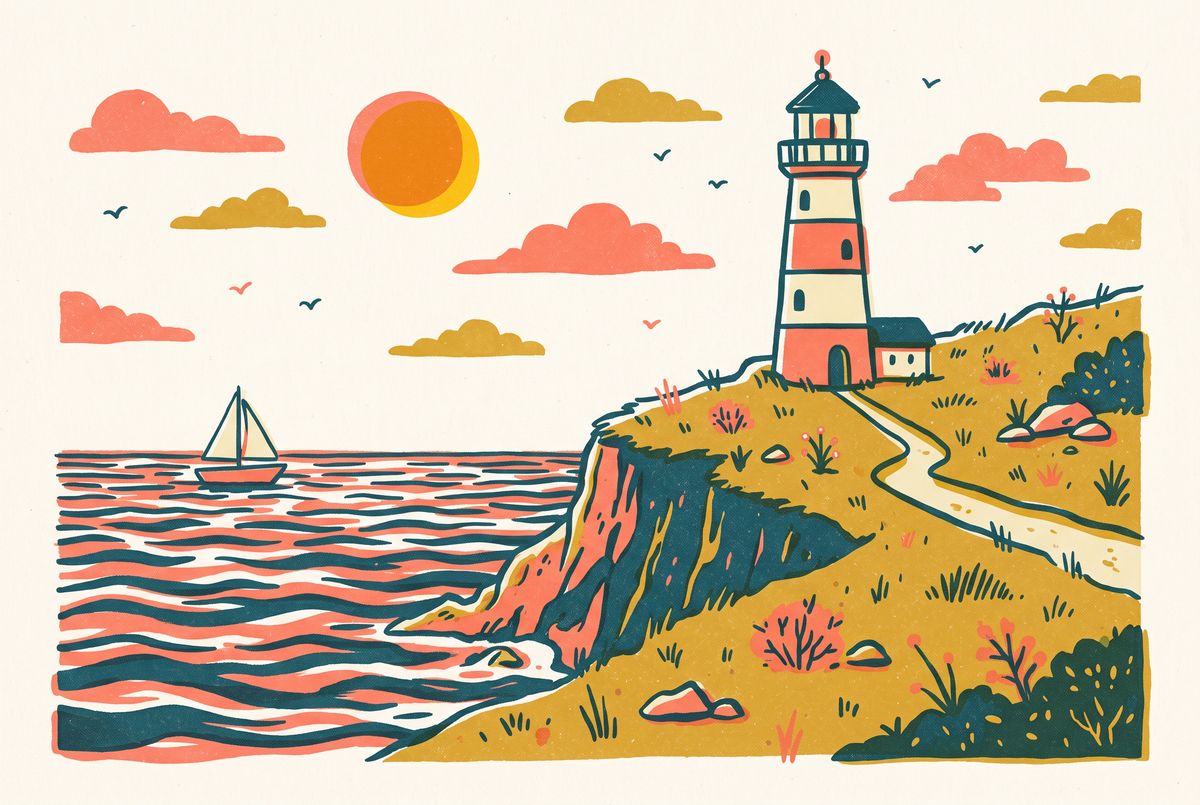
A flat editorial illustration of a lighthouse on a grassy cliff above the sea, drawn with thick uneven dark teal outlines and flat fills limited to coral, cream, mustard, and teal, with a visible risograph grain and slightly misregistered color layers. No gradients, no text.


The closing clause, "take nothing else from it", keeps the lighthouse out of the result. A style reference is still a picture of something, and a prompt that does not scope it can carry part of that something across.
A video as the reference
inputs.referenceVideos takes up to 10 videos, each as a URL, a UUID, or a public YouTube link. The model watches a clip and works from what happens in it. The request below passes one, which turns a video into the brief for its own thumbnail:

Design a video thumbnail for the cooking video. Show a close three-quarter view of the finished bowl of pesto pasta from the end of the video, with the same bowl, pasta shape, and toppings, on the same marble counter. On the left third of the frame, set the title "15-MINUTE PESTO PASTA" in heavy white capitals with a thin dark outline, stacked on three lines. In the top right corner, a round yellow badge with "EASY" in dark capitals. Bright, saturated, appetizing food photography.
- Video
A cooking video shot from a fixed overhead angle on a white marble counter: two hands toss fresh fusilli with bright green pesto in a wide steel pan, then tip the pasta into a white bowl and scatter pine nuts and a few basil leaves on top. Bright even kitchen light, photoreal. Sound: a soft sizzle and the scrape of a wooden spoon.
import { createClient } from '@runware/sdk'

const client = await createClient({ apiKey: process.env.RUNWARE_API_KEY })
await client.connect()

const [result] = await client.run({
  model: 'google:nano-banana@2.1',
  positivePrompt: 'Design a video thumbnail for the cooking video. Show a close three-quarter view of the finished bowl of pesto pasta from the end of the video, with the same bowl, pasta shape, and toppings, on the same marble counter. On the left third of the frame, set the title "15-MINUTE PESTO PASTA" in heavy white capitals with a thin dark outline, stacked on three lines. In the top right corner, a round yellow badge with "EASY" in dark capitals. Bright, saturated, appetizing food photography.',
  width: 2752,
  height: 1536,
  inputs: {
    referenceVideos: [
      'https://vm.runware.ai/video/os/a14d18/ws/2/vi/7d3c9a15-e2b6-4f80-a4c7-9b1e0f5d3a28.mp4'
    ]
  }
})
import asyncio
import os
from runware import Runware
async def main():
async with Runware(api_key=os.environ["RUNWARE_API_KEY"]) as client:
results = await client.run({
"model": "google:nano-banana@2.1",
"positivePrompt": "Design a video thumbnail for the cooking video. Show a close three-quarter view of the finished bowl of pesto pasta from the end of the video, with the same bowl, pasta shape, and toppings, on the same marble counter. On the left third of the frame, set the title \"15-MINUTE PESTO PASTA\" in heavy white capitals with a thin dark outline, stacked on three lines. In the top right corner, a round yellow badge with \"EASY\" in dark capitals. Bright, saturated, appetizing food photography.",
"width": 2752,
"height": 1536,
"inputs": {
"referenceVideos": [
"https://vm.runware.ai/video/os/a14d18/ws/2/vi/7d3c9a15-e2b6-4f80-a4c7-9b1e0f5d3a28.mp4"
]
}
})
asyncio.run(main())curl https://api.runware.ai/v1 \
-H "Authorization: Bearer $RUNWARE_API_KEY" \
-H "Content-Type: application/json" \
-d '[
{
  "taskType": "imageInference",
  "taskUUID": "c05f7e2b-91a4-4d38-b6c0-4a8e1d3f9b67",
  "model": "google:nano-banana@2.1",
  "positivePrompt": "Design a video thumbnail for the cooking video. Show a close three-quarter view of the finished bowl of pesto pasta from the end of the video, with the same bowl, pasta shape, and toppings, on the same marble counter. On the left third of the frame, set the title \"15-MINUTE PESTO PASTA\" in heavy white capitals with a thin dark outline, stacked on three lines. In the top right corner, a round yellow badge with \"EASY\" in dark capitals. Bright, saturated, appetizing food photography.",
  "width": 2752,
  "height": 1536,
  "inputs": {
    "referenceVideos": [
      "https://vm.runware.ai/video/os/a14d18/ws/2/vi/7d3c9a15-e2b6-4f80-a4c7-9b1e0f5d3a28.mp4"
    ]
  }
}
]'runware run google:nano-banana@2.1 \
positivePrompt="Design a video thumbnail for the cooking video. Show a close three-quarter view of the finished bowl of pesto pasta from the end of the video, with the same bowl, pasta shape, and toppings, on the same marble counter. On the left third of the frame, set the title \"15-MINUTE PESTO PASTA\" in heavy white capitals with a thin dark outline, stacked on three lines. In the top right corner, a round yellow badge with \"EASY\" in dark capitals. Bright, saturated, appetizing food photography." \
width=2752 \
height=1536 \
inputs.referenceVideos.0=https://vm.runware.ai/video/os/a14d18/ws/2/vi/7d3c9a15-e2b6-4f80-a4c7-9b1e0f5d3a28.mp4{
"taskType": "imageInference",
"taskUUID": "c05f7e2b-91a4-4d38-b6c0-4a8e1d3f9b67",
"model": "google:nano-banana@2.1",
"positivePrompt": "Design a video thumbnail for the cooking video. Show a close three-quarter view of the finished bowl of pesto pasta from the end of the video, with the same bowl, pasta shape, and toppings, on the same marble counter. On the left third of the frame, set the title \"15-MINUTE PESTO PASTA\" in heavy white capitals with a thin dark outline, stacked on three lines. In the top right corner, a round yellow badge with \"EASY\" in dark capitals. Bright, saturated, appetizing food photography.",
"width": 2752,
"height": 1536,
"inputs": {
"referenceVideos": [
"https://vm.runware.ai/video/os/a14d18/ws/2/vi/7d3c9a15-e2b6-4f80-a4c7-9b1e0f5d3a28.mp4"
]
}
}The clip was shot from directly overhead, and the thumbnail asks for a three-quarter view. The video supplies the content, and the prompt does the design work, from the camera angle to the title. The steel pan and the striped towel at the edges of the thumbnail come from the clip, and the prompt mentions neither. The same request shape turns a product demo into a store banner, or a tutorial into a step-by-step graphic.
Tips
-
Number the images in the prompt. "The helmet from image 3" maps to the third entry of the array.
-
Say what to take from each reference. List the parts that must arrive intact, and scope a style image with "take nothing else from it".
-
Shoot references plain. A subject on a clean backdrop gives the model less to untangle than one already inside a busy scene.
-
Describe the final light once. One lighting sentence for the output scene relights every element to match.
-
Count the products in a set. A position for each reference and "exactly once" keep a flat-lay from repeating or dropping an item.
-
Label the boxes in a layout sketch. The labels are what the prompt refers to.