Gemini Omni Flash

Gemini Omni Flash is Google's multimodal video generation and editing model in the Gemini Omni family. It turns text, photos, and video into 10-second clips with native audio generation, supports photo-to-video creation from up to five reference images, and adds video-to-video plus multi-turn editing workflows. Google positions it as the Gemini app successor to Veo 3.1, combining Gemini's world understanding with conversational control for video creation and editing.
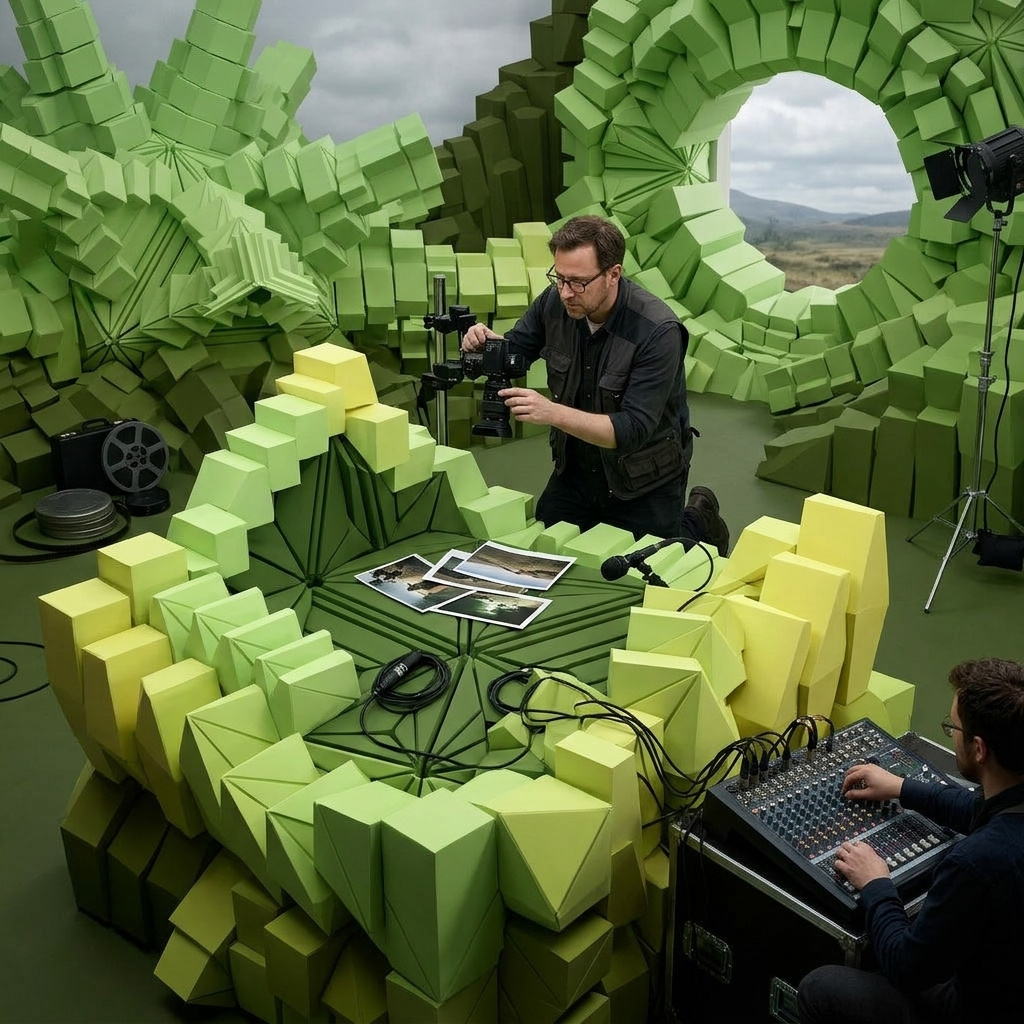
Cinematic prompting
How to prompt Gemini Omni Flash for cinematic video using Google's five-element structure, camera language, and the less-prescriptive sweet spot.
Introduction
Most video models reward long prescriptive prompts. Veo's prompt guide is explicit about it: precise instructions are how you get the result you want, and short prompts often produce flat output. The cost is real. You end up writing two-paragraph specifications for a single five-second clip, and any drift in the model's interpretation means rewriting the whole thing.
Gemini Omni Flash is built the opposite way. Google's own prompt guide states "with Gemini Omni, you don't have to be as prescriptive". The model leans on its broader world knowledge to fill in the details a Veo-style prompt would have to spell out, and the recommended prompt structure is a five-element scaffold: shot framing and motion, style, lighting, location, and action. Three or four sentences naming each element typically beat a wall of cinematic adjectives.
A wide cinematic establishing shot with a slow push-in. Cinematic photorealism. Dramatic backlit golden-hour light breaking through heavy stormy cumulonimbus clouds. A weathered white-painted lighthouse stands tall on a Cornish coastal cliff, lashed by heavy rain and crashing sea spray exploding against the black rocks below. The lighthouse beam rotates slowly through the dusk light, cutting through the rain in a single bright sweep.
The reel above is one short prompt built on the five-element scaffold. The next section dissects exactly which words map to which element, and what work each one is doing. Then the guide moves to the cinematic camera vocabulary Omni Flash reads directly, and closes on a side-by-side that shows the less-prescriptive sweet spot in action against an over-engineered Veo-style prompt.
Request shape
A text-to-video Omni Flash request takes a positivePrompt and optional dimensions:
import { createClient } from '@runware/sdk'

const client = await createClient({ apiKey: process.env.RUNWARE_API_KEY })
await client.connect()

const [result] = await client.run({
  model: 'google:gemini@omni-flash',
  positivePrompt: 'A wide cinematic establishing shot with a slow push-in. Cinematic photorealism. Dramatic backlit golden-hour light. A weathered white lighthouse on a Cornish coastal cliff, lashed by heavy rain. The beam rotates slowly through the dusk light.',
  width: 1280,
  height: 720,
  duration: 8
})
import asyncio
import os
from runware import Runware
async def main():
async with Runware(api_key=os.environ["RUNWARE_API_KEY"]) as client:
results = await client.run({
"model": "google:gemini@omni-flash",
"positivePrompt": "A wide cinematic establishing shot with a slow push-in. Cinematic photorealism. Dramatic backlit golden-hour light. A weathered white lighthouse on a Cornish coastal cliff, lashed by heavy rain. The beam rotates slowly through the dusk light.",
"width": 1280,
"height": 720,
"duration": 8
})
asyncio.run(main())curl https://api.runware.ai/v1 \
-H "Authorization: Bearer $RUNWARE_API_KEY" \
-H "Content-Type: application/json" \
-d '[
{
  "taskType": "videoInference",
  "taskUUID": "a1b2c3d4-e5f6-7890-abcd-ef1234567890",
  "model": "google:gemini@omni-flash",
  "positivePrompt": "A wide cinematic establishing shot with a slow push-in. Cinematic photorealism. Dramatic backlit golden-hour light. A weathered white lighthouse on a Cornish coastal cliff, lashed by heavy rain. The beam rotates slowly through the dusk light.",
  "width": 1280,
  "height": 720,
  "duration": 8
}
]'runware run google:gemini@omni-flash \
positivePrompt="A wide cinematic establishing shot with a slow push-in. Cinematic photorealism. Dramatic backlit golden-hour light. A weathered white lighthouse on a Cornish coastal cliff, lashed by heavy rain. The beam rotates slowly through the dusk light." \
width=1280 \
height=720 \
duration=8{
"taskType": "videoInference",
"taskUUID": "a1b2c3d4-e5f6-7890-abcd-ef1234567890",
"model": "google:gemini@omni-flash",
"positivePrompt": "A wide cinematic establishing shot with a slow push-in. Cinematic photorealism. Dramatic backlit golden-hour light. A weathered white lighthouse on a Cornish coastal cliff, lashed by heavy rain. The beam rotates slowly through the dusk light.",
"width": 1280,
"height": 720,
"duration": 8
}Response
[
  {
    "taskType": "videoInference",
    "taskUUID": "a1b2c3d4-e5f6-7890-abcd-ef1234567890",
    "videoUUID": "9c1b2d3a-4e5f-6789-abcd-ef0123456789",
    "videoURL": "https://vm.runware.ai/video/os/a14d18/ws/2/vi/9c1b2d3a-4e5f-6789-abcd-ef0123456789.mp4"
  }
]
One required field plus the optional dimension and duration controls:
positivePromptis required, minimum two characters. The five-element scaffold covered below is what the model is tuned to read.widthandheightare optional and must both be present when either is passed. Only two combinations validate:1280 × 720(16:9 landscape) or720 × 1280(9:16 portrait, useful for Shorts and vertical social).durationis an integer from 5 to 8 seconds. Omit it and the model picks a duration that fits the prompt, which is the recommended default. You can also direct the runtime inline in the positivePrompt by naming it ("a 6-second shot", "an 8-second clip") instead of passing the parameter. Only valid in generation mode. When editing viainputs.video, duration is forbidden and the model inherits the source length.inputs.referenceImagesandinputs.frameImagesare optional and unlock the workflows covered in the reference-driven video guide. For editing footage you already have, see the editing video guide. The prompting principles in this guide apply across every mode.
Audio is generated natively in every mode. There is no audio toggle, no resolution tier, and no separate negative-prompt field. The model is meant to be driven by the positivePrompt and the optional inputs alone.
The five-element prompt structure
Google's prompt guide names five categories that Omni Flash is tuned to read directly. The lighthouse hero above is built from exactly those five elements. Hover any segment to see which one it maps to:
The full prompt covers all five elements in roughly four sentences. The model doesn't need to be told that storm clouds are dark, that rain creates motion blur, that a lighthouse beam catches in falling water. Google's world-knowledge claim is doing the heavy lifting, and the prompt only names the decisions a director would still make: how to frame it, what style to land in, what light, where, and what the subject is doing.
You can drop elements when they don't matter for the shot. A flat-lit interior dialogue scene doesn't need a dramatic lighting clause. A close-up portrait doesn't need a location. The scaffold is a checklist, not a template. What it stops you from doing is forgetting any one element entirely, which is the failure mode Veo-trained prompt habits tend toward.
The five elements correspond to choices a cinematographer makes on set. Shot framing decides the lens and the operator's path. Style sets the production grammar. Lighting names the dominant source and quality. Location grounds the geography. Action gives the subject something to do. Every Google-shipped Omni example follows the same five-beat structure, which is the strongest signal that the model was trained on prompts written this way.
Camera language
Omni Flash reads cinematic camera vocabulary directly. Google's prompt guide highlights four phrases by name: oner (continuous unbroken shot), dolly zoom (push the camera in while zooming the lens out), push in (a steady move toward the subject), and natural smartphone zoom (handheld zoom with the organic wobble of a phone). All four work as instructions to the camera operator, not scene description.
The same subject below (a Vietnamese street food vendor at a Hanoi night market) driven through three of the four phrases. Same scene, three completely different camera grammars.
A continuous oner tracking shot following a Vietnamese street food vendor preparing a steaming bowl of pho. The camera flows from his hands ladling broth, to his face as he calls out an order, to the bowl being passed across the counter, all in one unbroken shot.
A dramatic dolly zoom centred on the same vendor. The camera physically pushes in toward him while the lens zooms out, so his calm focused face holds the centre while the chaotic neon-lit market behind him visibly stretches and warps.
A natural smartphone-style zoom on the same vendor. The shot starts wide handheld, then zooms in smoothly smartphone-style on the steaming bowl being assembled, with the gentle organic wobble of an actual phone held in someone's hand.
The oner produces an unbroken flow from hands to face to bowl. The dolly zoom holds the subject and warps everything else around him for the disorienting Hitchcock effect. The natural smartphone zoom intentionally produces the handheld wobble and the looser amateur aesthetic of phone video. The model reads each phrase as a directorial instruction, not as scene flavor.
Lead each shot with the camera phrase. The model treats the first words of a prompt as the load-bearing description of how to film it. Burying "a dolly zoom" in sentence three is parsed as scene description. "A dramatic dolly zoom centred on the vendor" at the open is parsed as an instruction.
Directing the audio
Omni Flash generates audio natively in every mode. There is no separate music or sound-effects toggle and no audio prompt field. Whatever you write about sound inside the positivePrompt is what the model produces. Treat the audio sentence as a directorial instruction, the same way you'd treat the camera phrase.
Three distinct prompt patterns map to three distinct soundscapes: prescriptive foley, layered ambient, and directed dialogue. The shots below each carry one of the three.
A close cinematic shot of a master watchmaker's hands in a softly lit Swiss workshop. The audio should foreground the precise foley of the work: the tiny click of a screwdriver tip seating into a screw head, the soft brush of a loupe being lifted, the quiet metallic whisper of tweezers placing a ruby jewel, the gentle steady ticking of the watch mechanism, and a low warm room tone underneath. No music, no dialogue.
A slow cinematic wide shot of a quiet Scottish highland glen at dawn. The audio should be a layered natural ambient soundscape: a steady gentle wind moving through the heather, the distant lonely call of a curlew echoing across the glen, the soft lap of water against the loch's pebbled shore, and the muted answering call of a second bird further away. No music, no dialogue, no man-made sounds.
A close cinematic shot of a barista standing behind the polished counter of a busy specialty coffee shop, smiling warmly at an unseen customer placing their order. He says clearly in a calm conversational delivery: "That'll be a flat white and a piece of the lemon cake. Should be about two minutes. Anything else with that?" Warm afternoon light, the gentle hiss of an espresso machine in the background, softly defocused customers at tables behind him.
The watchmaker prompt names every foley element by hand: the screwdriver click, the loupe brush, the tweezers, the mechanism, the room tone. The model produces exactly that stack and resists adding music. The highland prompt names a layered ambient palette: wind, curlew, water, second bird. The model holds the layers in balance without one drowning the others. The barista prompt quotes the line verbatim and names the delivery: the words land as written, in the tone specified, with no improvisation.
Quote dialogue exactly the way you'd quote it for an actor. Wrap the line in straight quotes, name the delivery you want ("calm conversational", "hurried whisper", "firm and clear"), and the model treats the text as the read. Paraphrased dialogue (the character says something about lunch) produces an unrelated improvised line, which is almost never what you want.
The model defaults to a plausible soundscape when the prompt says nothing about audio: ambient room tone in interiors, ambient outdoor sound outside, gentle non-diegetic music under cinematic shots, and no dialogue. Override any of these by naming what you want and what you don't. "No music" disables the music bed. "No dialogue" stops invented voiceover. Naming the dialogue explicitly is the only way to lock the line.
The less-prescriptive sweet spot
Google's prompt guide is explicit: "with Gemini Omni, you don't have to be as prescriptive." The model leans on world knowledge to fill in what a Veo-style prompt would have to spell out. The pair below puts that claim under load on the same scene (a Saturday morning at a 1950s American diner) with two prompts at opposite ends of the prescription spectrum.
Saturday morning at a small-town 1950s American diner.
A wide cinematic establishing shot inside a 1950s American diner on a Saturday morning. Photorealistic editorial cinematography. Warm morning sunlight streams through tall storefront windows, the chrome-edged counter catches the light, red vinyl booths line the back wall. A waitress in a pastel pink uniform pours coffee at a corner booth. Behind the counter a short-order cook flips pancakes. A regular customer in a felt fedora reads a newspaper.
The short prompt is one sentence. The model fills in the chrome counter, the red booths, the waitress, the cook, the period soundtrack, the warm sunlight, all from "1950s American diner" plus "Saturday morning". The layered prompt names every element explicitly. The output is roughly equivalent in fidelity, but the short prompt took two seconds to write. The layered prompt took two minutes and is harder to iterate.
The sweet spot for Omni Flash is somewhere in between: name the camera grammar, name the style, and let the model handle the décor. A prompt like "A handheld smartphone-style shot through a 1950s American diner on a Saturday morning, warm sunlight" gives the model the directorial hook without spelling out every booth and uniform.
The Veo-style layered prompt isn't wrong, it just takes longer to write and harder to iterate. If you need a specific waitress wardrobe, a specific cook detail, or a specific brand of jukebox, write it. If you don't, leave it out and trust the model. The biggest single quality lever in Omni Flash prompting is what you remove, not what you add.
Tips
-
Cover all five elements at least once across the prompt. Shot framing, style, lighting, location, action. Drop any one and the model defaults the missing element to whatever the rest of the prompt implies, which is sometimes not what you want.
-
Lead with the camera phrase. "A continuous oner tracking...", "A dramatic dolly zoom centred on...", "A wide cinematic establishing shot with a slow push-in". The first words set the shot grammar, and everything after fills it in.
-
Trust the world-knowledge claim. A "Saturday morning at a 1950s diner" already implies chrome, vinyl booths, jukebox music, and warm sunlight. Don't waste prompt tokens spelling that out unless you need a deviation from the obvious read.
-
Keep prompts at three or four sentences. That's enough to cover the five-element scaffold without drifting into Veo-style over-specification. Longer prompts produce diminishing returns and harder iteration.
-
Use cinematic vocabulary, not generic synonyms. "Dolly zoom" beats "the camera moves in a strange way". "Golden-hour backlit" beats "warm yellow light from behind". The model is tuned on industry vocabulary, so speak it.
-
Reach for the reference workflow when you need to lock a specific look or character. A short prompt covers most of cinematic intent, but specific brand assets, recurring talent, or exact storyboard beats belong in
inputs.referenceImages. The reference-driven video guide covers the four reference modes end to end. -
Match duration to shot complexity. Omni Flash generation runs from 5 to 8 seconds. A single beat with one camera move fits in 5 to 6 seconds. Three beats with connecting motion want the full 8. Editing calls inherit the source video's length, so the duration parameter is not used there.
-
Treat the audio sentence as a direction, not a description. Name each sound you want, name the layered ambient palette, or quote the dialogue line verbatim with the accent. Silence about audio gives you the model's default (ambient room tone plus a plausible music bed), which is rarely what a shot brief actually asks for.
-
Use "no music" and "no dialogue" to lock silence. The model defaults to a music bed on cinematic shots and to invented voiceover on portraits. Both are negated by naming the exclusion explicitly in the prompt.