Gemini Omni Flash

Gemini Omni Flash is Google's multimodal video generation and editing model in the Gemini Omni family. It turns text, photos, and video into 10-second clips with native audio generation, supports photo-to-video creation from up to five reference images, and adds video-to-video plus multi-turn editing workflows. Google positions it as the Gemini app successor to Veo 3.1, combining Gemini's world understanding with conversational control for video creation and editing.
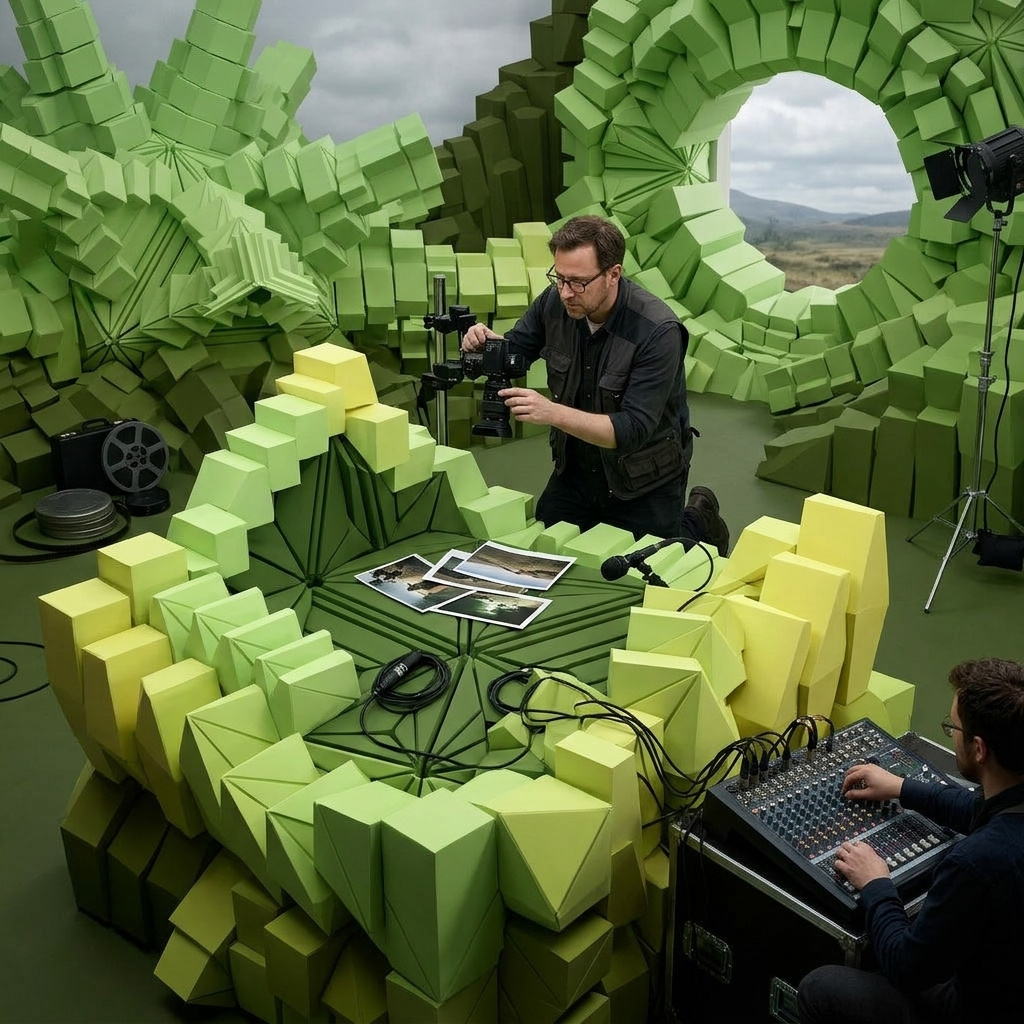
Reference-driven video
How to use Gemini Omni Flash's reference image workflow to lock a visual style, hold a character across scenes, or guide a video through storyboard key beats.
Introduction
Text-to-video gives you the model's interpretation. The "young woman in a cream linen shirt" is whichever face the weights settle on. The "Parisian cafe terrace" is whichever cafe the model imagines from millions of training images. Fine for exploration, wrong for brand work, recurring talent, specific products, or a hero shot the marketing team already signed off on.
Gemini Omni Flash takes the opposite approach when you pass inputs.referenceImages. You hand it up to seven images describing exactly the style, characters, or locations the output should honor, and the model uses them as visual ground truth rather than as prompt suggestions. Google's prompt guide names three distinct uses for this workflow: style transfer, character consistency, and storyboard guidance. This guide covers all three plus the combined first-frame anchor mode.
A polished modern travel reel following the traveler from the first reference image as she visits three cities, matching the next three reference images in order. Begin with her arriving at the sunlit Parisian sidewalk cafe terrace from the second reference. Cut to a wide tracking shot of her walking through the vibrant Tokyo neon-lit backstreet from the third reference. End on her sitting cross-legged on the Marrakech rooftop terrace from the fourth reference, pouring mint tea while the Koutoubia minaret is silhouetted in the background. Preserve the exact traveler's appearance and the specific look of each city across the cuts.
- The traveler
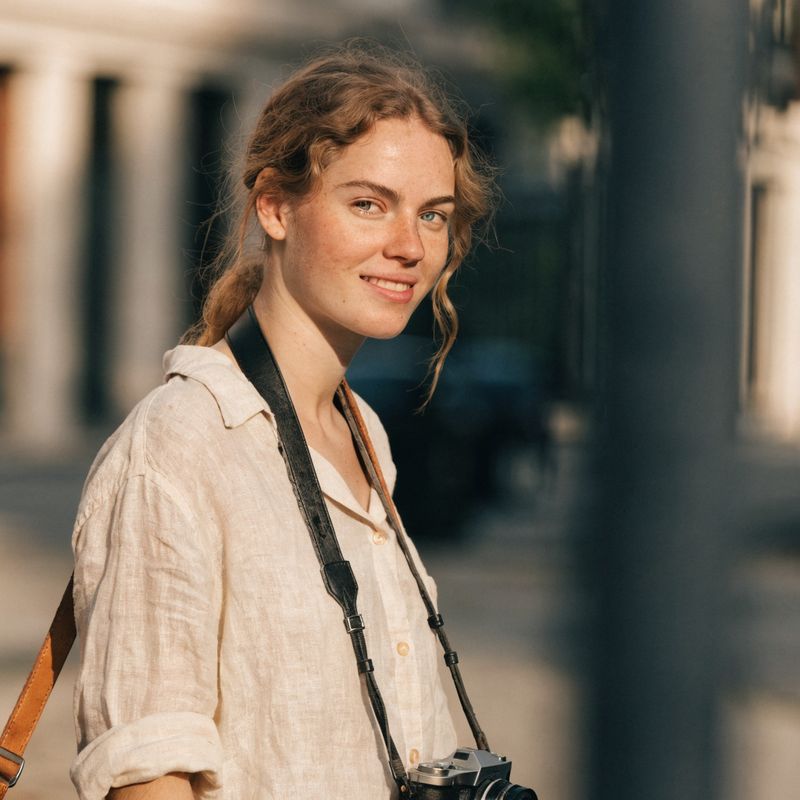
A modern female traveler in her late twenties, light brown wavy shoulder-length hair pulled back loosely, fair skin with a light tan, warm friendly expression, cream linen button-down shirt with sleeves rolled to the elbows, a small black analogue camera on a leather strap around her neck, a tan leather messenger bag at her shoulder
- Paris cafe
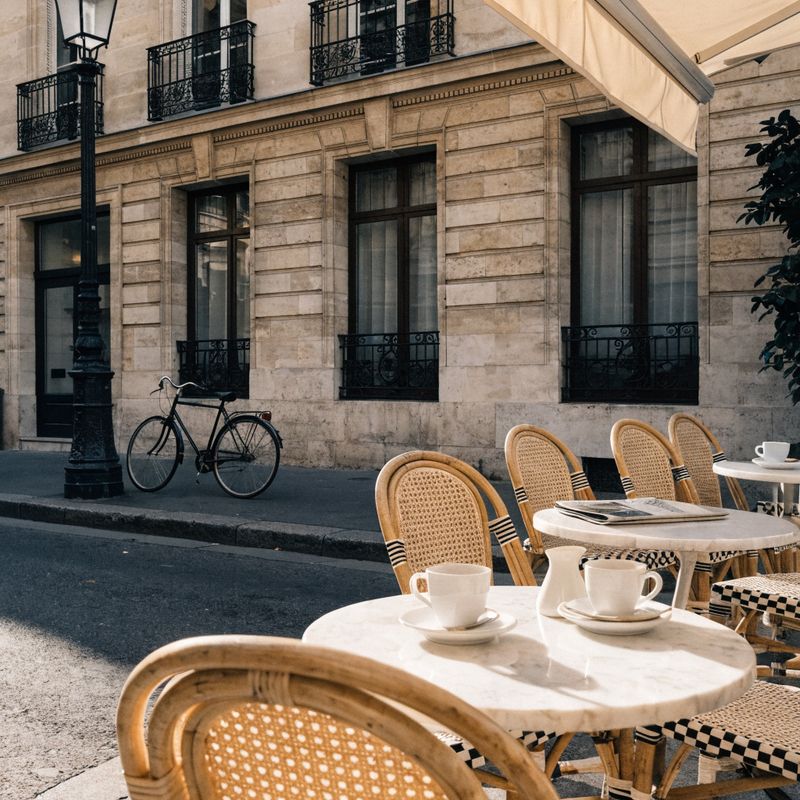
A sunlit Parisian sidewalk cafe terrace in the morning, framed as a clean square composition. Small round white marble tables with cane wicker chairs, espresso cups and a small white pitcher, a folded newspaper, a cream cafe awning above, a Haussmann building facade with wrought-iron balconies behind, a vintage bicycle leaning against a lamppost on one side
- Tokyo backstreet
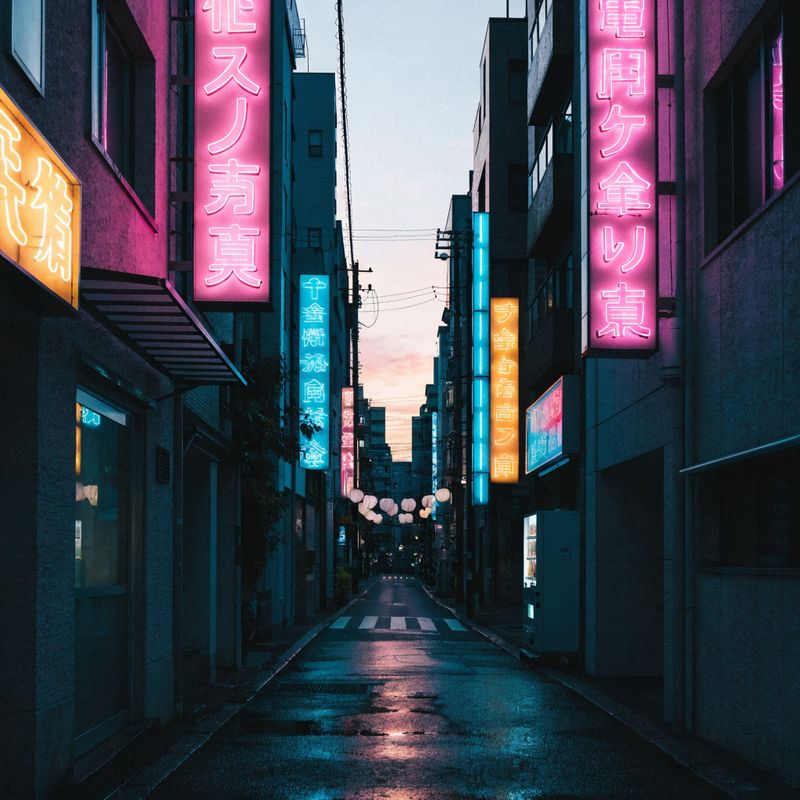
A vibrant Tokyo backstreet at dusk, framed as a clean square composition. Tall narrow buildings on both sides covered in colorful Japanese neon signs in pink, cyan, and yellow. Paper lanterns hanging across the alley above, wet pavement softly reflecting the neon
- Marrakech rooftop

A Marrakech rooftop terrace at golden hour, framed as a clean square composition. A low handwoven Berber rug spread across terracotta tile, two large embroidered cushions in deep reds and oranges, a silver Moroccan tea set on a low brass tray. The Koutoubia minaret rises behind, silhouetted against the warm pink-orange sunset sky


The reel above is one API call with four reference images: the traveler, plus three location stills the model treats as the truth for each city. The traveler reads as the same person in all three cities, and each city matches its reference exactly: the same Parisian cafe terrace, the same Tokyo backstreet at dusk, the same Marrakech rooftop at golden hour.
The rest of this guide walks through each of the reference workflows in isolation, then closes on the combined frame-anchor mode for when the opening frame also has to be locked.
Request shape
A reference-driven Gemini Omni Flash request takes a prompt and inputs.referenceImages. Dimensions are optional and resolve to 720p in either 16:9 or 9:16:
import { createClient } from '@runware/sdk'

const client = await createClient({ apiKey: process.env.RUNWARE_API_KEY })
await client.connect()

const [result] = await client.run({
  model: 'google:gemini@omni-flash',
  positivePrompt: '...the traveler from the first reference visits the three cities in the order of the next references...',
  inputs: {
    referenceImages: [
      'https://example.com/traveler.jpg',
      'https://example.com/paris.jpg',
      'https://example.com/tokyo.jpg',
      'https://example.com/marrakech.jpg'
    ]
  },
  width: 1280,
  height: 720,
  duration: 8
})
import asyncio
import os
from runware import Runware
async def main():
async with Runware(api_key=os.environ["RUNWARE_API_KEY"]) as client:
results = await client.run({
"model": "google:gemini@omni-flash",
"positivePrompt": "...the traveler from the first reference visits the three cities in the order of the next references...",
"inputs": {
"referenceImages": [
"https://example.com/traveler.jpg",
"https://example.com/paris.jpg",
"https://example.com/tokyo.jpg",
"https://example.com/marrakech.jpg"
]
},
"width": 1280,
"height": 720,
"duration": 8
})
asyncio.run(main())curl https://api.runware.ai/v1 \
-H "Authorization: Bearer $RUNWARE_API_KEY" \
-H "Content-Type: application/json" \
-d '[
{
  "taskType": "videoInference",
  "taskUUID": "a1b2c3d4-e5f6-7890-abcd-ef1234567890",
  "model": "google:gemini@omni-flash",
  "positivePrompt": "...the traveler from the first reference visits the three cities in the order of the next references...",
  "inputs": {
    "referenceImages": [
      "https://example.com/traveler.jpg",
      "https://example.com/paris.jpg",
      "https://example.com/tokyo.jpg",
      "https://example.com/marrakech.jpg"
    ]
  },
  "width": 1280,
  "height": 720,
  "duration": 8
}
]'runware run google:gemini@omni-flash \
positivePrompt="...the traveler from the first reference visits the three cities in the order of the next references..." \
inputs.referenceImages.0=https://example.com/traveler.jpg \
inputs.referenceImages.1=https://example.com/paris.jpg \
inputs.referenceImages.2=https://example.com/tokyo.jpg \
inputs.referenceImages.3=https://example.com/marrakech.jpg \
width=1280 \
height=720 \
duration=8{
"taskType": "videoInference",
"taskUUID": "a1b2c3d4-e5f6-7890-abcd-ef1234567890",
"model": "google:gemini@omni-flash",
"positivePrompt": "...the traveler from the first reference visits the three cities in the order of the next references...",
"inputs": {
"referenceImages": [
"https://example.com/traveler.jpg",
"https://example.com/paris.jpg",
"https://example.com/tokyo.jpg",
"https://example.com/marrakech.jpg"
]
},
"width": 1280,
"height": 720,
"duration": 8
}Response
[
  {
    "taskType": "videoInference",
    "taskUUID": "a1b2c3d4-e5f6-7890-abcd-ef1234567890",
    "videoUUID": "9c1b2d3a-4e5f-6789-abcd-ef0123456789",
    "videoURL": "https://vm.runware.ai/video/os/a14d18/ws/2/vi/9c1b2d3a-4e5f-6789-abcd-ef0123456789.mp4"
  }
]
One required field, the rest depend on the mode:
positivePromptis required, minimum two characters. Google's prompt guide emphasizes that Omni Flash is less prescriptive than Veo, so short focused prompts usually outperform long over-instructed ones.inputs.referenceImagesaccepts up to 7 images. URLs, base64 strings, data URIs, or UUIDs from the Media Storage API. Each image is a style, a character, a location, or a storyboard beat the model preserves in the output.inputs.frameImagesis optional, max 1, anchored to the first frame. Locks the opening composition. See Combining a first-frame anchor with a reference below.widthandheightare optional. When passed, they must both be present and match one of two combinations:1280 × 720(16:9 landscape) or720 × 1280(9:16 portrait). Audio is generated natively.durationis an integer from 5 to 8 seconds. Omit it and the model picks a duration that fits the prompt, which is the recommended default. You can also direct the runtime inline in the positivePrompt by naming it ("a 6-second reel", "an 8-second clip") instead of passing the parameter. It is only valid in generation mode: wheninputs.videois present (the editing workflow covered in the editing video guide), duration is forbidden and the model inherits the source video's length.
Omni Flash supports four generation modes covered in this guide: text-to-video uses just a prompt and dimensions, image-to-video anchors the first frame via inputs.frameImages, reference-to-video casts the look via inputs.referenceImages, and the combined mode stacks the anchor on top of a reference cast (last section here). For editing footage you already have, see the editing video guide.
Style transfer with a single reference
Pass a single reference image whose aesthetic is what you want and the model translates a brand-new scene into that style. Watercolor, claymation, ink wash, anime, oil painting, halftone print. The reference defines the look. The prompt describes the scene.
A morning farmer's market scene rendered in the exact watercolor painting style of the reference image. Vendors setting up stalls under cream canvas awnings, baskets of fresh produce and stacks of crusty bread on wooden tables, a few early customers slowly browsing. Translucent washes of color, visible paper texture, gentle ink line work, soft natural color bleeds at the edges. Warm pale earthy palette matching the reference.
- Style reference
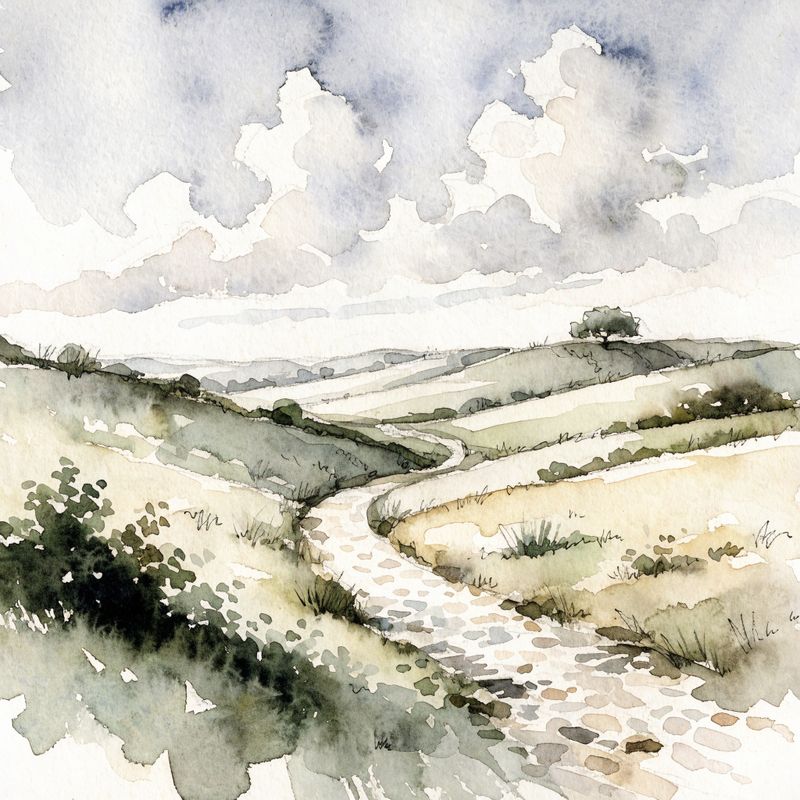
A watercolor painting of a quiet European countryside landscape: rolling green hills, a winding pale stone path, a single oak tree on the distant hillcrest. Visible paper texture beneath translucent washes of color, gentle ink line work, soft natural color bleeds

The reference shows a quiet countryside landscape. The output is a completely different scene (a farmer's market) carrying the same translucent washes, paper texture, ink line work, and pale earthy palette. The model treated the reference as a how, not a what. None of the content carried over, only the aesthetic.
Name the style ingredients in the prompt, not just the reference. Saying "the exact watercolor painting style of the reference image" plus calling out the techniques you can see ("translucent washes", "visible paper texture", "ink line work") forces the model to honor those specific signals. A vague "in the reference style" sometimes drifts toward a plausible but different aesthetic.
Character or object consistency
A single reference image of a person, mascot, or product carried across new contexts, new actions, new backgrounds. This is the workflow for branded talent, brand mascots, recurring characters in a mini-series, or product hero shots.
The astronaut from the reference image is exploring a cinematic alien jungle on a distant planet. Begin with a wide cinematic establishing shot of her walking through dense bioluminescent vegetation, ducking under glowing vines. Cut to a close shot of her visor reflecting the glowing jungle ahead. End on a medium shot as she stops to examine a strange floating spore. Preserve the exact astronaut's appearance across every shot.
- The astronaut
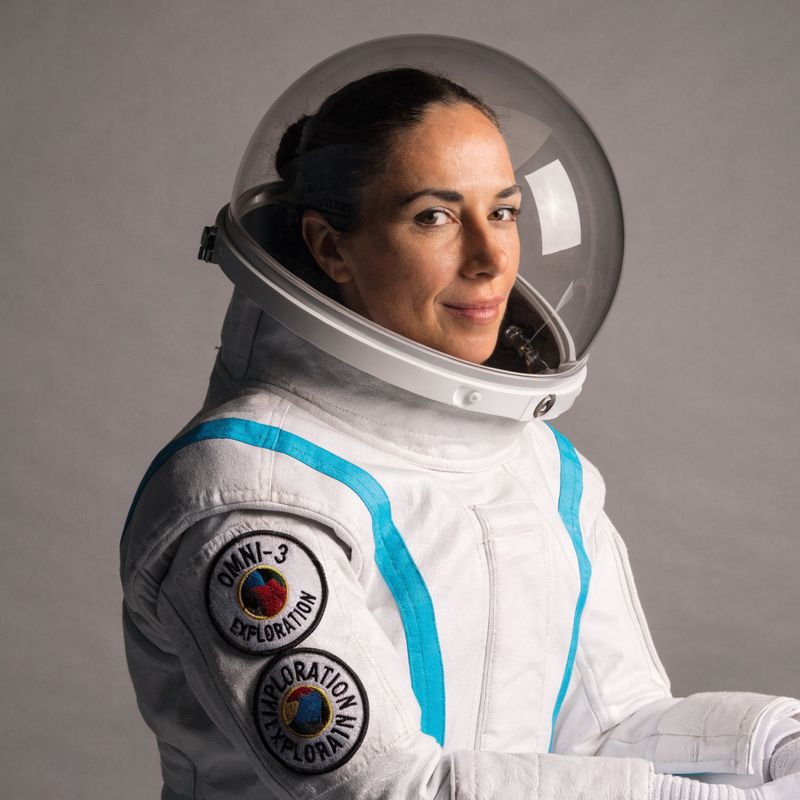
A female astronaut in her thirties, dark hair pulled back into a low bun, wearing a sleek white pressure suit with cyan accent stripes, a clear bubble helmet, and two circular mission patches on her left arm reading OMNI-3 and EXPLORATION

The astronaut wasn't in the reference image's pose or environment. The output puts her in an alien jungle, walking, ducking, examining a spore. The white pressure suit, the cyan accent stripes, the clear bubble helmet, and the mission patches all carry through every cut. The reference defined who. The prompt defined what.
Single-character references work best with a clean mid-shot portrait: waist-up framing, neutral background, the subject's face and identifying details clearly visible. Full-body shots, busy backgrounds, or extreme angles dilute the model's read on the character. The astronaut reference above is a textbook example.
The same workflow extends to products. A clean studio packshot in the reference position locks the bottle, the cap, the label, and the liquid colour across cuts so the model can place it into new contexts without redrawing the design every frame.
The exact perfume bottle from the reference shown across three product beats. A slow rotating studio packshot of the bottle on the cream backdrop. Cut to the same bottle on a polished black marble vanity, a single drop sliding slowly down the side. End on the bottle being lifted by a woman's hand into warm sunset light streaming in through a window behind. Preserve the exact bottle shape, the gold cap geometry, the embossed label, and the amber liquid colour across every shot.
- The perfume bottle
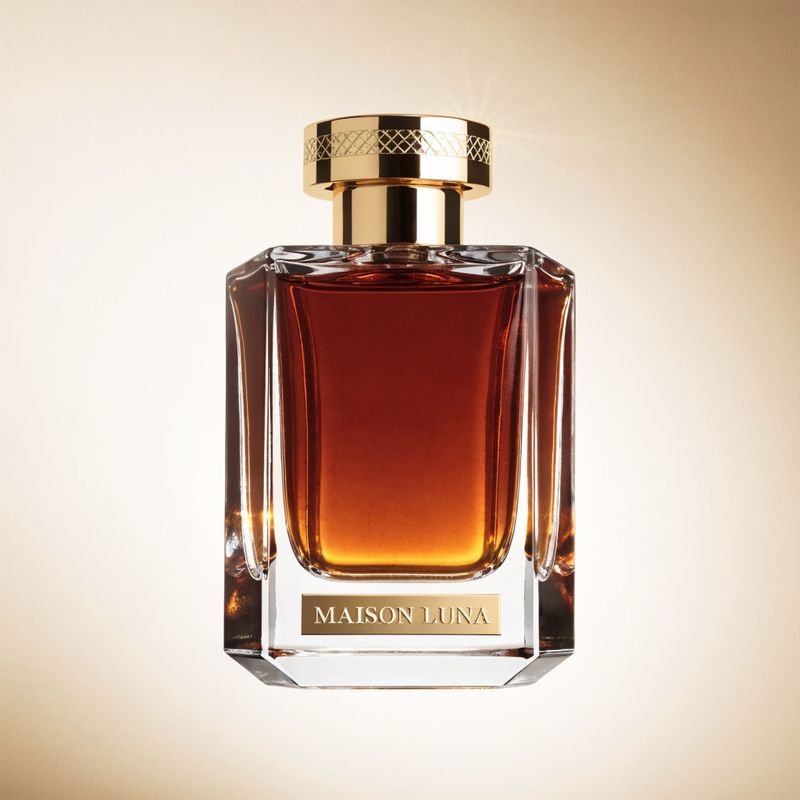
A luxury perfume bottle product shot: a tall faceted clear glass column with sharp angular edges, filled with deep amber liquid that glows warmly. A solid polished gold cap with a fine engraved geometric pattern around the rim. A small embossed gold label reads MAISON LUNA in clean serif type near the base. Centered against a soft warm cream gradient backdrop

The bottle reads as the same product on the studio backdrop, the marble vanity, and in the held hand. The faceted glass, the gold cap, and the embossed wordmark survive the cuts unchanged. This is the workflow for packshot variations of a single SKU, brand-mandated mascots that must look identical across a campaign, and any reference asset signed off by a design team.
Storyboard guidance with multiple references
When you have a specific sequence of beats you want the video to hit, pass them as multiple reference images in order. The model uses each as a visual key frame and generates the motion that connects them. This is how Google's prompt guide describes the "narrative order" use case.
The dessert plating sequence below is built from three reference frames in narrative order: the sauce being poured, the garnish being arranged, and the finished beauty shot.
Follow the three reference images in order as the key visual beats of this video. Begin with the first reference: the chef pouring dark chocolate sauce over the vanilla panna cotta. Cut to the second reference: overhead shot of the chef arranging raspberries and edible flowers with tweezers. End on the third reference: the close beauty shot of the finished plated dessert with the gold leaf catching the light.
- Beat 1: pour
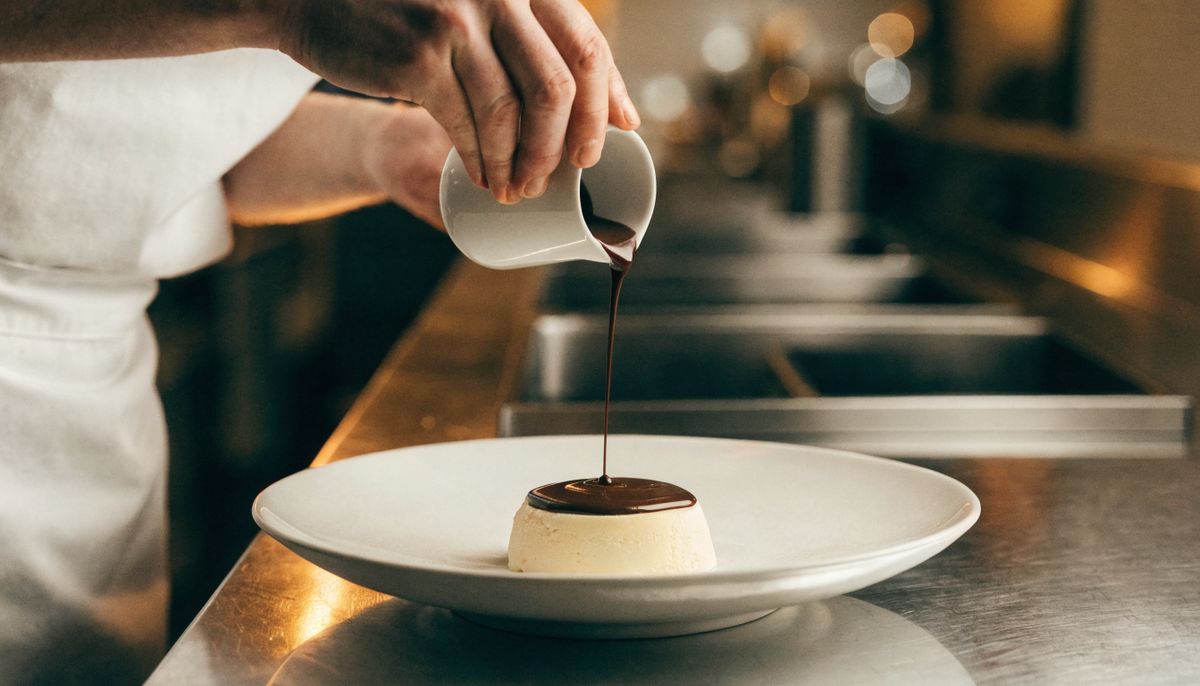
A wide cinematic shot of a chef in a crisp white apron pouring a smooth stream of glossy dark chocolate sauce from a small ceramic pitcher over a vanilla panna cotta on a wide white ceramic plate
- Beat 2: arrange
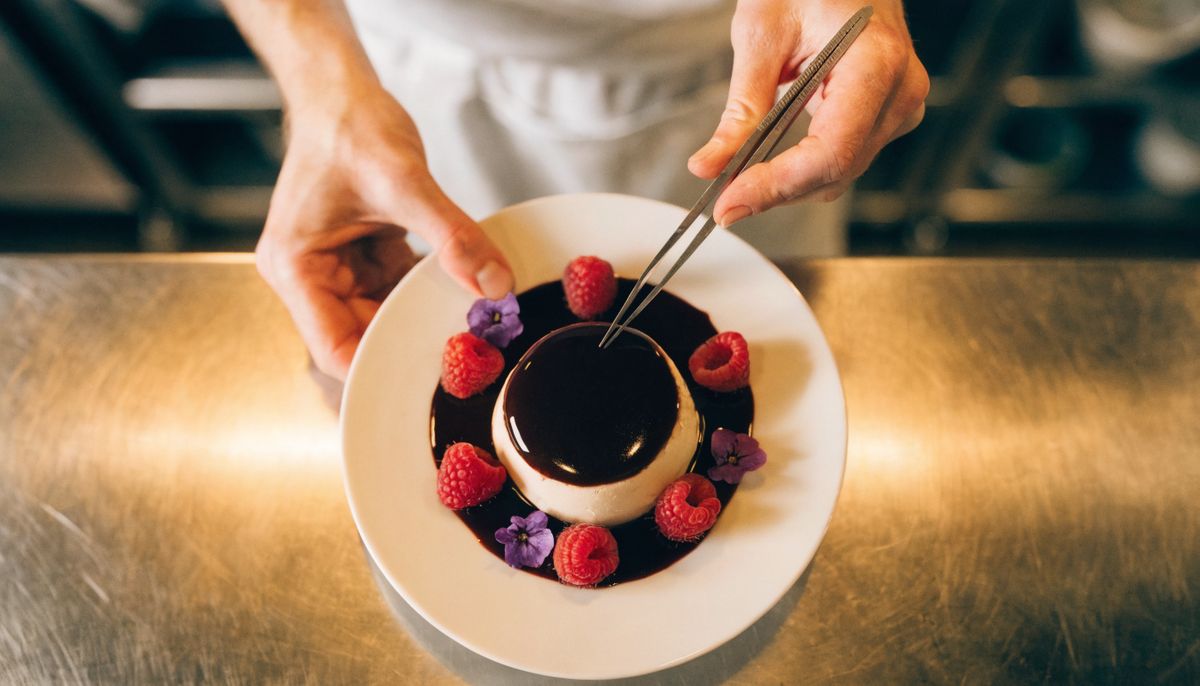
An overhead top-down shot of the chef's hands placing fresh raspberries and small edible flowers in a pattern around the dark-chocolate-glazed vanilla panna cotta, using tweezers
- Beat 3: finished
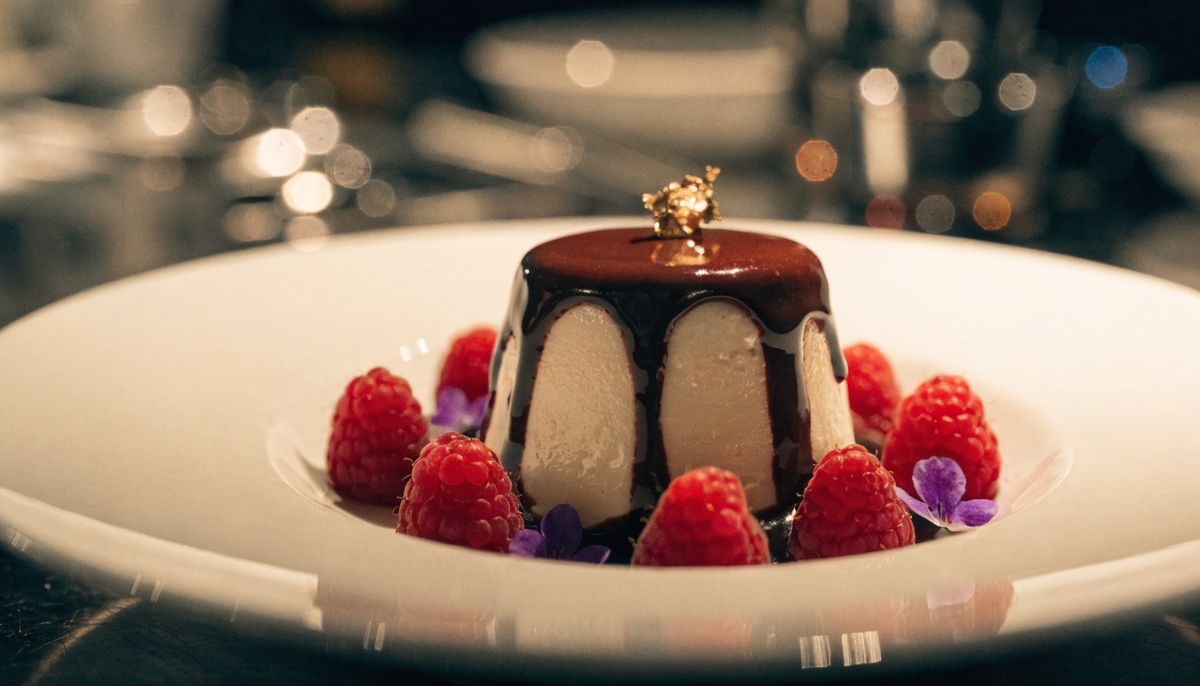
A close beauty shot of the finished plated dessert: the dark-chocolate-glazed vanilla panna cotta surrounded by raspberries and edible flowers, with a single small piece of edible gold leaf catching the warm overhead light


The output moves through all three beats in the order the references were passed. The pour resolves into the placement, which resolves into the beauty shot, and the motion between each pair feels natural because the references give the model a clear visual destination to interpolate toward.
State the storyboard order in the prompt explicitly. The model honors reference order more reliably when the prompt names "first reference", "second reference", "third reference" as the beats. Without that explicit mapping, three references can resolve in any order depending on the prompt content.
Combining a first-frame anchor with a reference
When the opening composition has to be exact (a product reveal, a logo splash, a hero shot signed off by a brand team), stack inputs.frameImages on top of the reference cast. The anchor locks the first frame. The references hold the cast through the rest of the clip.
Begin exactly from the first frame: the vintage cherry red 1960s convertible parked side-on on the coastal cliff road at golden hour. The driver from the reference image walks into frame from screen left, opens the driver-side door, and climbs into the cream leather seat. Cut to a side angle as he settles in, lowers the aviator sunglasses, and starts the engine. End on a low rear three-quarter shot as the convertible pulls away down the cliff road. Preserve the exact car composition from the first frame and the exact driver appearance from the reference image.
- Frame anchor
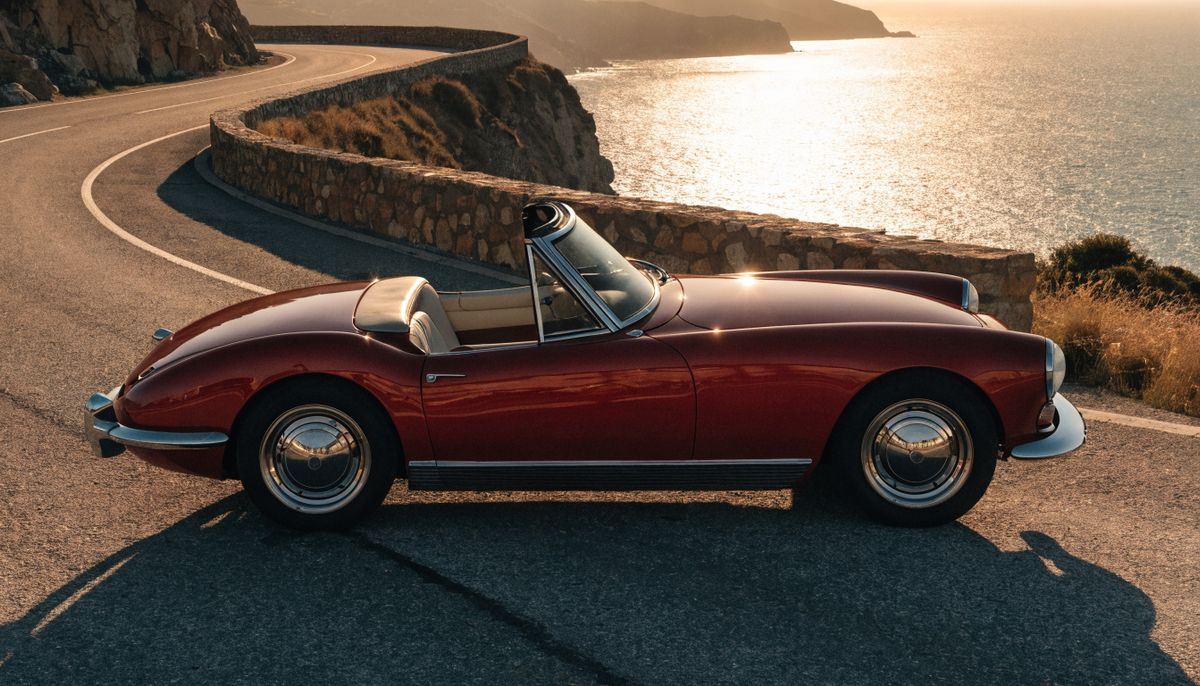
A vintage cherry red convertible from the early 1960s parked on a winding coastal cliff road at golden hour. Side-on three-quarter angle showing the polished chrome bumper, round chrome headlights, and the deep red bodywork catching the warm low sun. The Mediterranean ocean stretches into the deep gold sunset horizon below the cliff
- The driver
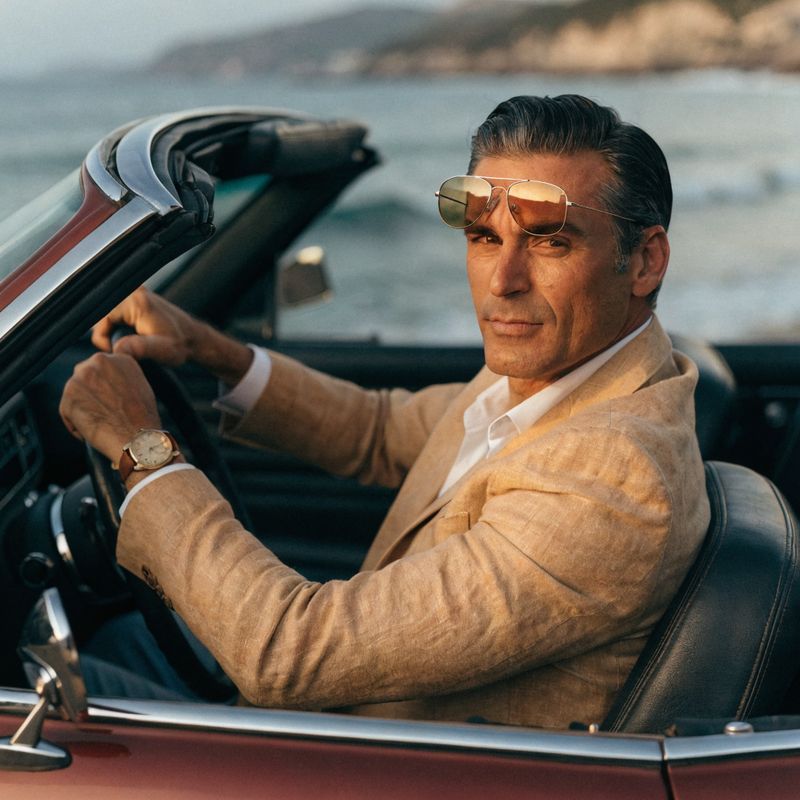
A male driver in his forties, neatly combed dark hair with a touch of grey at the temples, wearing a tan linen blazer over an open-collar white shirt, classic aviator sunglasses pushed up onto his forehead, a vintage gold wristwatch on his left wrist


The video opens exactly on the anchor: the same cherry red convertible at the same angle on the same cliff road under the same warm golden light. The driver then walks into the frame, and his salt-and-pepper hair, tan linen blazer, aviator sunglasses, and gold wristwatch all carry through from the reference. The anchor handles the opening composition. The reference handles identity.
inputs.frameImages accepts a single image pinned to frame: "first". The opening frame matches the anchor, everything after is the prompt's job. To control the second-to-last beat or the closing frame, use the reference workflow's storyboard mode instead.
Tips
-
Pass reference images in the order you reference them in the prompt. The model uses position as a signal. "The traveler from the first reference visits the second, third, and fourth references in order" is parsed more cleanly than the same intent left implicit.
-
Use mid-shot portraits for character references. A waist-up portrait at clean lighting and neutral background gives the model an unambiguous read on the face, wardrobe, and identifying details. Group shots, full-body, or busy backgrounds dilute the lock.
-
Name the style ingredients when doing style transfer. Don't rely on "in the reference's style" alone. Call out the technique features ("translucent washes", "visible paper texture", "ink line work") so the model honors the right signals from the image.
-
For storyboard mode, state the beat order in the prompt. Reference position alone is less reliable than reference position plus an explicit "first / cut to second / end on third" structure in the prompt.
-
Lean short and focused on the prompt itself. Google's own prompt guide calls Omni Flash "less prescriptive" than Veo. Three or four sentences naming the subject, action, and reference roles outperforms a wall of cinematic adjectives.
-
Stack a first-frame anchor when the opening is the reveal. Product launches, brand intros, logo splashes, and mini-series episodes where shot one is locked all benefit from the combined
frameImages+referenceImagesmode. -
Match duration to the shot count. Omni Flash generation mode runs from 5 to 8 seconds. Single-beat shots and short transitions read cleanly at 5 to 6. Three-beat reels want the full 8. Cramming three beats into 5 seconds gives each beat under two seconds, and the cuts read as choppy.