FLUX 3 Video

FLUX 3 Video is Black Forest Labs' multimodal foundation model for video generation with synchronized audio. It generates clips from 5 to 20 seconds across text-to-video, image-to-video, and video-to-video modes on one architecture, with keyframe control to pin an opening image or interpolate motion across pinned frames, chained continuations for arcs beyond 20 seconds, multi-shot sequences with hard cuts inside one generation, and native multilingual dialogue. A draft mode returns a fast low-resolution preview and a cache that a follow-up call enhances at full quality, tightening iteration loops. Style range spans candid camcorder footage, animation, motion design, and cinematic photoreal, character consistency holds across scenes within one generation, and in-video typography renders cleanly for titles and animated designs.
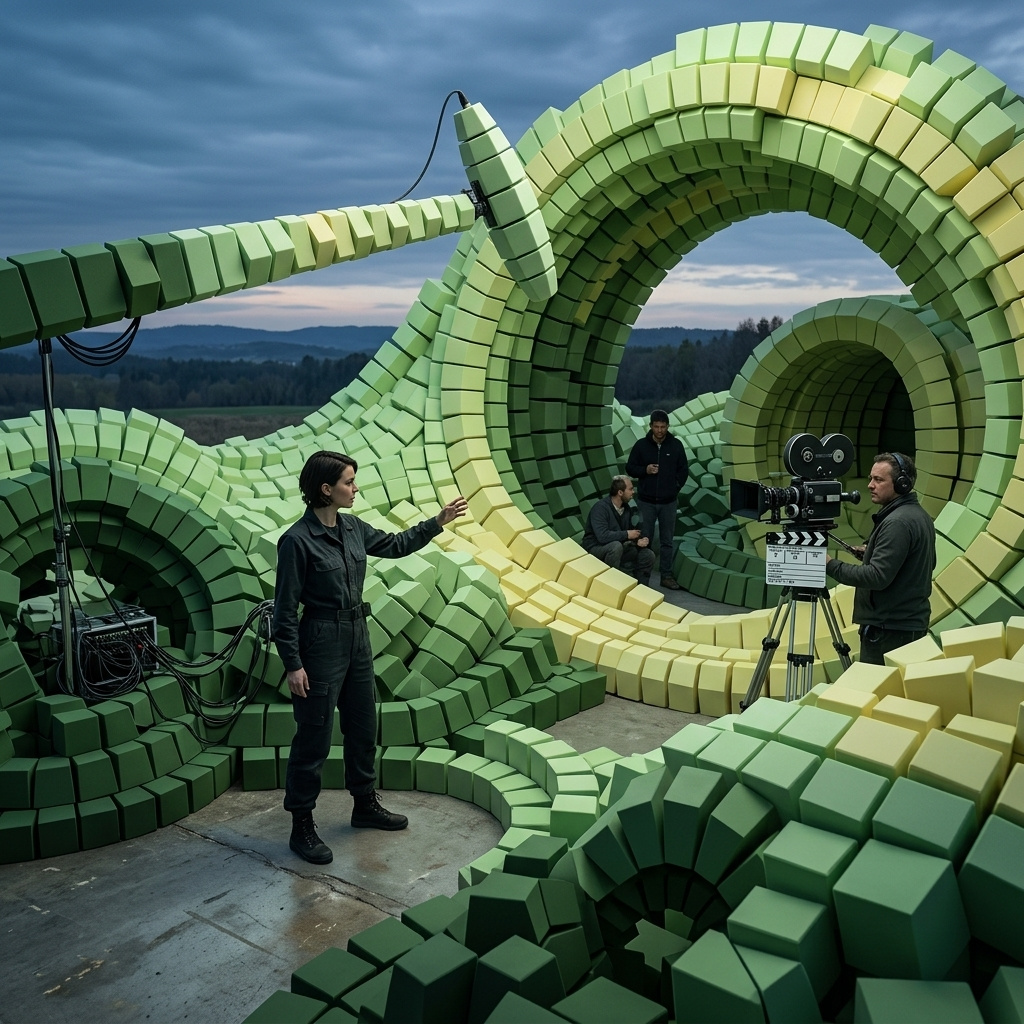
Prompting FLUX 3
How to prompt FLUX 3 for text-to-video with synchronized audio: request shape, prompt rewriting, camera language, dimensions, style diversity, and the draft-mode iteration workflow.
Introduction
FLUX 3 is Black Forest Labs' one-model architecture for video generation with synchronized audio. It takes a text prompt and returns an mp4 with directed camera motion and layered audio, rendered as one coherent scene where the physical interactions match how things move in the real world. The same model handles hyperreal, motion design, animation, and cinematic styles from the same request shape.
An unbroken continuous 10-second shot inside a small independent bookshop on a rainy autumn afternoon in Amsterdam. Warm interior lighting from dim brass sconces, tall dark walnut shelves stacked with worn hardcovers, an antique brass bell above the door still tinkling faintly from the last customer leaving. The camera holds locked on the empty shop for a beat, then pans slowly across the front shelves and settles on a tabby cat curled up on a stack of returned books by the counter, one ear twitching as thunder rolls faintly outside. Audio in layers: warm interior tone, the low deep tick of a wall clock, muffled rain on the front window, a soft distant roll of thunder just as the cat's ear twitches. No music, no on-screen text.
The clip above came from a single 10-second call written in plain declarative language, not structured markup. FLUX 3 interprets and rewrites your prompt before generating, so writing the way you would brief a colleague on the shot works better than reaching for keyword syntax. The prompt named the interior, the camera hold-then-pan, the cat's small ear-twitch beat, and the four audio layers underneath. This guide covers the request shape, how the prompt gets rewritten before generation, choosing dimensions and duration, working across styles, and the draft mode workflow that shapes how you iterate.
Request shape
A FLUX 3 request takes a positivePrompt and returns an mp4. Everything else has a sensible default. The model picks dimensions and duration from the prompt when they're not set explicitly. The hero clip above came from this call:
import { createClient } from '@runware/sdk'

const client = await createClient({ apiKey: process.env.RUNWARE_API_KEY })
await client.connect()

const [result] = await client.run({
  model: 'bfl:flux@3-video',
  positivePrompt: 'An unbroken continuous 10-second shot inside a small independent bookshop on a rainy autumn afternoon in Amsterdam. Warm interior lighting from dim brass sconces, tall dark walnut shelves stacked with worn hardcovers, an antique brass bell above the door still tinkling faintly from the last customer leaving. The camera holds locked on the empty shop for a beat, then pans slowly across the front shelves and settles on a tabby cat curled up on a stack of returned books by the counter, one ear twitching as thunder rolls faintly outside. Audio in layers: warm interior tone, the low deep tick of a wall clock, muffled rain on the front window, a soft distant roll of thunder just as the cat\'s ear twitches. No music, no on-screen text.',
  width: 1280,
  height: 704,
  duration: 10
})
import asyncio
import os
from runware import Runware
async def main():
async with Runware(api_key=os.environ["RUNWARE_API_KEY"]) as client:
results = await client.run({
"model": "bfl:flux@3-video",
"positivePrompt": "An unbroken continuous 10-second shot inside a small independent bookshop on a rainy autumn afternoon in Amsterdam. Warm interior lighting from dim brass sconces, tall dark walnut shelves stacked with worn hardcovers, an antique brass bell above the door still tinkling faintly from the last customer leaving. The camera holds locked on the empty shop for a beat, then pans slowly across the front shelves and settles on a tabby cat curled up on a stack of returned books by the counter, one ear twitching as thunder rolls faintly outside. Audio in layers: warm interior tone, the low deep tick of a wall clock, muffled rain on the front window, a soft distant roll of thunder just as the cat's ear twitches. No music, no on-screen text.",
"width": 1280,
"height": 704,
"duration": 10
})
asyncio.run(main())curl https://api.runware.ai/v1 \
-H "Authorization: Bearer $RUNWARE_API_KEY" \
-H "Content-Type: application/json" \
-d '[
{
  "taskType": "videoInference",
  "taskUUID": "3f8a2b1c-5d6e-4790-b1a2-c3d4e5f60718",
  "model": "bfl:flux@3-video",
  "positivePrompt": "An unbroken continuous 10-second shot inside a small independent bookshop on a rainy autumn afternoon in Amsterdam. Warm interior lighting from dim brass sconces, tall dark walnut shelves stacked with worn hardcovers, an antique brass bell above the door still tinkling faintly from the last customer leaving. The camera holds locked on the empty shop for a beat, then pans slowly across the front shelves and settles on a tabby cat curled up on a stack of returned books by the counter, one ear twitching as thunder rolls faintly outside. Audio in layers: warm interior tone, the low deep tick of a wall clock, muffled rain on the front window, a soft distant roll of thunder just as the cat's ear twitches. No music, no on-screen text.",
  "width": 1280,
  "height": 704,
  "duration": 10
}
]'runware run bfl:flux@3-video \
positivePrompt="An unbroken continuous 10-second shot inside a small independent bookshop on a rainy autumn afternoon in Amsterdam. Warm interior lighting from dim brass sconces, tall dark walnut shelves stacked with worn hardcovers, an antique brass bell above the door still tinkling faintly from the last customer leaving. The camera holds locked on the empty shop for a beat, then pans slowly across the front shelves and settles on a tabby cat curled up on a stack of returned books by the counter, one ear twitching as thunder rolls faintly outside. Audio in layers: warm interior tone, the low deep tick of a wall clock, muffled rain on the front window, a soft distant roll of thunder just as the cat's ear twitches. No music, no on-screen text." \
width=1280 \
height=704 \
duration=10{
"taskType": "videoInference",
"taskUUID": "3f8a2b1c-5d6e-4790-b1a2-c3d4e5f60718",
"model": "bfl:flux@3-video",
"positivePrompt": "An unbroken continuous 10-second shot inside a small independent bookshop on a rainy autumn afternoon in Amsterdam. Warm interior lighting from dim brass sconces, tall dark walnut shelves stacked with worn hardcovers, an antique brass bell above the door still tinkling faintly from the last customer leaving. The camera holds locked on the empty shop for a beat, then pans slowly across the front shelves and settles on a tabby cat curled up on a stack of returned books by the counter, one ear twitching as thunder rolls faintly outside. Audio in layers: warm interior tone, the low deep tick of a wall clock, muffled rain on the front window, a soft distant roll of thunder just as the cat's ear twitches. No music, no on-screen text.",
"width": 1280,
"height": 704,
"duration": 10
}Response
[
  {
    "taskType": "videoInference",
    "taskUUID": "3f8a2b1c-5d6e-4790-b1a2-c3d4e5f60718",
    "videoUUID": "9d3e2f4a-5b6c-7890-abcd-ef1234567890",
    "videoURL": "https://vm.runware.ai/video/os/a14d18/ws/2/vi/9d3e2f4a-5b6c-7890-abcd-ef1234567890.mp4"
  }
]
The essentials:
positivePromptis the only required field. It's plain language, and the model rewrites it before generating. Prose the way you'd brief a colleague works better than keyword lists.widthandheightcome from a closed set of fourteen preset pairs, seven aspect ratios at each of two resolutions. Omit both to let the model pick from the prompt. See Dimensions and duration below.resolutionaccepts720por1080pand defaults to720p. Send it alone to pin resolution and let the model pick the aspect from the prompt (or from the input when keyframes or a source video are attached). Mutually exclusive withwidth/height.durationis a whole number from 5 to 20 seconds, or"auto"to let the model fit the shot brief.settings.audiois on by default. FLUX 3 renders audio synchronized to the video in the same request. See the audio and speech guide for the audio spec vocabulary.settings.safetyToleranceis a 0 to 4 integer (default2) that widens or tightens what the model refuses to generate. Raise it for adult creative work that keeps getting refused. Leave it at the default for anything you'd ship as brand content.
Prompt rewriting
Every prompt is interpreted and expanded before it reaches the generator. Plain declarative language works, and every explicit choice you make is respected. The rewriting fills in what you leave underspecified rather than overwriting what you set.
That means the more precisely you name a scene element, the more of that element is your call rather than the model's default. Naming the camera move keeps the model from animating the subject to compensate. Naming the audio layers reserves those layers for what you asked for. A style anchor like "Ghibli-adjacent" or "Aardman-adjacent" gives the model a specific visual grammar to build around rather than defaulting to a generic cinematic register.
Write the way you would brief a colleague on the shot. Keyword lists and caption-style prose both under-perform prose written the way you'd say it out loud. The exception is quoted speech and multi-shot cuts, which have their own conventions covered in the audio and speech guide and the multi-shot sequences guide.
positivePrompt accepts up to 10,000 characters, but the model's attention isn't uniform across that length. Past a few hundred well-chosen words, later clauses start to fight earlier ones for focus and details drop out. Prefer tightening prose over adding more clauses.
The rewriting doesn't just fill gaps. It can add plausible details you didn't mention: skin tones, ambient sound, background depth, the exact quality of light. Those additions default to what feels natural for the scene you wrote. When a default lands wrong (the model picked golden hour when you meant overcast, or added music you didn't ask for), pin that specific layer explicitly in the next iteration rather than rewriting the whole prompt. The layer you pin overrides the default. Unpinned layers stay under the model's judgment.
Prompt beats vs prompt density. A prompt that carefully names 5–10 shot beats reliably outperforms one that piles on 40 adjectives without structure. Past a few hundred words, the model's attention narrows to what's stated most concretely and repeatedly, and softer clauses drop out of the mix. Prefer tightening to adding: an extra adjective on "warm afternoon light" rarely helps, but a new beat like "the cat's ear twitches on the thunder roll" almost always does. When a result is close but wrong, name the specific miss instead of rewriting everything around it.
Camera language
FLUX 3 reads named camera moves and lens choices. Naming the camera keeps the model from animating the subject to compensate for a static camera, and lets you separate camera motion from scene motion so each lands cleanly.
The clip below runs one specific camera move on a stationary subject: a slow controlled orbit around a ceramicist at her wheel, keeping her centred in frame while the background swings past behind her. She barely moves. The camera does the work.
An 8-second slow controlled 180-degree orbit around a ceramicist at her potter's wheel in a warm sunlit studio. She is a woman in her thirties with a low ponytail and a splattered indigo apron, hands cupping the walls of a spinning cream-glazed clay bowl on the wheel, focused expression, barely moving apart from her hands shaping the clay. The camera holds at her chest height and orbits smoothly clockwise around her, keeping her centred in frame while the studio behind her — wooden shelves of finished bowls, a tall workshop window with warm side light — swings past. Shallow depth of field, warm natural light. Audio: the low steady hum of the wheel, the wet slap of clay under her hands, quiet studio ambience underneath, no music. No on-screen text.
Six moves land reliably by name:
- Static / locked-off. "camera locked at eye level", "camera holds locked". The frame doesn't move, and subject motion is the only motion. Prompts without any camera direction default to a slight drift, so naming static explicitly keeps the frame still.
- Dolly / push-in. "camera pushes slowly forward from wide to close over 6 seconds". Focal length unchanged, the camera moves toward the subject. Pair with a duration for the pace.
- Pull-back / dolly-out. "camera pulls slowly back from close to wide, revealing the room around her". The reveal shape.
- Pan / tilt. "camera pans slowly right across the shelves", "camera tilts down from the ceiling to the desk". A stationary camera pivoting on its axis.
- Orbit. "camera orbits smoothly clockwise around the subject at chest height, keeping her centred". Circular tracking around a stationary subject, as in the clip above.
- Handheld tracking. "wide handheld tracking shot alongside the subject at handlebar height". A slight sway or breath in the frame, moving alongside the subject.
Combine a move with a lens character to shape the look further:
- "35mm lens, shallow depth of field" for editorial documentary energy
- "70mm long lens, subject in sharp focus, background compressed" for portrait energy
- "24mm wide lens close to the subject, slight edge distortion" for subjective handheld energy
- "anamorphic 2.35:1, cinematic bokeh, lens flare on the highlights" for feature-film register
Naming the camera also lets you keep it still on purpose. A prompt with no camera direction defaults to a gentle drift or auto-selected motion. When the shot needs a locked-off frame, say so.
Dimensions and duration
FLUX 3 output ships at a fixed pixel pair for each combination of aspect ratio and resolution. Seven aspects are supported at each of two resolutions:
| Aspect ratio | 720p | 1080p |
|---|---|---|
| 21:9 | 1440 × 608 | 2176 × 928 |
| 2:1 | 1344 × 672 | 2016 × 1024 |
| 16:9 | 1280 × 704 | 1920 × 1088 |
| 4:3 | 1088 × 800 | 1632 × 1216 |
| 1:1 | 960 × 960 | 1440 × 1440 |
| 3:4 | 800 × 1088 | 1216 × 1632 |
| 9:16 | 704 × 1280 | 1088 × 1920 |
Which resolution to reach for. 720p is the working tier: fast to render, cheaper per second, and clean enough for iteration, social crops, previews, and most in-product motion. 1080p is the hero-delivery tier: reach for it when the output is a landing-page hero, a paid ad, a launch spot, or anywhere the pixel-level polish matters against a larger playback surface. There's no visual downgrade in 720p at typical mobile and social sizes. The payoff of 1080p shows up on desktop and TV playback.
Three ways to specify dimensions:
widthandheighttogether pick a specific pair. Any partial combination (width alone, height alone, or a pair not in the table) fails validation.resolutionalone (720por1080p) pins the resolution and lets the model pick the aspect from the prompt, or from the input when keyframes or a source video are attached.720pis the default when nothing is set.- Omit everything to let the model pick both resolution and aspect from the prompt.
resolution and width/height are mutually exclusive.
Duration is any whole number between 5 and 20 when you pin it, or "auto" to let the model choose. Beat-count matters more than seconds. A single continuous take with one small motion fits 5 or 7 seconds. A three-cut spot needs 12 to 18 to let each shot land. Pin the duration when you know the shot brief. Leave it on "auto" when you're exploring and want the model to fit the runtime to the prompt.
auto isn't a shorthand for "pick 5" or "pick 20". The model reads the shot brief and chooses a duration that lands the described action. That works well for open-ended exploration but gets in the way once the shot has to fit a specific slot (a 6-second social loop, a 15-second pre-roll, a keyframe pinned at timestamp: 3.5). Pin the number the moment the runtime becomes a constraint.
Style diversity
FLUX 3 covers a wide stylistic range from the same request shape. The three clips below run motion design, hand-drawn 2D animation, and stop-motion claymation through their own prompts to show what the model can do outside cinematic photoreal.
A 6-second abstract motion design piece for an indie music festival. Jewel-tone geometric shapes in coral, electric cobalt, mustard, and sage slide in from the four edges of a deep charcoal background, colliding cleanly at the centre, and reassembling into the festival's word-mark rendered as clean condensed sans-serif capitals reading "NOCTURNE FEST". Hyper-crisp vector aesthetic, smooth ease-in-out motion. Audio: a minimal ambient synth track that resolves on a soft warm chord exactly when the word-mark lands, no percussion, no vocals.
A 6-second hand-drawn 2D animation in a Ghibli-adjacent watercolour style with visible pencil linework and gentle wash fills. A small pastel-blue sailboat drifts slowly across a calm sea at dawn, gentle warm sun on the horizon, a single seagull crossing the frame from left to right. The camera holds locked on a wide shot. Audio: soft lapping of water against the hull, a distant seagull call as it crosses, a gentle warm ambient string bed underneath. No on-screen text.
A 6-second Aardman-adjacent stop-motion claymation scene. A short mustachioed baker in a flour-dusted apron and a round white hat kneads a big lump of pale dough on a wooden table in a warm rustic bakery kitchen. His forearms push and fold the dough, his hair flops slightly with the motion. Warm tungsten lighting, visible fingerprints in the clay figures, subtle jitter from the frame-by-frame animation. Audio: the soft slap and squelch of dough on wood, a small kitchen clock ticking, a distant kettle whistling at the very end. No on-screen text.
The three prompts stay short on scene detail and long on style anchor. Name the aesthetic explicitly and cite a recognizable point of reference where useful ("Ghibli-adjacent", "Aardman-adjacent"). Name the material qualities the style produces, like pencil linework for watercolour or fingerprints for claymation, and the model builds toward that visual grammar rather than defaulting to a photoreal cinematic register.
Style also extends into motion character: how time itself renders inside the clip. Hyperlapse is the clearest case. The one below compresses about an hour of real time into 8 seconds of footage, holding a locked-off frame while the crowd and traffic streak past at speed:
An 8-second hyperlapse from a fixed low-angle wide shot of a busy pedestrian crossing at Shibuya-style intersection in Tokyo. The frame holds locked on a wide 16:9 view showing the crossing lines, the surrounding tall glass office buildings, and the massive electronic billboards above. Time compresses roughly one hour into 8 seconds: dusk light shifts to full night over the runtime, streams of pedestrians blur across the crossing on each cycle, cars and buses streak past between crossings, the billboards cycle through bright commercial ads. Long-exposure motion blur on the moving people and traffic, the crossing lines and buildings stay sharp. Audio: the compressed layered hum of a busy city, the rhythmic swell of crossing signals speeding through their cycles, distant traffic droning underneath. No music, no on-screen text.
The prompt names the compression explicitly ("time compresses roughly one hour into 8 seconds") and adds a motion signature ("long-exposure motion blur on the moving people and traffic, the crossing lines and buildings stay sharp") to lock the hyperlapse aesthetic in. The audio does its share too, compressing an ambient soundscape into one continuous swell.
The same technique language extends to timelapse (slower still, "one full day compresses into 6 seconds"), slow motion ("everything renders at 24 fps but plays out as if at 1/8 speed, extreme detail visible on the water droplets"), and split-screen ("the frame is split cleanly down the centre, the left half showing X and the right half showing Y, both playing simultaneously"). Motion character is a style knob you can name.
Draft mode
Draft mode returns a fast lower-resolution render first, followed by an enhance step that keeps the draft's structure and adds detail. It exists for the iteration case: when the shot brief is still moving and you want to see the structure before committing to a full render.
Add settings.draft: true to the request. FLUX 3 returns a draft mp4 in a fraction of the standard render time, along with a draftCache field on the response: an encrypted bundle URL (about a two-hour expiry) that pins the prompt and settings that produced the draft. If the draft's structure is right, download that bundle and send it back as the only input on a follow-up request to render the enhanced version:
{
  "taskType": "videoInference",
  "taskUUID": "3f8a2b1c-5d6e-4790-b1a2-c3d4e5f60718",
  "model": "bfl:flux@3-video",
  "inputs": {
    "draftCache": "<base64 bundle or bundle URL>"
  }
}
FLUX 3 replays the same generation at full quality without needing the original prompt or inputs again. If the structure is wrong, iterate on the prompt against the draft rather than a full render.
settings.safetyTolerance is the one field you can override on the replay. Pass it alongside inputs.draftCache if you need a different safety threshold than the draft used. Everything else (prompt, duration, resolution, dimensions, other inputs, settings.audio, settings.draft) is rejected on the replay call.
A close single continuous 8-second shot of a leather craftsman at a small wooden workbench in a warm workshop, burnishing the freshly cut edge of a hand-cut tan leather wallet with a wooden slicker held in the right hand while the left steadies the piece. Focus on the hands and the leather. Warm natural workshop lighting from a nearby window, wood grain visible on the bench. Audio: the soft rhythmic friction of the slicker on the leather edge, a quiet workshop tone underneath, no music. settings.draft: true.
A close single continuous 8-second shot of a leather craftsman at a small wooden workbench in a warm workshop, burnishing the freshly cut edge of a hand-cut tan leather wallet with a wooden slicker held in the right hand while the left steadies the piece. Focus on the hands and the leather. Warm natural workshop lighting from a nearby window, wood grain visible on the bench. Audio: the soft rhythmic friction of the slicker on the leather edge, a quiet workshop tone underneath, no music.
The enhance step preserves the draft's structure and adds detail rather than replanning the scene. In this demo the two clips are independent renders sharing the same positive prompt: a real enhance run would take the draft's draftCache as its input, not the prompt again. The draft above holds the hand position, the tool, the workbench, and the motion cadence. The enhanced clip carries the same composition and motion while filling in the leather grain and the tool marks the draft only sketches.
Draft mode currently applies only to text-to-video requests. Draft is a workflow flag, not a separate model tier. The enhance step is the standard render running against the draft's structure. Reach for it when the shot brief is uncertain, or when you're iterating fast on a composition and don't want to wait a full render for every guess.
Tips
-
Write plain declarative prose. Keyword lists and template syntax under-perform prose the model can actually parse. Write the way you'd brief a colleague on the shot.
-
Name every layer you want to control. Camera move, subject, action, light, audio. What you don't name defaults to the model's read, which is often reasonable but never yours.
-
Pin duration when the beat count is known. Set an integer between 5 and 20 to match the shot brief. Leave it on
"auto"when you're still exploring and want the model to pick. -
Set dimensions from the preset pairs. Only the fourteen listed
width×heightcombinations validate. Sendresolutionalone to pin resolution but let the model pick the aspect, or omit everything to leave both to the prompt. -
Reach for draft mode during iteration. A draft returns fast enough to iterate on the composition without waiting on a full render each time. The enhance step preserves the draft's structure while adding fidelity, so you're not throwing away every draft you saw.
-
Cite style anchors when reaching outside photoreal. "Ghibli-adjacent watercolour", "Aardman-adjacent claymation", "hyper-crisp vector motion design". The model builds toward that grammar rather than defaulting to a generic cinematic register.
-
Give each shot beat roughly 5 to 7 seconds of runtime. A single continuous take with one small motion fits 5. A shot with a beginning and an end (a pour that fills and settles, a subject who enters and lands a gesture) wants 7 to 10. Squeeze more than one clean beat into 5 seconds and the model compresses or drops content rather than pacing it evenly.
-
Iterate on one layer at a time. When a result is close but wrong on one thing (the light, the music, a subject detail), pin that layer and leave the rest of the prompt alone. Rewriting everything at once usually shifts things you liked in the first result.