GPT-Image-2.5 Flare

GPT-Image-2.5 Flare is OpenAI's fastest model for high-quality image generation and editing, delivering higher-quality images than GPT Image 2 at 50% lower latency. It improves natural lighting, texture detail, reference-subject preservation, localized editing, and consistency across iterative edits, while handling complex layouts and transparent backgrounds. It is designed for creator content, product experiences, visual search, rapid prototyping, and high-volume generation.
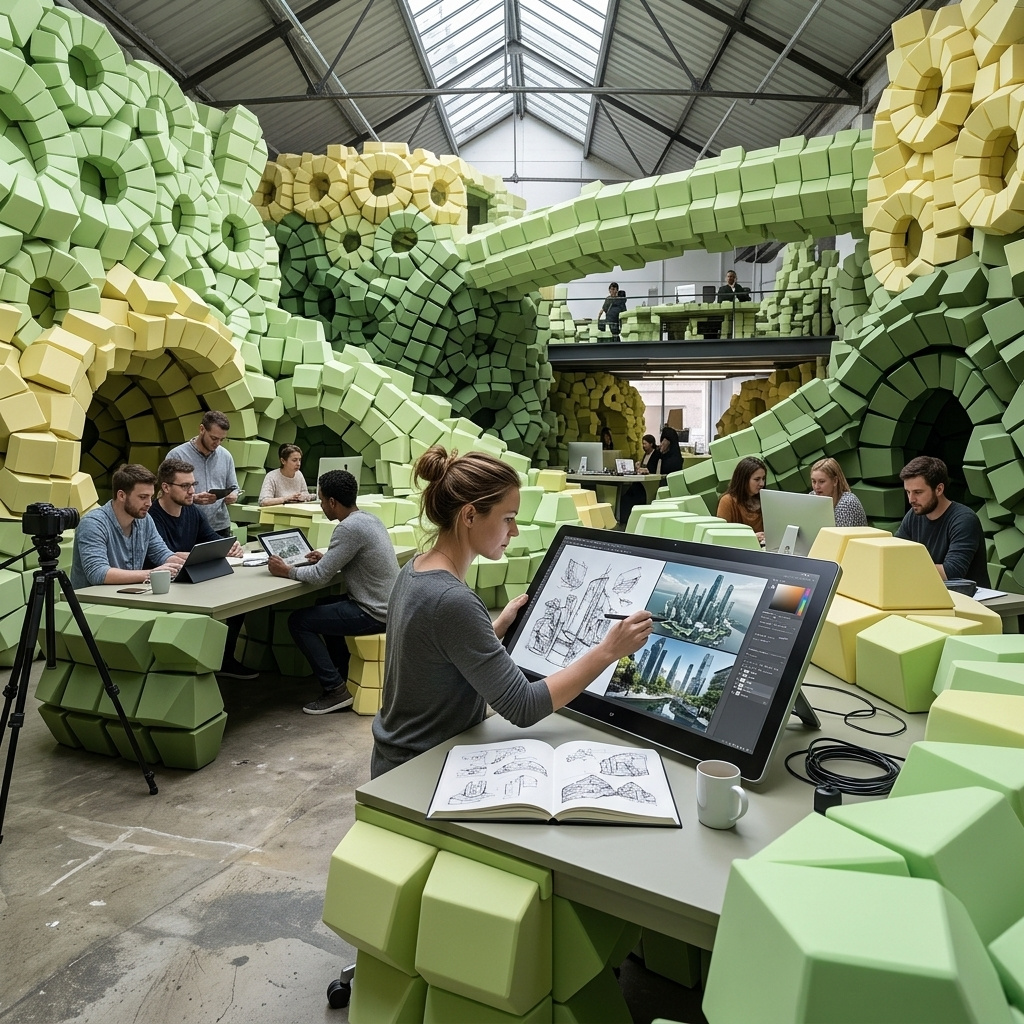
Prompting
How to prompt GPT-Image-2.5 Flare: writing a brief it can plan a layout from, pinning counts and positions, and choosing a size from its custom dimension envelope.
Introduction
GPT-Image-2.5 Flare reads a prompt the way a chat model reads a message, in order and as language rather than as a bag of keywords. positivePrompt takes up to 32,000 characters, so the brief you would hand a photographer fits in the field without being cut down to a keyword string first.
What Flare adds over GPT Image 2 is speed at higher quality. OpenAI rates its output above the previous model while putting its latency at half, which moves a render out of the queue somebody comes back to and into a loop they sit in front of.

A lookbook photograph for a wool outerwear brand. A woman in her thirties with short dark hair stands on a city pavement in a long camel wool coat worn open over a charcoal roll-neck and wide black trousers, one hand in her pocket, looking off to the left of frame. A limestone building front and a row of bare plane trees sit behind her, thrown out of focus. Flat overcast winter daylight, no hard shadows. Full-length shot from slightly below, 50mm lens, the subject in the right third of the frame with the pavement running away to the left. Photoreal editorial fashion photography, muted neutral palette.
This guide covers the request shape, how to write a brief the model can plan from, holding it to counts and positions, directing visual style, the facts it brings to a scene on its own, and the size envelope.
The request
A call needs model, positivePrompt, width and height. Everything else is optional.
import { createClient } from '@runware/sdk'

const client = await createClient({ apiKey: process.env.RUNWARE_API_KEY })
await client.connect()

const [result] = await client.run({
  model: 'openai:gpt-image@2.5-flare',
  positivePrompt: 'A lookbook photograph for a wool outerwear brand. A woman in her thirties with short dark hair stands on a city pavement in a long camel wool coat worn open over a charcoal roll-neck and wide black trousers, one hand in her pocket, looking off to the left of frame. A limestone building front and a row of bare plane trees sit behind her, thrown out of focus. Flat overcast winter daylight, no hard shadows. Full-length shot from slightly below, 50mm lens, the subject in the right third of the frame with the pavement running away to the left. Photoreal editorial fashion photography, muted neutral palette.',
  width: 1536,
  height: 1024
})
import asyncio
import os
from runware import Runware
async def main():
async with Runware(api_key=os.environ["RUNWARE_API_KEY"]) as client:
results = await client.run({
"model": "openai:gpt-image@2.5-flare",
"positivePrompt": "A lookbook photograph for a wool outerwear brand. A woman in her thirties with short dark hair stands on a city pavement in a long camel wool coat worn open over a charcoal roll-neck and wide black trousers, one hand in her pocket, looking off to the left of frame. A limestone building front and a row of bare plane trees sit behind her, thrown out of focus. Flat overcast winter daylight, no hard shadows. Full-length shot from slightly below, 50mm lens, the subject in the right third of the frame with the pavement running away to the left. Photoreal editorial fashion photography, muted neutral palette.",
"width": 1536,
"height": 1024
})
asyncio.run(main())curl https://api.runware.ai/v1 \
-H "Authorization: Bearer $RUNWARE_API_KEY" \
-H "Content-Type: application/json" \
-d '[
{
  "taskType": "imageInference",
  "taskUUID": "9c2f4a1e-6b73-4d85-a012-3e7f8b1c4d92",
  "model": "openai:gpt-image@2.5-flare",
  "positivePrompt": "A lookbook photograph for a wool outerwear brand. A woman in her thirties with short dark hair stands on a city pavement in a long camel wool coat worn open over a charcoal roll-neck and wide black trousers, one hand in her pocket, looking off to the left of frame. A limestone building front and a row of bare plane trees sit behind her, thrown out of focus. Flat overcast winter daylight, no hard shadows. Full-length shot from slightly below, 50mm lens, the subject in the right third of the frame with the pavement running away to the left. Photoreal editorial fashion photography, muted neutral palette.",
  "width": 1536,
  "height": 1024
}
]'runware run openai:gpt-image@2.5-flare \
positivePrompt="A lookbook photograph for a wool outerwear brand. A woman in her thirties with short dark hair stands on a city pavement in a long camel wool coat worn open over a charcoal roll-neck and wide black trousers, one hand in her pocket, looking off to the left of frame. A limestone building front and a row of bare plane trees sit behind her, thrown out of focus. Flat overcast winter daylight, no hard shadows. Full-length shot from slightly below, 50mm lens, the subject in the right third of the frame with the pavement running away to the left. Photoreal editorial fashion photography, muted neutral palette." \
width=1536 \
height=1024{
"taskType": "imageInference",
"taskUUID": "9c2f4a1e-6b73-4d85-a012-3e7f8b1c4d92",
"model": "openai:gpt-image@2.5-flare",
"positivePrompt": "A lookbook photograph for a wool outerwear brand. A woman in her thirties with short dark hair stands on a city pavement in a long camel wool coat worn open over a charcoal roll-neck and wide black trousers, one hand in her pocket, looking off to the left of frame. A limestone building front and a row of bare plane trees sit behind her, thrown out of focus. Flat overcast winter daylight, no hard shadows. Full-length shot from slightly below, 50mm lens, the subject in the right third of the frame with the pavement running away to the left. Photoreal editorial fashion photography, muted neutral palette.",
"width": 1536,
"height": 1024
}Response
[
  {
    "taskType": "imageInference",
    "taskUUID": "9c2f4a1e-6b73-4d85-a012-3e7f8b1c4d92",
    "imageUUID": "d4b8e0f2-1a56-4c39-8e7d-2b0a5f6c3491",
    "imageURL": "https://im.runware.ai/image/os/a14d18/ws/2/ii/d4b8e0f2-1a56-4c39-8e7d-2b0a5f6c3491.jpg"
  }
]
Image tasks run synchronously, so the render comes back on the same call. The rest of the surface, with the full parameter list in the model reference:
widthandheightare set together and travel inside an envelope rather than a fixed list, covered at the end of this guide.inputs.referenceImagestakes up to sixteen images, either to change an image you already have or to carry a subject into a new one.inputs.maskImageconfines an edit to a painted region, covered in masked editing.settings.backgroundreturns the render on transparency, covered in transparent backgrounds.settings.qualitysets how much rendering effort the model spends, covered in quality levels.settings.moderationisautoorlow, wherelowapplies less restrictive filtering.
Writing a brief the model can plan from
Anything you leave out of the prompt is a decision the model makes for you. It makes a defensible one, and it will not be yours. A prompt that names a subject and stops returns that subject rendered well and composed like nothing in particular, which is fine for a mood board and useless for a page that has a shape to fill.
The clauses worth writing are the ones settled at a shoot before anyone picks up a camera: what is in frame, where each thing sits, what the light is doing, where the camera stands, and what is sharp. The listing photograph below names all of them.

A listing photograph for a rental letting agency. A one-bedroom apartment living room with a pale grey two-seater sofa against the left wall, a round walnut coffee table on a cream wool rug, and a tall bookshelf filling the right wall. A folded throw over the sofa arm, three ceramic vases on the middle shelf and a closed laptop on the coffee table. Late afternoon daylight through a tall sash window on the far wall, warm light falling across the oak floorboards. Corner-standing wide shot at chest height, 24mm lens, both side walls visible. Everything in focus from the rug to the window. Photoreal interior listing photography, bright neutral palette.
The sofa is on the left and the bookshelf on the right because the prompt put them there, and both side walls are in shot because the camera clause asked for a corner. Layout is the part most worth writing down, since the model settles it first and it is the hardest thing to argue with afterwards.
Naming the deliverable in the opening clause earns its words. "A listing photograph for a rental letting agency" tells the model what the image has to do, and it composes toward a room somebody could let rather than toward an interiors magazine spread.
Say the number and say the place
A number in the prompt comes back as that number of objects, and a stated position comes back as that position. "Some accessories on a desk" gets you however many the model settles on, arranged differently on every call. Four objects in a named order with clear wall above them is arithmetic, and the model treats it as arithmetic.

A category banner for a desk accessories brand. Four objects sit in a row on a pale oak desktop, evenly spaced and squared to the frame: a slate grey laptop stand on the left, a matte black mechanical keyboard beside it, a small brushed aluminium desk lamp switched off, and a dark green ceramic pen cup holding two pencils on the right. Even diffuse daylight from the front left, soft shadows falling back and to the right. Straight-on shot at desktop height, 50mm lens, the four objects occupying the lower two thirds of the frame with clear empty wall above them. Photoreal commercial product photography, warm neutral palette.
Empty space is a specification too. Asking for the objects in the lower two thirds with clear wall above returns a banner a designer can set a headline into, instead of a centred product shot that has to be recropped before anyone can use it.
Layouts with several things happening at once
Flare handles more elements in stated relationships than the model before it, which is what makes merchandising and packaging comps worth attempting in one pass. The shelf below carries three product groups, a price rail and a shelf-edge sign, each with a position relative to the others.

A planogram photograph for a natural snack brand. A single supermarket shelf holds five product facings in a row: two cardboard cartons of granola on the left, a stack of three foil bar wrappers in the centre, and two clear pouches of dried fruit on the right, each facing straight out. A price rail runs along the front edge of the shelf and a small shelf-edge sign sits under the centre stack. Even fluorescent supermarket lighting, no glare on the packaging. Straight-on eye-level shot, 50mm lens, the shelf filling the frame edge to edge. Photoreal retail merchandising photography, clean bright palette.
Relationships hold better than absolute coordinates. "Under the centre stack" and "along the front edge" are anchored to things already named in the prompt, where "40 pixels from the left" is not something the model can measure. Position each element against another element, and the arrangement survives.
How long a prompt can run
The 32,000-character budget is far past what a single image needs, so length is never the constraint. It stops paying at the point where clauses start repeating or contradicting each other. A contradiction is resolved silently, and nothing in the response tells you which side the model took. Say each thing once, in the clause where it belongs, and cut any adjective that does not change what appears on screen.
Directing the style
Flare holds a named visual style more consistently than the previous model, which matters when a set of assets has to look like one set. Naming the medium and the rendering conventions does more than naming an artist. The same shoe, described three ways.

A product photograph of a single road running shoe in cobalt blue with a white foam midsole, three-quarter view on a seamless light grey background, soft even softbox lighting, crisp material detail. Photoreal e-commerce packshot.

A flat vector illustration of a single road running shoe in cobalt blue with a white foam midsole, three-quarter view, bold clean outlines, four flat colours, no gradients, on a pale sand background. Modern editorial illustration style.

A matte clay render of a single road running shoe, three-quarter view, untextured light grey material, soft studio global illumination, subtle ambient occlusion, on a plain white background. Product design visualisation style.
Each prompt keeps the subject and the camera angle word for word and swaps only the style clause. The illustration names its colour count and the absence of gradients, and the render names its material and its lighting model, which is the level of detail that separates a style from a filter. Vague style words ("stylised", "artistic") give the model nothing to hold.
The facts it brings on its own
The model carries real-world knowledge into a render, so a place and a time can stand in for a paragraph of visual description. Both prompts below are two sentences long, and neither describes what should be in the frame.

A travel guide photograph taken on a residential street in the Alfama district of Lisbon on a bright morning in June. Photoreal editorial travel photography, natural daylight, 35mm lens.

A travel guide photograph taken inside a Tokyo convenience store at two in the morning. Photoreal editorial travel photography, available fluorescent light, 35mm lens.
Neither prompt mentions azulejo tiles, washing lines, drinks cabinets or fluorescent ceiling panels. The model supplies them because it knows what those places look like. Naming a real place, period or event is worth more than describing one, and it is the fastest way to get a scene that reads as somewhere rather than anywhere.
Knowledge is not accuracy. The model renders a plausible version of a real place, not a photograph of it, so anything that has to be correct rather than convincing (a landmark's actual proportions, a real product's actual packaging, a specific person) needs to come in as a reference image instead of as a name in the prompt.
Choosing a size
width and height are required and travel together. Three pairs are the recommended defaults:
- 1024 × 1024 (1:1)
- 1536 × 1024 (3:2)
- 1024 × 1536 (2:3)
Anything else is allowed inside one envelope with four rules. Each side is a multiple of 16, neither side goes past 3840, the aspect ratio stays between 1:3 and 3:1, and the total pixel count sits between 655,360 and 8,294,400. A 2560 × 896 banner passes all four, and so does a 1024 × 1792 story frame.
The top of that range is the newest ground. OpenAI marks resolutions above 2560 × 1440 as experimental, so a test render is worth doing before a pipeline standardises on one.

A campaign photograph for a city e-bike brand. A woman in her late twenties in a mustard rain jacket rides a matte black e-bike along a canal path at golden hour, one hand on the bar and the other reaching back to steady a canvas pannier, warehouse buildings and moored boats along the water behind her. Low warm sun from the left throwing a long shadow across the towpath. Three-quarter tracking shot from bike height, 35mm lens, shallow depth of field with the canal falling off behind her. Photoreal urban lifestyle photography, warm high-contrast palette.

A campaign photograph for a city e-bike brand. A woman in her late twenties in a mustard rain jacket rides a matte black e-bike along a canal path at golden hour, one hand on the bar and the other reaching back to steady a canvas pannier, warehouse buildings and moored boats along the water behind her. Low warm sun from the left throwing a long shadow across the towpath. Three-quarter tracking shot from bike height, 35mm lens, shallow depth of field with the canal falling off behind her. Photoreal urban lifestyle photography, warm high-contrast palette.

A campaign photograph for a city e-bike brand. A woman in her late twenties in a mustard rain jacket rides a matte black e-bike along a canal path at golden hour, one hand on the bar and the other reaching back to steady a canvas pannier, warehouse buildings and moored boats along the water behind her. Low warm sun from the left throwing a long shadow across the towpath. Three-quarter tracking shot from bike height, 35mm lens, shallow depth of field with the canal falling off behind her. Photoreal urban lifestyle photography, warm high-contrast palette.

A campaign photograph for a city e-bike brand. A woman in her late twenties in a mustard rain jacket rides a matte black e-bike along a canal path at golden hour, one hand on the bar and the other reaching back to steady a canvas pannier, warehouse buildings and moored boats along the water behind her. Low warm sun from the left throwing a long shadow across the towpath. Three-quarter tracking shot from bike height, 35mm lens, shallow depth of field with the canal falling off behind her. Photoreal urban lifestyle photography, warm high-contrast palette.
One prompt at four sizes returns four compositions, not one composition cropped four ways. The model recomposes for the frame it is given, which is why the wide banner keeps the boats and the square drops them. Pick the size from the delivery target before you write the prompt, and write the framing clause for that shape.
The pixel floor bites more often than the ceiling. 655,360 pixels rules out a small thumbnail, so 1024 × 640 is about as small as a render gets. Generate at a legal size and resize downstream.
Tips
-
Open with the deliverable. Naming the job in the first clause ("a listing photograph", "a category banner") shapes the composition more than any adjective further down.
-
Anchor positions to other objects. "Under the centre stack" and "along the left wall" hold. Pixel offsets and percentages do not.
-
Give counts as numbers. Four is four. "Several" is whatever the model decides this time.
-
Specify the style by its conventions. Name the medium, the colour behaviour and the lighting model. "Stylised" tells the model nothing it can act on.
-
Use real places and periods as shorthand. A named district and a time of day carry more visual detail than a paragraph describing them, as long as plausible is good enough.
-
Say each thing once. A contradiction between two clauses gets resolved without telling you, so a long prompt is only worth its length while every clause is still a decision you are keeping.
-
Pick the size first. The model composes for the frame, so the framing clause and the aspect ratio have to be decided together.