Ideogram 4.6 Precise Edit

Ideogram 4.6 Precise Edit is the precision editing variant of Ideogram 4.6. It applies a natural-language instruction to a source image, optionally limited by a mask and guided by up to four reference images, and returns the result at the source's exact dimensions. It accepts sources up to 8192x8192, and an edit limited to one region keeps a 4K or 8K source at full resolution. It suits retouching, exact color changes, product detail repair, and masked edits.
Reference images
How to guide an Ideogram 4.6 Precise Edit with up to four reference images: swapping a product in an ad, applying a logo to a surface and placing several products at once.
Introduction
An instruction can describe a change, but it cannot describe a specific product down to its label. inputs.referenceImages supplies what the words cannot: up to four images the edit takes a product or a logo from, while inputs.seedImage stays the image being edited.

Lifestyle advertising photograph of a woman in her late twenties with a dark bob haircut, sitting on a striped blanket in a sunny park, laughing and holding up a plain unbranded silver drink can in her right hand at shoulder height, a picnic basket and a bowl of strawberries beside her. Warm afternoon sun, soft green background, shot on an 85mm lens with shallow depth of field.

Replace the silver can in her hand with the can from the reference image, held the same way, with its front label facing the camera. Keep her hand, her face and everything else in the image exactly the same.
- Reference
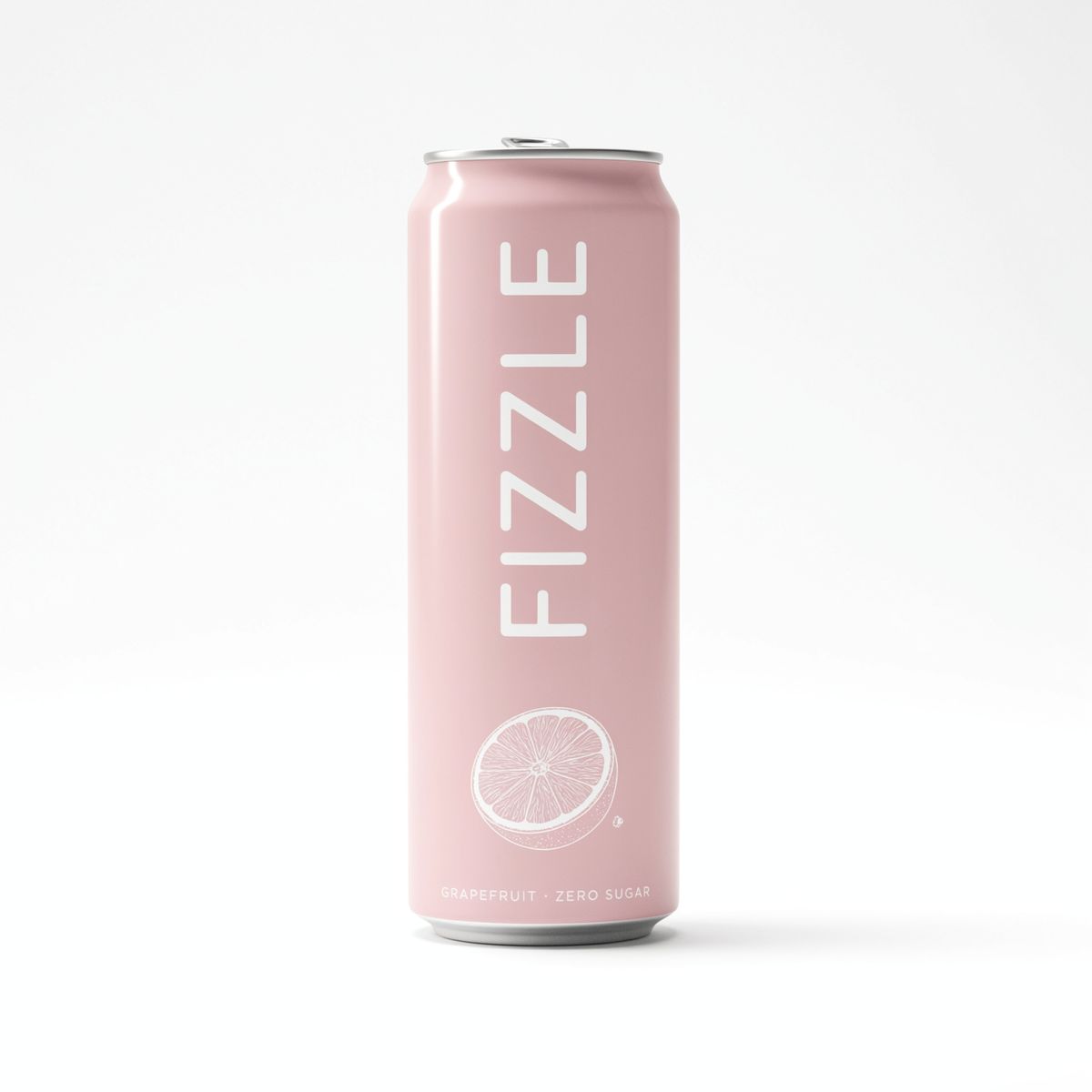
E-commerce packshot of a slim sparkling water can, front view on a plain white background: the can is matte pale pink with the brand name "FIZZLE" in large white rounded capitals running vertically up the front, a drawing of a halved grapefruit below it and "GRAPEFRUIT · ZERO SUGAR" in small white capitals at the bottom. Soft studio light, crisp print detail.

Run the same edit with each flavor's packshot and one shoot with a blank can covers the whole range.
This guide covers writing the request, swapping a product, applying a logo to a surface and placing several products in one edit.
The request
The references go in inputs.referenceImages, next to the source in inputs.seedImage:
import { createClient } from '@runware/sdk'

const client = await createClient({ apiKey: process.env.RUNWARE_API_KEY })
await client.connect()

const [result] = await client.run({
  model: 'ideogram:4.6@precise-edit',
  positivePrompt: 'Replace the silver can in her hand with the can from the reference image, held the same way, with its front label facing the camera. Keep her hand, her face and everything else in the image exactly the same.',
  inputs: {
    seedImage: 'https://assets.runware.ai/guides/ideogram-4-6-precise-edit/reference-images/source-picnic.jpg',
    referenceImages: [
      'https://assets.runware.ai/guides/ideogram-4-6-precise-edit/reference-images/reference-can.jpg'
    ]
  }
})
import asyncio
import os
from runware import Runware
async def main():
async with Runware(api_key=os.environ["RUNWARE_API_KEY"]) as client:
results = await client.run({
"model": "ideogram:4.6@precise-edit",
"positivePrompt": "Replace the silver can in her hand with the can from the reference image, held the same way, with its front label facing the camera. Keep her hand, her face and everything else in the image exactly the same.",
"inputs": {
"seedImage": "https://assets.runware.ai/guides/ideogram-4-6-precise-edit/reference-images/source-picnic.jpg",
"referenceImages": [
"https://assets.runware.ai/guides/ideogram-4-6-precise-edit/reference-images/reference-can.jpg"
]
}
})
asyncio.run(main())curl https://api.runware.ai/v1 \
-H "Authorization: Bearer $RUNWARE_API_KEY" \
-H "Content-Type: application/json" \
-d '[
{
  "taskType": "imageInference",
  "taskUUID": "4e9a2c71-8b36-4d05-a1f7-6c3d9e2b8a14",
  "model": "ideogram:4.6@precise-edit",
  "positivePrompt": "Replace the silver can in her hand with the can from the reference image, held the same way, with its front label facing the camera. Keep her hand, her face and everything else in the image exactly the same.",
  "inputs": {
    "seedImage": "https://assets.runware.ai/guides/ideogram-4-6-precise-edit/reference-images/source-picnic.jpg",
    "referenceImages": [
      "https://assets.runware.ai/guides/ideogram-4-6-precise-edit/reference-images/reference-can.jpg"
    ]
  }
}
]'runware run ideogram:4.6@precise-edit \
positivePrompt="Replace the silver can in her hand with the can from the reference image, held the same way, with its front label facing the camera. Keep her hand, her face and everything else in the image exactly the same." \
inputs.seedImage=https://assets.runware.ai/guides/ideogram-4-6-precise-edit/reference-images/source-picnic.jpg \
inputs.referenceImages.0=https://assets.runware.ai/guides/ideogram-4-6-precise-edit/reference-images/reference-can.jpg{
"taskType": "imageInference",
"taskUUID": "4e9a2c71-8b36-4d05-a1f7-6c3d9e2b8a14",
"model": "ideogram:4.6@precise-edit",
"positivePrompt": "Replace the silver can in her hand with the can from the reference image, held the same way, with its front label facing the camera. Keep her hand, her face and everything else in the image exactly the same.",
"inputs": {
"seedImage": "https://assets.runware.ai/guides/ideogram-4-6-precise-edit/reference-images/source-picnic.jpg",
"referenceImages": [
"https://assets.runware.ai/guides/ideogram-4-6-precise-edit/reference-images/reference-can.jpg"
]
}
}Response
[
  {
    "taskType": "imageInference",
    "taskUUID": "4e9a2c71-8b36-4d05-a1f7-6c3d9e2b8a14",
    "imageUUID": "a7d3f6b2-1c94-4e58-9b0d-5e2a8c7f3d61",
    "imageURL": "https://im.runware.ai/image/os/a14d18/ws/2/ii/a7d3f6b2-1c94-4e58-9b0d-5e2a8c7f3d61.jpg"
  }
]
The instruction assigns the reference a role and never describes what is in it. "The can from the reference image" leaves the color, the lettering and the grapefruit to the packshot.
inputs.referenceImages takes up to four images. With a mask in the same request, it takes up to three.
Swapping a product
A packshot on white makes the cleanest reference for a swap. It shows the product whole, facing the camera and in neutral light, so the product is the only thing the edit takes from it.
Two clauses in the hero instruction do most of the work:
- "Held the same way" keeps her grip and the angle of the can, so the new can fits the hand that was already there.
- "With its front label facing the camera" says which side of the reference matters. A can is round, and the brand name only reads from the front.
Applying a logo to a surface
A logo is a flat graphic, and the edit has to wrap it onto a real surface, such as the side of a van. The reference supplies the design, and the instruction says how it sits on the surface.

Photorealistic street photograph of a plain white compact delivery van parked at the curb of a quiet residential street with brick townhouses and young trees, seen straight from its left side so the whole blank side panel is visible. Bright overcast daylight, shot on a 35mm lens at waist height.

Apply the logo from the reference image as a large vinyl decal centered on the side panel of the van, following the surface of the panel and lit like the rest of the van. Keep everything else in the image exactly the same.
- Reference

A flat vector logo for a grocery delivery company on a plain white background: a simple green leaf shape on the left, and the wordmark "freshly" in a heavy rounded lowercase sans-serif in dark green on the right, with "groceries in 30 minutes" in a smaller medium weight below it. Two colors only, dark green and leaf green, clean edges, centered, no other elements.

Name the material and the light. "As a large vinyl decal" tells the model what the logo is made of, and "following the surface of the panel and lit like the rest of the van" is what keeps it from looking like a sticker floating over the photo. Text inside the reference comes through with the design, so the instruction does not need to quote the wordmark or the tagline.
Fleet mockups and merchandise follow the same pattern: one photo of the blank surface and one reference per design.
Several products in one edit
Each reference gets an ordinal and a position in the instruction: the first reference image on the left, the second in the middle, the third on the right.

Photorealistic close-up bathroom photograph of a floating walnut shelf on a white subway-tiled wall, completely empty, about 60 cm of shelf running across the whole width of the frame at a third of the way up from the bottom, with plain tiled wall above it. Soft daylight from a window on the left casting gentle shadows on the tiles. Shot straight-on at shelf height with an 85mm lens.

Arrange three products on the walnut shelf, standing in a row with even gaps and soft shadows on the shelf: the serum bottle from the first reference image on the left, the cream jar from the second reference image in the middle, and the candle from the third reference image on the right. Keep the shelf, the tiles and the light exactly the same.
- Reference 1
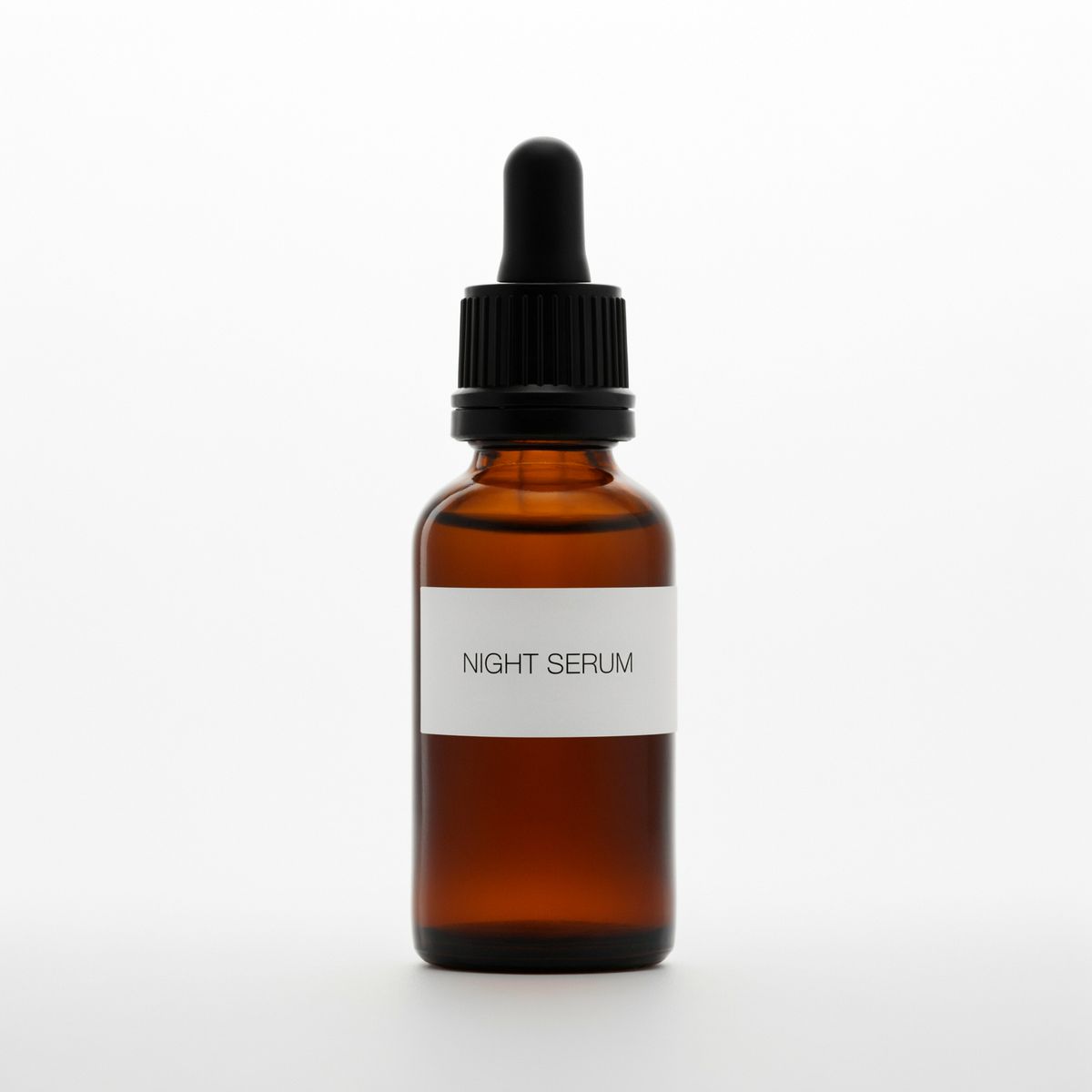
E-commerce packshot of a skincare serum bottle in amber glass with a black dropper cap and a white label reading "NIGHT SERUM" in thin black capitals, front view on a plain white background, soft studio light.
- Reference 2
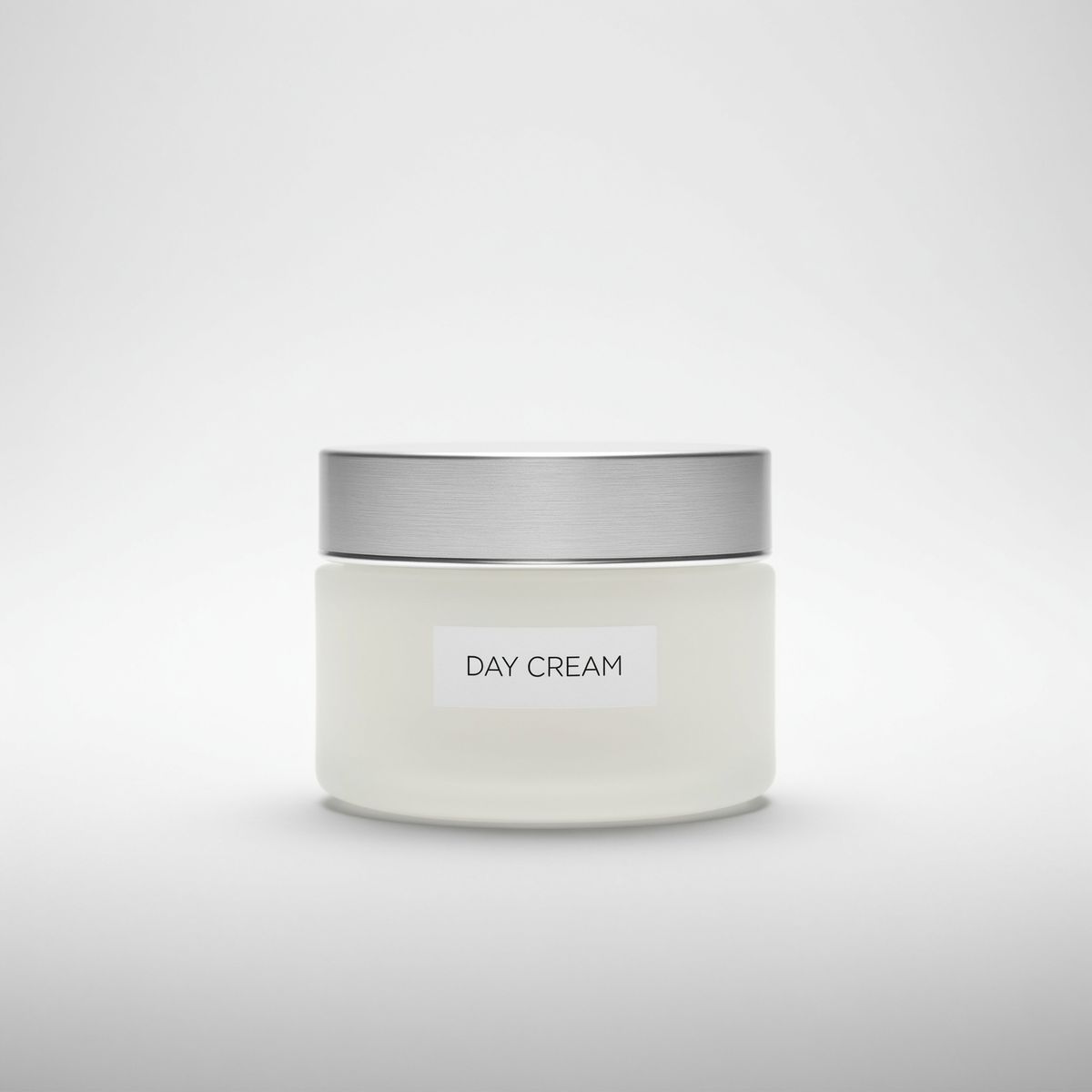
E-commerce packshot of a wide frosted white glass cream jar with a brushed silver lid and a small label reading "DAY CREAM" in thin black capitals, front view on a plain white background, soft studio light.
- Reference 3
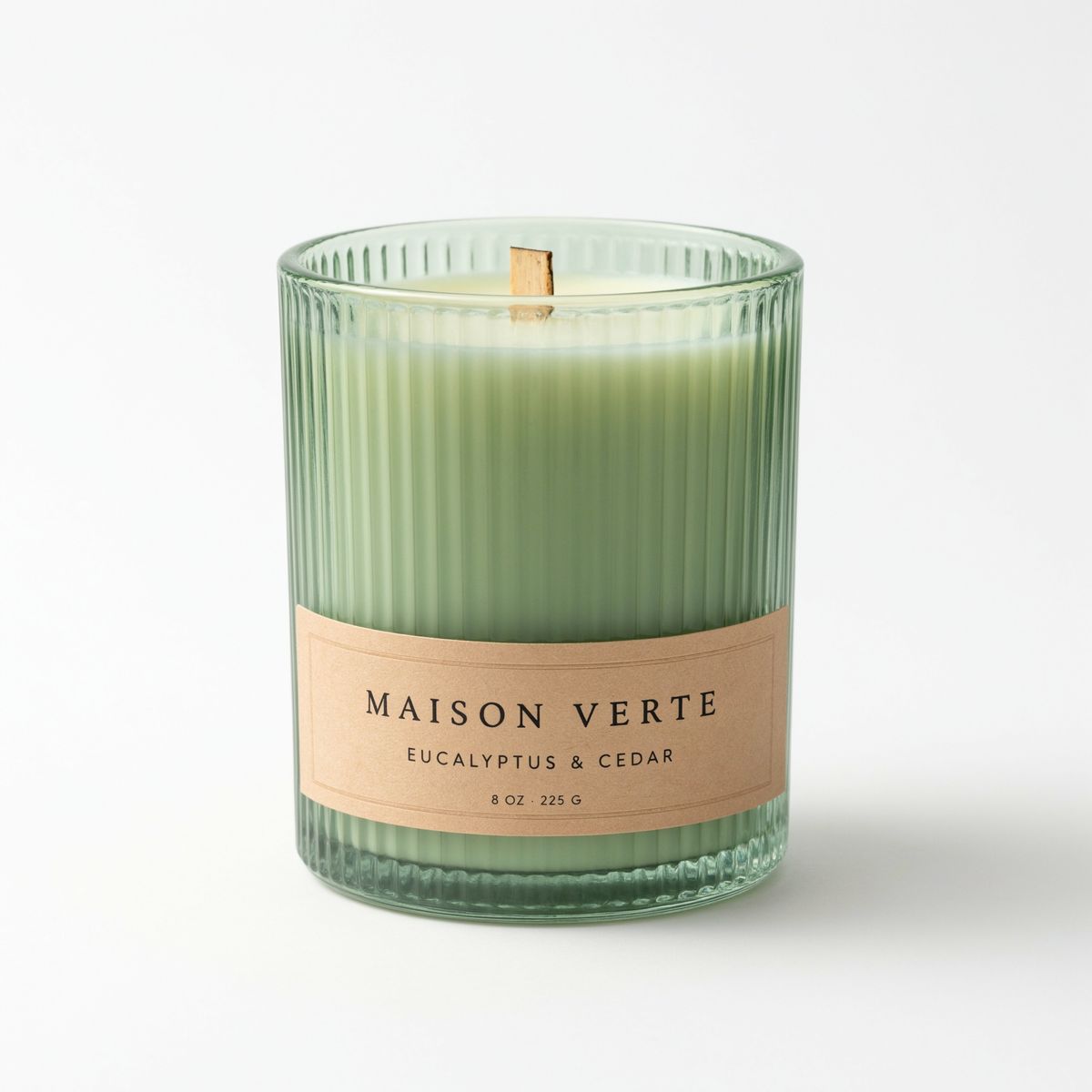
E-commerce packshot of a scented candle in a ribbed sage green glass tumbler with a wooden wick, front view on a plain white background, soft studio light.


The order of inputs.referenceImages is the order the ordinals refer to. The prompt names each product with a short noun (serum bottle, cream jar, candle), so the ordinal and the noun agree. Beyond that it describes only the arrangement: a row, even gaps, soft shadows on the shelf.
A bundle shot needs one photo of the empty set and the packshots the catalog already has.
Tips
-
Use packshots on white as references. The whole product, flat on and in neutral light, is all the edit takes from them.
-
Assign roles, do not describe. "The can from the reference image" leaves the details to the image.
-
Say which side of the reference faces the camera. Round and boxed products only read from the front.
-
Name the material and the light for a logo. A decal and a screen print sit on the surface differently, and both need the surface's light.
-
Give each reference an ordinal and a position. The order of
inputs.referenceImagesis the order the prompt counts in. -
Count your references. Four at most, three with a mask.