Qwen-Image-3.0

Qwen-Image-3.0 is the standard model in Alibaba's Qwen Image 3.0 family, supporting both text-to-image generation and prompt-guided image editing in a single endpoint. It keeps the family’s strengths in structured visual composition, typography-heavy generation, multilingual text rendering, and multi-image editing, but is positioned as the quality-speed balanced option rather than the highest-fidelity Pro tier. It is a strong fit for everyday creative production where teams want one model for generation and editing, support for one to three reference images, and reliable handling of layout-sensitive prompts without always reaching for the heavier model.
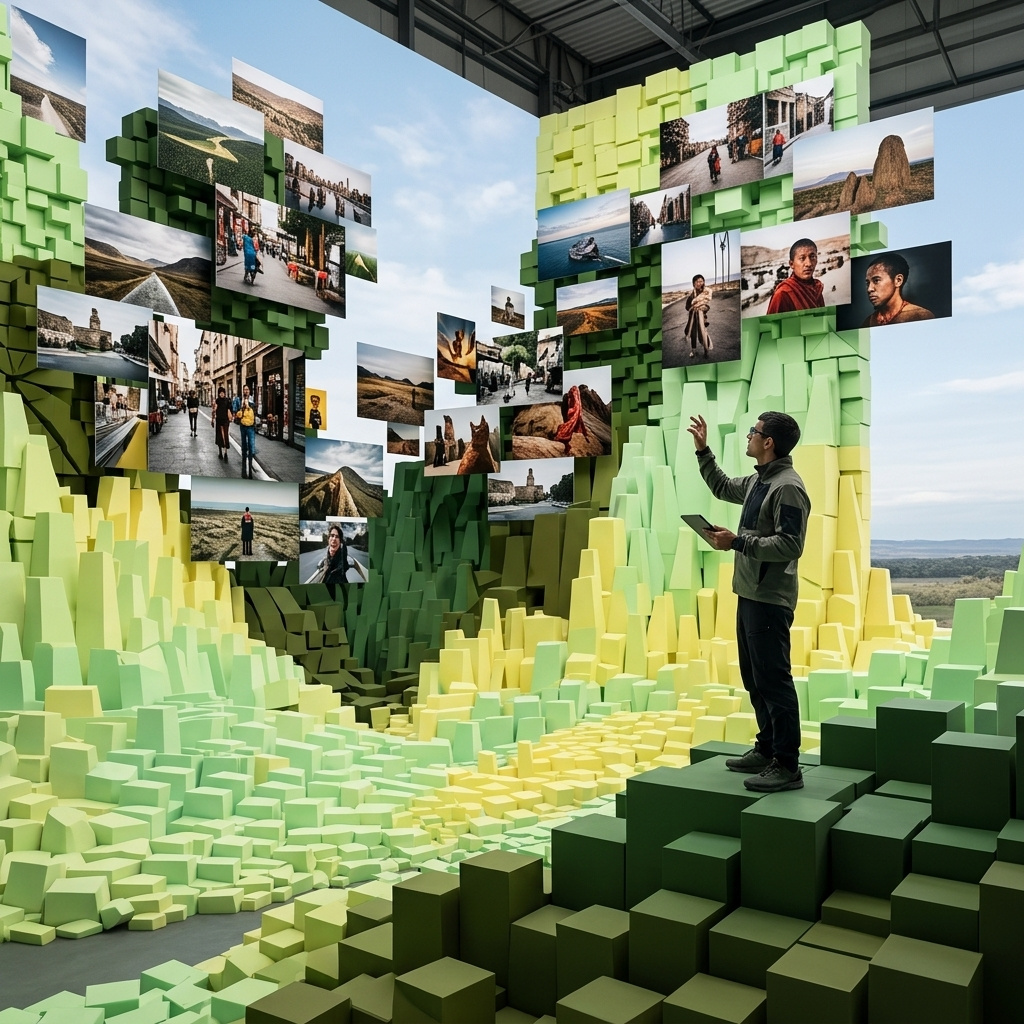
Editing and composing with reference images
How to use reference images on Qwen Image 3.0 to recolour a packshot, carry a product into a new scene, or stage two products together in one shot.
Introduction
Adding inputs.referenceImages switches Qwen Image 3.0 from generating to working off images you supply. You can pass up to three, and there is no fixed meaning to the slots: the prompt assigns each image its job, whether that is the subject to preserve, the product to place, or the room to place it in.
That room was empty and those two products were studio packshots. The three references behind it:

Stage the empty room from the third image with the two products. Place the boucle armchair from the first image on the wool rug, angled three-quarters toward the window, and stand the brass arc floor lamp from the second image behind and to the left of the chair so its shade reaches over the seat. Keep the exact upholstery, shell shape, and oak legs of the chair and the exact brass stem and travertine base of the lamp. Set them in that room's oak floor, plain plaster wall, and soft window daylight, and light both products to match it with soft contact shadows on the floor. Wide interiors photograph, no people, no text.
- The armchair
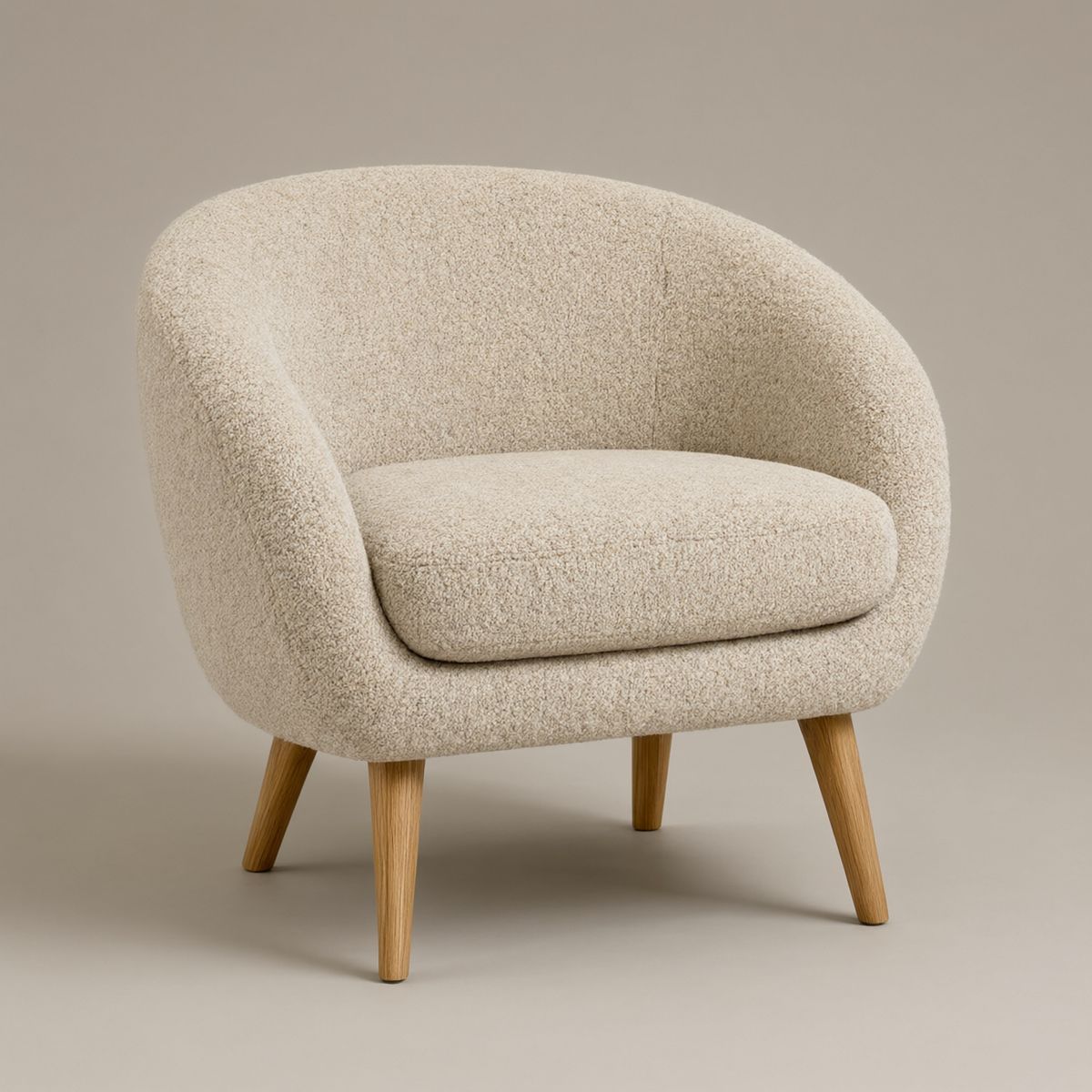
A low lounge armchair upholstered in oatmeal boucle fabric with a rounded shell back, a single deep seat cushion, and slim tapered oak legs. Three-quarter front angle, centred on a plain warm grey studio backdrop, soft even overhead lighting, subtle contact shadow. Photoreal furniture packshot, no branding, no text.
- The lamp
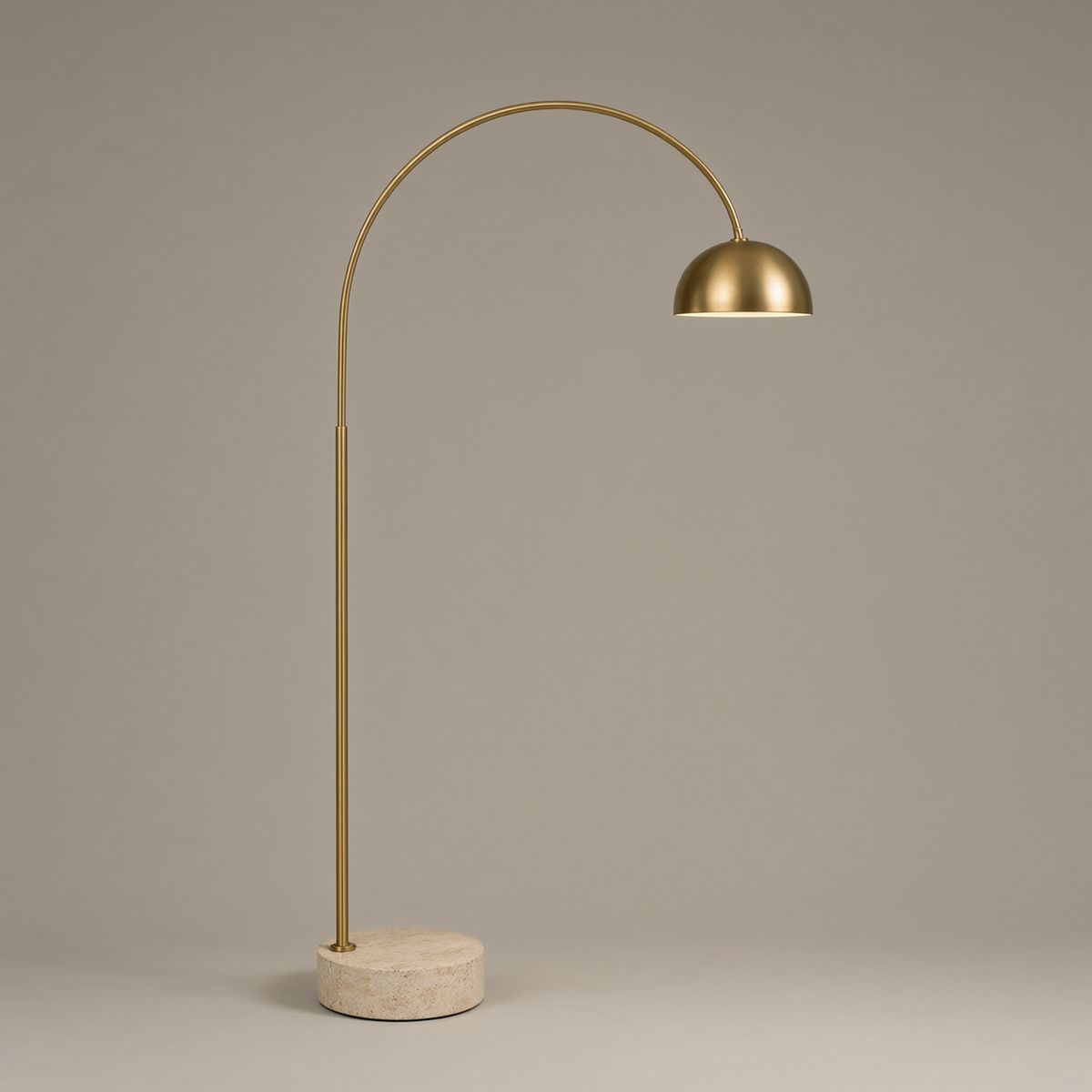
A slim arc floor lamp with a brushed brass stem curving out from a heavy round travertine base, ending in a small dome shade. Standing upright, centred on a plain warm grey studio backdrop, soft even overhead lighting, subtle contact shadow. Photoreal furniture packshot, no branding, no text.
- The room
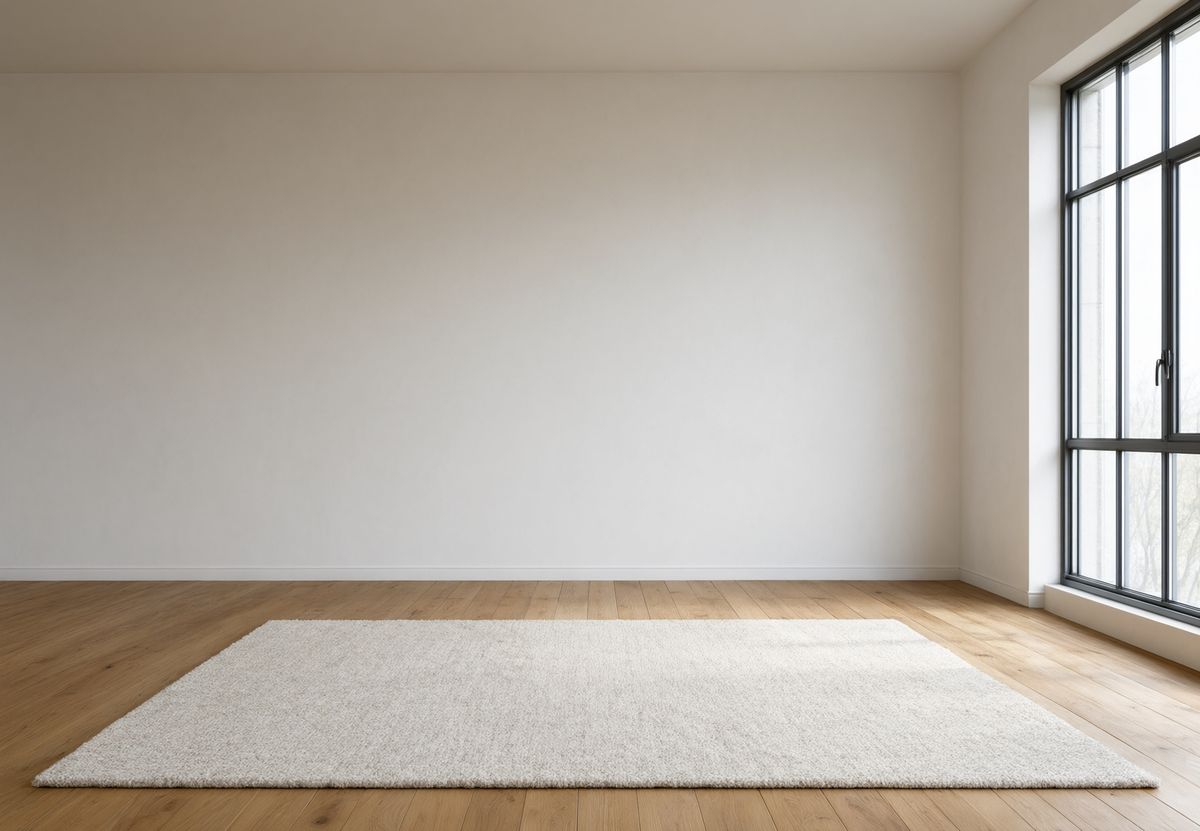
An empty modern living room in late morning. Wide oak floorboards, a large plain white plaster wall across the back, and a tall steel-framed window on the right letting in soft directional daylight. A pale wool rug lies centred on the floor. Nothing else in the room. Wide interiors photograph, calm neutral palette, no people, no furniture, no text.


Request shape
References go in inputs.referenceImages as an array of URLs, UUIDs, or data URIs. The prompt then refers to them by position:
import { createClient } from '@runware/sdk'

const client = await createClient({ apiKey: process.env.RUNWARE_API_KEY })
await client.connect()

const [result] = await client.run({
  model: 'alibaba:qwen-image@3.0',
  positivePrompt: 'Compose the two products into one overhead travel flat-lay on a dark walnut table in soft window light. The leather field satchel from the second image lies open-flapped across the lower left of the frame. The rangefinder camera from the first image sits above and to the right of it. Keep the exact appearance of the camera and the satchel from their references.',
  width: 1824,
  height: 1216,
  inputs: {
    referenceImages: [
      'https://im.runware.ai/image/os/a14d18/ws/2/ii/5f2a7c11-8b3d-4e90-a1c6-2d3e4f5a6b70.jpg',
      'https://im.runware.ai/image/os/a14d18/ws/2/ii/9c4e1b83-2a7f-4d51-b8e0-3f6a1c2d4e58.jpg'
    ]
  }
})
import asyncio
import os
from runware import Runware
async def main():
async with Runware(api_key=os.environ["RUNWARE_API_KEY"]) as client:
results = await client.run({
"model": "alibaba:qwen-image@3.0",
"positivePrompt": "Compose the two products into one overhead travel flat-lay on a dark walnut table in soft window light. The leather field satchel from the second image lies open-flapped across the lower left of the frame. The rangefinder camera from the first image sits above and to the right of it. Keep the exact appearance of the camera and the satchel from their references.",
"width": 1824,
"height": 1216,
"inputs": {
"referenceImages": [
"https://im.runware.ai/image/os/a14d18/ws/2/ii/5f2a7c11-8b3d-4e90-a1c6-2d3e4f5a6b70.jpg",
"https://im.runware.ai/image/os/a14d18/ws/2/ii/9c4e1b83-2a7f-4d51-b8e0-3f6a1c2d4e58.jpg"
]
}
})
asyncio.run(main())curl https://api.runware.ai/v1 \
-H "Authorization: Bearer $RUNWARE_API_KEY" \
-H "Content-Type: application/json" \
-d '[
{
  "taskType": "imageInference",
  "taskUUID": "e6f7a8b9-0c12-4d34-8e56-7f8a9b0c1d23",
  "model": "alibaba:qwen-image@3.0",
  "positivePrompt": "Compose the two products into one overhead travel flat-lay on a dark walnut table in soft window light. The leather field satchel from the second image lies open-flapped across the lower left of the frame. The rangefinder camera from the first image sits above and to the right of it. Keep the exact appearance of the camera and the satchel from their references.",
  "width": 1824,
  "height": 1216,
  "inputs": {
    "referenceImages": [
      "https://im.runware.ai/image/os/a14d18/ws/2/ii/5f2a7c11-8b3d-4e90-a1c6-2d3e4f5a6b70.jpg",
      "https://im.runware.ai/image/os/a14d18/ws/2/ii/9c4e1b83-2a7f-4d51-b8e0-3f6a1c2d4e58.jpg"
    ]
  }
}
]'runware run alibaba:qwen-image@3.0 \
positivePrompt="Compose the two products into one overhead travel flat-lay on a dark walnut table in soft window light. The leather field satchel from the second image lies open-flapped across the lower left of the frame. The rangefinder camera from the first image sits above and to the right of it. Keep the exact appearance of the camera and the satchel from their references." \
width=1824 \
height=1216 \
inputs.referenceImages.0=https://im.runware.ai/image/os/a14d18/ws/2/ii/5f2a7c11-8b3d-4e90-a1c6-2d3e4f5a6b70.jpg \
inputs.referenceImages.1=https://im.runware.ai/image/os/a14d18/ws/2/ii/9c4e1b83-2a7f-4d51-b8e0-3f6a1c2d4e58.jpg{
"taskType": "imageInference",
"taskUUID": "e6f7a8b9-0c12-4d34-8e56-7f8a9b0c1d23",
"model": "alibaba:qwen-image@3.0",
"positivePrompt": "Compose the two products into one overhead travel flat-lay on a dark walnut table in soft window light. The leather field satchel from the second image lies open-flapped across the lower left of the frame. The rangefinder camera from the first image sits above and to the right of it. Keep the exact appearance of the camera and the satchel from their references.",
"width": 1824,
"height": 1216,
"inputs": {
"referenceImages": [
"https://im.runware.ai/image/os/a14d18/ws/2/ii/5f2a7c11-8b3d-4e90-a1c6-2d3e4f5a6b70.jpg",
"https://im.runware.ai/image/os/a14d18/ws/2/ii/9c4e1b83-2a7f-4d51-b8e0-3f6a1c2d4e58.jpg"
]
}
}Response
[
  {
    "taskType": "imageInference",
    "taskUUID": "e6f7a8b9-0c12-4d34-8e56-7f8a9b0c1d23",
    "imageUUID": "1d9f4a67-3c25-4b80-9e17-6a2b8c0d3e49",
    "imageURL": "https://im.runware.ai/image/os/a14d18/ws/2/ii/1d9f4a67-3c25-4b80-9e17-6a2b8c0d3e49.jpg"
  }
]
Reference mode halves the pixel budget. Text-to-image allows up to 6,553,600 pixels, but any request carrying referenceImages is capped at 2,250,000, which is 1500 × 1500 square or 1824 × 1216 landscape. Going over returns Invalid image pixels. Total pixels (width x height) must be between 262144 and 2250000, so a size that worked while you were generating will fail the first time you attach a reference.
Editing a single reference
With one reference and a prompt that names a change, the model returns the same shot with that change applied:

Change the frosted glass of this bottle to warm amber glass with the same frosted finish, and change the pump top from matte white to matte black. Keep the exact cylindrical shape, the exact proportions, the exact plain warm grey studio backdrop, and the exact soft overhead lighting and catchlight from the reference. Photoreal cosmetics packshot, no branding, no text.
- The source
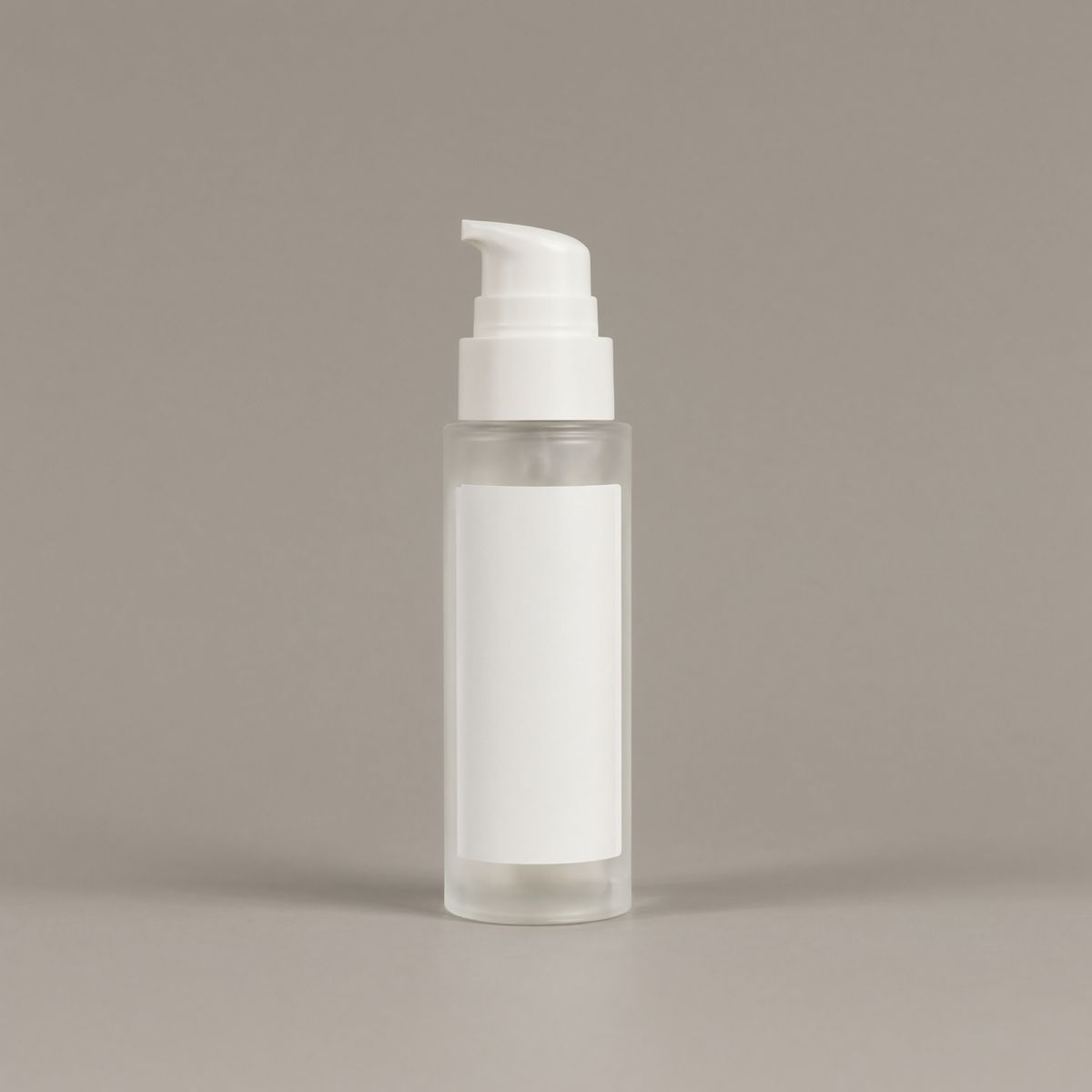
A cylindrical clear frosted glass skincare bottle with a matte white pump top and a plain unprinted label area, standing upright, centred on a plain warm grey studio backdrop, soft even overhead lighting, subtle catchlight down one side. Photoreal cosmetics packshot, no branding, no text.

The glass and the pump changed. The silhouette, the proportions, the backdrop, and the catchlight down the side did not. Name what changes and name what holds, because a prompt that only says "make it amber" leaves the rest of the frame open to being rebuilt. Colourways and finish changes both work this way, which is most of what a product catalogue needs.
Remixing a subject into a new scene
The same single reference can travel instead of staying put. Here the prompt keeps the product's identity and replaces everything around it:

The slate blue waxed canvas backpack from the reference worn by a hiker in her late twenties climbing a rocky ridge path in early morning light, shot from behind and slightly below so the pack fills the upper half of the frame. She wears a rust wool beanie and a dark green shell jacket. Low cloud sits in the valley behind and below the ridge, catching warm sunrise light. The backpack keeps its exact identity from the reference: same slate blue waxed canvas, same dark brown leather straps, same matte black hardware, same flat front pocket. Outdoor lifestyle campaign photography, natural backlight, no text.
- Studio packshot
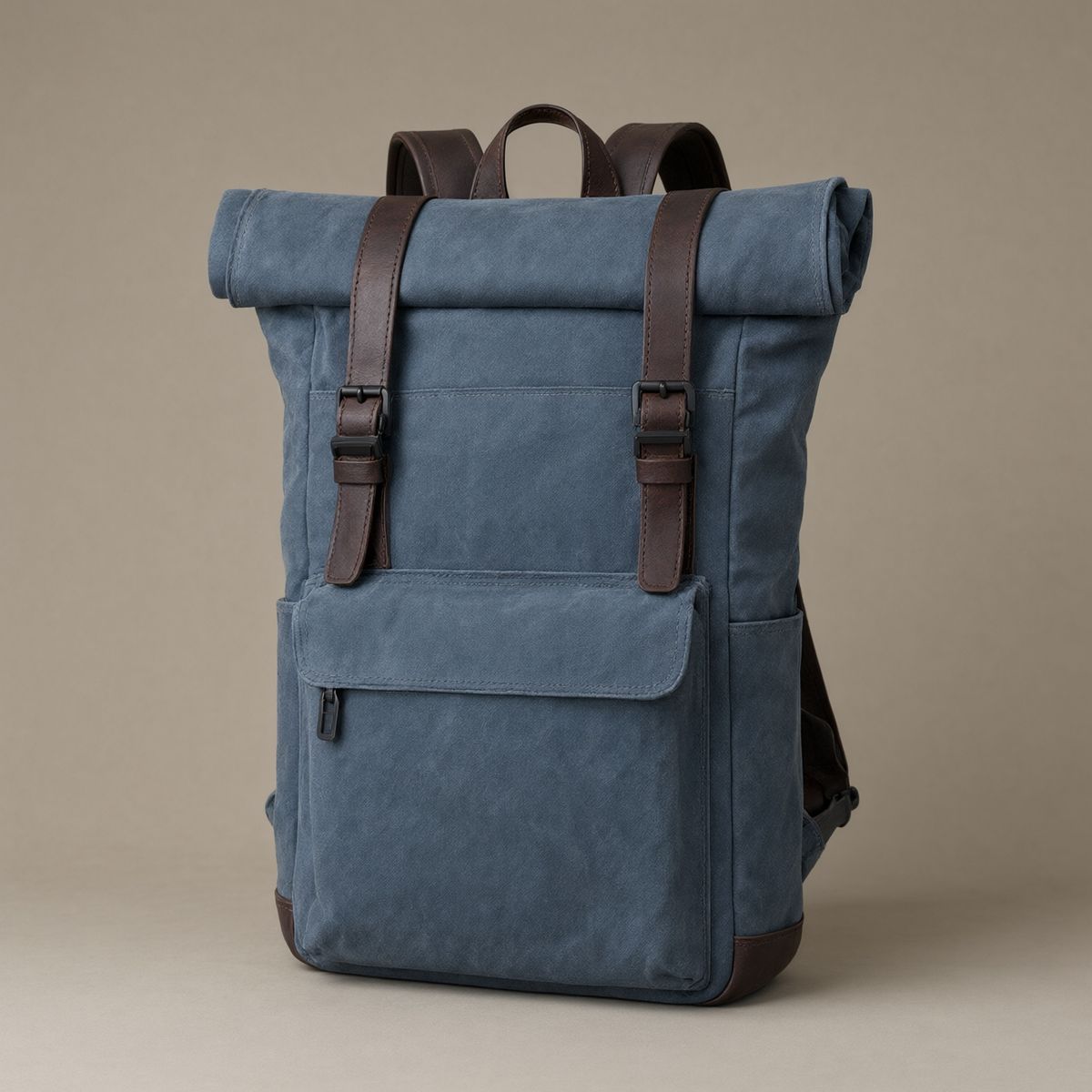
A roll-top backpack in slate blue waxed canvas with dark brown leather straps, matte black hardware, and a flat front pocket. Three-quarter angle, standing upright, centred on a plain warm grey studio backdrop, soft even overhead lighting. Photoreal product packshot, no branding, no text.

The canvas colour, the leather straps, the black hardware, and the roll top all survived the move onto a mountain. Restate the identifying details in the remix prompt rather than trusting the reference alone. Listing the material, the hardware, and the closure is what keeps a lifestyle shot sellable as the same SKU.
Composing multiple references
Two or three references compose into one frame when the prompt gives each a position:

Compose the two products into one overhead travel flat-lay on a dark walnut table in soft window light. The leather field satchel from the second image lies open-flapped across the lower left of the frame with its strap trailing off the edge. The rangefinder camera from the first image sits above and to the right of the satchel, angled toward the corner of the frame. A folded paper map, two brass keys, and a small espresso cup fill the remaining space around them. Keep the exact appearance of the camera and the satchel from their references. Overhead editorial lifestyle photograph, warm directional light from the upper left, no text.
- The camera
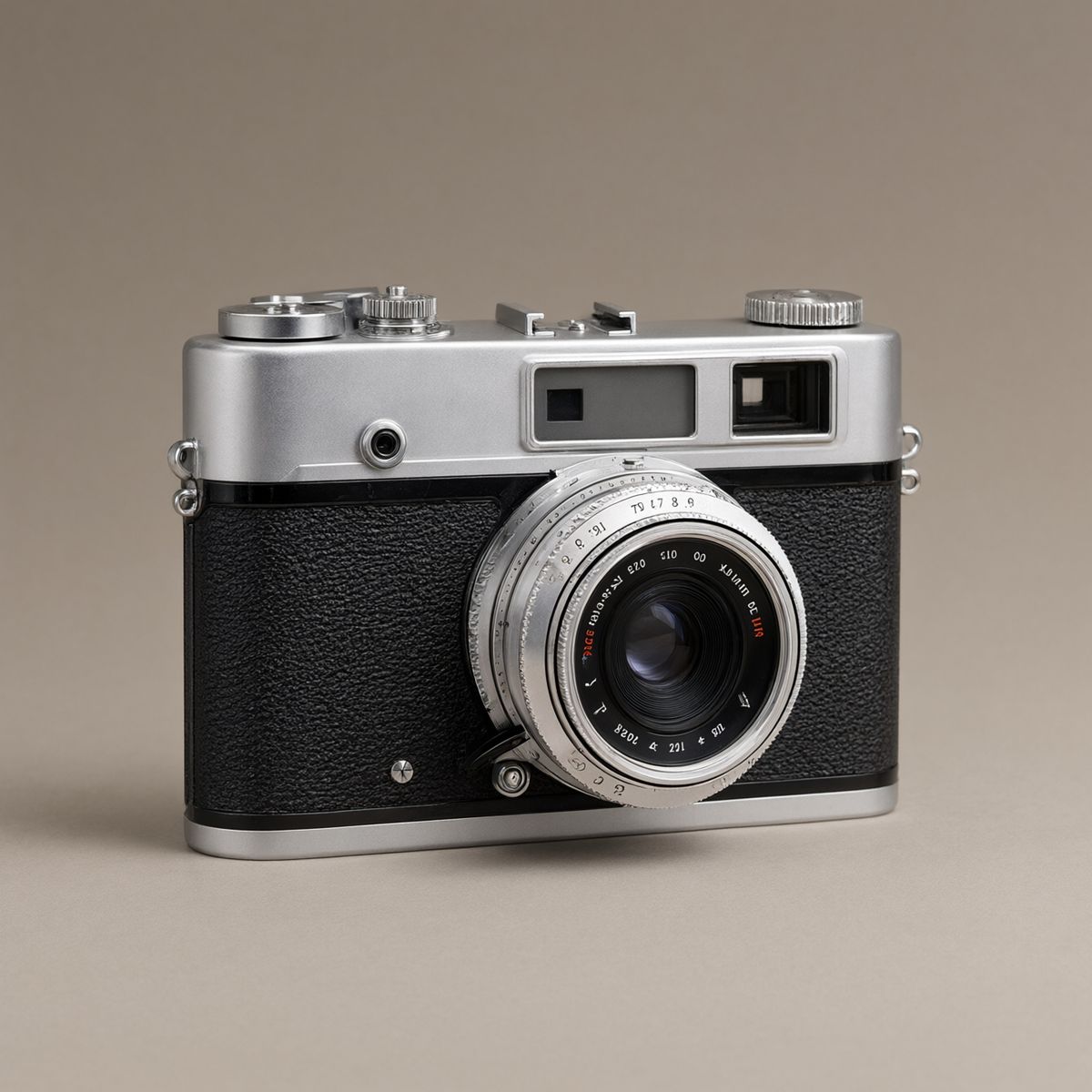
A vintage 35mm rangefinder camera with a silver top plate, black leatherette body covering, and a fixed silver lens barrel. Three-quarter front angle, centred on a plain warm grey studio backdrop, soft even overhead lighting. Photoreal product packshot, no branding, no text.
- The satchel
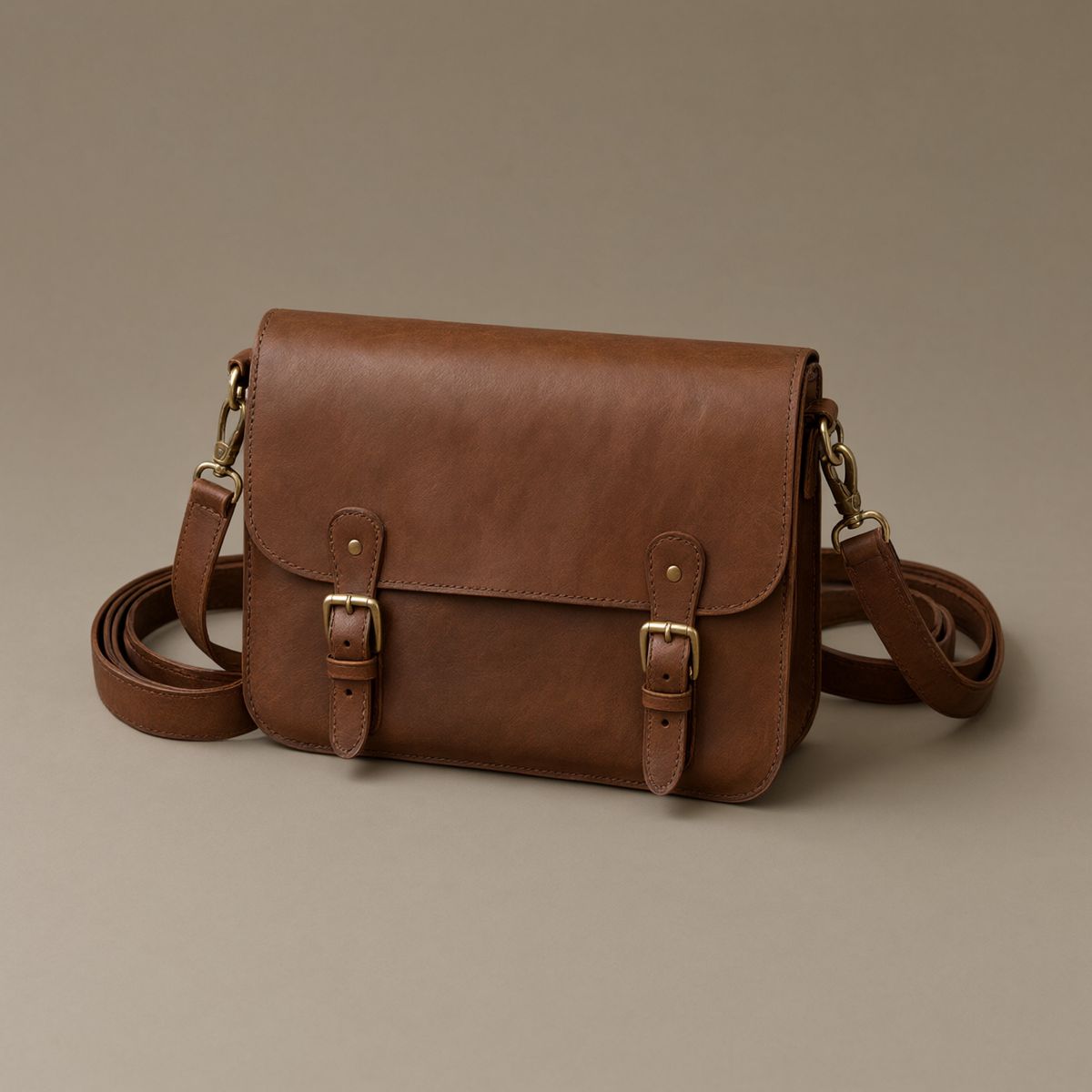
A flat leather field satchel in dark tan with a wide fold-over flap, two brass buckle closures, and a long adjustable shoulder strap coiled behind it. Three-quarter angle, centred on a plain warm grey studio backdrop, soft even overhead lighting. Photoreal product packshot, no branding, no text.


Both products kept their materials and hardware while moving to a shared overhead angle under one light. The map, the keys, and the cup were written into the prompt as filler and generated from scratch, which is the usual split: references carry the things that must be right, the prompt supplies the set dressing.
Refer to images by their position in the array. "The first image" and "the second image" are enough, and the ordering in referenceImages is what those phrases resolve against.
What a reference holds, and what it rebuilds
Objects come back intact. Across the edits above, the shapes and materials carried through even when the camera angle, the lighting, and the surroundings all changed.
Environments behave differently. A room passed as a reference is re-rendered rather than composited, so the model rebuilds it from the same ingredients instead of pasting your products onto the original pixels. In the hero above, the oak floor, the plaster wall, the rug, and the window all came back where they belong, because that room is plain and the camera is square to it. The busier the space, the more it drifts, and a reference photo full of architecture and props will return recognisably similar rather than identical.
For a product shot that has to sit in a specific real room, generate the staging and treat the result as a new asset. For a colourway or a finish change on a packshot, the single-reference edit holds tightly enough to ship.
Tips
-
Drop the resolution when you attach a reference. The ceiling falls to 2,250,000 pixels, so 1824 × 1216 or 1440 × 1440 are the practical sizes for reference work.
-
Name what stays as explicitly as what changes. "Keep the exact silhouette, backdrop, and lighting" is what turns a re-render into an edit.
-
Give every reference a job in the prompt. Three images with no roles assigned produce an average of all three rather than a composition.
-
Repeat the identifying details when remixing. Material, colour, and hardware named in the prompt are what keep a product recognisable in a new scene.
-
Set
promptExtendtofalsefor reference work. The rewrite will happily reinterpret the instruction that was holding your product still.