Qwen-Image-2.1-Pro

Qwen-Image-2.1-Pro is the Pro tier of Alibaba's Qwen-Image-2.1 family, a unified model for text-to-image generation and prompt-guided image editing. It composes and edits from up to 10 reference images and can rewrite prompts with an LLM before generation, in a direct or agent mode with optional thinking. It outputs from 0.26 to 4.19 megapixels at aspect ratios from 1:8 to 8:1, suited to product imagery, marketing visuals, and multi-image compositions.
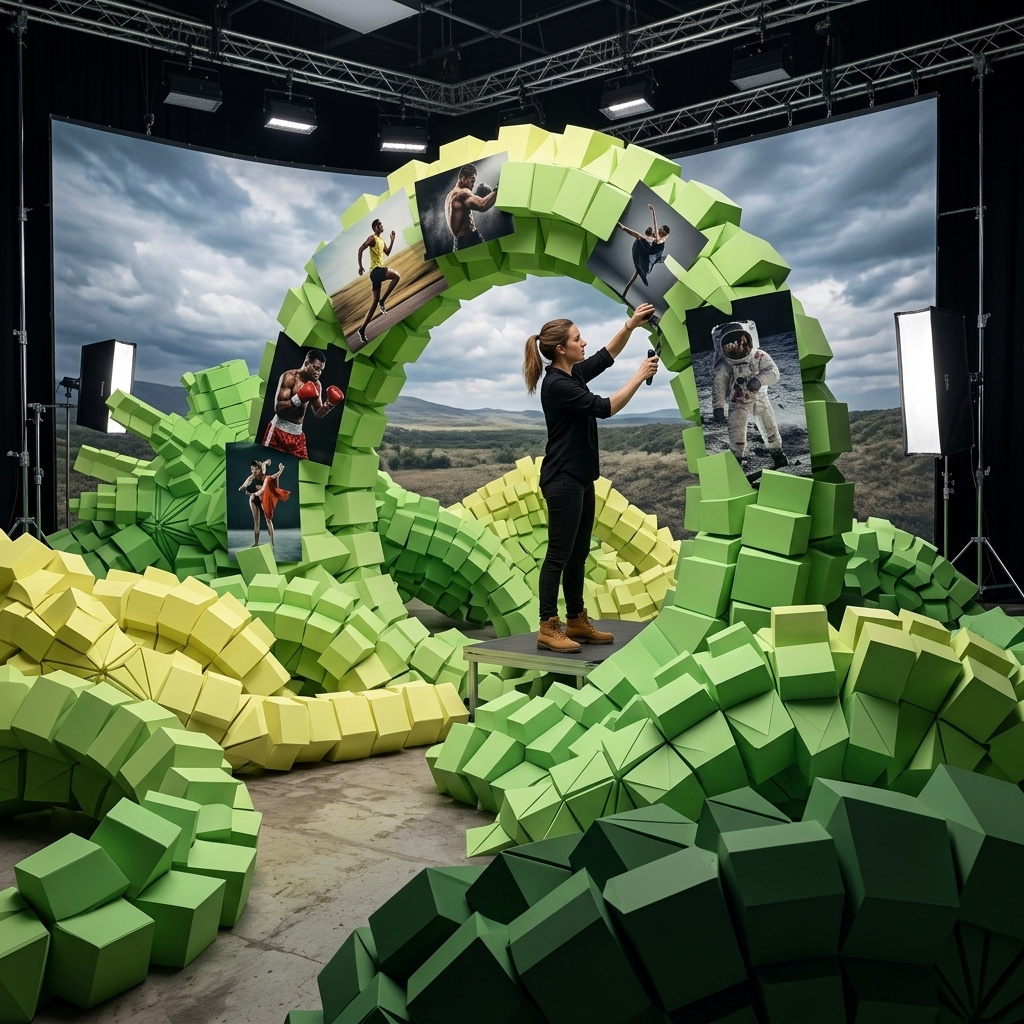
Composing from multiple reference images
How to combine up to ten reference images with Qwen-Image-2.1-Pro: assigning each a role, dressing a model from packshots, staging a room, and building a team photo.
Introduction
inputs.referenceImages on Qwen-Image-2.1-Pro takes up to ten images, and the slots carry no fixed meaning. The prompt assigns each image its job by position, as in "the woman from image 1" or "the trousers from image 3". One request can put people and products from separate shoots into a single frame, in a setting none of them were photographed in.
The lookbook shot below started as five studio images, one model and four products:

Dress the woman from image 1 in the outfit from the other images: the light-wash denim jacket from image 2 worn open over her black tank top, the cream wide-leg trousers from image 3, the black lug-sole ankle boots from image 4, and the burgundy shoulder bag from image 5 on her left shoulder. Keep her face, hair, and body proportions from image 1, and keep each garment's exact color, cut, and details from its reference. She stands in a relaxed three-quarter pose on a city sidewalk in front of a pale limestone storefront, in soft overcast daylight. Full-length fashion lookbook photography, photoreal, no text.
- Image 1: model
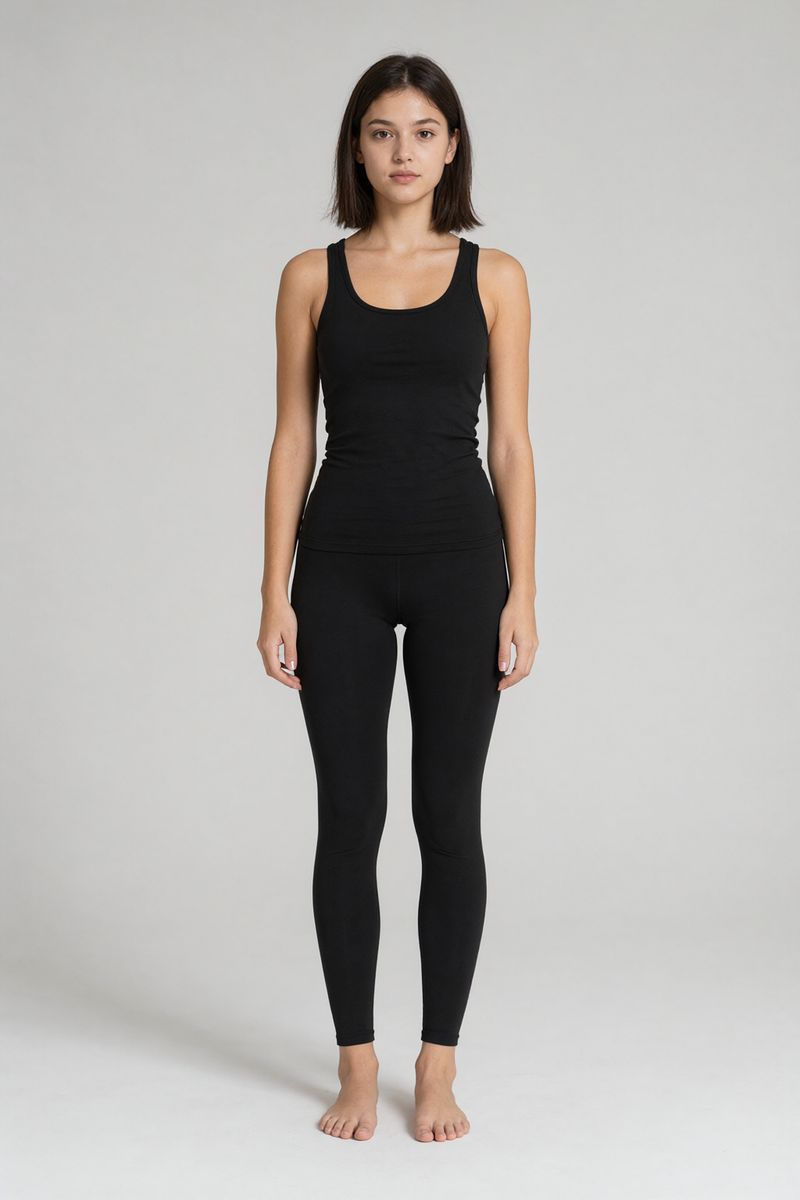
A full-length e-commerce photo of a woman in her mid twenties standing straight-on against a plain light gray studio backdrop. Shoulder-length dark brown hair, natural makeup, neutral expression. She wears a plain fitted black tank top and black leggings, barefoot. Arms relaxed at her sides. Soft even studio lighting, subtle floor shadow. Photoreal fashion catalog photography, centered, no text.
- Image 2: jacket
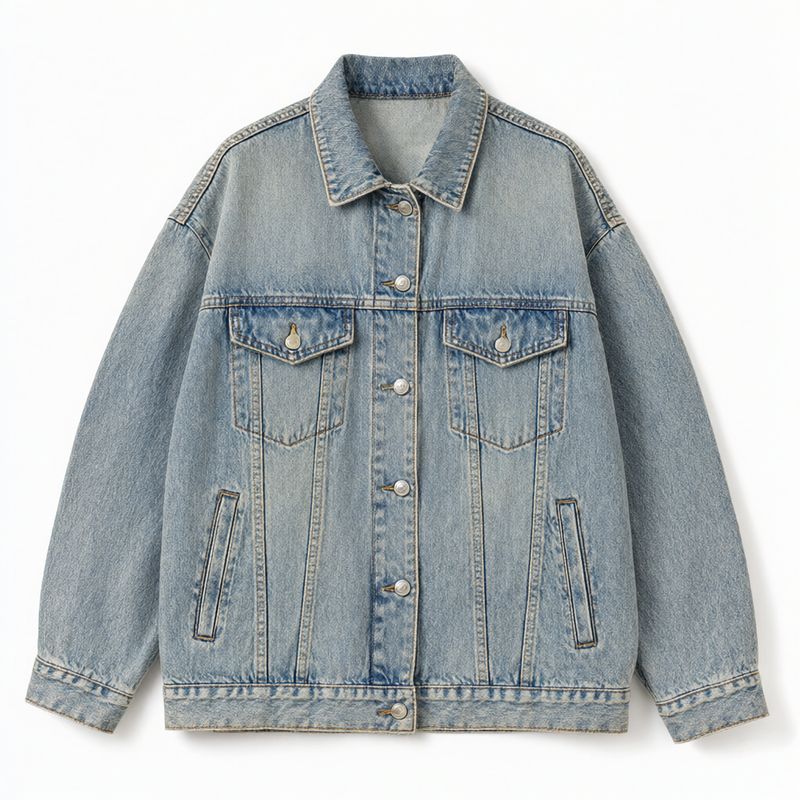
A product flat photograph of a cropped oversized denim jacket in a light vintage wash with silver buttons and two chest flap pockets, laid out flat and centered on a plain white backdrop, shot from directly above. Soft even lighting. Photoreal apparel packshot, no logos, no text.
- Image 3: trousers
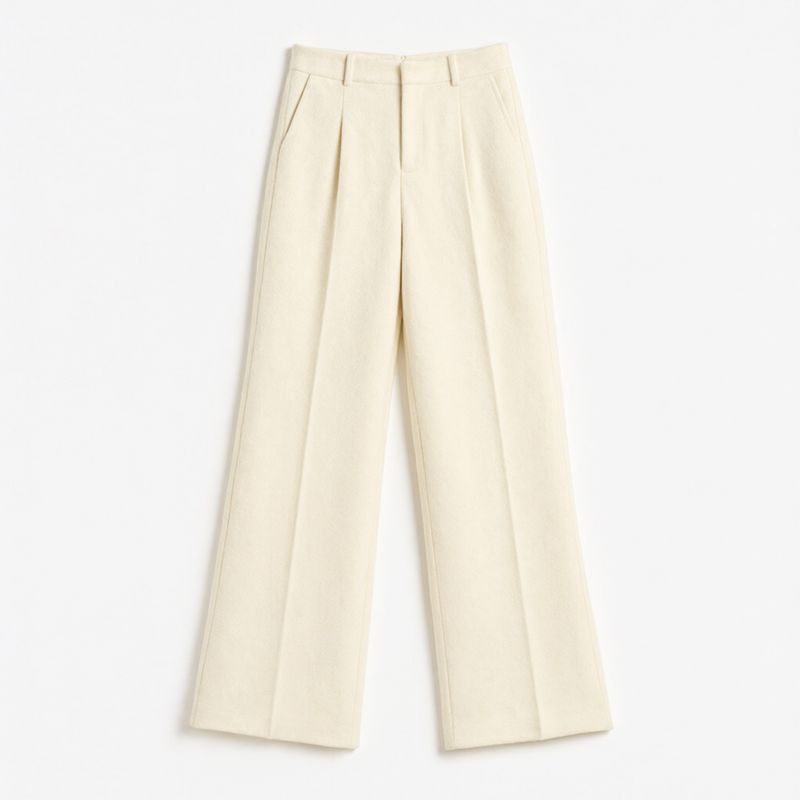
A product flat photograph of high-waisted wide-leg pleated trousers in cream wool, laid out flat and centered on a plain white backdrop, shot from directly above. Soft even lighting. Photoreal apparel packshot, no logos, no text.
- Image 4: boots
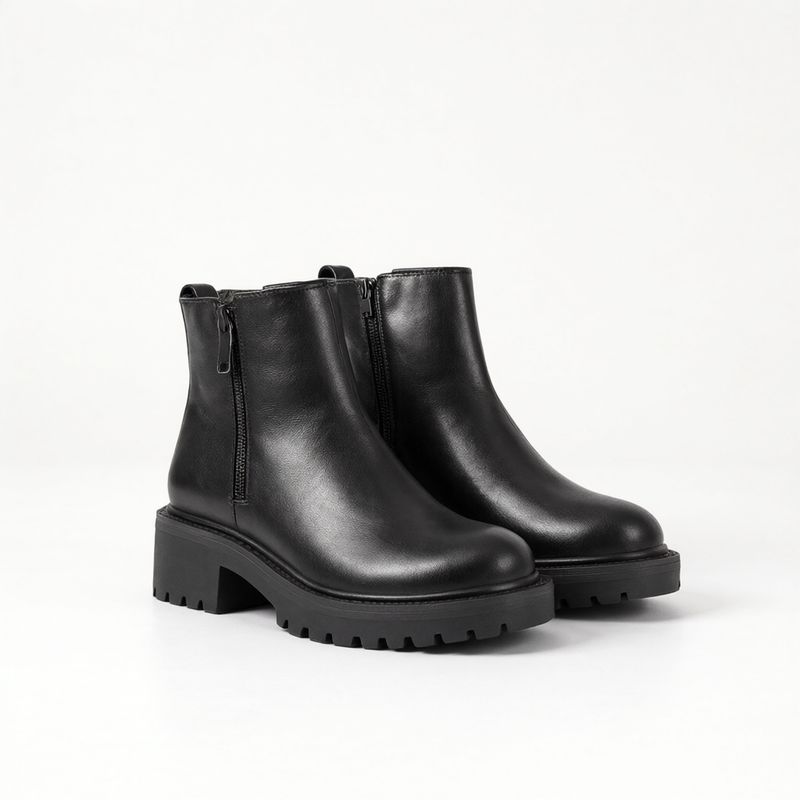
A product photograph of a pair of chunky black leather ankle boots with a lug sole and a side zip, standing side by side at a three-quarter angle, centered on a plain white backdrop. Soft even studio lighting, subtle contact shadow. Photoreal footwear packshot, no logos, no text.
- Image 5: bag
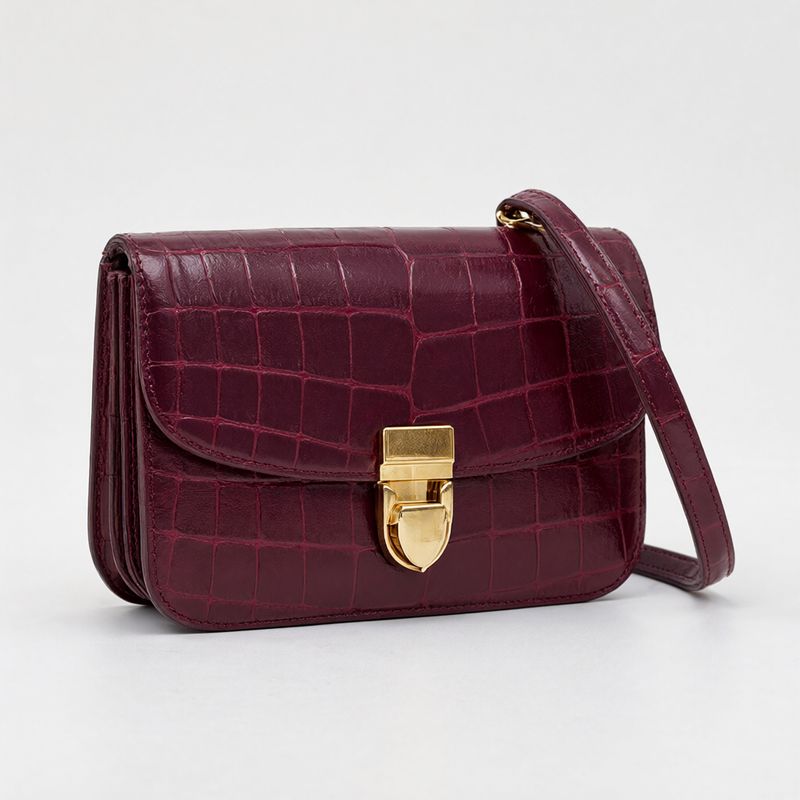
A product photograph of a small structured shoulder bag in burgundy croc-embossed leather with a gold clasp and a short strap, standing upright at a three-quarter angle, centered on a plain white backdrop. Soft even studio lighting, subtle contact shadow. Photoreal accessories packshot, no logos, no text.


None of the four products was ever worn in its source image, and the woman in image 1 was never photographed outdoors. For a fashion store, that is a styled outfit shot built from the packshots you already have.
Request shape
References go in inputs.referenceImages as URLs, UUIDs, or data URIs. Their order only matters because the prompt refers to it:
import { createClient } from '@runware/sdk'

const client = await createClient({ apiKey: process.env.RUNWARE_API_KEY })
await client.connect()

const [result] = await client.run({
  model: 'alibaba:qwen-image@2.1-pro',
  positivePrompt: 'Dress the woman from image 1 in the outfit from the other images: the light-wash denim jacket from image 2 worn open over her black tank top, the cream wide-leg trousers from image 3, the black lug-sole ankle boots from image 4, and the burgundy shoulder bag from image 5 on her left shoulder. Keep her face, hair, and body proportions from image 1, and keep each garment\'s exact color, cut, and details from its reference. She stands in a relaxed three-quarter pose on a city sidewalk in front of a pale limestone storefront, in soft overcast daylight. Full-length fashion lookbook photography, photoreal, no text.',
  width: 1792,
  height: 2240,
  inputs: {
    referenceImages: [
      'https://im.runware.ai/image/os/a14d18/ws/2/ii/3335fc6a-8c26-47ad-a090-fafdc06e646c.jpg',
      'https://im.runware.ai/image/os/a14d18/ws/2/ii/5fc37fcc-ddd6-4a02-b10b-16f47afea5a8.jpg',
      'https://im.runware.ai/image/os/a14d18/ws/2/ii/a332ee7d-dcc2-4b2d-be74-ee09b6bd02f3.jpg',
      'https://im.runware.ai/image/os/a14d18/ws/2/ii/1d81ae8b-f659-49b1-ba2a-7fcb18e6b962.jpg',
      'https://im.runware.ai/image/os/a14d18/ws/2/ii/1196ab82-4cdf-403a-957d-e390e04490ff.jpg'
    ]
  },
  settings: {
    promptExtend: false
  }
})
import asyncio
import os
from runware import Runware
async def main():
async with Runware(api_key=os.environ["RUNWARE_API_KEY"]) as client:
results = await client.run({
"model": "alibaba:qwen-image@2.1-pro",
"positivePrompt": "Dress the woman from image 1 in the outfit from the other images: the light-wash denim jacket from image 2 worn open over her black tank top, the cream wide-leg trousers from image 3, the black lug-sole ankle boots from image 4, and the burgundy shoulder bag from image 5 on her left shoulder. Keep her face, hair, and body proportions from image 1, and keep each garment's exact color, cut, and details from its reference. She stands in a relaxed three-quarter pose on a city sidewalk in front of a pale limestone storefront, in soft overcast daylight. Full-length fashion lookbook photography, photoreal, no text.",
"width": 1792,
"height": 2240,
"inputs": {
"referenceImages": [
"https://im.runware.ai/image/os/a14d18/ws/2/ii/3335fc6a-8c26-47ad-a090-fafdc06e646c.jpg",
"https://im.runware.ai/image/os/a14d18/ws/2/ii/5fc37fcc-ddd6-4a02-b10b-16f47afea5a8.jpg",
"https://im.runware.ai/image/os/a14d18/ws/2/ii/a332ee7d-dcc2-4b2d-be74-ee09b6bd02f3.jpg",
"https://im.runware.ai/image/os/a14d18/ws/2/ii/1d81ae8b-f659-49b1-ba2a-7fcb18e6b962.jpg",
"https://im.runware.ai/image/os/a14d18/ws/2/ii/1196ab82-4cdf-403a-957d-e390e04490ff.jpg"
]
},
"settings": {
"promptExtend": False
}
})
asyncio.run(main())curl https://api.runware.ai/v1 \
-H "Authorization: Bearer $RUNWARE_API_KEY" \
-H "Content-Type: application/json" \
-d '[
{
  "taskType": "imageInference",
  "taskUUID": "fbc67851-7cf2-4212-bdfb-b8b0412949d6",
  "model": "alibaba:qwen-image@2.1-pro",
  "positivePrompt": "Dress the woman from image 1 in the outfit from the other images: the light-wash denim jacket from image 2 worn open over her black tank top, the cream wide-leg trousers from image 3, the black lug-sole ankle boots from image 4, and the burgundy shoulder bag from image 5 on her left shoulder. Keep her face, hair, and body proportions from image 1, and keep each garment's exact color, cut, and details from its reference. She stands in a relaxed three-quarter pose on a city sidewalk in front of a pale limestone storefront, in soft overcast daylight. Full-length fashion lookbook photography, photoreal, no text.",
  "width": 1792,
  "height": 2240,
  "inputs": {
    "referenceImages": [
      "https://im.runware.ai/image/os/a14d18/ws/2/ii/3335fc6a-8c26-47ad-a090-fafdc06e646c.jpg",
      "https://im.runware.ai/image/os/a14d18/ws/2/ii/5fc37fcc-ddd6-4a02-b10b-16f47afea5a8.jpg",
      "https://im.runware.ai/image/os/a14d18/ws/2/ii/a332ee7d-dcc2-4b2d-be74-ee09b6bd02f3.jpg",
      "https://im.runware.ai/image/os/a14d18/ws/2/ii/1d81ae8b-f659-49b1-ba2a-7fcb18e6b962.jpg",
      "https://im.runware.ai/image/os/a14d18/ws/2/ii/1196ab82-4cdf-403a-957d-e390e04490ff.jpg"
    ]
  },
  "settings": {
    "promptExtend": false
  }
}
]'runware run alibaba:qwen-image@2.1-pro \
positivePrompt="Dress the woman from image 1 in the outfit from the other images: the light-wash denim jacket from image 2 worn open over her black tank top, the cream wide-leg trousers from image 3, the black lug-sole ankle boots from image 4, and the burgundy shoulder bag from image 5 on her left shoulder. Keep her face, hair, and body proportions from image 1, and keep each garment's exact color, cut, and details from its reference. She stands in a relaxed three-quarter pose on a city sidewalk in front of a pale limestone storefront, in soft overcast daylight. Full-length fashion lookbook photography, photoreal, no text." \
width=1792 \
height=2240 \
inputs.referenceImages.0=https://im.runware.ai/image/os/a14d18/ws/2/ii/3335fc6a-8c26-47ad-a090-fafdc06e646c.jpg \
inputs.referenceImages.1=https://im.runware.ai/image/os/a14d18/ws/2/ii/5fc37fcc-ddd6-4a02-b10b-16f47afea5a8.jpg \
inputs.referenceImages.2=https://im.runware.ai/image/os/a14d18/ws/2/ii/a332ee7d-dcc2-4b2d-be74-ee09b6bd02f3.jpg \
inputs.referenceImages.3=https://im.runware.ai/image/os/a14d18/ws/2/ii/1d81ae8b-f659-49b1-ba2a-7fcb18e6b962.jpg \
inputs.referenceImages.4=https://im.runware.ai/image/os/a14d18/ws/2/ii/1196ab82-4cdf-403a-957d-e390e04490ff.jpg \
settings.promptExtend=false{
"taskType": "imageInference",
"taskUUID": "fbc67851-7cf2-4212-bdfb-b8b0412949d6",
"model": "alibaba:qwen-image@2.1-pro",
"positivePrompt": "Dress the woman from image 1 in the outfit from the other images: the light-wash denim jacket from image 2 worn open over her black tank top, the cream wide-leg trousers from image 3, the black lug-sole ankle boots from image 4, and the burgundy shoulder bag from image 5 on her left shoulder. Keep her face, hair, and body proportions from image 1, and keep each garment's exact color, cut, and details from its reference. She stands in a relaxed three-quarter pose on a city sidewalk in front of a pale limestone storefront, in soft overcast daylight. Full-length fashion lookbook photography, photoreal, no text.",
"width": 1792,
"height": 2240,
"inputs": {
"referenceImages": [
"https://im.runware.ai/image/os/a14d18/ws/2/ii/3335fc6a-8c26-47ad-a090-fafdc06e646c.jpg",
"https://im.runware.ai/image/os/a14d18/ws/2/ii/5fc37fcc-ddd6-4a02-b10b-16f47afea5a8.jpg",
"https://im.runware.ai/image/os/a14d18/ws/2/ii/a332ee7d-dcc2-4b2d-be74-ee09b6bd02f3.jpg",
"https://im.runware.ai/image/os/a14d18/ws/2/ii/1d81ae8b-f659-49b1-ba2a-7fcb18e6b962.jpg",
"https://im.runware.ai/image/os/a14d18/ws/2/ii/1196ab82-4cdf-403a-957d-e390e04490ff.jpg"
]
},
"settings": {
"promptExtend": false
}
}Response
[
  {
    "taskType": "imageInference",
    "taskUUID": "fbc67851-7cf2-4212-bdfb-b8b0412949d6",
    "imageUUID": "1f39b83a-6c67-411c-a2b7-974970cdd5d9",
    "imageURL": "https://im.runware.ai/image/os/a14d18/ws/2/ii/1f39b83a-6c67-411c-a2b7-974970cdd5d9.jpg"
  }
]
The output size follows the same pixel budget as generation, up to 4,194,304 pixels, whatever the sizes of the references. Leave width and height out and the first reference sets the shape, so set both whenever the first image is not the frame you want.
Each reference can be up to 10 MB. With references attached, promptExtendMode accepts only direct, so a request that also sends agent is rejected. Every example here sets promptExtend to false, which keeps the roles you assign in the prompt from being rewritten.
Assigning roles by position
The model has no idea which image is the person and which is the jacket until the prompt says so. The hero prompt reads as a roll call:
Dress the woman from image 1 in the outfit from the other images:
the light-wash denim jacket from image 2 worn open over her black tank top,
the cream wide-leg trousers from image 3,
the black lug-sole ankle boots from image 4,
and the burgundy shoulder bag from image 5 on her left shoulder.
Keep her face, hair, and body proportions from image 1,
and keep each garment's exact color, cut, and details from its reference.
Four habits make the roll call work:
- Number every image once, in the order it sits in the array.
- Pair each number with a short description, as in "the burgundy shoulder bag from image 5". The description tells the model what to look for in that image and still points at the right item if you reorder the array and forget a number.
- Say where each item goes, as in "worn open" or "on her left shoulder".
- Close with a keep clause that names what must survive from the references, such as the face and the colors.
Staging a room from a furniture set
One reference can be the setting and the rest the things that go in it. Here the first image is an empty apartment and the other six are catalog shots:

Furnish the empty living room from image 1 with the six products from the other images. Lay the rug from image 4 in the center of the floor. Place the olive velvet sofa from image 2 against the left wall on the rug, facing the window, with the travertine coffee table from image 3 in front of it. Stand the paper globe floor lamp from image 5 at the far end of the sofa, hang the framed arch print from image 6 on the left wall above the sofa, and put the potted olive tree from image 7 beside the window. Keep each product's exact color, material, and shape from its reference, and keep the walls, floor, window, and daylight of the room from image 1. Wide real estate interiors photograph from the doorway, photoreal, no people, no text.
- Image 1: room
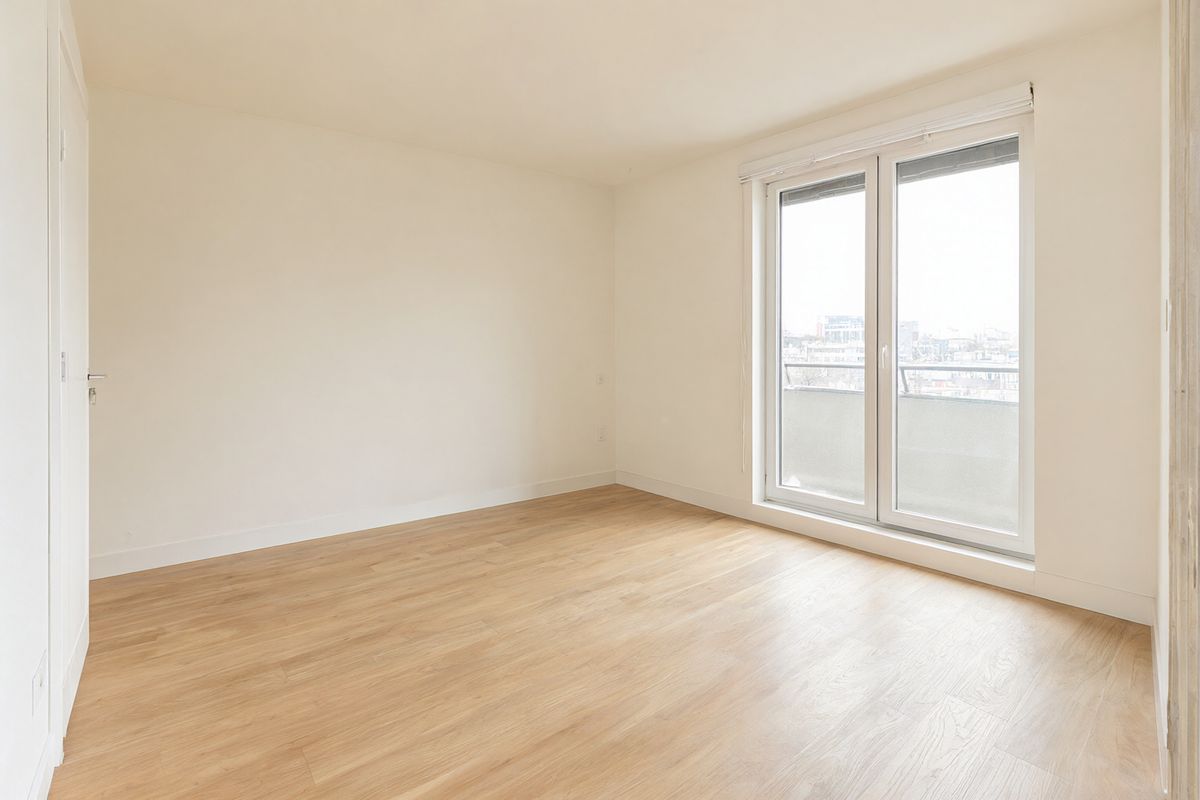
An empty living room in a newly built apartment, photographed for a real estate listing. Warm white walls, wide pale oak floorboards, a large floor-to-ceiling window on the right with a city view, and a plain wall on the left. No furniture, no decor. Soft natural daylight, wide shot from the doorway at chest height. Photoreal interiors photography, no people, no text.
- Image 2: sofa
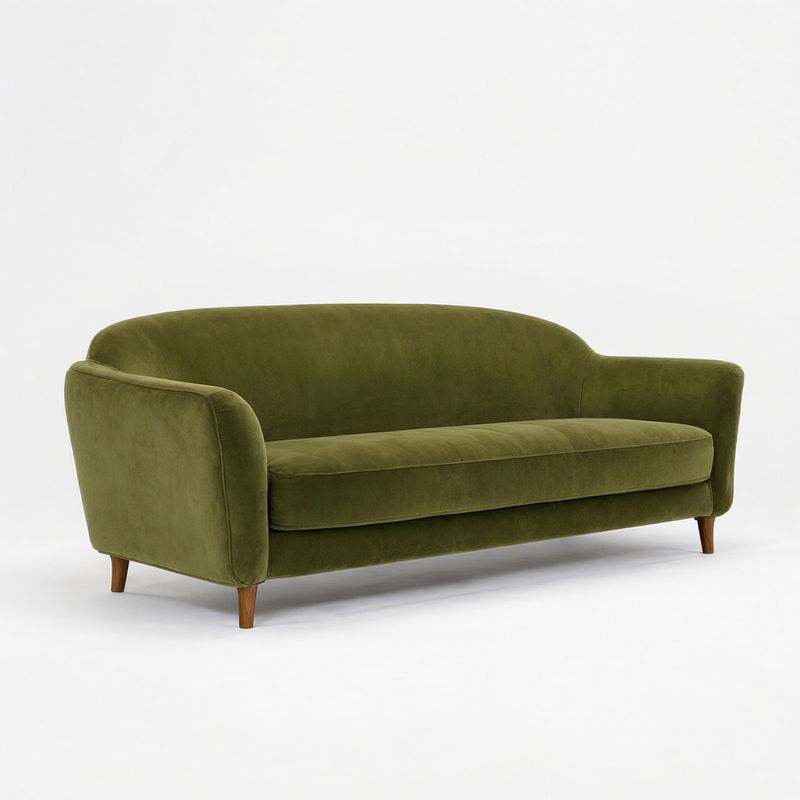
A product photograph of a low three-seat sofa upholstered in olive green velvet with rounded arms and tapered walnut legs, three-quarter front angle, centered on a plain white backdrop. Soft even studio lighting, subtle contact shadow. Photoreal furniture packshot, no logos, no text.
- Image 3: coffee table
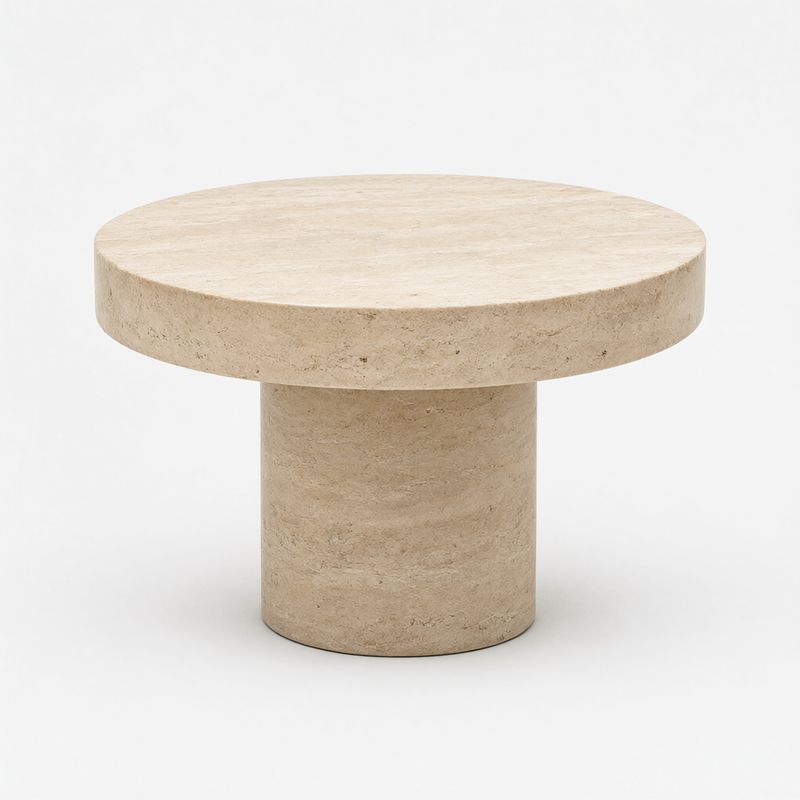
A product photograph of a round coffee table with a thick travertine top on a single wide cylindrical travertine pedestal, three-quarter angle from slightly above, centered on a plain white backdrop. Soft even studio lighting, subtle contact shadow. Photoreal furniture packshot, no logos, no text.
- Image 4: rug
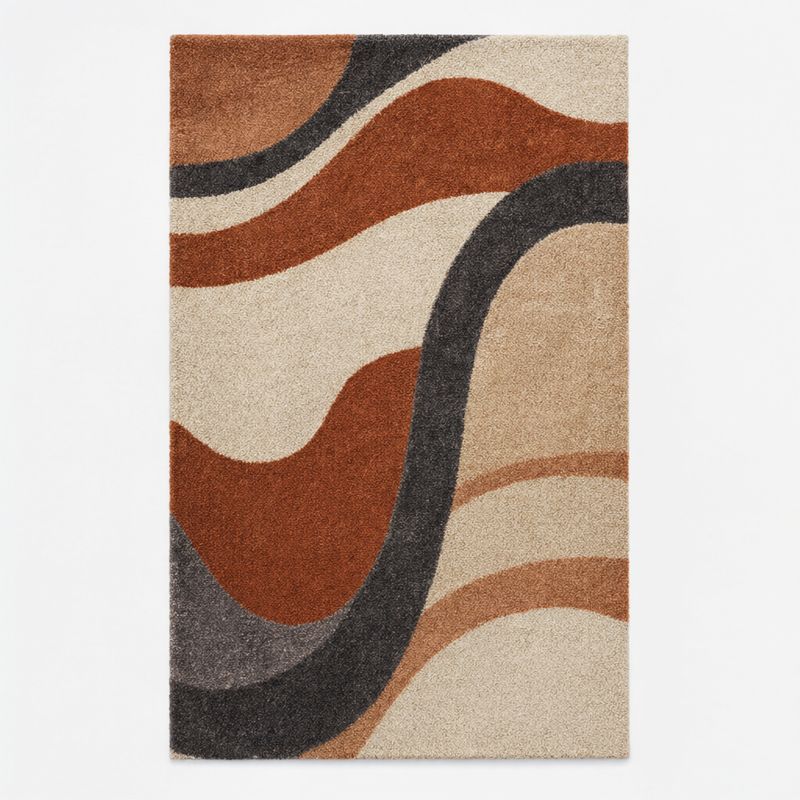
A product photograph of a rectangular wool area rug with a hand-drawn abstract pattern of rust, cream, and charcoal curves, shot from directly above and centered on a plain white backdrop. Soft even lighting. Photoreal home textiles packshot, no logos, no text.
- Image 5: lamp
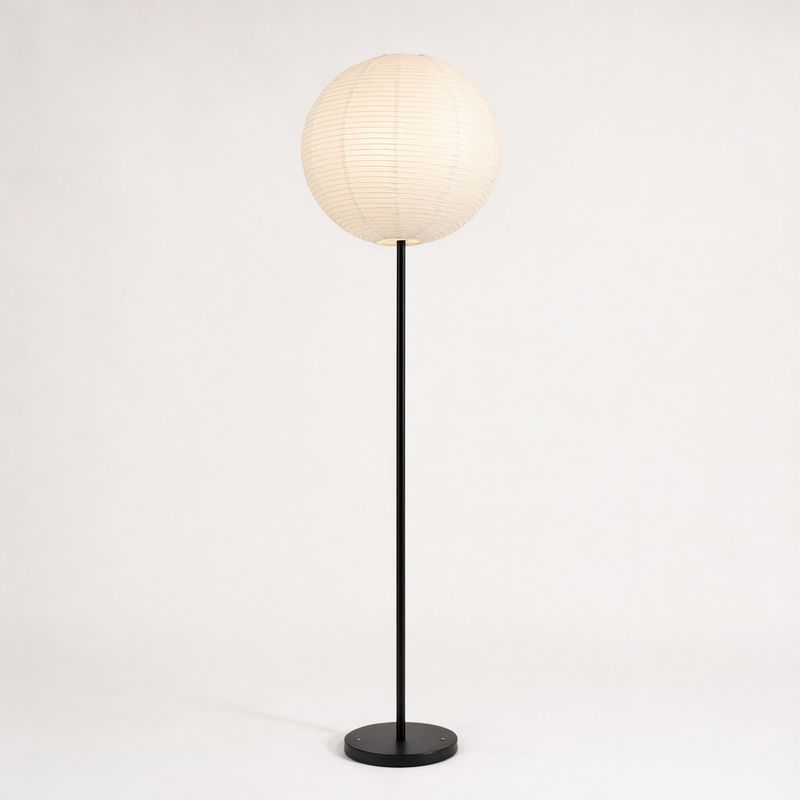
A product photograph of a tall floor lamp with a slim matte black steel stem and a large round pleated paper globe shade, standing upright, centered on a plain white backdrop. Soft even studio lighting, subtle contact shadow. Photoreal lighting packshot, no logos, no text.
- Image 6: print
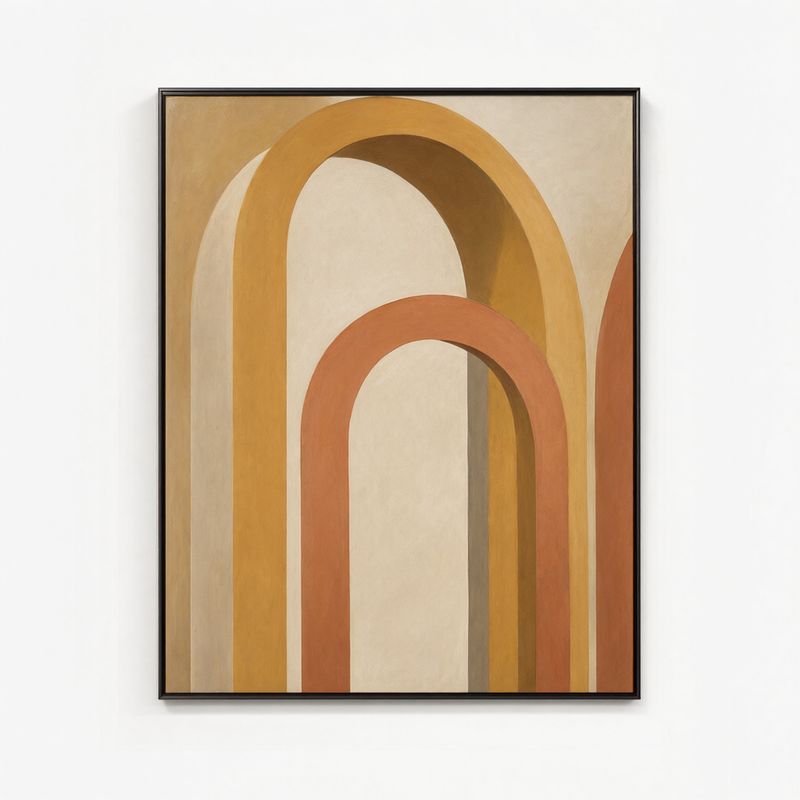
A product photograph of a large framed art print in a thin black frame, shown straight-on and centered on a plain white backdrop. The print is an abstract composition of overlapping ochre, terracotta, and sand-colored arches on an off-white ground. Soft even lighting. Photoreal wall art packshot, no text.
- Image 7: olive tree
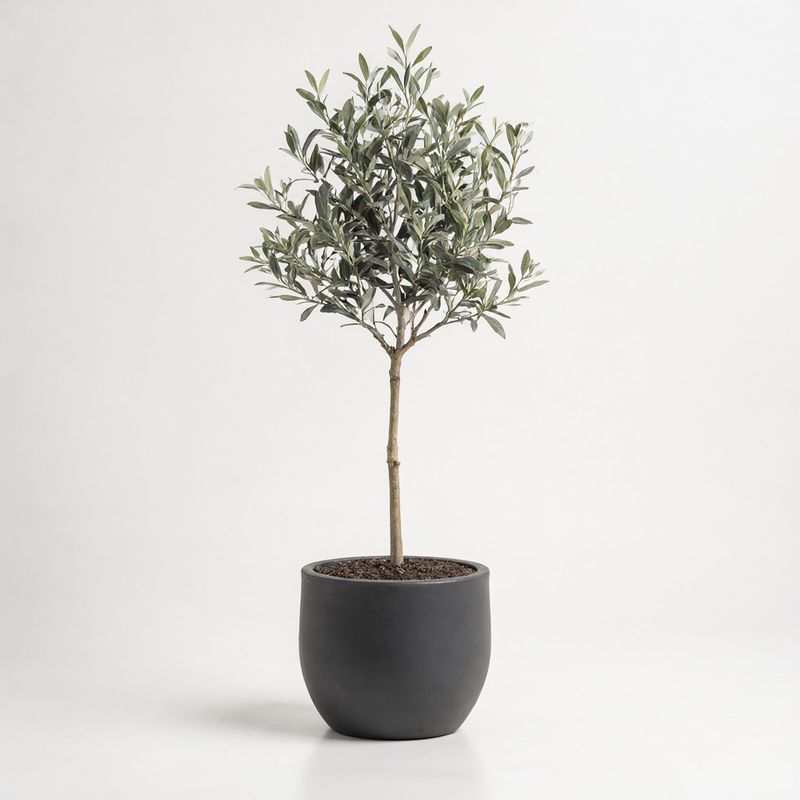
A product photograph of a small olive tree about five feet tall in a round matte charcoal ceramic planter, centered on a plain white backdrop. Soft even studio lighting, subtle contact shadow. Photoreal home decor packshot, no logos, no text.


Every product has a position relative to the room or to another product, such as "against the left wall" or "in front of the sofa". A list of products with no placement leaves the floor plan to the model, and it will pick a different one on every call.
The room itself is a reference too, so its window and its light carry into the result. That is what makes the output read as the listing's own apartment furnished, which is the virtual staging a property platform sells, rather than a generic interior with the same furniture.
A team photo from individual headshots
References work for people as well as products. Four headshots taken on different days become one group photo for a company's About page:

A team photo for a company About page with the four people from the four images standing together in a bright modern office, a white brick wall and large potted plants behind them. From left to right: the man from image 1, the woman from image 2, the man from image 3, and the woman from image 4. All four face the camera with relaxed smiles, standing close with their shoulders angled slightly toward the center. Keep each person's face, hair, and clothing exactly as in their image. Soft natural daylight, waist-up group framing at eye level. Photoreal corporate photography, no text.
- Image 1

A professional headshot of a man in his fifties with close-cropped gray hair and a short gray beard, wearing a navy blazer over a white open-collar shirt. Head and shoulders, facing the camera, warm smile. Plain light gray backdrop, soft even light. Photoreal corporate portrait photography, no text.
- Image 2
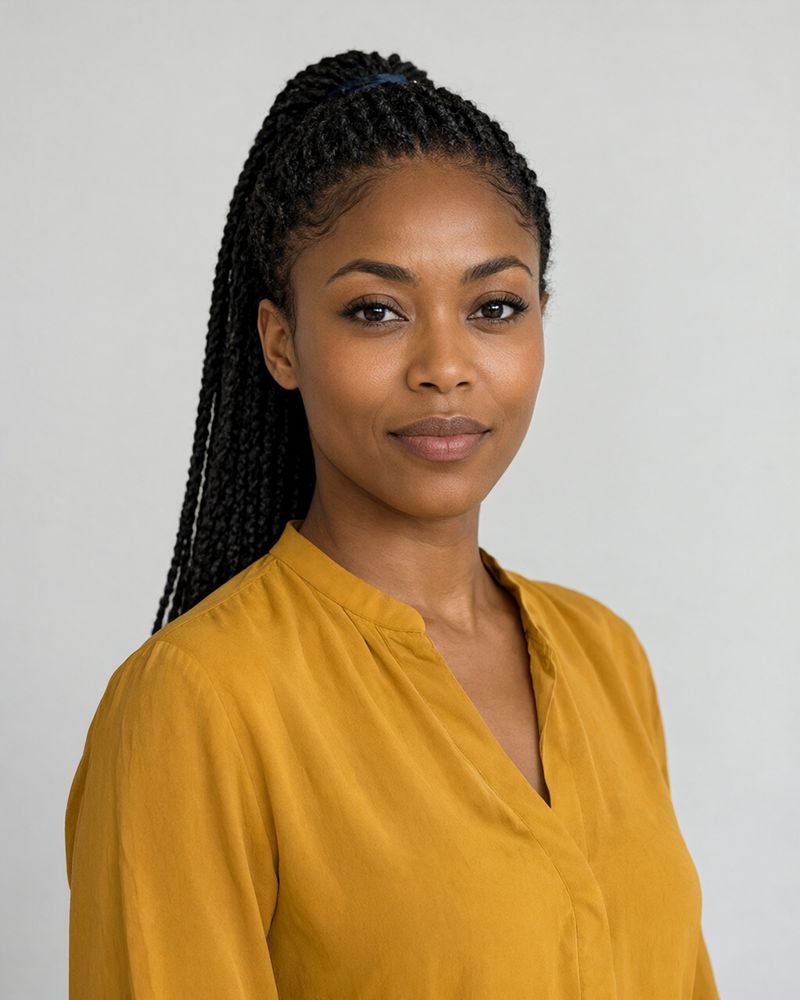
A professional headshot of a woman in her thirties with long black box braids tied back, wearing a mustard yellow blouse. Head and shoulders, facing the camera, confident smile. Plain light gray backdrop, soft even light. Photoreal corporate portrait photography, no text.
- Image 3

A professional headshot of a man in his late twenties with short curly red hair and round wire-rimmed glasses, wearing a charcoal crew-neck sweater. Head and shoulders, facing the camera, easy smile. Plain light gray backdrop, soft even light. Photoreal corporate portrait photography, no text.
- Image 4
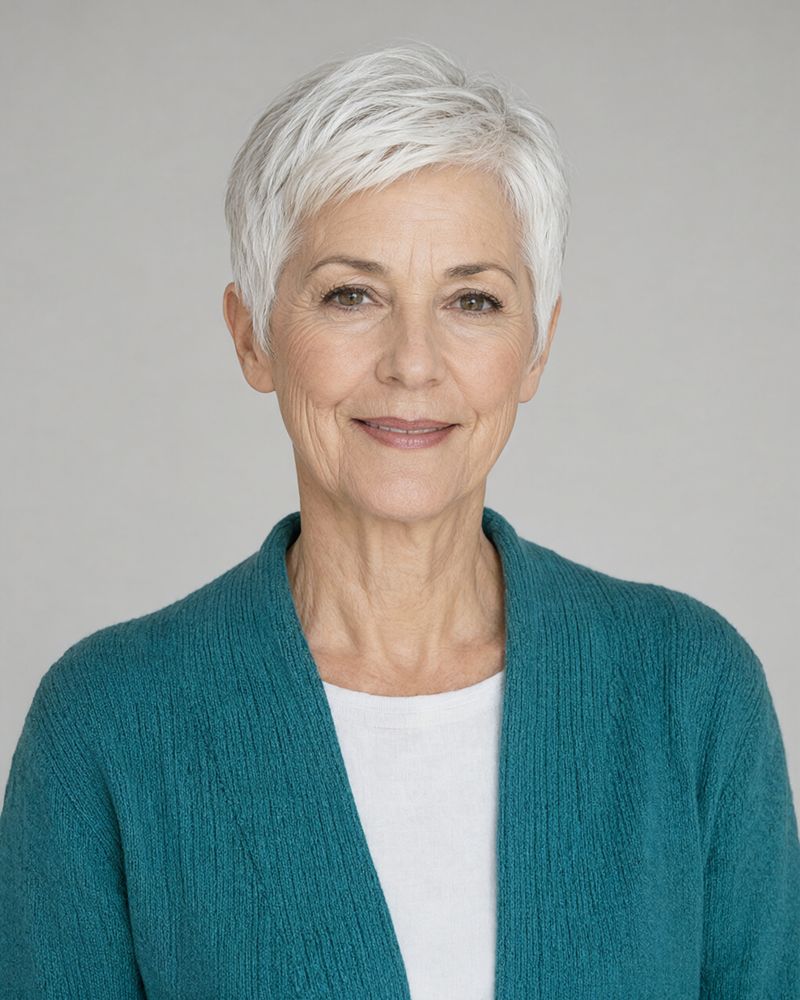
A professional headshot of a woman in her sixties with short white hair in a pixie cut, wearing a teal knit cardigan over a white top. Head and shoulders, facing the camera, warm smile. Plain light gray backdrop, soft even light. Photoreal corporate portrait photography, no text.


"From left to right" followed by the image numbers fixes the lineup, so the order on the page matches the order you chose. The headshots only show head and shoulders, which means everything below the collar in the group shot was invented to match the clothing each person wore.
Check every face against its source before a result like this goes live. A team page is a photo of real colleagues, and a face that drifted toward a stranger is worse than no group shot at all.
Filling all ten slots
Ten references is the ceiling. This flat-lay uses all of them, one per product in an outdoor retailer's camping bundle:

An overhead flat-lay for an outdoor retailer's camping bundle on weathered pale wood decking, with the ten products from the ten images laid out in two rows of five. Top row, left to right: the green tent bag from image 1, the lantern from image 2, the stove from image 3, the enamel mug from image 4, and the orange sleeping bag from image 5. Bottom row, left to right: the headlamp from image 6, the water bottle from image 7, the closed pocket knife from image 8, the blue cook pot from image 9, and the hiking boots from image 10. Ten objects in total, each product once, and nothing else on the deck. Keep each product's exact color, material, and shape from its reference. Soft even daylight from above, gentle shadows. Photoreal e-commerce flat-lay photography, no text.
- 1: tent
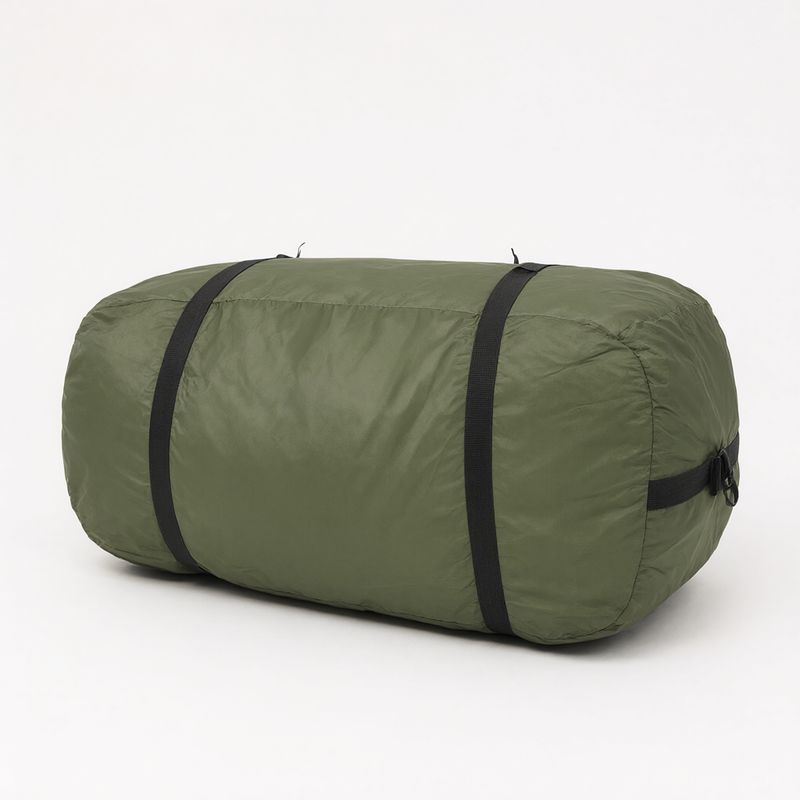
A product photograph of a packed two-person tent inside a forest green cylindrical carry bag with a black compression strap, lying on its side, centered on a plain white backdrop. Soft even studio lighting, subtle contact shadow. Photoreal e-commerce packshot, no logos, no text.
- 2: lantern
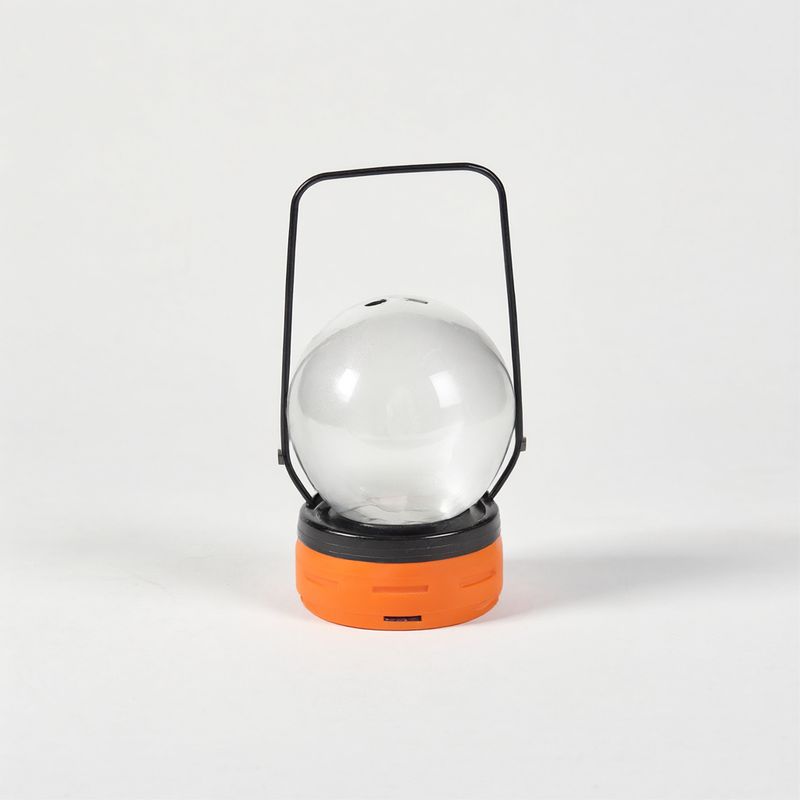
A product photograph of a compact rechargeable camping lantern with a frosted glass globe, an orange rubber base, and a folding black wire handle, centered on a plain white backdrop. Soft even studio lighting, subtle contact shadow. Photoreal e-commerce packshot, no logos, no text.
- 3: stove
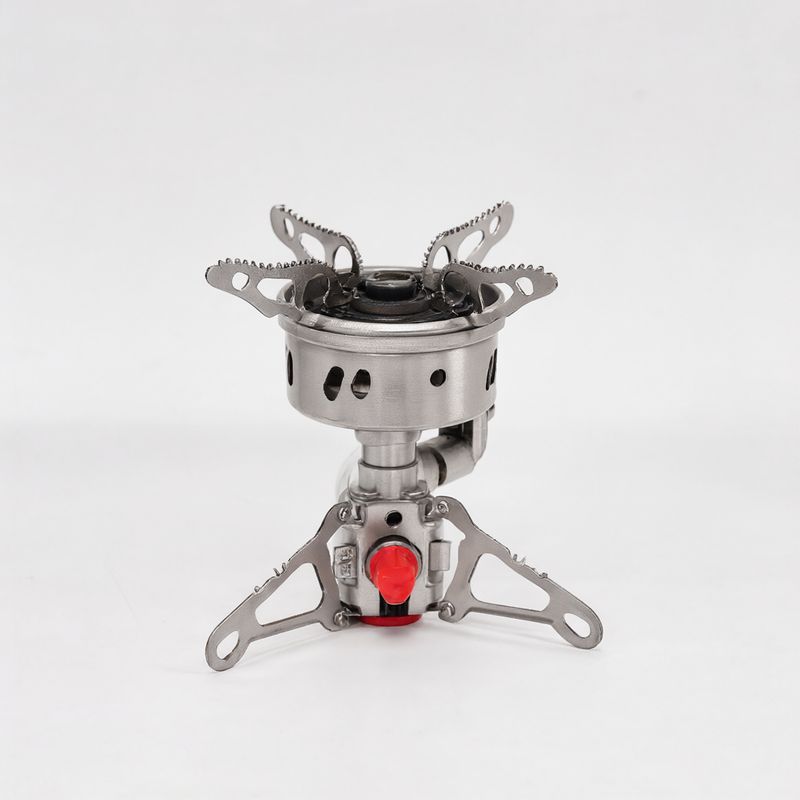
A product photograph of a small folding backpacking stove in brushed steel with three fold-out pot supports and a red control valve, centered on a plain white backdrop. Soft even studio lighting, subtle contact shadow. Photoreal e-commerce packshot, no logos, no text.
- 4: mug
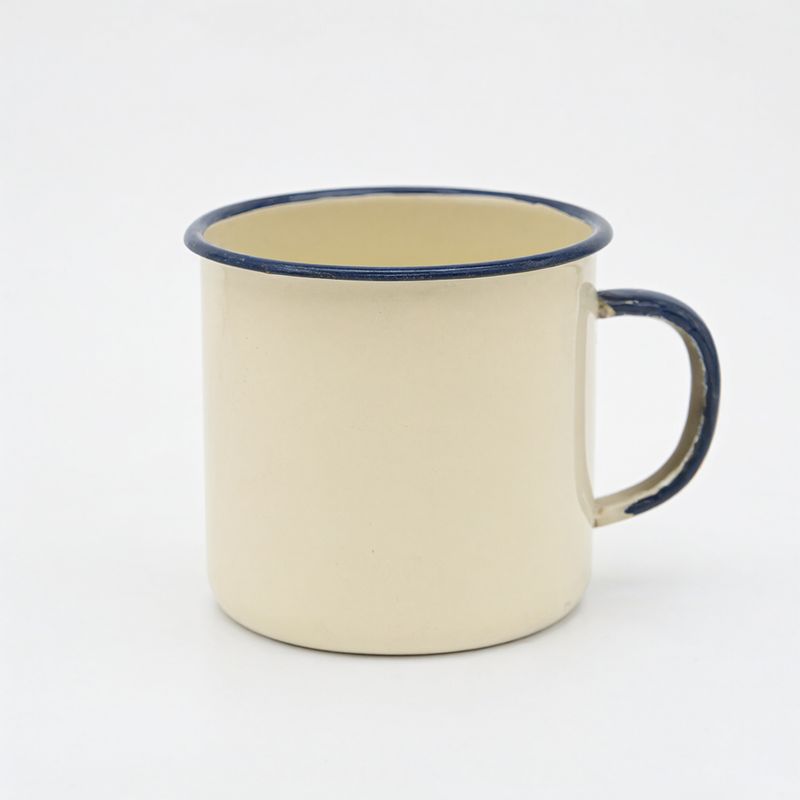
A product photograph of a cream enamel camping mug with a dark blue rim and handle, centered on a plain white backdrop. Soft even studio lighting, subtle contact shadow. Photoreal e-commerce packshot, no logos, no text.
- 5: sleeping bag
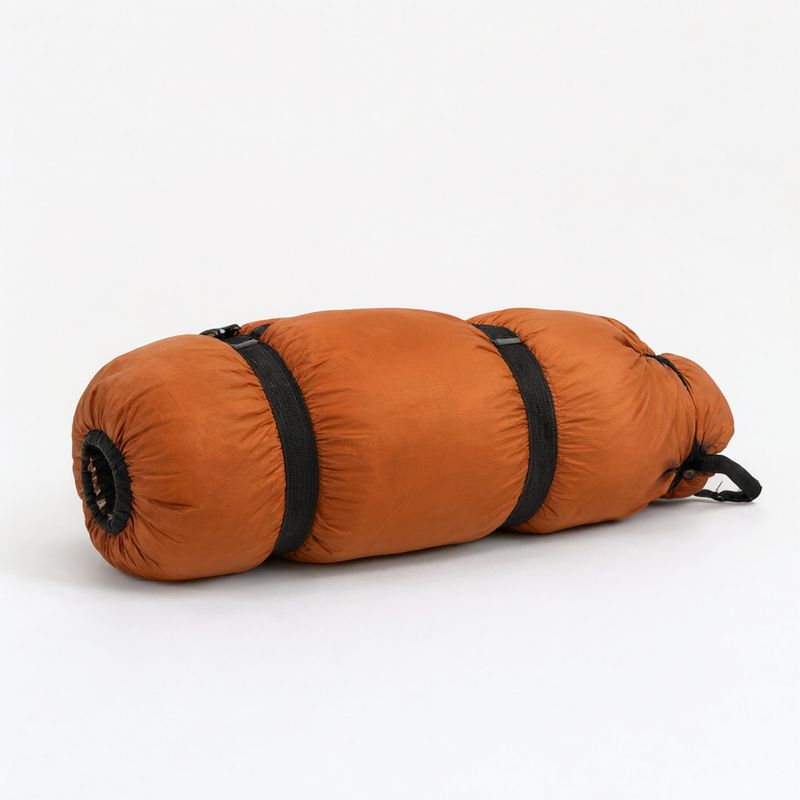
A product photograph of a rolled mummy sleeping bag in burnt orange ripstop nylon, cinched with two black straps, lying on its side, centered on a plain white backdrop. Soft even studio lighting, subtle contact shadow. Photoreal e-commerce packshot, no logos, no text.
- 6: headlamp
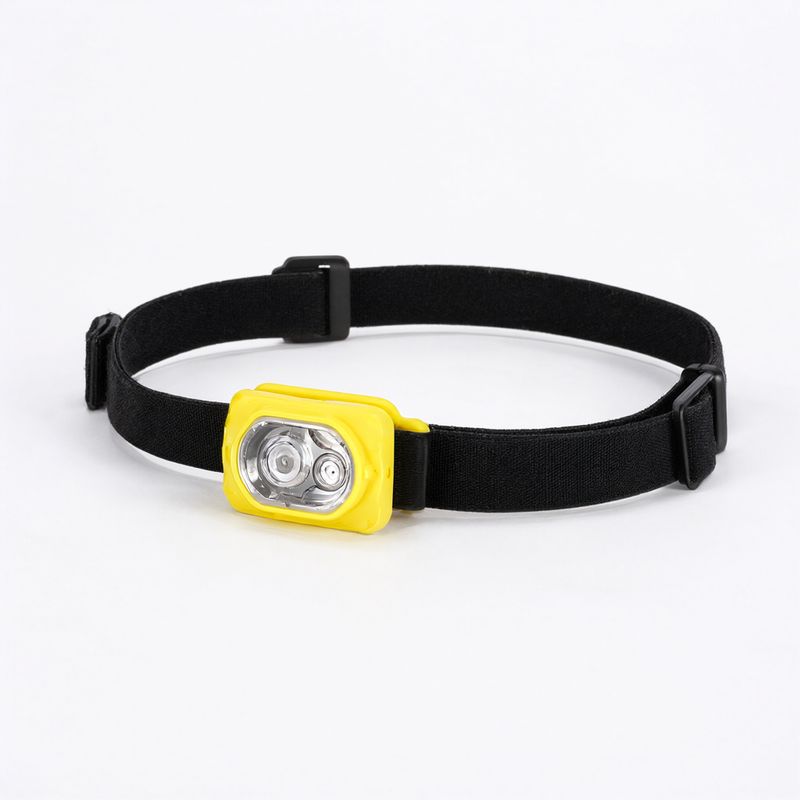
A product photograph of a headlamp with a slim bright yellow housing and a black elastic head strap laid in a loose loop, centered on a plain white backdrop. Soft even studio lighting, subtle contact shadow. Photoreal e-commerce packshot, no logos, no text.
- 7: bottle
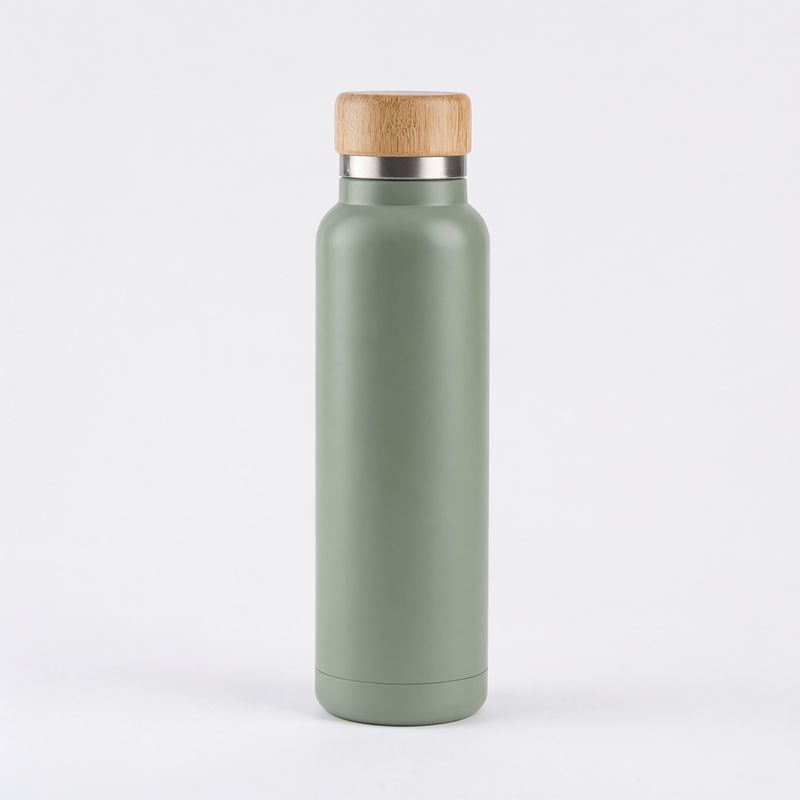
A product photograph of an insulated stainless steel water bottle in matte sage green with a bamboo screw cap, standing upright, centered on a plain white backdrop. Soft even studio lighting, subtle contact shadow. Photoreal e-commerce packshot, no logos, no text.
- 8: knife
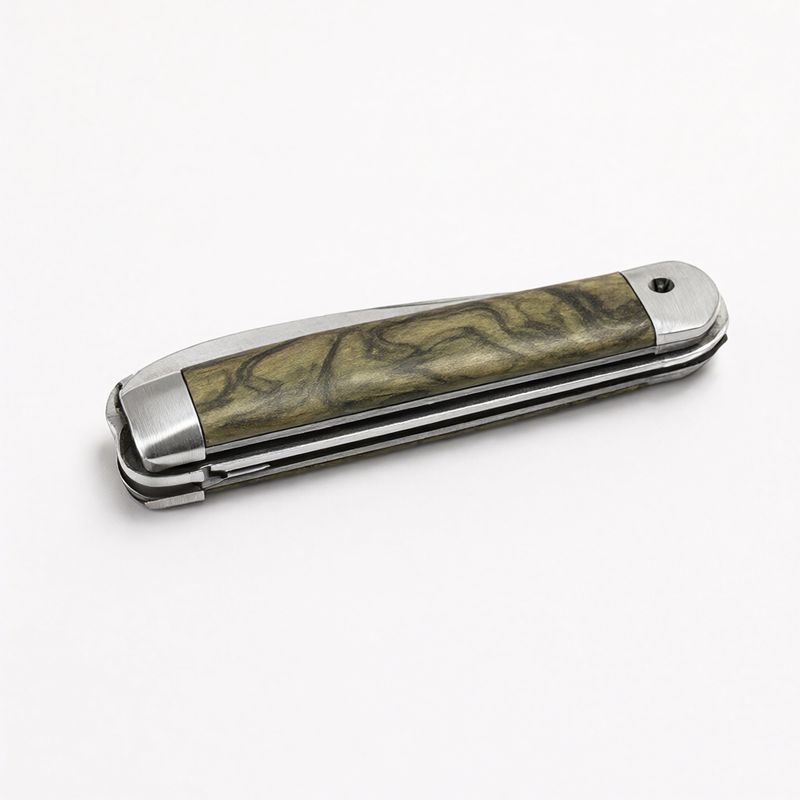
A product photograph of a closed folding pocket knife with an olive wood handle and brushed steel bolsters, lying flat and angled diagonally, centered on a plain white backdrop. Soft even studio lighting, subtle contact shadow. Photoreal e-commerce packshot, no logos, no text.
- 9: cook pot
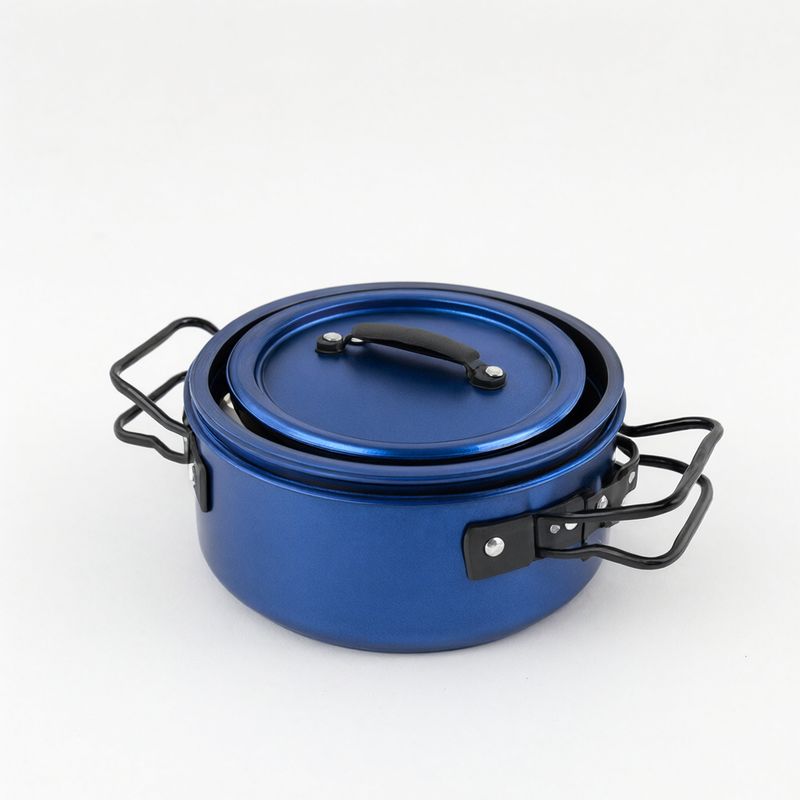
A product photograph of a nesting camping cook pot set in blue anodized aluminum with folding black handles and a lid, stacked together, centered on a plain white backdrop. Soft even studio lighting, subtle contact shadow. Photoreal e-commerce packshot, no logos, no text.
- 10: boots
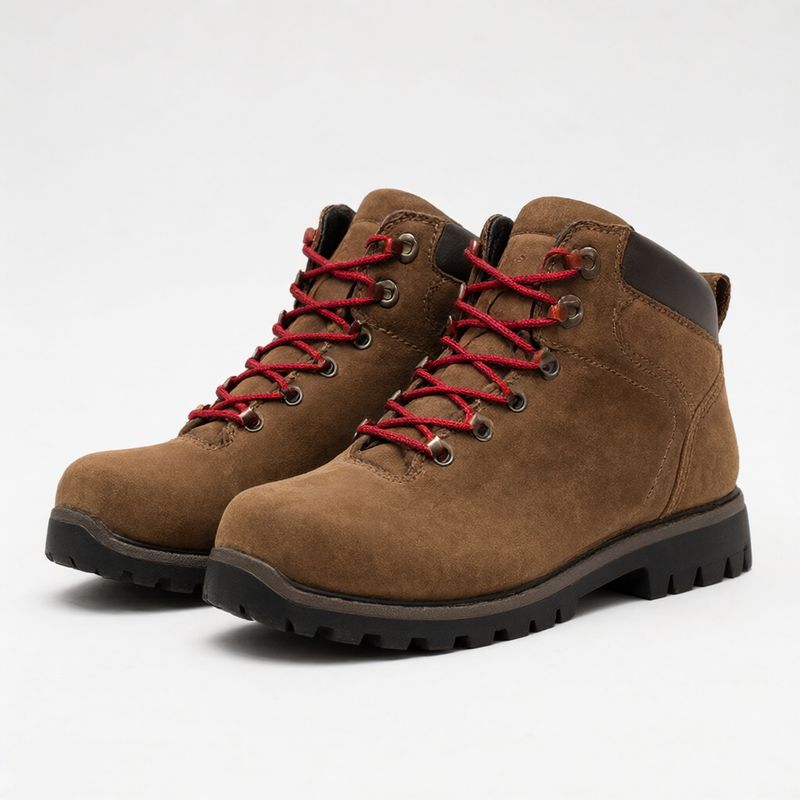
A product photograph of a pair of brown suede hiking boots with red laces and a chunky black rubber sole, standing side by side at a three-quarter angle, centered on a plain white backdrop. Soft even studio lighting, subtle contact shadow. Photoreal e-commerce packshot, no logos, no text.


With ten items the roll call gets long, so each product gets a short name ("the lantern from image 2"), with a color only where two items could be mistaken for each other. The references already hold the materials, and the prompt spends its words on the layout instead.
Give the layout exactly as many slots as you have products. "Two rows of five" leaves no empty place for the model to fill, and a loose grid does: asked for one, it returned eleven objects from ten references, with one product doubled.
Count the output against the inputs at this size. Ten products are easy to check by eye, and a bundle shot with a missing or doubled item is a listing that misrepresents what ships.
Tips
-
Refer to every image by number and description. The number says which slot, and the description says what to take from it.
-
Place each item relative to something already in the frame. "In front of the sofa" is a position, and "in the room" leaves the layout to the model.
-
Close with a keep clause. Faces and colors survive when the prompt says they must.
-
Check the output against the references. Count the products and compare every face before a composite goes live.