HappyHorse 1.1

HappyHorse 1.1 is Alibaba's upgraded multimodal video model for text-to-video, image-to-video, and reference-to-video generation. It improves motion continuity, prompt following, character consistency, facial texture quality, cinematic shot logic, and audio-visual synchronization over HappyHorse 1.0, making it better suited to multi-shot storytelling, multi-character scenes, close-up performance, and reference-driven production workflows.
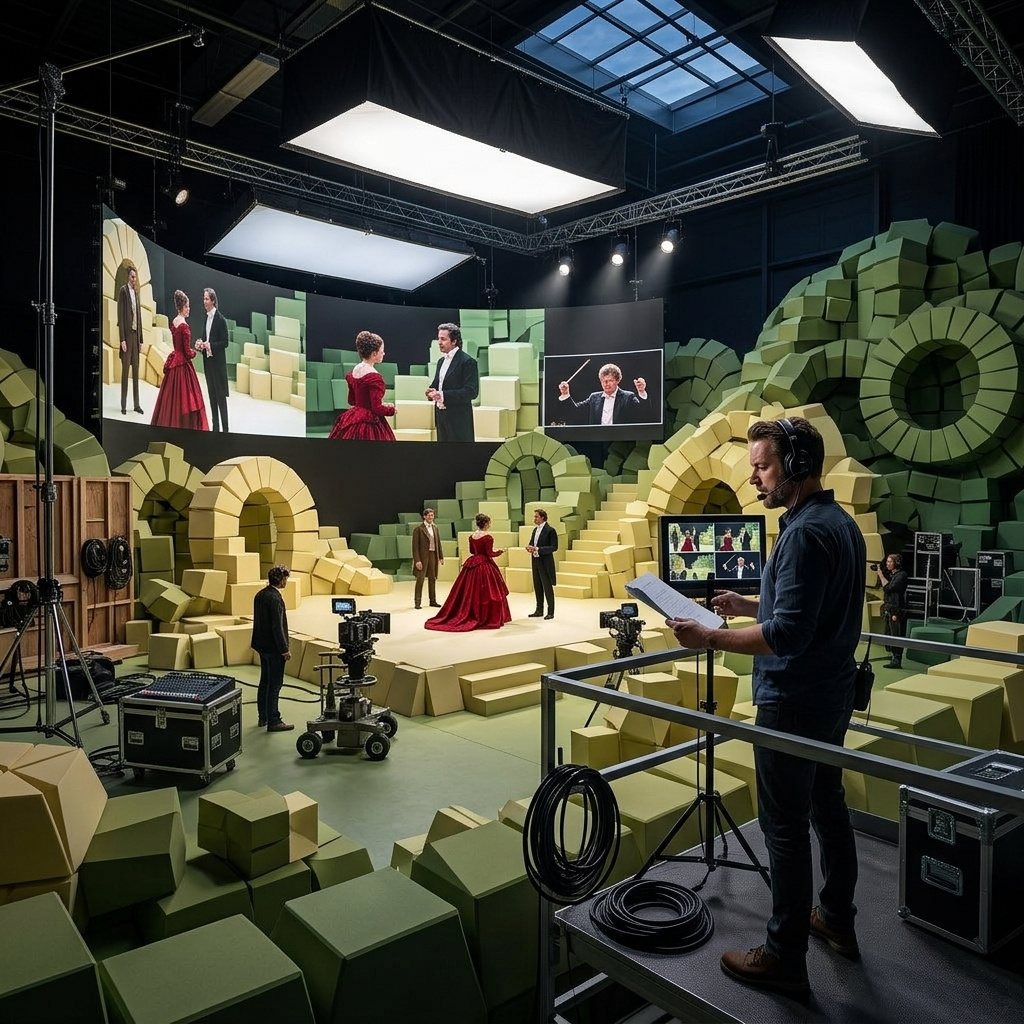
Cinematic shot direction with storyboard prompts
How to write multi-shot storyboard prompts for HappyHorse 1.1 to direct cinematic sequences with shot sizes, camera movement, and subject continuity in a single call.
Introduction
A single text-to-video prompt almost always gives you one continuous take. The model reads the description, holds roughly the same camera, and lets the action play out without cuts. Multi-shot reels usually mean either generating each shot separately and stitching them in an editor, or moving to a model with a structured shot-list parameter that you have to learn alongside the prompt grammar.
HappyHorse 1.1 reads multi-shot reels directly from natural-language storyboard prompts. You write the shot list the way a director would write it in a script, with Begin with..., Cut to..., Shift to..., and End on... beats. The model honors the cuts at the boundaries you name and runs the camera moves inside each shot. Up to 15 seconds in a single call, with native audio crossing the cuts as one bed.
A master Japanese swordsmith forging a katana. Begin with a wide establishing shot in the forge, the firebed glowing orange behind him. Cut to a close shot of his hands lifting a glowing red-hot blade with iron tongs. Shift to a medium shot at the anvil as he hammers, orange sparks scattering with each strike. Then a slow push-in on his focused weathered face. Cut to a dramatic close-up of the blade plunged into a water trough, dense white steam billowing up. End on a wide static shot of the finished katana laid on a folded indigo cloth.
The reel above is a single API call written as a six-beat storyboard. The cuts happen at the words Cut to..., Shift to..., Then..., and End on.... The camera moves (push-in on the face, dramatic close-up on the quench) play out inside their beats. The model holds the smith's appearance, the forge interior, the warm firelit colour grade, and the orange sparks scattering across all six shots.
This guide covers the storyboard prompt pattern, how to mix shot sizes and camera moves in a single prompt, and how to keep a subject continuous across the cuts.
Request shape
A text-to-video HappyHorse 1.1 request takes a positivePrompt and dimensions. Everything else is optional:
import { createClient } from '@runware/sdk'

const client = await createClient({ apiKey: process.env.RUNWARE_API_KEY })
await client.connect()

const [result] = await client.run({
  model: 'alibaba:happyhorse@1.1',
  positivePrompt: 'Begin with... Cut to... Shift to... End on...',
  width: 1920,
  height: 1080,
  duration: 14
})
import asyncio
import os
from runware import Runware
async def main():
async with Runware(api_key=os.environ["RUNWARE_API_KEY"]) as client:
results = await client.run({
"model": "alibaba:happyhorse@1.1",
"positivePrompt": "Begin with... Cut to... Shift to... End on...",
"width": 1920,
"height": 1080,
"duration": 14
})
asyncio.run(main())curl https://api.runware.ai/v1 \
-H "Authorization: Bearer $RUNWARE_API_KEY" \
-H "Content-Type: application/json" \
-d '[
{
  "taskType": "videoInference",
  "taskUUID": "a1b2c3d4-e5f6-7890-abcd-ef1234567890",
  "model": "alibaba:happyhorse@1.1",
  "positivePrompt": "Begin with... Cut to... Shift to... End on...",
  "width": 1920,
  "height": 1080,
  "duration": 14
}
]'runware run alibaba:happyhorse@1.1 \
positivePrompt="Begin with... Cut to... Shift to... End on..." \
width=1920 \
height=1080 \
duration=14{
"taskType": "videoInference",
"taskUUID": "a1b2c3d4-e5f6-7890-abcd-ef1234567890",
"model": "alibaba:happyhorse@1.1",
"positivePrompt": "Begin with... Cut to... Shift to... End on...",
"width": 1920,
"height": 1080,
"duration": 14
}Response
[
  {
    "taskType": "videoInference",
    "taskUUID": "a1b2c3d4-e5f6-7890-abcd-ef1234567890",
    "videoUUID": "9c1b2d3a-4e5f-6789-abcd-ef0123456789",
    "videoURL": "https://vm.runware.ai/video/os/a14d18/ws/2/vi/9c1b2d3a-4e5f-6789-abcd-ef0123456789.mp4"
  }
]
One required field, plus the dimensions for text-to-video mode:
positivePromptis required and capped at 2500 characters. Plain descriptions produce a single take. Natural-language storyboards produce multi-shot reels. The pattern is covered in the next section.widthandheightset the output dimensions in text-to-video mode and must match one of ten allowed combinations:1280 × 720,960 × 960,720 × 1280,1088 × 832,832 × 1088,1920 × 1080,1440 × 1440,1080 × 1920,1632 × 1248,1248 × 1632.durationis an integer from 3 to 15 seconds, default 5. Longer durations give the storyboard more room for cuts. The sweet spot for 4 to 6-shot reels is 10 to 14 seconds.seedis an integer for reproducibility.
HappyHorse 1.1 has four modes that share the same model. This guide is text-to-video, the simplest path. For the workflow that uses reference images to cast specific characters and keep their identities through the cuts, see the character casting guide. The storyboard prompt pattern below works in every mode.
The storyboard pattern
Four directorial cues spread through the prompt mark the shot boundaries: Begin with, Cut to, Shift to, End on (or End with). Each cue marks a hard cut. The text between cues describes that shot: what the camera sees and what the subject does inside the frame. The model treats each cue as a shot boundary and assembles the shots into one reel.
The watchmaker example below is the simplest case: three beats over nine seconds.
An elderly Swiss watchmaker repairing a pocket watch at his cluttered workbench in a cosy panelled workshop. Begin with a wide shot of him seated at the bench in a soft tweed waistcoat, the brass desk lamp pooling warm light over rows of tiny tools. Cut to a close-up of his magnifying loupe held to his right eye as he leans in to focus on the open watch internals. End on a slow push-in as he gently sets a tiny brass gear into its position with fine tweezers, his weathered hands steady.
Three cues, three shots. The opening line ("An elderly Swiss watchmaker...") sets the subject and the location once. The cues describe each shot's content. The model rendered a wide establishing shot, cut to the loupe close-up, and ended on the push-in on the tweezers. The opening framing description is shared across all shots, so you only need to write it once.
You can add more cues for longer reels. A four-shot reel uses the basic Begin / Cut to / Shift to / End on skeleton. Five and six-shot reels chain a second Cut to or Then between them, like the six-beat hero up top. The model honors as many beats as the duration can sustain.
Single prompt versus storyboard
Without the directorial cues, the model takes the prompt as the description of a single continuous take. The cues are what turn the same scene description into a multi-shot reel. The pair below shows the contrast on the same subject and the same duration.
A young baker in a flour-dusted white apron shapes a round loaf of artisan bread at a long wooden bakery counter, morning light streaming through the tall windows behind her, wooden racks of finished crusty loaves visible on the back wall.
A young baker shaping artisan bread at the bakery counter. Begin with a wide shot of her in a flour-dusted white apron at the long wooden counter, morning light streaming through tall windows. Cut to a close shot of her hands working the dough into a round loaf, flour puffing softly into the air. End on a medium shot of her placing the shaped loaf gently onto a wooden peel beside the brick oven.
The single-prompt run reads the description and renders a single take that holds the same medium camera roughly throughout. The storyboard run reads three cues and cuts between the wide, the hands close-up, and the oven hand-off. Same baker, same eight seconds. The cues are what unlock the reel.
Shot direction language
Once the storyboard structure is in place, the language inside each beat is what controls how each shot looks. HappyHorse 1.1 reads cinematic vocabulary directly. Shot sizes (wide, medium, close-up, extreme close-up, tracking shot, low-angle shot), camera moves (push-in, pull-back, orbit, tracking), and angle terms (eye-level, low angle, over-the-shoulder) all do real work in the prompt.
The cellist reel below is built from a single subject and five shots, each beat using a different shot-direction phrase.
A young woman cellist performing in an empty concert hall. Begin with a wide establishing shot of her seated alone on the lit stage, the cello held between her knees, rows of empty red-velvet seats stretching back into deep shadow. Cut to a slow tracking shot orbiting from her left side around to her right, her face and bow hand flowing through the lens. Shift to a tight close-up of her bow hand drawing across the strings, fine rosin dust catching the warm spotlight. Then a low-angle shot from in front of her looking up, the bridge and the curve of the cello's scroll framing her concentrated expression. End on a slow pull-back from her face to a full wide shot of the empty hall, revealing all the empty seats again.
Each beat carries a different shot vocabulary, and the model honors each one:
- Wide establishing shot lays out the geography of the empty hall.
- Slow tracking shot orbiting is a deliberate camera move around the subject.
- Tight close-up is a near-macro framing on the bow hand and the rosin dust.
- Low-angle shot from in front looking up changes both angle and orientation in one phrase.
- Slow pull-back reverses the opening push and bookends the reel.
The model honors the camera grammar you write. "Push-in", "pull-back", "tracking shot", "orbit", "dolly", "rack focus": every one of these reads as an actual instruction to move the camera in the named way. Don't bury the camera direction in prose. Lead the beat with it ("Cut to a slow tracking shot orbiting...") so the model treats it as the shot's defining attribute.
Subject continuity across shots
The storyboard pattern reads each beat independently. The model does not automatically carry a character or location across the cuts unless the prompt tells it to. With no continuity cue, the subject in shot 1 can drift slightly in shot 2 and meaningfully by shot 4. Wardrobe colour, hair style, accessory placement, and key skin details all start to wander.
The fix is two-fold: name the subject's distinctive details once at the top of the prompt, then add a closing preservation clause that tells the model to hold the named details through every shot.
A male potter throwing a vase on a kick wheel in a sunlit studio, the same person across every shot, with short dark hair and a clay-stained denim apron over a grey henley shirt. Begin with a wide shot of him at the kick wheel, wooden shelves of finished pottery visible on the walls behind. Cut to a close shot of his hands sinking into a fresh lump of grey clay, water dripping from his fingers as the wheel spins. Shift to a medium shot as he draws the walls of the vase upward between his palms, the wet clay rising smoothly into a graceful neck. Then a close-up of his right thumb carving a delicate flute around the rim. End on a wide shot of him stepping back from the wheel, the finished vase gently spinning to a stop on the wheelhead. Preserve his exact look (clay-stained denim apron over a grey henley, short dark hair, weathered hands) and the warm sunlit studio interior across every shot.
The opening line establishes the potter's identifying details: clay-stained denim apron over a grey henley, short dark hair. The closing clause names them again with an explicit preservation instruction. Between those two anchors, the storyboard runs five beats: wide, close on the clay, medium of the rising walls, close-up of the thumb carving, wide pull-back at the end. The potter at the final beat reads as the same person who started the wheel five shots earlier.
When a character's specific identity has to survive across many cuts or a longer reel, the closing preservation clause has limits. For mini-series consistency or for a brand character that must look exactly the same in every shot, pass the character as a reference image instead. The character casting guide covers the reference workflow end to end.
Tips
-
Lead each beat with a shot-direction phrase. "Cut to a slow tracking shot...", "Shift to a low-angle close-up...", "End on a wide pull-back...". The model uses the first words of each beat to decide the shot's framing. Burying the direction in the middle of the description dilutes the signal.
-
Use the cinematic vocabulary the industry already uses. Wide, medium, close-up, extreme close-up, tracking shot, dolly, push-in, pull-back, orbit, rack focus, low angle, over-the-shoulder. The model reads these as instructions, not as scene description.
-
Establish the subject at the top of the prompt, not inside each beat. A single opening line ("A male potter in a clay-stained denim apron") shared across all beats reads cleaner and gives the model a single identity to hold than repeating the description in every beat.
-
Close with a preservation clause when continuity matters. "Preserve his exact look... and the warm sunlit interior across every shot." Without it, the model treats unmentioned details as fair game and a subject's wardrobe or location can drift by shot 4.
-
Match duration to shot count. Two-beat reels want 5 to 7 seconds. Three beats want 8 to 10. Four to five beats want 10 to 14. Six beats want the full 15-second cap. Cramming six shots into a 6-second clip gives each shot a single second of runway, and the cuts read as choppy.
-
For brand-specific characters or environments, reach for the reference workflow. The storyboard prompt holds identity well across a few shots in a single reel, but specific brand assets and recurring talent belong in
inputs.referenceImages. The character casting guide covers the four-mode toolkit.