Ray3.2

Ray3.2 is Luma's flagship video model for turning creative direction into controllable production workflows. It supports text-to-video, image-to-video, and video-to-video generation, with stronger continuity, motion transfer, camera motion transfer, character transformation, relighting, environment change, and product-swap workflows. It is built for cinematic-quality output, multi-keyframe control inside a single clip, and Modify Video V2 workflows that preserve performance, lighting, and scene structure while transforming existing footage.
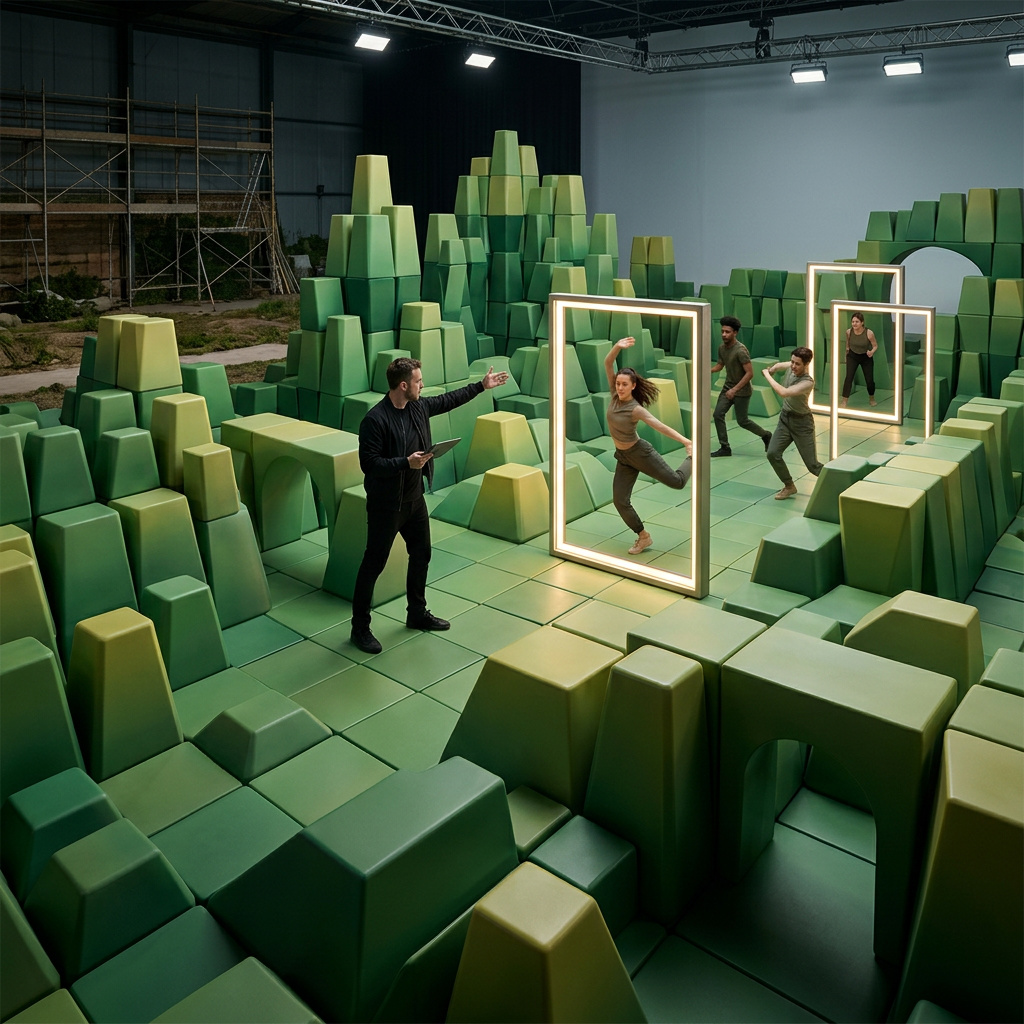
Transforming and restyling video
How to transform footage with Luma Ray 3.2: restyle or reskin a clip while its motion carries through, using the strength dial and per-signal conditioning controls.
Introduction
Ray 3.2 re-imagines footage you already have. You pass a clip and a prompt, and the model re-renders it guided by the source, carrying the original motion and timing through into a new look. It's a transformation tool, not a surgical editor: the prompt reinterprets the whole frame, so faces and backgrounds are reimagined along with the style rather than held pixel-for-pixel.
- Source video
The playing carries straight through while everything else is rebuilt from the prompt, and that is the model's sweet spot: bold transformations where the performance is the throughline and the new look is the point. Editing keeps the source aspect ratio, so changing format is a separate reframing step. This guide covers the request, the strength dial that sets how far the result departs from the source, and the per-signal controls.
The request
An edit is a normal video request with a source clip in inputs.video and a prompt describing the look you want. The model follows the source's motion and composition, and the prompt drives everything else.
import { createClient } from '@runware/sdk'

const client = await createClient({ apiKey: process.env.RUNWARE_API_KEY })
await client.connect()

const [result] = await client.run({
  model: 'luma:ray@3.2',
  positivePrompt: 'Transform the violinist into a luminous figure of flowing golden light against a dark void, ribbons of light streaming from the bow and tracing his body, following his exact bowing and motion.',
  inputs: {
    video: 'https://example.com/violinist.mp4'
  },
  settings: {
    edit: {
      strength: 'flex_2'
    }
  }
})
import asyncio
import os
from runware import Runware
async def main():
async with Runware(api_key=os.environ["RUNWARE_API_KEY"]) as client:
results = await client.run({
"model": "luma:ray@3.2",
"positivePrompt": "Transform the violinist into a luminous figure of flowing golden light against a dark void, ribbons of light streaming from the bow and tracing his body, following his exact bowing and motion.",
"inputs": {
"video": "https://example.com/violinist.mp4"
},
"settings": {
"edit": {
"strength": "flex_2"
}
}
})
asyncio.run(main())curl https://api.runware.ai/v1 \
-H "Authorization: Bearer $RUNWARE_API_KEY" \
-H "Content-Type: application/json" \
-d '[
{
  "taskType": "videoInference",
  "taskUUID": "e5d6c7b8-9a0b-1c2d-3e4f-5a6b7c8d9e0f",
  "model": "luma:ray@3.2",
  "positivePrompt": "Transform the violinist into a luminous figure of flowing golden light against a dark void, ribbons of light streaming from the bow and tracing his body, following his exact bowing and motion.",
  "inputs": {
    "video": "https://example.com/violinist.mp4"
  },
  "settings": {
    "edit": {
      "strength": "flex_2"
    }
  }
}
]'runware run luma:ray@3.2 \
positivePrompt="Transform the violinist into a luminous figure of flowing golden light against a dark void, ribbons of light streaming from the bow and tracing his body, following his exact bowing and motion." \
inputs.video=https://example.com/violinist.mp4 \
settings.edit.strength=flex_2{
"taskType": "videoInference",
"taskUUID": "e5d6c7b8-9a0b-1c2d-3e4f-5a6b7c8d9e0f",
"model": "luma:ray@3.2",
"positivePrompt": "Transform the violinist into a luminous figure of flowing golden light against a dark void, ribbons of light streaming from the bow and tracing his body, following his exact bowing and motion.",
"inputs": {
"video": "https://example.com/violinist.mp4"
},
"settings": {
"edit": {
"strength": "flex_2"
}
}
}Response
{
  "data": [
    {
      "taskType": "videoInference",
      "taskUUID": "e5d6c7b8-9a0b-1c2d-3e4f-5a6b7c8d9e0f",
      "videoUUID": "f6e5d4c3-b2a1-0987-6543-21fedcba0987",
      "videoURL": "https://vm.runware.ai/video/os/a14d18/ws/2/vi/f6e5d4c3-b2a1-0987-6543-21fedcba0987.mp4"
    }
  ]
}
inputs.video takes a URL or the UUID of a previous generation. Describe the target look and let the motion carry. The model rebuilds the rest of the frame from there.
Directing the edit with keyframes
inputs.frameImages works in the edit path too, and it's the most direct way to steer the result: rather than leaning on the prompt, you give the model the exact frame you want it to match. You restyle a frame from your source into the look you want, then pin it back as a keyframe.
Take the aerial shot below. You pin its untouched first frame at the start and a storm-restyled frame near the end. The first keeps the result grounded in the real footage, while the storm frame sets where it lands.
Because the storm is the same hills with only the sky and light changed, the model can morph the whole way there. Ray holds the camera push and rolls the weather from clear to storm across the clip:
[
  {
    "taskType": "videoInference",
    "taskUUID": "c3d4e5f6-7a8b-9c0d-1e2f-3a4b5c6d7e8f",
    "model": "luma:ray@3.2",
    "positivePrompt": "A clear bright day over the rolling hills gives way to a dark rolling storm, heavy clouds and rain sweeping in, one continuous transition that follows the camera push.",
    "inputs": {
      "video": "https://example.com/valley.mp4",
      "frameImages": [
        { "image": "https://example.com/valley-clear.jpg", "frame": 0 },
        { "image": "https://example.com/valley-storm.jpg", "frame": 90 }
      ]
    }
  }
]- Source clip
- Restyled keyframe
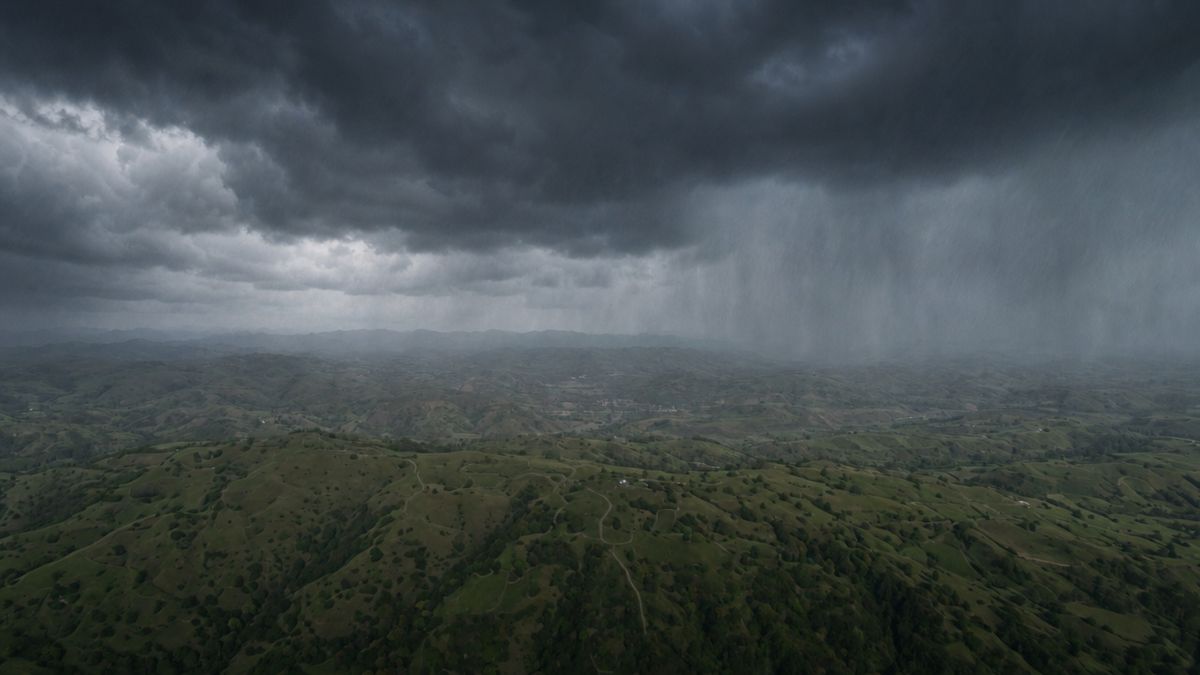
Restyle this exact frame so the same rolling hills sit under a heavy storm: dark grey-blue storm clouds filling the sky, sheets of rain sweeping across, dramatic moody light, keeping the identical terrain, composition, and camera angle. Do not change the landscape, only the weather and light.

Each entry's frame is a name like first or a zero-based index, the same as in the generation guide. Named positions and indices can't be combined in one request, so this example uses indices for both, with the storm at frame 90 of roughly 120 so the look lands a little before the end and holds.
Anchoring at least the first frame gives the model a concrete target instead of inferring the look from the prompt, and the transition only morphs cleanly when the restyled frame keeps the source's composition, changing the light or weather rather than the whole scene.
Controlling how much changes
settings.edit.strength is the preserve-versus-reinterpret dial. It runs in three bands: adhere stays close to the source, flex takes moderate liberties, and reimagine treats the source as loose guidance. Each band has three levels (adhere_1 through reimagine_3) for finer steps.
Below, one prompt turns the dolphin into a cyberpunk cybernetic creature, run at one level from each band against the source it started from:
Transform only the dolphin into a cyberpunk cybernetic creature: glowing neon circuitry and electric-blue light strips across its body, sleek dark cybernetic plating, holographic fins, while keeping the ocean, splash, and sky natural and photoreal.
Transform only the dolphin into a cyberpunk cybernetic creature: glowing neon circuitry and electric-blue light strips across its body, sleek dark cybernetic plating, holographic fins, while keeping the ocean, splash, and sky natural and photoreal.
Transform only the dolphin into a cyberpunk cybernetic creature: glowing neon circuitry and electric-blue light strips across its body, sleek dark cybernetic plating, holographic fins, while keeping the ocean, splash, and sky natural and photoreal.
Each band sets how far the result departs from the source. At adhere_1 the cyber-dolphin stays locked to the real leap and the natural ocean. At reimagine_3 the model reworks the creature and scene more freely, keeping only a loose echo of the source.
"settings": {
  "edit": { "strength": "reimagine_3" }
}
Per-signal controls
For tighter command than a single dial, settings.edit.controls exposes the individual conditioning signals:
poseStrength(preciseorcoarse) sets how strictly the subject's skeleton is followed.depthBlurandnormalsAugmentation(both 0 to 1) loosen scene geometry and surface detail as they rise, granting more reinterpretation.trajectorySparsity(0 to 1) controls how many motion anchors hold the movement in place.facebiases the result toward a recognizable face, though a heavy transform still reinterprets it.
The transformation below pins the dolphin's exact leap with poseStrength while applying the same cyberpunk transform:
Transform only the dolphin into a cyberpunk cybernetic creature: glowing neon circuitry and electric-blue light strips across its body, sleek dark cybernetic plating, holographic fins, while keeping the ocean, splash, and sky natural and photoreal.
"settings": {
  "edit": {
    "controls": { "poseStrength": "precise" }
  }
}
Set settings.edit.autoControls to true to let Ray derive the whole conditioning schedule from the source automatically. It's the fastest path when you don't want to tune signals by hand, and it can't be combined with strength or manual controls.
Changing the setting
The same mechanism transforms the world around a shot. The source street below is reskinned into deep winter, the camera move carried through. As with any edit the buildings are rebuilt rather than copied, so reach for this when you want a fresh take on a setting, not the old one left untouched under new weather.
Turn this street into deep winter: snow blanketing the ground and rooftops, bare trees, a cold overcast sky and soft falling snow, keeping the street's overall layout and the camera move from the source.
- Source video
Relighting a scene or restyling the subject runs the same way: describe the new look, then pick a strength for how far the result should travel from the source.
Tips
-
Describe the look you want, not a precise edit. Name the target style and let the motion carry. The model re-renders the rest, so don't count on faces or backgrounds staying untouched.
-
Start low on the strength dial.
adhereandflexkeep the shape and motion close. Reach forreimagineonly when you want the model to rework the subject itself. -
Turn on
facefor people. It biases the result toward a recognizable face, though a heavy transform will still reinterpret it. -
Let
autoControlshandle the first pass. It derives the conditioning from the source, which is usually enough before you reach for manual signals. -
Reframe in a separate step. Editing holds the source aspect ratio, so changing format is its own reframing request rather than part of the edit.