Ray3.2

Ray3.2 is Luma's flagship video model for turning creative direction into controllable production workflows. It supports text-to-video, image-to-video, and video-to-video generation, with stronger continuity, motion transfer, camera motion transfer, character transformation, relighting, environment change, and product-swap workflows. It is built for cinematic-quality output, multi-keyframe control inside a single clip, and Modify Video V2 workflows that preserve performance, lighting, and scene structure while transforming existing footage.
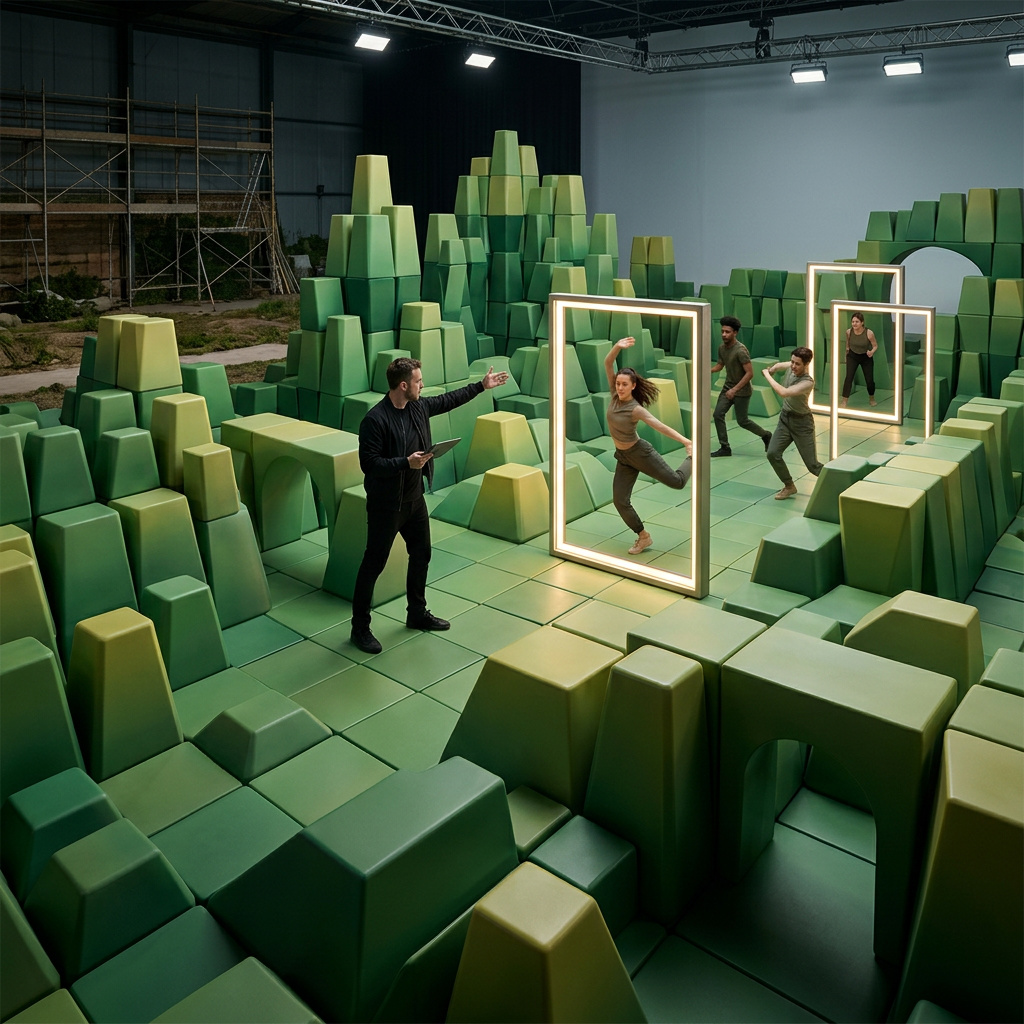
Generating video from text and images
How to generate cinematic video with Luma Ray 3.2: text-to-video, image-to-video, frame-level keyframes, and the resolution, duration, HDR, and loop controls.
Introduction
Ray 3.2 is Luma's cinematic video model. You give it a text prompt or an image, and it returns a video clip at up to 1080p, with the kind of motion and lighting a production pipeline can use. It runs in two modes: text-to-video builds a clip from a description, and image-to-video animates a still you provide.
A lone astronaut in a weathered white suit walks slowly across a windswept red Martian dune at dawn, long blue shadow stretching behind, fine dust streaming off the crest in the wind, the small bright sun low on the horizon. Slow cinematic tracking shot from the side, epic scale, photoreal, warm-to-cool color grade.
The clip above came from a single text prompt. This guide covers both modes, keyframes for frame-level direction, and the controls over resolution, duration, HDR, and looping.
Ray 3.2 generates no audio. The output is a silent MP4, so plan to add sound in post or with a separate audio model.
Text-to-video
The simplest request is a prompt plus a resolution and duration. Ray reads cinematic language well, so describe the shot the way you'd brief a camera operator: subject, motion, camera move, and light.
A jewel-green hummingbird hovers at a vivid red hibiscus flower, wings a soft blur, tongue dipping into the bloom, tiny droplets falling. Extreme slow-motion macro, shallow depth of field, soft morning backlight, lush defocused garden behind.
import { createClient } from '@runware/sdk'

const client = await createClient({ apiKey: process.env.RUNWARE_API_KEY })
await client.connect()

const [result] = await client.run({
  model: 'luma:ray@3.2',
  positivePrompt: 'A jewel-green hummingbird hovers at a vivid red hibiscus flower, extreme slow-motion macro, soft morning backlight',
  resolution: '720p',
  duration: 5
})
import asyncio
import os
from runware import Runware
async def main():
async with Runware(api_key=os.environ["RUNWARE_API_KEY"]) as client:
results = await client.run({
"model": "luma:ray@3.2",
"positivePrompt": "A jewel-green hummingbird hovers at a vivid red hibiscus flower, extreme slow-motion macro, soft morning backlight",
"resolution": "720p",
"duration": 5
})
asyncio.run(main())curl https://api.runware.ai/v1 \
-H "Authorization: Bearer $RUNWARE_API_KEY" \
-H "Content-Type: application/json" \
-d '[
{
  "taskType": "videoInference",
  "taskUUID": "a3f1c2d4-5e6f-7081-92a3-b4c5d6e7f809",
  "model": "luma:ray@3.2",
  "positivePrompt": "A jewel-green hummingbird hovers at a vivid red hibiscus flower, extreme slow-motion macro, soft morning backlight",
  "resolution": "720p",
  "duration": 5
}
]'runware run luma:ray@3.2 \
positivePrompt="A jewel-green hummingbird hovers at a vivid red hibiscus flower, extreme slow-motion macro, soft morning backlight" \
resolution=720p \
duration=5{
"taskType": "videoInference",
"taskUUID": "a3f1c2d4-5e6f-7081-92a3-b4c5d6e7f809",
"model": "luma:ray@3.2",
"positivePrompt": "A jewel-green hummingbird hovers at a vivid red hibiscus flower, extreme slow-motion macro, soft morning backlight",
"resolution": "720p",
"duration": 5
}Response
{
  "data": [
    {
      "taskType": "videoInference",
      "taskUUID": "a3f1c2d4-5e6f-7081-92a3-b4c5d6e7f809",
      "videoUUID": "c1d2e3f4-a5b6-7890-cdef-1234567890ab",
      "videoURL": "https://vm.runware.ai/video/os/a14d18/ws/2/vi/c1d2e3f4-a5b6-7890-cdef-1234567890ab.mp4"
    }
  ]
}
resolution accepts 360p, 540p, 720p, or 1080p, and duration is either 5 or 10 seconds. Set the aspect ratio either through resolution or by passing an explicit width and height pair, but not both in the same request.
Image-to-video
To animate an existing image, pass it as the first frame through inputs.frameImages. Ray treats it as the opening of the clip and generates motion forward from there, holding the subject and composition you gave it.
[
  {
    "taskType": "videoInference",
    "taskUUID": "b7e8d9c0-1a2b-3c4d-5e6f-708192a3b4c5",
    "model": "luma:ray@3.2",
    "positivePrompt": "The paper lantern drifts gently across the pond, its warm reflection rippling on the dark water, faint mist curling at the surface, a few petals floating past. Calm, slow, atmospheric.",
    "width": 960,
    "height": 960,
    "inputs": {
      "frameImages": [
        { "image": "https://example.com/lantern.jpg", "frame": "first" }
      ]
    }
  }
]- Input image
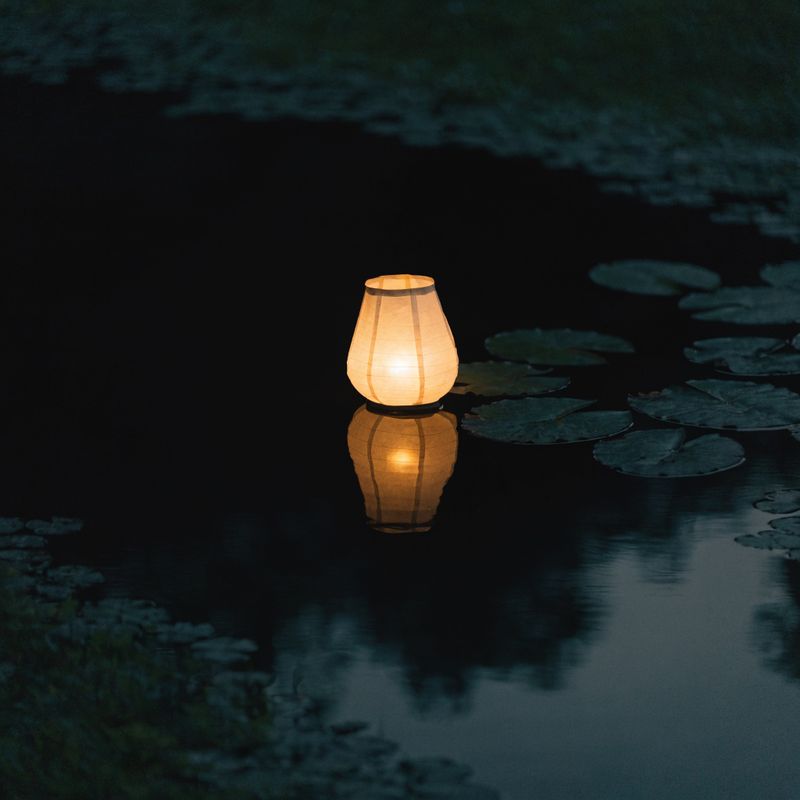
A single glowing paper lantern resting on the still dark surface of a night pond, warm light reflecting on the water, a few lily pads nearby, calm and atmospheric, square composition, cinematic photograph

Keyframes for frame-level control
frameImages takes more than a first frame. Pin an image to the first and last frames and Ray generates the motion that connects them, so you direct where a shot starts and ends instead of hoping the model lands there. Below, a wizard with an unlit staff as the first frame and the same wizard with the crystal blazing as the last frame produce a directed reveal.
[
  {
    "taskType": "videoInference",
    "taskUUID": "d4c5b6a7-8e9f-0a1b-2c3d-4e5f60718293",
    "model": "luma:ray@3.2",
    "positivePrompt": "The wizard raises the staff and its crystal ignites, light filling the hall",
    "width": 960,
    "height": 960,
    "inputs": {
      "frameImages": [
        { "image": "https://example.com/first.jpg", "frame": "first" },
        { "image": "https://example.com/last.jpg", "frame": "last" }
      ]
    }
  }
]- First frame
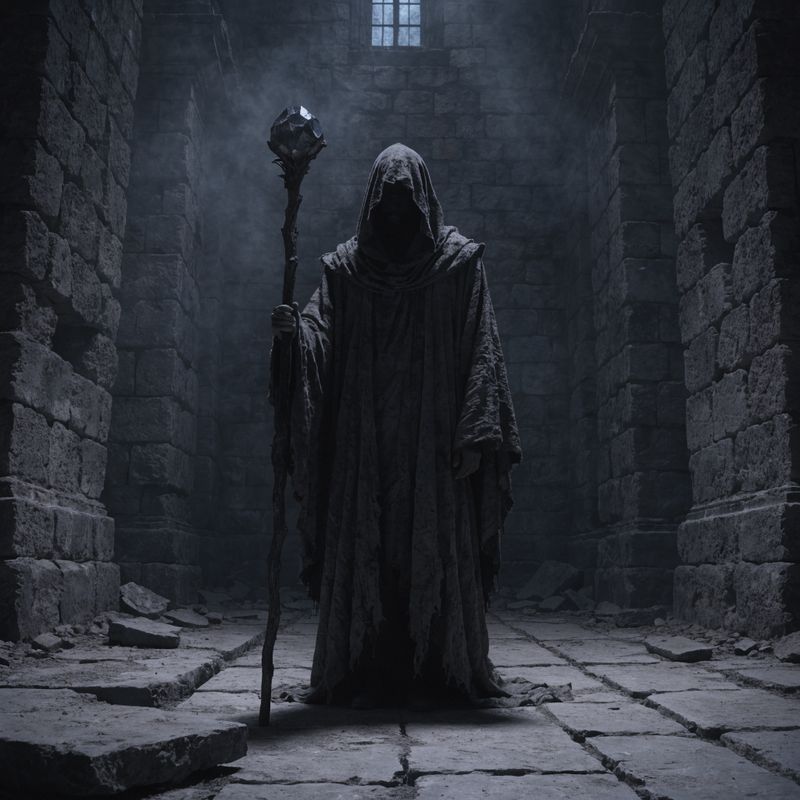
- Last frame
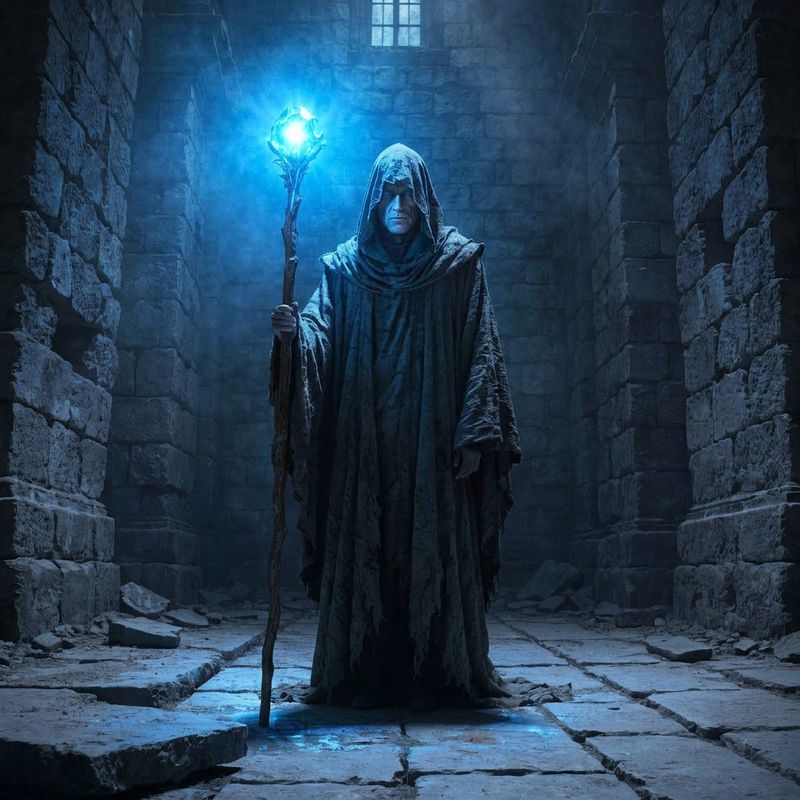


Each entry takes an image and a frame position, either a name like first or last or a zero-based index (-1 is the last frame). You can place many keyframes at intermediate positions to choreograph beats across a single clip, not just its ends.
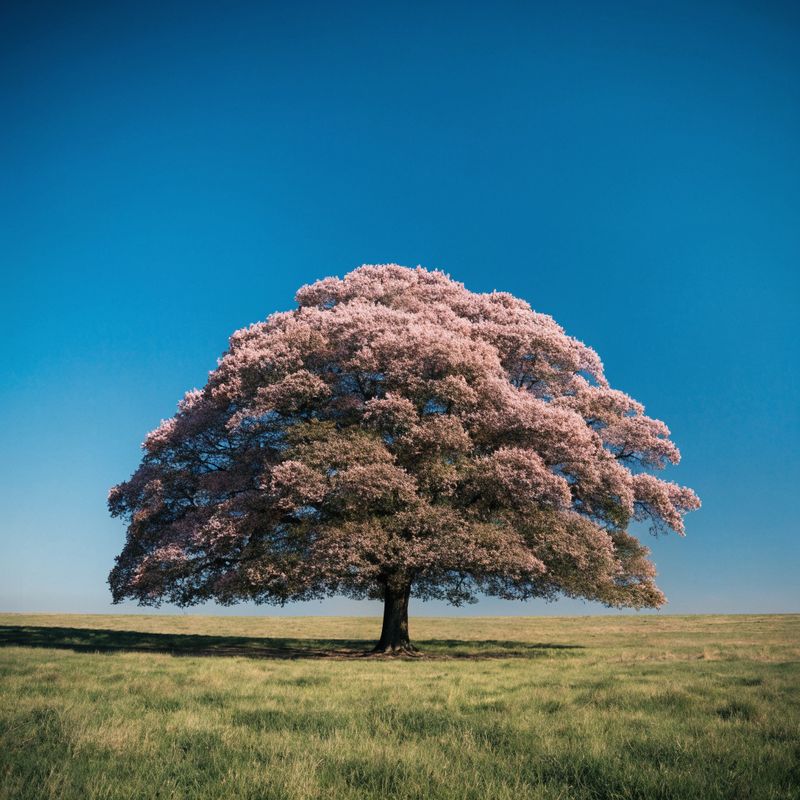
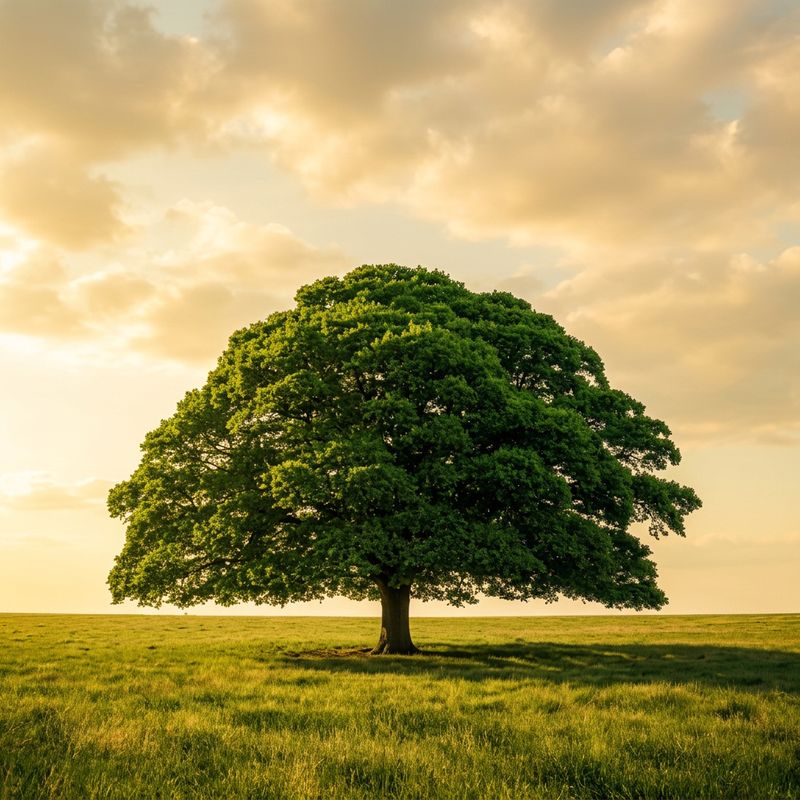
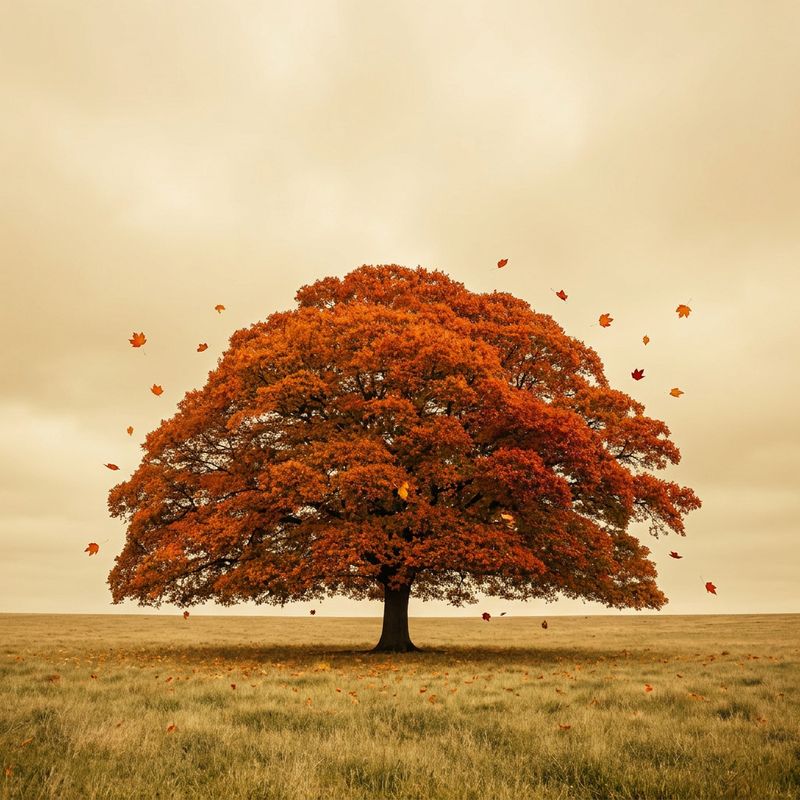
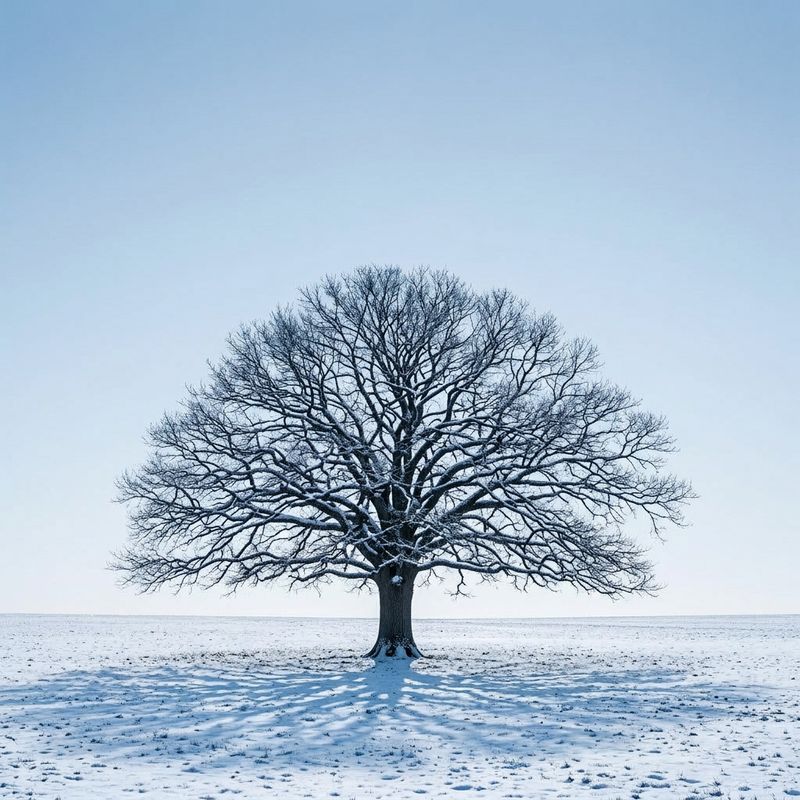
A 10-second clip at 24fps runs 240 frames, so you can pin an image at any frame from 0 to 240, or -1 for the last. The four keyframes below carry a single oak tree through the seasons in one continuous shot:
[
  {
    "taskType": "videoInference",
    "taskUUID": "e1f2a3b4-c5d6-7e8f-9a0b-1c2d3e4f5a6b",
    "model": "luma:ray@3.2",
    "positivePrompt": "A single oak tree transforms through the four seasons in one continuous shot",
    "width": 960,
    "height": 960,
    "duration": 10,
    "inputs": {
      "frameImages": [
        { "image": "https://example.com/spring.jpg", "frame": 0 },
        { "image": "https://example.com/summer.jpg", "frame": 80 },
        { "image": "https://example.com/autumn.jpg", "frame": 160 },
        { "image": "https://example.com/winter.jpg", "frame": 240 }
      ]
    }
  }
]- Frame 0
- Frame 80
- Frame 160
- Frame 240


HDR and EXR output
Ray writes a standard-range MP4 by default. For footage headed into color grading or compositing, hdr renders in high dynamic range and exrExport adds an OpenEXR frame sequence alongside the MP4. HDR needs 720p or 1080p and runs at the 5-second duration, and exrExport requires hdr.
"settings": {
  "hdr": true,
  "exrExport": true
}
With exrExport on, the response adds the EXR sequence to outputs.files, tagged type: "exr", alongside the usual videoURL:
{
  "data": [
    {
      "taskType": "videoInference",
      "taskUUID": "f0a1b2c3-d4e5-6f70-8192-a3b4c5d6e7f8",
      "videoUUID": "ae78185a-4ca6-425e-aa85-1968de419142",
      "outputs": {
        "files": [
          {
            "uuid": "9158b836-a805-4037-bea5-89b513e3b998",
            "type": "exr",
            "url": "https://vm.runware.ai/video/os/a14d18/ws/2/vi/9158b836-a805-4037-bea5-89b513e3b998.zip"
          }
        ]
      },
      "videoURL": "https://vm.runware.ai/video/os/a14d18/ws/2/vi/ae78185a-4ca6-425e-aa85-1968de419142.mp4"
    }
  ]
}
Looping
loop makes the clip return to its first frame with no visible cut, which suits backgrounds and ambient textures. It runs at the 5-second duration and applies to generated clips, not to an input video.
A black vinyl record spinning steadily on a vintage turntable, seen top-down, warm lamplight glinting off the grooves and the chrome spindle, smooth continuous rotation. Cinematic, shallow depth of field.
"settings": {
  "loop": true
}
Looping and HDR are mutually exclusive, and neither runs at the 10-second duration. Use one or the other on a 5-second clip.
Tips
-
Describe the camera, not just the subject. Ray responds to shot language like "slow tracking shot" or "macro push-in". Naming the move gives you a cinematic result instead of a static one.
-
Use image-to-video when you have a look locked. Starting from a still anchors the subject and composition, so the motion is the only variable the model decides.
-
Reach for keyframes to control timing. When a shot has to begin and end on specific images, pin them to the first and last frames rather than describing the change in words.
-
Match the input image to your output aspect. A square first frame pairs with a square
widthandheight, a wide frame with a wide one, so nothing gets cropped or letterboxed. -
Turn on HDR and EXR for grading pipelines. If the clip is going into color or compositing, the high-dynamic-range output and EXR frames carry far more latitude than the MP4 alone.