Krea 3

Krea 3 is Krea's image model for text-to-image generation and precise editing of existing images. Boxes mark the areas to change and the objects to bring in from up to eight reference images, each with an optional label and instruction, while the rest of the frame stays untouched. Output comes in 1K, 2K, and 4K across ten aspect ratios, with a fast or high thinking level.
Reference images
How to compose new images from up to eight references with Krea 3: naming each image, placing products in scenes, keeping a person consistent and borrowing a style.
Introduction
Krea 3 takes up to eight images in inputs.referenceImages and builds a new image from the parts you point at. A person, a jacket, a pair of sneakers and a location from four different photos come together in one render, and the prompt decides which part each image contributes.

A fashion editorial photo of the woman from the first image standing on the rooftop from the fourth image at golden hour. She wears the denim jacket from the second image over her white T-shirt, and the sneakers from the third image with her black trousers. Full-length shot, relaxed pose with one hand in her jacket pocket, warm low sun from the right. Keep her face, hair and build from the first image and the exact designs of the jacket and the sneakers.
- The model
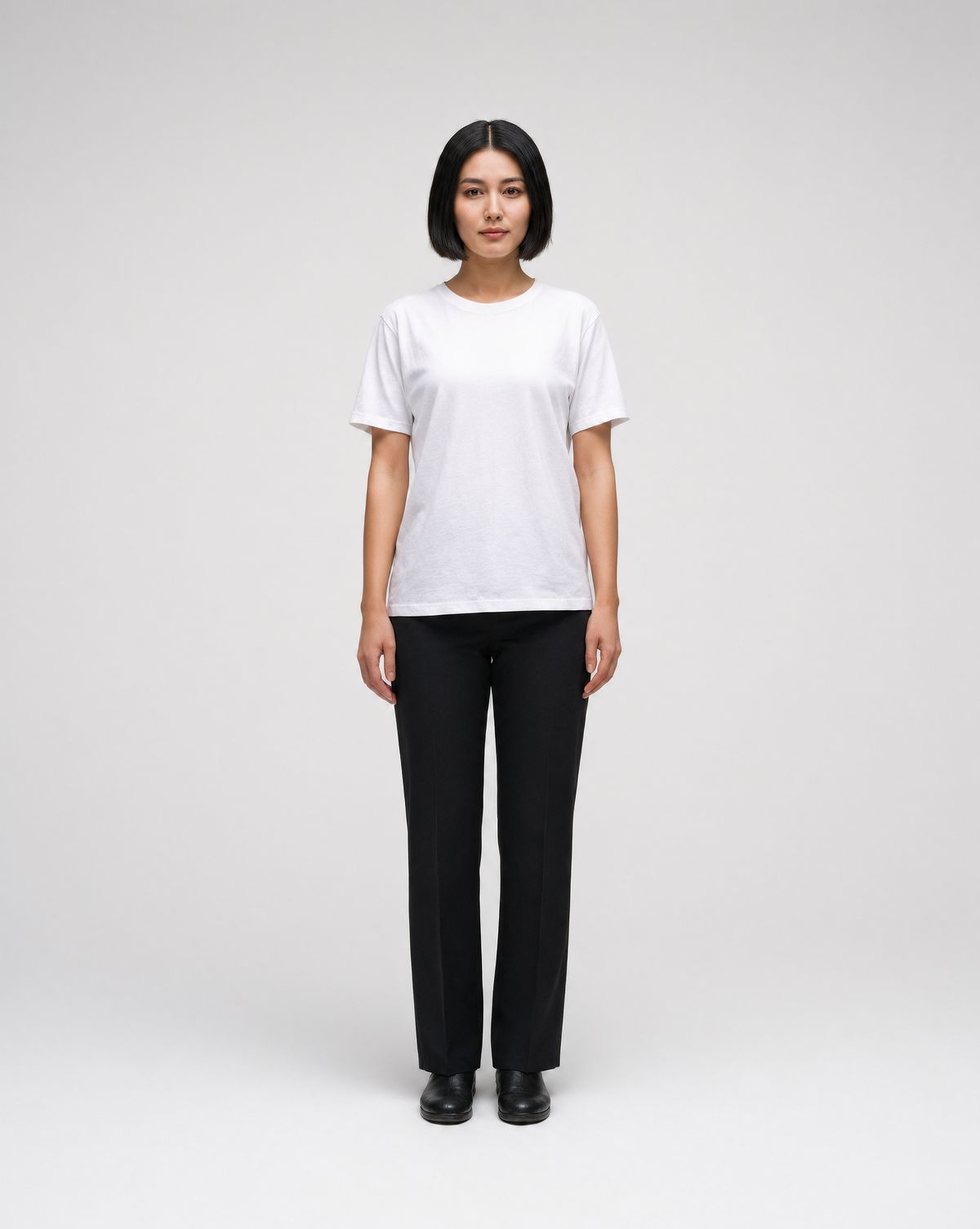
A full-length fashion catalog photo of a woman in her mid twenties with a short black bob, standing relaxed on a plain light gray studio backdrop, wearing a plain white T-shirt and straight black trousers, arms at her sides, neutral expression. Soft even studio light, a faint floor shadow. Centered, full length. Photoreal fashion photography.
- The jacket
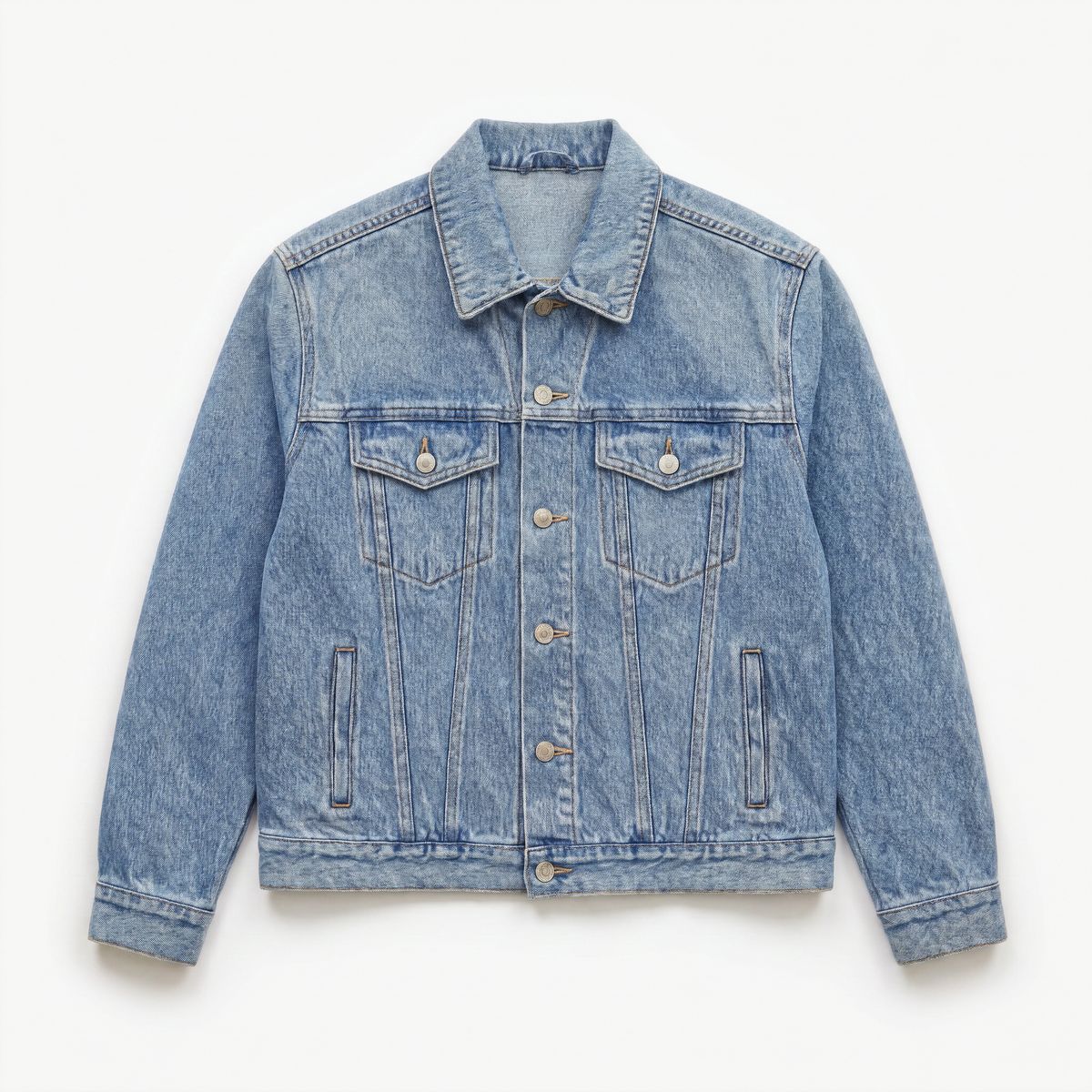
An e-commerce product photo of a cropped denim jacket in a light wash with silver buttons and two chest pockets, laid flat on a white background, front view. Even soft light, centered. Photoreal product photography.
- The sneakers
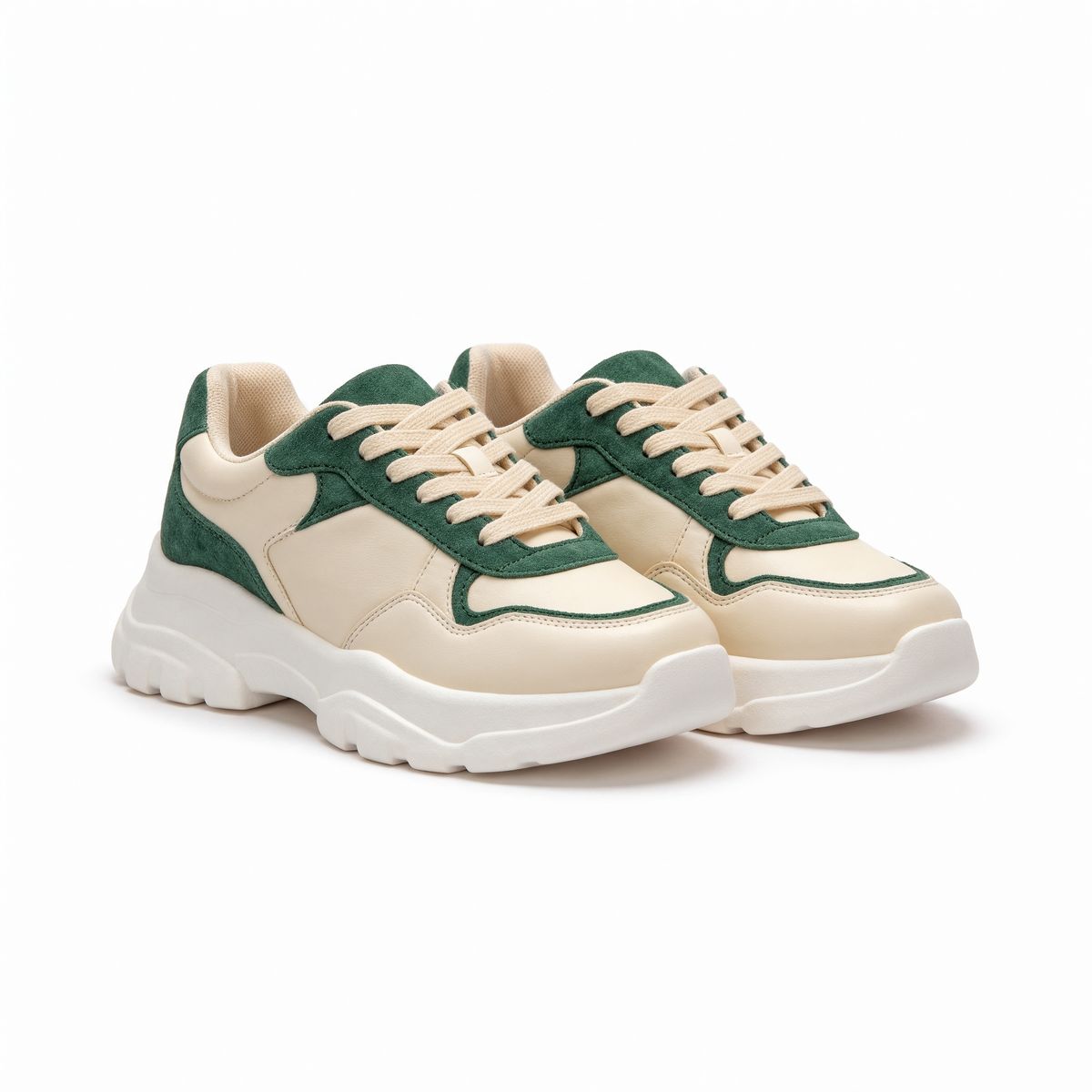
An e-commerce product photo of a pair of chunky sneakers in cream leather with forest green suede panels and a thick white sole, three-quarter view, on a white background. Even soft light, centered. Photoreal product photography.
- The location
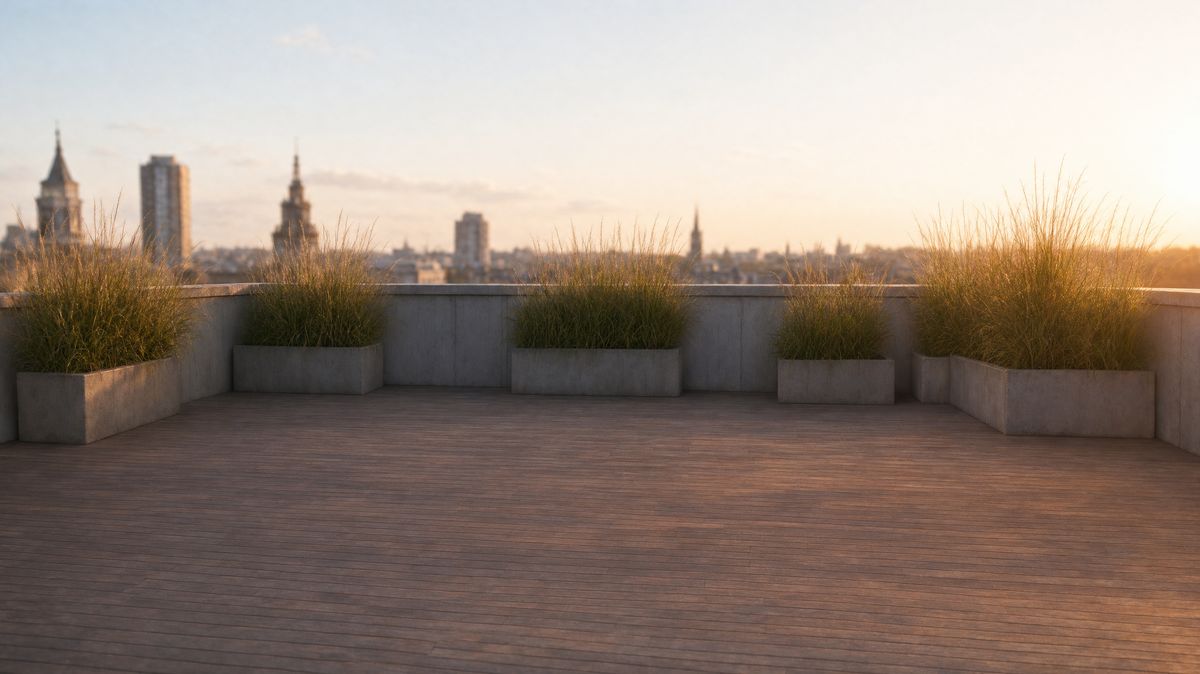
A city rooftop terrace at golden hour with a low concrete parapet, a few planters of tall ornamental grasses and the skyline softly out of focus behind. Warm low sun from the right, long soft shadows on the decking. Wide shot at standing height, 35mm lens, no people. Photoreal photography, warm palette.


The prompt names all four inputs by position and says what to take from each, then closes with the details that have to survive exactly.
import { createClient } from '@runware/sdk'

const client = await createClient({ apiKey: process.env.RUNWARE_API_KEY })
await client.connect()

const [result] = await client.run({
  model: 'krea:krea@3',
  positivePrompt: 'A fashion editorial photo of the woman from the first image standing on the rooftop from the fourth image at golden hour. She wears the denim jacket from the second image over her white T-shirt, and the sneakers from the third image with her black trousers. Full-length shot, relaxed pose with one hand in her jacket pocket, warm low sun from the right. Keep her face, hair and build from the first image and the exact designs of the jacket and the sneakers.',
  resolution: '2K',
  inputs: {
    referenceImages: [
      'https://assets.runware.ai/guides/krea-3/reference-images/ref-model.jpg',
      'https://assets.runware.ai/guides/krea-3/reference-images/ref-jacket.jpg',
      'https://assets.runware.ai/guides/krea-3/reference-images/ref-sneakers.jpg',
      'https://assets.runware.ai/guides/krea-3/reference-images/ref-rooftop.jpg'
    ]
  },
  settings: {
    thinkingLevel: 'high'
  }
})
import asyncio
import os
from runware import Runware
async def main():
async with Runware(api_key=os.environ["RUNWARE_API_KEY"]) as client:
results = await client.run({
"model": "krea:krea@3",
"positivePrompt": "A fashion editorial photo of the woman from the first image standing on the rooftop from the fourth image at golden hour. She wears the denim jacket from the second image over her white T-shirt, and the sneakers from the third image with her black trousers. Full-length shot, relaxed pose with one hand in her jacket pocket, warm low sun from the right. Keep her face, hair and build from the first image and the exact designs of the jacket and the sneakers.",
"resolution": "2K",
"inputs": {
"referenceImages": [
"https://assets.runware.ai/guides/krea-3/reference-images/ref-model.jpg",
"https://assets.runware.ai/guides/krea-3/reference-images/ref-jacket.jpg",
"https://assets.runware.ai/guides/krea-3/reference-images/ref-sneakers.jpg",
"https://assets.runware.ai/guides/krea-3/reference-images/ref-rooftop.jpg"
]
},
"settings": {
"thinkingLevel": "high"
}
})
asyncio.run(main())curl https://api.runware.ai/v1 \
-H "Authorization: Bearer $RUNWARE_API_KEY" \
-H "Content-Type: application/json" \
-d '[
{
  "taskType": "imageInference",
  "taskUUID": "e4b8c2a6-9d1f-4e37-a5c0-2f7d9b3e1a84",
  "model": "krea:krea@3",
  "positivePrompt": "A fashion editorial photo of the woman from the first image standing on the rooftop from the fourth image at golden hour. She wears the denim jacket from the second image over her white T-shirt, and the sneakers from the third image with her black trousers. Full-length shot, relaxed pose with one hand in her jacket pocket, warm low sun from the right. Keep her face, hair and build from the first image and the exact designs of the jacket and the sneakers.",
  "resolution": "2K",
  "inputs": {
    "referenceImages": [
      "https://assets.runware.ai/guides/krea-3/reference-images/ref-model.jpg",
      "https://assets.runware.ai/guides/krea-3/reference-images/ref-jacket.jpg",
      "https://assets.runware.ai/guides/krea-3/reference-images/ref-sneakers.jpg",
      "https://assets.runware.ai/guides/krea-3/reference-images/ref-rooftop.jpg"
    ]
  },
  "settings": {
    "thinkingLevel": "high"
  }
}
]'runware run krea:krea@3 \
positivePrompt="A fashion editorial photo of the woman from the first image standing on the rooftop from the fourth image at golden hour. She wears the denim jacket from the second image over her white T-shirt, and the sneakers from the third image with her black trousers. Full-length shot, relaxed pose with one hand in her jacket pocket, warm low sun from the right. Keep her face, hair and build from the first image and the exact designs of the jacket and the sneakers." \
resolution=2K \
inputs.referenceImages.0=https://assets.runware.ai/guides/krea-3/reference-images/ref-model.jpg \
inputs.referenceImages.1=https://assets.runware.ai/guides/krea-3/reference-images/ref-jacket.jpg \
inputs.referenceImages.2=https://assets.runware.ai/guides/krea-3/reference-images/ref-sneakers.jpg \
inputs.referenceImages.3=https://assets.runware.ai/guides/krea-3/reference-images/ref-rooftop.jpg \
settings.thinkingLevel=high{
"taskType": "imageInference",
"taskUUID": "e4b8c2a6-9d1f-4e37-a5c0-2f7d9b3e1a84",
"model": "krea:krea@3",
"positivePrompt": "A fashion editorial photo of the woman from the first image standing on the rooftop from the fourth image at golden hour. She wears the denim jacket from the second image over her white T-shirt, and the sneakers from the third image with her black trousers. Full-length shot, relaxed pose with one hand in her jacket pocket, warm low sun from the right. Keep her face, hair and build from the first image and the exact designs of the jacket and the sneakers.",
"resolution": "2K",
"inputs": {
"referenceImages": [
"https://assets.runware.ai/guides/krea-3/reference-images/ref-model.jpg",
"https://assets.runware.ai/guides/krea-3/reference-images/ref-jacket.jpg",
"https://assets.runware.ai/guides/krea-3/reference-images/ref-sneakers.jpg",
"https://assets.runware.ai/guides/krea-3/reference-images/ref-rooftop.jpg"
]
},
"settings": {
"thinkingLevel": "high"
}
}Response
[
  {
    "taskType": "imageInference",
    "taskUUID": "e4b8c2a6-9d1f-4e37-a5c0-2f7d9b3e1a84",
    "imageUUID": "7a3e9c15-2b4d-4f68-8e01-d5c7b9a3f246",
    "imageURL": "https://im.runware.ai/image/os/a14d18/ws/2/ii/7a3e9c15-2b4d-4f68-8e01-d5c7b9a3f246.jpg"
  }
]
This guide covers referring to each image, placing a product in a scene, keeping one person consistent, borrowing a style and choosing how many references to send.
Referring to images in the prompt
The prompt points at a reference by its position and what you want from it: "the denim jacket from the second image", "the rooftop from the fourth image". Position is the order of inputs.referenceImages, counted from one, and pairing it with the object removes any doubt about which image a clause means.
Give each reference a role instead of a description. The model can see the jacket, so the prompt does not need to list its buttons and pockets. It needs to say what happens to the jacket: who wears it and in which scene.
Then add a keep clause for what has to survive exactly. "Keep her face, hair and build from the first image and the exact designs of the jacket and the sneakers" lists the details a client would reject the image over.
Placing a product in a scene
A product scene takes two references: a packshot on white and a photo of the place the product belongs. Send the scene first and the product second, then describe where the product goes and how the scene's light falls on it.

Place the shampoo bottle from the second image on the empty stretch of countertop in the first image, standing upright and facing the camera. Match the soft daylight from the window and add a faint shadow on the stone. Keep the bathroom exactly as it is.
- The bathroom
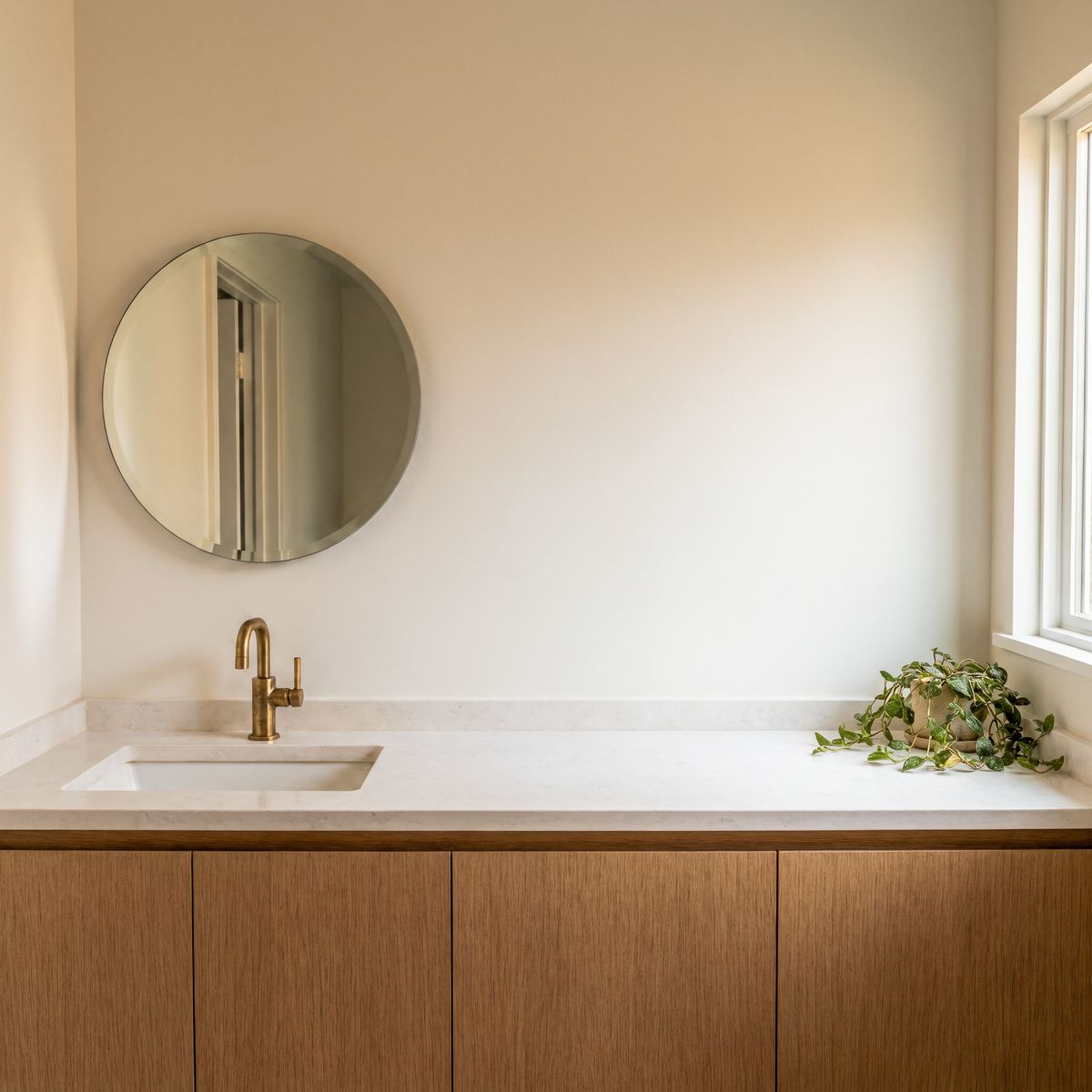
A bright bathroom vanity with a white oak cabinet and a wide white stone countertop, an integrated basin with a brushed brass faucet on the left, a round mirror on the wall above, a small potted trailing plant at the right end of the counter and an open stretch of empty countertop in the center. Soft daylight from a window on the right. Straight-on shot at counter height, 35mm lens, no people and no products. Photoreal interior photography, warm neutral palette.
- The product
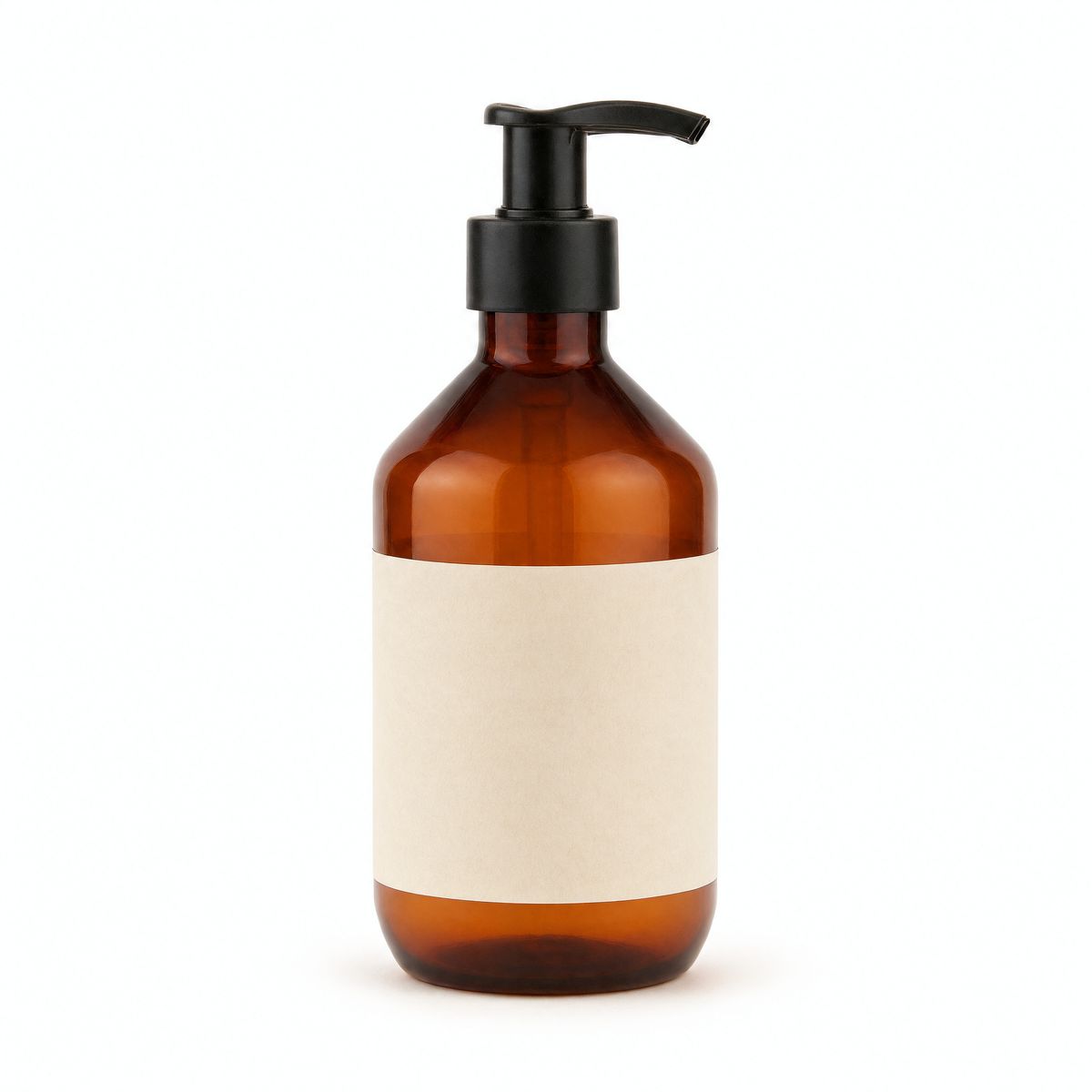
An e-commerce product photo of an amber glass shampoo bottle with a black pump dispenser and a plain cream paper label without any text, front view, on a white background. Even soft light, centered. Photoreal product photography.


"Match the soft daylight from the window" lights the bottle like the rest of the room, and "a faint shadow on the stone" grounds it on the counter.
Correcting the product's size
Krea 3 tends to place a product larger than the scene calls for. The bottle above stands about twice as tall as the faucet, and neither a size written into the prompt nor settings.thinkingLevel: "high" brings it down reliably.
The fix is a second request on the composite. Send it as the only reference, draw a box around the product with settings.editRegions and ask for it smaller.
Place the shampoo bottle from the second image on the empty stretch of countertop in the first image, standing upright and facing the camera. Match the soft daylight from the window and add a faint shadow on the stone. Keep the bathroom exactly as it is.

Make @bottle smaller, a little shorter than the faucet, standing on the countertop in the same spot with a faint shadow on the stone. Keep the rest of the bathroom exactly as it is.
import { createClient } from '@runware/sdk'

const client = await createClient({ apiKey: process.env.RUNWARE_API_KEY })
await client.connect()

const [result] = await client.run({
  model: 'krea:krea@3',
  positivePrompt: 'Make @bottle smaller, a little shorter than the faucet, standing on the countertop in the same spot with a faint shadow on the stone. Keep the rest of the bathroom exactly as it is.',
  resolution: '2K',
  seed: 5002,
  inputs: {
    referenceImages: [
      'https://assets.runware.ai/guides/krea-3/reference-images/product-scene.jpg'
    ]
  },
  settings: {
    editRegions: [
      {
        referenceIndex: 0,
        x: 0.55,
        y: 0.47,
        width: 0.13,
        height: 0.28,
        label: 'bottle'
      }
    ]
  }
})
import asyncio
import os
from runware import Runware
async def main():
async with Runware(api_key=os.environ["RUNWARE_API_KEY"]) as client:
results = await client.run({
"model": "krea:krea@3",
"positivePrompt": "Make @bottle smaller, a little shorter than the faucet, standing on the countertop in the same spot with a faint shadow on the stone. Keep the rest of the bathroom exactly as it is.",
"resolution": "2K",
"seed": 5002,
"inputs": {
"referenceImages": [
"https://assets.runware.ai/guides/krea-3/reference-images/product-scene.jpg"
]
},
"settings": {
"editRegions": [
{
"referenceIndex": 0,
"x": 0.55,
"y": 0.47,
"width": 0.13,
"height": 0.28,
"label": "bottle"
}
]
}
})
asyncio.run(main())curl https://api.runware.ai/v1 \
-H "Authorization: Bearer $RUNWARE_API_KEY" \
-H "Content-Type: application/json" \
-d '[
{
  "taskType": "imageInference",
  "taskUUID": "b2e7a4c9-3f1d-4a68-9c05-6d8e2b7f1a33",
  "model": "krea:krea@3",
  "positivePrompt": "Make @bottle smaller, a little shorter than the faucet, standing on the countertop in the same spot with a faint shadow on the stone. Keep the rest of the bathroom exactly as it is.",
  "resolution": "2K",
  "seed": 5002,
  "inputs": {
    "referenceImages": [
      "https://assets.runware.ai/guides/krea-3/reference-images/product-scene.jpg"
    ]
  },
  "settings": {
    "editRegions": [
      {
        "referenceIndex": 0,
        "x": 0.55,
        "y": 0.47,
        "width": 0.13,
        "height": 0.28,
        "label": "bottle"
      }
    ]
  }
}
]'runware run krea:krea@3 \
positivePrompt="Make @bottle smaller, a little shorter than the faucet, standing on the countertop in the same spot with a faint shadow on the stone. Keep the rest of the bathroom exactly as it is." \
resolution=2K \
seed=5002 \
inputs.referenceImages.0=https://assets.runware.ai/guides/krea-3/reference-images/product-scene.jpg \
settings.editRegions.0.referenceIndex=0 \
settings.editRegions.0.x=0.55 \
settings.editRegions.0.y=0.47 \
settings.editRegions.0.width=0.13 \
settings.editRegions.0.height=0.28 \
settings.editRegions.0.label=bottle{
"taskType": "imageInference",
"taskUUID": "b2e7a4c9-3f1d-4a68-9c05-6d8e2b7f1a33",
"model": "krea:krea@3",
"positivePrompt": "Make @bottle smaller, a little shorter than the faucet, standing on the countertop in the same spot with a faint shadow on the stone. Keep the rest of the bathroom exactly as it is.",
"resolution": "2K",
"seed": 5002,
"inputs": {
"referenceImages": [
"https://assets.runware.ai/guides/krea-3/reference-images/product-scene.jpg"
]
},
"settings": {
"editRegions": [
{
"referenceIndex": 0,
"x": 0.55,
"y": 0.47,
"width": 0.13,
"height": 0.28,
"label": "bottle"
}
]
}
}Response
[
  {
    "taskType": "imageInference",
    "taskUUID": "b2e7a4c9-3f1d-4a68-9c05-6d8e2b7f1a33",
    "imageUUID": "5c9d2e71-8a4b-4f03-b6e8-1f7a3c9d2b54",
    "imageURL": "https://im.runware.ai/image/os/a14d18/ws/2/ii/5c9d2e71-8a4b-4f03-b6e8-1f7a3c9d2b54.jpg"
  }
]
"A little shorter than the faucet" ties the new size to an object already in the scene. Some runs leave part of the larger bottle floating above the new one, so check the result and run the request again when that happens. The edit regions guide covers boxes and labels in full.
Keeping a person consistent
One portrait is enough to place the same person in new scenes. Send the portrait as the only reference, describe the new scene in full and close with a keep clause for the features that identify them.

The man from the image presenting to a small team in a glass-walled meeting room, standing beside a wall screen and gesturing toward it with one hand, three colleagues seated at a table in the foreground seen from behind. Bright office daylight. Medium wide shot at standing height, 35mm lens. Keep his face, beard, glasses and navy overshirt exactly as in the image. Photoreal corporate photography.

The man from the image walking along a city waterfront promenade in the morning, holding a to-go coffee cup and carrying a brown leather bag over his shoulder, the river and a footbridge behind him. Soft early light. Medium shot from the side at chest height, 50mm lens, the man in the left third of the frame. Keep his face, beard, glasses and navy overshirt exactly as in the image. Photoreal lifestyle photography.
- The person

A portrait of a man in his fifties with a short gray beard and round tortoiseshell glasses, wearing a navy cotton overshirt over a white T-shirt, on a plain warm gray background. Soft window light from the left, a relaxed closed-mouth smile. Chest-up framing, 85mm lens. Photoreal portrait photography.

The keep clause names face, beard, glasses and overshirt, the four things a viewer uses to recognize him from one image to the next. A company page or a press kit about one founder depends on that recognition holding.
The two results are 16:9 because each request sets width and height. A fixed size is how you get a new aspect ratio from a portrait-shaped reference, and every image in a set comes back at the same dimensions.
Borrowing a style
A reference can supply a look instead of an object. Put the subject first and the style second, and name the parts of the style you want carried over: the inks, the grain, the halftone and the printing flaws.

Draw the water bottle from the first image as a two-color risograph print in the style of the second image, with the same fluorescent pink and teal inks, grain, halftone texture and slight misregistration. The bottle stands on a flat rock at the edge of a mountain lake. Keep the bottle shape, the lid and the carry loop recognizable. No text.
- The product
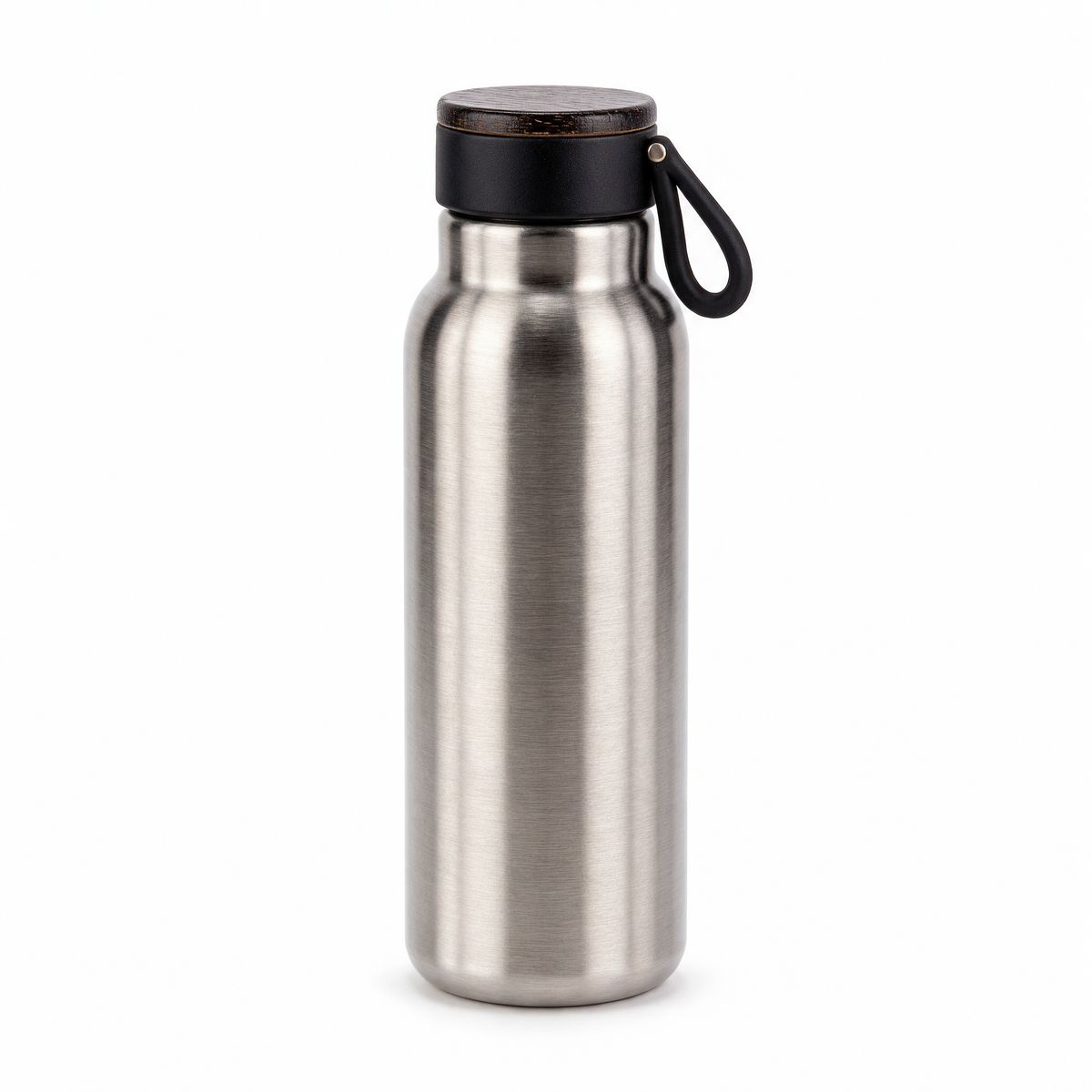
An e-commerce product photo of a brushed stainless steel insulated water bottle with a black bamboo-topped lid and a carry loop, standing upright on a white background. Even soft light, centered. Photoreal product photography.
- The style
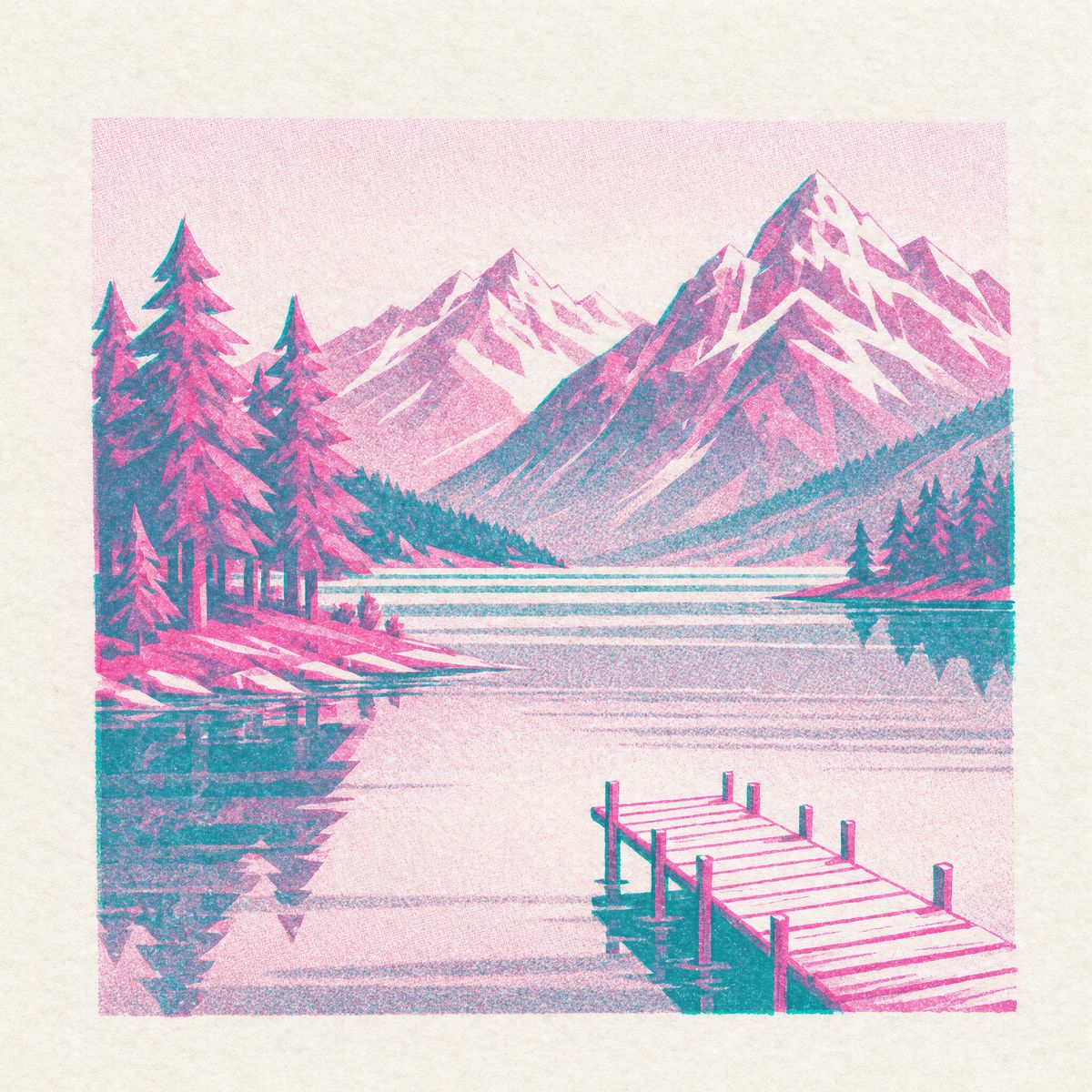
A risograph print illustration of a mountain lake with pine trees and a small wooden pier, printed in two inks, fluorescent pink and teal, with visible grain, halftone texture and slight misregistration between the colors. Flat shapes, no outlines, no text.


Listing two inks, grain, halftone and misregistration turns the style into a checklist the result can be measured against, and the keep clause makes sure the product is still recognizable once it is drawn.
Number of references
The limit is eight, but four or fewer keep every reference at full detail. From five references up, each one is resized to at most 1536 pixels on its longest side before the model sees it, which costs fine detail such as small print on a label. Around one megapixel per reference is enough for most jobs.
More references also mean more to reconcile. settings.thinkingLevel: "high" gives the model a stronger planning step for requests that combine several inputs, which is why the hero request above uses it. A single reference with a clear instruction does fine on the default fast.
With reference images, resolution (1K, 2K or 4K) sets the tier and lets the model frame the result. width and height fix the exact size instead, from the list in the prompting guide. The two cannot be sent together.
Tips for best results
- Name each reference by position and object. "The jacket from the second image" leaves no doubt about which input a clause refers to.
- Give every reference a role. A reference the prompt never mentions leaves the model to guess what it is for, so leave out anything without a job.
- Put the base scene first. When one image is the setting and the others are things to add, order the setting first and describe the additions relative to it.
- Resize a product in a second request. When an added product comes out too large, box it on the result and ask for it smaller than something in the scene.
- Close with a keep clause. List the faces and products that have to come back exactly as they went in.
- Stay at four references when detail matters. A fifth reference shrinks every input, including the one with the fine print.
- Use
highfor many-reference compositions. The stronger planning step is meant for requests that combine several inputs.