Bria Fibo Edit Tools

Bria Fibo Edit Tools is an image editing model that groups seven dedicated tools, each applied to a single source image. The tools are colorize (recolor a photo in contemporary, vivid, black-and-white, or sepia tones), relight (change the light type and direction), restore (repair old or degraded photos), blend (merge a prompted element, material, or style into the image), reseason (move the scene to spring, summer, autumn, or winter), sketch-to-image (turn a sketch into a finished image), and expand (extend the canvas beyond the original borders). Blend and expand are guided by a text prompt, while the other tools work from the image alone or with a preset choice.
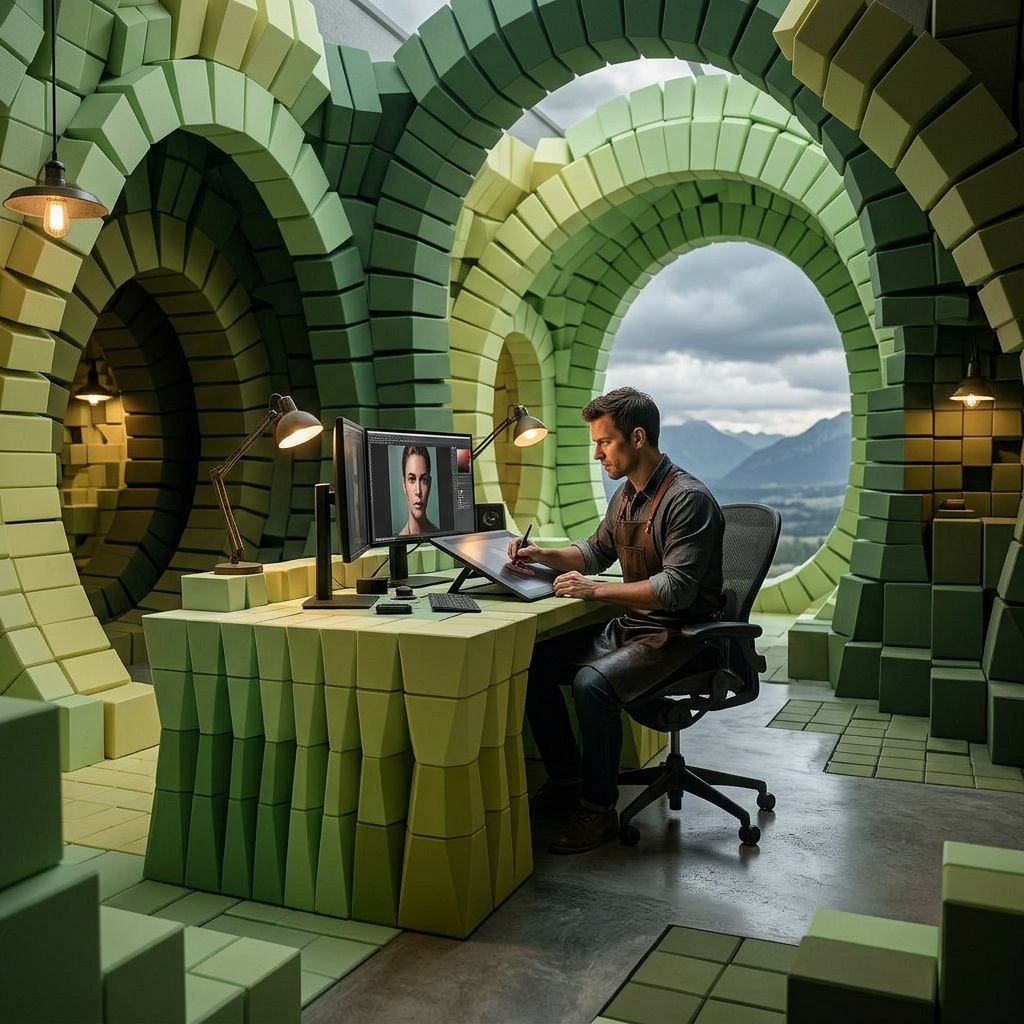
expand
Smart Beehive Panorama Extension$0.04~10s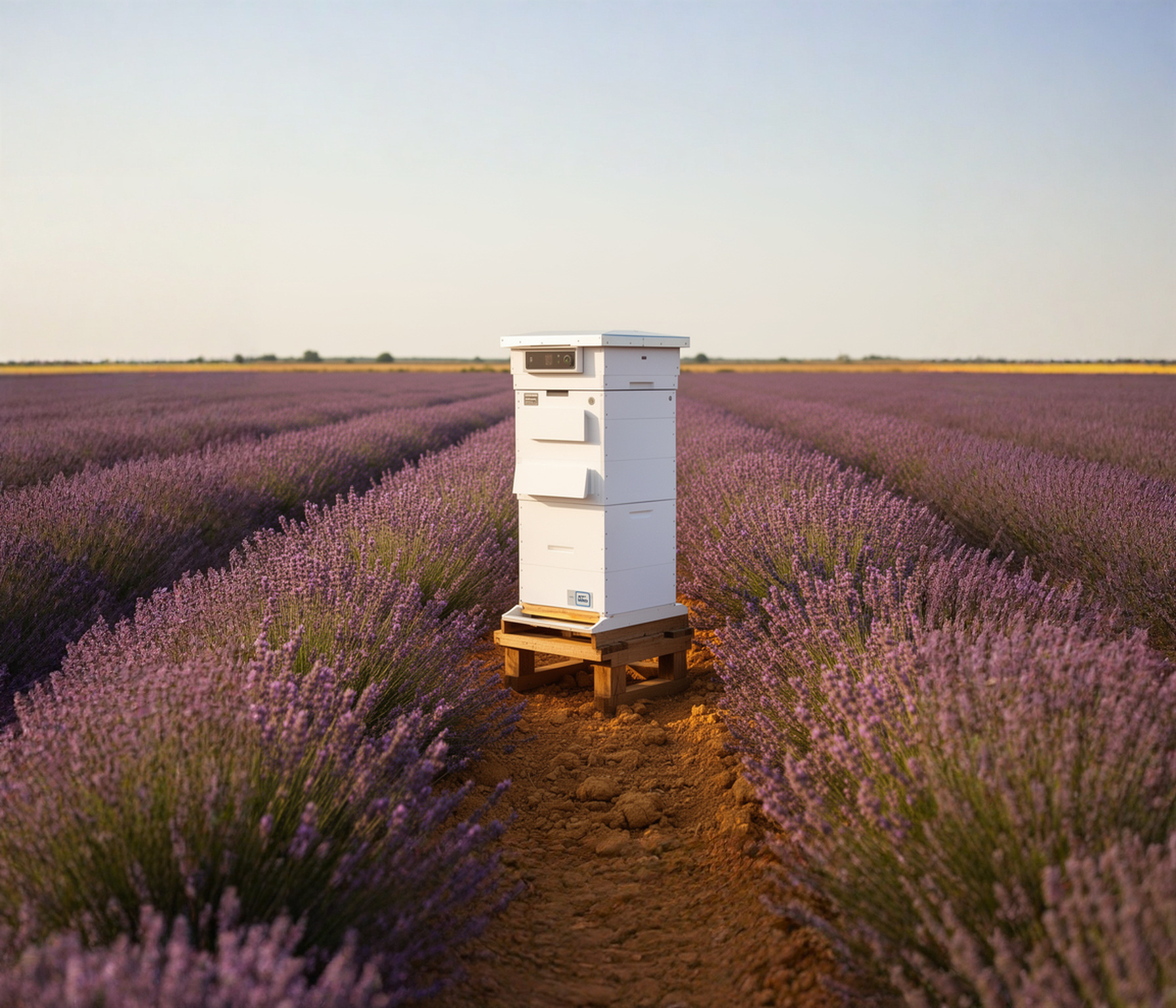
Preserve the original photograph and the central smart beehive exactly. Extend the surrounding scene naturally into every new border: continue the orderly lavender rows, scattered grasses, dry ochre soil, distant low farmland, and pale summer sky with consistent perspective and warm afternoon sunlight. Maintain realistic commercial photography, seamless depth, and a calm premium agricultural-technology mood. Keep the expanded environment uncluttered and do not add more hives, people, vehicles, signage, logos, or text.
import { createClient } from '@runware/sdk'

const client = await createClient({ apiKey: process.env.RUNWARE_API_KEY })
await client.connect()

const [result] = await client.run({
  model: 'bria:21@2',
  positivePrompt: 'Preserve the original photograph and the central smart beehive exactly. Extend the surrounding scene naturally into every new border: continue the orderly lavender rows, scattered grasses, dry ochre soil, distant low farmland, and pale summer sky with consistent perspective and warm afternoon sunlight. Maintain realistic commercial photography, seamless depth, and a calm premium agricultural-technology mood. Keep the expanded environment uncluttered and do not add more hives, people, vehicles, signage, logos, or text.',
  outpaint: {
    top: 256,
    bottom: 256,
    left: 384,
    right: 384
  },
  providerSettings: {
    bria: {
      edit: 'expand'
    }
  },
  inputs: {
    image: 'https://assets.runware.ai/assets/inputs/e78b56f0-c57c-4b39-8ff7-97e342f42820.jpg'
  }
})
import asyncio
import os
from runware import Runware
async def main():
async with Runware(api_key=os.environ["RUNWARE_API_KEY"]) as client:
results = await client.run({
"model": "bria:21@2",
"positivePrompt": "Preserve the original photograph and the central smart beehive exactly. Extend the surrounding scene naturally into every new border: continue the orderly lavender rows, scattered grasses, dry ochre soil, distant low farmland, and pale summer sky with consistent perspective and warm afternoon sunlight. Maintain realistic commercial photography, seamless depth, and a calm premium agricultural-technology mood. Keep the expanded environment uncluttered and do not add more hives, people, vehicles, signage, logos, or text.",
"outpaint": {
"top": 256,
"bottom": 256,
"left": 384,
"right": 384
},
"providerSettings": {
"bria": {
"edit": "expand"
}
},
"inputs": {
"image": "https://assets.runware.ai/assets/inputs/e78b56f0-c57c-4b39-8ff7-97e342f42820.jpg"
}
})
asyncio.run(main())curl https://api.runware.ai/v1 \
-H "Authorization: Bearer $RUNWARE_API_KEY" \
-H "Content-Type: application/json" \
-d '[
{
  "taskType": "imageInference",
  "taskUUID": "d5d53c01-ef3c-4878-8e47-f24aec6ac3b1",
  "model": "bria:21@2",
  "positivePrompt": "Preserve the original photograph and the central smart beehive exactly. Extend the surrounding scene naturally into every new border: continue the orderly lavender rows, scattered grasses, dry ochre soil, distant low farmland, and pale summer sky with consistent perspective and warm afternoon sunlight. Maintain realistic commercial photography, seamless depth, and a calm premium agricultural-technology mood. Keep the expanded environment uncluttered and do not add more hives, people, vehicles, signage, logos, or text.",
  "outpaint": {
    "top": 256,
    "bottom": 256,
    "left": 384,
    "right": 384
  },
  "providerSettings": {
    "bria": {
      "edit": "expand"
    }
  },
  "inputs": {
    "image": "https://assets.runware.ai/assets/inputs/e78b56f0-c57c-4b39-8ff7-97e342f42820.jpg"
  }
}
]'runware run bria:21@2 \
positivePrompt="Preserve the original photograph and the central smart beehive exactly. Extend the surrounding scene naturally into every new border: continue the orderly lavender rows, scattered grasses, dry ochre soil, distant low farmland, and pale summer sky with consistent perspective and warm afternoon sunlight. Maintain realistic commercial photography, seamless depth, and a calm premium agricultural-technology mood. Keep the expanded environment uncluttered and do not add more hives, people, vehicles, signage, logos, or text." \
outpaint.top=256 \
outpaint.bottom=256 \
outpaint.left=384 \
outpaint.right=384 \
providerSettings.bria.edit=expand \
inputs.image=https://assets.runware.ai/assets/inputs/e78b56f0-c57c-4b39-8ff7-97e342f42820.jpg{
"taskType": "imageInference",
"taskUUID": "d5d53c01-ef3c-4878-8e47-f24aec6ac3b1",
"model": "bria:21@2",
"positivePrompt": "Preserve the original photograph and the central smart beehive exactly. Extend the surrounding scene naturally into every new border: continue the orderly lavender rows, scattered grasses, dry ochre soil, distant low farmland, and pale summer sky with consistent perspective and warm afternoon sunlight. Maintain realistic commercial photography, seamless depth, and a calm premium agricultural-technology mood. Keep the expanded environment uncluttered and do not add more hives, people, vehicles, signage, logos, or text.",
"outpaint": {
"top": 256,
"bottom": 256,
"left": 384,
"right": 384
},
"providerSettings": {
"bria": {
"edit": "expand"
}
},
"inputs": {
"image": "https://assets.runware.ai/assets/inputs/e78b56f0-c57c-4b39-8ff7-97e342f42820.jpg"
}
}Response
{
  "taskType": "imageInference",
  "taskUUID": "d5d53c01-ef3c-4878-8e47-f24aec6ac3b1",
  "imageUUID": "dc922fc4-73ff-4d3e-bf1f-321cfefe2f03",
  "imageURL": "https://im.runware.ai/image/os/a05d22/ws/4/ii/dc922fc4-73ff-4d3e-bf1f-321cfefe2f03.jpg",
  "seed": 52695785,
  "cost": 0.04
}
colorize
Neon Workshop Archive Colorization$0.04~53s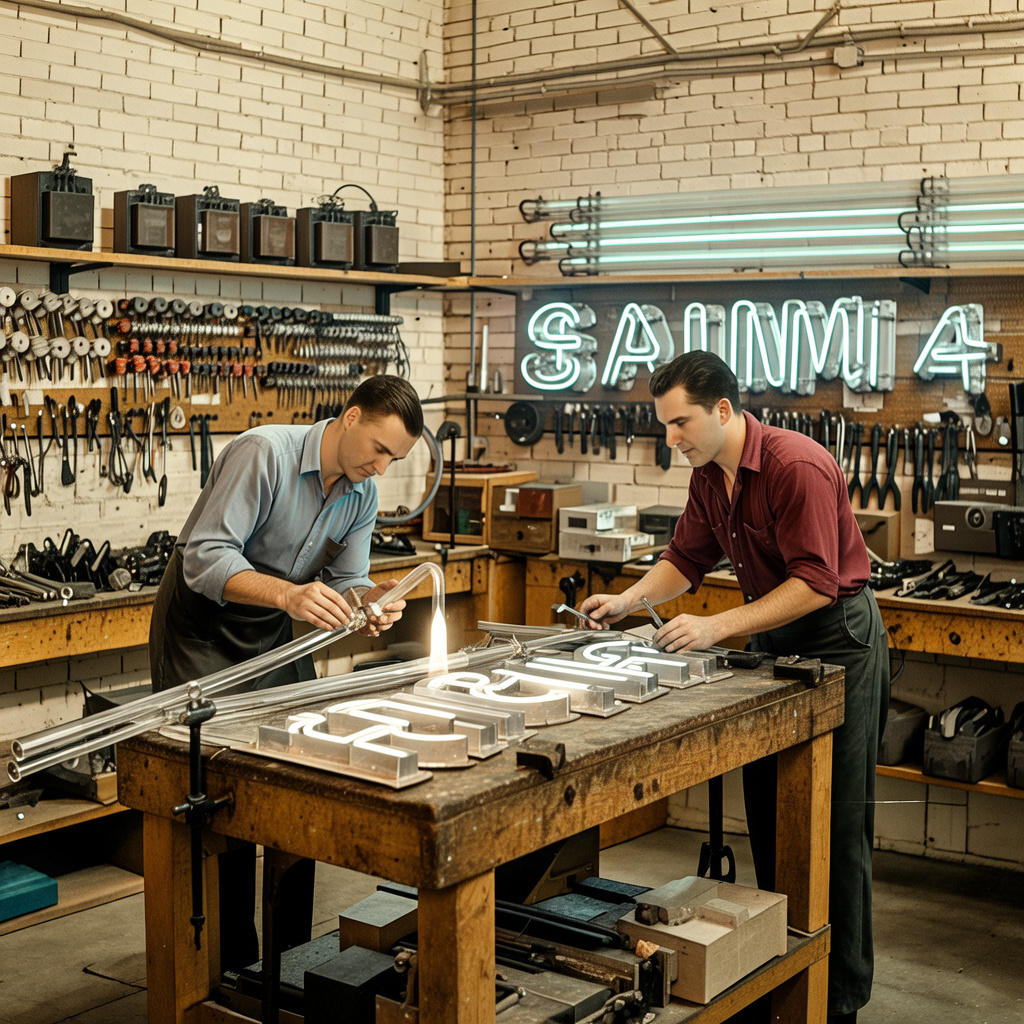
import { createClient } from '@runware/sdk'

const client = await createClient({ apiKey: process.env.RUNWARE_API_KEY })
await client.connect()

const [result] = await client.run({
  model: 'bria:21@2',
  providerSettings: {
    bria: {
      edit: 'colorize',
      color: 'contemporary color'
    }
  },
  inputs: {
    image: 'https://assets.runware.ai/assets/inputs/35947931-083f-4450-8c4a-dadfbe39034b.jpg'
  }
})
import asyncio
import os
from runware import Runware
async def main():
async with Runware(api_key=os.environ["RUNWARE_API_KEY"]) as client:
results = await client.run({
"model": "bria:21@2",
"providerSettings": {
"bria": {
"edit": "colorize",
"color": "contemporary color"
}
},
"inputs": {
"image": "https://assets.runware.ai/assets/inputs/35947931-083f-4450-8c4a-dadfbe39034b.jpg"
}
})
asyncio.run(main())curl https://api.runware.ai/v1 \
-H "Authorization: Bearer $RUNWARE_API_KEY" \
-H "Content-Type: application/json" \
-d '[
{
  "taskType": "imageInference",
  "taskUUID": "a8184e6a-8f4e-4563-a812-851663fda687",
  "model": "bria:21@2",
  "providerSettings": {
    "bria": {
      "edit": "colorize",
      "color": "contemporary color"
    }
  },
  "inputs": {
    "image": "https://assets.runware.ai/assets/inputs/35947931-083f-4450-8c4a-dadfbe39034b.jpg"
  }
}
]'runware run bria:21@2 \
providerSettings.bria.edit=colorize \
providerSettings.bria.color="contemporary color" \
inputs.image=https://assets.runware.ai/assets/inputs/35947931-083f-4450-8c4a-dadfbe39034b.jpg{
"taskType": "imageInference",
"taskUUID": "a8184e6a-8f4e-4563-a812-851663fda687",
"model": "bria:21@2",
"providerSettings": {
"bria": {
"edit": "colorize",
"color": "contemporary color"
}
},
"inputs": {
"image": "https://assets.runware.ai/assets/inputs/35947931-083f-4450-8c4a-dadfbe39034b.jpg"
}
}Response
{
  "taskType": "imageInference",
  "taskUUID": "a8184e6a-8f4e-4563-a812-851663fda687",
  "imageUUID": "6a9a088e-be08-46c5-b4fa-6a7cd4695529",
  "imageURL": "https://im.runware.ai/image/os/a04d20/ws/3/ii/6a9a088e-be08-46c5-b4fa-6a7cd4695529.jpg",
  "seed": 551870773,
  "cost": 0.04
}
reseason
Prefab Sauna Winter Variant$0.04~24s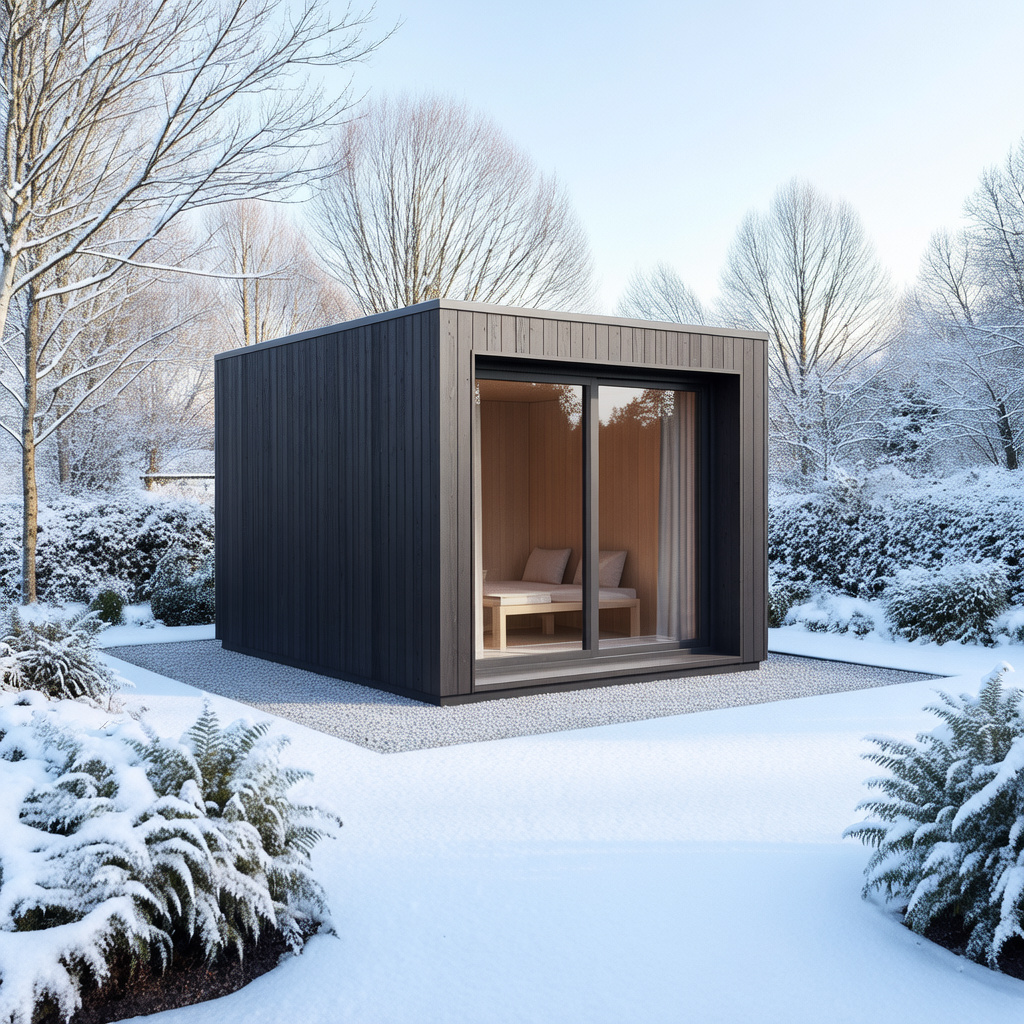
import { createClient } from '@runware/sdk'

const client = await createClient({ apiKey: process.env.RUNWARE_API_KEY })
await client.connect()

const [result] = await client.run({
  model: 'bria:21@2',
  providerSettings: {
    bria: {
      edit: 'reseason',
      season: 'winter'
    }
  },
  inputs: {
    image: 'https://assets.runware.ai/assets/inputs/dec2bcaf-f056-48a4-89dd-54ee84969df7.jpg'
  }
})
import asyncio
import os
from runware import Runware
async def main():
async with Runware(api_key=os.environ["RUNWARE_API_KEY"]) as client:
results = await client.run({
"model": "bria:21@2",
"providerSettings": {
"bria": {
"edit": "reseason",
"season": "winter"
}
},
"inputs": {
"image": "https://assets.runware.ai/assets/inputs/dec2bcaf-f056-48a4-89dd-54ee84969df7.jpg"
}
})
asyncio.run(main())curl https://api.runware.ai/v1 \
-H "Authorization: Bearer $RUNWARE_API_KEY" \
-H "Content-Type: application/json" \
-d '[
{
  "taskType": "imageInference",
  "taskUUID": "30935fd8-9015-4406-b50a-8b23ff03240e",
  "model": "bria:21@2",
  "providerSettings": {
    "bria": {
      "edit": "reseason",
      "season": "winter"
    }
  },
  "inputs": {
    "image": "https://assets.runware.ai/assets/inputs/dec2bcaf-f056-48a4-89dd-54ee84969df7.jpg"
  }
}
]'runware run bria:21@2 \
providerSettings.bria.edit=reseason \
providerSettings.bria.season=winter \
inputs.image=https://assets.runware.ai/assets/inputs/dec2bcaf-f056-48a4-89dd-54ee84969df7.jpg{
"taskType": "imageInference",
"taskUUID": "30935fd8-9015-4406-b50a-8b23ff03240e",
"model": "bria:21@2",
"providerSettings": {
"bria": {
"edit": "reseason",
"season": "winter"
}
},
"inputs": {
"image": "https://assets.runware.ai/assets/inputs/dec2bcaf-f056-48a4-89dd-54ee84969df7.jpg"
}
}Response
{
  "taskType": "imageInference",
  "taskUUID": "30935fd8-9015-4406-b50a-8b23ff03240e",
  "imageUUID": "9e6335b7-d349-4528-84b9-69370f1abe87",
  "imageURL": "https://im.runware.ai/image/os/a01d21/ws/3/ii/9e6335b7-d349-4528-84b9-69370f1abe87.jpg",
  "seed": 1866764419,
  "cost": 0.04
}
blend
Floating Wetland Keynote Backdrop$0.04~24s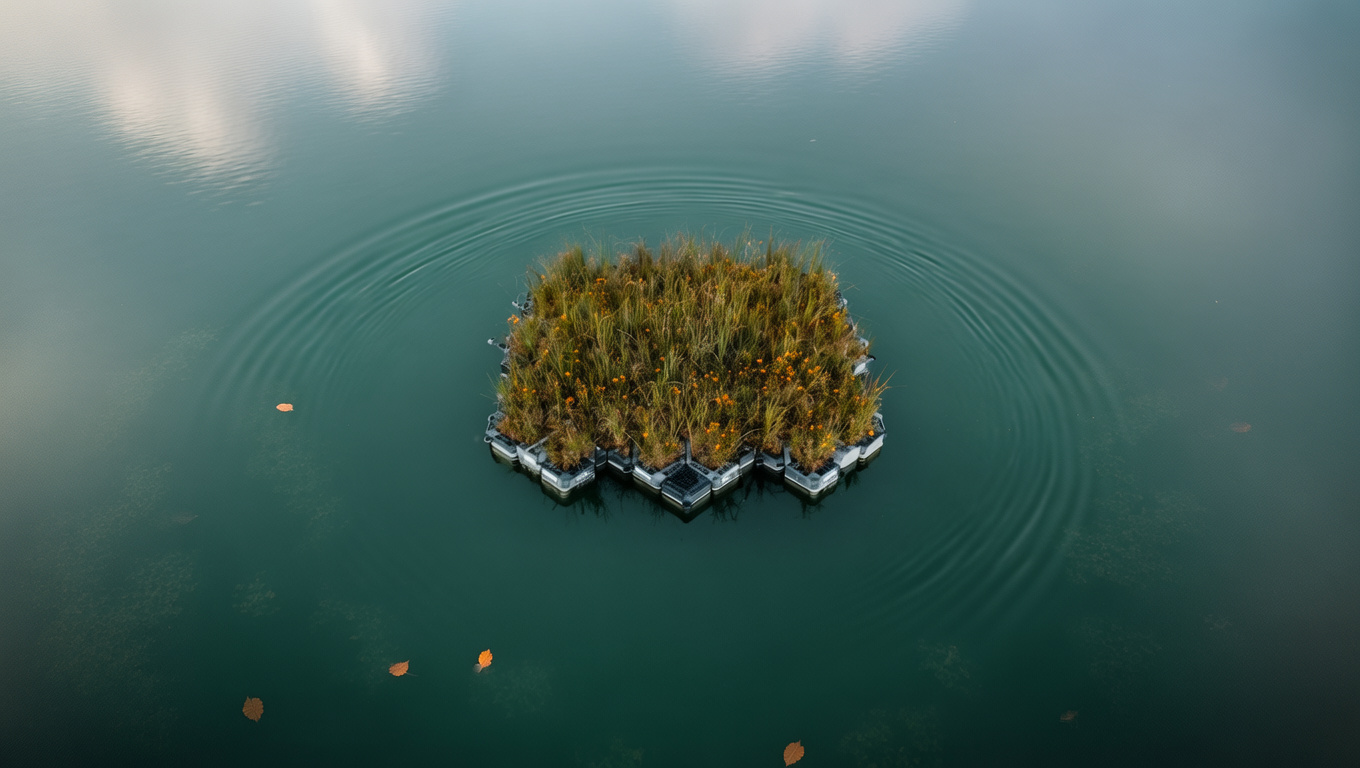
Preserve the centered floating wetland and its exact geometry, vegetation, materials, scale, and straight-down aerial perspective. Expand the photograph equally to the left and right into a clean cinematic panorama of the same dark teal reservoir. Continue the natural water texture, restrained cloud reflections, gentle ripples, and soft overcast illumination seamlessly across the new canvas. Add only faint submerged vegetation patterns and a few widely spaced drifting leaves near the outer edges, maintaining generous negative space for a professional environmental engineering keynote backdrop. Photorealistic conservation-documentary art direction, calm scientific mood, muted teal, moss green, and amber palette; no duplicate wetland modules, shoreline, boats, people, buildings, lettering, logos, borders, or visible seams.
import { createClient } from '@runware/sdk'

const client = await createClient({ apiKey: process.env.RUNWARE_API_KEY })
await client.connect()

const [result] = await client.run({
  model: 'bria:21@2',
  positivePrompt: 'Preserve the centered floating wetland and its exact geometry, vegetation, materials, scale, and straight-down aerial perspective. Expand the photograph equally to the left and right into a clean cinematic panorama of the same dark teal reservoir. Continue the natural water texture, restrained cloud reflections, gentle ripples, and soft overcast illumination seamlessly across the new canvas. Add only faint submerged vegetation patterns and a few widely spaced drifting leaves near the outer edges, maintaining generous negative space for a professional environmental engineering keynote backdrop. Photorealistic conservation-documentary art direction, calm scientific mood, muted teal, moss green, and amber palette; no duplicate wetland modules, shoreline, boats, people, buildings, lettering, logos, borders, or visible seams.',
  providerSettings: {
    bria: {
      edit: 'blend'
    }
  },
  inputs: {
    image: 'https://assets.runware.ai/assets/inputs/756f5454-7f66-4bbb-a3fe-4889299282ac.jpg'
  }
})
import asyncio
import os
from runware import Runware
async def main():
async with Runware(api_key=os.environ["RUNWARE_API_KEY"]) as client:
results = await client.run({
"model": "bria:21@2",
"positivePrompt": "Preserve the centered floating wetland and its exact geometry, vegetation, materials, scale, and straight-down aerial perspective. Expand the photograph equally to the left and right into a clean cinematic panorama of the same dark teal reservoir. Continue the natural water texture, restrained cloud reflections, gentle ripples, and soft overcast illumination seamlessly across the new canvas. Add only faint submerged vegetation patterns and a few widely spaced drifting leaves near the outer edges, maintaining generous negative space for a professional environmental engineering keynote backdrop. Photorealistic conservation-documentary art direction, calm scientific mood, muted teal, moss green, and amber palette; no duplicate wetland modules, shoreline, boats, people, buildings, lettering, logos, borders, or visible seams.",
"providerSettings": {
"bria": {
"edit": "blend"
}
},
"inputs": {
"image": "https://assets.runware.ai/assets/inputs/756f5454-7f66-4bbb-a3fe-4889299282ac.jpg"
}
})
asyncio.run(main())curl https://api.runware.ai/v1 \
-H "Authorization: Bearer $RUNWARE_API_KEY" \
-H "Content-Type: application/json" \
-d '[
{
  "taskType": "imageInference",
  "taskUUID": "341fb5dd-221e-4d93-aa35-6f16a6ab4954",
  "model": "bria:21@2",
  "positivePrompt": "Preserve the centered floating wetland and its exact geometry, vegetation, materials, scale, and straight-down aerial perspective. Expand the photograph equally to the left and right into a clean cinematic panorama of the same dark teal reservoir. Continue the natural water texture, restrained cloud reflections, gentle ripples, and soft overcast illumination seamlessly across the new canvas. Add only faint submerged vegetation patterns and a few widely spaced drifting leaves near the outer edges, maintaining generous negative space for a professional environmental engineering keynote backdrop. Photorealistic conservation-documentary art direction, calm scientific mood, muted teal, moss green, and amber palette; no duplicate wetland modules, shoreline, boats, people, buildings, lettering, logos, borders, or visible seams.",
  "providerSettings": {
    "bria": {
      "edit": "blend"
    }
  },
  "inputs": {
    "image": "https://assets.runware.ai/assets/inputs/756f5454-7f66-4bbb-a3fe-4889299282ac.jpg"
  }
}
]'runware run bria:21@2 \
positivePrompt="Preserve the centered floating wetland and its exact geometry, vegetation, materials, scale, and straight-down aerial perspective. Expand the photograph equally to the left and right into a clean cinematic panorama of the same dark teal reservoir. Continue the natural water texture, restrained cloud reflections, gentle ripples, and soft overcast illumination seamlessly across the new canvas. Add only faint submerged vegetation patterns and a few widely spaced drifting leaves near the outer edges, maintaining generous negative space for a professional environmental engineering keynote backdrop. Photorealistic conservation-documentary art direction, calm scientific mood, muted teal, moss green, and amber palette; no duplicate wetland modules, shoreline, boats, people, buildings, lettering, logos, borders, or visible seams." \
providerSettings.bria.edit=blend \
inputs.image=https://assets.runware.ai/assets/inputs/756f5454-7f66-4bbb-a3fe-4889299282ac.jpg{
"taskType": "imageInference",
"taskUUID": "341fb5dd-221e-4d93-aa35-6f16a6ab4954",
"model": "bria:21@2",
"positivePrompt": "Preserve the centered floating wetland and its exact geometry, vegetation, materials, scale, and straight-down aerial perspective. Expand the photograph equally to the left and right into a clean cinematic panorama of the same dark teal reservoir. Continue the natural water texture, restrained cloud reflections, gentle ripples, and soft overcast illumination seamlessly across the new canvas. Add only faint submerged vegetation patterns and a few widely spaced drifting leaves near the outer edges, maintaining generous negative space for a professional environmental engineering keynote backdrop. Photorealistic conservation-documentary art direction, calm scientific mood, muted teal, moss green, and amber palette; no duplicate wetland modules, shoreline, boats, people, buildings, lettering, logos, borders, or visible seams.",
"providerSettings": {
"bria": {
"edit": "blend"
}
},
"inputs": {
"image": "https://assets.runware.ai/assets/inputs/756f5454-7f66-4bbb-a3fe-4889299282ac.jpg"
}
}Response
{
  "taskType": "imageInference",
  "taskUUID": "341fb5dd-221e-4d93-aa35-6f16a6ab4954",
  "imageUUID": "ce2294f7-79b2-49b5-abe9-71be8a15415e",
  "imageURL": "https://im.runware.ai/image/os/a05d22/ws/3/ii/ce2294f7-79b2-49b5-abe9-71be8a15415e.jpg",
  "seed": 869109267,
  "cost": 0.04
}
restore
Saturation Diver Archive Headshot$0.04~22s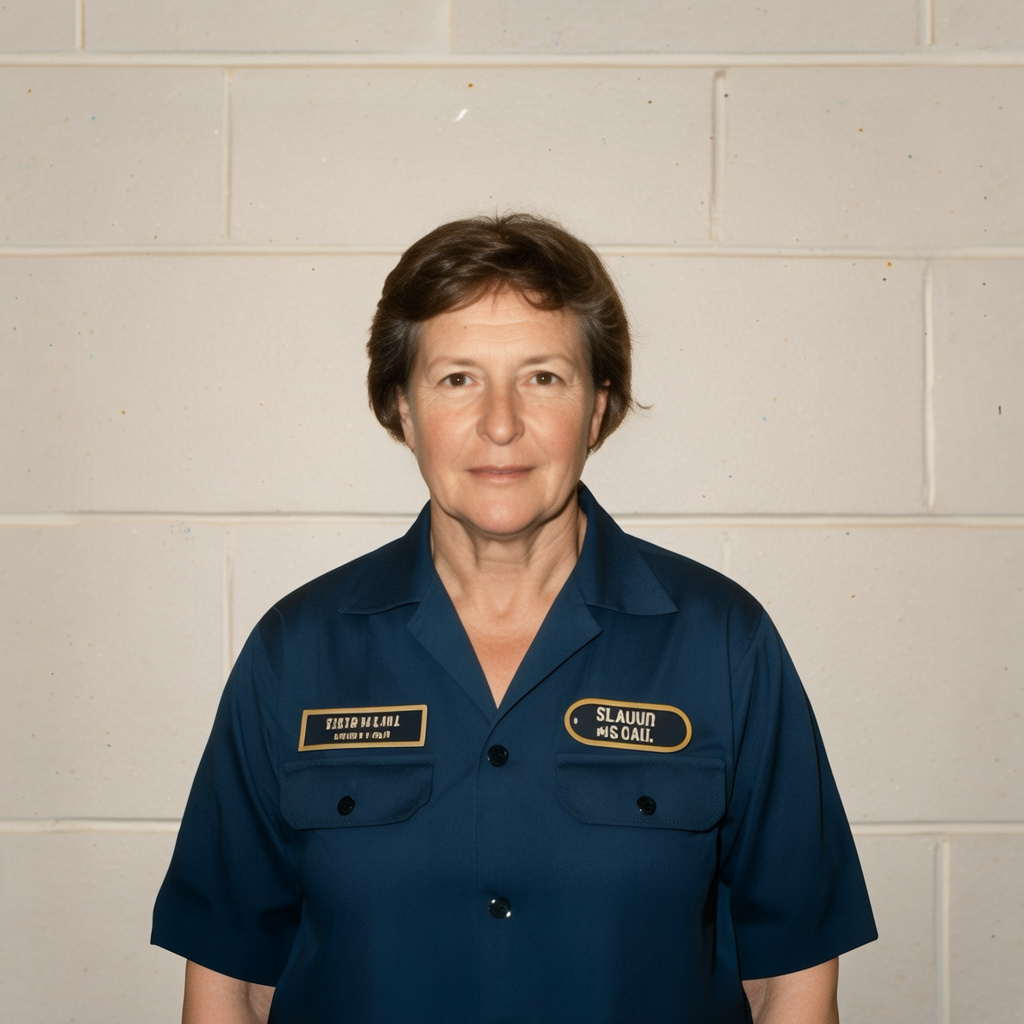
import { createClient } from '@runware/sdk'

const client = await createClient({ apiKey: process.env.RUNWARE_API_KEY })
await client.connect()

const [result] = await client.run({
  model: 'bria:21@2',
  providerSettings: {
    bria: {
      edit: 'restore'
    }
  },
  inputs: {
    image: 'https://assets.runware.ai/assets/inputs/8f62704d-825f-4eb3-a971-39469cfeb806.jpg'
  }
})
import asyncio
import os
from runware import Runware
async def main():
async with Runware(api_key=os.environ["RUNWARE_API_KEY"]) as client:
results = await client.run({
"model": "bria:21@2",
"providerSettings": {
"bria": {
"edit": "restore"
}
},
"inputs": {
"image": "https://assets.runware.ai/assets/inputs/8f62704d-825f-4eb3-a971-39469cfeb806.jpg"
}
})
asyncio.run(main())curl https://api.runware.ai/v1 \
-H "Authorization: Bearer $RUNWARE_API_KEY" \
-H "Content-Type: application/json" \
-d '[
{
  "taskType": "imageInference",
  "taskUUID": "a08e76e4-50ce-40e5-badb-2485eac27210",
  "model": "bria:21@2",
  "providerSettings": {
    "bria": {
      "edit": "restore"
    }
  },
  "inputs": {
    "image": "https://assets.runware.ai/assets/inputs/8f62704d-825f-4eb3-a971-39469cfeb806.jpg"
  }
}
]'runware run bria:21@2 \
providerSettings.bria.edit=restore \
inputs.image=https://assets.runware.ai/assets/inputs/8f62704d-825f-4eb3-a971-39469cfeb806.jpg{
"taskType": "imageInference",
"taskUUID": "a08e76e4-50ce-40e5-badb-2485eac27210",
"model": "bria:21@2",
"providerSettings": {
"bria": {
"edit": "restore"
}
},
"inputs": {
"image": "https://assets.runware.ai/assets/inputs/8f62704d-825f-4eb3-a971-39469cfeb806.jpg"
}
}Response
{
  "taskType": "imageInference",
  "taskUUID": "a08e76e4-50ce-40e5-badb-2485eac27210",
  "imageUUID": "d4f23328-568b-4bef-aa53-b53034ca822f",
  "imageURL": "https://im.runware.ai/image/os/a10dlim3/ws/3/ii/d4f23328-568b-4bef-aa53-b53034ca822f.jpg",
  "seed": 895979612,
  "cost": 0.04
}
sketch-to-image
Panoramic Seafloor Trencher Concept Art$0.04~17s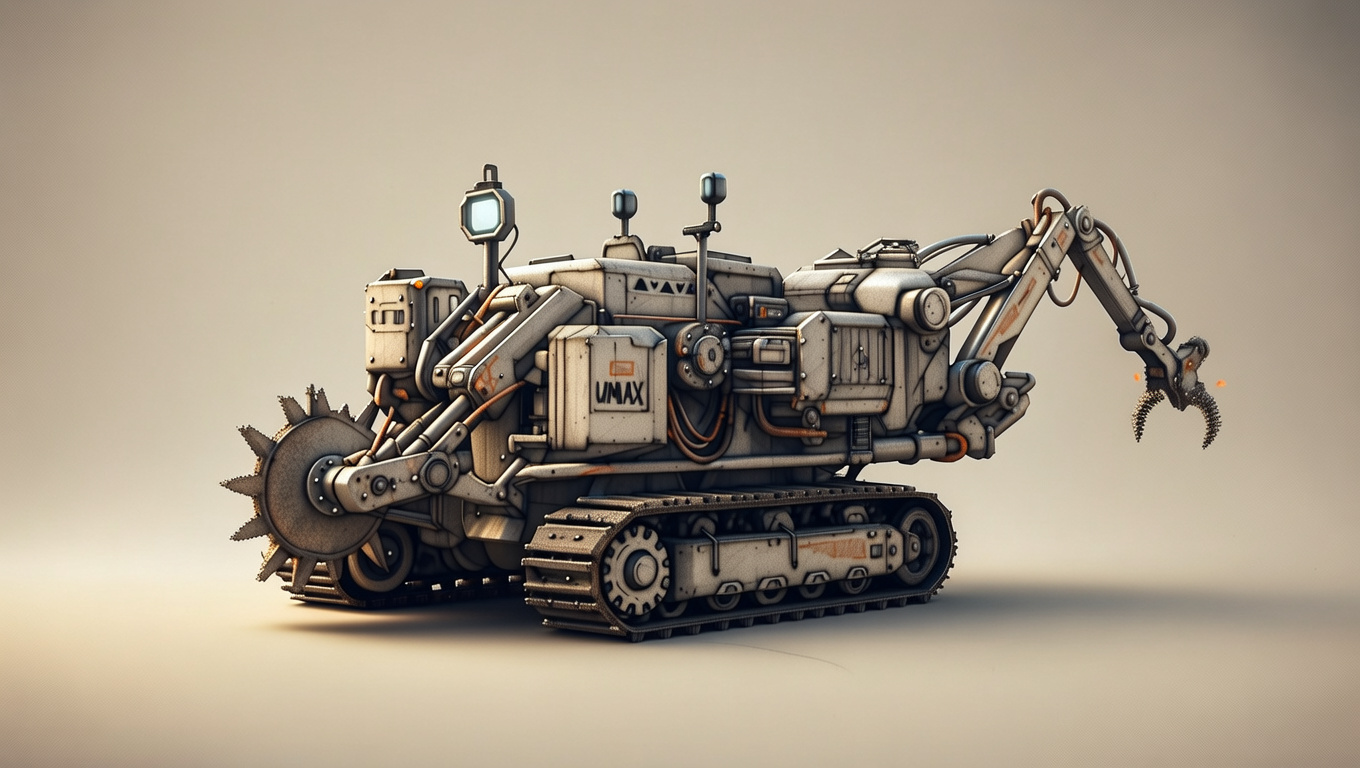
import { createClient } from '@runware/sdk'

const client = await createClient({ apiKey: process.env.RUNWARE_API_KEY })
await client.connect()

const [result] = await client.run({
  model: 'bria:21@2',
  providerSettings: {
    bria: {
      edit: 'sketch_to_image'
    }
  },
  inputs: {
    image: 'https://assets.runware.ai/assets/inputs/76b58e80-70a9-4384-81e8-a4879d8f58bb.jpg'
  }
})
import asyncio
import os
from runware import Runware
async def main():
async with Runware(api_key=os.environ["RUNWARE_API_KEY"]) as client:
results = await client.run({
"model": "bria:21@2",
"providerSettings": {
"bria": {
"edit": "sketch_to_image"
}
},
"inputs": {
"image": "https://assets.runware.ai/assets/inputs/76b58e80-70a9-4384-81e8-a4879d8f58bb.jpg"
}
})
asyncio.run(main())curl https://api.runware.ai/v1 \
-H "Authorization: Bearer $RUNWARE_API_KEY" \
-H "Content-Type: application/json" \
-d '[
{
  "taskType": "imageInference",
  "taskUUID": "f2b51625-c499-440c-9a9f-ddc70fcbbf21",
  "model": "bria:21@2",
  "providerSettings": {
    "bria": {
      "edit": "sketch_to_image"
    }
  },
  "inputs": {
    "image": "https://assets.runware.ai/assets/inputs/76b58e80-70a9-4384-81e8-a4879d8f58bb.jpg"
  }
}
]'runware run bria:21@2 \
providerSettings.bria.edit=sketch_to_image \
inputs.image=https://assets.runware.ai/assets/inputs/76b58e80-70a9-4384-81e8-a4879d8f58bb.jpg{
"taskType": "imageInference",
"taskUUID": "f2b51625-c499-440c-9a9f-ddc70fcbbf21",
"model": "bria:21@2",
"providerSettings": {
"bria": {
"edit": "sketch_to_image"
}
},
"inputs": {
"image": "https://assets.runware.ai/assets/inputs/76b58e80-70a9-4384-81e8-a4879d8f58bb.jpg"
}
}Response
{
  "taskType": "imageInference",
  "taskUUID": "f2b51625-c499-440c-9a9f-ddc70fcbbf21",
  "imageUUID": "4e1826dd-768e-4f43-80da-3b575a2f4f22",
  "imageURL": "https://im.runware.ai/image/os/a05d22/ws/3/ii/4e1826dd-768e-4f43-80da-3b575a2f4f22.jpg",
  "seed": 372161764,
  "cost": 0.04
}
relight
Chiaroscuro Artifact Catalog Portrait$0.04~22s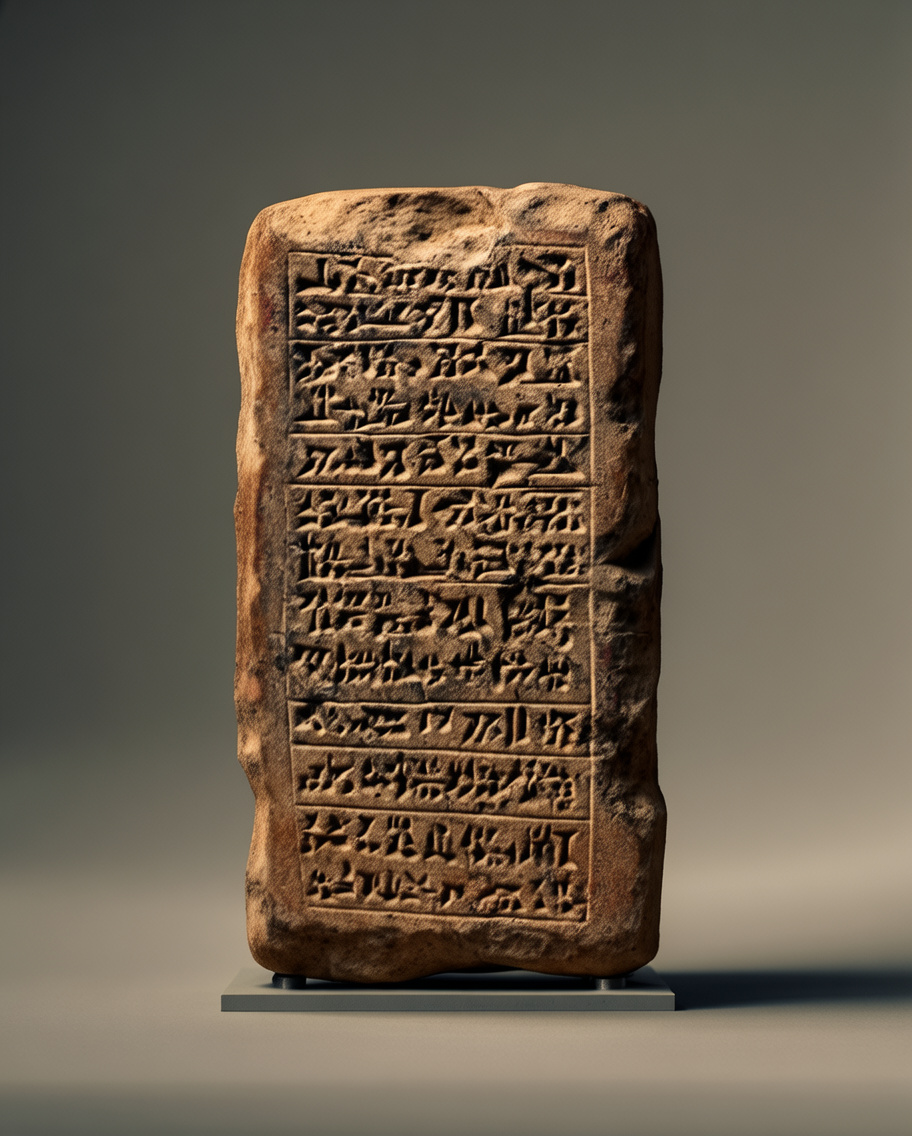
import { createClient } from '@runware/sdk'

const client = await createClient({ apiKey: process.env.RUNWARE_API_KEY })
await client.connect()

const [result] = await client.run({
  model: 'bria:21@2',
  providerSettings: {
    bria: {
      edit: 'relight',
      lightDirection: 'side',
      lightType: 'low-angle sunlight'
    }
  },
  inputs: {
    image: 'https://assets.runware.ai/assets/inputs/5b245f95-8b87-4e48-849e-cb1a2972de95.jpg'
  }
})
import asyncio
import os
from runware import Runware
async def main():
async with Runware(api_key=os.environ["RUNWARE_API_KEY"]) as client:
results = await client.run({
"model": "bria:21@2",
"providerSettings": {
"bria": {
"edit": "relight",
"lightDirection": "side",
"lightType": "low-angle sunlight"
}
},
"inputs": {
"image": "https://assets.runware.ai/assets/inputs/5b245f95-8b87-4e48-849e-cb1a2972de95.jpg"
}
})
asyncio.run(main())curl https://api.runware.ai/v1 \
-H "Authorization: Bearer $RUNWARE_API_KEY" \
-H "Content-Type: application/json" \
-d '[
{
  "taskType": "imageInference",
  "taskUUID": "12c89b4b-2f02-45b2-a32b-17d100626681",
  "model": "bria:21@2",
  "providerSettings": {
    "bria": {
      "edit": "relight",
      "lightDirection": "side",
      "lightType": "low-angle sunlight"
    }
  },
  "inputs": {
    "image": "https://assets.runware.ai/assets/inputs/5b245f95-8b87-4e48-849e-cb1a2972de95.jpg"
  }
}
]'runware run bria:21@2 \
providerSettings.bria.edit=relight \
providerSettings.bria.lightDirection=side \
providerSettings.bria.lightType="low-angle sunlight" \
inputs.image=https://assets.runware.ai/assets/inputs/5b245f95-8b87-4e48-849e-cb1a2972de95.jpg{
"taskType": "imageInference",
"taskUUID": "12c89b4b-2f02-45b2-a32b-17d100626681",
"model": "bria:21@2",
"providerSettings": {
"bria": {
"edit": "relight",
"lightDirection": "side",
"lightType": "low-angle sunlight"
}
},
"inputs": {
"image": "https://assets.runware.ai/assets/inputs/5b245f95-8b87-4e48-849e-cb1a2972de95.jpg"
}
}Response
{
  "taskType": "imageInference",
  "taskUUID": "12c89b4b-2f02-45b2-a32b-17d100626681",
  "imageUUID": "ecd516fe-fd51-4253-b212-af5fdd398395",
  "imageURL": "https://im.runware.ai/image/os/a03d21/ws/3/ii/ecd516fe-fd51-4253-b212-af5fdd398395.jpg",
  "seed": 1440808314,
  "cost": 0.04
}