P-Video-Edit

P-Video-Edit is Pruna AI's instruction-based video editing model for changing an existing clip while preserving its motion, scene structure, and audio. Give it a source video and a text instruction to make attribute, object, or environment edits; up to four reference images can guide identity, style, or other supported changes. A draft mode supports faster iteration before rendering the final edit at full quality.
Editing with reference images
How to steer a Pruna P-Video-Edit edit with up to four reference images, when a still pins down a product or garment better than words, and how references differ from P-Video-Replace.
Introduction
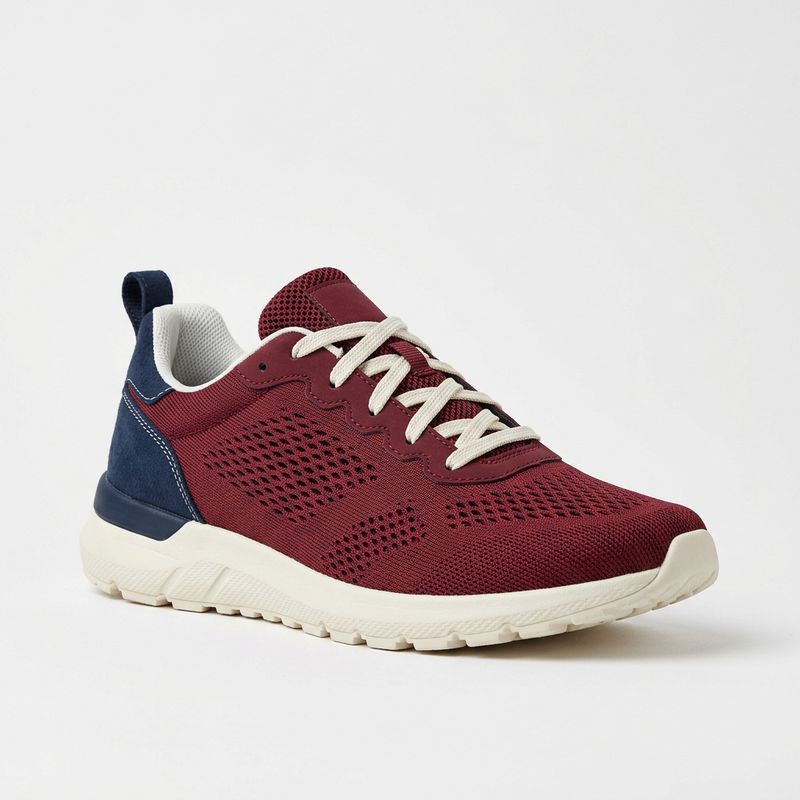
Words run out when the thing you want is a specific object. You can write "a burgundy mesh running shoe with a cream sole" and get a burgundy running shoe, but you will not get the one in your catalogue, with its exact panel seams and its exact heel colour. For a SKU that has to match, a description is an approximation.
inputs.referenceImages closes that gap. You attach up to four stills alongside the source clip, and the model treats them as the specification for what the edit should produce rather than as something to interpret.
Replace the white sneaker with the shoe shown in the reference image. Match its burgundy mesh upper, the navy heel panel, the cream sole and the flat cream laces exactly. Keep the turntable, its rotation speed, the shoe's position and contact with the stand, the background and the studio lighting unchanged.
- Source clip
- Reference shoe

This guide covers the request, when a reference beats a description, referencing products and garments, using more than one still, and where the boundary with P-Video-Replace sits.
The request
References ride along in the same inputs object as the source clip. The field accepts one to four images as URLs, UUIDs, data URIs or base64.
import { createClient } from '@runware/sdk'

const client = await createClient({ apiKey: process.env.RUNWARE_API_KEY })
await client.connect()

const [result] = await client.run({
  model: 'prunaai:p-video@edit',
  positivePrompt: 'Replace the white sneaker with the shoe shown in the reference image. Match its burgundy mesh upper, the navy heel panel, the cream sole and the flat cream laces exactly. Keep the turntable, its rotation speed, the shoe\'s position and contact with the stand, the background and the studio lighting unchanged.',
  inputs: {
    video: 'https://vm.runware.ai/video/os/a14d18/ws/2/vi/3c8b1d95-2e47-4a13-b850-6f9d2c7a1e34.mp4',
    referenceImages: [
      'https://im.runware.ai/image/os/a14d18/ws/2/ii/8f2d5c60-1b93-4e27-a541-9c3e7b8d2054.jpg'
    ]
  },
  deliveryMethod: 'async'
})
import asyncio
import os
from runware import Runware
async def main():
async with Runware(api_key=os.environ["RUNWARE_API_KEY"]) as client:
results = await client.run({
"model": "prunaai:p-video@edit",
"positivePrompt": "Replace the white sneaker with the shoe shown in the reference image. Match its burgundy mesh upper, the navy heel panel, the cream sole and the flat cream laces exactly. Keep the turntable, its rotation speed, the shoe's position and contact with the stand, the background and the studio lighting unchanged.",
"inputs": {
"video": "https://vm.runware.ai/video/os/a14d18/ws/2/vi/3c8b1d95-2e47-4a13-b850-6f9d2c7a1e34.mp4",
"referenceImages": [
"https://im.runware.ai/image/os/a14d18/ws/2/ii/8f2d5c60-1b93-4e27-a541-9c3e7b8d2054.jpg"
]
},
"deliveryMethod": "async"
})
asyncio.run(main())curl https://api.runware.ai/v1 \
-H "Authorization: Bearer $RUNWARE_API_KEY" \
-H "Content-Type: application/json" \
-d '[
{
  "taskType": "videoInference",
  "taskUUID": "e5a9c317-8d24-4b60-9f13-7c2e8a5d0b46",
  "model": "prunaai:p-video@edit",
  "positivePrompt": "Replace the white sneaker with the shoe shown in the reference image. Match its burgundy mesh upper, the navy heel panel, the cream sole and the flat cream laces exactly. Keep the turntable, its rotation speed, the shoe's position and contact with the stand, the background and the studio lighting unchanged.",
  "inputs": {
    "video": "https://vm.runware.ai/video/os/a14d18/ws/2/vi/3c8b1d95-2e47-4a13-b850-6f9d2c7a1e34.mp4",
    "referenceImages": [
      "https://im.runware.ai/image/os/a14d18/ws/2/ii/8f2d5c60-1b93-4e27-a541-9c3e7b8d2054.jpg"
    ]
  },
  "deliveryMethod": "async"
}
]'runware run prunaai:p-video@edit \
positivePrompt="Replace the white sneaker with the shoe shown in the reference image. Match its burgundy mesh upper, the navy heel panel, the cream sole and the flat cream laces exactly. Keep the turntable, its rotation speed, the shoe's position and contact with the stand, the background and the studio lighting unchanged." \
inputs.video=https://vm.runware.ai/video/os/a14d18/ws/2/vi/3c8b1d95-2e47-4a13-b850-6f9d2c7a1e34.mp4 \
inputs.referenceImages.0=https://im.runware.ai/image/os/a14d18/ws/2/ii/8f2d5c60-1b93-4e27-a541-9c3e7b8d2054.jpg \
deliveryMethod=async{
"taskType": "videoInference",
"taskUUID": "e5a9c317-8d24-4b60-9f13-7c2e8a5d0b46",
"model": "prunaai:p-video@edit",
"positivePrompt": "Replace the white sneaker with the shoe shown in the reference image. Match its burgundy mesh upper, the navy heel panel, the cream sole and the flat cream laces exactly. Keep the turntable, its rotation speed, the shoe's position and contact with the stand, the background and the studio lighting unchanged.",
"inputs": {
"video": "https://vm.runware.ai/video/os/a14d18/ws/2/vi/3c8b1d95-2e47-4a13-b850-6f9d2c7a1e34.mp4",
"referenceImages": [
"https://im.runware.ai/image/os/a14d18/ws/2/ii/8f2d5c60-1b93-4e27-a541-9c3e7b8d2054.jpg"
]
},
"deliveryMethod": "async"
}Response
[
  {
    "taskType": "videoInference",
    "taskUUID": "e5a9c317-8d24-4b60-9f13-7c2e8a5d0b46",
    "videoUUID": "6d1a8e43-9c25-4f70-b382-4a7c1e9d5b60",
    "videoURL": "https://vm.runware.ai/video/os/a14d18/ws/2/vi/6d1a8e43-9c25-4f70-b382-4a7c1e9d5b60.mp4"
  }
]
The field is optional, and positivePrompt stays required whether you send references or not, written the way editing video sets out. A reference says what something should look like, and the prompt is where you say which thing it replaces and what stays, which the model can often infer but should not have to.
When a reference beats a description
A description gets you the category. A reference gets you the item. The same edit below, asked once in words and once with a still attached.
Replace the white sneaker with a burgundy mesh running shoe with a navy heel panel, a cream rubber sole and flat cream laces. Keep the turntable, its rotation speed, the shoe's position and contact with the stand, the background and the studio lighting unchanged.
Replace the white sneaker with the shoe shown in the reference image. Match its burgundy mesh upper, the navy heel panel, the cream sole and the flat cream laces exactly. Keep the turntable, its rotation speed, the shoe's position and contact with the stand, the background and the studio lighting unchanged.
Both are burgundy running shoes and only one is the shoe. The described version invents its own panel construction, which is fine for a mood piece and useless for a product listing. Reach for a reference whenever the output has to match something that already exists, and stay with words when the change is generic, since a colour swap needs no photograph.
Referencing a product or a garment
The instruction still does the pointing. A reference answers "what should it look like", and the prompt has to answer which thing in the clip it replaces and what must survive the swap.
Replace the beige trench coat with the mustard-yellow wool overcoat shown in the reference image. Match its colour, its wide notch lapels, its double-breasted front and its tortoiseshell buttons. Keep the woman, her face, her hair, her walk, the turn, the backdrop, the studio lighting and the camera unchanged.
- Source clip
- Reference coat
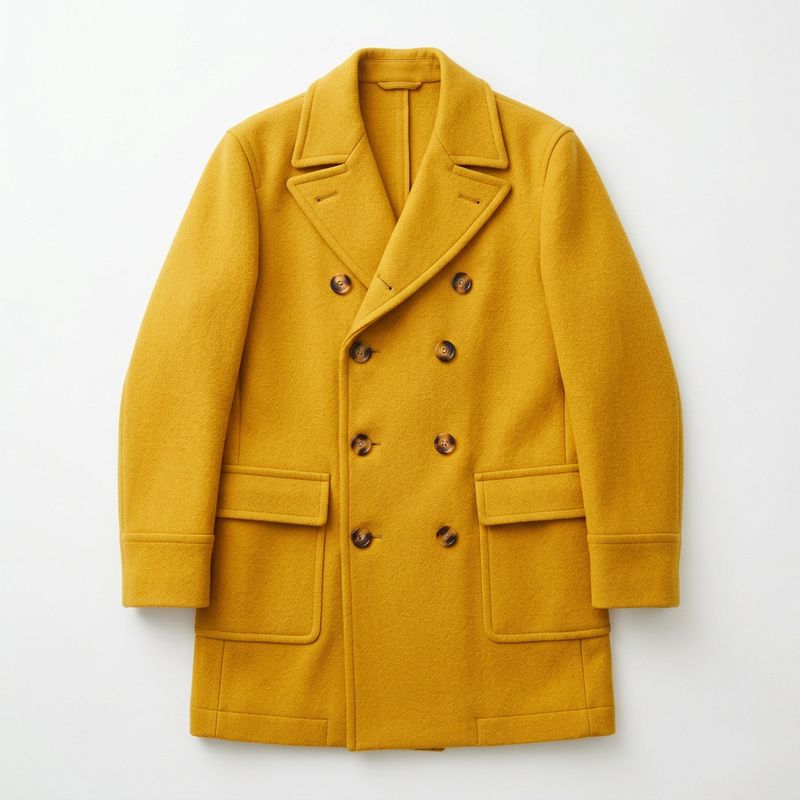

A garment is a harder reference than a rigid product, because the coat has to take on the motion that was filmed rather than sit where the still put it. Naming the structural details, the lapels and the button placement, gives the model the parts that have to survive being draped and swung. The performance underneath is untouched, which is the point of doing this as an edit instead of a reshoot.
The instruction is carrying less than it looks. Below is the same reference, once with a full instruction and once with none at all:
Use the reference image.
Replace the beige trench coat with the mustard-yellow wool overcoat shown in the reference image. Match its colour, its wide notch lapels, its double-breasted front and its tortoiseshell buttons. Keep the woman, her face, her hair, her walk, the turn, the backdrop, the studio lighting and the camera unchanged.
These land in the same place. With one reference and one obvious candidate in the frame, the model works out that the coat is the thing to swap, and the backdrop comes back untouched either way. A bare reference is not the failure it looks like it should be.
What the instruction buys you is control once that inference gets harder. Send several references, or point at a clip holding two garments and a bag, and "use the reference image" stops having an obvious reading. The naming also protects what you did not mention, which matters more the more there is in shot. Write the instruction for the ambiguous case, because the run where you needed it is not the run where you find out.
Using more than one reference
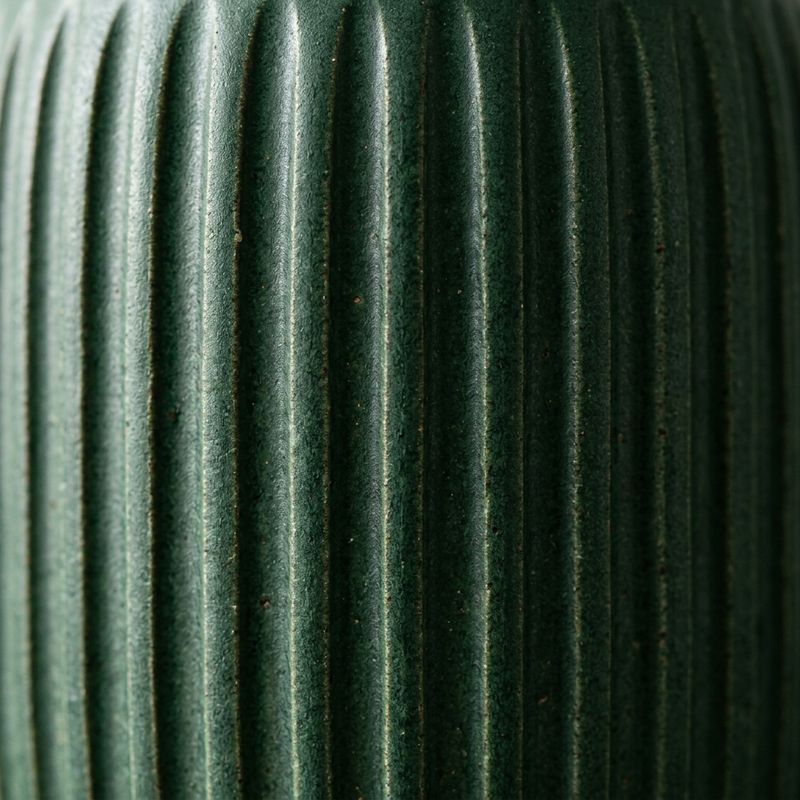
Four slots exist so one object can be specified from more than one angle, or at more than one scale. Two stills of the same vase, one full and one close on the glaze, pin down both the silhouette and the surface.
Replace the white ceramic vase on the sideboard with the vase shown in the reference images. Match its deep forest green colour, its narrow neck and the vertical ribbed texture shown in the close detail reference. Keep the dried stems, the sideboard, the plaster wall, the daylight and the camera move unchanged.
- Source clip
- Full product
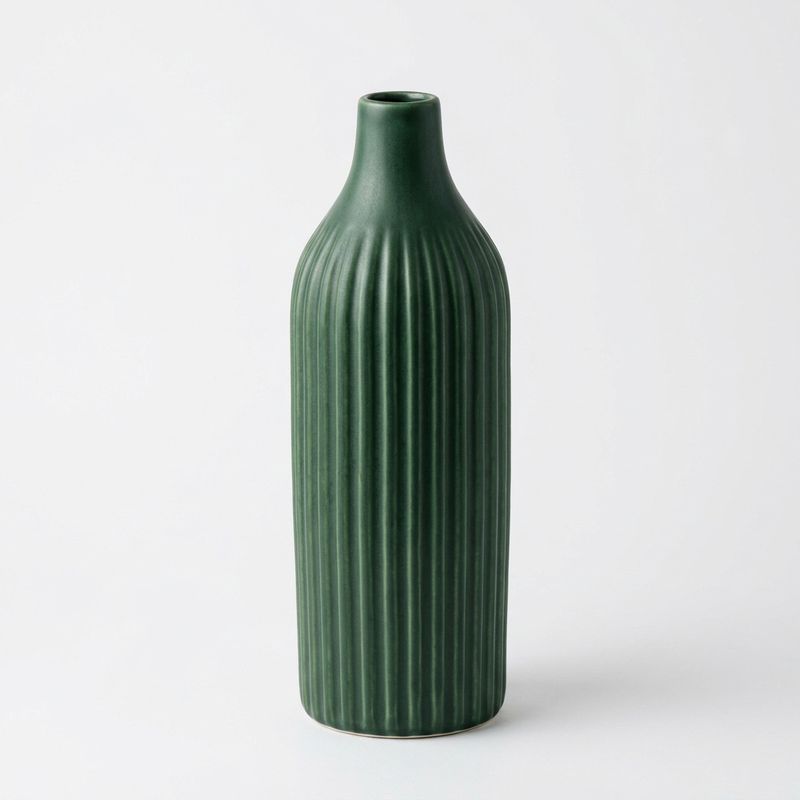
- Surface detail


Compare it against the same edit built from the full product shot alone:
Replace the white ceramic vase on the sideboard with the vase shown in the reference image. Match its deep forest green colour, its ribbed texture and its narrow neck. Keep the dried stems, the sideboard, the plaster wall, the daylight and the camera move unchanged.
Replace the white ceramic vase on the sideboard with the vase shown in the reference images. Match its deep forest green colour, its narrow neck and the vertical ribbed texture shown in the close detail reference. Keep the dried stems, the sideboard, the plaster wall, the daylight and the camera move unchanged.
Extra references pay off when they show the same object differently, so a second angle or a texture close-up earns its slot. Four stills of four unrelated things do not, since the instruction then has to disambiguate which reference applies to which target and the edit gets vaguer with each one added. Send the fewest references that fully specify the object.
References are steering, not a guarantee. Fine print, a logo or a precise pattern will not survive intact across every frame, so treat a reference as a strong specification of colour, shape and material rather than as an asset composited into the clip.
References here versus P-Video-Replace
Both models take a video and reference images, and they divide along what the reference is for.
- P-Video-Edit makes references optional and the instruction required. The instruction is the job and a reference only pins down the appearance. Reach for it to swap a product, a garment or an object, or to make any edit where the target already exists in the clip.
- P-Video-Replace requires references, and the swap is the job. It is purpose-built to put the character from a reference image into an existing clip while the original motion, timing and camera carry through.
The dividing question is whether you are describing a change or supplying a subject. A person to cast is Replace, an object to specify is Edit.
Tips
-
Reference the item, describe the change. The still says what it looks like, the prompt says which thing it replaces and what stays. A single reference on an obvious target often lands without the naming, and it is the crowded frame that punishes leaving it out.
-
Send the fewest references that specify the object. Two views of one product beat four views of four.
-
Add a second reference for surface, not for variety. A texture close-up holds detail through a camera move that a single wide product shot loses.
-
Name the structural details in the prompt. Lapels, seams, panel colours and proportions give the model the parts that must survive motion.
-
Skip the reference for generic changes. A colour or material swap that does not have to match a real product is faster and just as reliable in words alone.
-
Use Replace for people. Casting a character from a reference is what that model exists for, and it preserves performance in a way an instruction-led edit does not.