Kling VIDEO 3.0 Turbo

Kling VIDEO 3.0 Turbo is a speed-optimized multimodal video generation model in the Kling 3.0 family. It is built for high-volume production workflows that need faster turnaround without giving up stable motion, prompt adherence, multi-shot consistency, or audio-visual alignment. It supports text-to-video and image-to-video generation, with particular emphasis on improved lip-sync quality and more efficient large-scale content creation.
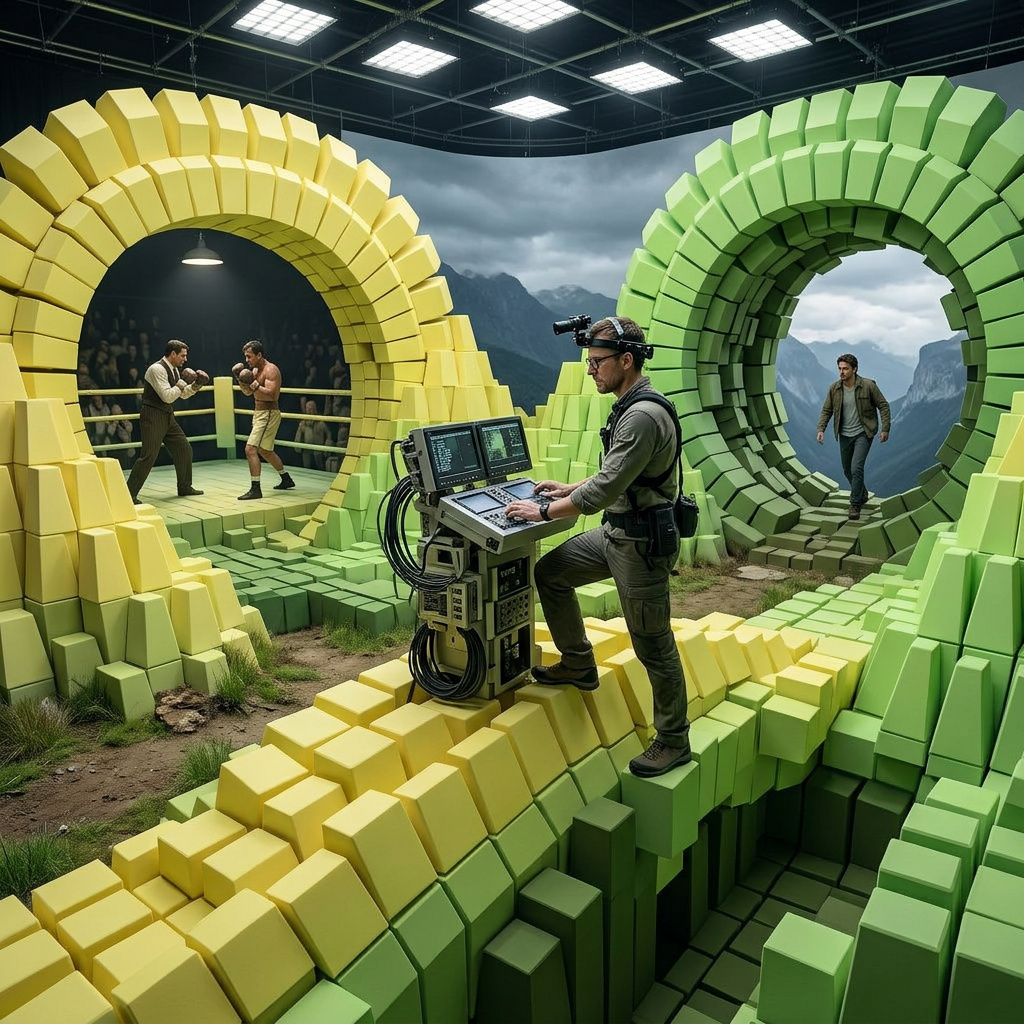
Multi-shot reels with the Kling 3.0 Turbo shot template
How to use Kling 3.0 Turbo's inline shot-list syntax to direct multi-shot video reels in a single API call, with shot-by-shot timing and prompt control.
Introduction
Most video models give you one shot per call. Multi-shot reels usually mean either generating each shot separately and stitching them in an editor, or reaching for a model with an anchor-frame or flag-based multi-shot mode where you have to prepare reference images first. Both ways move the work off the API and onto the bench.
Kling 3.0 Turbo takes the shot list inline in the prompt itself. You write each shot using a structured template, separated by semicolons, with the per-shot seconds budgeted from the total duration. Up to six shots per clip. The model returns one file with the cuts already in place and the native audio bed flowing continuously through them.
shot 1, 3, A team of race mechanics in dark blue overalls rolling fresh slick tyres across the polished pit lane garage floor at dawn. shot 2, 2, A racing driver in a white fireproof suit pulling on a black full-face helmet outside the garage. shot 3, 2, A close shot of a hand operating a pit board, flipping the number panel to signal the driver. shot 4, 3, A black race car launching from the starting grid in a cloud of tyre smoke. shot 5, 3, The same black race car carving through a high-speed banking corner. shot 6, 2, A marshal waving a black-and-white checkered flag as the lead car crosses the finish line.
The reel above is one API call from a six-shot template inside the positivePrompt. The seconds for each shot add up to the 15-second duration. The cuts happen at the boundaries the template specifies, and audio crosses them as one continuous bed.
This guide covers the shot template syntax, how to write per-shot prompts so a subject reads as the same person across cuts, and how to use a first-frame anchor when you want to lock the opening look.
Request shape
A Kling 3.0 Turbo request takes a positivePrompt and dimensions. Everything else is optional and depends on the mode:
import { createClient } from '@runware/sdk'

const client = await createClient({ apiKey: process.env.RUNWARE_API_KEY })
await client.connect()

const [result] = await client.run({
  model: 'klingai:kling-video@3.0-turbo',
  positivePrompt: 'shot 1, 3, A bookshop owner unlocks the door...; shot 2, 3, The owner walks past the shelves...; shot 3, 3, A close shot of the owner placing a hardcover novel...;',
  width: 1280,
  height: 720,
  duration: 9
})
import asyncio
import os
from runware import Runware
async def main():
async with Runware(api_key=os.environ["RUNWARE_API_KEY"]) as client:
results = await client.run({
"model": "klingai:kling-video@3.0-turbo",
"positivePrompt": "shot 1, 3, A bookshop owner unlocks the door...; shot 2, 3, The owner walks past the shelves...; shot 3, 3, A close shot of the owner placing a hardcover novel...;",
"width": 1280,
"height": 720,
"duration": 9
})
asyncio.run(main())curl https://api.runware.ai/v1 \
-H "Authorization: Bearer $RUNWARE_API_KEY" \
-H "Content-Type: application/json" \
-d '[
{
  "taskType": "videoInference",
  "taskUUID": "a1b2c3d4-e5f6-7890-abcd-ef1234567890",
  "model": "klingai:kling-video@3.0-turbo",
  "positivePrompt": "shot 1, 3, A bookshop owner unlocks the door...; shot 2, 3, The owner walks past the shelves...; shot 3, 3, A close shot of the owner placing a hardcover novel...;",
  "width": 1280,
  "height": 720,
  "duration": 9
}
]'runware run klingai:kling-video@3.0-turbo \
positivePrompt="shot 1, 3, A bookshop owner unlocks the door...; shot 2, 3, The owner walks past the shelves...; shot 3, 3, A close shot of the owner placing a hardcover novel...;" \
width=1280 \
height=720 \
duration=9{
"taskType": "videoInference",
"taskUUID": "a1b2c3d4-e5f6-7890-abcd-ef1234567890",
"model": "klingai:kling-video@3.0-turbo",
"positivePrompt": "shot 1, 3, A bookshop owner unlocks the door...; shot 2, 3, The owner walks past the shelves...; shot 3, 3, A close shot of the owner placing a hardcover novel...;",
"width": 1280,
"height": 720,
"duration": 9
}Response
[
  {
    "taskType": "videoInference",
    "taskUUID": "a1b2c3d4-e5f6-7890-abcd-ef1234567890",
    "videoUUID": "9c1b2d3a-4e5f-6789-abcd-ef0123456789",
    "videoURL": "https://vm.runware.ai/video/os/a14d18/ws/2/vi/9c1b2d3a-4e5f-6789-abcd-ef0123456789.mp4",
    "cost": 1.008
  }
]
One required field, the rest depend on the mode:
positivePromptis required. 3 to 3072 characters in text-to-video mode, capped at 2500 characters wheninputs.frameImagesis also passed. Accepts either a plain scene description for a single take or the shot template described in the next section.widthandheightset the output dimensions in text-to-video mode. Must match one of six allowed combinations:1280 × 720,960 × 960,720 × 1280,1920 × 1080,1440 × 1440,1080 × 1920. Forbidden whenframeImagesis present.inputs.frameImagesaccepts a single anchor image pinned to the first frame. URL, base64 string, data URI, or UUID. Switches the request to image-to-video mode and locks the opening look.resolutionis"720p"(default) or"1080p". Valid only withframeImages, where the aspect ratio is derived from the anchor.negativePromptis also only withframeImages. Use to call out artifacts you want the model to avoid in the cuts.durationis an integer from 3 to 15 seconds, default 5. When using the shot template, the per-shot seconds must sum to this value exactly.
Two modes share the model. Text-to-video uses width and height from the allowed combinations. Image-to-video uses inputs.frameImages for the opening frame and resolution for the output tier. The two are mutually exclusive, a single request cannot mix them. Native audio is generated in both modes and is included in the per-second price.
The shot template
Kling Turbo reads each cut in the prompt itself. The template format is one line, separated by semicolons:
shot <n>, <seconds>, <prompt>;Repeated up to six times. The shot number indexes from 1. The seconds value tells the model how long that shot runs. The prompt is the scene description for that shot, capped at 512 characters per shot. The sum of per-shot seconds across all shots must equal the total duration exactly.
The bookshop opening below is a three-shot template at 9 seconds total. Each shot gets 3 seconds.
shot 1, 3, A bookshop owner with grey hair and round tortoiseshell glasses unlocking the front door from the inside as warm morning light spills in through the glass storefront; shot 2, 3, The same grey-haired owner walking past tall wooden shelves and clicking on warm pendant lamps over the reading tables one by one; shot 3, 3, A close shot of the same owner placing a featured hardcover novel on the centre display table, then stepping back to inspect it.
Three cuts with one continuous audio bed underneath, and the same owner shows up in every shot. The bookshop scenery carries because each shot describes the same setting, and the owner reads as the same person because each shot repeats the same identifying details ("grey hair", "round tortoiseshell glasses"). Subject continuity comes from the shot prompts, not from a separate parameter.
Single prompt versus shot template
Without the template, the model takes the positivePrompt as the description of a single continuous take. The shot template is what flips the model into multi-shot generation. The pair below shows the contrast on the same subject and the same duration.
A street magician in a black vest and white shirt performs a card trick to a small crowd of three curious onlookers on a sunny city sidewalk.
shot 1, 3, A street magician in a black vest and white shirt fans out a deck of playing cards in front of three curious onlookers on a sunny city sidewalk; shot 2, 3, The same three onlookers' faces lighting up in genuine surprise as the magician reveals their chosen card with a flourish.
The single-prompt run reads the description and renders a single take that holds the same camera roughly throughout. The template run reads two shots and cuts between them at the 3-second mark. The cards in shot 1 and the reaction in shot 2 are framed independently, giving the reel a beat the single-take version cannot deliver.
Writing shot prompts
Each shot in the template gets its own 512-character prompt, and the shots are read independently. The model does not infer continuity between them unless you put it in the prompts themselves.
If shot 1 describes "a young woman with dark hair" and shot 2 describes "the same woman from earlier", the model has no anchor for what "earlier" looks like. The shots will share a character whose features, wardrobe, and lighting drift between the cuts. The fix is to name the identifying details in every shot's prompt. The surfer sequence below runs four shots and repeats the wardrobe and gear in each one.
shot 1, 3, A male surfer in a black wetsuit and bright yellow surfboard paddling out through choppy turquoise ocean swells under afternoon sun; shot 2, 3, The same surfer in the black wetsuit and yellow surfboard popping up to stand as a glassy wave begins to form behind him; shot 3, 3, The surfer in the black wetsuit carving a hard bottom turn on the yellow surfboard, water spray fanning out behind the rail; shot 4, 3, The surfer in the black wetsuit kicking out at the end of the ride, falling back into the water beside the yellow surfboard, late afternoon sun catching the spray.
The black wetsuit and bright yellow surfboard appear in every shot. The same male character appears in every shot. Camera angles vary across the cuts and the action progresses through paddle, pop-up, carve, and kick-out. The surfer at the kick-out still reads as the same person who paddled out four shots earlier.
The shot template does not carry hidden state between shots. Anything the model needs to keep continuous goes in every shot's text. Wardrobe, character description, location signifiers, color palette. Drop it from one shot's prompt and that shot can drift away from the rest.
Image-to-video with an anchor
When you pass an image to inputs.frameImages, the model takes it as the first frame of the output. The opening look is locked there, and the shot template (or a single prompt) drives what happens after.
The art gallery anchor below is a still of a bronze sculpture on a marble pedestal with no people in the room. A three-shot template then animates the moment from that starting point.
shot 1, 3, The minimalist gallery from the first frame; a visitor in a charcoal grey overcoat enters from the right and stops in front of the bronze sculpture, hands clasped behind his back; shot 2, 3, A close low-angle shot of the visitor's face as he tilts his head slightly, studying the curves of the bronze sculpture under the warm track lighting; shot 3, 3, The same visitor in the charcoal overcoat slowly circling the white marble pedestal, then walking out of frame to the left, leaving the bronze sculpture alone on the pedestal.
- Anchor
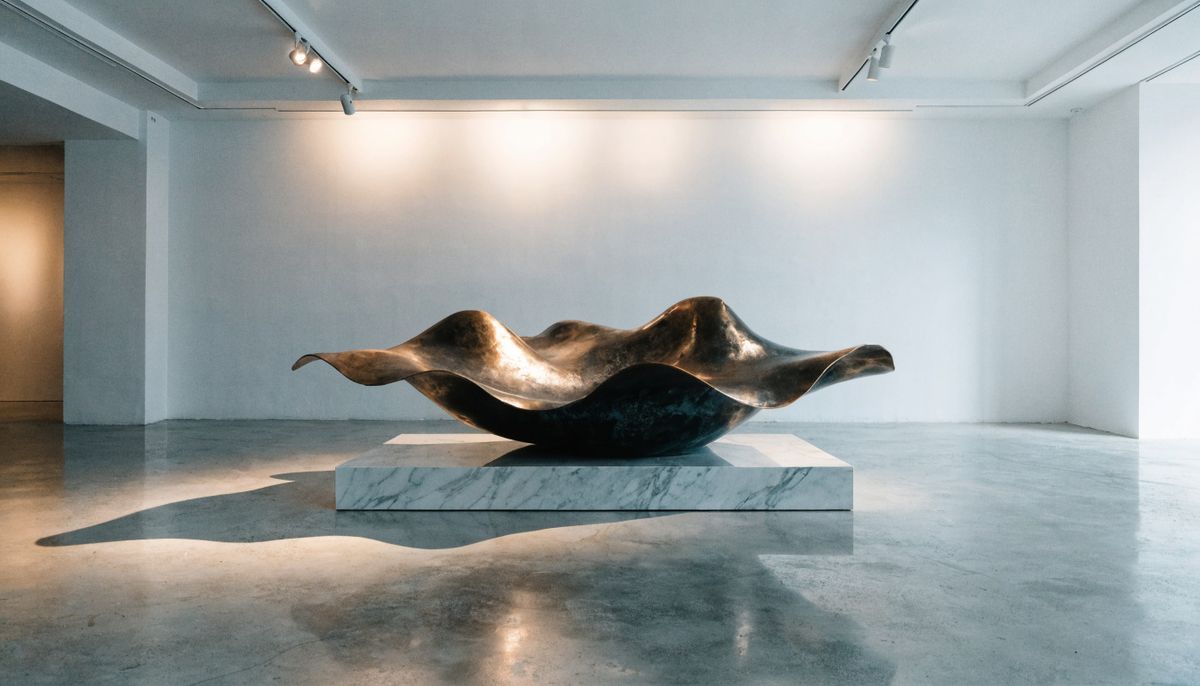
A minimalist modern art gallery interior with polished concrete floors and clean white walls, a single large abstract bronze sculpture on a low white marble pedestal in the centre of the frame, soft overhead track lighting catches the bronze surface, no people visible, photorealistic editorial architectural photography

The video opens with the gallery as it appeared in the anchor: the same bronze on the same pedestal under the same lighting. The visitor enters at the start of shot 1, the close-up in shot 2 takes the same sculpture as its subject, and the final circling shot returns the gallery to the anchor's empty state. The opening look is locked to the anchor. The rest is the template's job.
Image-to-video mode also shifts a few mechanics. With frameImages present, width and height are not accepted and the output aspect comes from the anchor. The output resolution is set with resolution: "720p" or "1080p". The positivePrompt cap drops from 3072 to 2500 characters, which still leaves 500 characters per shot at the six-shot maximum. And negativePrompt becomes available, useful for calling out artifacts the model tends to invent in the cuts.
Tips
-
Sum the seconds before you write the prompts. Per-shot seconds must add up to
durationexactly. Mismatched math returns a validation error. Plan the budget first, write the shots second. -
Name identifying details in every shot. The template carries no hidden continuity. Wardrobe, character, location signifiers, color palette: any attribute that must persist gets written into each shot's prompt.
-
Front-load short shots. Shots under 3 seconds run out of runway for a setup-payoff arc. Open them with the action already in motion ("a runner mid-stride", not "a runner starting to run").
-
Hold the genre across cuts. Multi-shot reels read best when shots share a tone. Switching from action to comedy to documentary between cuts reads as the model losing the thread.
-
Reach for the first-frame anchor when the opening matters. Brand assets, exact characters, custom typography, specific environments belong on the anchor. The template handles the motion, the anchor handles the truth at frame zero.
-
negativePromptis image-to-video only. Text-to-video has no place to send it. If you need to push the model away from an artifact, write it through the positivePrompt or pair the request with an anchor.