
HeyGen
How a leading AI video platform unlocked new product capabilities by replacing expensive managed providers with a single, cost-effective inference API.
Run your containers and code on dedicated GPUs in modular data centres we design and build ourselves. Per-second billing, no lock-in, and reserved capacity from $0.63 per GPU-hour.
Every GPU both platforms sell, side by side. Pay as you go needs no commitment and is 9–43% lower on all 6. Reserved capacity, on a 1 to 24 month term, is where the headline saving comes from.
RunPod Serverless flex-worker prices from runpod.io/pricing, 6 Oct 2026. Runware reserved rates require a 1–24 month term. Prices per GPU-hour, billed per second. Runware rates are our published Serverless pricing; GPU prices fluctuate, so list rates are subject to change.
* RunPod sells its 48 GB tier as a pool (L40, L40S, 6000 Ada, MIG 48GB), so a worker on that tier may not land on an L40S. Runware allocates the exact GPU you choose.
What 730 hours on a single H100 costs per month, at the list rates in the table above. Reserve a baseline and burst above it on pay as you go to land between the two Runware figures.
Lower price per GPU-hour is the reason people look. What they stay for is a platform we run end to end, from the data centre to the autoscaler.
Endpoint settings live outside the handler on both platforms, so the configuration carries over as-is. The handler itself is the only real change, and it is a small one.
Deploy the Docker image you already build, plus a container.yaml that declares the port and endpoints. Or keep the Python: the handler becomes a class, job["input"] lookups become typed parameters, and the load step gets a name.
GPU type, min and max workers and idle timeout move to flags on the first deploy, the same settings a RunPod endpoint keeps outside the handler. Change any of them later on a live app without a rebuild.
Send a taskId with each request so retries are safe, watch workers, logs and cost in the console, and wind the old endpoint down when you're happy.
from runware_serverless import endpoint, serve

@serve
class ImageTools:
    def load(self) -> None:
        self.pipe = load_my_pipeline()

    @endpoint
    def generate(self, prompt: str, steps: int = 4) -> dict:
        steps = 4 if steps is None else steps
return {"image": self.pipe(prompt, steps).encode()}runware serverless deploy model.py --id image-tools --gpu-type h100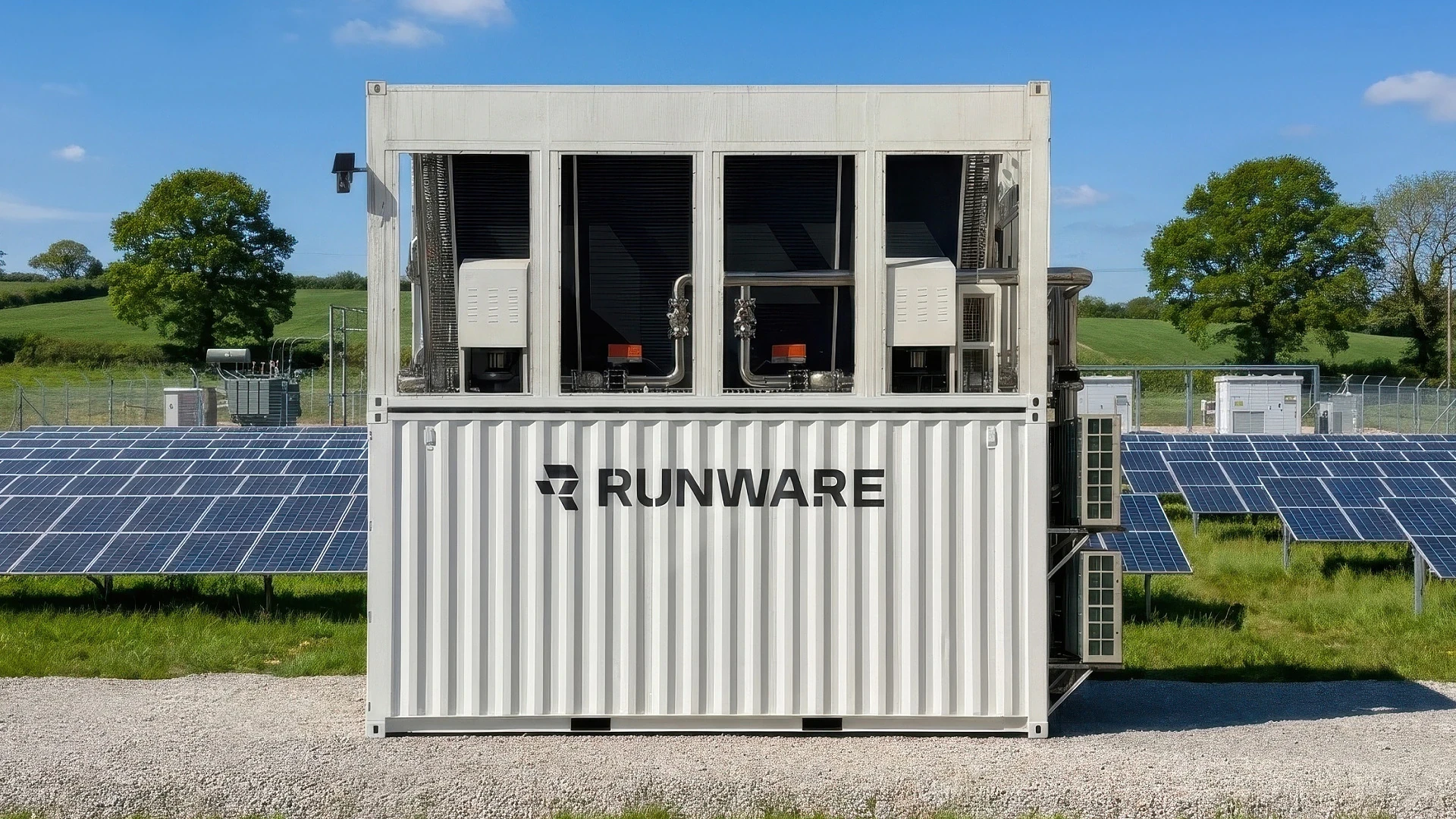
Runware Serverless runs on Sonic Pods, modular AI data centres we design, build and operate ourselves. Up to 1,200 directly liquid-cooled GPUs in a 20 ft container, with no oversized building, no overbuilt redundancy and no years of sunk cost in front of them. Every component inside exists to serve inference, so you pay for GPU time rather than someone else's overhead.
Lower bill, no GPU platform to run. Here's what moving to Runware looked like for teams shipping at production scale.
How a leading AI video platform unlocked new product capabilities by replacing expensive managed providers with a single, cost-effective inference API.
How OpenArt achieved sub-second image generation at scale with Runware's Sonic Engine.

How a fast-growing video generation startup deployed a major model release in hours.

How NightCafe scaled their AI art community without hiring a single infrastructure engineer.
Yes. Runware Serverless runs your own containers or Python handlers on GPUs that scale from zero to production capacity and back, billed per second. Like RunPod Serverless it is built for API-style inference and training jobs rather than long-lived machines, and it runs on data-centre GPUs Runware designs and operates itself.
On the 6 GPUs both platforms sell, Runware pay as you go is 9–43% lower per GPU-hour than RunPod's flex-worker rate, with no commitment on either side. Runware reserved capacity is as low as $0.63 per GPU-hour, up to 82% lower than RunPod flex, on a 1 to 24 month term. RunPod prices are from runpod.io/pricing on 6 Oct 2026; Runware prices are our published Serverless rates.
Pay as you go draws workers from the shared pool and bills by the second while a worker is allocated to your app, with no commitment. Holding workers warm with a minimum worker count is still pay as you go. Reserved commits you to a number of GPUs of a given type for a 1 to 24 month term at a lower rate, and those GPUs are guaranteed to you even when the pool is full. Most production teams reserve a baseline and burst above it on pay as you go.
Not on Serverless. Serverless operates the workload for you, so there is no SSH into a worker. If you need the machines themselves, with your own Kubernetes stack, SSH access or dedicated infrastructure, use GPU Compute.
Both. Serverless is for inference, training and fine-tuning: image, video and diffusion pipelines, LLM inference, fine-tuned and multimodal models and custom GPU apps. Workers can be single-GPU or multi-GPU, with 2, 4 and 8 GPUs per worker, for jobs that need more memory or compute than one card.
Endpoint settings such as GPU type, worker counts and idle timeout move to flags on your first deploy. If you deploy a container, add a container.yaml beside your Dockerfile. If you deploy a handler, wrap it in a class with a load method and turn the job dictionary into typed parameters. The RunPod migration guide walks through every step, and the Serverless docs cover the rest. Our engineers help teams migrate, too.
Reserved GPUs start as low as $0.63 per GPU-hour on a 1 to 24 month term, and anything above the reservation bursts into pay as you go.