FLUX 3 Image is live on Runware
Create with FLUX 3 Image on Runware: native 4K generation, up to 10 reference images, precise local editing, and high-accuracy multilingual text rendering.

- Face

- Outfit

- Snowcat
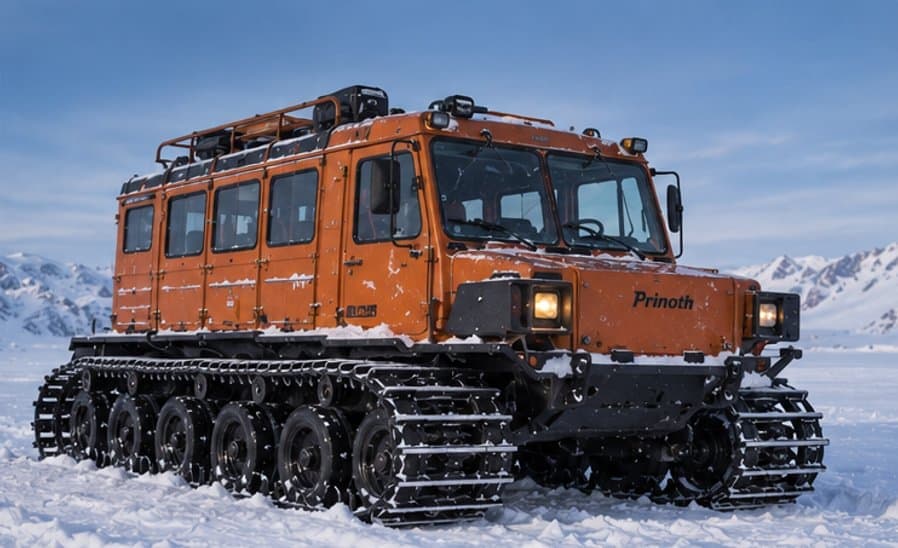
- Motorcycle

- Samoyed

- Research station

FLUX 3 Image pricing
Priced per image by output resolution, flat across text-to-image and image-to-image. No subscription, no minimums, and the same key and billing as every other model on Runware.
- 0.75K
- $0.041
- 1K
- $0.048
- 2K
- $0.10
- 4K
- $0.607
Open weights: FLUX 3 Image Klein
Black Forest Labs' open-weights FLUX 3 image model is live on Runware too, in two checkpoints. Both handle text-to-image generation and reference-based editing with up to 4 reference images, through the same API.

Klein for speed, Klein Base for fine-tuning. Pick the checkpoint per request with the model field, and keep the same key and billing as every other model on Runware.
FLUX 3 Image Klein
Text-to-image generation and reference-based editing in one fast model, built for interactive apps, rapid iteration, and high-volume production.
bfl:flux@3-image-kleinFLUX 3 Image Klein Base
The complete model capacity, kept for fine-tuning, customization, research, and post-training work that favors control over generation speed.
bfl:flux@3-image-klein-baseOne model, four ways to build an image
FLUX 3 Image can generate an entirely new image from a written prompt, compose from multiple reference images at once, make a precise local edit to an existing image, or render and edit text inside the frame.
Text to image
A prompt alone is enough. FLUX 3 Image generates natively at up to 4K, across 15 aspect ratios from 21:9 to 9:21.
Multi-reference generation
Attach up to 10 reference images and compose them into one consistent scene, with faces, outfits, products, and objects held recognisable across the result.
Local editing
Edit part of an existing image while the rest of the frame stays untouched. Relight a scene, remove a subject, or adjust one detail without regenerating everything around it.
Text rendering & editing
Render multilingual text directly inside a generation, or edit text already inside an existing image while keeping the original font, weight, and lighting.
Why FLUX 3 Image stands out
Native 4K generation
Generates directly at up to 4K resolution rather than upscaling a smaller output, across 15 aspect ratios from 21:9 to 9:21.
Multi-reference generation and editing
Up to 10 reference images composed into one consistent result in a single call, with no separate merge or compositing pass required.
Precise local editing
Edit one part of an image, a subject, a light source, a detail, while the rest of the frame stays exactly as it was.
Layout control with bounding boxes
Place every element where you want it. Give each one an id and a bounding box on a 0–1000 scale in a JSON table inside the prompt, for new generations and targeted edits alike.
Text rendering and editing
Multilingual text rendered directly inside a generation, or edited inside an existing image while keeping the original font, weight, and lighting.
Stronger prompt adherence
A generational step up in following complex, multi-subject prompts. Several distinct actions in one frame, each rendered as written rather than blended together.
See it in action
Real FLUX 3 Image generations: scenes from a single text prompt, then multi-subject prompts with every element where it was asked for.

Animated city walk
3D-animated man walking down a city street

Flower market
Man wheeling a bicycle through an outdoor flower market

Seafront café
Man reading a newspaper with a coffee at a seafront café, scooters parked behind

New York cyclist
Cyclist riding down a busy New York street between yellow cabs

Paris café
Woman reading a newspaper at a Paris café window

Creative studio
Colourful loft studio with a neon 'Good Ideas Live Here' sign and a city skyline view

Art museum
Woman holding an exhibition catalogue in a modern art museum

Four chefs, four distinct actions, one frame
Read the prompt
Subject: Four chefs working around a stainless-steel island in a busy restaurant kitchen. Action: The chef on the left chops herbs, the center-left chef tosses vegetables in a flaming pan, the center-right chef carefully plates a dish with tweezers, and the chef on the far right tastes a sauce from a spoon. Location/Context: High-end open restaurant kitchen during dinner service. Composition: Wide eye-level shot showing all four chefs simultaneously, each action clearly visible and spatially separated, stainless-steel surfaces creating depth through reflections. Style: Documentary culinary photography, warm practical lighting mixed with overhead kitchen light, natural candid expressions, realistic steam and flame.

Multi-subject scene, every element in its place
Read the prompt
Subject: A red vintage convertible parked beside a small roadside diner, with a blue motorcycle positioned directly behind the car and a yellow suitcase standing upright on the pavement in front of it. Action: A woman in a white jumpsuit is opening the driver-side door while a man in a dark denim jacket sits on the motorcycle looking toward her. Location/Context: Empty desert highway in Nevada, weathered 1950s diner, distant mountains and telephone poles. Composition: Wide cinematic shot from across the road, car dominating the center-left, diner on the right, motorcycle clearly visible behind the car, suitcase in the foreground. Style: Late-afternoon sunlight, faded Kodachrome colors, subtle film grain, 1970s American road-movie photography.
Edit one thing, keep the rest
Two local edits to the same café photo. Drag across either image to compare it with the original.
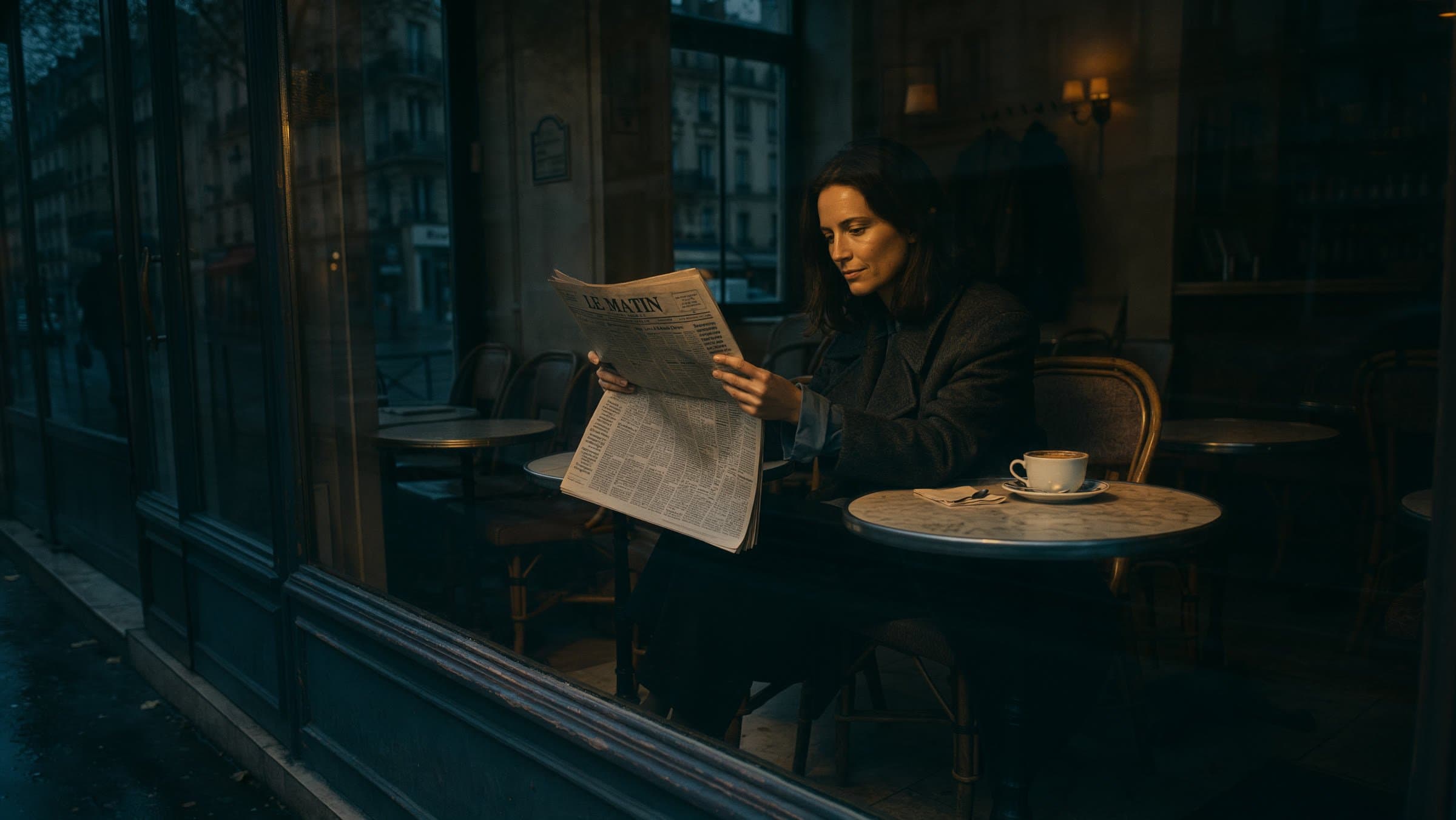
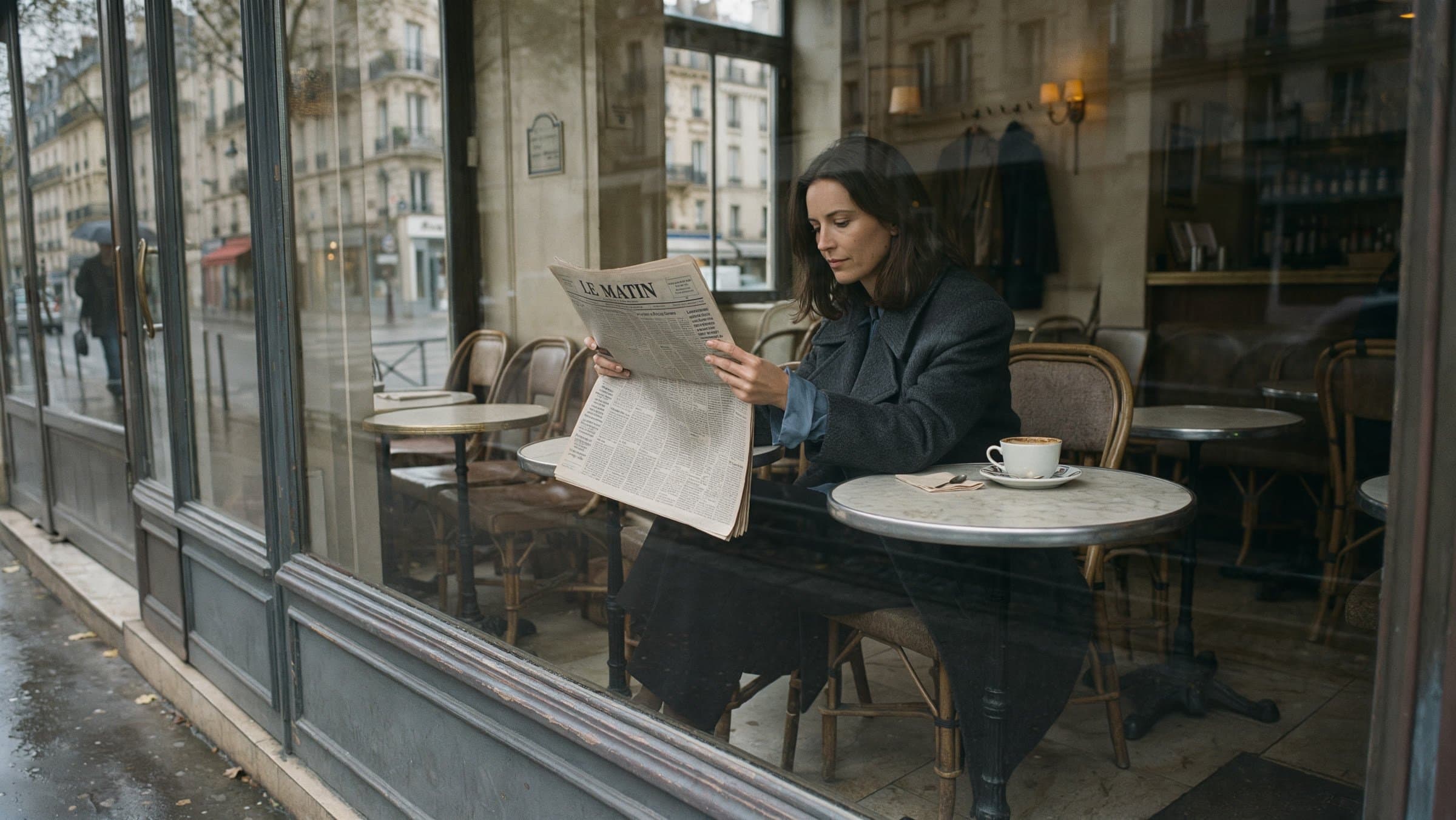
Relit to evening
The café scene moves to evening light, and nothing else in the frame changes.
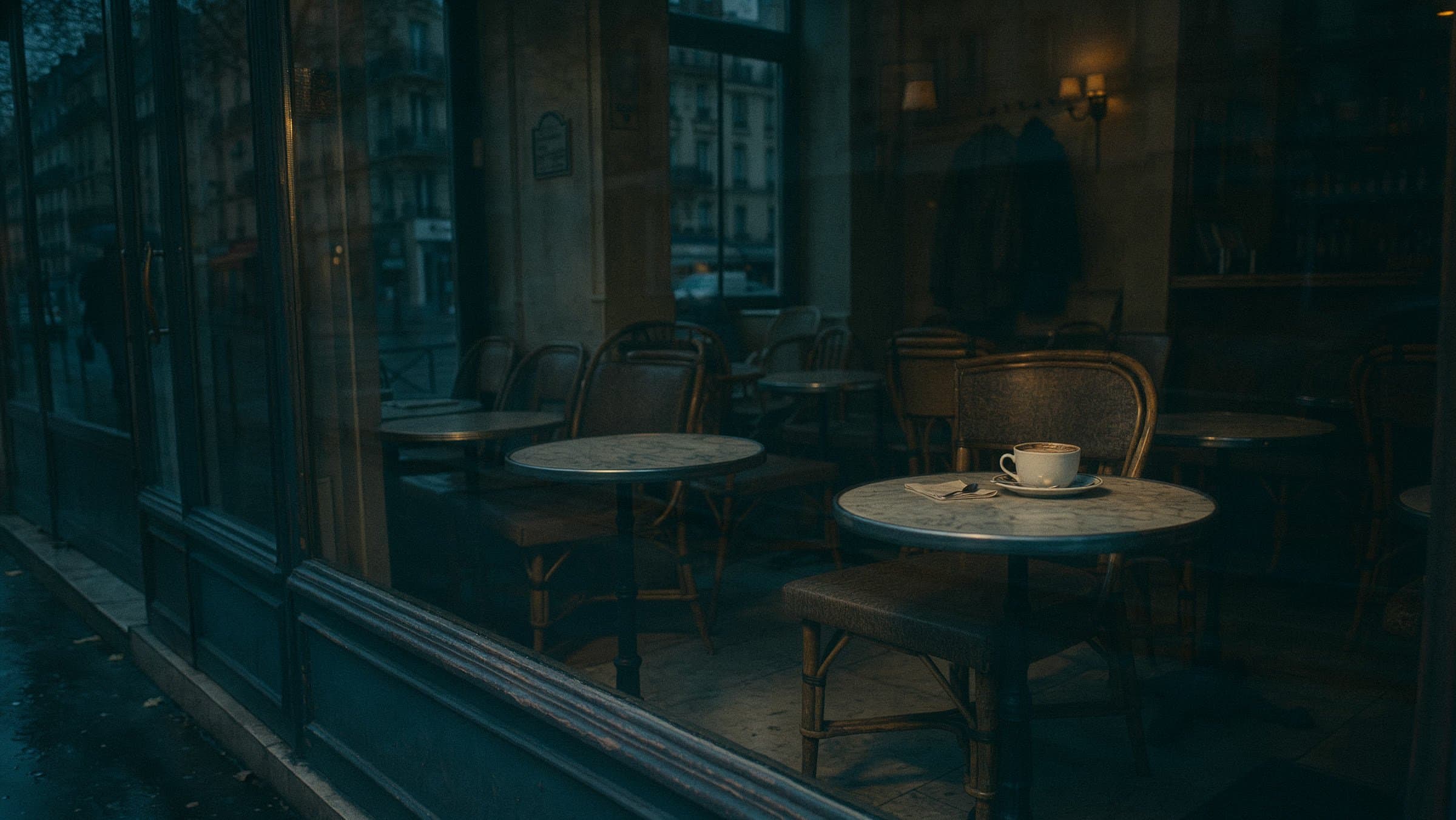
Subject removed
The reader is taken out of the shot, and the table and cup stay exactly where they were.
Place every element by coordinates
Three subjects added to one mountain scene, each placed by a bounding box in the prompt. Hover a region in the image or the table to see where it lands.

Edit the first reference image. Add three subjects to the mountain scene. : a female hiker seated on the left rocky ledge, seen from behind in three-quarter profile, wearing a rust-red jacket, olive cap, dark pants, and a large olive backpack. : a golden retriever seated upright directly beside her on the right, wearing a dark hiking harness and looking toward the mountains. : a small matte olive-green water bottle standing upright on the rock to the dog's right. Arrange them left to right as woman, dog, bottle. Match the existing perspective, warm sunlight, shadows, and photorealistic style.
| Region | Element | src_bbox |
|---|---|---|
| Hiker | [90, 125, 745, 405] | |
| Golden retriever | [245, 375, 775, 560] | |
| Water bottle | [540, 560, 830, 630] |
Boxes are [top, left, bottom, right] on a 0–1000 scale.
Text that reads as written
Multilingual text rendered directly inside a generation, from headline lettering to small print, or edited inside an existing image while keeping the original font, weight, and lighting.

Built for real workflows
FLUX 3 Image is Black Forest Labs' first image model on the FLUX 3 backbone. It handles generation and editing through the same model and the same request shape, so a workflow doesn't need separate tools for each step.
Product and packshot photography
Generate clean, native-4K product shots and compose the same product across multiple scenes from a single reference image.
Multi-reference composition
Combine up to 10 reference images, a face, an outfit, a product, a setting, into one consistent scene without a separate compositing pass.
Iterative local edits
Relight a scene, remove a subject, or adjust one detail on an existing image, without regenerating everything around it.
Marketing and campaign creative
Fashion editorials, beauty photography, and documentary-style scenes rendered with strong adherence to detailed, multi-subject prompts.
Localized in-image text
Render multilingual text directly inside a generation, or edit text already inside an existing image while keeping the original font, weight, and lighting.
Poster and layout design
Typographic layouts, gig posters, and packaging comps with legible rendered text, not text stitched in afterward.
Get the most out of FLUX 3 Image
Guides covering prompting, editing, multi-reference composition, text rendering, and bounding boxes, written for building with FLUX 3 Image on Runware.

Get started
One API call, in whichever language you're already using, with the same key and billing as every other model on Runware.
curl https://api.runware.ai/v1 \
  -H "Authorization: Bearer $RUNWARE_API_KEY" \
  -H "Content-Type: application/json" \
  -d '[
    {
      "taskType": "imageInference",
      "taskUUID": "<uuid-v4>",
      "model": "bfl:flux@3-image",
      "positivePrompt": "A hand-painted bakery sign reading ‘PAIN & BEURRE’ above a Paris shopfront, gold leaf lettering on dark green, morning light, 50mm",
      "width": 1024,
      "height": 1024
    }
  ]'
Response
[
  {
    "taskType": "imageInference",
    "taskUUID": "<uuid-v4>",
    "imageUUID": "f38a2c17-9d64-4b0e-8f2a-3c7e9b5d1a68",
    "imageURL": "https://im.runware.ai/image/ws/2/ii/f38a2c17-9d64-4b0e-8f2a-3c7e9b5d1a68.jpg",
    "seed": 482910537
  }
]Frequently asked questions
What is FLUX 3 Image?
Black Forest Labs' first image model built on the FLUX 3 multimodal backbone, the same architecture behind FLUX 3 Video. It generates natively at 4K, accepts up to 10 reference images in one generation, edits existing images without disturbing the rest of the frame, and renders and edits text with high accuracy.
Does FLUX 3 Image handle editing as well as generation?
Yes. Generation and editing run through the same model and the same request shape. That covers local edits that leave the rest of the frame untouched, multi-reference composition from up to 10 images, and text editing inside an existing frame while keeping the original font, weight and lighting.
How many reference images can FLUX 3 Image use at once?
Up to 10 reference images in a single generation. The model keeps characters, products and objects recognisable across an edit and across a composition that pulls from several references at once.
What resolutions does FLUX 3 Image support?
Four tiers: 0.75K, 1K, 2K and 4K. Set them via width/height presets for a plain generation, or via the resolution parameter once at least one reference image is attached, which then matches the reference's aspect ratio automatically.
How much does FLUX 3 Image cost on Runware?
From $0.041 per image, flat across text-to-image and image-to-image, so only the resolution changes the price. See the pricing page for the full breakdown and every other model's rates.
Can I use FLUX 3 Image through the Runware API?
Yes. FLUX 3 Image is available now through both the Runware Playground and API, under the AIR ID bfl:flux@3-image.
What is FLUX 3 Image Klein?
The open-weights FLUX 3 image model from Black Forest Labs, live on Runware in two checkpoints: FLUX 3 Image Klein, distilled for speed, and FLUX 3 Image Klein Base, the full undistilled checkpoint for fine-tuning and research. Both cover text-to-image generation and reference-based editing with up to 4 reference images.
Is FLUX 3 Video also available on Runware?
Yes. FLUX 3 Video, the video half of the same FLUX 3 model line, is also live on Runware.
Talk to us about FLUX 3 Image
Have questions about FLUX 3 Image? Chat to our team about enterprise usage, including volume discounts and dedicated RPM, and we'll follow up shortly.