Seedream 5.5 versus Nano Banana 2.1: Image generation, pricing and speed
In our testing, Seedream 5.5 is better than Nano Banana 2.1 when it comes to keeping the same person consistent across images and making multiple edits to one image. Nano Banana 2.1 is a better tool for product photos and for following exact counts in a brand campaign shot when compared to Seedream 5.5.
ByteDance announced Seedream 5.5 on November 9, 2026. It has been live on Runware since November 12, 2026.
Seedream 5.5 costs $0.043 per image with one reference image, while Nano Banana 2.1 costs $0.052. With 8 reference images the order flips to $0.099 for Seedream 5.5 against $0.064 for Nano Banana 2.1. The two models are close on speed, with a median of 31 seconds per image for Seedream 5.5 and 29 seconds for Nano Banana 2.1.
This week we're welcoming ByteDance's latest update to their image model family, Seedream 5.5. It's now live on Runware and pricing starts at $0.02 per image as of November 16, 2026. In order to start using it, call it using bytedance:seedream@5.5. In this write-up we stress-tested it against Nano Banana 2.1 using 5 tasks of varying complexity. Seedream 5.5's generations did best with people and performing surgical edits across multiple requests. As far as costs go, it was the cheaper model in 4 of the 5 tasks that we ran.
Seedream 5.5 versus Nano Banana 2.1 compared
This table sums up how the two models compared across our 5 tasks, along with the costs and times that Runware's API reported for them.
| Factor | Seedream 5.5 | Nano Banana 2.1 |
|---|---|---|
| Best for | People and multiple edits to one image | Product photos and exact counts in a brand shot |
| Cost per image, 1 reference image | $0.043 | $0.052 |
| Cost per image, 8 reference images | $0.099 | $0.064 |
| Pricing | Flat price per image plus a small charge for each reference image | By token, so the price moves with the prompt and the inputs |
| Generation speed, median | 31 s | 29 s |
| Reference images per request | Up to 10 | Up to 14 |
| Image sizes | Took every size we asked for | Fixed sizes only |
| Product photos | 1 and 1 out of 5 | 2 and 3 out of 5 |
| Product packaging | Brand name correct on both takes | Brand name misspelled on one take |
| Person consistency | 5 and 5 out of 5 | 1 and 4 out of 5 |
| Multiple edits to one image | 98.8 out of 100 for unedited areas kept | 81.3 out of 100 for unedited areas kept |
| Brand campaign, 8 references | 1 extra bottle and 1 extra tube | Exact counts |
The scores out of 5 are from our blind review, with one score for each take.
Comparing Seedream 5.5 vs Nano Banana 2.1 generation quality
Across our 5 tasks, Seedream 5.5 came out ahead in 2 and Nano Banana 2.1 came out ahead in 2. Seedream 5.5 was the stronger model when a person had to stay the same from one image to the next. It was also the stronger model when one image went through 5 rounds of edits. Nano Banana 2.1 made the better product photo and it was the more accurate model on our brand campaign shot. The product packaging task was a split, because each model made a different kind of mistake with the text.
Generate a product photo
Product pages typically start from an existing item. For this testing scenario, we gave each model a fictional espresso maker to work with. This scene calls for a cup with crema placed on a travertine counter and the action that we wanted to see is a hand pressing the button.

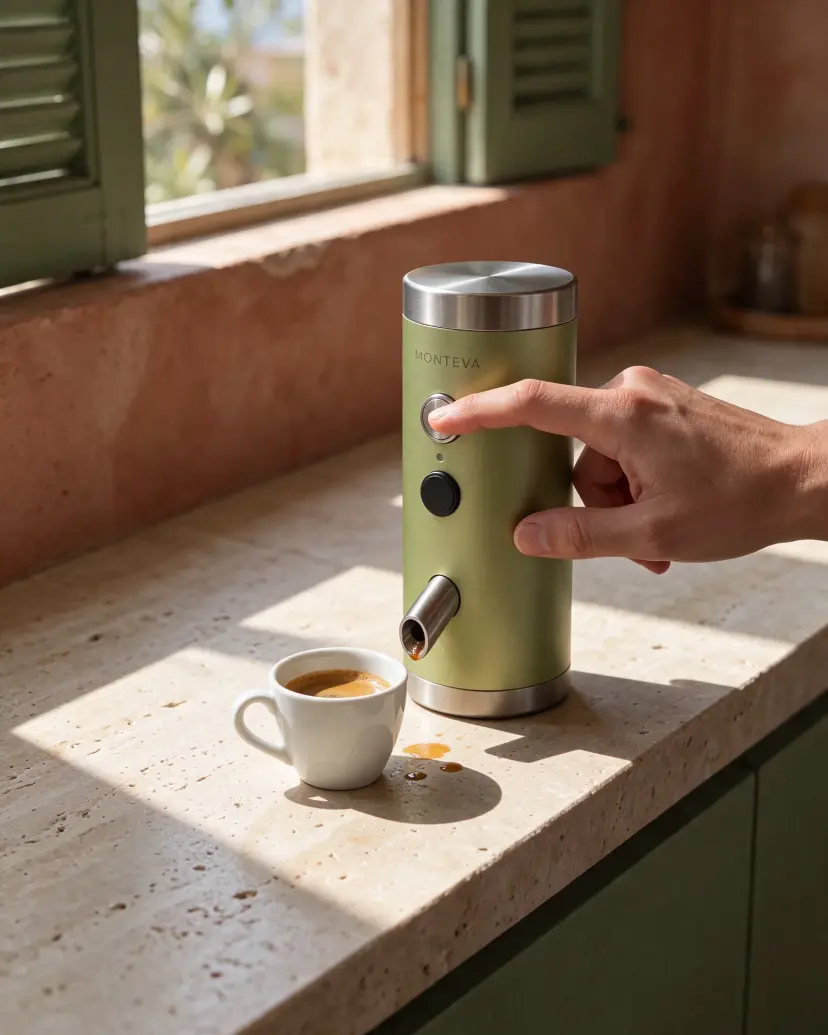
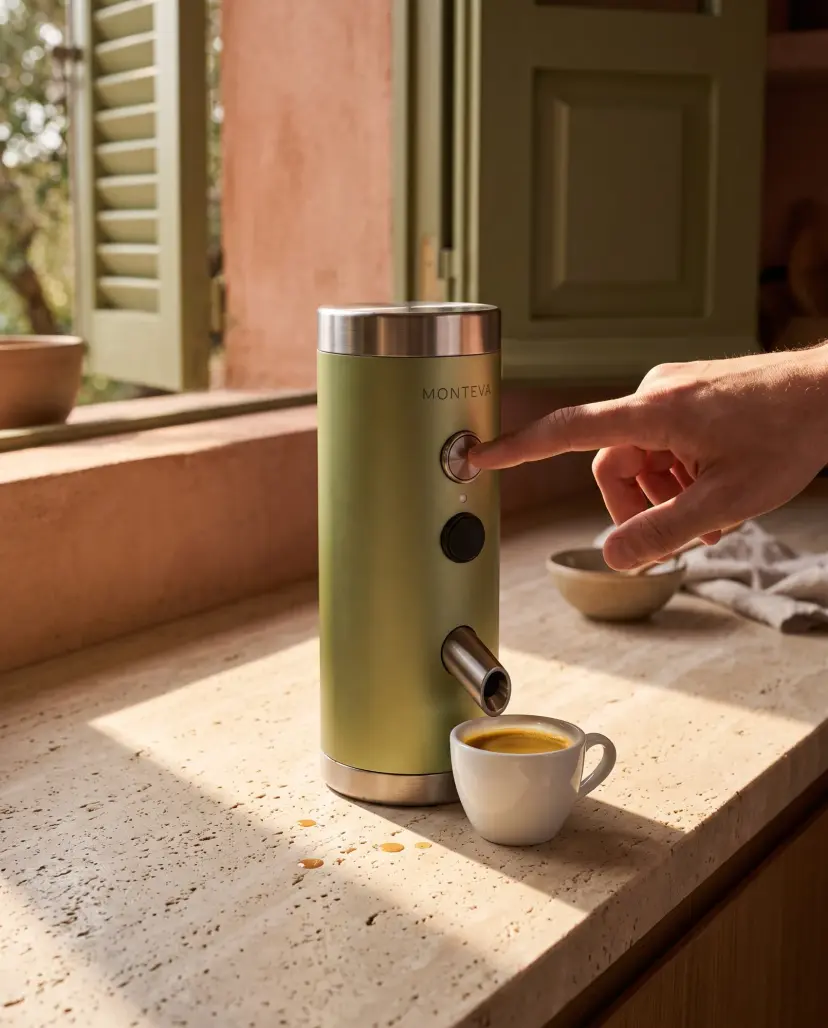
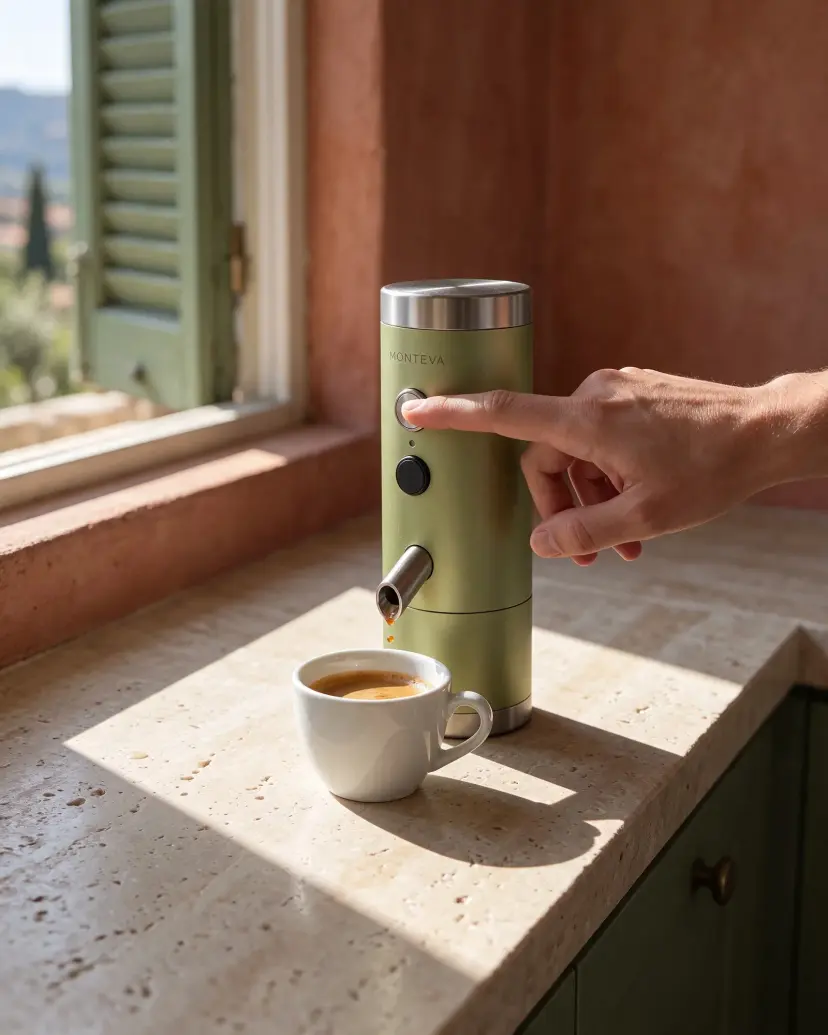
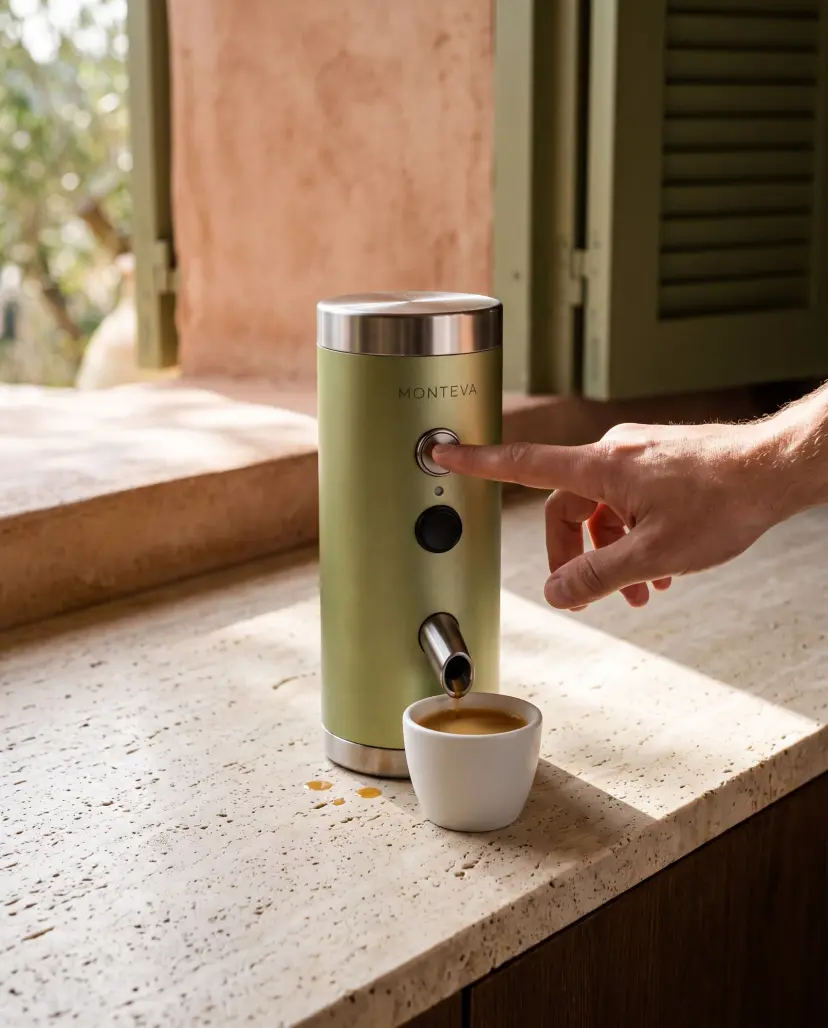
| Model | Cup under the spout | Hand pressing the button | Blind review score |
|---|---|---|---|
| Seedream 5.5 | Neither take | Both takes | 1 and 1 out of 5 |
| Nano Banana 2.1 | Both takes | Both takes | 2 and 3 out of 5 |
Nano Banana 2.1 performed better than Seedream 5.5 when it came to placing a real product into a new scene. It set the cup under the spout on both takes and scored 2 and 3 out of 5 in our blind review. Seedream 5.5 had issues with the cup. Take 1 put it beside the spout, so the coffee drips onto the counter. Take 2 missed it too, and added a seam around the lower body that the real product doesn't have. Both of its takes scored 1 out of 5.
Generate product packaging
When dealing with packaging mockups, the goal is often to accurately transfer and print real copy from prompt to object. To test this out, we requested a label with 7 different text sizes. From a large brand name down to very small fine print, we asked each model to add it to a kraft coffee bag. The key idea here is that the model needs to accurately render the different relationships that are common in many typography tasks.

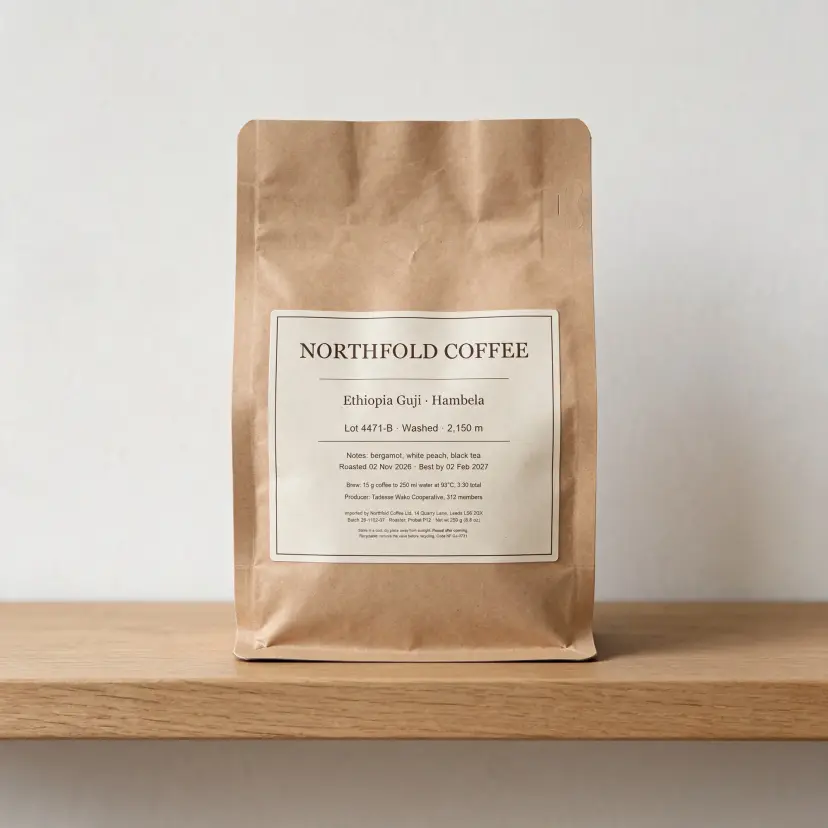
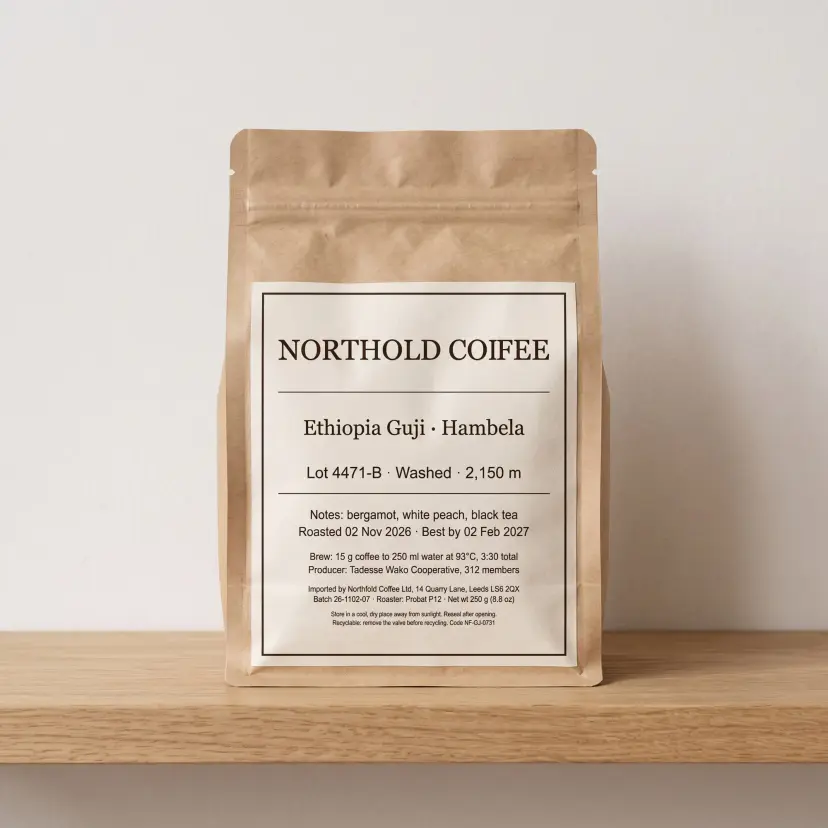
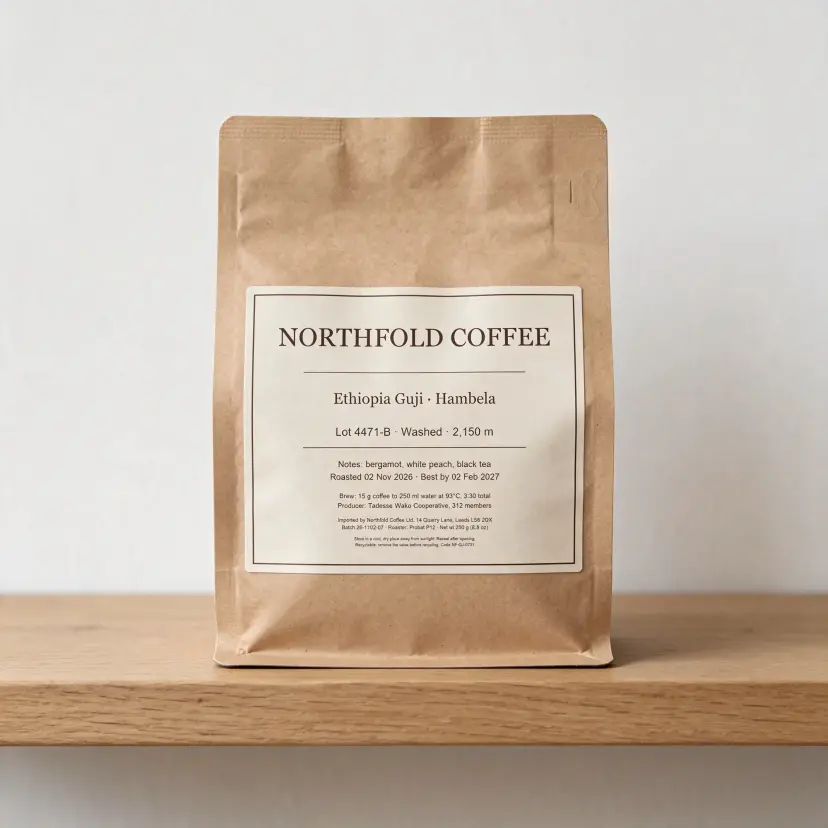
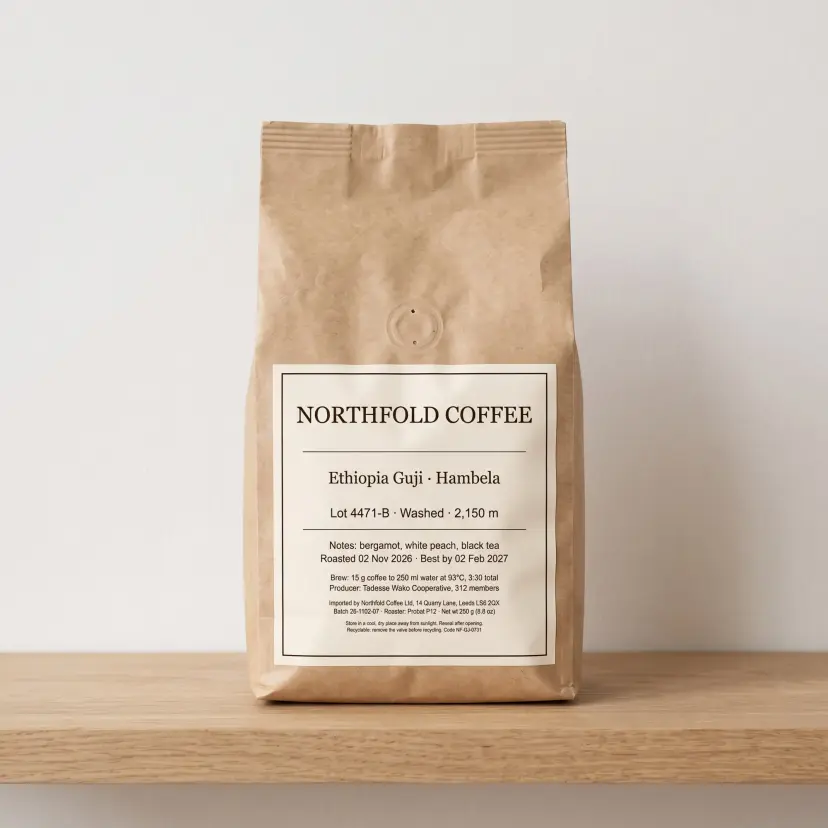
| Model | Brand name and main text | Fine print | Blind review score |
|---|---|---|---|
| Seedream 5.5 | Correct on both takes | Correct on one take; the two smallest lines are somewhat garbled on the other | 3 and 2 out of 5 |
| Nano Banana 2.1 | Brand name misspelled on one take | Correct on both takes | 1 and 3 out of 5 |
Seedream 5.5 was the more reliable model for the brand name and the main text on product packaging. It got the main text right both times but garbled the 2 smallest lines on one take. Nano Banana 2.1 printed the fine print correctly on both takes. However, it misspelled the brand name on its first take and printed "NORTHOLD COIFEE". A mistake like that rules the image out.
Generate a person in different settings
Advertising and editorial teams cast a person once and then need that person to look the same in every shot. Each model got a portrait of a fictional woman and an editorial scene to place her in. She sits at a pottery wheel with both hands shaping wet clay.

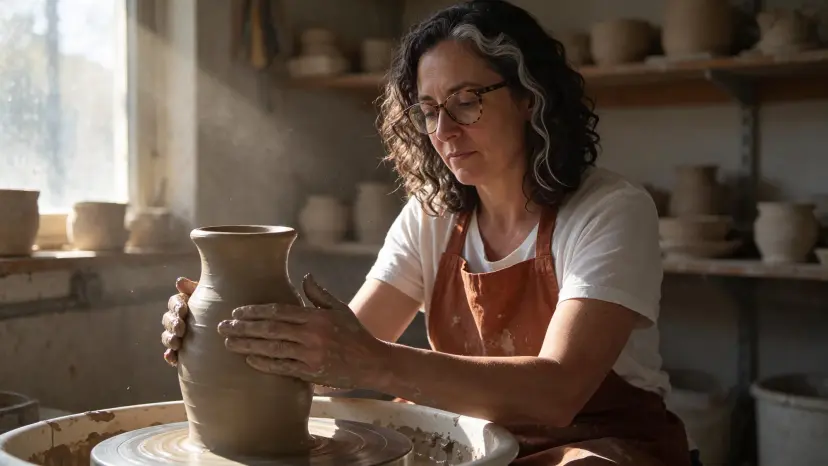
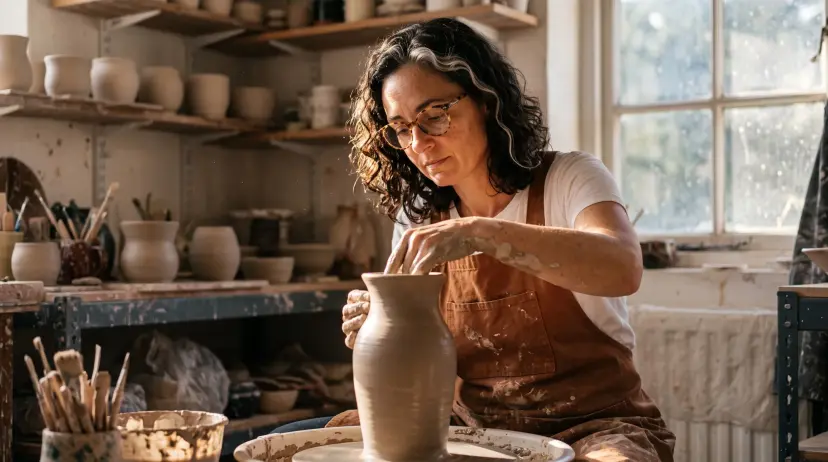
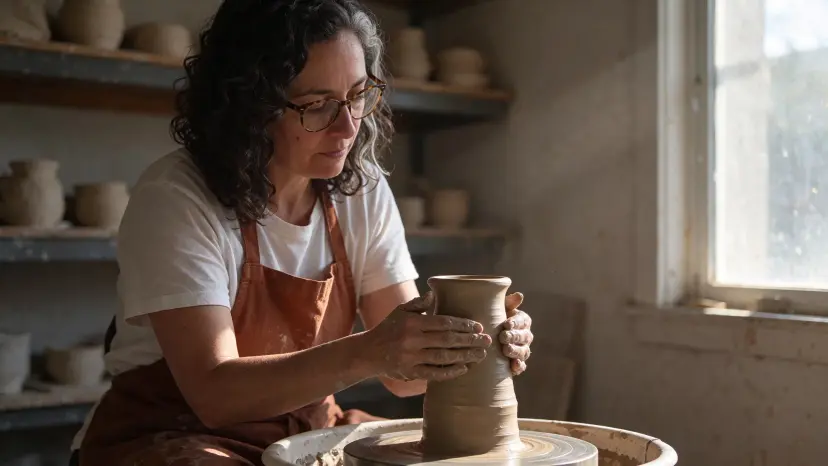

| Model | Blind review score, take 1 | Blind review score, take 2 | What we saw |
|---|---|---|---|
| Seedream 5.5 | 5 out of 5 | 5 out of 5 | The woman from the portrait on both takes, with her eyes on the clay and both hands around the pot |
| Nano Banana 2.1 | 1 out of 5 | 4 out of 5 | One strong take and one weak one |
Seedream 5.5 is the clear winner here. It scored 5 out of 5 on both takes in our blind review. In each one she is clearly the woman from the portrait, with her eyes on the clay and both hands around the pot. The lighting and material rendering also stood out. Nano Banana 2.1 had one strong take and one weak one, with scores of 4 and 1 out of 5.
Make multiple edits to one image
This is our test of ByteDance's 100-round claim. We edited one photo 5 times in a row where each round worked on the previous round's result. The mug on the table turns green and a ring goes on the left hand of our subject. Then the phone case turns orange and the sweater turns navy. In the last round a desk lamp replaces the plant. Every instruction ended with a directive to keep everything else exactly the same.
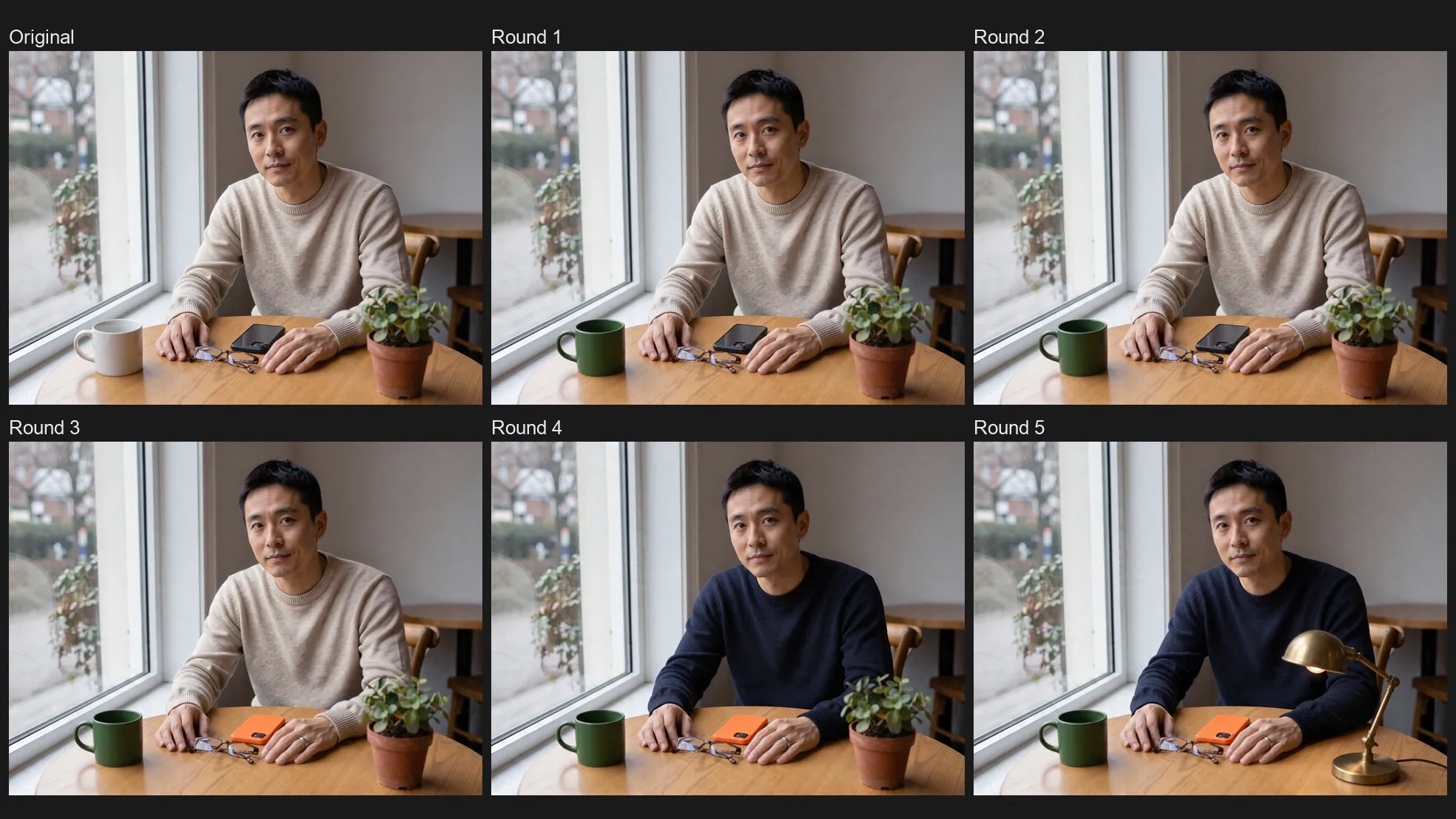
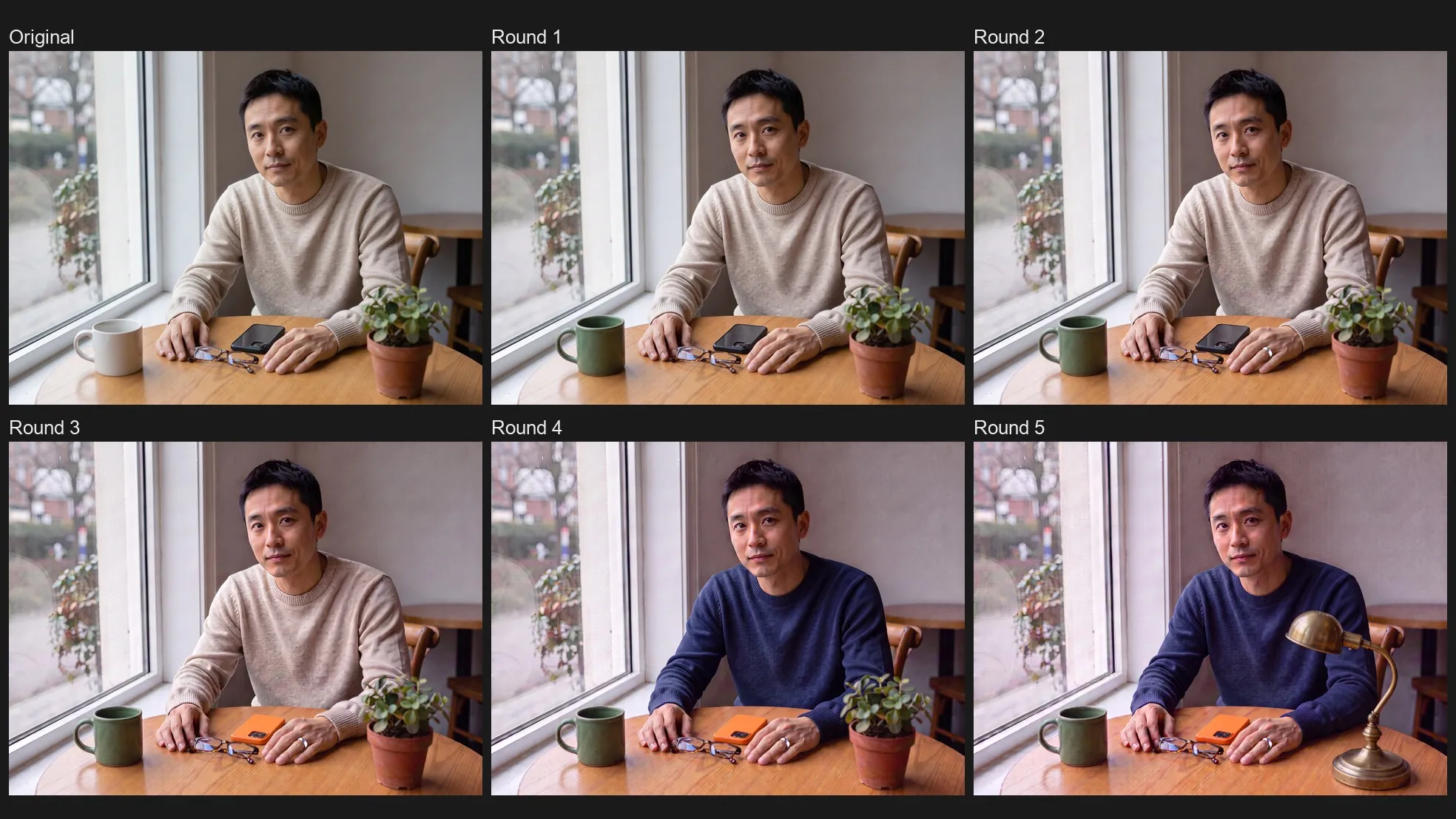
Seedream 5.5 · the original photo and 5 rounds of edits
Both models made all 5 changes, though Seedream 5.5's lamp came out switched on when we asked for it to be off. What we really wanted to know was what else moved. After each round we compared everything the edit shouldn't have touched with the round before. This is particularly important in the last round where we compared the window and wall with the original photo.
| Model | Unedited areas kept, average of 5 rounds (100 = identical) | Window and wall after 5 rounds (100 = identical) | Room color after 5 rounds | Blind review score |
|---|---|---|---|---|
| Seedream 5.5 | 98.8 | 96.2 | Almost unchanged, a touch darker | 3 out of 5 |
| Nano Banana 2.1 | 81.3 | 67.3 | Brighter, with a pink cast | 2 out of 5 |
Seedream 5.5 is the better model for making multiple edits to one image. As promised, it kept the rest of the photo the most consistent. Each round changed the least outside the edit, and after 5 rounds the room is almost the same color as in the original. Nano Banana 2.1 made every edit as well, but its room became brighter and picked up a pink cast along the way. Seedream 5.5 also scored higher in our blind review, with a 3 out of 5 against a 2.
Generate a brand campaign
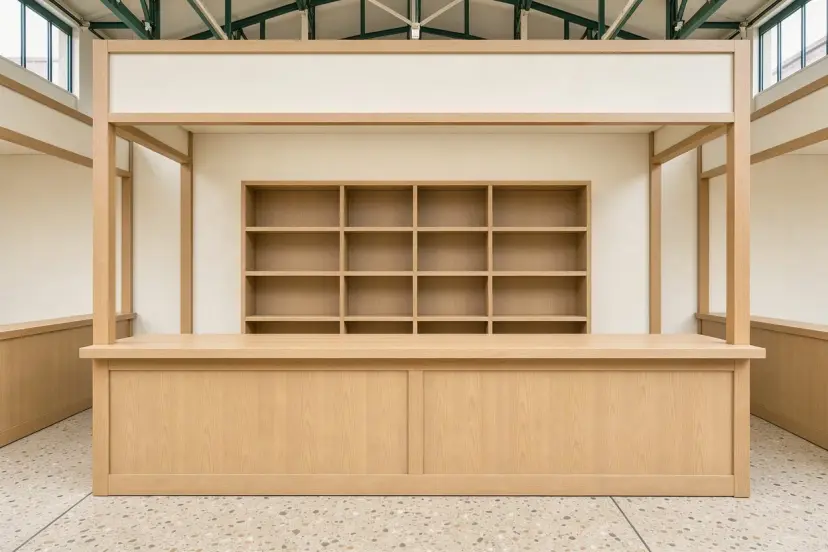
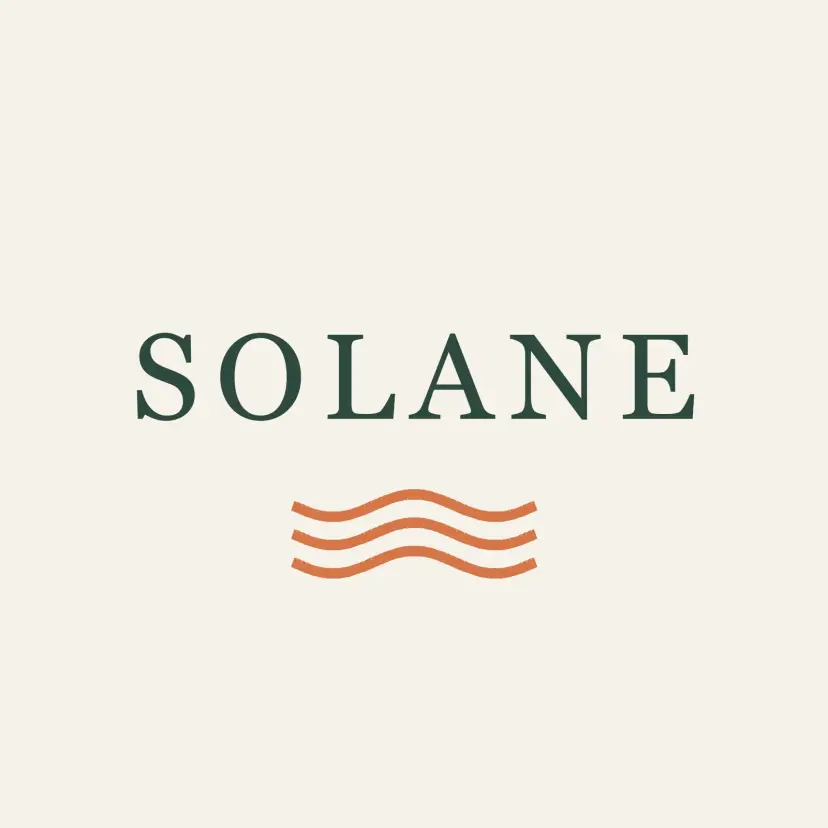
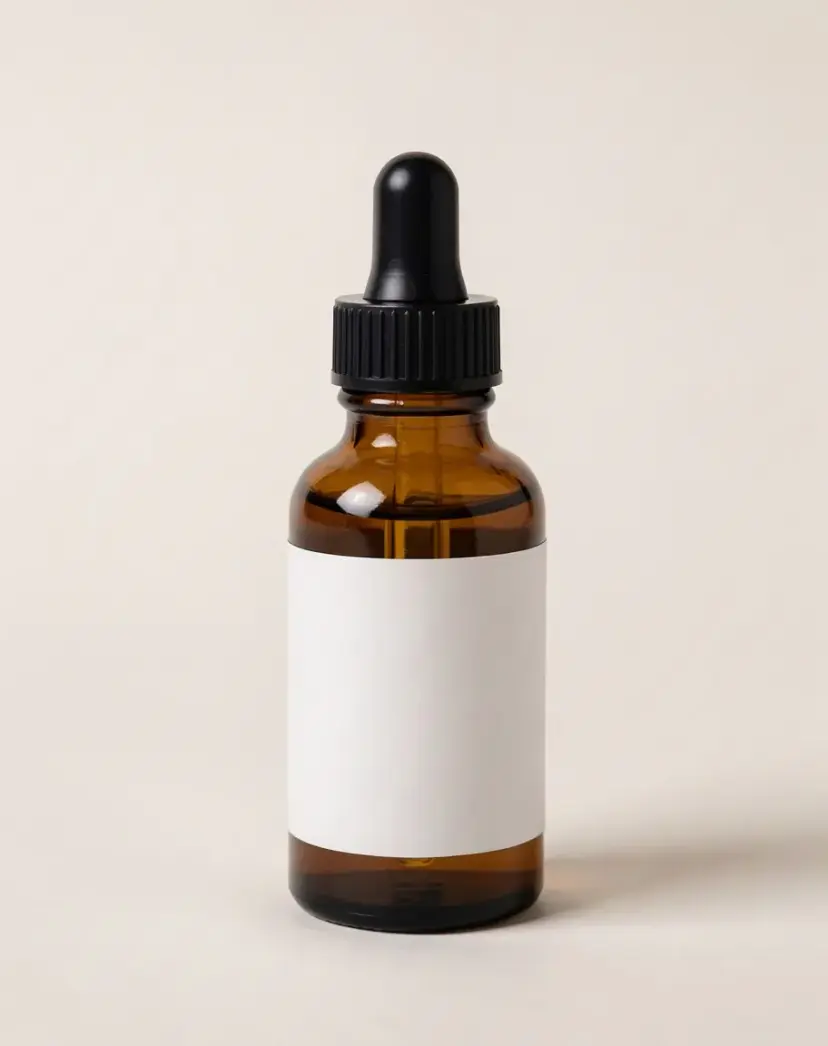
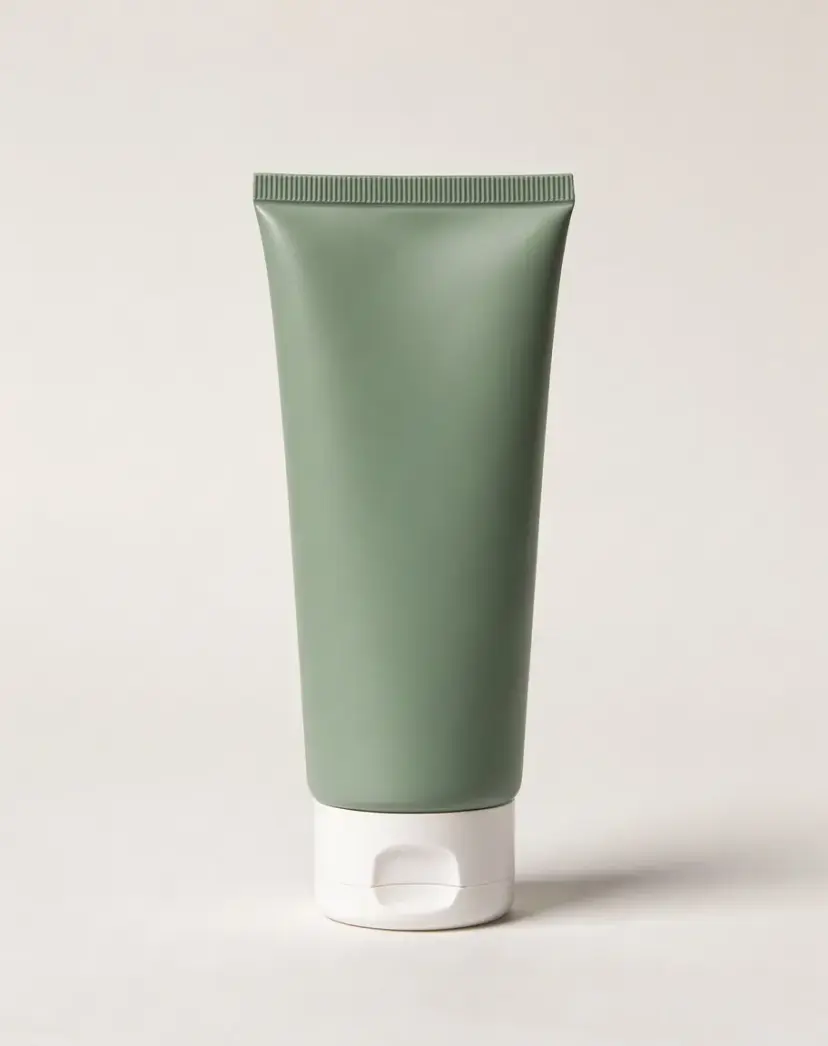
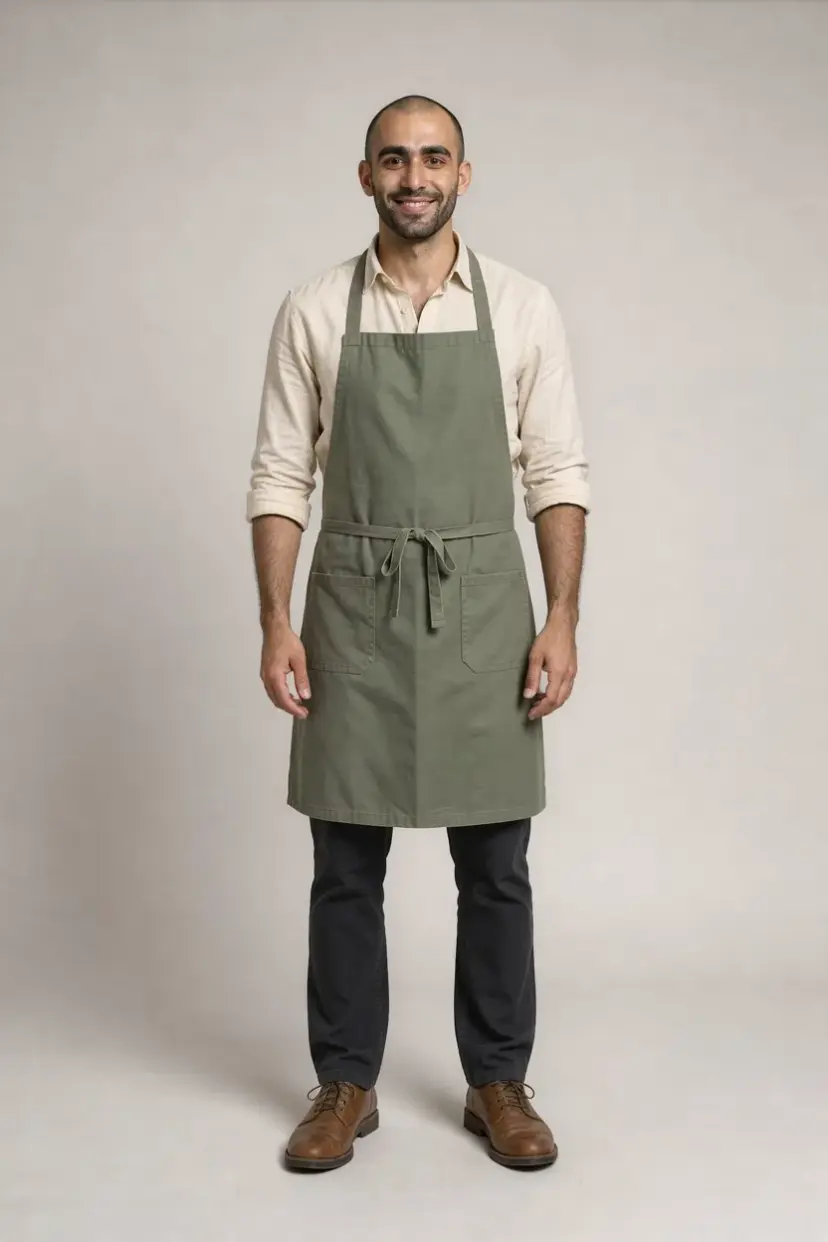
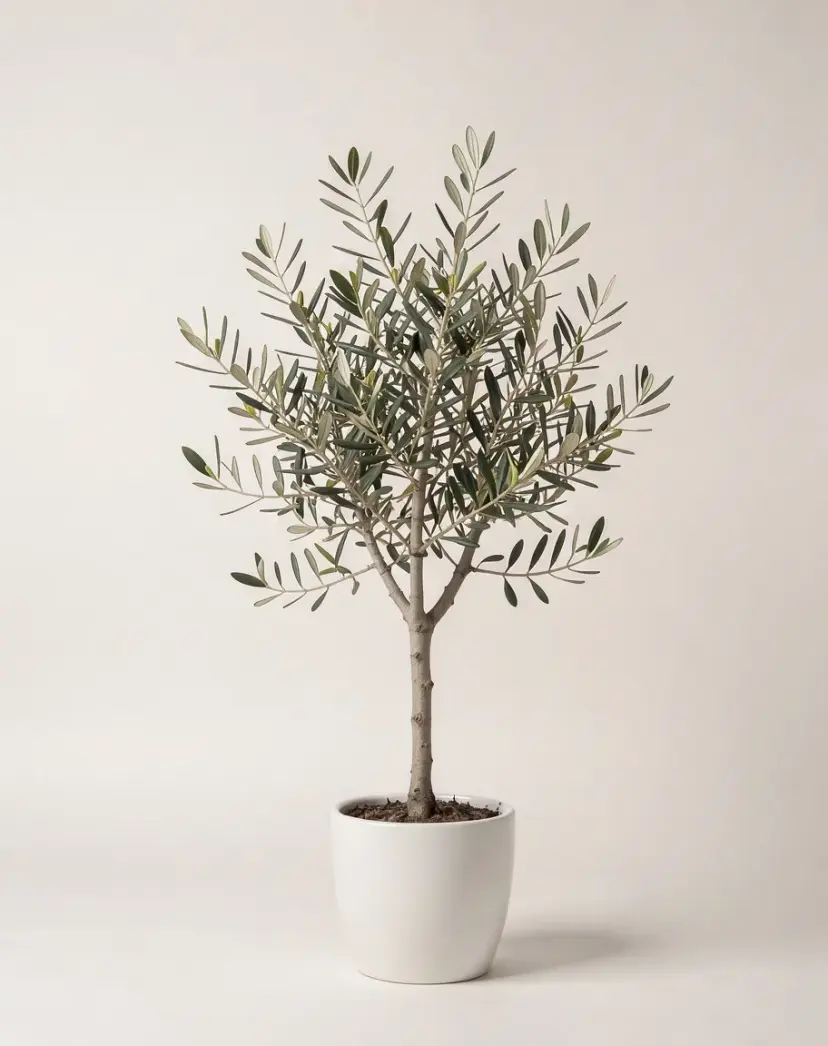
The last task takes the kitchen-sink approach. We gave each model 8 references for a fictional skincare pop-up and asked for everything in one frame, with exact counts. The shelf should hold 3 bottles and 2 tubes. The counter should have one open gift box with a sample tray beside it. We ran this one once per model.


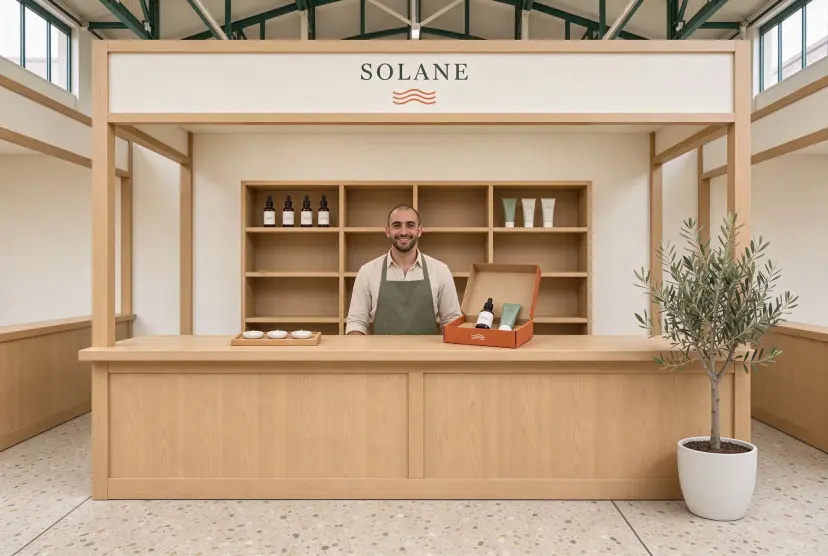
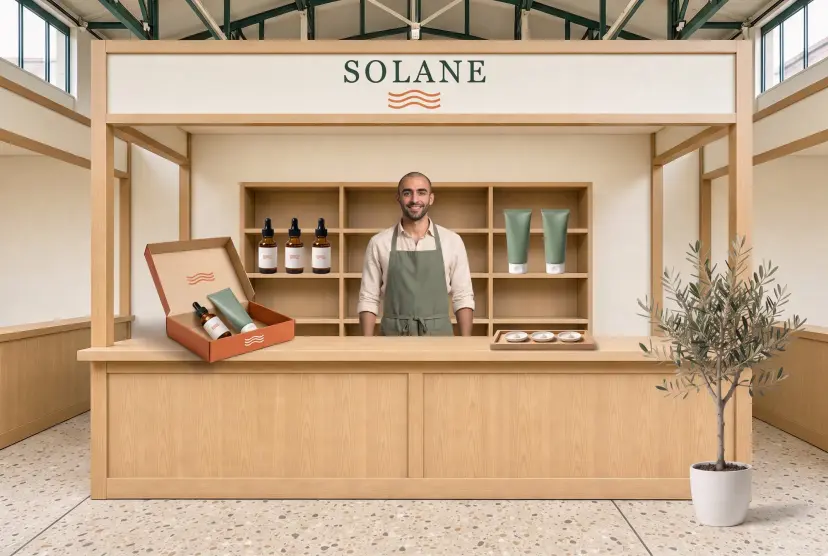
| Model | Brand name and wave symbol | Bottles and tubes on the shelf (asked for 3 and 2) | Sample tray beside the box | Blind review score |
|---|---|---|---|---|
| Seedream 5.5 | Correct | 4 bottles and 3 tubes, with 2 tubes in cream instead of sage green | No, at the far end of the counter | 2 out of 5 |
| Nano Banana 2.1 | Correct | 3 bottles and 2 tubes | No, at the far end of the counter | 2 out of 5 |
Both models spelled the brand name "SOLANE" correctly and put the wave symbol on the bottles and the box. Nano Banana 2.1 was the more accurate model for this brand campaign shot because it got every count right. Seedream 5.5 put an extra bottle and an extra tube on the shelf, and 2 of its tubes came out cream colored instead of sage green. Both models placed the sample tray at the far end of the counter when we asked for it beside the box. In our blind review the 2 shots received the same score, a 2 out of 5.
Seedream 5.5 versus Nano Banana 2.1 pricing comparison
Seedream 5.5 costs $0.043 per image, while Nano Banana 2.1 costs $0.052 per image. Both prices are for an image of about 4 megapixels made from one reference image.
| What we ran | Seedream 5.5 | Nano Banana 2.1 |
|---|---|---|
| Cost per image, 1 reference image | $0.043 | $0.052 |
| Cost per image, 8 reference images | $0.099 | $0.064 |
| 5 rounds of edits to one image | $0.215 | $0.261 |
These are the Runware prices as of November 9, 2026 (November 12 for Seedream 5.5) for images of 3.7 to 4.3 megapixels. Seedream 5.5 charges a flat price per image plus an additional small amount for each input image. Nano Banana 2.1 charges by token, so its price moves with the prompt and the inputs that you use. This is why Seedream 5.5 costs less with one reference image and Nano Banana 2.1 costs less with 8.
Seedream 5.5 versus Nano Banana 2.1 generation speed
Nano Banana 2.1 generated an image in a median of 29 seconds, while Seedream 5.5 took a median of 31 seconds. The gap grows on large requests. With 8 reference images Nano Banana 2.1 finished in 32 seconds and Seedream 5.5 needed 54 seconds.
| What we ran | Seedream 5.5 | Nano Banana 2.1 |
|---|---|---|
| Median time per image, all 5 tasks | 31 s | 29 s |
| Time per image, 1 reference image | 29 to 33 s | 28 to 30 s |
| Time per image, 8 reference images | 54 s | 32 s |
Times here are the median from request to finished image through Runware's API. The Nano Banana 2.1 runs are from November 9, 2026. The Seedream 5.5 runs are from November 12, 2026.
Which AI image editor is right for you?
- Use Seedream 5.5 when you need the same person to look consistent across images, or when you plan to make multiple edits to one image at a lower cost. It costs $0.043 per image with one reference image against $0.052 for Nano Banana 2.1. However, Seedream 5.5 was less accurate with product placement and exact counts in our test. It is also slower on large requests, at 54 seconds against 32 seconds for Nano Banana 2.1 with 8 reference images.
- Use Nano Banana 2.1 when you are placing a real product into a new scene, or when a brand shot built from many reference images has to follow exact counts. It is also the cheaper model once a request carries 8 reference images, at $0.064 against $0.099. However, Nano Banana 2.1 is not adequate for editing one image over several rounds, because the room color drifted further with each round in our test. It also misspelled the brand name on one of our 2 packaging takes.
Try Seedream 5.5 on Runware today
You can test Seedream 5.5 on Runware today with a single API request. The request below asks Seedream 5.5 to print a label from a reference image onto a coffee bag, which is the packaging task from our test. To run it, replace the example URL with a link to your own label and send the JSON to Runware's API with your API key. To compare the result with Nano Banana 2.1, change model to google:nano-banana@2.1 and give the task a new taskUUID. The 2048×2048 size is one of Nano Banana 2.1's fixed sizes, so the request works unchanged for both models:
[
  {
    "taskType": "imageInference",
    "taskUUID": "a770f077-f413-47de-9dac-be0b26a35da6",
    "model": "bytedance:seedream@5.5",
    "positivePrompt": "Straight-on product photo of a 250 g kraft paper coffee bag standing on a light oak shelf against a plain off-white wall, even soft light. The label from image 1 is printed on the front of the bag and covers most of its width. Reproduce every word, number and line of the label exactly as in image 1, in the same layout, fonts and relative sizes.",
    "inputs": {
      "referenceImages": [
        "https://example.com/your-label.png"
      ]
    },
    "width": 2048,
    "height": 2048,
    "outputFormat": "PNG",
    "includeCost": true
  }
]
Each model's parameters and prompting tips are in the docs: Seedream 5.5 and Nano Banana 2.1.
Seedream 5.5 and Nano Banana 2.1 guides
Runware's docs have 5 guides for Seedream 5.5 and 6 for Nano Banana 2.1.
Seedream 5.5
Nano Banana 2.1
- Prompting
- Text and layouts
- Editing images
- Composing from multiple reference images
- Subject consistency
- Grounding with web and image search
Frequently asked questions
How we tested
- Seedream 5.5 (
bytedance:seedream@5.5) is ByteDance's newest image model. It takes up to 10 reference images. - Nano Banana 2.1 (
google:nano-banana@2.1) is Google's image model for graphic composition and subject consistency, with search grounding. It takes up to 14 reference images.
Our testing process ran the models through 5 assignments. Starting from reference images, we simulated generative workflows that go beyond basic image generation. From a product launch to a text labeling exercise, we also looked at how the models handle details in portraits.
Keeping the prompts and references identical, we mostly used default settings. Since Nano Banana 2.1 only accepts fixed sizes, we made tiny adjustments where absolutely necessary to ensure that all of the API calls satisfied model-specific requirements. Some of the tasks were run twice and this post documents all of our results.
We scored every image from 1 to 5 in a blind review, which means we did not know which model had made an image while we were scoring it. The same 5 tasks were also run on Seedream 5.0 Pro and GPT-Image-2.6, and those results are left out of this comparison.

Written by
Vadim Vozmitsel
Developer Advocate at Runware
Vadim Vozmitsel is a Developer Advocate at Runware and part of the growth team, focusing on technical education and product evangelism.
More posts by Vadim VozmitselRun the same test on Runware.
One request format for both models. Change the model ID and compare.
Try Seedream 5.5