Seedance 2.0 vs 1.5 Pro: a direct comparison
We ran both models through the same prompts. Here's what we found.


It held the #1 spot on Artificial Analysis for both T2V and I2V for weeks (only recently been replaced by HappyHorse-1.0), and the comparison with 1.5 Pro makes clear why. It's one of the first video models that actually handles multi-shot sequences properly. Not just generating a convincing clip, but planning across shots and keeping things consistent throughout.
How we tested this
To keep the comparison fair, we used side-by-side prompts designed to stress the same dimensions in both models: sequence continuity, camera adherence, temporal stability, and audio-video alignment.
We focused on practical output behavior rather than synthetic benchmarks:
- whether shots remain coherent over time
- whether camera instructions persist
- whether sound and motion stay synchronized in complex scenes
- same prompt intent and structure across both model variants
- fixed output targets per scenario (duration and resolution)
- no manual post-processing to "rescue" weaker outputs
Seedance 1.5 Pro versus Seedance 2.0
From short clips to in-depth sequences
The clearest shift is how the model handles progression. Instead of generating a single moment, you define how a scene unfolds and the model plans around that.
For example:
- medium shot of a joyful couple, cinematic outdoor wedding scene
- a cut to wider shots of wedding guests, dog walking through the scene
- a close-up shot of hands raising champagne glasses, toasting
- the couple exchanging glances, subtle kiss
Character, lighting, and motion hold together across all of it. Less stitching after the fact. More like directing.
Seedance 1.5 Pro
Seedance 2.0
Motion that holds up over time
Earlier models often fall apart as a sequence progresses. What starts convincing gradually loses coherence. Seedance 2.0 is more stable. Movement stays consistent across frames and objects behave predictably. You get fewer near-misses overall.
Honestly, this is the thing that matters most in practice. A great first shot that degrades by shot three isn't useful.
Seedance 1.5 Pro
Seedance 2.0
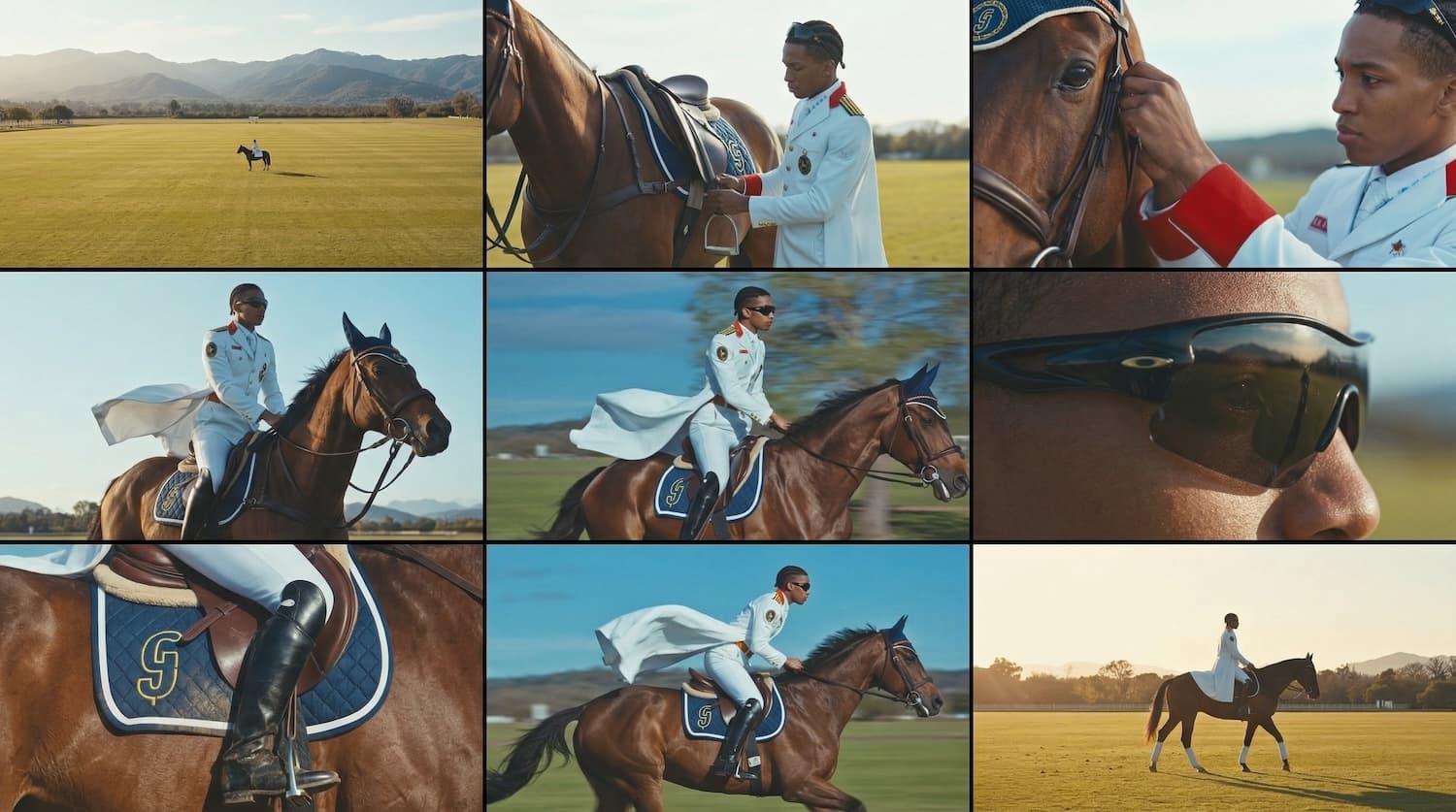
Camera control that actually follows instructions
Seedance 1.5 Pro treats camera instructions as a rough suggestion, prompt for a tracking shot and you get something adjacent, maybe. Seedance 2.0 is more reliable. Define your camera behaviour and it persists across shots instead of drifting or resetting mid-sequence.
For example:
- open with a top-down wide shot
- follow the subject with a tracking shot
- then pull rapidly backwards
The motion holds together. It feels like it was planned, not assembled.
Seedance 1.5 Pro
Seedance 2.0
Reference inputs carry more weight
Seedance 1.5 Pro accepts references but doesn't lean on them heavily. 2.0 treats them as anchors, keeping characters, locations, and lighting consistent across shots.
This isn't an added feature. It's closer to how the model is designed to work. Text prompts alone will get you somewhere, but references are where it gets precise.
For example, you might use:
- images to define characters, location, and lighting
- a short clip to guide motion
- an audio cue to shape timing or dialogue
Audio and video, together
1.5 Pro, like most models, treats audio as a separate step. Seedance 2.0 generates both in the same pass, which means dialogue, motion, and timing align without any extra effort. It also removes a whole stage from the pipeline. That adds up when you're running a lot of iterations.
Seedance 1.5 Pro
Seedance 2.0
Seedance 1.5 Pro
Seedance 2.0
How it stays consistent
Seedance 2.0 uses a diffusion transformer architecture that tracks relationships across frames rather than treating each one independently. In practice: characters stay themselves, environments don't drift, and motion doesn't randomly reset between shots. This is what makes the multi-shot approach viable. It's not just longer output, it's architecturally different from what 1.5 Pro was doing.
Capabilities at a glance
- Multi-shot video generation with sequence-level planning
- Video editing using video, image, audio, and prompts
- Up to 1080p resolution
- Video extension or stitching up to 3 clips
- 24fps cinematic motion
- Multimodal inputs: up to 9 images, 3 videos, 3 audio clips per request
- Consistent subjects and environments across shots
Fast enough for iterative work. The per-generation cost is manageable enough to actually experiment.
Why Seedance 2.0 wins
- Better multi-shot continuity, so sequences feel directed instead of stitched.
- Camera instructions persist across cuts, with less drift over time.
- Audio and video are generated together, improving sync and reducing pipeline steps.
- Reference inputs have stronger influence, making consistency easier to maintain.
- For lightweight iteration, Seedance 2.0 Fast gives faster turnaround without changing workflows.
Using Seedance 2.0 via the Runware API
Seedance 2.0 is available via the Runware API using the videoInference task type. Here's a basic text-to-video request:
{
"taskType": "videoInference",
"taskUUID": "79570092-b2dd-421a-8fb5-e91657e025ab",
"model": "bytedance:[email protected]",
"positivePrompt": "A lone astronaut walking across a red desert plateau at golden hour, slow cinematic tracking shot, dust rising with each step, dramatic sky",
"duration": 10,
"width": 1280,
"height": 720
}
To animate from a reference image (image-to-video), pass it as a first frame:
{
"taskType": "videoInference",
"taskUUID": "b8c4d952-7f27-4a6e-bc9a-83f01d1c6d59",
"model": "bytedance:[email protected]",
"positivePrompt": "Camera slowly pushes in, subject turns to face camera, warm natural light",
"inputs": {
  "frameImages": [
  {
    "image": "your-image-uuid-here",
    "frame": "first"
  }
  ]
},
"duration": 5
}
To disable camera movement and keep a static shot:
{
"settings": {
  "bytedance": {
    "cameraFixed": true,
    "audio": true
  }
}
}
Field names can vary slightly by SDK/version, so use the model docs as the source of truth for current request shape.