Introducing Style LoRA Training on Runware
In-house Style LoRA training is live on Runware. Train a small adapter on your own images for tighter brand and style consistency than reference images can give you, on FLUX.1 [dev], FLUX.2 [klein] 4B/9B, Qwen-Image, or Z-Image Base.

TL;DR
Style LoRA training is now live on Runware. Train a custom style into your own model in minutes, so every image you generate already looks like your brand, without re-describing it in every prompt. Upload a small set of images, pick a base model, and get back a lightweight fine-tuned adapter that's more consistent and controllable than steering a model with reference images alone. Train on FLUX.2 [klein] 4B or 9B, FLUX.1 [dev], Qwen-Image, or Z-Image Base. Once trained, your LoRA is immediately available in your Runware account for inference.
LoRA training is now live on Runware. This article covers the what, the why, and the how: what a LoRA actually is and which models support it, why you'd train one instead of leaning on reference images alone, and how to run one against your own dataset.
If you already know your way around LoRAs and just want the practical details, jump to How does it work for the models, parameters, and cost, or Get started for a ready-to-run API request. Otherwise, read on from here.
This is a style trainer, more on what that means below, but the short version: if you've ever burned a dozen generations trying to get a reference image on Seedream, Nano Banana, or any model which accepts reference images, to reproduce your branding or style, this is built for exactly that problem.
What is a LoRA?
A LoRA (low-rank adaptation) is a lightweight fine-tuning method: a small adapter trained on top of a base image model. Feed it a set of images and it learns a specific style, a visual identity, a recurring look, without retraining the whole model from scratch. The result is lightweight, fast to produce, and easy to plug into normal generations.
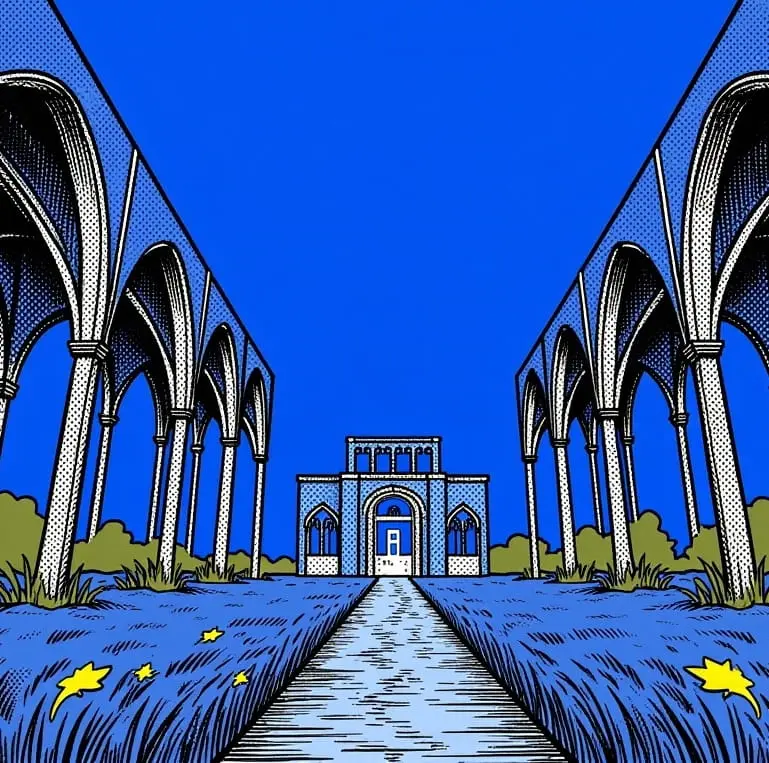
Style consistency is easiest to see rather than describe. This LoRA was trained on six illustrations sharing one bold, blue-and-yellow halftone look:
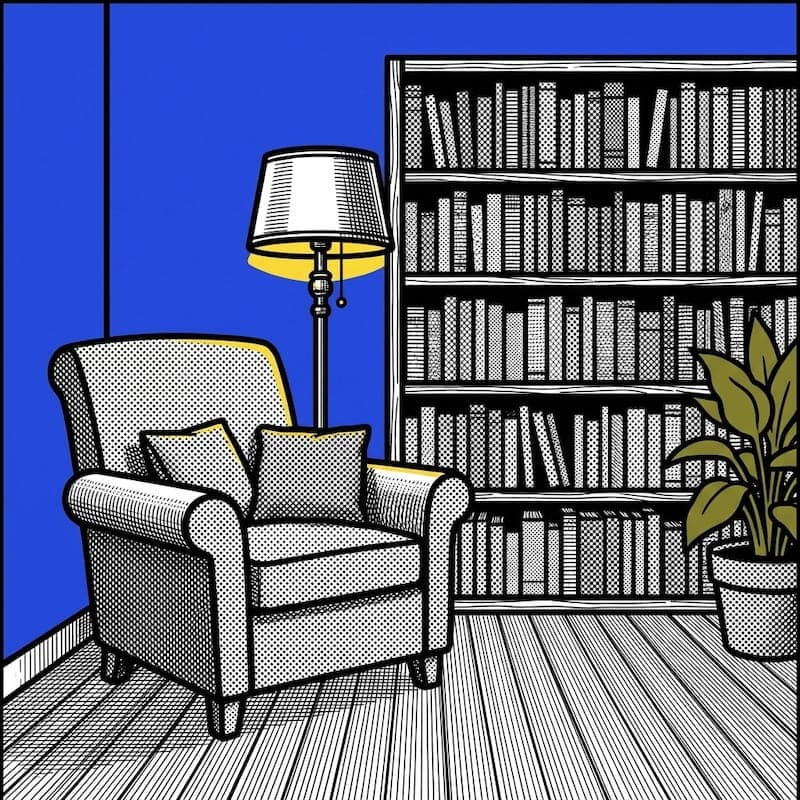
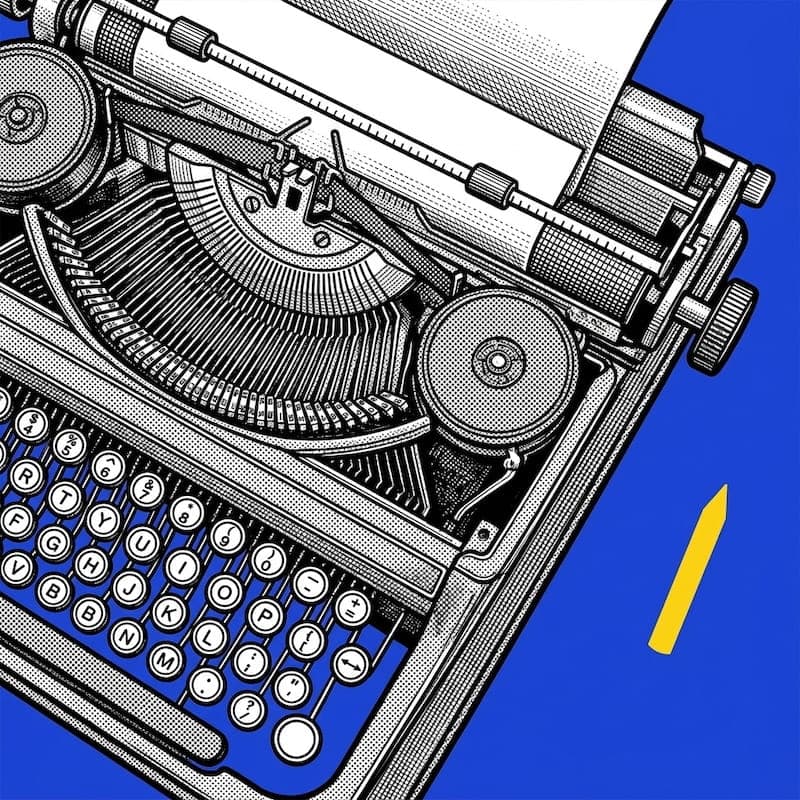
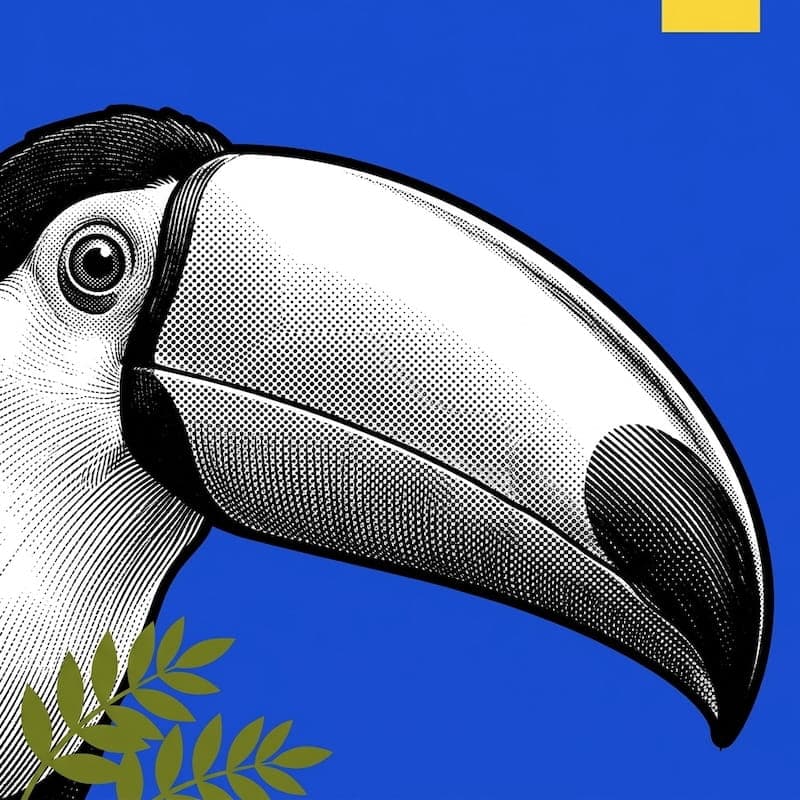
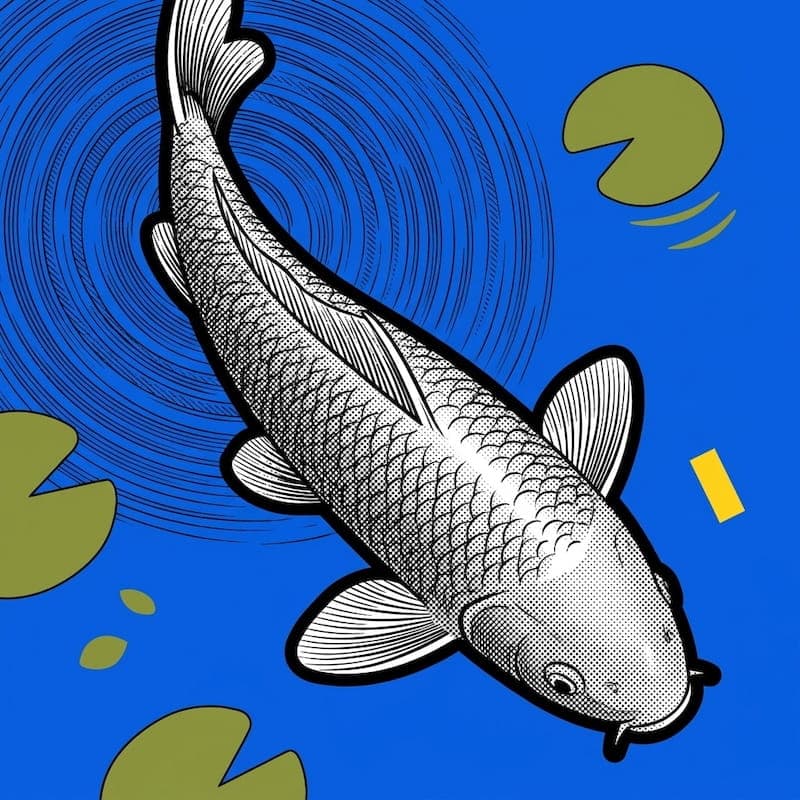
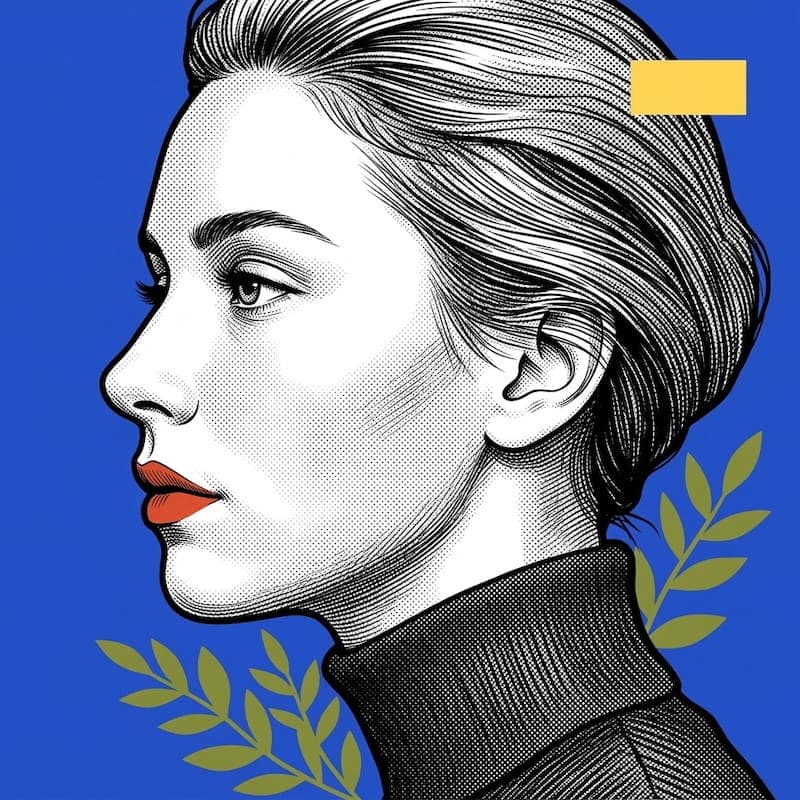
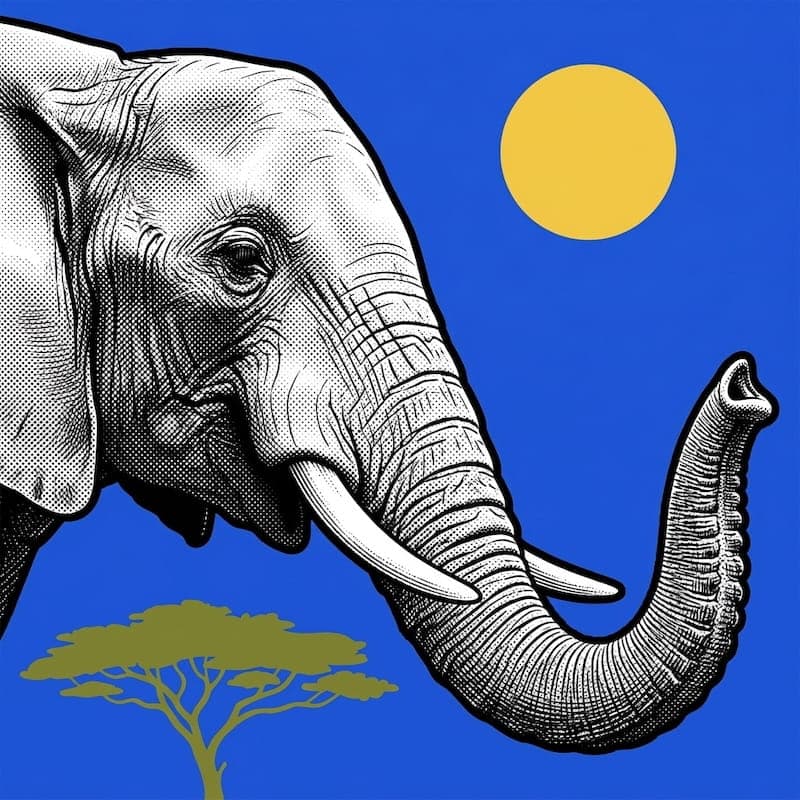
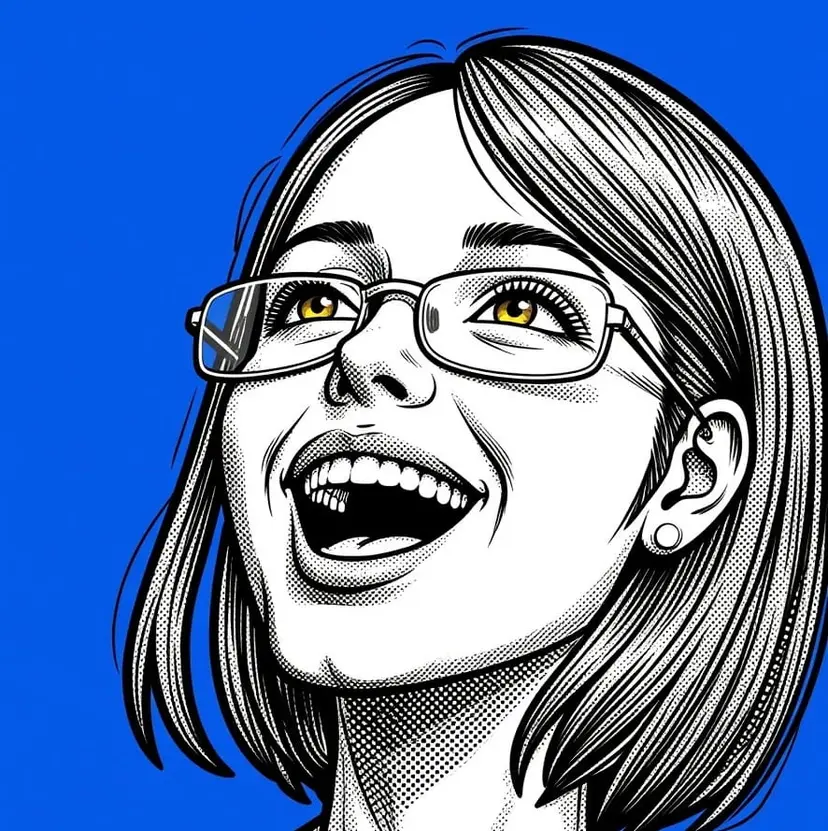
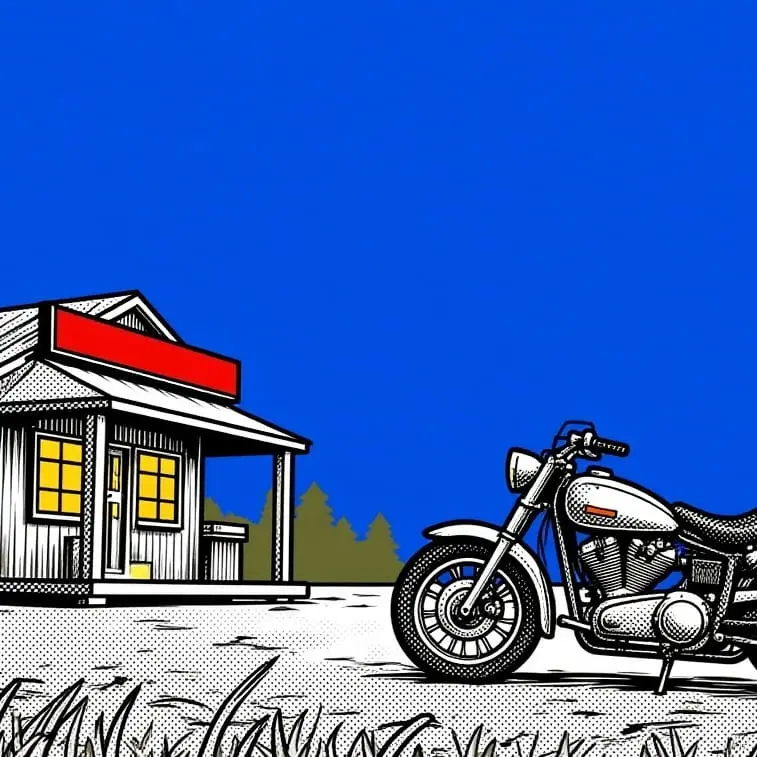
Generate new subjects afterward, never seen in training, and the style still holds:

LoRA vs reference images: which do I need?
Models like Seedream 4.5/5 and Nano Banana 2, and others that accept reference images, are useful, especially for one-off jobs where you don't have a dataset to train on. But if you're trying to hold a consistent visual identity across dozens or hundreds of generations, the tradeoffs are significant:
- Consistency. A reference image is a suggestion the model interprets on each generation based on many variables. A LoRA trains a concept into the model weights, so the same style shows up reliably across a much larger volume of outputs.
- Control. You can adjust LoRA strength, combine multiple LoRAs, layer them against different prompts. There's no such control with reference images.
- Iteration cost. Getting a reference-image generation to land in the perfect way often means re-rolling generations multiple times. A trained LoRA gives you a stronger starting point on every single generation, so there's less trial and error per image.
- Ownership. You get the raw file for your trained model.
Reference images still make sense when you don't have 10+ images to train on, or when you just need a quick one-off generation.
How could a LoRA be useful to me?
The initial Runware LoRA trainer focuses on style capture, rather than subject, character, or specific faces, think in terms of look rather than likeness:
- A studio's specific visual identity: film grain, color grading, illustration styles, held consistent across an entire campaign
- Product photography with a repeatable, branded rendering style across many scenes and angles
- Game or app asset pipelines that need one coherent art style across hundreds of generated assets
- Any workflow where "make it look like our content" currently means long prompts, reference images, and a lot of re-rolling
Locking in your brand's visual identity
For brand and design teams, style LoRA training is a way to encode brand guidelines directly into a model: color palette, illustration style, photography treatment, whatever makes content instantly recognizable as yours. Once trained, generations default to on-brand output without rewriting a style guide into every prompt, and without depending on a reference image the model may or may not follow closely. It's a practical way to reproduce your visual identity consistently across campaigns and product lines.
How does it work?
Five models are live for style training right now, all open-weight models already available through Runware's model hosting:
runware:flux-1-dev@style-lora-trainingThe most widely adopted FLUX checkpoint, with broad LoRA and tooling support.
runware:flux-2-klein-4b@style-lora-trainingThe smaller FLUX.2 [klein] checkpoint — quicker training runs, lower cost per job.
runware:flux-2-klein-9b@style-lora-trainingThe larger FLUX.2 [klein] checkpoint, trading training speed for extra output quality.
runware:qwen-image@style-lora-trainingStrong prompt following and text rendering — a solid all-round choice for style training.
runware:z-image@style-lora-trainingLightweight and fast to train. LoRAs trained here also run on Z-Image Turbo.
All five share the same recipe name, style-lora-training: you can train the same dataset across all five models in a single request by submitting one job per model, side by side.
triggerWordis the only required parameter beyond the model AIR and dataset. LeavetrainingStepsandlearningRateout entirely and Runware applies the defaults for that model, tuned to give you a good result on a typical style dataset - a balance of quality, training speed, and cost.importModeldetails how the trained LoRA gets packaged as a named, versioned model in your org. Give it a name, a description, a hero image, and a public or private flag.- The output shows up two ways: as a model available in your org for normal inference requests, and as a downloadable
.safetensorsfile.
Advanced settings, such as trainingSteps and learningRate, are configurable, but they're advanced options, not settings to reach for by default. Push the too high or too low, or pick a step count that doesn't suit your dataset, and the result can quickly swing from to . The defaults we've set are chosen to work well out of the box in the majority of situations.
Here's what that looks like in practice — the same prompt, the same seed, run against a LoRA trained on a papercraft-style dataset at increasing checkpoints:
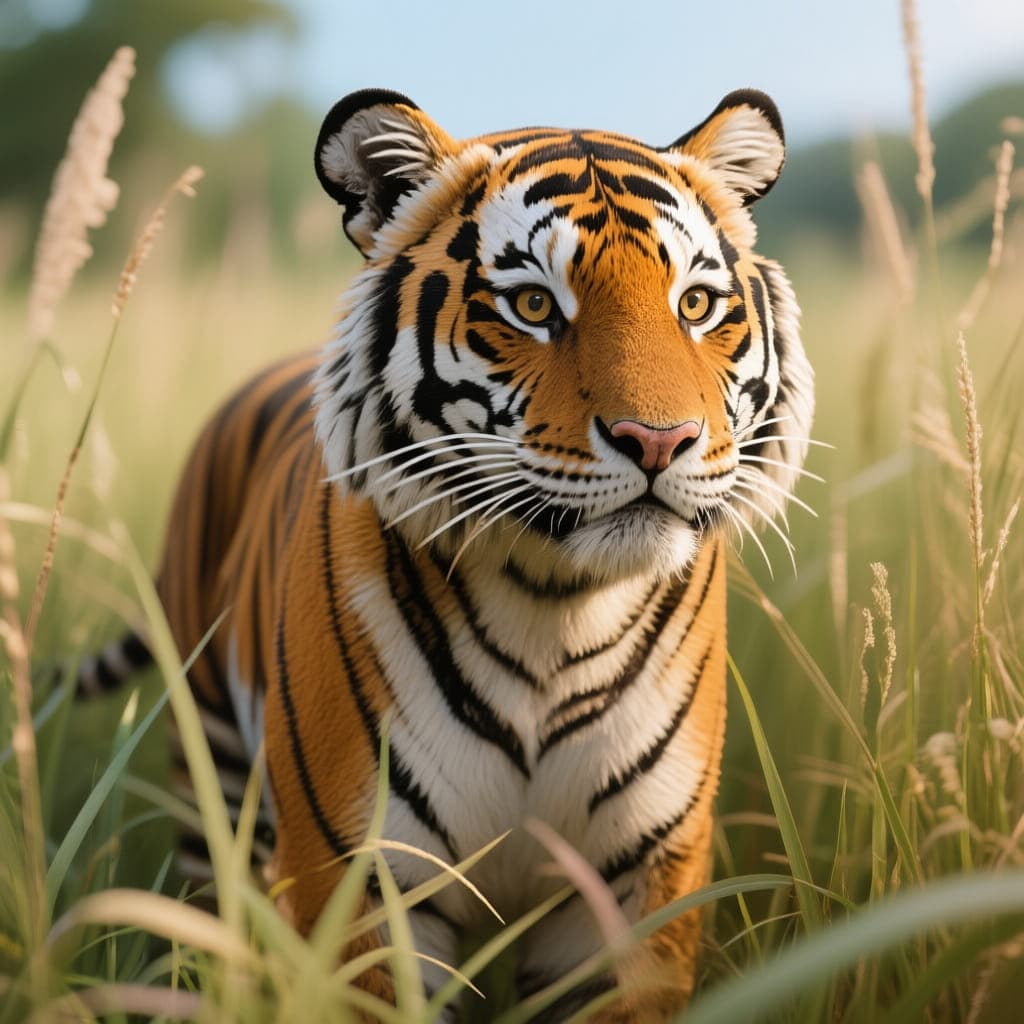


Qwen-Image with no LoRA. A realistic tiger — no trace of the papercraft style yet.
papercraft), across training checkpoints.At 300 the style is only half-applied; the model is still leaning on its photoreal base. By 600 steps, the default for this model, the style has fully taken hold while the subject and composition from the prompt still come through clearly. That's the balance the defaults are tuned for.
What does training cost?
Training is billed per step, the same pay-as-you-go pricing as everything else on the Runware API: no training-specific plan or subscription to opt into.
| Model | Price per step |
|---|---|
| FLUX.1 [dev] | $0.00145 |
| FLUX.2 [klein] 4B | $0.0035 |
| FLUX.2 [klein] 9B | $0.00301 |
| Qwen-Image | $0.00105 |
| Z-Image Base | $0.00182 |
As a concrete example: the papercraft tiger demo above was trained on Qwen-Image at 600 steps, this model's default, which works out to $0.63 for the full run. Total cost scales directly with however many training steps you choose, and the per-model defaults referenced above are tuned to hit a good style-to-cost balance without any manual tuning.
Continue training instead of starting over
Training doesn't have to be a single, one-shot attempt. If a first pass comes back , you don't need to restart from zero and re-pay for every step: pass the checkpoint parameter with the AIR of a LoRA you've already trained on Runware, and trainingSteps runs as additional steps on top of that checkpoint's final state, rather than training a new LoRA from scratch. Run a few hundred steps, check the result, then decide whether to continue, all while only paying for the additional steps in each follow-up pass:
{
"taskType": "training",
"model": "runware:qwen-image@style-lora-training",
"taskUUID": "{{$guid}}",
"checkpoint": "runware:7ed4a535137bc@training",
"trainingSteps": 300,
"inputs": {
  "dataset": "your-zipped-dataset.zip"
}
}
checkpoint only accepts LoRAs previously trained on Runware; models trained elsewhere aren't supported. That makes dialing in a style an iterative, low-risk process rather than a single expensive bet on the right step count up front.
How do I prepare a dataset?
Whatever dataset images are fed into training, the LoRA learns from directly, so a good dataset is the single biggest factor in a quality result. For style training, here's what's most important to consider when preparing a dataset:
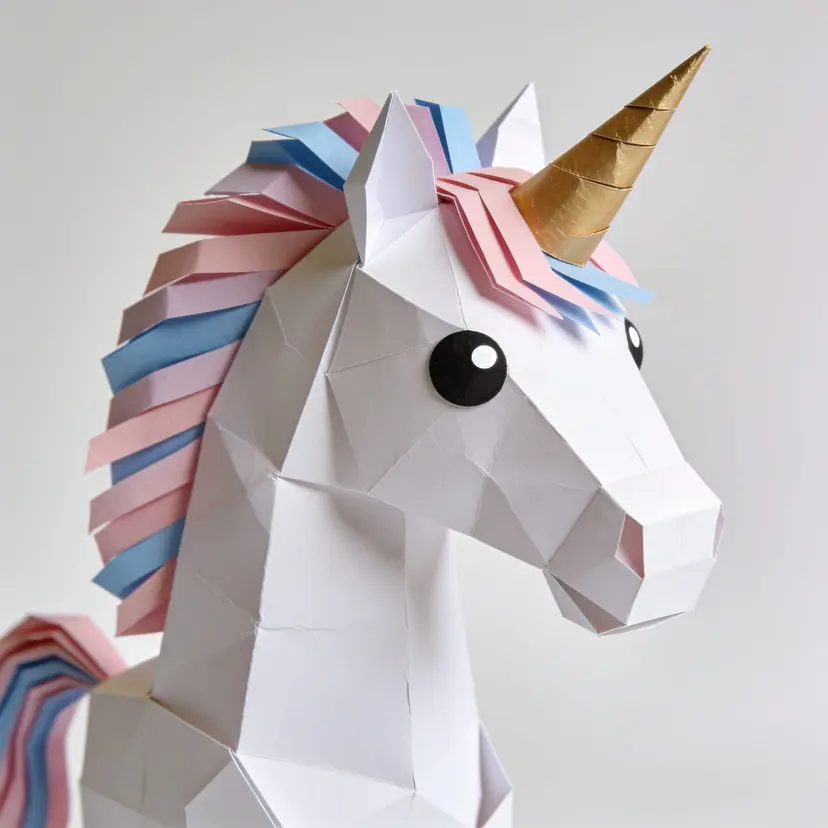
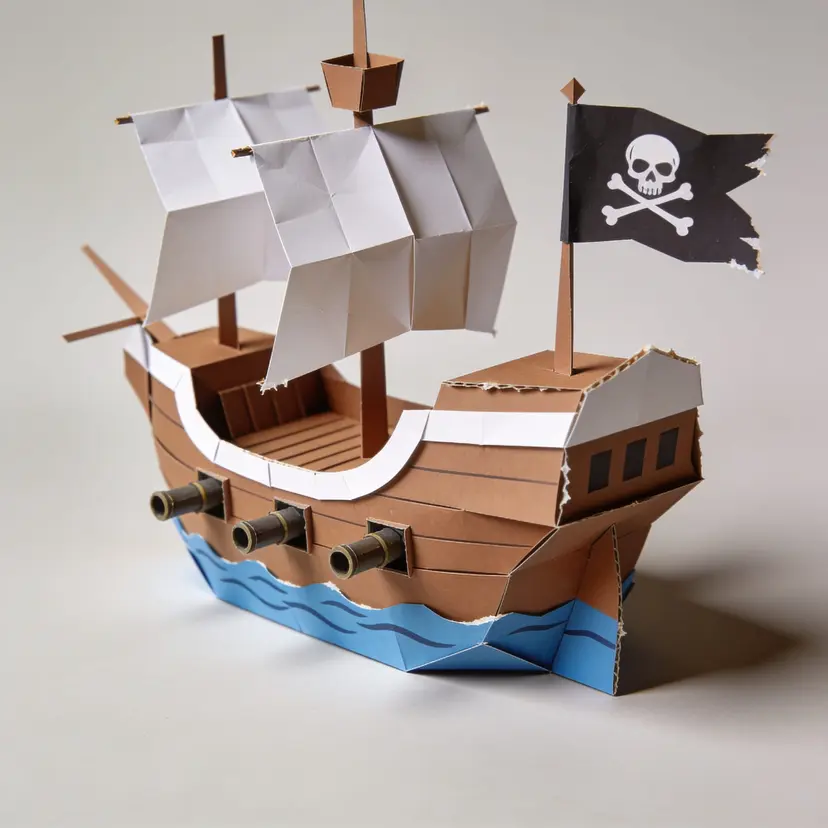
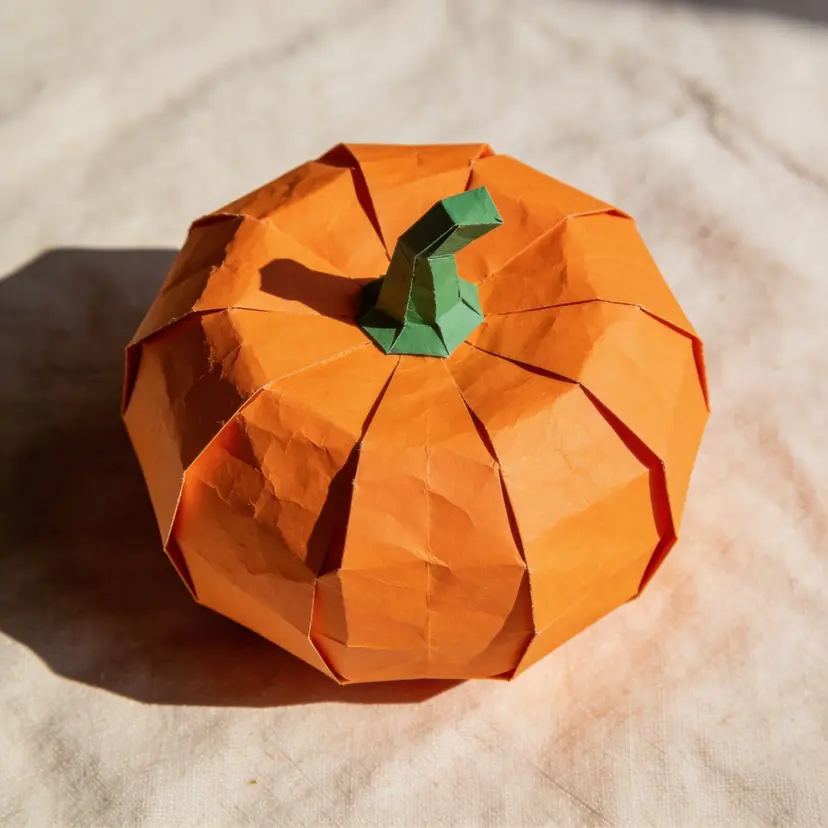
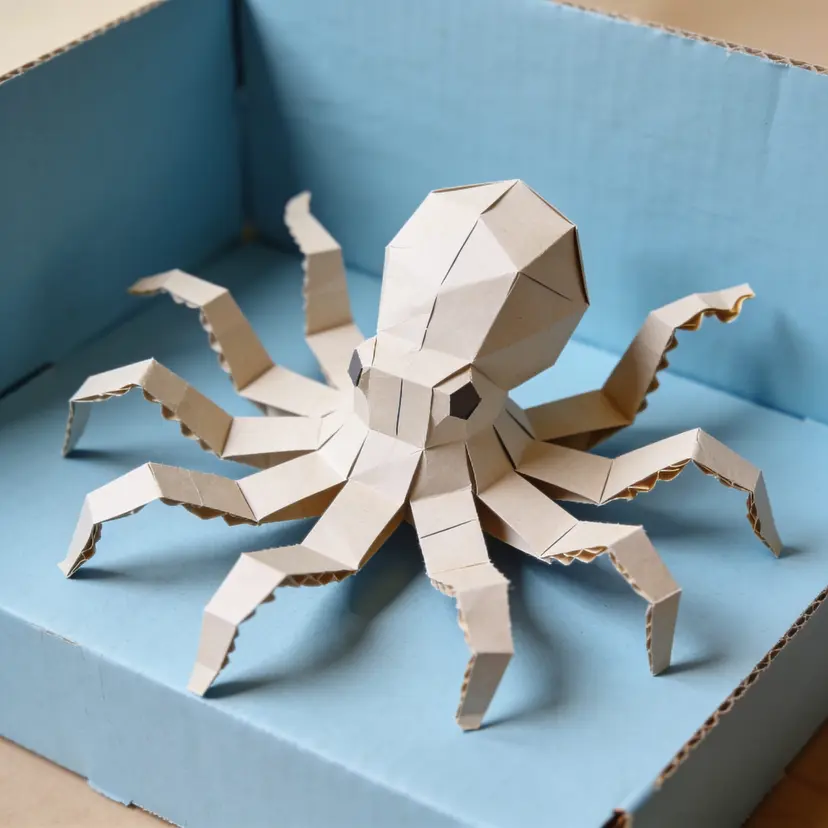
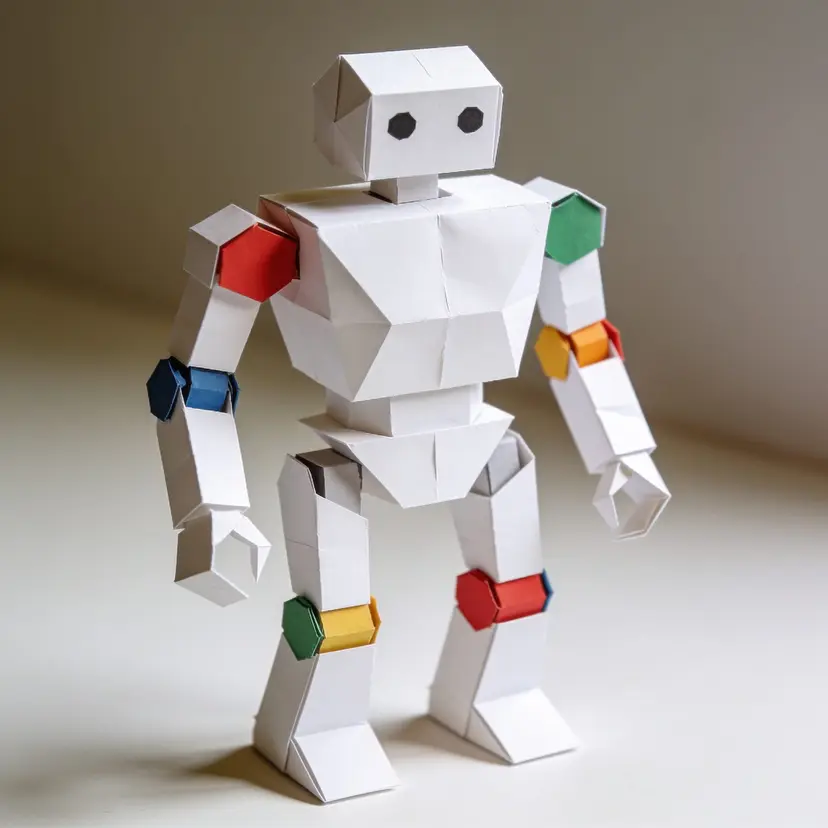
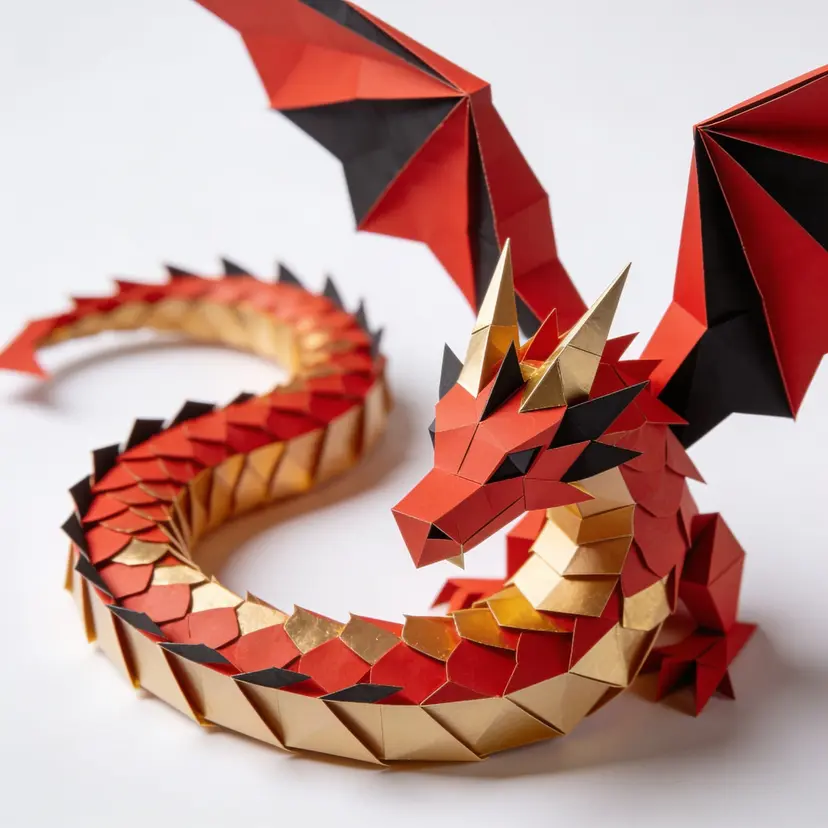
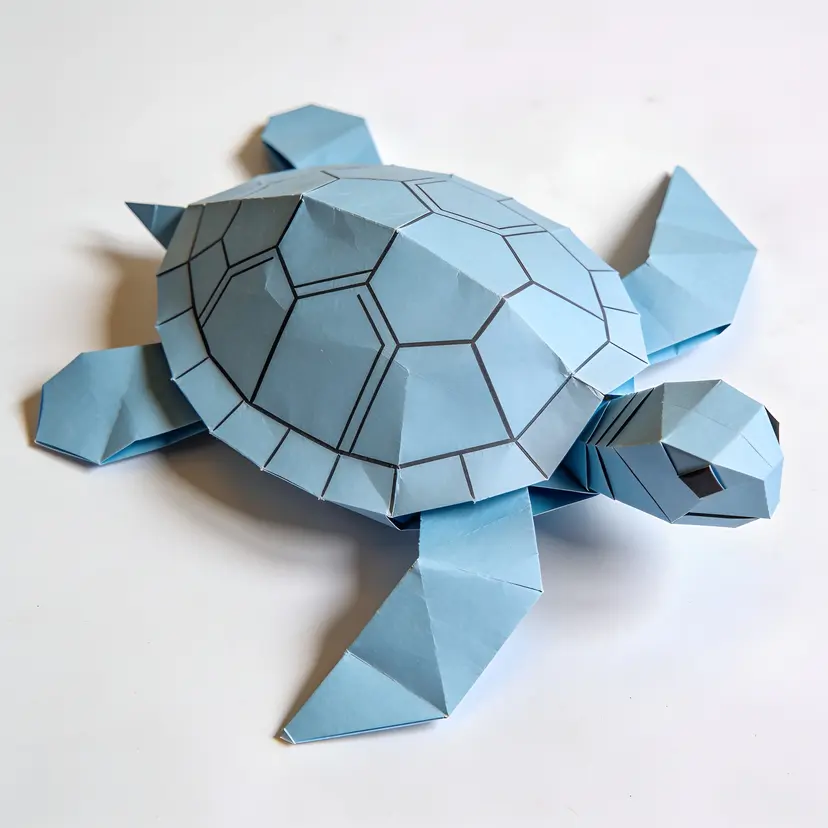
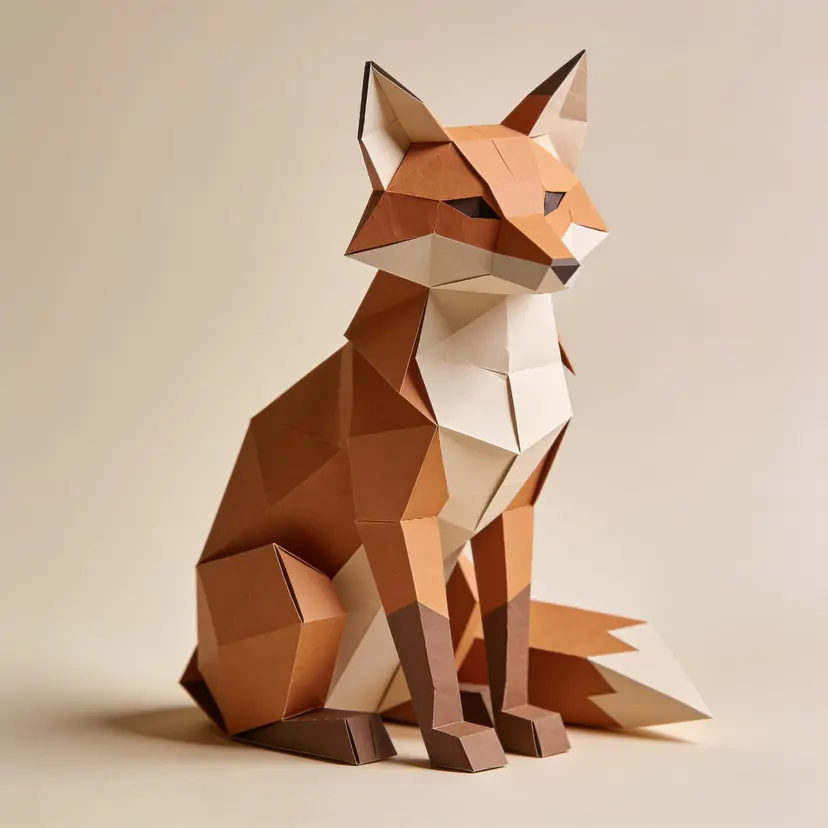

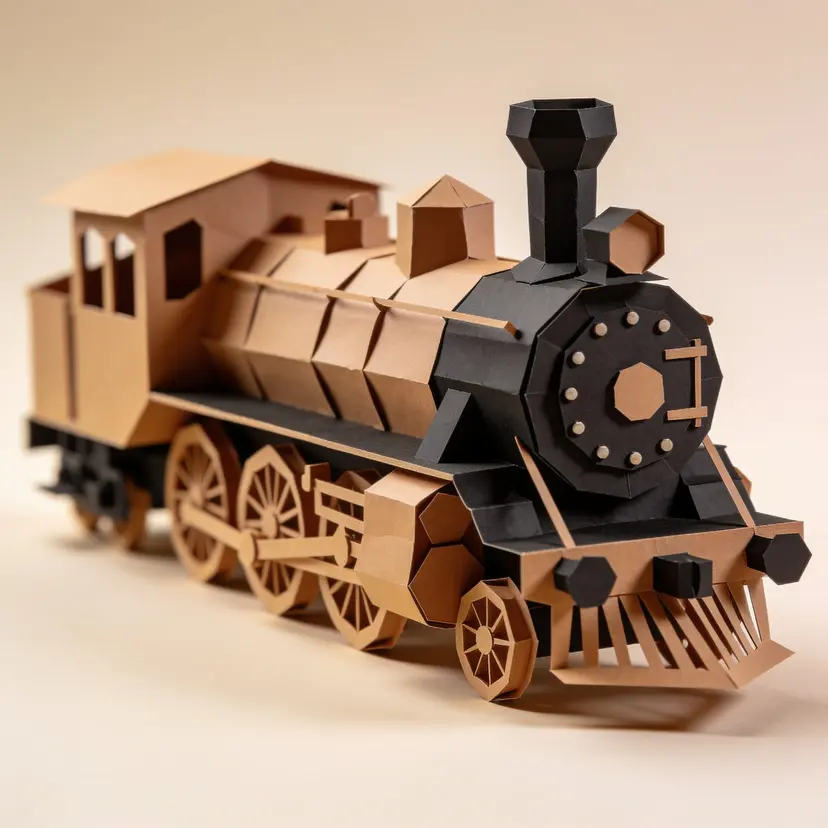
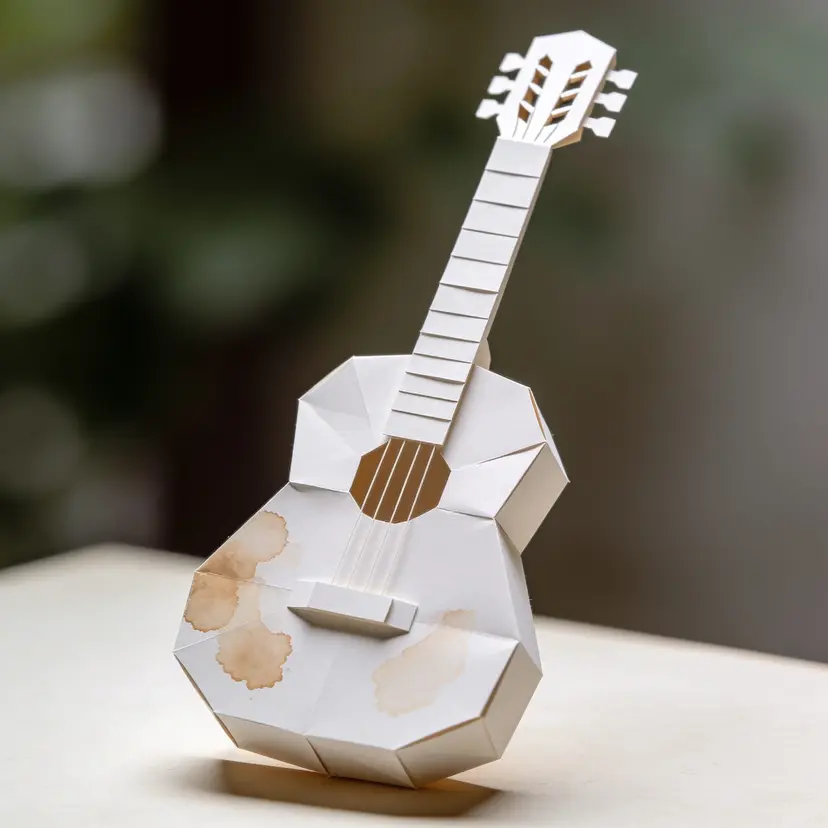
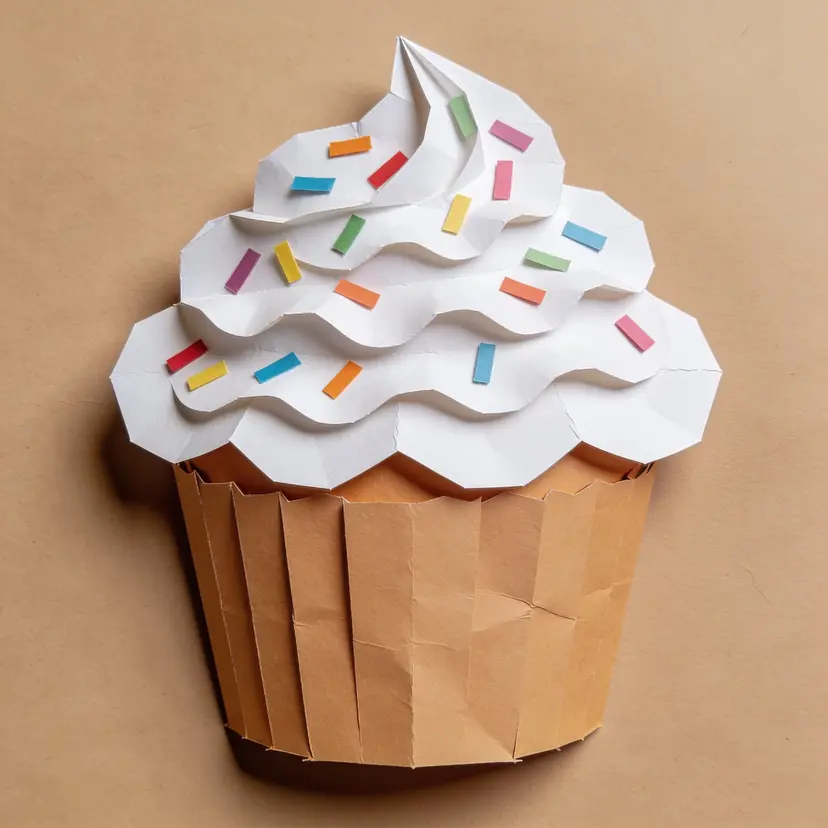
The twelve images above are a single training set: one consistent papercraft style, applied to a dragon, a fox, a steam train, a cupcake, and more. That's the pattern to copy — same look, different subjects.
- Quality over quantity. A tight set of clean, well-chosen images beats a huge number of inconsistent ones. You don't need to max out the dataset to get a good result.
- Every image, same style. All images should represent the exact look you want the LoRA to learn. The same visual identity is crucial to a good output. Mixing styles in one dataset confuses training and gives you a muddier result.
- Variety within that consistency. Vary the subjects, compositions, angles, and lighting, just keep the style itself constant. This is what teaches the model "this is the style" rather than "this is one specific image."
- Sharp, clean images. Avoid heavy compression artifacts, blur, watermarks, or text overlays, they get baked into the model along with everything else you want.
- No near-duplicates. Each image should add something the others don't. Ten thoughtfully chosen images will outperform fifty crops of the same three shots.
- A reasonable working range. You don't need anywhere near the 10,000-image ceiling for style training. A well-curated set of 20-30 images, chosen for quality and consistency rather than volume, is typically enough to get a very strong result.
Captioning
Captions are optional. A captionless dataset works, and for a tight, consistent set of images the trainer will learn the style without any additional guidance. But captions can make a meaningful difference, particularly when your dataset has varied subjects or compositions within the same style.
The format is straightforward: for each image in your zip, add a .txt file with the same base name. The trainer reads them automatically.
your-dataset
├── image_01.jpg
├── image_01.txt
├── image_02.jpg
├── image_02.txt
├── image_03.png
├── image_03.txt
A useful way to think about what goes in each caption: whatever you describe the same way across all images, the model treats as a constant. Whatever varies between captions, the model learns to treat as a variable you can control at inference. For style training, that means the style itself should never be mentioned explicitly in captions; it's what the model is learning from the images. What you do caption is the content: the subjects, scenes, compositions, and lighting in each image. That way the model knows what to attribute to the LoRA's style versus what's just that particular shot.
Each caption should also include your . If you've set triggerWord to mybrand in the API request, your captions might look like:
mybrand A product photograph of a glass perfume bottle on a marble surface, warm side lighting
mybrand A flat lay of skincare packaging on white linen, soft diffused light
mybrand An editorial close-up of a ceramic object against a muted terracotta background
The trigger word in captions reinforces the association between the word and the style, making the LoRA respond more reliably when you use it at inference. If you're working without captions, the triggerWord parameter in the API request still creates that association; captions just make it more precise.
Dataset requirements
Do:
- Zip your dataset, keeping the archive under 4 GiB and the unzipped contents under 5 GiB
- Keep individual files under 100 MB after unzip
- Include at least 10 valid images (jpg, jpeg, png, or webp)
- Keep individual images at or under 8192 × 8192 px
- Name caption files with the exact same base name as their paired image (
image_01.jpg+image_01.txt)
Don't:
- Submit anything that isn't a valid, well-formed zip
- Assume oversized or unsupported images are excluded without consequence: skipped files don't count toward your 10-image minimum, so a dataset that looks fine at a glance can still fail with "not enough images" once the system has filtered the inputs down to usable images.
What's next
Style is the first training type. Subject training is coming next, built for a different use case: capturing the likeness of a specific person, character, or object so you can place them consistently across different scenes and prompts. Where style training asks "what does this look like," subject training asks "who or what is this."
More base models are also on the roadmap. The current five cover a range of architectures and output characteristics, and the list will grow as we validate training quality across additional models.
Get started
LoRA training is available in the Runware Playground now if you want to test it on your own dataset before writing any API code. Use the Launch button next to any of the five models above, each one opens that model's training page directly. Prefer to browse first? Open the Playground's model search and select Training from the category list on the left to see every training recipe, these five included.
If you're calling training via the Runware API, a request to https://api.runware.ai/v1 might look like:
{
"taskType": "training",
"model": "runware:qwen-image@style-lora-training",
"deliveryMethod": "async",
"taskUUID": "{{$guid}}",
"importModel": {
  "air": "runware:7ed4a535137bc@training",
  "name": "Example Model",
  "uniqueIdentifier": "runware:0c455ce5c0434",
  "version": "1.0",
  "private": true,
  "heroImageURL": "Optional Cover Image",
  "shortDescription": "first training model"
},
"triggerWord": "mylora",
"trainingSteps": 300,
"learningRate": 0.0001,
"inputs": {
  "dataset": "your-zipped-dataset.zip"
}
}
Once training completes, the importModel.air above is a real model AIR you can call like any other, with your LoRA passed alongside the base checkpoint:
{
"taskType": "imageInference",
"taskUUID": "{{$guid}}",
"model": "runware:101@1",
"lora": [
  { "model": "runware:7ed4a535137bc@training" }
],
"positivePrompt": "mylora product shot of a ceramic mug, studio lighting",
"width": 1024,
"height": 1024
}
FAQ
Training glossary
LoRA training brings new terminology into the mix that doesn't come up in normal inference. Here's a quick reference for the vocabulary used throughout this article and in the API itself — the same definitions are also available inline as hoverable terms the first time each one comes up above.
- LoRA
- Low-Rank Adaptation. Originally a concept devised to train LLMs, LoRAs allow a small set of new weights to be trained on top of a large base model, teaching it a new style, subject, or concept without retraining the whole thing. That same idea has since been adapted for image models, which is what powers training on Runware.
- Trigger word
- A specific word or short phrase included in your prompt that tells the model to apply the trained LoRA's style. It's set at training time and needs to appear in your prompt at inference time for the LoRA's effect to show up.
- Training steps
- The number of times the model processes your dataset during training. Too few steps and the model won't fully learn the style, too many and it can start overfitting to the exact images you provided rather than generalizing the style itself.
- Learning rate
- Set it too high and training moves fast but misses detail. Too low and the LoRA barely learns anything. The default is tuned so you don't have to think about it.
- Dataset
- The set of images (packaged as a zip) used to train your LoRA. Quality and consistency matter more than volume.
- .safetensors
- The file format the trained LoRA is delivered in. It's the standard, portable format most image generation tools and platforms can load directly, which is why you can download it and use it outside Runware if you want.
- Overfitting
- A model which tries to reproduce the training data too aggressively, resulting in a LoRA which is hard to work with, doesn't follow prompts well.
- Underfitting
- The opposite of overfitting: the model hasn't learned enough from the dataset, usually from too few training steps, a learning rate that's too low, or a dataset that's too small or inconsistent. The result is a LoRA with a weak, barely noticeable effect on output generations.