Custom AI style models for brand teams: from 10 Images to infinite assets
Stop re-describing your brand aesthetic in every prompt. Train a custom image model on Runware and generate on-brand visuals at any scale, any format.


Most brand teams have a version of the same problem. You need imagery for a campaign across different markets, different colorways, different formats, and you have one good product photo. You make do by cropping and re-using, stretching the same content to fit the requirements.
Now there's another option to create consistent, branded product content: Exactly AI's Illustrative models. And for a wide range of marketing applications, the output is practically indistinguishable from the real thing.
Are these images real or rendered?
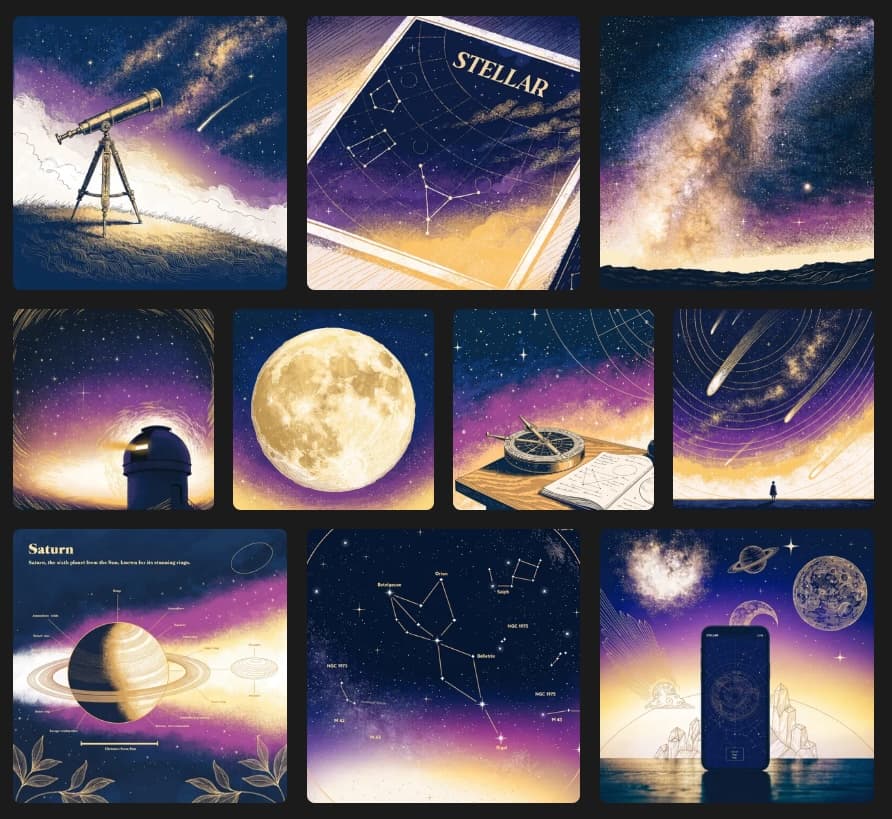
Stellar is a fictional stargazing app with a strong visual identity: deep navy and dusky purple skies, warm gold accents, fine astronomical-engraving line work, slight grain. The kind of style that takes a designer time to develop and a creative brief several paragraphs to describe.
The training set was ten images. All consistent in style, varied in subject: telescopes, constellation maps, observatory domes, diagrams. See our training a style model guide for the full workflow.
After training, the model was asked to generate subjects it had never seen:
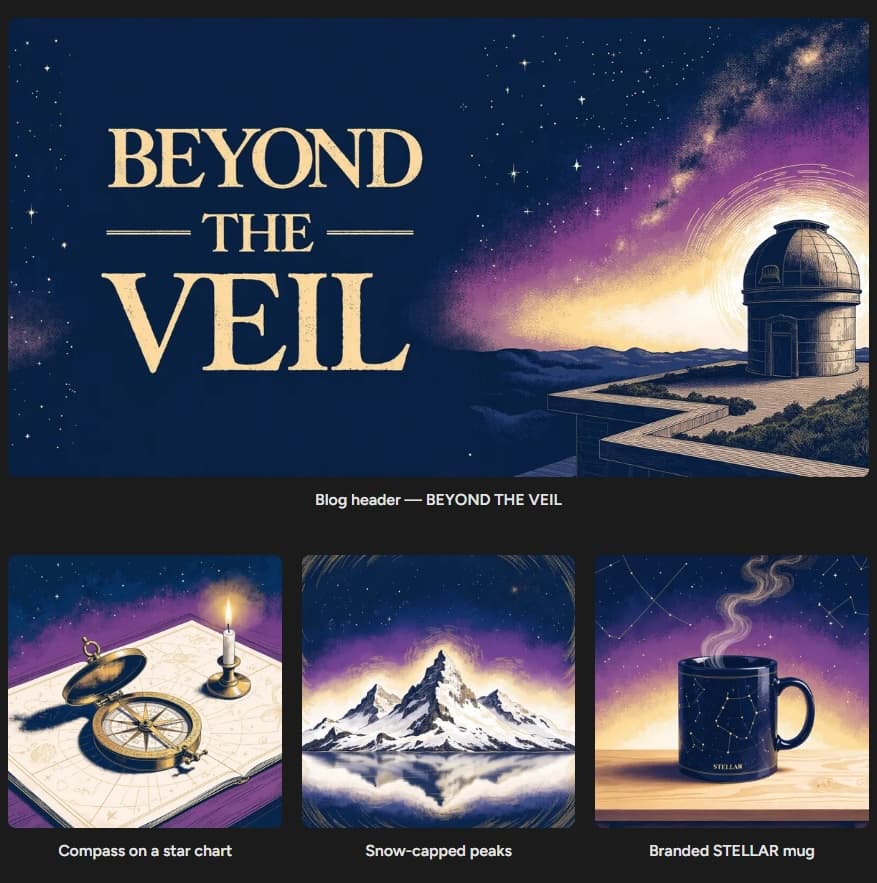
The Stellar branded mug wasn't in the training data, nor the mountain. But the palette, the line work, and the mood are all consistent with the ten images the model learned from.
For marketing teams, the practical reality is this: train once on your brand's visual style, and every generation that follows, whether applied to products, scenes, or campaign formats, will come back looking like it belongs to the same family.
Why most AI images don't look like your brand
Generic image models are trained on everything, which is what makes them useful for most things and not quite right for your specific thing. You can describe your brand aesthetic in a prompt and receive something adjacent to your requirements. But adjacent isn't consistent, and consistent is what brand work requires.
Every time someone on your team runs that prompt, they word it slightly differently. The model interprets it slightly differently. Over time, across dozens of campaigns and hundreds of assets, the visual language drifts away from the true product. Nothing is technically wrong with any individual image. But they don't present a unified view of a specific product.
A custom model solves this at the root. Instead of describing your style every time and hoping the model follows, you train a model directly on your brand's visual assets. The style is encoded, and every generation starts from the same place — with the visual style locked in — regardless of the prompt.
Fine-tuning a model is harder than it looks
Training a model on your brand's visual style isn't just about uploading images and waiting. The dataset needs to be carefully curated: the right subjects, the right variety, no outliers that pull the output in the wrong direction. Then there are the training parameters: how long to run, how strongly to weight the style signal, how to configure the fine-tuning for your specific visual language.
Those decisions aren't universal. The right settings for a bold graphic illustration style are different from the right settings for soft editorial photography. Get them wrong, and the output looks generic, or worse, inconsistent in ways that are hard to diagnose.
The trial-and-error method of model training is a real barrier to success.
What Exactly AI does differently
This is where Exactly AI's Illustrative Training workflow comes in.
Exactly AI's workflow, available on Runware's API, removes much of the complexity. You provide the dataset, from as few as 10 images that represent your visual style, and Exactly AI's workflow analyzes them, determining the best training configuration for your specific case, intelligently setting parameters as required.
Many custom model training tools provide a capable vehicle, but expect you to know the route. Exactly AI's workflow acts more like an experienced driver who knows the neighbourhood and the best way to get to your destination.
The result is a trained model, registered to your Runware account, callable via the Runware API, that generates in your brand voice. Every time.
How it works in practice
Once the model is trained, generating brand-consistent imagery is a standard API call. Pass your model's ID, describe the subject, and receive an image in your visual language.
An example generation might look like:
{
"taskType": "imageInference",
"taskUUID": "b2c3d4e5-f6a7-8901-bcde-f23456789012",
"model": "yourorg:exactly-illustrative@yourbrand",
"positivePrompt": "A product flat lay on a marble surface, natural window light",
"width": 1024,
"height": 1024
}
Notice the lack of style cues; no lengthy creative brief is required. The training process has captured your brand style, and the outputs will reflect that, with minimal prompting.
This works well for any team generating imagery at volume: campaign assets, social content, ad creatives, editorial illustrations, product imagery, and anywhere brand consistency is required. For a campaign that needs forty variations across different scenes, contexts, and formats, you run forty API calls, and each one will return on-brand visuals.
Getting started with Exactly AI
Our step-by-step technical guide covers everything from dataset curation, the training API call, polling for status, and using your trained model to generate output.
You can experiment with some of the base Exactly AI Illustrative Models in the Runware Playground first to get a feel for the visual output quality, before training your own model.