FLUX.2 [max]
Request

Create a finished professional environmental portrait for the annual report and press kit of an international crop biodiversity institute. Use reference image 1 as the strict identity reference: preserve the woman’s recognizable facial structure, proportions, complexion, dark brown eyes, smile lines, silver-streaked black hair, age, and composed demeanor. She is the institute’s cryogenic seed vault director, photographed with quiet authority and approachability. Use reference image 2 to establish the cold-storage setting, vertical composition, architectural perspective, restrained documentary style, and mixed cool-cyan and soft warm lighting. Show her from mid-torso upward at eye level, standing slightly left of center while the seed bank corridor recedes behind her. She faces the camera with relaxed shoulders and a direct, steady gaze, wearing a tailored pale stone laboratory coat over a dark teal merino turtleneck. Include simple clean coat details and no visible logos, badges, lettering, or institutional branding. Her clothing should feel practical and senior rather than theatrical. Keep her hands mostly outside the crop. Light her face with a broad, soft, warm key from camera left that echoes the maintenance lamp in reference image 2, balanced by cool ambient fill from the corridor. Maintain believable color interaction on skin, hair, and clothing. The background should remain clearly identifiable as a modern seed conservation facility while falling gently out of focus; retain the stainless doors, insulated walls, orderly shelving, overhead strips, and strong receding lines from the second reference. Natural skin pores, fine facial lines, individual hair strands, realistic fabric weave, accurate anatomy, and subtle catchlights. Premium editorial corporate photography, 85mm portrait-lens character, moderate shallow depth of field, clean tonal separation, understated cyan, stone, charcoal, and muted teal palette. Calm, exacting, future-focused mood. No glamour retouching, no exaggerated smile, no frozen breath, no frost on the subject, no protective goggles, no dramatic science-fiction elements, no text, no watermark, and no border. Compose specifically for a 1024x1536 vertical image with comfortable space above the head and a publication-ready crop.
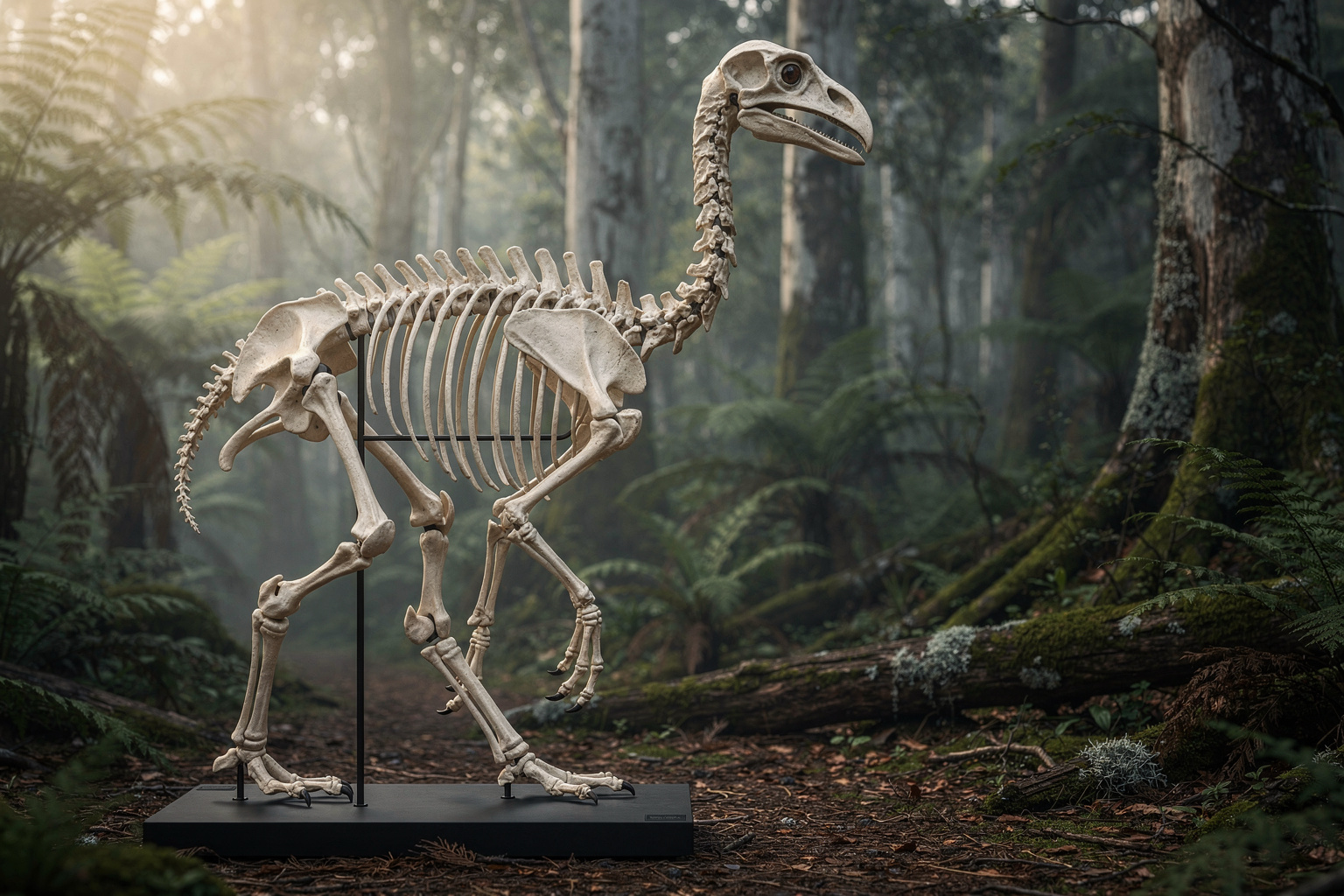
Create a finished, photorealistic museum background-replacement composite featuring one complete articulated South Island giant moa skeleton as the clear foreground subject. Present the skeleton in left-facing side profile, nearly full height, mounted on a minimal matte-black conservation armature with a low dark plinth. Preserve intricate cutout-quality detail around every rib, vertebra, toe bone, beak edge, and narrow gap in the skeleton; clean natural edges with no halos or accidental background fragments. Replace the original neutral specimen-photo background with a richly reconstructed prehuman New Zealand South Island temperate rainforest: silver beech trunks, tree ferns, mossy fallen logs, damp leaf litter, pale lichen, fine mist, and layered deep-green foliage receding into atmospheric distance. No modern objects, no people, no living moa, no visible museum interior. Make the replacement environment feel scientifically plausible and cinematic without becoming fantasy. Soft overcast dawn light filters from the upper left through the canopy, producing cool green ambient light and a restrained warm rim along the weathered ivory bones. Match the lighting direction and color spill across the skeleton, armature, and habitat. Add a convincing contact shadow beneath the plinth, subtle reflected green light on lower bones, mild humid haze behind the subject, and realistic depth of field while keeping the entire skeleton sharply legible. Landscape composition with the moa occupying the central-left two-thirds of the frame and layered forest extending to the right, suitable for a premium museum exhibition panel. Naturalistic palette of fern green, charcoal, damp umber, muted bone ivory, and touches of misty blue-gray. High-end natural-history photography, precise anatomy, refined conservation-documentation clarity, seamless professional compositing, visually rich but educational, no captions, labels, logos, borders, or typography.
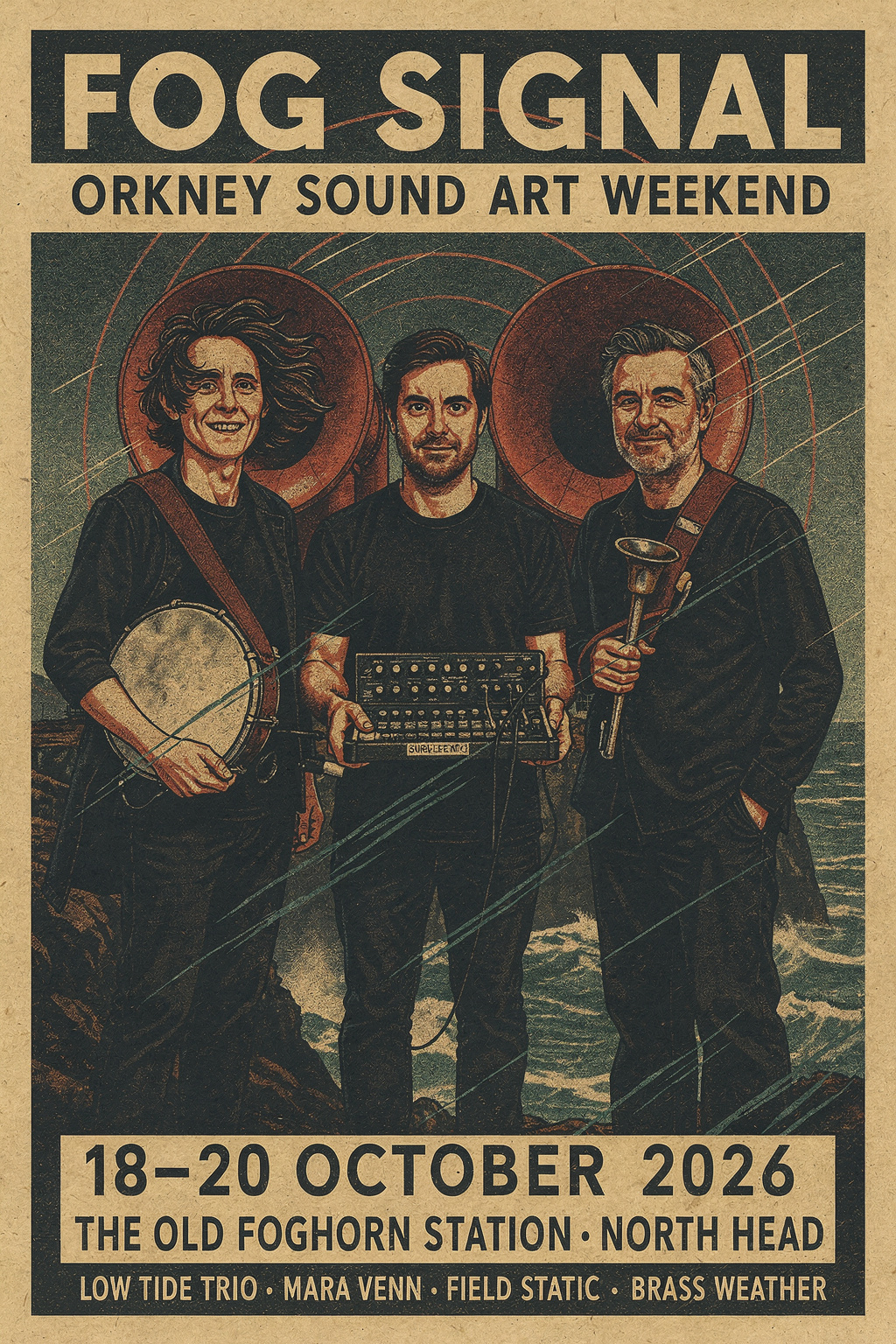
Create a finished 2:3 portrait concert poster for an experimental coastal sound festival. Use reference image 1 to preserve the recognizable identities, facial features, hairstyles, black performance clothing, body proportions, and specific instruments of all three musicians. Use reference image 2 to preserve the distinctive decommissioned foghorn station, its twin circular horn mouths, rugged headland, concrete architecture, cliffs, mist, and dramatic low-angle vertical composition. Integrate the trio naturally into the foreground of that location as the featured performers, not as pasted cutouts. Art direction: sophisticated limited-edition screen-printed cultural poster combining bold mid-century maritime graphics with contemporary editorial design. Reduce the coastal scene into crisp layered shapes, tactile ink coverage, coarse halftone shadows, subtle paper grain, and slight two-color registration offsets. The giant foghorn mouths form powerful concentric circles behind the musicians, visually echoing drums and sound waves. Wind catches coats and loose hair; sea mist sweeps diagonally across the lower cliffs. Strong hierarchy, generous negative space, dynamic but disciplined geometry. Restrained palette of uncoated warm ivory paper, deep midnight navy, oxidized sea-green, and vivid signal vermilion. Windswept, elemental, intelligent, and culturally credible rather than whimsical. Keep faces legible and faithful to reference 1 while translating the overall image into premium screen-print illustration. Include clear, correctly spelled poster typography as an intentional part of the design. At the top, large condensed uppercase title on separate lines: “FOG SIGNAL”. Directly beneath it: “ORKNEY SOUND ART WEEKEND”. In the lower information block, typeset exactly: “18–20 OCTOBER 2026” and “THE OLD FOGHORN STATION · NORTH HEAD”. Add a compact lineup line: “LOW TIDE TRIO · MARA VENN · FIELD STATIC · BRASS WEATHER”. Use bold condensed grotesk lettering for the title and clean Swiss-style sans serif for details. Ensure all text is readable, properly aligned, and contained within safe poster margins. No additional words, logos, sponsor marks, mockup frame, wall, hands, interface, or surrounding environment; output one standalone print-ready poster image.
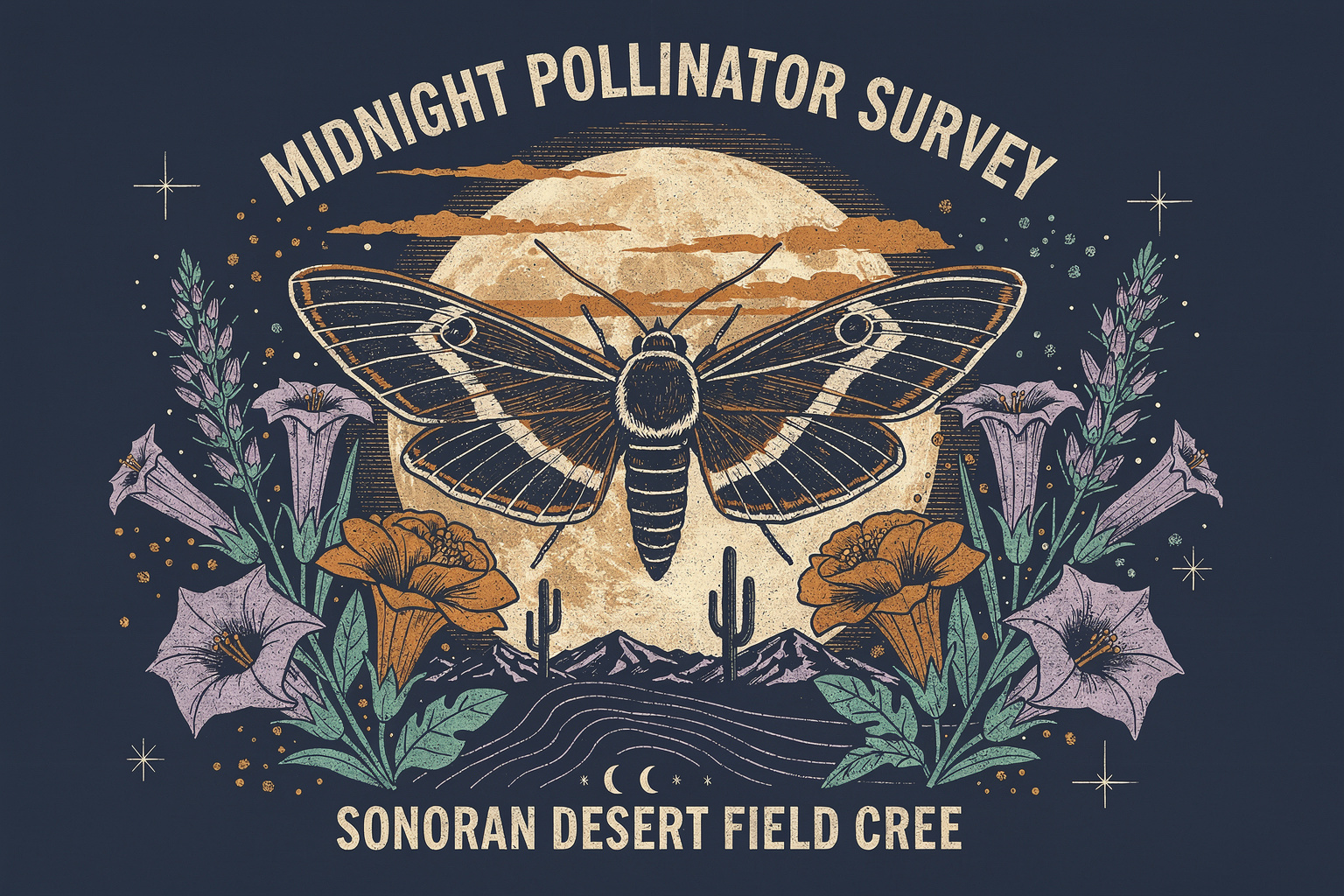
Create a finished landscape apparel graphic for the back of a field crew T-shirt commemorating a nocturnal citizen-science pollinator survey in the Sonoran Desert. Show one enormous white-lined sphinx moth in precise dorsal view, wings fully spread and centered, rendered as an intricate vintage scientific scratchboard engraving. Surround it with an arched wreath of blooming sacred datura, desert marigold, agave stalks, and tiny airborne pollen grains. Behind the moth, place a large low desert moon crossed by sparse horizontal cloud bands; below it, add small silhouettes of saguaro cactus, distant basin-and-range mountains, and a subtle sweep of topographic contour lines. Integrate tiny field-journal details—coordinate ticks, specimen registration marks, a crescent moon phase sequence, and restrained star symbols—without making the design feel cluttered. Typography is a deliberate part of the merchandise design. Across the top, set the exact words “MIDNIGHT POLLINATOR SURVEY” in bold condensed uppercase lettering that curves gently over the moon. Across the bottom, set the exact words “SONORAN DESERT FIELD CREW · 2026” in smaller sturdy uppercase lettering. Keep all text highly legible, correctly spelled, and fully contained inside the composition. Add a tiny ribbon beneath the moth reading exactly “OBSERVE · RECORD · PROTECT”. Art direction: rugged 1970s natural-history field guide meets contemporary outdoor-workwear graphics; hand-inked linocut and scratchboard character, crisp carved lines, dense ornamental detail, bold symmetrical silhouette, authentic screen-print texture, slightly imperfect ink edges. Use a strict five-ink palette of warm bone, burnt orange, dusty turquoise, chartreuse, and pale lavender on a flat deep midnight-navy background. No gradients, no photorealism, no glossy effects, no garment, no model, no product mockup, no frame, and no extra wording. Make the complete design read clearly from a distance while rewarding close inspection. Centered horizontal composition with generous negative space around every edge, isolated as one production-ready shirt-back graphic in a 3:2 landscape canvas.