Runware Serverless: run your own AI from $0.63 per GPU-hour
Runware Serverless is live, with prices from $0.63 per GPU-hour. Run your own code, models and containers on Runware's GPU infrastructure, built on our own Sonic Pods, while we manage the platform.

TL;DR
Runware Serverless is live: run your own models, code or containers on the GPU infrastructure behind Runware's Model APIs, including our own Sonic Pods, while we manage the platform around them. Workers run 1, 2, 4 or 8 GPUs and can scale to zero when idle. Pricing: $0 while idle, from $1.60/GPU-hour on demand (billed by the second), and from $0.63/GPU-hour reserved. Tell us what you're running to get started.
Runware Serverless is now live, with prices from $0.63 per GPU-hour.
That's not a typo. We've been working hard to bring down the cost of running AI, building across the stack to offer compute at half the cost of a neocloud. That work includes Sonic Pods, our own modular data centers designed specifically for AI workloads. Building and operating the infrastructure ourselves gives us more control over the cost of delivering compute, and lets us pass those savings on to you.
If you've ever got a model running, thought "great, nearly there," and then spent the next few weeks (or months) working out how to keep it running for everyone else, you'll recognize the problem. The model is ready. The queues, scaling, monitoring and GPU capacity still need your attention. Somewhere along the way, deploying an AI feature has become an enormous infra and hardware management project.
We know that project quite well.
Running Runware's Model APIs meant building the systems around inference ourselves, from scheduling GPUs to handling changes in demand. With Serverless, we're opening up that infrastructure for your own code, models and containers. You choose what the workload needs and how far it can scale; we manage the platform that runs it.
You shouldn't need an infrastructure team just to put a GPU workload into production.
Why we built our own data centers
We've spent a lot of time thinking about what makes AI compute expensive. Software efficiency is part of it, but so is the cost of building and operating the infrastructure underneath. To bring that cost down, we ended up designing our own modular data centers.
That was perhaps a slightly larger undertaking than the word "API" suggests.
A Sonic Pod fits around 1,200 GPUs into a 20-foot shipping container, with purpose-built servers and liquid cooling. The modular design makes capacity faster to deploy and less expensive to build than a traditional data center. We design the hardware around the AI workloads it needs to run, alongside the software that schedules and manages them.
Those decisions affect what it costs us to deliver compute, and what we can charge you for it. We've written more about how Sonic Pods came together and where the savings come from.
Serverless gives you access to that infrastructure without having to design it yourself or use only the models in our catalog. Bring the fine-tune you've been working on, your private model or the pipeline with all the dependencies you have very good reasons for keeping.
We want more of those projects to make financial sense once real customers start using them.
From your code to a running app
Each workload you deploy becomes a Serverless app. You can start with a Python codebase and let Runware package and build it, or bring a containerized workload when you need control over the runtime and dependencies. Choose the GPU type, the number of GPUs per worker and the minimum and maximum worker counts.
Serverless supports asynchronous workloads. You submit a job, Serverless schedules it against your app's worker pool, and you retrieve the result when it's ready. If a suitable worker is available, it can pick up the work. If the app needs more workers and remains below its configured maximum, Serverless can bring additional workers online, subject to GPU availability. Work waits in the queue when suitable capacity isn't yet available.
Runware handles GPU scheduling, worker lifecycle, scaling, execution and metering. You retain control over the code, dependencies and compute requirements.
That leaves plenty of room for workloads that don't fit a standard model endpoint: a fine-tuned diffusion model, a private LLM, a video pipeline with custom preprocessing, or several models chained together with your own application logic. Jobs can also run for longer periods, including rendering and generation workloads. Bringing your own runtime lets you keep the CUDA versions, libraries and other dependencies your application needs.
Fast cold starts, without keeping everything running
Scaling down is useful only if your workload can get back to work when demand returns. Cold starts have therefore had a lot of our attention.
We've built startup optimizations to reduce the overhead of bringing workers online. Persistent volumes can also keep model weights and caches available across cold starts, reducing repeated downloads. Startup times still vary with model size, runtime, GPU availability and configuration.
You choose how much of that startup time your application can tolerate. For latency-sensitive workloads, keep a minimum number of workers warm. For intermittent jobs, let workers shut down after an idle period and accept a cold start when the next request arrives.
For example, a batch-processing app might have a minimum of zero workers and a maximum of four. It can grow within that limit as work arrives, then release its workers after the queue clears and the idle timeout passes. An app serving regular customer requests might keep one worker warm and allow more to start during busier periods. The maximum sets a boundary on worker count; it doesn't reserve those GPUs in the shared pool.
You can change that balance as you learn how the app behaves. There's no need to settle every capacity question before the first deployment.
More work from each GPU, and zero when you're done
A GPU's hourly rate tells you only so much. The amount of work it completes in that hour affects what you ultimately pay to serve your customers.
Our scheduling and batching optimizations are designed to keep GPUs busy even when traffic arrives unevenly. Throughput depends on the model, its configuration and how the workload uses the hardware, but improving that efficiency is a large part of what we build at Runware. It's also why comparing hourly prices alone won't always tell you which setup costs less to run.
When there's no work left and your configured idle period has passed, Serverless can release every worker. At zero workers, there's no idle GPU compute charge. Your app can still exist without a GPU sitting there all weekend, faithfully waiting for Monday.
You can also give workers a little time between jobs before shutting them down. That can avoid repeated cold starts when requests arrive in short bursts, while still releasing capacity during longer quiet periods.
When one GPU won't fit the model
Some models need more memory than a single GPU provides. Other workloads are already built to distribute computation across several GPUs through tensor or pipeline parallelism.
Serverless supports multiple GPUs per worker, including configurations of 2, 4 and 8 GPUs where supported by the selected GPU type and available capacity. We allocate the GPUs together as one worker; your workload remains responsible for distributing the model and computation across them. Selecting four GPUs won't automatically make single-GPU code run four times faster.
Larger workers also need more capacity to become available together. A four-GPU worker may take longer to place than a single-GPU worker when the shared pool is busy. If your production workload can't accommodate that wait, you can reserve a GPU baseline.
See what's happening
Full observability is built in. The dashboard gives you visibility into deployments, worker state, GPU allocation, queue depth, requests, errors, logs and cost. You can investigate a slow job, see whether work is waiting for capacity and check what your scaling settings are costing you.
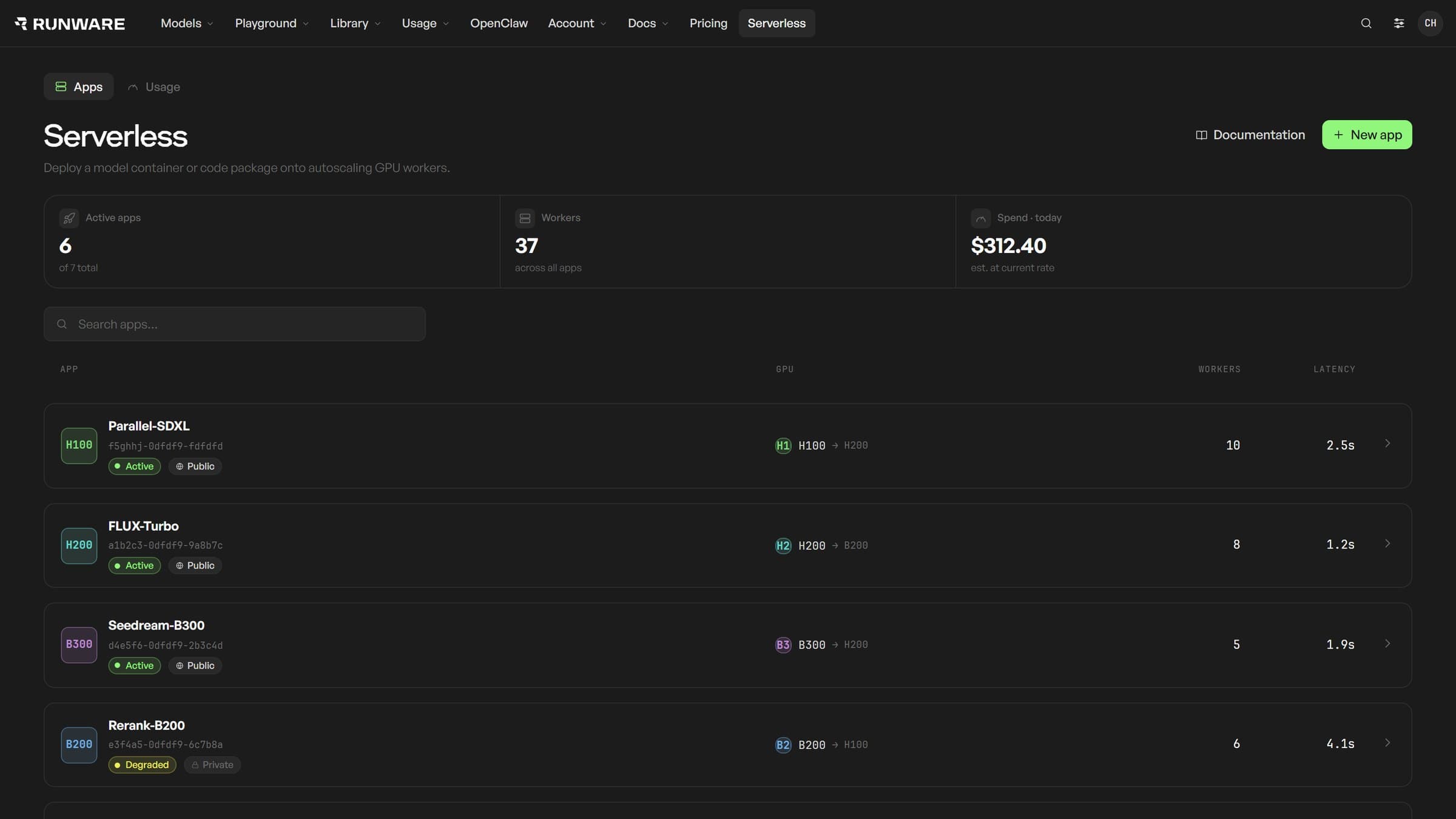
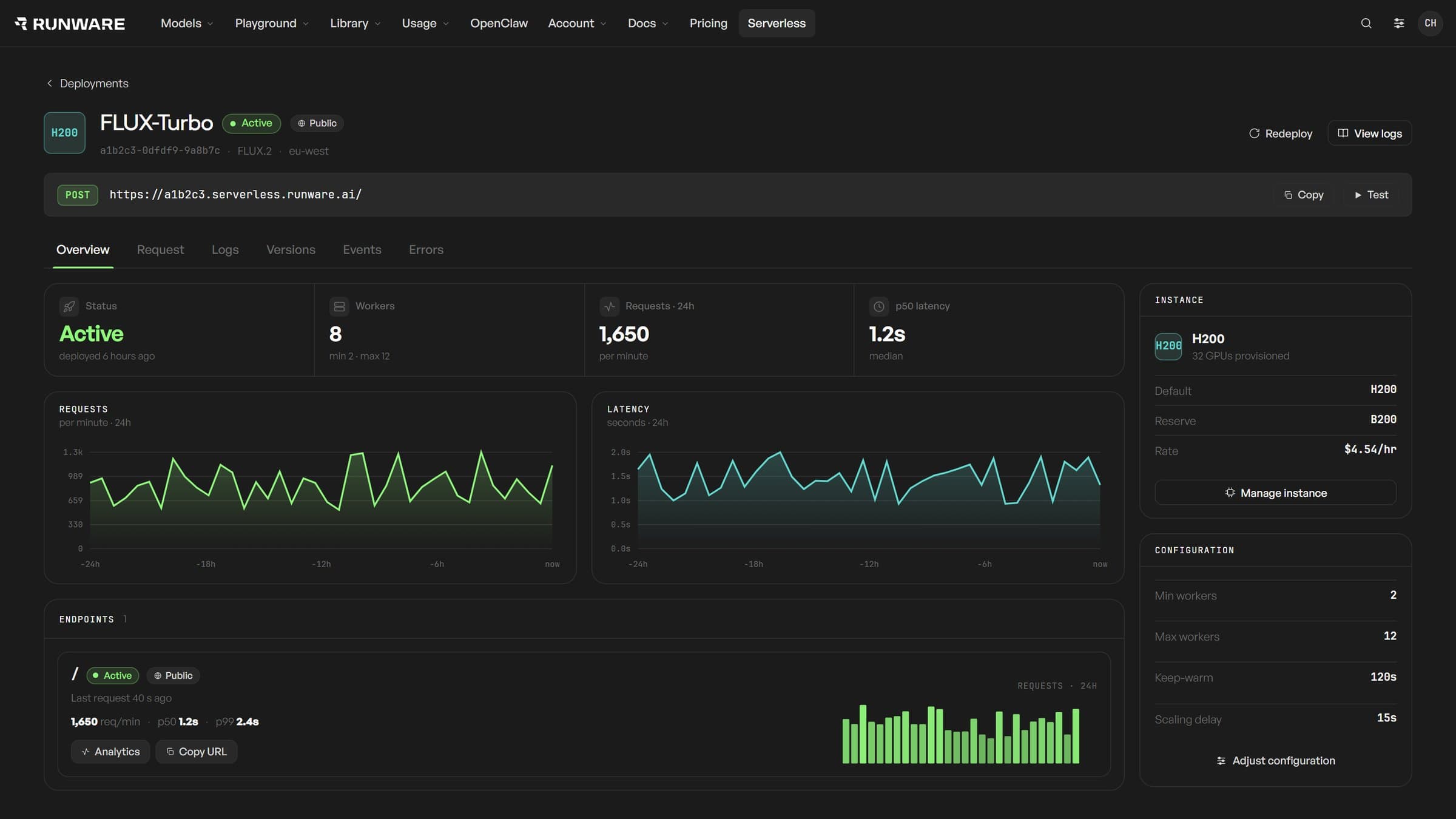
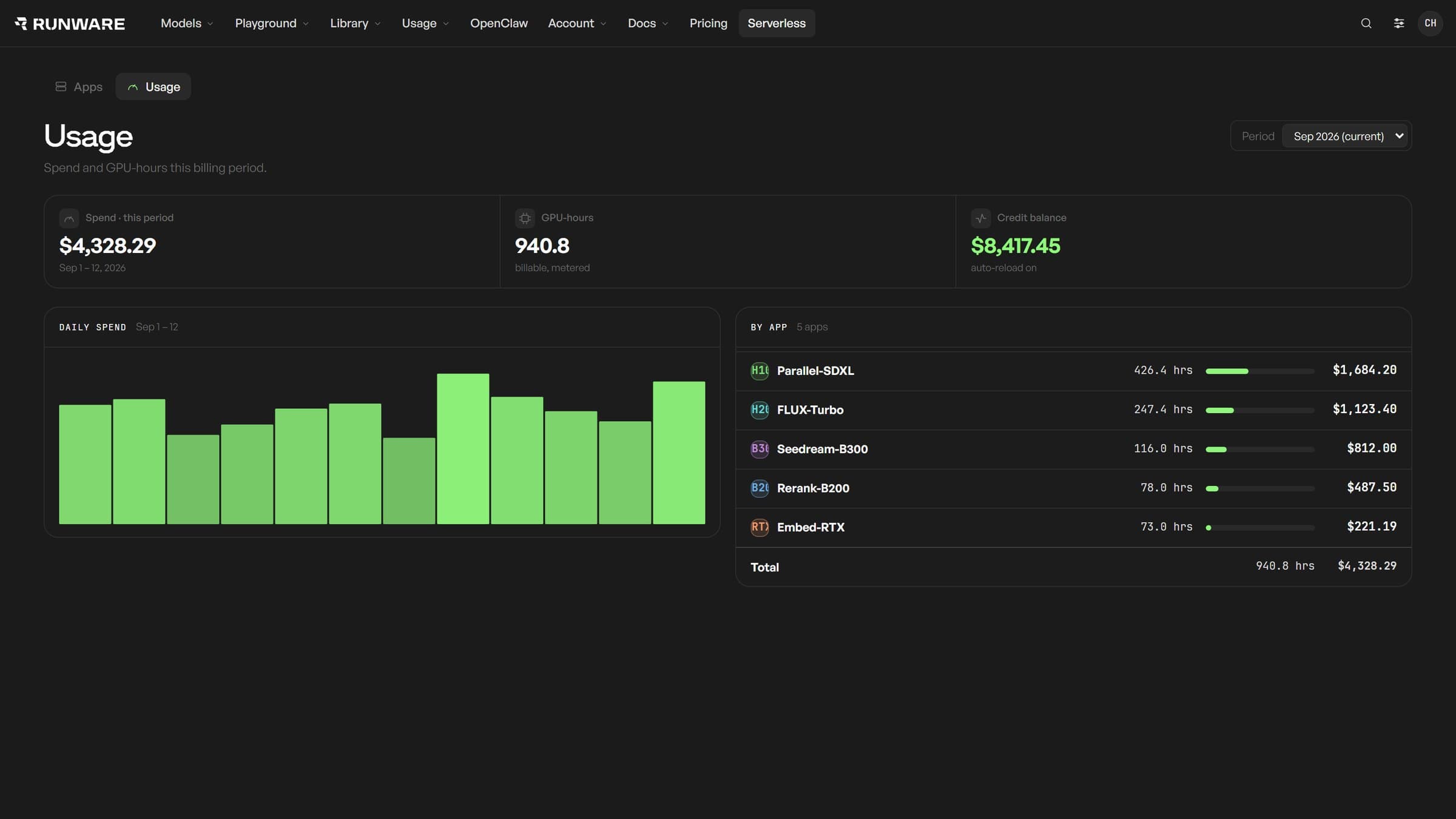
Every app at a glance: status, GPU, workers and latency. Shown with simulated data.
That visibility helps with everyday tuning as well as troubleshooting. You might shorten the idle timeout on a batch workload, keep a worker warm for more consistent response times or change GPU configuration after seeing how the model behaves under load. The SDK, CLI and API let you deploy and invoke workloads as part of your existing workflow.
What it costs, and when you pay
Prices start from $0.63 per GPU-hour. Serverless supports on-demand and reserved capacity, which you can use separately or together.
$0
while idle
From
$1.60
per GPU-hour, on demand
From
$0.63
per GPU-hour, reserved
On-demand pricing starts at $1.60 per GPU-hour for L40S, billed by the second with no long-term commitment. It runs on shared capacity, so availability varies with demand. Apps can scale to zero when idle.
For production workloads that need guaranteed GPU capacity, reserved pricing starts at $0.63 per GPU-hour for RTX PRO 6000, with the rate and commitment terms agreed for your deployment. Reserve the baseline you need, then use available on-demand capacity for demand above it. Rates vary by hardware, so check the pricing for the GPU you plan to use.
Start elastic. Reserve when you need certainty.
On-demand billing follows GPU allocation: you pay from the moment a worker holds a GPU until it releases it. That includes loading the workload after allocation, processing requests and staying warm between them. You aren't billed while waiting for GPU capacity or while the container image is being pulled before allocation. Runware-side recovery from a platform failure isn't charged.
Keeping a worker warm therefore costs money, even when it has nothing to process. It also doesn't constitute a capacity reservation. Warm workers help with response latency; a reservation secures an agreed amount of GPU capacity. Reserved charges follow your agreement, including during quiet periods.
For multi-GPU workers, compute charges reflect all the GPUs allocated to the worker. Your GPU type, GPUs per worker, worker count and idle settings determine much of your on-demand spend. Those are choices you can inspect and adjust as you learn what your workload needs.
Model APIs, Serverless or Compute?
If the model you want is already available through Runware's Model APIs, that's generally the quickest way to get started. There's nothing to deploy, and you can call the model through the API.
Serverless is for when you need your own model, code or runtime but would like us to handle the surrounding platform. You control the workload and its scaling boundaries while we manage the workers underneath.
If you want direct access to machines to run your own infrastructure stack, including Kubernetes or a dedicated compute environment, there's Runware Compute.
To get started with Serverless, visit the Serverless page for documentation and access details, or tell us what you're running today, what it costs and what you'd like to improve. We can help work through GPU requirements, reserved capacity and an initial proof of concept for larger or more specialized deployments.
Frequently asked questions
Deploy your own AI workloads on Runware.
Bring code or a container, choose your GPUs, and pay only while they're allocated.
Get started with Serverless