
Frame by frame: choosing the right AI video model
A practical guide to choosing the right AI video model on Runware by matching strengths in motion, continuity, audio, controllability, speed, and cost to your workflow.

The AI video landscape has stopped being a list of two or three obvious choices. Open the Runware model browser today and you'll find a growing lineup of capable video models, many of them promising cinematic output, and plenty of them genuinely able to deliver it. The useful question is no longer "which model is best?" It's "what is this model best at, and when should I use something else?"
This guide is built around that question. It's a practical tour of the video models available on Runware, focused on what each one is good at, where it earns its keep, where to be careful, and how to fit each into a real creative or developer workflow.
Some models are SOTA (State of the Art) "flagships", built for polished outputs. Some are "workhorses", better suited to iteration, testing, or volume production. Others are more specialized, designed to do one specific thing very well. The leaderboard positions for these models change regularly; new models arrive almost daily. But the categories of strength - motion, consistency, audio integration, controllability, speed, and cost - are more durable.
Every model below can be tested in the Runware Playground. You don't need an API key, SDK, or code to start experimenting: create a Runware account, pick a model, write a prompt or upload a starting image, and generate.
How to read this guide: a short vocabulary
Before getting into the models, it's worth being precise about a handful of terms that come up repeatedly when working with video models.
- T2V, I2V, V2V: Text-to-video, image-to-video, video-to-video.
- Text-to-video starts from a written prompt.
- Image-to-video animates a starting image (often called the first frame), with the prompt steering motion, camera behavior, and mood.
- Video-to-video transforms an existing clip, usually preserving the original motion and structure while restyling the look or changing a specific element.
- Many models support more than one workflow, but they rarely perform equally well across all of them.
- Single-shot vs multi-shot:
- A single-shot model generates one continuous take.
- A multi-shot model can produce a sequence of cuts within one generation, ideally preserving characters, lighting, camera language, and location across those cuts.
- Multi-shot generation is what makes short narrative scenes possible without manually stitching separate clips together.
- Native audio vs silent/dub:
- A model with native audio generates picture and sound together, which can make timing, lip-sync, ambience, and sound effects feel more naturally aligned.
- A silent model produces video only, leaving audio as a separate post-production step.
- Native audio is convenient, but separate audio generation or sound design can still give you more control.
- Reference-guided generation: The model accepts one or more reference images - and sometimes video clips - as anchors for character identity, location, product design, or visual style. This is the closest current AI video gets to a casting, location, or brand reference.
- First-frame and last-frame control: You give the model a starting image, an ending image, or both, and it generates the motion between them. This is useful for transitions, shot matching, scene stitching, and cases where you already know how a shot needs to begin or end.
- LoRAs (Low Rank Adaptation): Small adapters you can train (or download) to teach a base model a specific character, style, or motion behavior, without retraining the whole base model. In practice: a LoRA can turn a generic model into one that better understands your recurring subject or visual signature.
The flagships: when you need outputs to look like film
Three models sit at the top of the Runware lineup for cinematic work. They aren't ranked against each other - they have different strengths - but if a shot has to land at film-festival quality, the choice usually comes from this group.
| Model | Strengths | Audio | Res | Best For | Price |
|---|---|---|---|---|---|
| Seedance 2.0 (and Fast) | Multi-shot continuity, persistent camera direction | Native | 1080p, 15s | Polished narrative scenes, dialogue, finals | Budget, from $0.0700/video |
| Kling Video 3.0 4K / O3 4K | Texture, detail, text, signage | Native | 4K | Big-screen delivery, ads, product films | Premium, from $0.4200/video |
| HappyHorse 1.0 | #1 user-preference score on Artificial Analysis on debut | Native | 1080p, 15s | Multilingual audio, lip-sync, prompt adherence | Premium, from $0.4200/video |
Seedance 2.0 / Seedance 2.0 Fast
Seedance 2.0 is ByteDance's unified multimodal audio-video model, and one of the strongest choices when a generation needs to feel like a complete scene rather than a single animated image. It is especially useful when continuity matters: characters, environments, camera direction, motion, and audio can hold together across a short sequence.
Key features:
- Accepts text, image, video, and audio inputs in combination.
- Supports up to 9 reference images, 3 video clips, and 3 audio clips.
- Can generate multi-shot videos up to 15 seconds with synchronized audio.
- Strong at preserving continuity across frames, shots, characters, environments, and camera direction.
- Best suited for dialogue scenes, short narrative moments, product stories, cinematic sequences, and multi-shot prompts.
- Follows reference images closely, which helps when visual consistency is important.
Seedance 2.0 Fast is the speed-and-cost optimized variant. It offers the same multimodal capabilities, with a lower visual ceiling and much faster turnaround. One of the most beneficial workflows is Fast for iteration and 2.0 for final outputs.
Reach for Seedance 2.0 when: the project needs multi-shot continuity, persistent camera direction, native audio, dialogue, or a short scene that feels assembled rather than stitched together.
Workflow: rehearse in Fast, finish in Seedance 2.0
Use Seedance 2.0 Fast like a director's rehearsal pass. First, write the scene as a sequence of shots: wide, medium, close-up, camera movement, blocking, and key dialogue. Run quick variations in Fast to test pacing, composition, and whether the scene logic works. Once the direction feels right, move the same prompt and references into Seedance 2.0 for the higher-quality final output.
Kling Video 3.0 4K / Kling Video O3 4K
Where Seedance 2.0 is built around motion, scene continuity, and multimodal structure, Kling Video 3.0 4K is the flagship you reach for when image fidelity matters most. The 4K variants push the Kling 3.0 line into delivery-resolution territory, with cleaner surfaces, sharper textures, stronger edge detail, and a more finished look on shots that need to hold up beyond a quick social preview.
Key features:
- Designed for high-fidelity video output, especially where visual polish matters.
- 4K variants offer cleaner surfaces, sharper textures, stronger edge detail, and a more finished final look.
- Supports text-to-video and image-to-video generation.
- Includes synchronized native audio.
- Supports reference-guided generation.
- Allows prompt-based editing.
- Offers fine control over motion, pacing, and cinematic feel.
- Maintains stable temporal coherence for cinematic, commercial, and narrative clips.
One practical strength worth noting is on-screen text and signage. Video models often generate signs that look convincing for a frame, then melt into nonsense as the camera moves. In testing, Kling tends to hold signage, labels, and high-detail surfaces more cleanly than many generalist models - which matters for street scenes, product packaging, storefronts, UI screens, clocks, labels, and ad-style shots.
Reach for Kling 3.0 4K when: the final shot needs native 4K detail, polished textures, synchronized audio, strong temporal coherence, or readable visual elements such as signage, labels, packaging, and environmental text.
Workflow: build the shot around readable detail
Use Kling 3.0 4K when the important part of the video needs to stay visually clean as the camera moves: a product label, storefront sign, menu board, UI screen, clock face, logo, embossed packaging, or highly textured surface. Start with the object or environment detail that must survive the shot, then build the camera motion around it.
HappyHorse 1.0
HappyHorse 1.0 came out of nowhere. It appeared anonymously on the Artificial Analysis Video Arena in early April 2026, jumped to the top of both the text-to-video and image-to-video leaderboards, and was later confirmed by Alibaba as one of its AI video models. The Artificial Analysis model rank currently lists HappyHorse 1.0 as the leading no-audio model for both text-to-video and image-to-video, making it one of the clearest "audience preference" picks in the current lineup.
Key features:
- Strong performance in both text-to-video and image-to-video workflows.
- Ranked highly on the Artificial Analysis Video Arena, especially among no-audio models.
- Produces clips with clean composition, polished motion, strong prompt adherence, and convincing cinematic texture.
- Best suited for cinematic scenes, product shots, character moments, social content, and campaign-style visuals.
- Outputs short-form clips from 3 to 15 seconds.
- Supports 720p and 1080p output.
- Offers multiple aspect ratios.
- Strong multilingual lip-sync support across seven languages: English, Mandarin, Cantonese, Japanese, Korean, German, French.
Pricing is a consideration. HappyHorse sits in the premium tier, so it is usually not the model to burn through while roughing out an idea. A sensible workflow is to block the shot on a cheaper or faster model first, then move to HappyHorse when the direction is working and you want the strongest final take.
Reach for HappyHorse 1.0 when: the brief calls for top-tier preference quality, polished text-to-video or image-to-video output, close-up character performance, multilingual lip-sync, or a final render that needs to feel immediately usable.
Workflow: block cheaply, finish with HappyHorse
Use HappyHorse as a final-take model, not the scratchpad. Start by testing the idea on a cheaper workhorse model: composition, camera motion, pacing, and basic blocking. Once the shot works, move the refined prompt into HappyHorse for the version where fidelity, performance, and aesthetic quality matter most.
Same prompt, three flagship models: a comparison
The cleanest way to experience the difference between these three flagship models is to run the same prompt through all of them. The goal is not to crown a universal winner - these models are optimized for different things.
Seedance 2.0
Kling Video 3.0 4K
HappyHorse 1.0
- Seedance 2.0 - watch for scene continuity, multi-shot structure, audio-video alignment, and whether the clip feels like a coherent cinematic moment.
- Kling Video 3.0 4K - watch for delivery polish: resolution, texture, lighting, surfaces, and frame-level detail.
- HappyHorse 1.0 - watch for overall preference quality: the model that most often produces the clip people simply prefer to watch.
The workhorses: cheaper, faster, often good enough
Below the flagship tier sits a set of models you'll actually rack up generations on. Iteration and prototyping tools - the models you reach for when Seedance 2.0 quality isn't required, but a quick draft-quality output won't cut it either.
| Model | Strengths | Audio | Res | Best For | Price |
|---|---|---|---|---|---|
| MiniMax Hailuo 2.3 | Stable motion, strong physics, expressive characters, good I2V | Silent / Add separately | 1080p, 6s | Short polished clips, social shots | Balanced, from $0.2800/video |
| Seedance 1.5 Pro | Expressive motion, human performance, camera control | Native | 720p | Physics-heavy iteration without the 2.0 cost | Budget, from $0.0600/video |
| PixVerse V6 | Prompted camera/lens control, multi-image references | Native | 1080p, 15s | Lens-defined shots, multi-image character reference | Budget, from $0.0250/video |
| Vidu Q3 / Q1 | Multi-reference scenes | Native | 1080p, 16s | Multi-shot narrative clips, native audio, subtitles, image-guided scenes | Budget, from $0.0455/video |
| Grok Imagine Video | Expressive, stylized, fast, audio-aware | Native | 720p | Anime, cartoon, art-directed work | Balanced, from $0.3000/video |
MiniMax Hailuo 2.3
MiniMax Hailuo 2.3 is one of the more practical models in the current video stack: visually polished enough for serious use, fast enough for iteration, and especially good at short-form motion, stylized scenes, and image-to-video animation.
Key features:
- Supports text-to-video and image-to-video workflows.
- Optional image input makes it useful for animating existing concepts, characters, or visual directions.
- Handles both realistic and stylized outputs well.
- Strong at short-form motion and compact action sequences.
- Responds well to clear action and camera instructions.
- Keeps motion relatively stable across the clip.
- Improvements to physical action, stylization, character micro-expressions, and motion command following.
- Resolution options: 768p and 1080p.
- Output length: 6 or 10 seconds depending on resolution.
- Starting from $0.28 per generation.
Reach for Hailuo 2.3 when: you need a short, polished, visually stable clip with clear motion direction, strong style adherence, and expressive character performance.
Workflow: start with the image, direct the motion
Hailuo 2.3 is especially useful for image-to-video workflows where the first frame already establishes the subject, style, composition, and mood. Start with one strong image and use the prompt to describe what should move. Keep the motion language concrete - Hailuo responds best to specific, active verbs and clear camera direction: walks, turns, reaches, smiles, leans, drifts, sways, pushes in, pans left, tracks behind, slow dolly-in.
Seedance 1.5 Pro
Seedance 1.5 Pro is the previous-generation Seedance line, but it still earns its place as a practical workhorse. It generates cinematic video with native synchronized audio from text or image inputs, with strong motion coherence, expressive camera control, and good instruction following for short scene prompts.
Key features:
- Supports text-to-video and image-to-video workflows.
- Generates video with native synchronized audio.
- Strong at motion coherence and expressive camera control.
- Good instruction following for short, clearly directed scene prompts.
- Starting from $0.0600 per video.
Where Seedance 2.0 is the stronger choice for multi-shot continuity and final-output polish, 1.5 Pro remains useful for motion-led iteration: articulated human movement, fabric in wind, water, weight, dance, choreography, and simple action beats where the physical motion matters more than the absolute highest visual ceiling. A practical workflow is to use Seedance 1.5 Pro to test motion, timing, and camera direction, then move to a more expensive flagship once the shot is working.
Reach for Seedance 1.5 Pro when: the shot is motion-led and when you're iterating.
PixVerse V6
PixVerse V6 is the cinematographer's playground. Its headline strength is how well it responds to explicit camera and lens language, making it one of the stronger choices when the look of the shot needs to be directed.
Key features:
- Strong response to detailed camera and lens instructions.
- Handles cinematic prompting language well: focal length, aperture, depth of field, chromatic aberration, vignetting, dolly moves, pans, push-ins, and other shot-direction cues.
- Supports multi-image character references for better visual continuity across shots.
- 15-second 1080p generation.
- Supports multilingual text rendering inside the frame.
- Includes native audio.
Reach for PixVerse V6 when: the look of the shot is doing as much work as the subject, and when character consistency across multiple references is important.
Workflow: write it like a shot list
Use PixVerse V6 when you already know how the shot should be filmed. Start with the lens and camera behavior, then describe the subject, action, lighting, audio, and final frame. Especially useful for fashion films, product spots, music videos, character reveals, and stylized social clips where the camera treatment is part of the creative idea.
Vidu Q3 / Q1
Vidu Q3 is the storytelling workhorse in this group: a multimodal video model built for longer short-form scenes with native audio, multi-shot structure, and camera-aware prompting. It is especially useful when a clip needs to feel like a complete sequence rather than a single animated shot.
Key features:
- Supports text-to-video and image-to-video workflows.
- Produces synchronized audio-video output.
- Supports intelligent multi-shot sequencing.
- Can generate complete clips with stable visuals and embedded subtitles.
- Useful for scenes that need camera-aware prompting and a stronger sense of narrative structure.
- Supports up to 1080p output.
- Starting from $0.0455 per video.
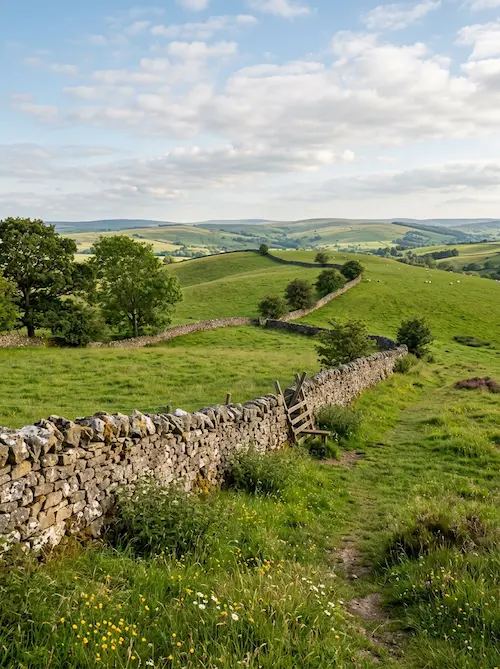
The differentiator is Vidu Q3's reference-fusion approach. Most image-to-video models animate a single reference image. Vidu Q3 can take two references - such as a character portrait and a location photograph - and weave them into the same scene. The Vidu Q1 line also supports up to 7 reference images for characters, props, scenes, and style continuity.
Reach for Vidu Q3 when: you need a longer short-form scene with synchronized audio, multi-shot structure, embedded subtitles, camera-aware prompting, or a complete narrative beat in one generation.
Input images

Output video
Workflow: build a compact story beat
Use Vidu Q3 when the scene has a beginning, middle, and end. Write the prompt as a compact story beat: establish the scene, show the change, then land on a clear final moment. Include audio cues directly in the prompt: dialogue, ambience, sound effects, or music.
Grok Imagine Video
Grok Imagine Video, from xAI, is a fast, expressive video model built for short clips with native audio. It supports text-to-video and image-to-video generation, producing motion, camera dynamics, dialogue, sound effects, and ambient audio in a single workflow.
Key features:
- Strong fit for fast, expressive short-form clips.
- Supports both text-to-video and image-to-video workflows.
- Handles stylized briefs more confidently than many photoreal-first flagship models.
- Native audio is useful, but may need replacement or polish if the soundtrack matters creatively.
Where the flagships chase realism, Grok Imagine leans into character. Native audio is convenient, but if the soundtrack matters creatively, be prepared to replace or polish it afterward with a dedicated audio pass; quality and relevance can vary.
Reach for Grok Imagine Video when: the brief is stylized rather than photoreal, when speed and expressiveness matter more than the last increment of fidelity, and when the project lives in animation, cyberpunk, music-video, meme, or art-directed territory.
Workflow: lean into stylized energy
Use Grok Imagine Video when the shot benefits from exaggeration: speed, color, expression, attitude, and bold art direction. Give it a clear visual lane and a kinetic action - anime chase, cyberpunk street race, comic-book reveal, glitchy music-video loop, surreal mascot ad, or exaggerated character reaction.
The open-weight corner: LTX-2.3, Retake, and Wan 2.2
Open weights are their own kind of capability. Closed-weight flagships can give you a polished result, but an open-weight model gives you something you can train, fine-tune, customize, and build into your own pipeline. For filmmakers building a recognizable visual signature, or developers who need video generation inside a product rather than just a web UI, that distinction is critical.
| Model | Strength | Audio | Res | Best For | Price |
|---|---|---|---|---|---|
| LTX-2.3 | Open weights, LoRA support, native portrait | Native | Up to 4K | Custom trained styles, owned pipelines | Budget, from $0.0800/video |
| LTX-2 Retake | Segment-level video/audio editing | Native, replace or preserve | Up to 4K | Shot pickups, targeted edits | Balanced, from $0.1000/video |
| Wan 2.2 | Open weights, configurability, LoRA support | No native audio in base T2V/I2V | 720p | Open-weight workflows, custom LoRAs | Premium, from $0.4500/video |
LTX-2.3
LTX-2.3 is Lightricks' 22-billion-parameter DiT-based audio-video foundation model, released with open weights and permissive Apache 2.0 licensing. It is designed to generate synchronized video and audio in one model, with the option to run locally if you have the hardware.
Key features:
- Supports text-to-video, image-to-video, audio-to-video, and video extension.
- Generates synchronized video and audio in one model.
- Rebuilt VAE improves detail in textures, faces, hair, and text.
- Stronger prompt following and better image-to-video motion.
- Cleaner native audio with fewer artifacts and tighter synchronization.
- Supports native portrait output, useful for vertical-first production.
- Released with open weights and an Apache 2.0 license.
- Full LoRA fine-tuning support, including motion, style, and likeness LoRAs - in many configurations, trainable in under an hour.
Reach for LTX-2.3 when: you want creative ownership, when a custom LoRA or open-weight workflow is part of the plan, when the project needs to live inside a pipeline you control, or when permissive licensing matters as much as raw output quality.
Workflow: train the look, then reuse it
Use LTX-2.3 when the goal is not just one good generation, but a repeatable visual system. Start with a style, character, product, or motion behavior you need across multiple clips. Train or apply a LoRA, then generate variations from the same model so outputs feel like a single brand campaign.
LTX-2 Retake
LTX-2 Retake is the LTX editing model for targeted revisions, not full regeneration. Think of it as a directorial repair tool: same shot, specific adjustment, without throwing away everything that already worked.
Key features:
- Designed for targeted clip revisions, not full re-generations.
- Works at the segment level - define the part of the clip that needs changing.
- Can regenerate video, audio, or both, depending on the edit.
- Preserves the surrounding motion, timing, and continuity.
- Useful for fixing awkward motion, bad audio, unwanted artifacts, missed details, or small creative changes.
Retake is closer to an AI version of pickups, ADR, or a targeted editorial fix than a "try a different seed" workflow. It is useful when a clip is mostly working, but one section needs repair rather than a full restart.
Reach for LTX-2 Retake when: you already have a clip that mostly works, but one section needs to change: a line delivery, a gesture, a facial expression, a sound cue, or a visual detail.
Workflow: fix the shot, don't re-render it
Use Retake when the expensive part is already done. Instead of regenerating the entire clip because one moment failed, target the problem section: the awkward hand movement, wrong facial expression, weak line delivery, bad sound cue, or final two seconds you'd rather save than cut.
Wan 2.2
Wan 2.2 is Alibaba's open-weight video model family, released under Apache 2.0 and built for creators who care about control as much as raw output quality. It uses a Mixture-of-Experts architecture, with larger A14B variants for text-to-video and image/video workflows, plus a smaller 5B hybrid variant designed to be more practical on consumer hardware.
Key features:
- Released with open weights under Apache 2.0.
- Mixture-of-Experts architecture.
- Larger A14B variants for text-to-video and image/video workflows.
- Smaller 5B hybrid variant for practical local use.
- Supports local or private pipelines.
- Strong ecosystem potential through community workflows and LoRA content.
- Some workflows expose separate high-noise and low-noise LoRA configurations for finer control.
Wan 2.2 is not the model you reach for if you simply want the highest raw output quality - closed-source flagships like Seedance 2.0 and HappyHorse still lead on motion coherence, photorealistic detail, and prompt adherence. What Wan 2.2 offers instead is configurability.
Reach for Wan 2.2 when: open weights and Apache 2.0 licensing are important, when you want native LoRA support for character or style consistency, when the work needs to live inside a pipeline you fully control, and when the trade against flagship output quality is acceptable in exchange for control.
The specialists: one thing, done very well
Some models exist to solve a specific problem, and they solve it better than the generalists.
| Model | Strength | Audio | Res | Best For | Price |
|---|---|---|---|---|---|
| P-Video | Near real-time generation, fast draft mode | Native / audio import | 1080p, 48fps | Drafts and previews, volume content | Budget, from $0.00500/video |
| P-Video Avatar | Single portrait to talking-head video | Script voice or uploaded audio | 1080p | Narrators, dubbing, localized content | Budget, from $0.0250/video |
| SkyReels V4 | Audio-conditioned generation and editing | Audio reference / synchronized output | 1080p, 32fps, 15s | Locking video to existing audio, guided edits | Balanced, from $0.1100/video |
P-Video
P-Video is the iteration engine - near real-time text-to-video, image-to-video, and audio-to-video, up to 1080p at 48fps, with integrated dialogue generation. The whole point is speed and cost: drafts and previews, not finals. When you're refining a prompt and want to see ten variations before committing to a flagship render, P-Video is the model of choice.
Reach for P-Video when: you need fast drafts, quick previews, prompt testing, volume content, or a low-cost way to compare several directions before committing to a final render.
P-Video Avatar
P-Video Avatar turns a single portrait into a talking-head video. Provide a portrait image, then add either an uploaded audio file or a written script, and the model handles facial animation, mouth movement, and audio-visual alignment.
Key features:
- Turns a single portrait image into a talking-head video.
- Supports both script-driven and audio-driven workflows.
- Handles facial animation, mouth movement, and audio-visual sync.
- Supports 720p and 1080p output.
- Includes over 30 selectable voices and languages.
Useful for scalable presenter-style content, narrators, explainers, product walkthroughs, educational clips, and localized video variants. Especially effective for localizing content - keeping the same scene, imagery, voice, and delivery while changing the language.
Reach for P-Video Avatar when: you need narration content, character-led explainers, dubbing, localization, or talking-head videos generated from a single portrait and script/audio input.
The model is especially useful for localizing content, keeping the same scene controls, imagery, voice, and delivery while changing the language.
English dialogue delivery
French dialogue delivery
Workflow: one portrait, many localized versions
Start with a clean portrait: front-facing, well-lit, with the mouth visible and no heavy obstruction. Generate the first version from your primary script, then reuse the same portrait and scene setup for alternate languages, markets, or delivery styles.
SkyReels V4
SkyReels V4 is the specialist to reach for when the workflow is audio-aware, reference-led, or editing-led rather than simple text-to-video. It is a unified multimodal video-audio foundation model for generation, inpainting, and editing, accepting text, images, video clips, masks, and audio references.
Key features:
- Supports Text to Video, Image to Video, Video to Video, Audio to Video, Edit, and Extend workflows.
- Accepts text, images, video clips, masks, and audio references.
- Outputs up to 1080p, 32fps, and 15 seconds.
- Built around a dual-stream multimodal architecture.
For a straightforward text-to-video prompt with native sound, models like Seedance 2.0, HappyHorse 1.0, or Kling 3.0/4K may be easier to test first. SkyReels becomes more interesting when the job is shaped by references: a voice or audio cue, a first/last frame, a motion reference, an existing clip, or an edit that needs to preserve part of the original footage.
Reach for SkyReels V4 when: you are working from audio, frame references, masks, or existing footage, and need the output to follow those inputs rather than invent everything from a plain prompt.
Don't ship it silent: sound design with Mirelo SFX 1.5
Half of cinema is sound. Many AI video models still ship silent, or generate audio that is technically present but lacks the precision a real scene needs. Mirelo SFX 1.5 fills that gap: it takes a video clip and generates synchronized sound effects that match the action on screen.
Mirelo is a video-to-audio model designed for post-processing AI-generated video. It analyzes the frames, objects, motion, environment, and timing of a clip, then generates synced foley and sound effects: footsteps, impacts, weather, mechanical sounds, ambience, and other scene-level audio cues. On Runware, clips up to 10 seconds are supported.
One important boundary: Mirelo SFX is not a speech or music generator. The model is focused on clean, compositable sound effects rather than dialogue, music, or audio bleed.
In blind comparison testing against Kling Text-to-Audio and Tencent-Hunyuan VideoFoley, Mirelo SFX v1.5 won 73.2% of comparisons when ties were included, with a 68.3% clean win rate excluding ties.
What makes it different from native audio in the generating model is control. Native audio is convenient: you get picture and sound back in one pass. Mirelo works as a separate stage - meaning you can add, replace, or audition sound effects after the video is already approved, without regenerating the whole clip.
Reach for Mirelo SFX 1.5 when: the picture works but the sound doesn't, when a silent model gave you the best visual output, or when you need a dedicated foley pass for footsteps, impacts, ambience, weather, machines, movement, or scene texture.
Silent video
With Mirelo SFX 1.5
Workflow: render the input, then run the foley pass
Use Mirelo after the visual generation stage. First, create the video with whichever model gives you the best output. Then send the finished clip through Mirelo to generate synchronized sound effects. If the first audio pass is close but not perfect, generate multiple variations and pick the one that best matches the scene, or refine the prompt to direct the audio output.
Quick reference: picking a model for the shot
The opening argument of this guide was that the useful question isn't "which model is best" but "what is this model best at." Here's the short answer - the same lineup, sorted by what you're trying to make:
- Highest-rated output in blind preference testing -> HappyHorse 1.0
- Polished multi-shot scene with audio -> Seedance 2.0
- 4K visual fidelity, signage, labels, product detail, final delivery resolution -> Kling Video 3.0 4K or Kling O3 4K
- Cheaper iteration loop -> Seedance 2.0 Fast, P-Video, or Seedance 1.5 Pro Fast
- Lens language doing storytelling work -> PixVerse V6
- Short narrative scenes with native audio, multi-shot structure, subtitles -> Vidu Q3
- Heavier multi-reference work (characters, locations, props, style) -> Vidu Q1
- Stylized work: anime, cyberpunk, cartoon, music-video, art-directed -> Grok Imagine Video
- Train your own LoRA or own the pipeline end-to-end -> LTX-2.3
- Open-weight, highly configurable, LoRA support -> Wan 2.2
- Repair or revise part of an existing clip without full regeneration -> LTX-2 Retake
- References, masks, audio cues, or existing footage as inputs -> SkyReels V4
- Fast drafts, hooks, social/product ad previews -> P-Video
- Talking heads, narrators, explainers, dubbing, localized presenter content -> P-Video Avatar
- Add synchronized foley and sound effects to a silent clip -> Mirelo SFX 1.5
Using these models on Runware
There are two main paths to using these models on Runware.
The Playground. For most models in this guide, the fastest way to start is the Runware Playground at runware.ai. No code, no SDK, and no production setup required - open the model browser, pick a model, type a prompt or upload a starting image, and generate. Some advanced capabilities, however, are API-first or API-only. Reference inputs, masks, frame controls, retake workflows, audio options, and provider-specific parameters may not always be exposed in the Playground UI.
The API. When video generation needs to live inside an application, automation, CMS, batch workflow, or production pipeline, use the Runware API. Runware's API uses task types to route work across image, video, audio, and other model families. Most video-generation models in this guide use the videoInference task type, while audio-focused tools such as Mirelo SFX use the relevant audio workflow.
A minimal Seedance 2.0 API request might look like this:
{
"taskType": "videoInference",
"taskUUID": "...",
"model": "bytedance:[email protected]",
"positivePrompt": "[your prompt]",
"duration": 8,
"width": 1920,
"height": 1080
}
Per-model parameters, supported resolutions, durations, inputs, and provider-specific options live in the Runware model documentation at runware.ai/docs/models. Treat the Playground as the best place to learn the models, and the API as the path for deeper control, automation, and advanced workflows.
For API access, you'll need a Runware account and API key. Sign up here and start building with Runware's unified API across image, video, audio, LLM, 3D, and other generative models.